Brisk AI Review vs. GPTZero: Which Is Best for Teachers?
Brisk helps with classroom productivity, while GPTZero is built for academic integrity. Educators can benefit from both, as we explore in detail here.


Although AI is becoming more heavily integrated in students’ lives, with 93% of students saying they use AI tools for schoolwork or revision, 74% of teachers say they’ve had no AI training. This means it is up to you as a teacher to figure out which tools are going to help you in your own AI journey – and we’re here to make it easier.
Brisk is best known as an AI-powered teaching assistant with a Chrome and Microsoft Edge extension, and it sits inside tools many teachers already use, such as Google Docs, Microsoft Word, PowerPoint, and LMS workflows.
Below, we’ll look at what Brisk does, its advantages and limits, and how its AI-detection and writing-inspection features stack up against dedicated AI detection tools such as GPTZero. By the end, you’ll know when Brisk is useful for classroom productivity, when GPTZero is stronger for academic integrity, and how to combine writing replay with AI detection responsibly.
TL;DR
A quick comparison of GPTZero vs. Brisk
What is Brisk Teaching AI?
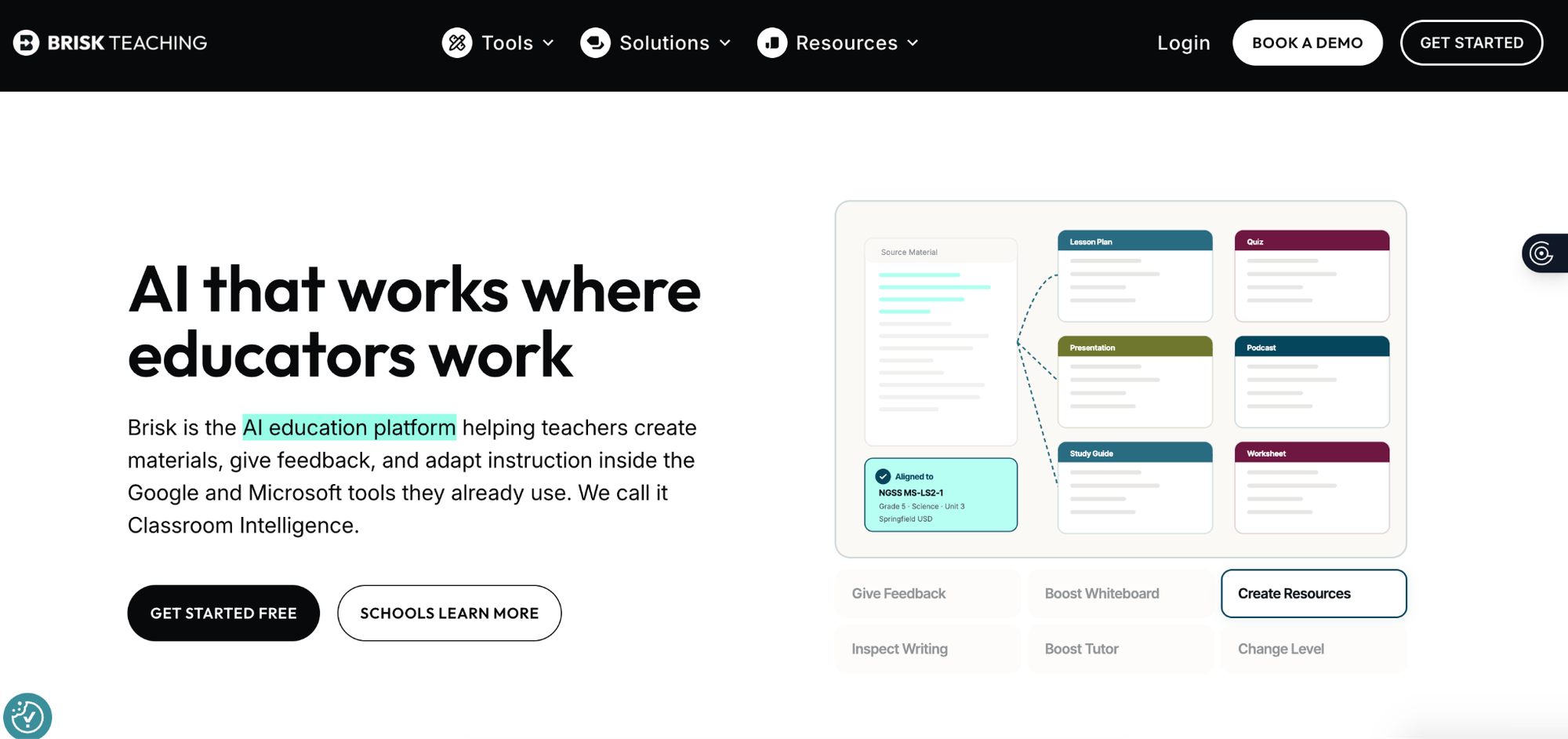
Brisk calls itself “the AI education platform helping teachers create materials, give feedback, and adapt instruction inside the Google and Microsoft tools they already use.” Primarily, its main role is to help teachers inject AI into their workflows so as to save time with lesson planning and student feedback.
It helps teachers create presentations, quizzes, lesson plans, and more with just a few clicks, and it also gives personalized feedback in the teacher’s preferred style directly within the students' Google Docs. Teachers can also see how students put together their assignments, with a video view of their entire writing process from start to finish.
When we asked teachers within the GPTZero community what they most often used Brisk for, we found that the most frequent use case was to generate rubric-based feedback.
One high school teacher told us she uses Brisk to upload her specific rubrics and generate initial feedback on student writing. While she still reads the entire essay to ensure its accuracy, Brisk gives a helpful starting point and reduces the "brain power" required for grading, and she “is liking Brisk at the moment and the type of feedback it's giving and the way it's giving it.”
Another high school teacher used the Brisk extension and appreciated that it could read rubrics in various file formats (like PDFs or JPEGs), and she also liked the ability to give the tool specific instructions, such as keeping the feedback under 100 words, avoiding repetition, and using language appropriate for 11th graders. In her words:
“I really appreciated that you could upload the rubric, and that it would recognize the different rubric criteria regardless of the file format, read the students writing and then I could give it direction on just how much feedback I wanted.” – L. L., high school teacher
Key Features of Brisk
Create Anything tool
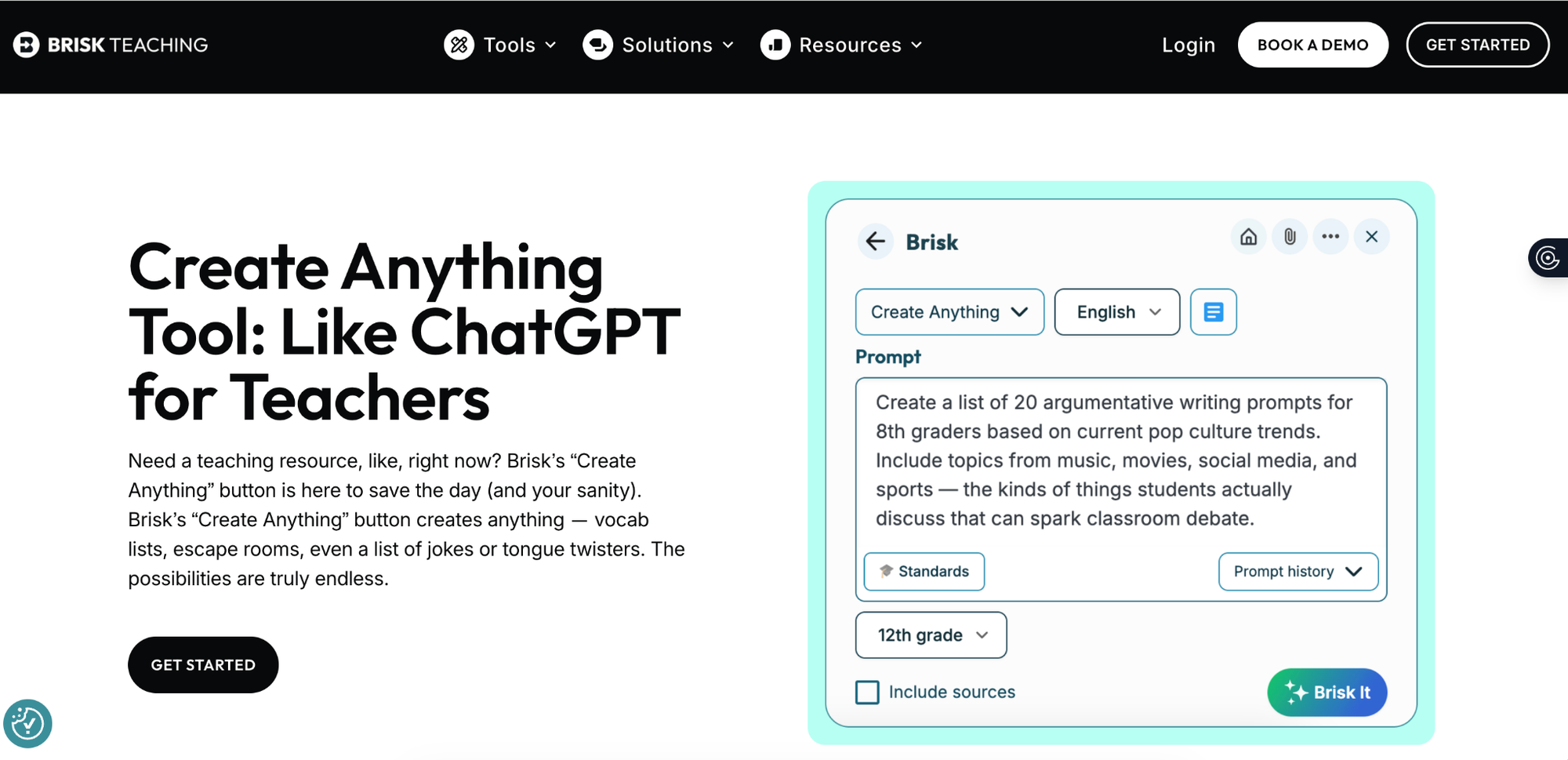
This allows teachers to create classroom materials such as lesson plans, quizzes, and presentations easily, and as it operates inside existing resources, it saves teachers from starting with a blank page. Teachers find it handy for lesson planning and turning content into classroom-ready materials.
For instance, a teacher could open a web article about droughts caused by climate change, and Brisk would be able to help convert this into a short reading comprehension activity or a quick quiz for students.
Presentation Maker
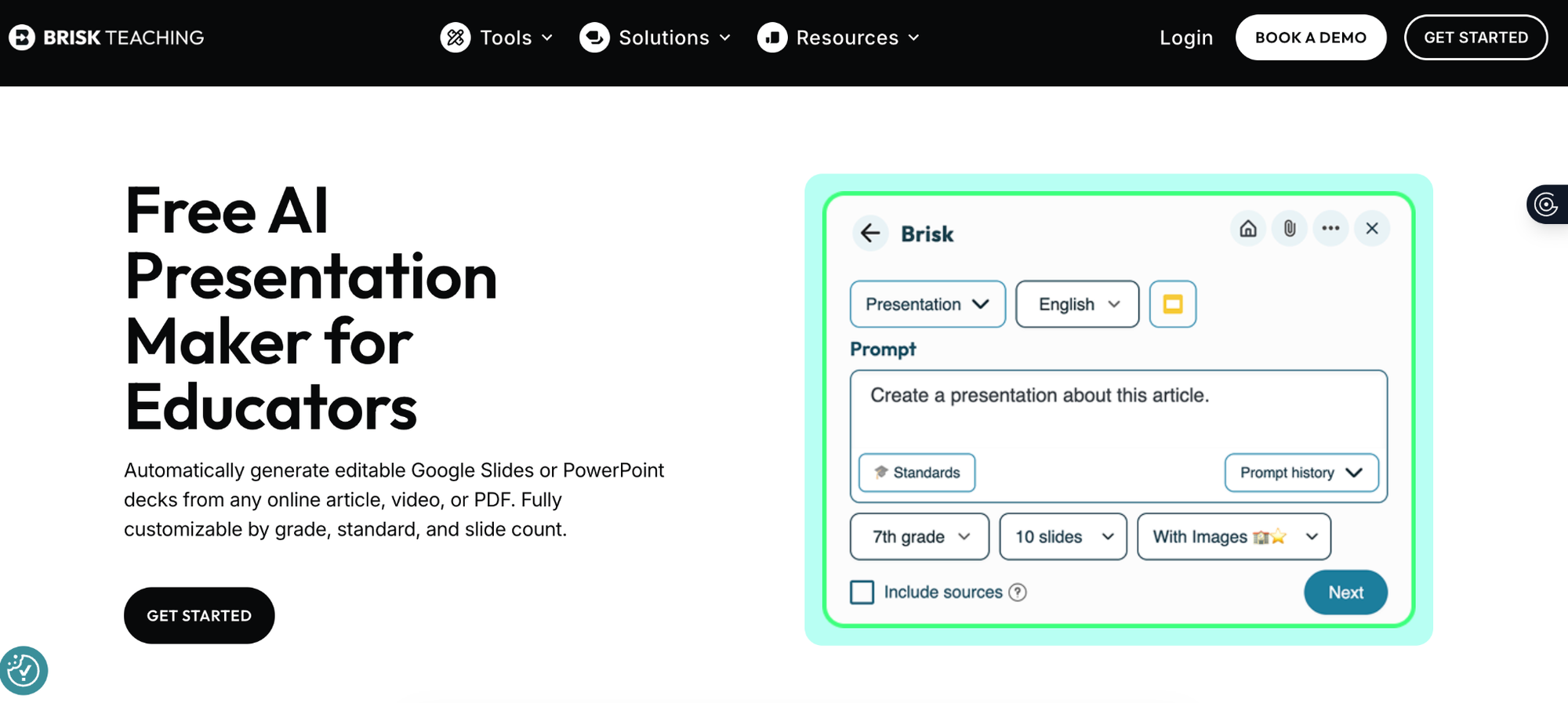
The other area Brisk is well-known for is that it can make Google Slides or PowerPoint decks from an online article, video, PDF, or other resource - meaning that even at the last minute, if a teacher finds an interesting article and needs a slide deck for the next day’s lesson, Brisk can turn said article into a draft presentation, which the teacher can then edit.
However, some teachers have said that AI-generated slides run the risk of feeling formulaic and that teachers tend to avoid them for complicated topics that need a more detailed and tailored explanation.
Feedback Generator
As we’ve previously explored, Brisk helps teachers to come up with four types of feedback on student work, offering four main feedback options:
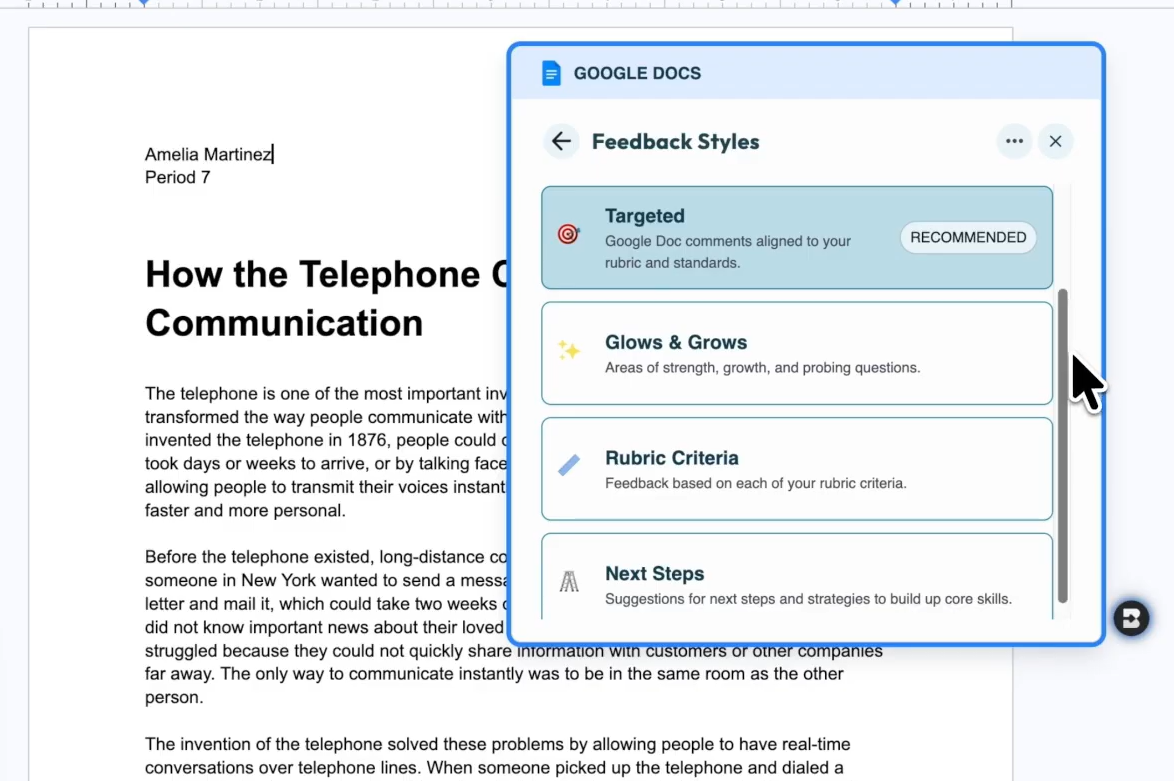
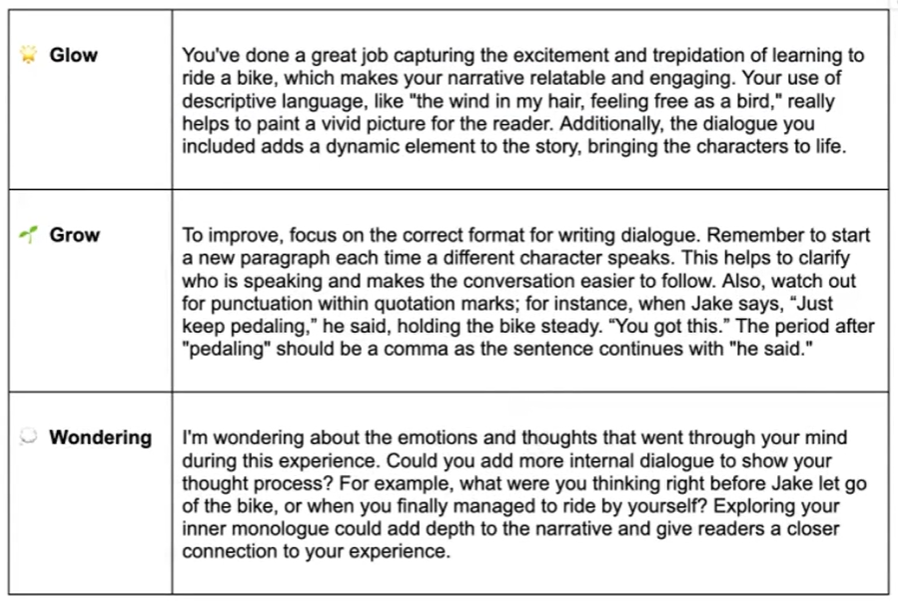
- Glow & Grow Feedback Generator: Comes up with feedback inside the Brisk extension based on a rubric or prompt, and the teacher can then insert that feedback at the top of the student’s document with a click. The following three sets of feedback are generated:
- Glow: Highlights what the student has done well
- Grow: Explains the areas that can be improved
- Wondering: Asks the students to add a little more context
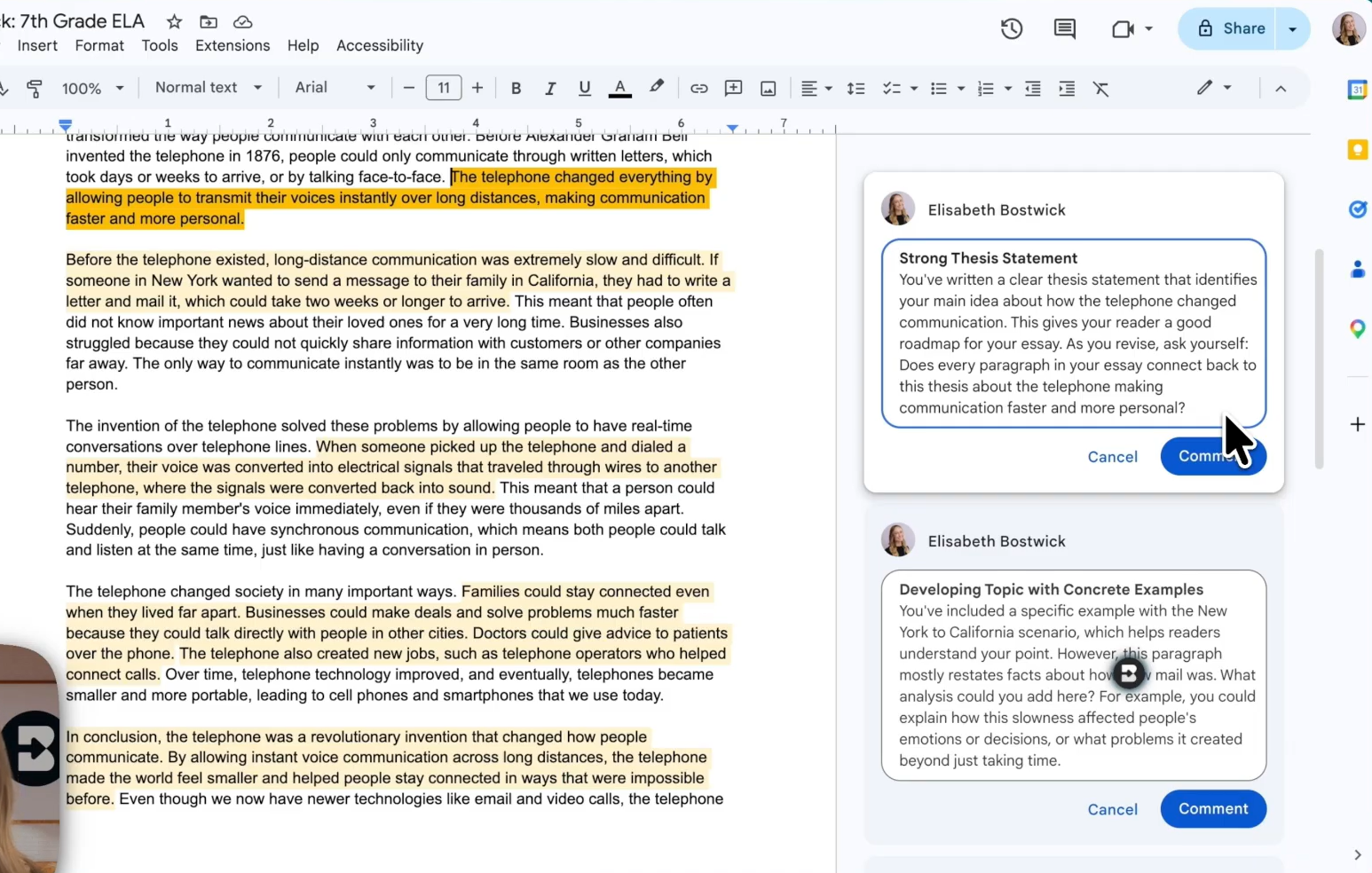
- Targeted Feedback Generator: This gives feedback for specific parts in student submissions in the form of Google Docs comments, and teachers can edit those comments before approving them. This feedback style is only supported on Google Docs currently.
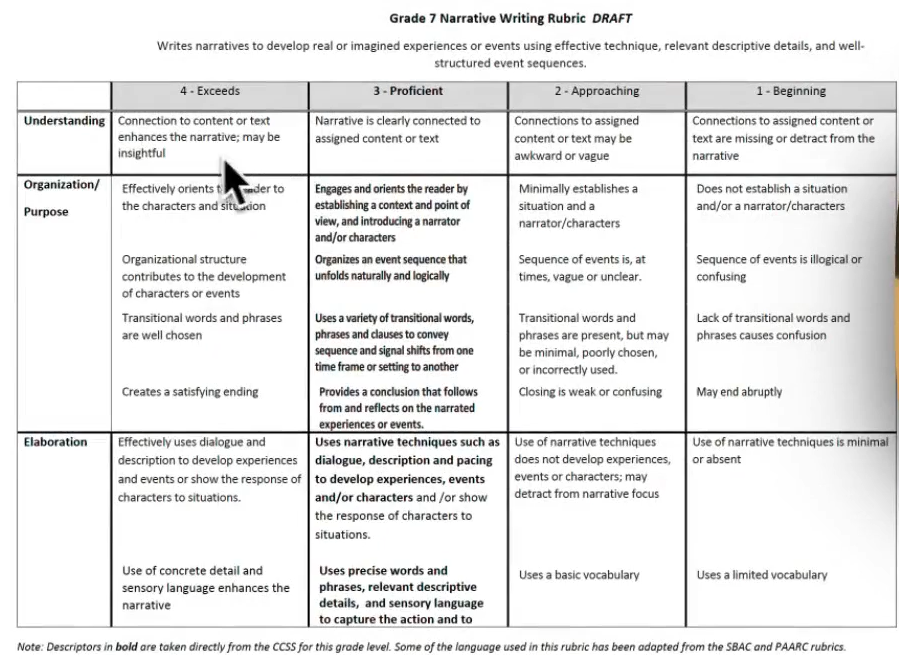
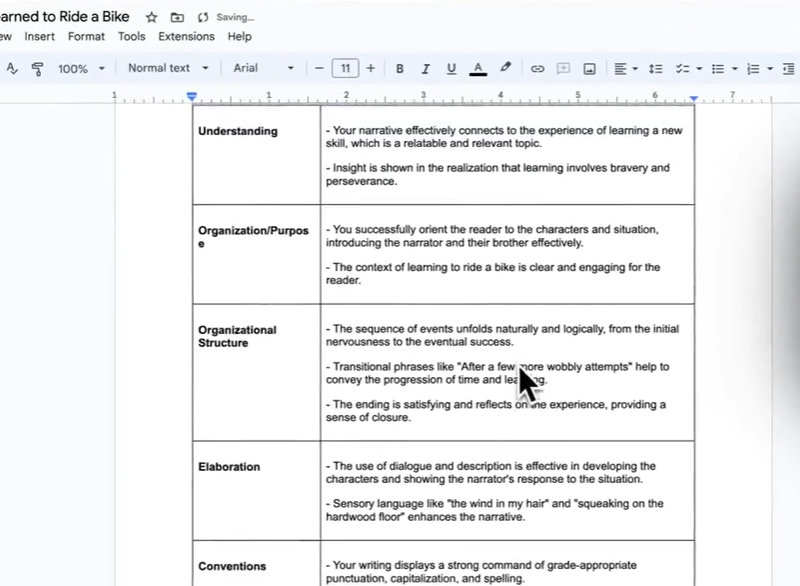
- Rubric-aligned Feedback Generator: This compares student work against each criterion of a teacher-provided rubric and provides feedback for each of the criteria, with a button that adds the generated feedback at the top of the student document. Here is a rubric example:
And below is the feedback against the rubric:
- Next Steps Feedback Generator: This outlines the next phase of a student’s work, and the feedback is also generated inside the Brisk extension and can be put at the top of a student’s document or copied elsewhere.
Inspect Writing
Inspect Writing gives a video-style replay of how a document was created so that educators can see what was typed, inserted, then changed over time, which gives teachers a visual walk-through of the writing process.
This can be helpful as it can support or refute the results of an AI detection tool, as well as give teachers more context as to how students are coming up with their work. Inspect Writing works directly within Google Docs through the Chrome extension.
How does it compare to GPTZero?
The first thing to mention is that Brisk and GPTZero play different roles for teachers and are used in different ways. While Brisk is mainly known for helping teachers with everyday classroom tasks like coming up with lesson materials and giving students feedback, GPTZero has a more specific focus, on helping educators see whether or not a student’s piece of writing has been AI-generated or plagiarized.
However, GPTZero directly overlaps with Brisk in writing feedback, grading, and writing replay, although there are some areas of difference here.
Writing feedback and grading are both part of the teacher's dashboard, where you can upload your assessment criteria as well as student submissions and let the AI grade all of them.
However, before GPTZero starts grading submissions, it makes you grade some (at least three) of the submissions by yourself based on your criteria – and the tool observes this and calibrates the assessment criteria accordingly. If you don’t have a rubric to upload, you can use one from GPTZero’s list of standard grading templates.
You can try GPTZero AI Reviewer for free here.
GPTZero also has a Writing Replay tool that exists as a Chrome extension for Google Docs. The tool records the entire editing process of a document. Teachers can later play the recording of each student like a video and check for signs of unnatural editing patterns and other issues.
What makes GPTZero’s Writing Replay tool unique?
- Built-in AI & plagiarism detector and grammar checker within the grading tool.
- The AI grader integrates with Google Classroom, Canvas, Blackboard, and Moodle.
- AI grader generates detailed feedback explaining what’s good and what needs improvement.
- Scores are also assigned automatically. Both scores and feedback can be edited.
- Overview of your class’s performance, along with suggested actions to improve on weak areas.
Why GPTZero may be better for upholding academic integrity
If your main concern is detecting AI-generated writing, then GPTZero is arguably the stronger choice. While Brisk has tools that can help teachers understand a student’s writing process, AI detection is not its central purpose, and instead, it has a broad range of tools in its offering – and the main strength it is known for is saving teachers time in coming up with classroom materials.
GPTZero, on the other hand, prides itself on giving teachers a dedicated AI detector with accuracy rates that we benchmark publicly here. Our evaluations are updated quarterly, and raw predictions are available for researchers interested in reproducing results. We want to raise the standard for transparency across the entire AI detection industry, and believe that greater transparency will both increase the rigor and credibility of the industry as well as revealing what we already know: that GPTZero’s detector is the most accurate solution available.
On top of that, GPTZero offers sentence-level analysis, plagiarism support, writing replay, and review tools that help them look beyond the surface of an essay. Here are some of the other features that outline GPTZero’s key advantages for educators:
FAQs
Who should choose Brisk AI?
Brisk is ideal for teachers who want an AI assistant in their day-to-day workflow, and need help with coming up with lesson materials – in an easy way that fits inside their current systems. Since it works as a browser extension, it can sit inside the platforms many teachers already use. However, Brisk isn’t primarily designed to be an academic integrity tool, and so, if your main concern is checking student writing was AI-generated, GPTZero is likely the better fit.
Who should choose GPTZero?
GPTZero is best for educators who are looking for specialist support around AI detection and academic transparency. It exists to serve teachers looking for an answer that goes beyond a simple yes or no – its tools are designed to help educators see exactly which parts of a submission could need closer review, how the writing developed, and whether there are other concerns such as plagiarism.
Is Brisk’s Inspect Writing the same as GPTZero’s Writing Replay?
While they are similar, they are from companies with different missions. Brisk’s Inspect Writing gives teachers a replay-style view of a student’s writing process inside Google Docs; while GPTZero’s Writing Replay also shows the writing process, but sits within a wider academic-integrity workflow. Teachers can use replay evidence alongside AI detection, plagiarism checking, and sentence-level analysis, meaning that academic integrity is at the forefront.