Turnitin vs Brisk: Honest Comparison for Teachers
Compare Turnitin vs Brisk across feedback tools, writing replay, AI detection, and pricing to find the right grading platform for your classroom.


The RAND American Youth Panel surveyed 1,214 youth aged 12 to 29 and found that 62% of them use AI for their homework.
Another survey finds that 62% of teachers consider grading the worst part of their job because of the sheer amount of time it takes. That’s why 75% of them are willing to make use of AI-powered tools to ease their job.
Stats like these are what likely pushed companies like Turnitin and Brisk to build tools for detecting AI writing and streamlining the grading process.
In this article, we’ll compare the writing replay, grading & feedback tools of Turnitin vs Brisk to understand where each platform stands. You’ll also learn about how the two tools are priced.
What is Brisk Teaching?
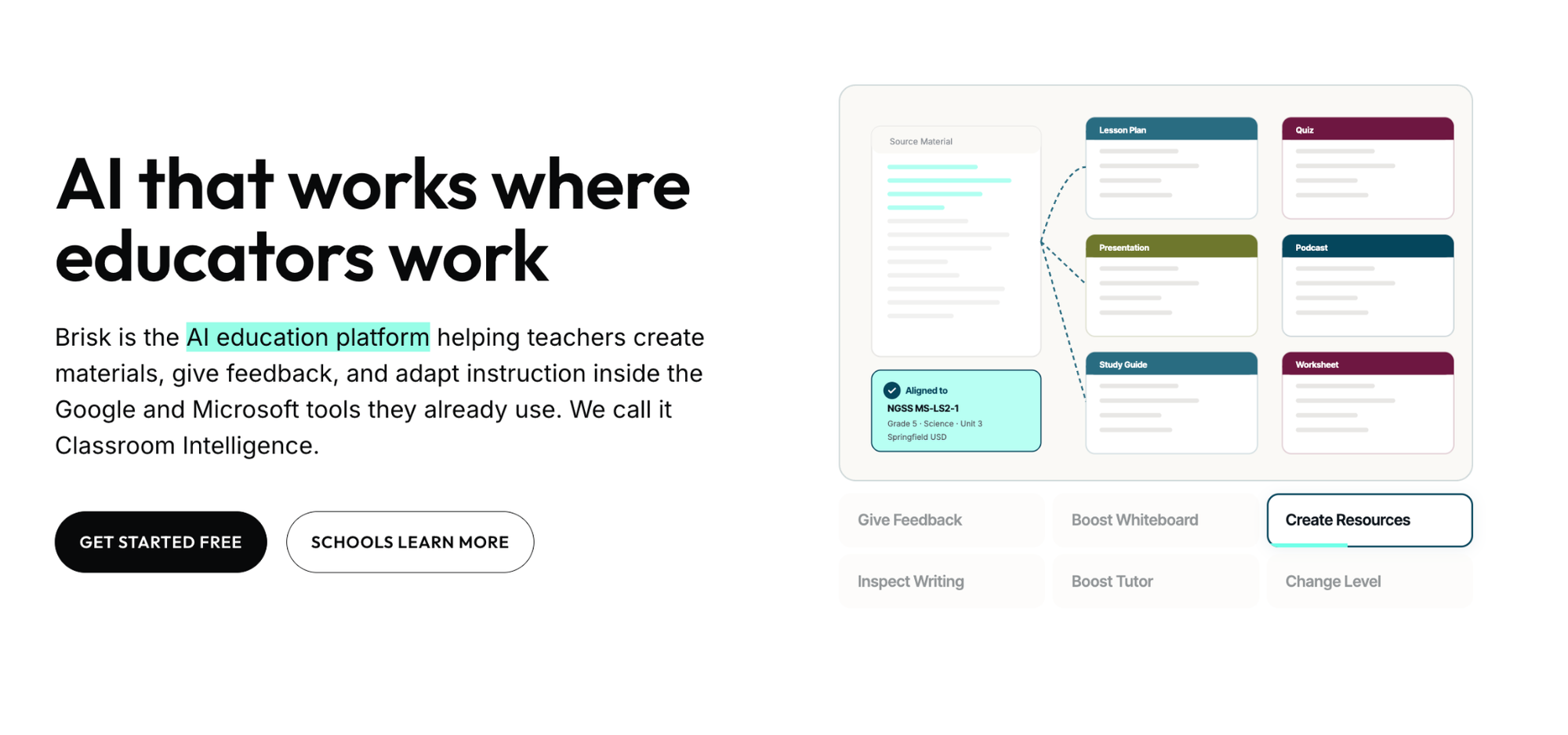
Brisk Teaching is a set of tools for schools and teachers available through its Chrome/Edge extension and web platform.
It offers more than 50 tools which cover tasks like:
- Instructional materials creation
- Student interventions creation
- Administrative tasks
- Feedback on student work
- Batch feedback
- Video playback of students' writing process (writing replay)
- Change reading level & text translation
- Chat assistant
There are also a few student-facing tools, but with teacher control.
Most of Brisk Teaching’s toolset is available through the browser extension, which shows that the extension is the main way of using Brisk.
The extension can work on Google Docs, Slides, Forms, PDFs, web pages, YouTube videos, MS Word and PowerPoint, and more. The platform can integrate with major LMSs, such as Canvas, Blackboard, Schoology, Google Classroom, etc.
Users like Brisk for the intuitive interface of its extension. It doesn’t take them much time to understand what is what and how the tools work.
What is Turnitin?
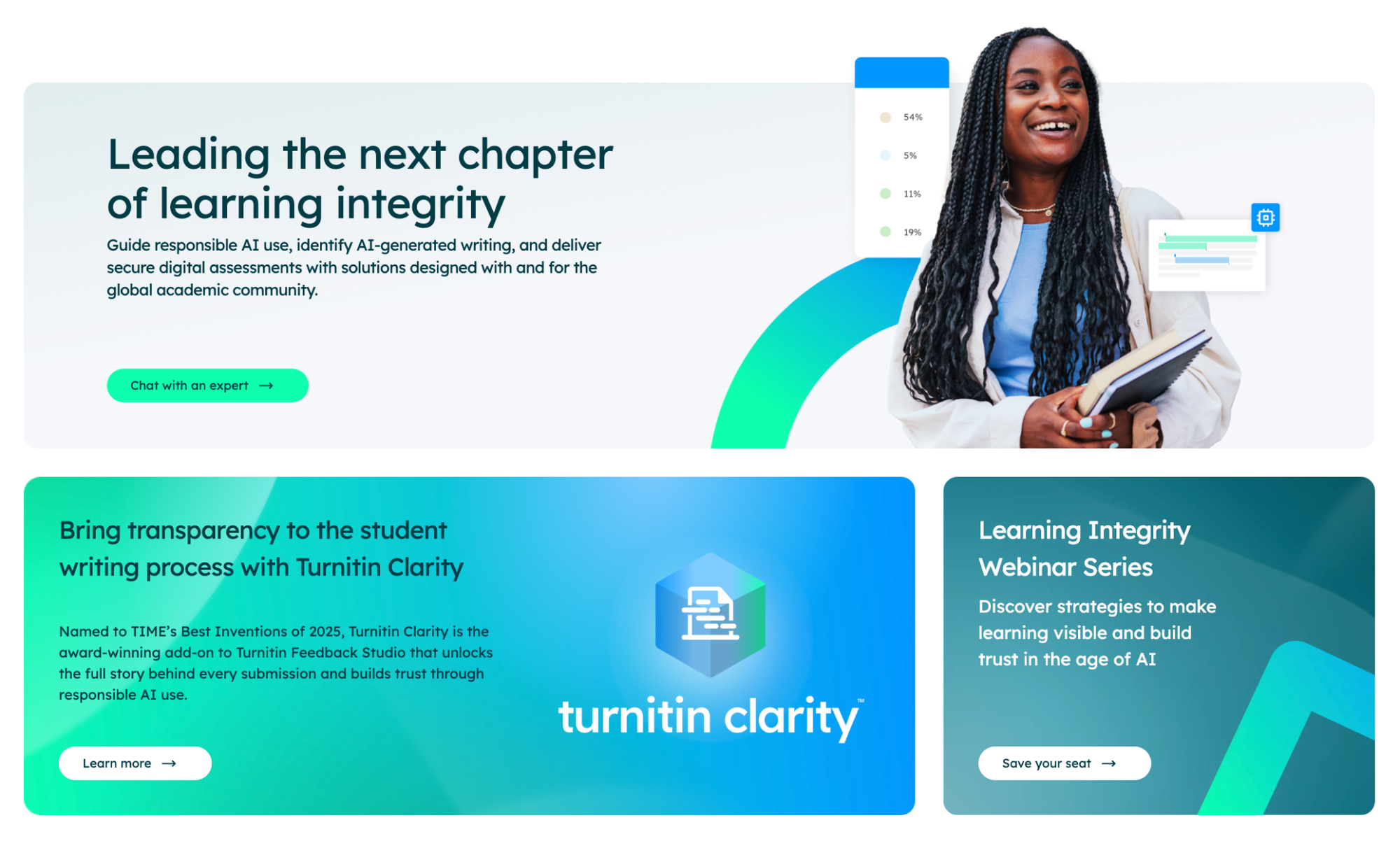
Most of us know Turnitin as a plagiarism checker used by teachers.
But Turnitin has expanded its toolset to include an AI writing detector and student submission assessment tools.
Turnitin has a total of 5 products; the functionality of some of them overlaps with each other. The 5 tools are:
- Feedback Studio (Grades and provides feedback on student work)
- Includes Turnitin Clarity (a writing replay tool)
- Gradescope (Grades and provides feedback on paper-based and digital work)
- ExamSoft (Highly controlled testing environment)
- Similarity (Plagiarism checker for student assignments)
- Includes Turnitin Originality (AI writing detector)
- iThenticate (Plagiarism and AI checker for publications)
Unlike Brisk, Turnitin doesn’t have an extension. Everything stays inside the platform’s web app. Turnitin is also for institution-wide use only, while Brisk can be used by individual teachers. Teachers can only use it if their organization is a Turnitin subscriber.
Turnitin has integration support for Blackboard, Canvas, D2L (Brightspace), Moodle, Microsoft Teams, Sakai, Schoology, and more.
Brisk vs Turnitin: Feedback Generators
Brisk’s Feedback Tools
Brisk allows you to generate four types of feedback on student work.
Each of those feedback styles is classified as a separate tool. But in practice, they are part of the same interface.
The four types of feedback generators are:
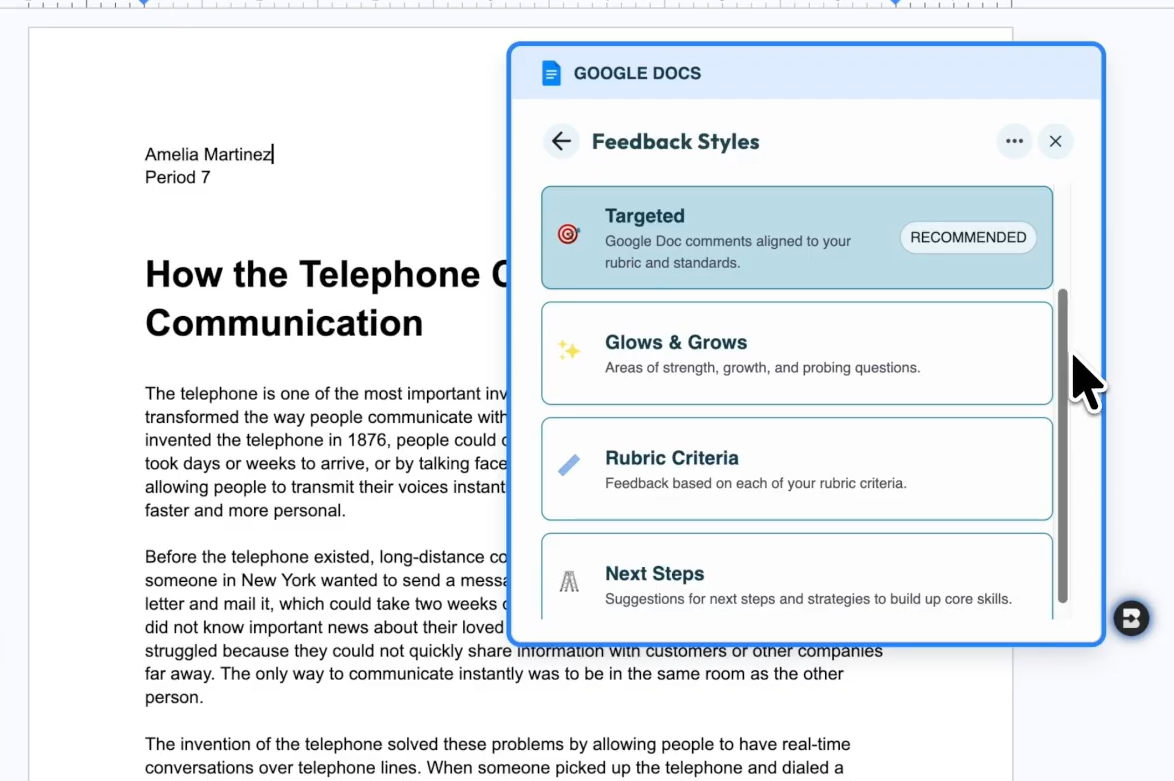
- Glow & Grow Feedback Generator: Generates feedback inside the Brisk extension based on a rubric or prompt. The teacher can then insert that feedback at the top of the student’s document with a click. Glow & Grow feedback works on Google Docs and other platforms. The following three sets of feedback are generated:
- Glow: Highlights what the student has done well
- Grow: Explains the areas that can be improved
- Wondering: Asks the students to add a little more context
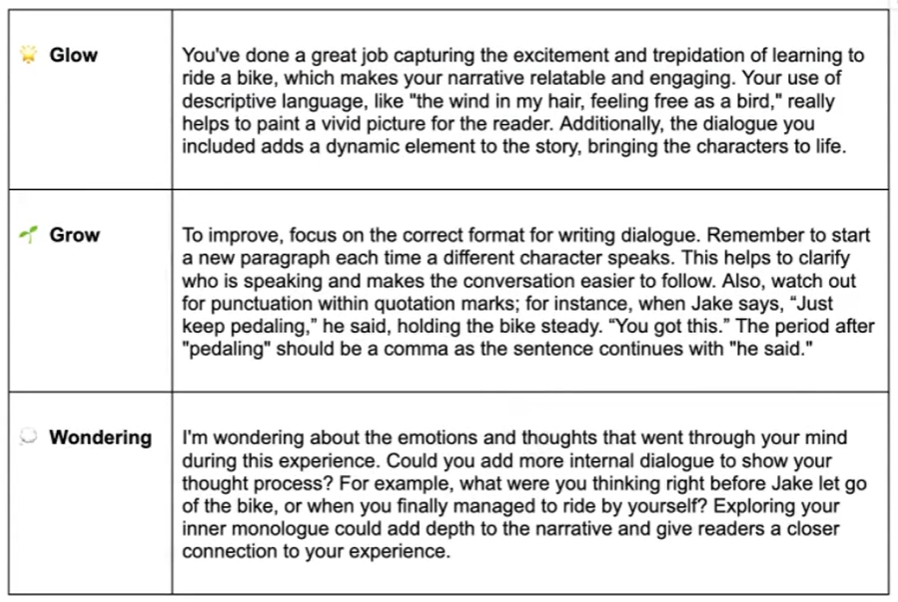
- Targeted Feedback Generator: Provides feedback for specific parts in student submissions in the form of Google Docs comments. You are allowed to edit those comments before approving them. This feedback style is only supported on Google Docs currently.
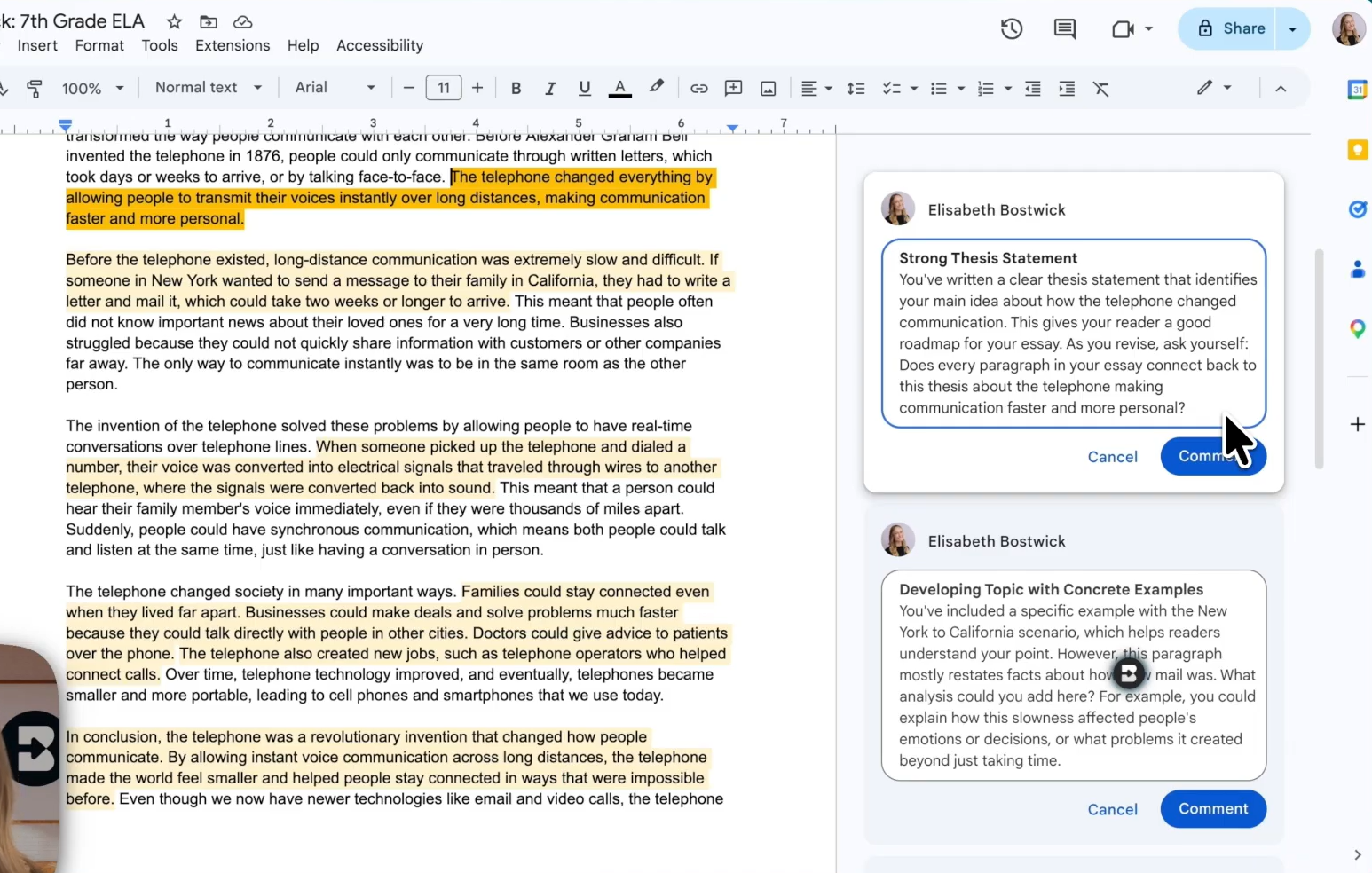
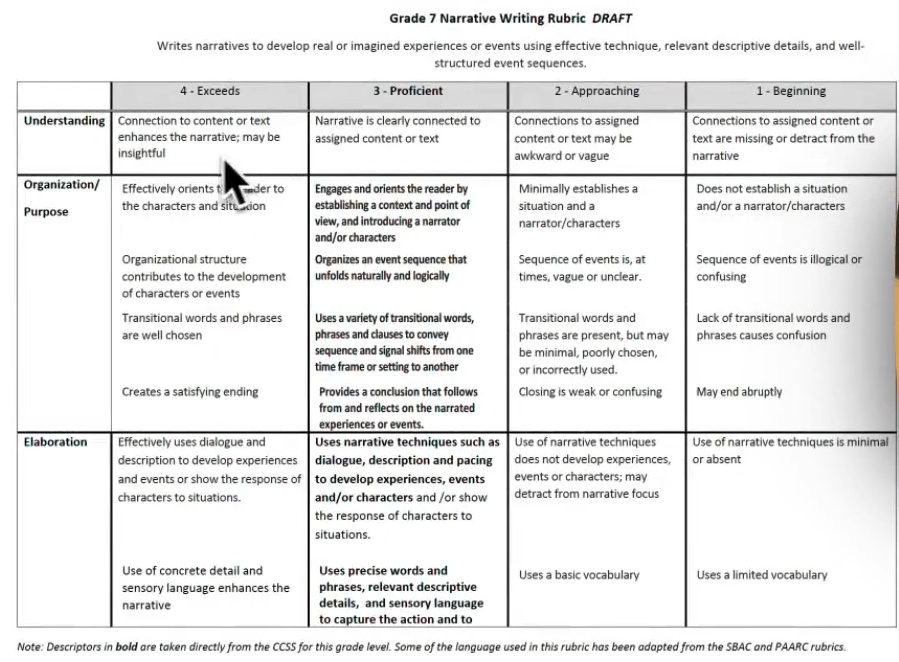
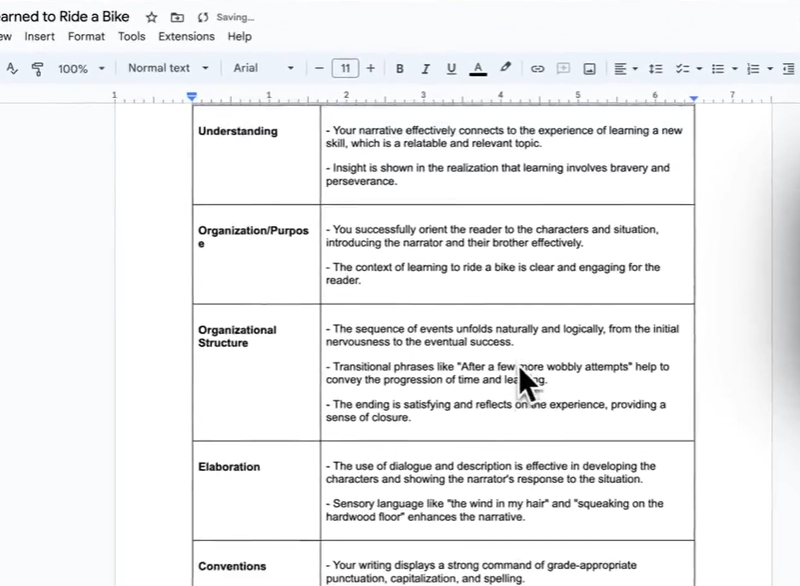
- Rubric-aligned Feedback Generator: Evaluates student work against each criterion of a teacher-provided rubric and provides feedback for each of the criteria. There’s a button that adds the generated feedback at the top of the student document.
Here is a rubric example:
This is the feedback against the rubric:
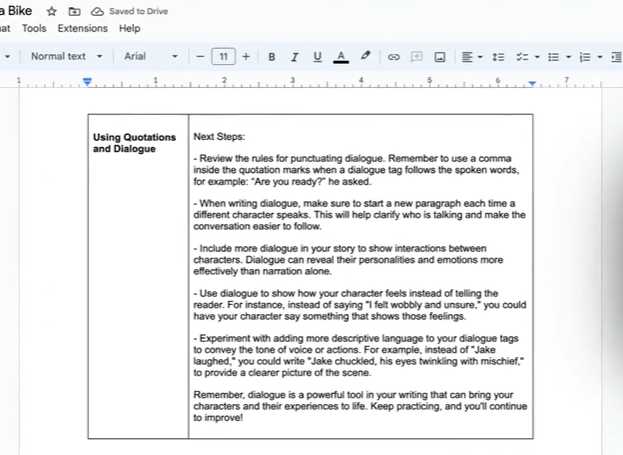
- Next Steps Feedback Generator: Outlines the next phase of a student’s work. This feedback is also generated inside the Brisk extension and can be inserted at the top of a student’s document or copied elsewhere.
Brisk’s Batch Feedback Feature
The feedback generators we just discussed work on individual documents.
To generate feedback on multiple student documents at once, Brisk offers another tool called Batch Feedback.
This tool is accessible from inside Brisk’s web app, which it calls “Brisk Next”. Batch Feedback allows you to import batches of student documents from Google Drive and Google Classroom and generate the following four types of feedback on them:
- Glows & Grows
- Next Steps
- Rubric Criteria
- Rubric Scoring
If you access Brisk from the Microsoft Edge browser, you’ll also be able to upload student documents from Microsoft OneDrive.
When Brisk generates feedback for all the documents, you’ll see the status change from “In Progress” to “Completed.”
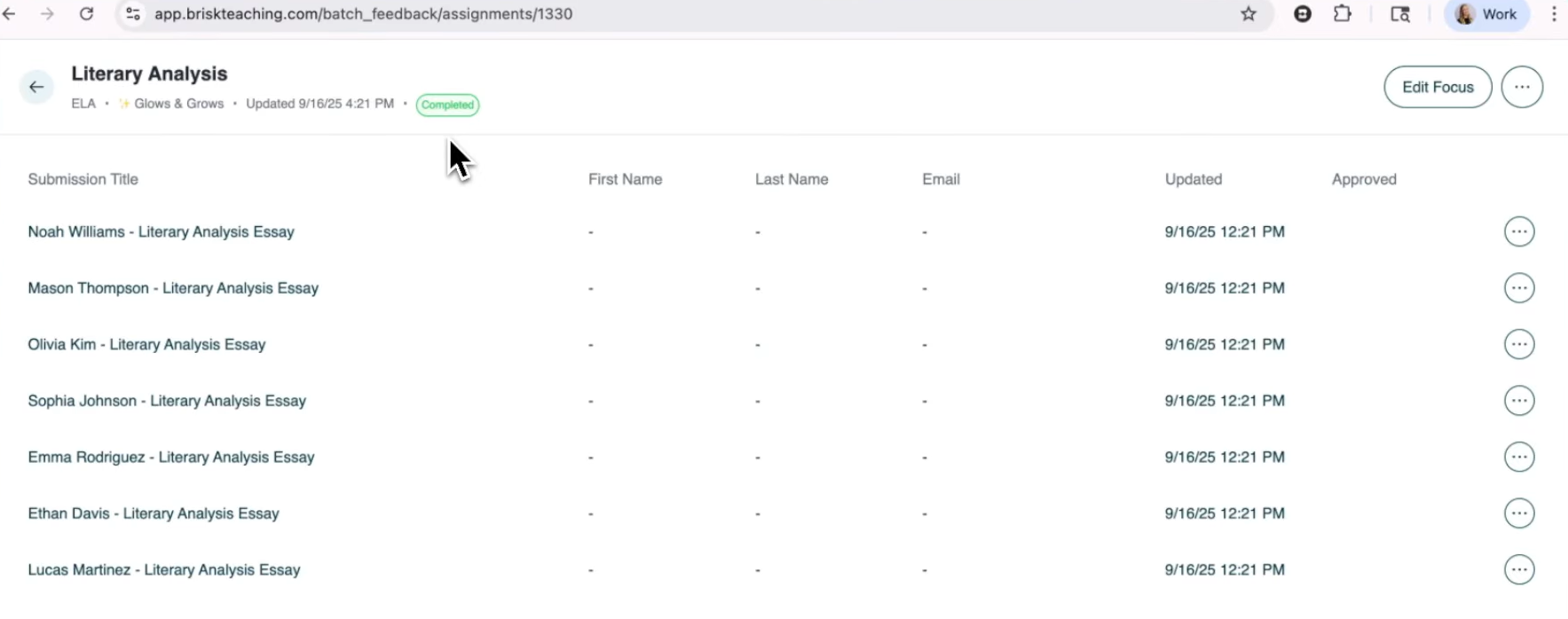
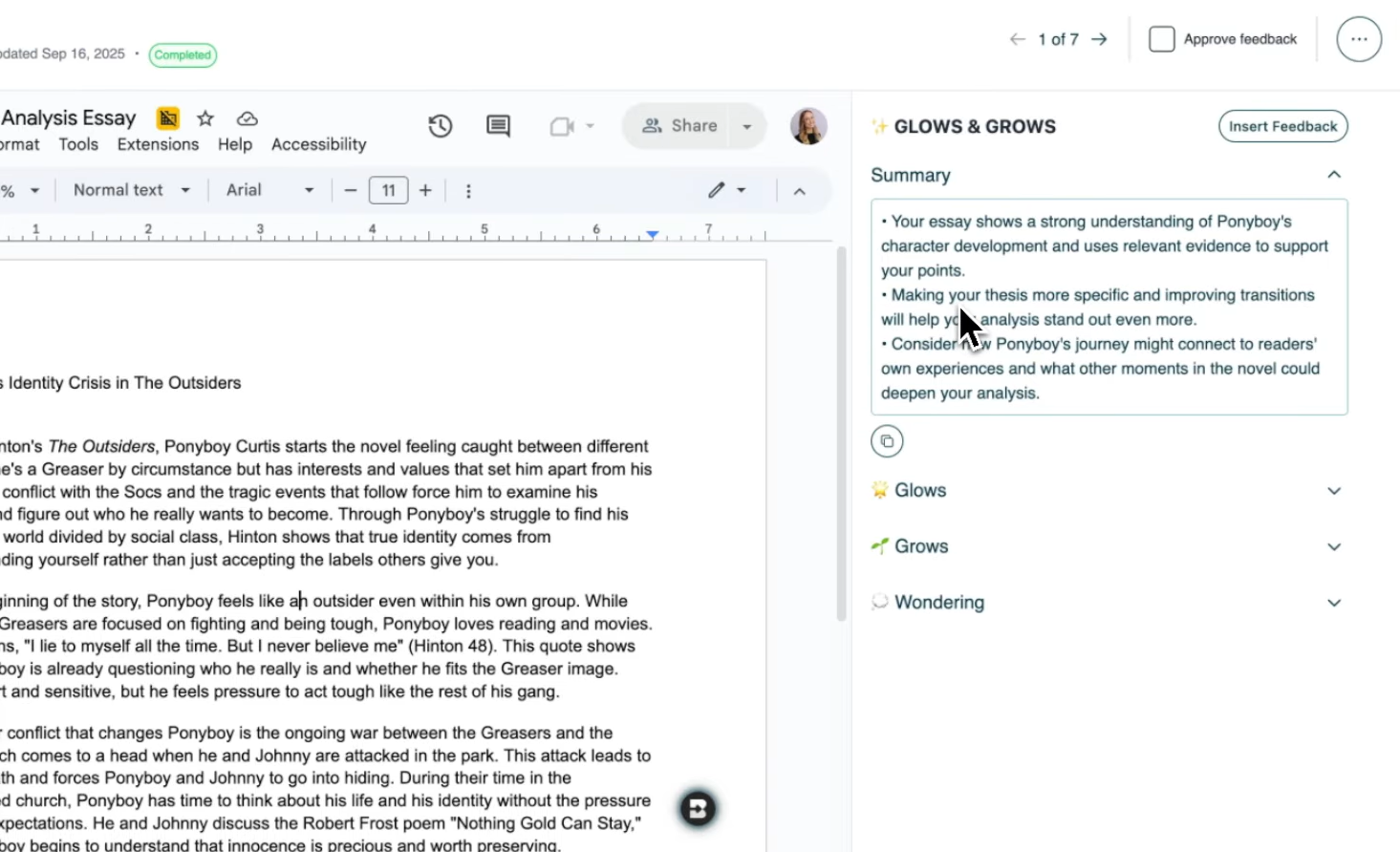
You can then open each document, read through the generated feedback, make edits to it, and insert it into student documents. To move to the next or previous student document, you can simply use the arrows given at the top.
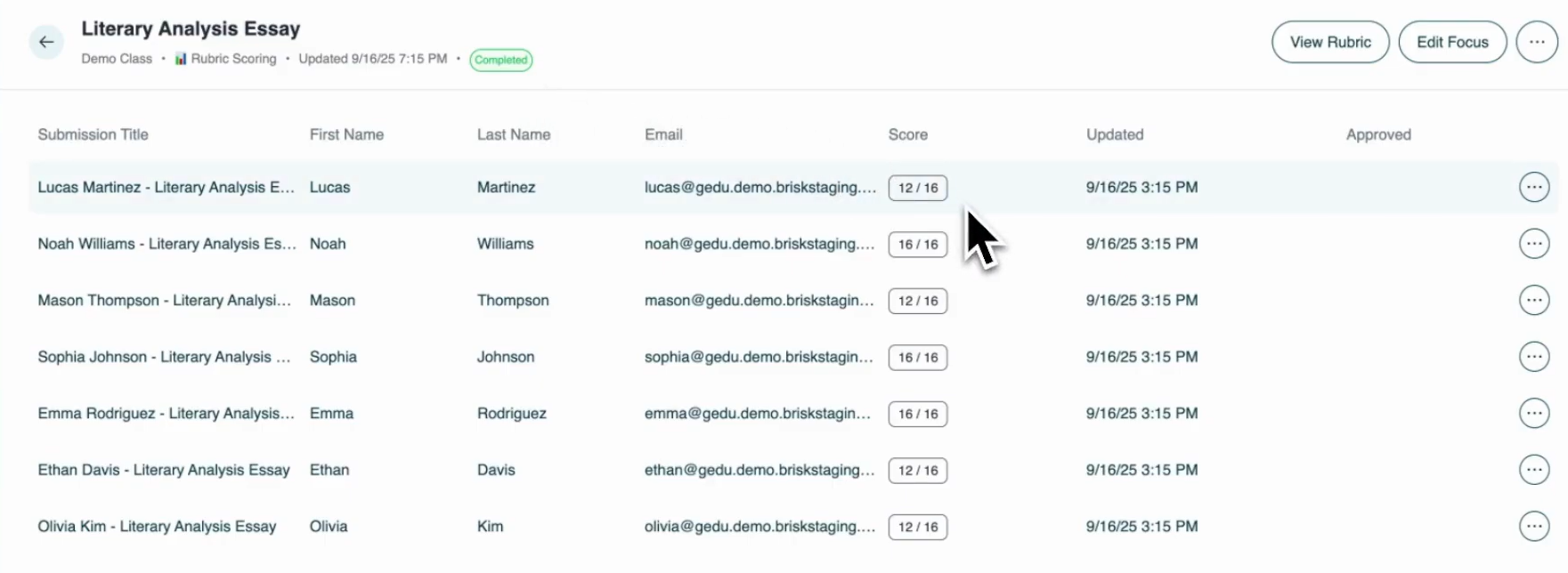
If you were reading closely, you might have noticed that we mentioned a new feedback style, Rubric Scoring. This feedback style can be applied to batches, not individual documents. As evident from the name, this feedback style assigns scores to student work based on a rubric.
Once you have generated feedback on at least 5 student submissions, Brisk generates collective insights from all of them for each assignment. Under each assignment’s insights, there are options to generate a lesson plan, quiz, or some other resource where those insights are applied.
Lastly, students can also generate feedback on their work using Brisk Boost Student Extension. The feedback is generated in the form of Google Docs comments. The student can choose to agree or disagree with the feedback, but they must also explain their choice.
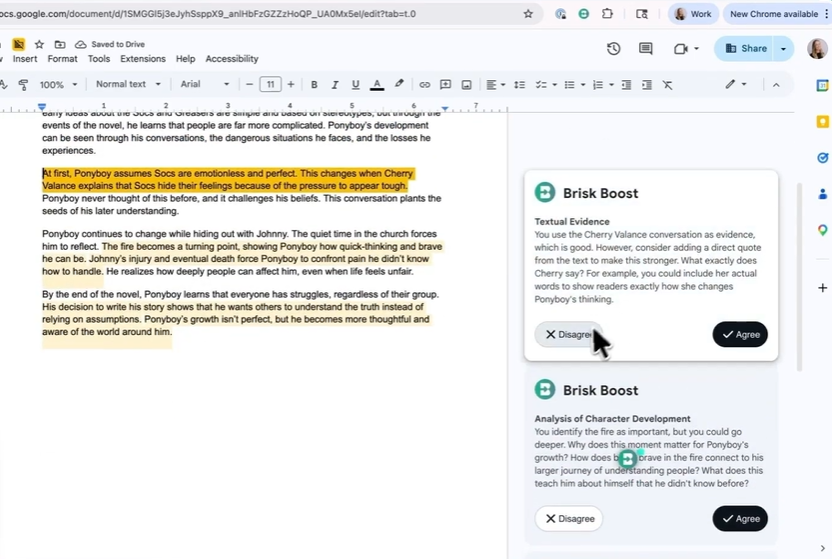
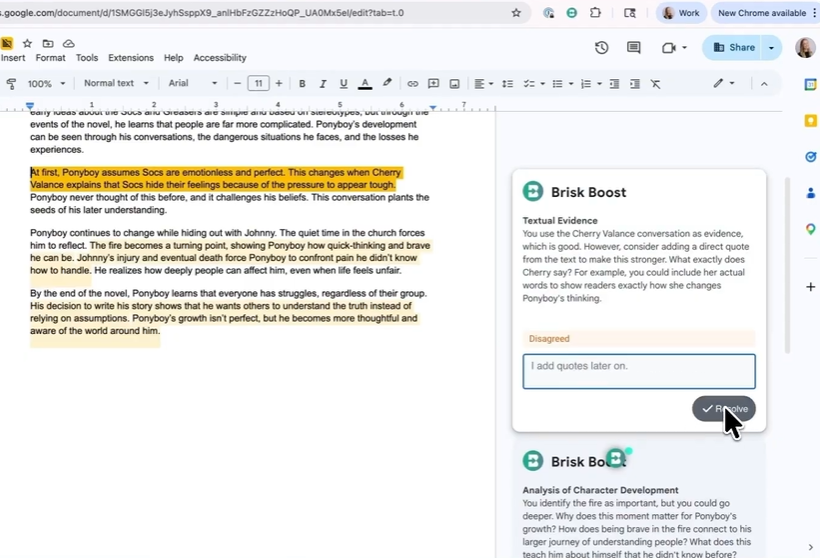
Teachers have visibility into student interactions with the Brisk Boost Student Extension. They can also pause the use of the extension by some or all students.
Turnitin’s Grading & Feedback Tools
Brisk only supports feedback and grading on text-based assignments.
Turnitin, on the other hand, supports a diverse range of submissions because its grading and feedback tools are far more comprehensive.
There are three Turnitin products that involve grading and feedback, among other features:
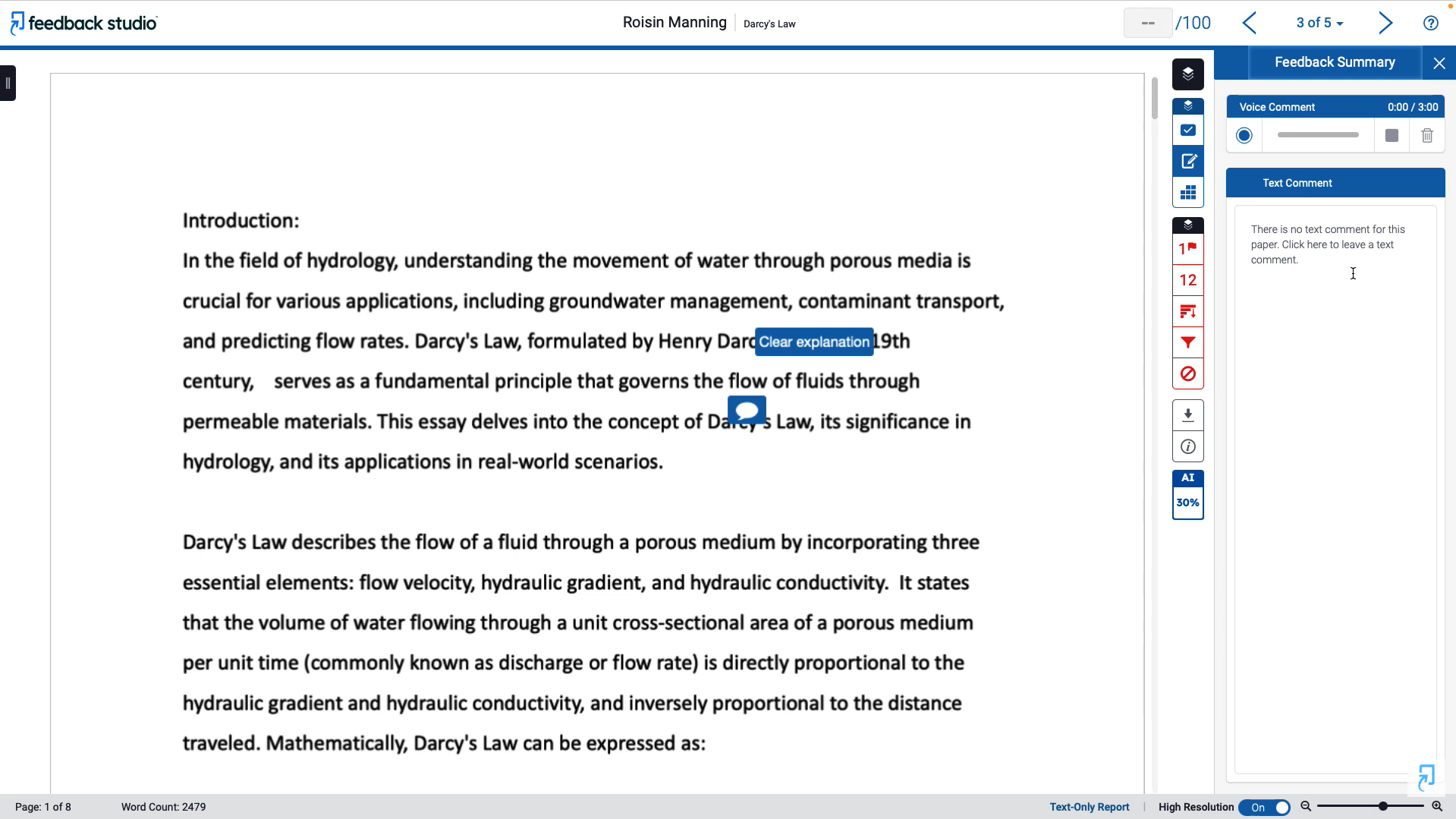
- Feedback Studio: It is an all-in-one grading and assessment platform that generates a comprehensive plagiarism and AI detection report. It also lets you assign feedback and score on student work. The feedback can be either typed or voice-recorded by the teacher. Instructors can also save time by using QuickMarks, which is a library of reusable, drag-and-drop comments for common writing errors and strengths. Feedback Studio also allows students to read, review, and evaluate their classmates' papers.
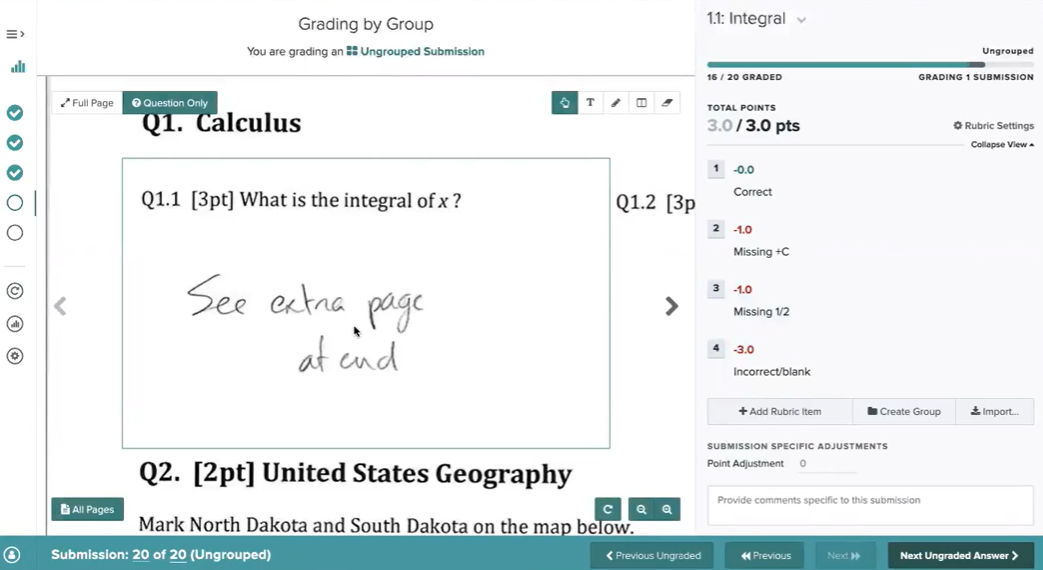
- Gradescope: Another grading and assessment platform that supports a wide range of submission types (hand-written, typed, maths, computer science, physics, code, economics, and other STEM subjects). Gradescope can autograde bubble sheets and programming assignments. There’s AI-assisted grading on some assignment types where the AI groups similar answers together and the teacher grades the entire group at once. There’s also an option to leave comments on specific questions or the overall submission. Students can also request regrading of their submissions.
- ExamSoft: A full-fledged assessment platform. Can automatically grade objective questions (MCQs, true/false, etc). Subjective questions (essay, short-answer responses, etc) require manual grading. Option for adjusting scores, for example, if a question was flawed. Generates a Strengths & Opportunities (S&O) Report that provides a personalized breakdown of a student’s performance by category and compared to the rest of the class. Instructors can also provide written feedback or comments on exams. They can also set question rationales, which automatically get assigned to wrong answers to explain why a particular answer was correct. Students can also request feedback on specific questions during the exam.
Turnitin vs Brisk: Writing Replay Tool
Another thing Turnitin and Brisk have in common is the writing replay tool.
Brisk’s Inspect Student Writing
Brisk has a simple writing replay feature within its extension called inspect writing. This feature can only be used inside Google Docs.
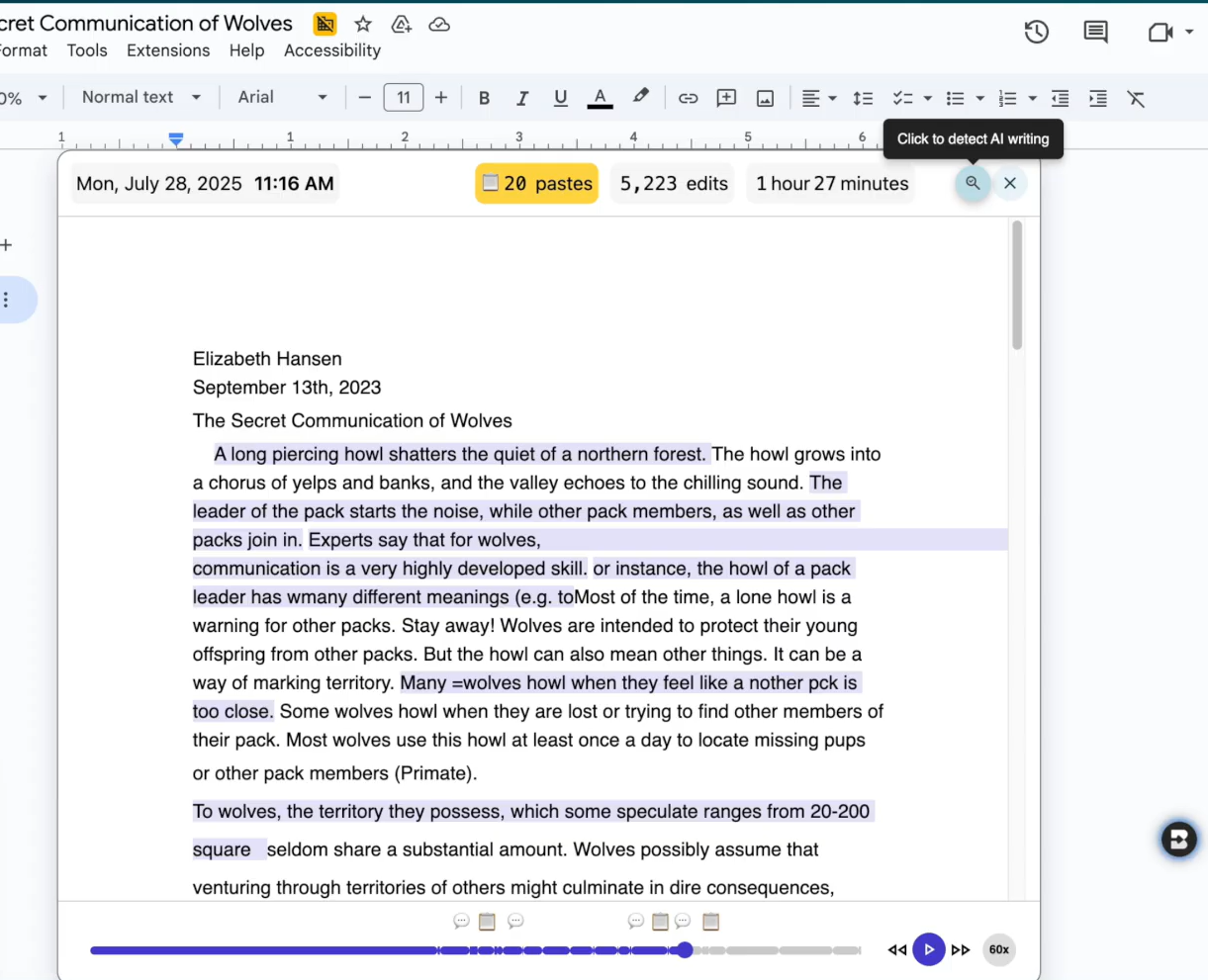
When a teacher accesses the Inspect Writing tools from the extension, the video footage of the document’s entire writing process starts playing from start to end.
The timeline at the bottom shows when exactly copy/pastes were made inside the document. When a copy/paste instance is selected, you see the copied/pasted text highlighted in blue. The student’s original text is highlighted in green.
The writing process timeline also lists feedback left by the instructor and whether the student has applied the feedback.
There’s also an option to run an AI detection scan on the document. However, Brisk doesn’t market this feature much, probably because it doesn’t perform accurately.
Turnitin’s Clarity
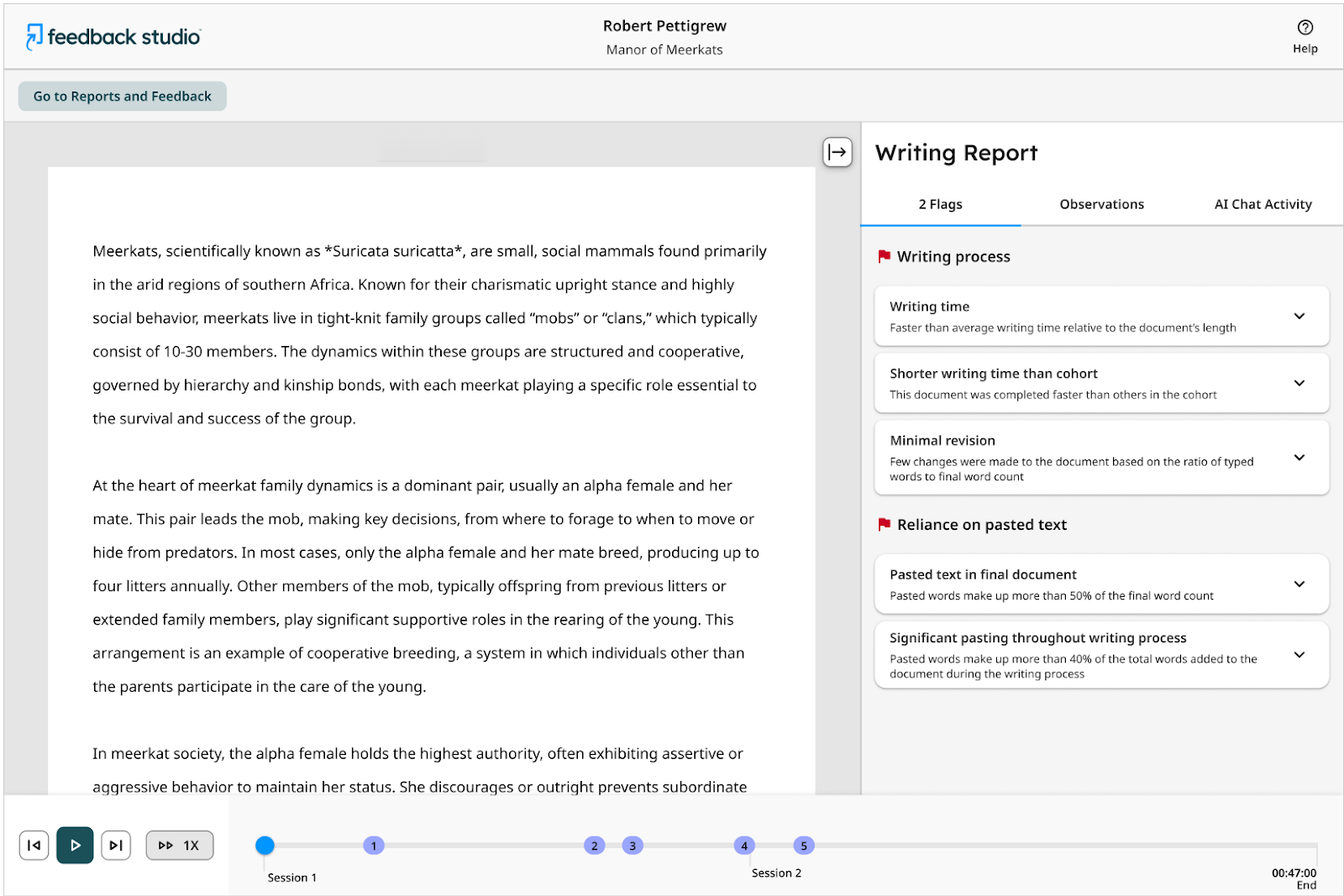
Turnitin’s writing replay tool is called Clarity, and it’s part of the Feedback Studio.
Unlike Brisk’s basic writing replay tool, Clarity has rich features. But it only works on documents created and written inside Turnitin’s web app.
Apart from playing the writing process as a video and showing points of copy/pastes, the writing report also shows three different types of information:
- Flags: Surfaces potential integrity concerns
- Observations: Lists pasted text findings
- AI Chat Activity: Shows how the student used Turnitin’s AI assistant during the writing process
Turnitin vs. Brisk Pricing
Turnitin Pricing
Turnitin isn’t available for individual purchase. It can only be purchased by educational institutions. Individuals within those institutions (teachers and students) can then access Turnitin tools using their organization’s license.
Turnitin doesn’t have a pricing page with clear information about plans. Admins of the institutions can get a price estimate by filling out a registration form. The pricing estimate depends on the size and requirements of an institution.
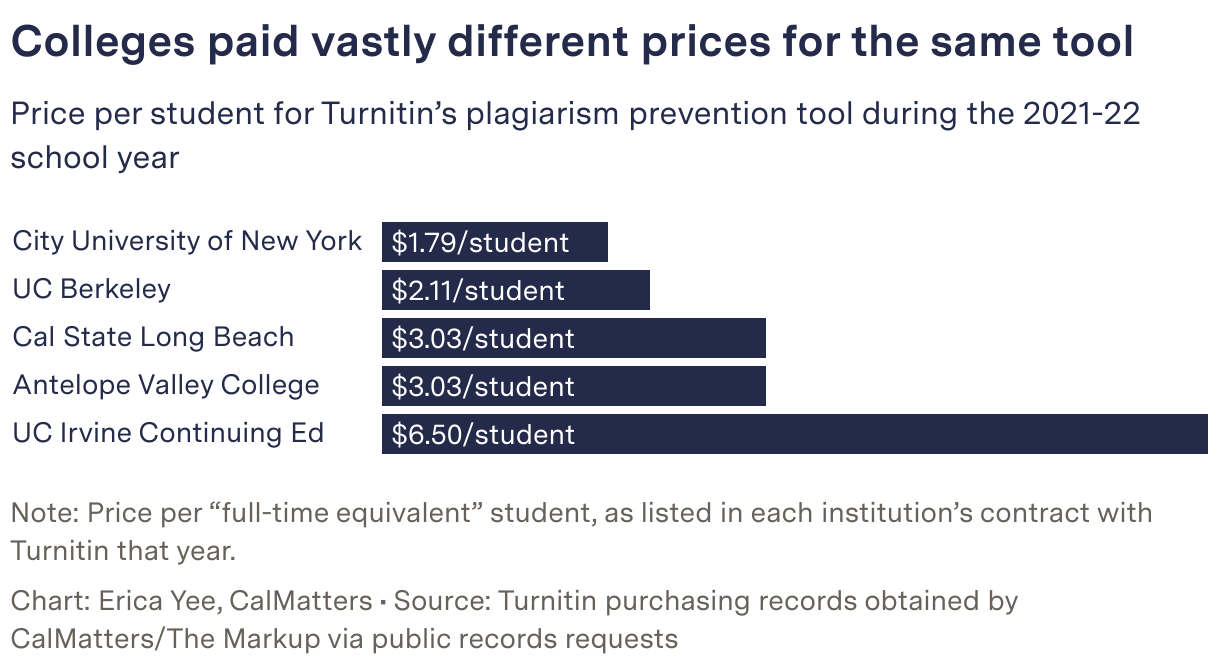
An independent investigation into Turnitin’s purchasing records of some Californian colleges shows that Turnitin can charge vastly different per-student fees from institutions.
Brisk Pricing
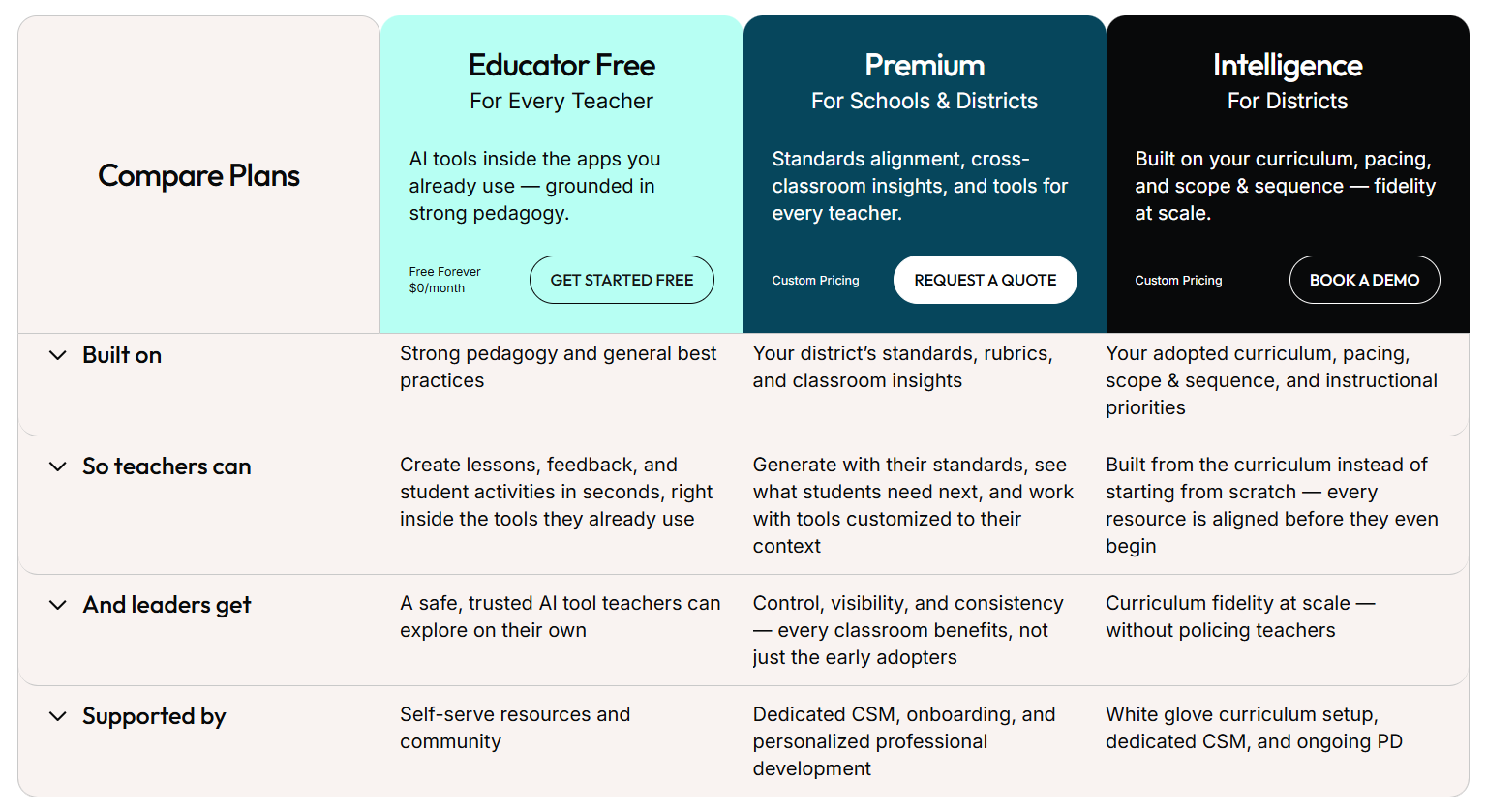
Brisk also uses custom pricing, but the structure of its three plans is public.
One plan is the free forever plan, which is for educators. This plan gives access to 20+ Brisk tools. There are also usage limits on tools. The student-facing Brisk Boost extension is also not included in this.
Then there is the Premium plan for Schools and Districts, and the Intelligence plan only for Districts. Both of them have custom pricing.
The two plans are almost identical in features. The only difference is that the Premium plan lacks advanced customization features.
Why is GPTZero a Better Turnitin and Brisk Alternative?
Both Turnitin and Brisk make it difficult for individual teachers and students to use their tools.
So, how can a student or a teacher use an AI grader and feedback generator, writing replay tool, AI writing detector, and plagiarism checker?
The answer is through GPTZero.
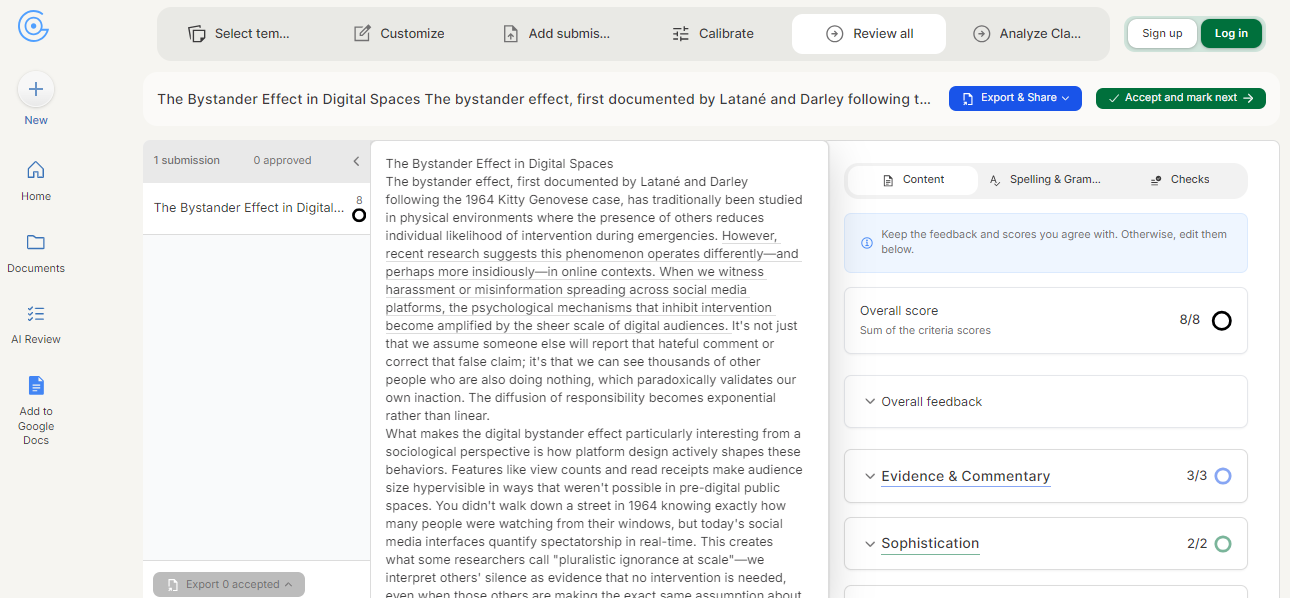
GPTZero offers an advanced AI reviewer/grader that can also provide expert feedback and scoring on assignments.
We also offer a comprehensive writing replay tool. The best thing about GPTZero’s writing replay tool is that it supports documents with multiple contributors.
Both these tools also come with GPTZero’s world's most accurate AI detector.
You’ll also be able to use these tools inside major Learning Management Systems like Google Classroom, Canvas, Blackboard, or Moodle.
Try GPTZero today and get the full classroom toolkit, AI grading, writing replay, plagiarism checks, and the most accurate AI detector, all in one place.