
Best AI Detector Chrome Extension To Detect AI Content Online
Find the best AI detection Chrome extensions to check text for AI generated content directly in your browser, with our reviews and insights.



After the dawn of generative AI, text and images (and now videos) made with AI spread like wildfire across the internet. Writers, students, and teachers all started outsourcing some part of their work, if not all, to AI tools like ChatGPT.
While it helped save time and increase productivity, it heavily damaged the quality and factuality of the content available online. Then, AI detector GPTZero emerged to mitigate this damage, and a dozen other AI detectors followed suit.
To help users scan their work for AI on the go, some of these AI detection tools now offer a browser extension, mainly for Google Chrome.
But only a few of these AI detector extensions are worth considering. Which ones? And which single AI detector Chrome extension is the best among them?
This blog shows you why GPTZero’s extension is the best. You’ll also discover how it compares with extensions from Winston AI, Originality.ai, and Grammarly.
What is The Best AI Detector Chrome Extension?
Simply put, the best AI detector Chrome extension is the one provided by a platform with the highest AI detection accuracy.
GPTZero has proven to be that platform time and again. Recently, our AI detector outperformed competitors on the independent RAID benchmark in accuracy.
Besides the GPTZero AI detector extension accuracy, its interface and features are also quite user-friendly and comprehensive compared to competitors.
GPTZero AI Detector Chrome Extension
Visiting the GPTZero dashboard every time you need to scan text for AI might be an inconvenience for you.
That’s why GPTZero made a Chrome extension that follows you around the web, especially in Google Docs.
When you’re on a website, the GPTZero extension button peeks from the right of the screen and lets you perform a full page scan, AI detection, and fact-check.
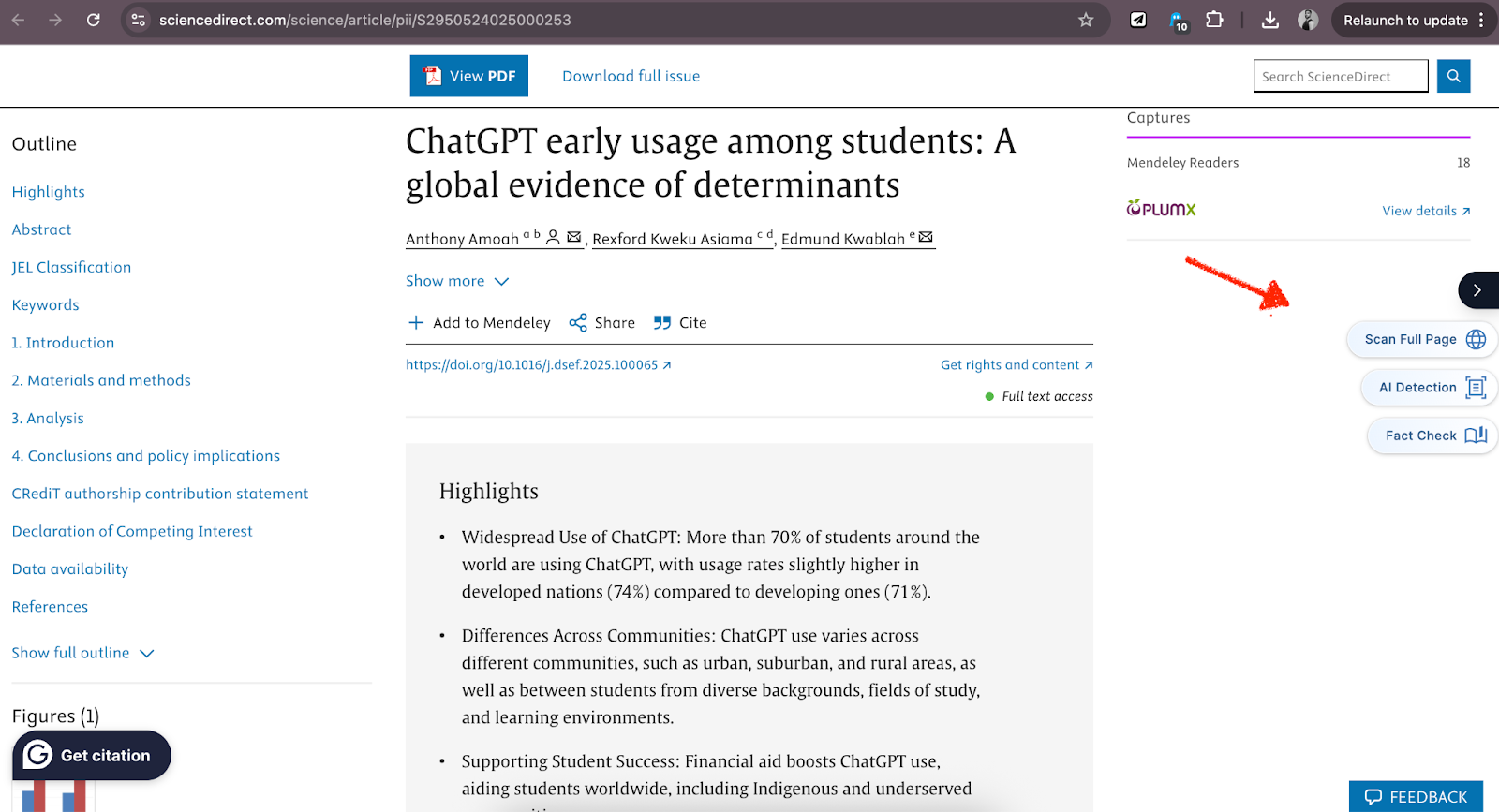
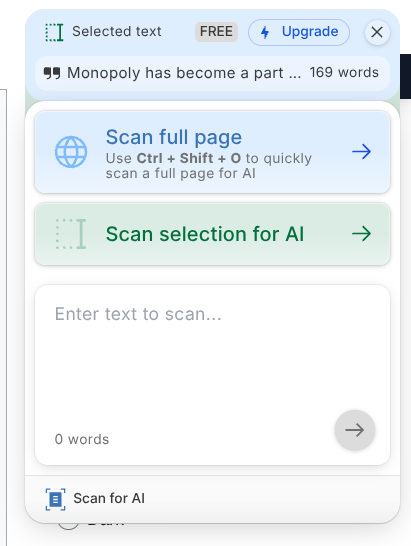
You can also run AI and fact checks on a selection of text only.
For instance, here’s the AI detection result of the selected 167 words.
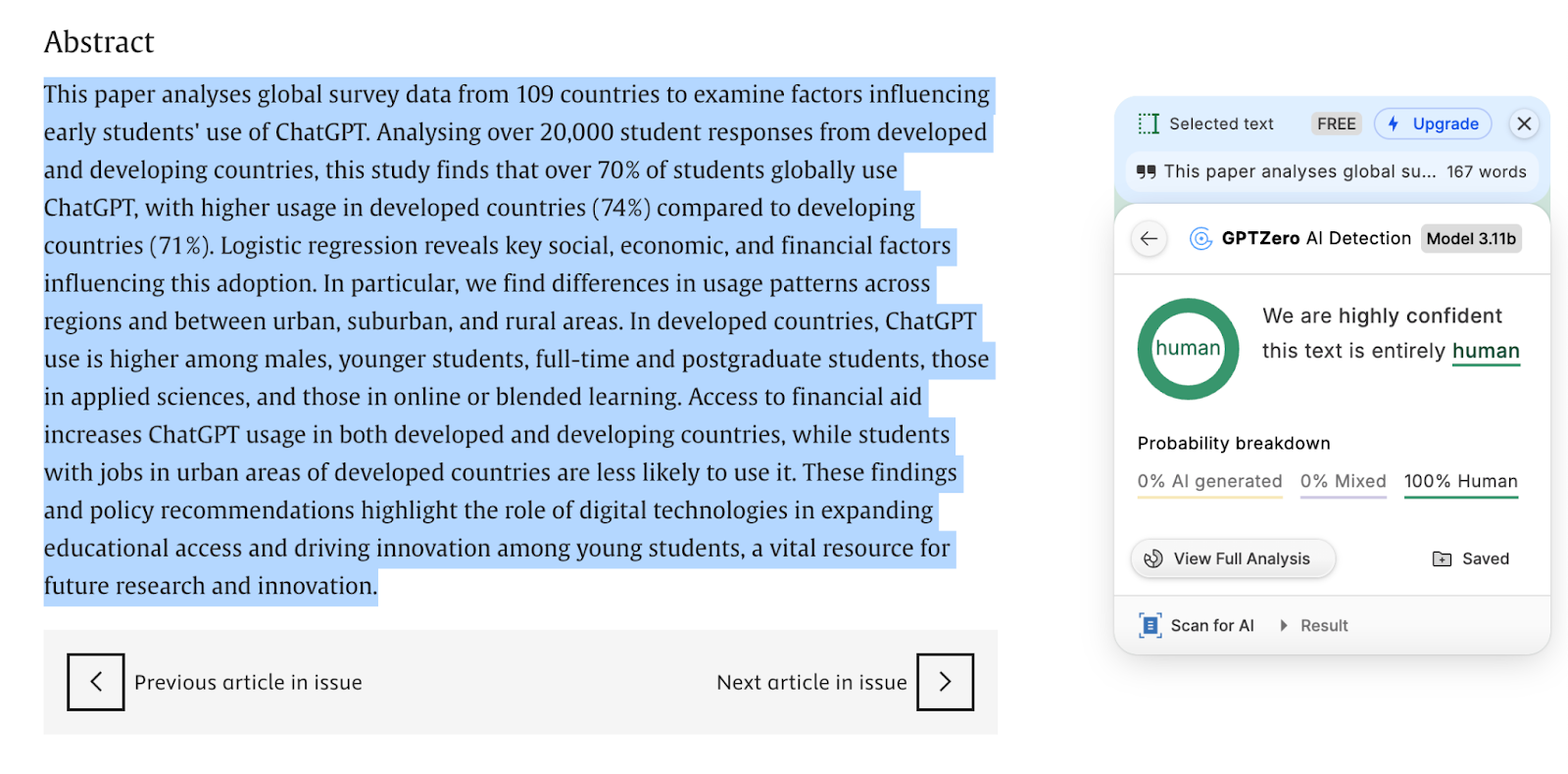
GPTZero also allows you to save a report of your scans.
As for Google Docs, GPTZero’s AI detector extension gets even more thorough.
In addition to AI scans and fact checks, the extension offers three more features inside Google Docs:
- Get started with an outline: Tell GPTZero what you want to write and it will generate an outline so you don’t have to start from scratch.
- Writing report: This feature plays a video of the entire doc’s editing history from the first keystroke to the end. The writing replay tool of GPTZero also shows which user made what changes.
- Writing feedback: GPTZero scans the entire doc or selected text and suggests edits for improvements based on your prompt, rubric, and assignment details. This feature is useful for teachers.
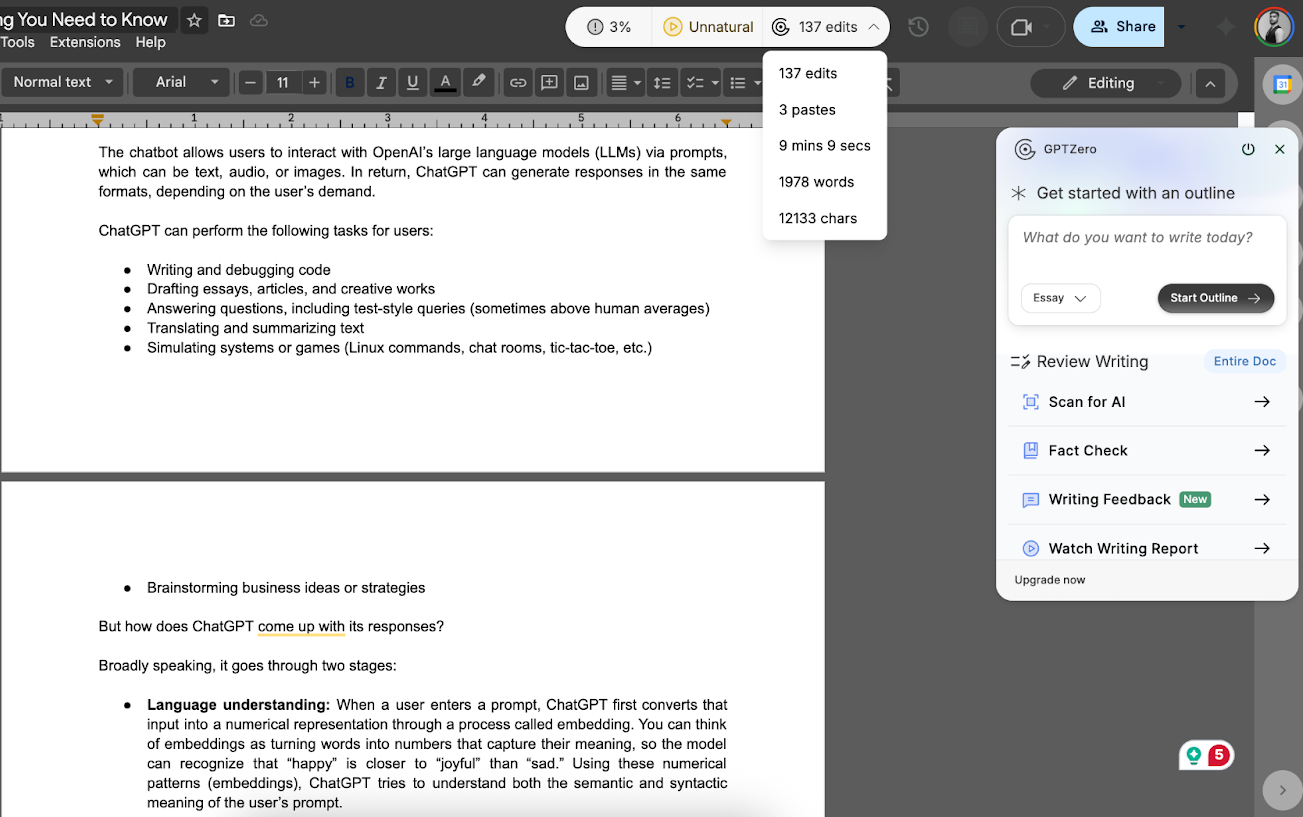
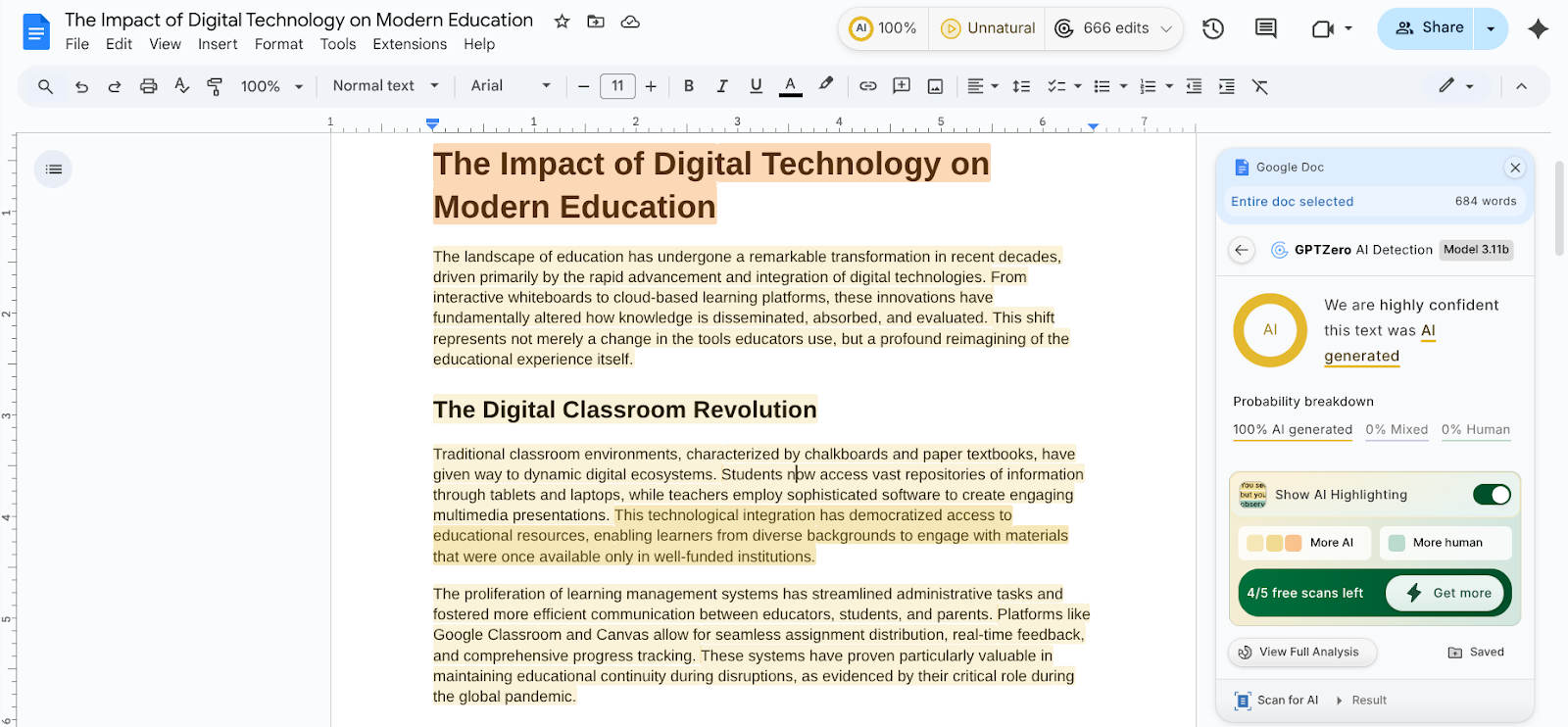
GPTZero’s AI checker extension constantly runs AI detection on your document and updates the AI score in real time above the Google Docs toolbar. It also detects whether the typing pattern is natural or unnatural based on the type and pace of changes made in the document.
For demonstration, I generated an essay using AI and pasted it into Google Docs. Right after I copied over the text, GPTZero refreshed the score to 100%, confirming the content as fully AI-generated.
When you click the AI score, GPTZero’s AI scan report opens on the left side. You can also toggle the “Show AI Highlighting” button to view sentences detected as AI.
On the forever-free plan of GPTZero, you get 10K credits for free each month. This means you can scan 10,000 words per month for free, as 1 credit equals 1 word. These scans include both fact checks and AI scans made with the extension, as well as scans made inside the GPTZero dashboard, including plagiarism checks.
If your monthly needs exceed 10,000 words or 50,000 characters, you can choose from one of GPTZero’s paid plans, which offer generous words/month limits at an affordable price.
Other Top AI Detector Extensions
Besides GPTZero, there are other AI detectors, like the following, that offer a Chrome extension.
Winston AI
In addition to AI text, AI-generated images are also being increasingly published on the internet.
Winston AI’s Chrome extension lets you scan both for AI.
To run an AI detection scan, simply right-click an image or selected text and click on “Scan for AI content.”
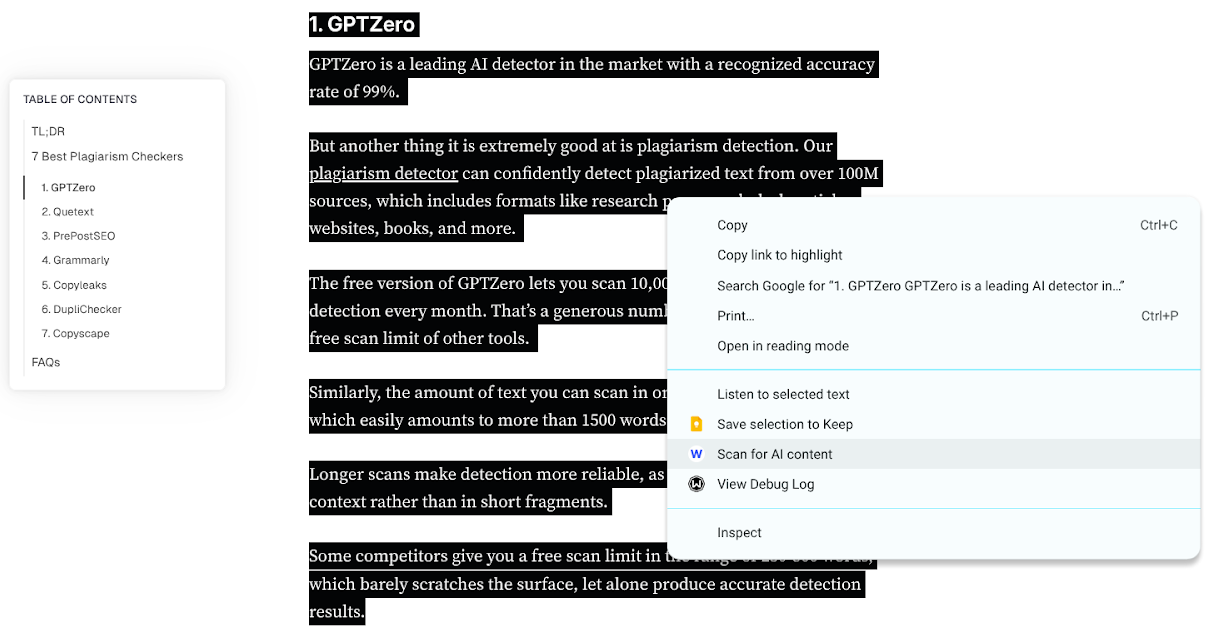
If it's a text scan, the AI scan result will appear in a few seconds at the bottom right corner of your browser screen. For image scans to complete, you’ll have to wait a while.
Winston AI also works on a credit system. Each word consumes one credit, and an image scan consumes 300 credits. This credit is shared between Winston AI’s AI checker extension and dashboard, where you can run plagiarism scans as well, which cost 2 credits per word.
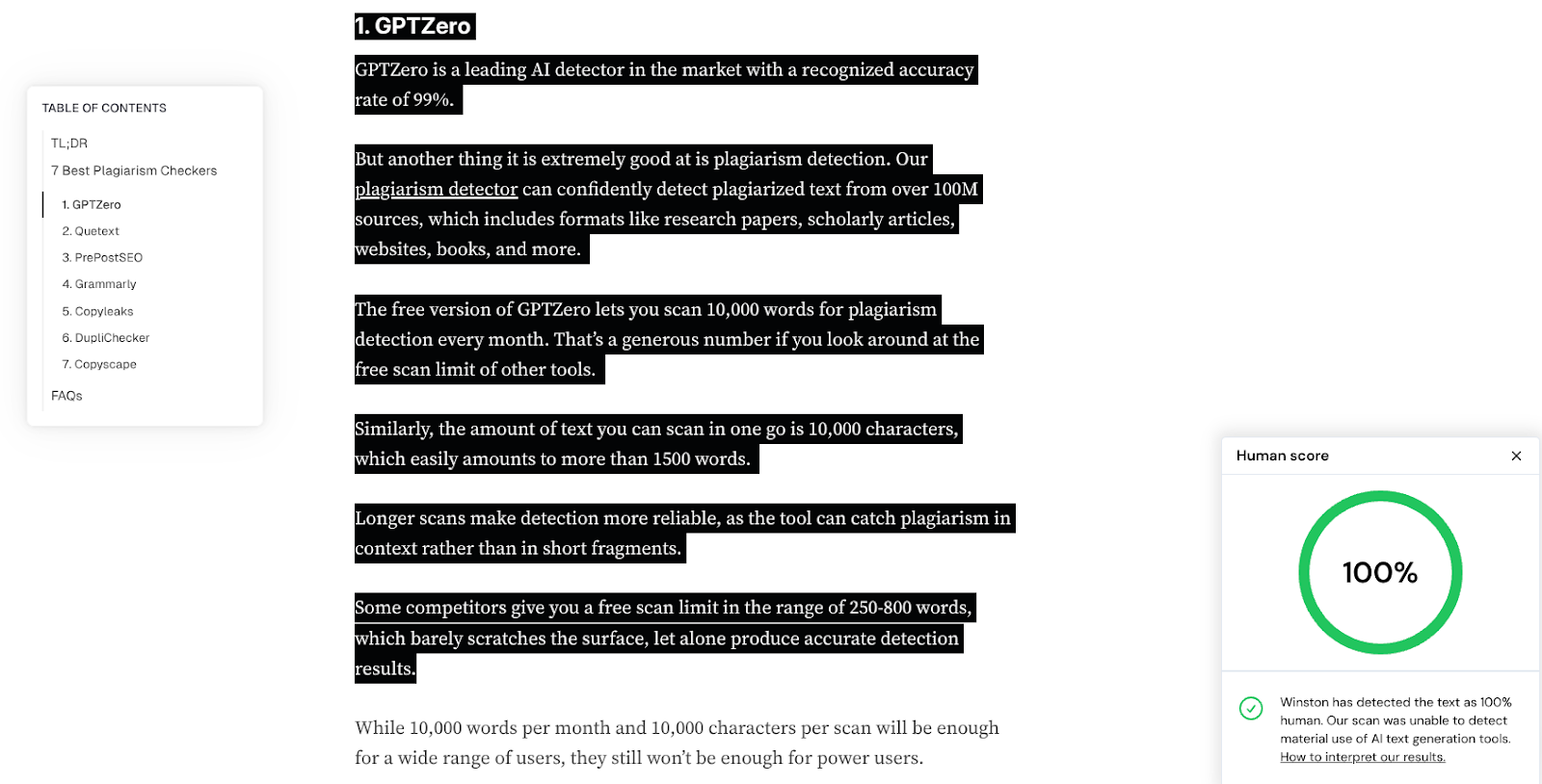
Here are Winston’s AI checker Chrome extension’s results for a text sample from a GPTZero article. While it accurately detected the text as 100% human, the scan result itself is fairly simple in that you get a percentage. Winston doesn’t highlight individual sentences the way GPTZero does.
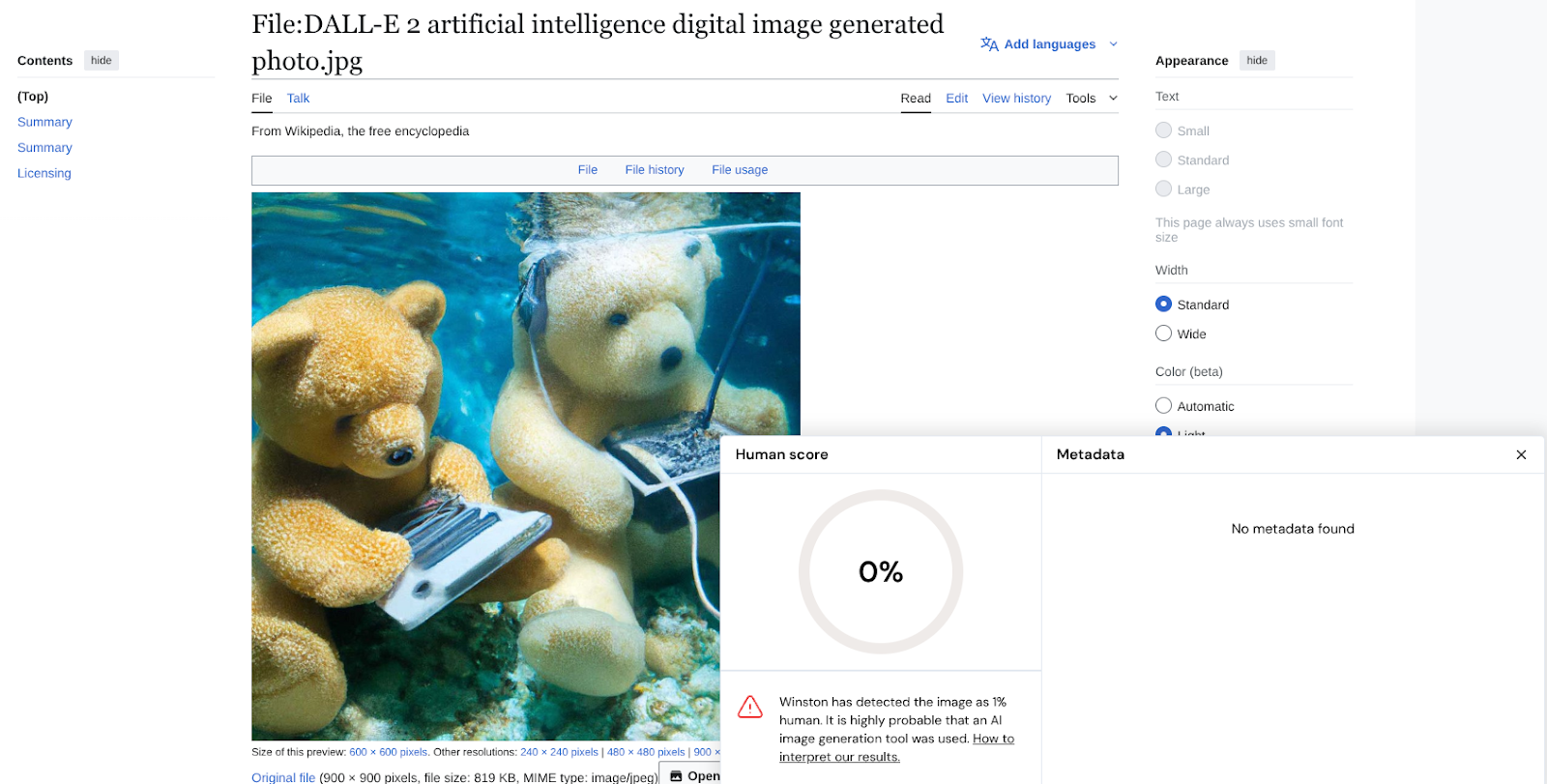
To test Winston AI’s image scan capability, I scanned an image generated with DALL-E, and Winston accurately gave it a 0% human score.
All said, Winston AI’s extension offers no coverage for Google Docs, which renders the tool inefficient for audiences whose work involves writing.
Winston doesn’t provide a free plan either, and the paid tier starts at $18 a month on a monthly billing basis.
Originality.ai
Originality.ai Chrome extension allows you to run 4 types of scans, namely:
- AI detection
- Plagiarism detection
- Readability check
- Grammar check
Similar to GPTZero, there are two ways to run these scans. Either paste the text inside the extension by clicking the Originality.ai widget poking from the right side, and press scan, or right-click the selected text and run the scan from the menu that appears.
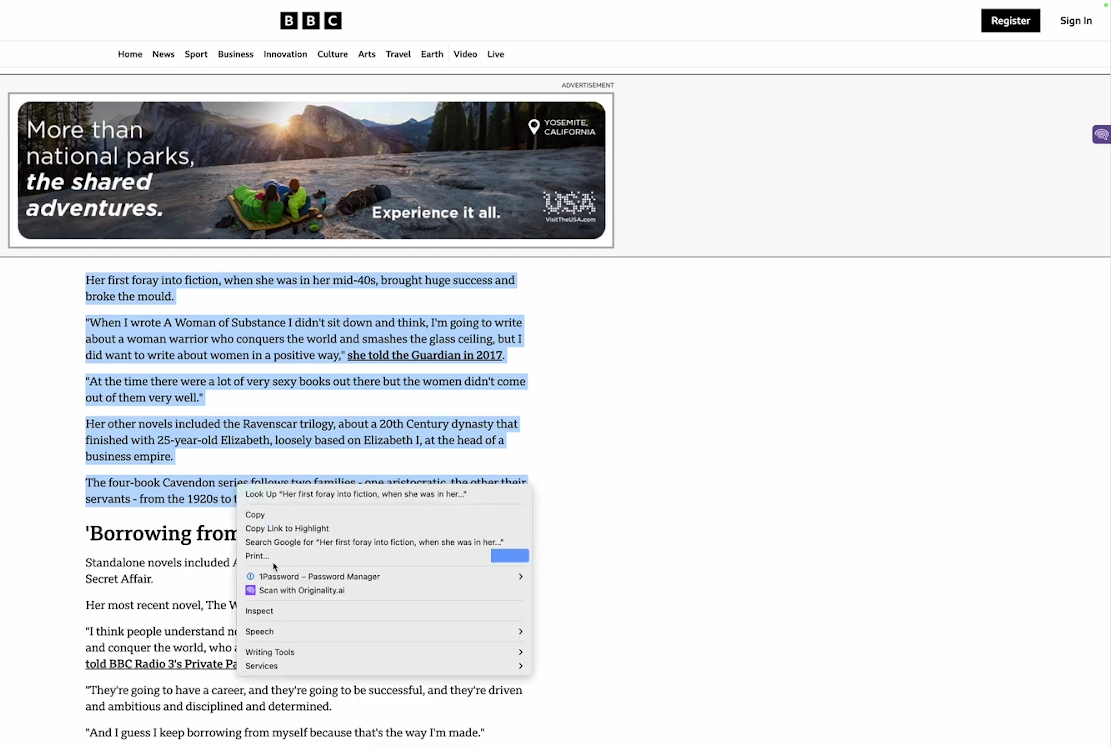
Unlike GPTZero’s feature-rich scans, Originality.ai’s scans are basic. The extension doesn’t tell which sentences are contributing to the AI score, similar to its competitor Winston AI.
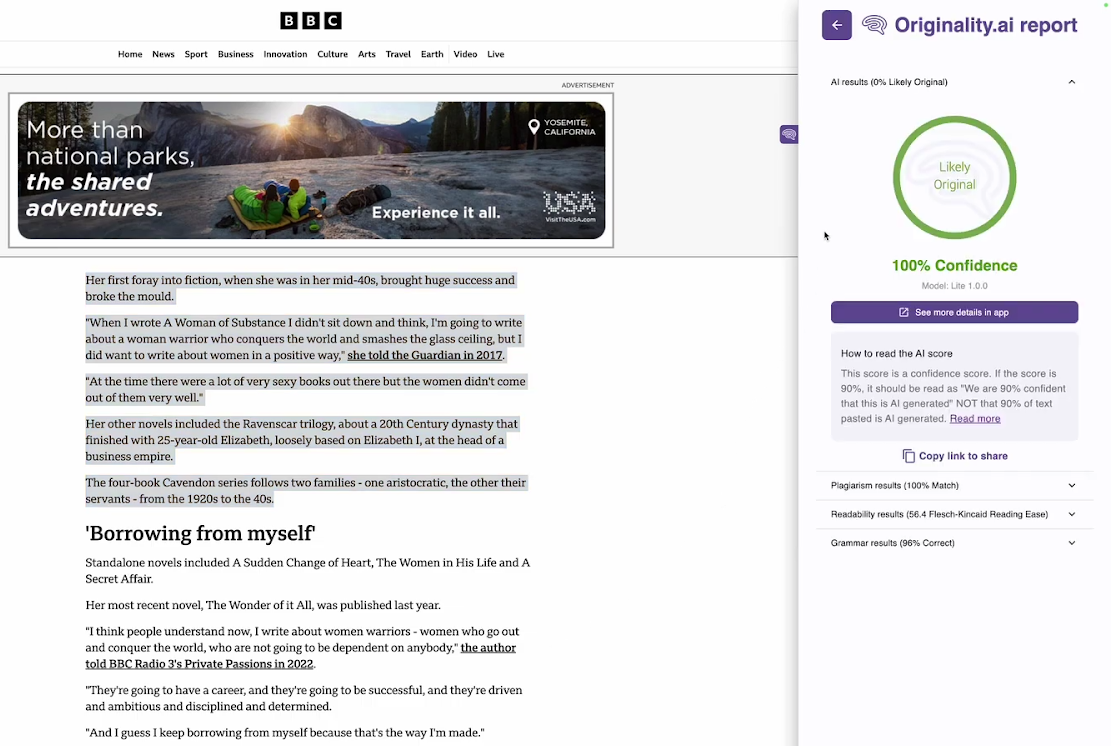
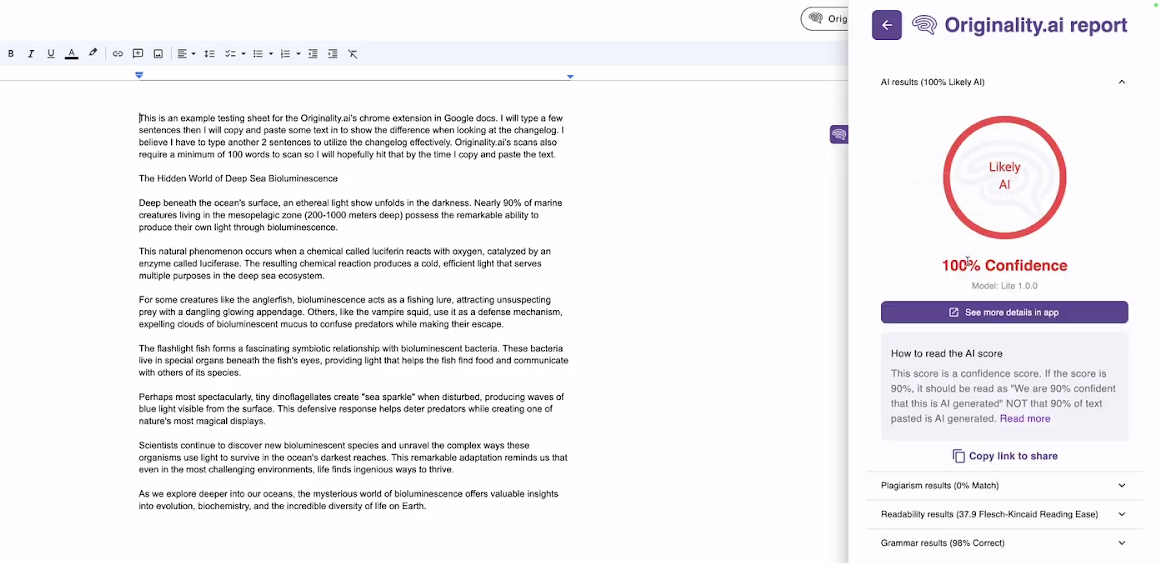
The same 4 scans are also available inside Google Docs with just one addition of the writing replay feature.
One annoying issue you’ll potentially face using the Originality.ai AI detection extension is that it may ask you to log in again and again unless you buy a plan.
Originality also uses a credit system where 1 credit equals 100 words. The plans start from $14.95 a month. There’s also a pay-as-you-go plan, which costs $30.
The extension says you can generate a Google Docs report for free, but that turned out to be an error when I tried.
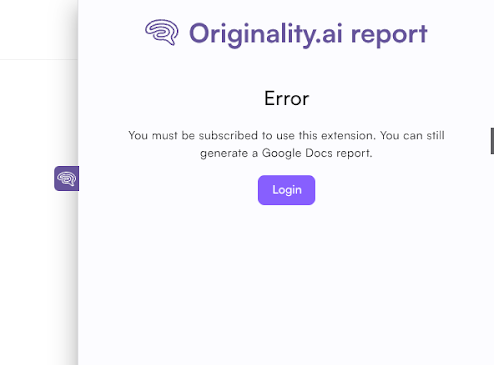
The extension isn’t in sync with the Originality.ai website either, because even if you’re logged in on the website, the extension asks you to log in separately. And there’s no “Continue with Google” login option inside the extension, despite it being available on the website.
So if you have signed up using your Google account, there’s no way to log in from the extension unless you apply for a password reset, which is what happened with me.
Grammarly
Not long ago, Grammarly launched its AI detector and included it inside its Chrome extension.
Unlike other AI detector extensions I discussed above, which can run AI checks on any website, Grammarly’s extension allows AI checks on a certain type of platform only.
You can run AI detection and plagiarism scans from inside Google Docs and other similar long-form writing editors only.
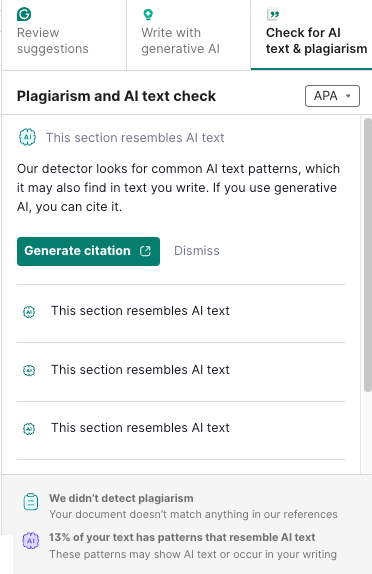
The extension performs plagiarism and AI detection checks and displays the results for both checks at once.
However, both these checks are premium features and aren’t included with the free plan.
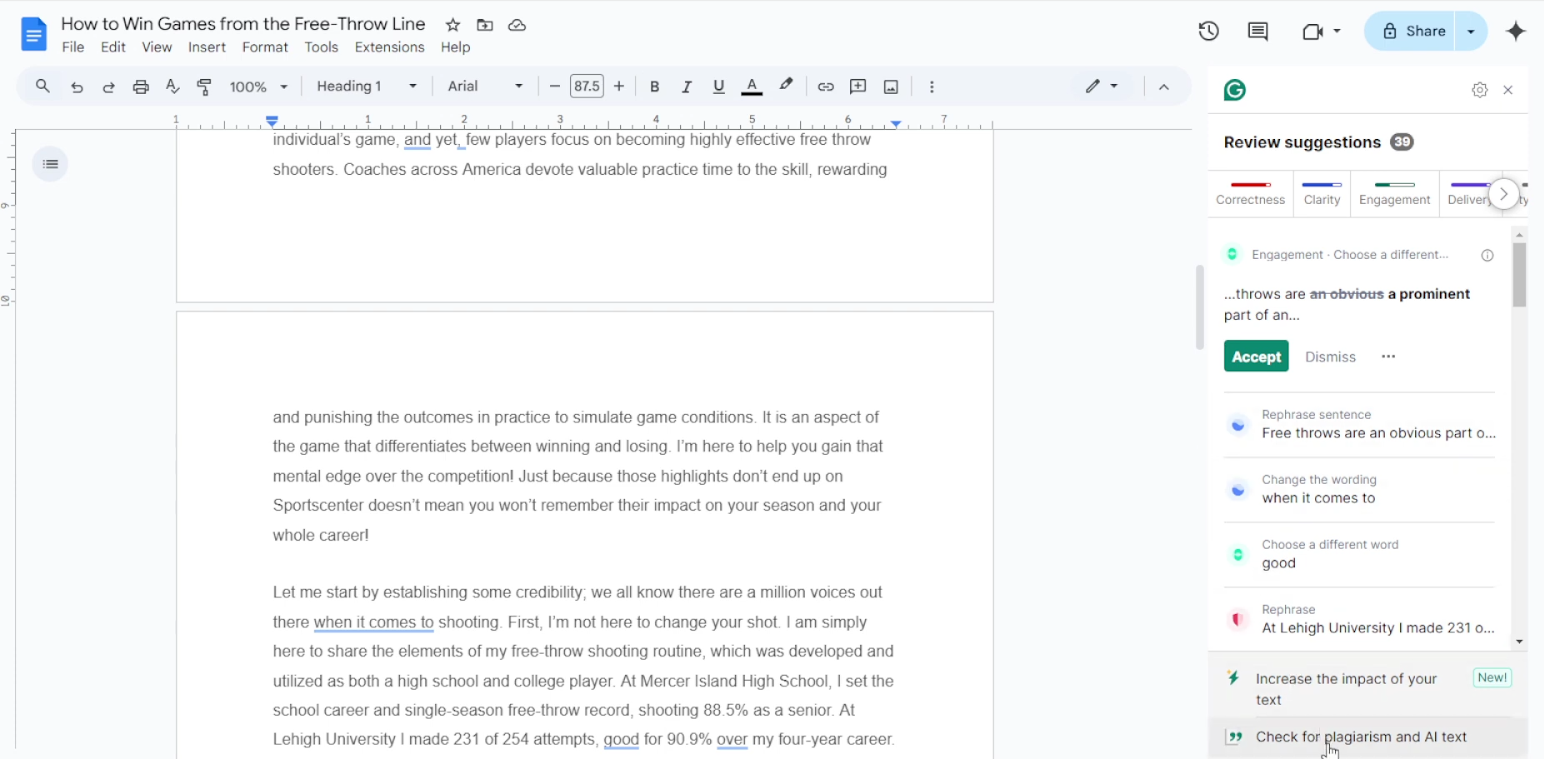
When Grammarly detects AI in text, it underlines the sentences and allows you to add citations to them if you want to use the same AI text.
Why Your Workflow Needs the Best AI Checker Extension
If you’re a writer, a student, or a teacher, your schedule is often so tight that opening a new tab for an AI scan feels like an unnecessary hassle.
We know that after the ubiquity of generative AI, writers and students are strictly required to prove the originality of their work. As a result, the responsibility of teachers and proofreaders has also increased.
All these users need frequent AI scans on their text, and manually copy-pasting content to an AI detector's dashboard eats up valuable time.
An AI detector Chrome extension brings the AI detection tool directly to your working tab. You're just one click away from checking your work for AI.
But make sure you choose the right AI detector extension for this. The best extensions deliver results as detailed as their web-based reports and integrate seamlessly with tools like Google Docs.
Among the extensions covered here, only GPTZero delivers without compromises, and is also proven to have the highest AI detection accuracy.
So install GPTZero's Chrome extension and make high-accuracy AI scans available wherever you work.
FAQs
What is an AI detection Chrome extension?
An AI detection Chrome extension is a browser add-on that lets you check text for AI-generated content directly from the current browser tab without opening a separate tab. An extension frees you from the tedious process of visiting the AI detector’s website, pasting the text, and waiting for the scan to complete. A Chrome extension turns this process into a matter of a few clicks.
Does an AI detector extension work on any website?
Only a few AI detector extensions work on all websites. This includes GPTZero, whose AI detector extension can perform AI scans on any website, including word processors like Google Docs. But other AI detector extensions, like that of Grammarly, only work with long-form writing editors.