
TinyWow AI Review: Features, Pricing, AI Detection & More
TinyWow is one of those jack-of-all-trades platforms with tools for almost any digital task. Read this TinyWow AI review to get a better understanding of the platform.


41% of consumers say they experience subscription fatigue, and TinyWow positions itself as the solution.
TinyWow markets itself as a free repository of 200+ tools. Those tools can do everything from PDF merging to AI-driven essay generation.
We spent time putting its AI writing tools through the test to find out if you can use them for serious writing. You’ll also get a brief overview of the other tools at large and its pricing in this TinyWow AI review.
What is TinyWow?
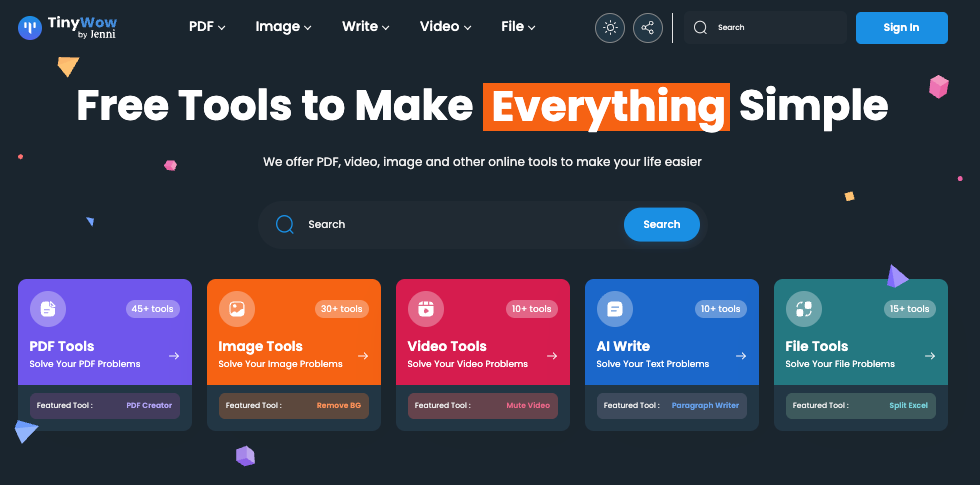
TinyWow is a platform that offers a massive collection of free mini tools for a wide variety of digital tasks.
According to the platform itself, the number of its tools hit 200+. A manual count shows that the tools are almost 250.
The platform divides all its tools into the following five categories:
- PDF tools (47)
- Image tools (76)
- Video tools (58)
- AI writing tools (54)
- File conversion tools (12)
Each of these categories house several tools. We’ll give an overview of each category in the next section.
Before becoming a Swiss army knife platform like this, TinyWow was a simple platform dedicated to PDF conversions and form issues.
It is owned by independent founders Evan Gower and Matt Arceneaux, who are based in Nashville. The team has now partnered up with Jenni AI to expand.
What’s different about TinyWow is that its main selling point is accessibility. It doesn’t require you to have a TinyWow account to use the basic features. The user interface across all tools is simple and intuitive.
All TinyWow tools are also free to use. However, this free experience comes with some hindrances.
You’ll have to bear constant ads and CAPTCHAs. These hindrances are deliberate. The platform wants you to buy the premium plan to get rid of them. We’ll also get into pricing details later in this review.
Key Features of TinyWow
TinyWow offers nearly 250 different tools across five categories.
Let’s get an overview of those five categories and the key tools within them.
1. PDF tools
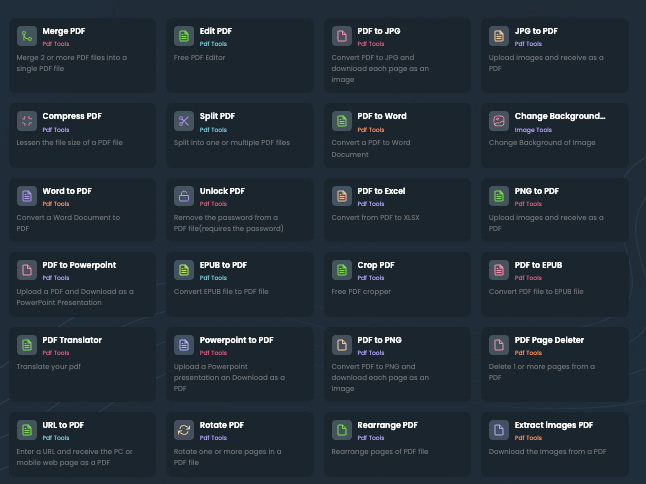
Our manual count puts the exact number of PDF tools at 47.
A large amount of these tools convert either PDF to other file formats or vice versa. For instance, there are separate tools to convert a PDF to different image formats like JPG, PNG, HEIC, TIFF, WEBP, and EPS.
If you aren’t aware of the format of an image, you can go with the general Images to PDF converter.
Aside from images, you can create a PDF from other file formats as well such as Word, Powerpoint, EPUB, URL, MOBI, etc.
You can convert a PDF back to some of these file formats, too.
Then there are a number of PDF-only tools. You can merge multiple PDFs or split a PDF into multiple PDF files. You can also edit, add page numbers, delete specific pages, compress, crop, rearrange pages, rotate pages, e-Sign, and do much more to PDFs.
2. Image tools
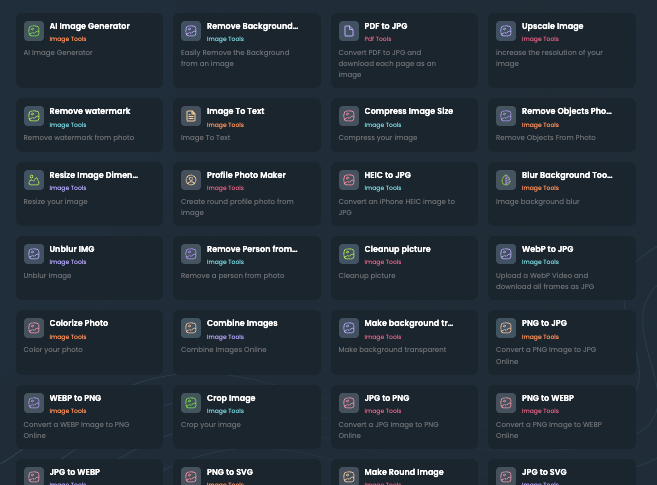
Image tools are TinyWow’s biggest collection.
There are three featured image tools, namely, Image Resizer, Image Compressor and a tool to increase image resolution.
Then there are a few AI tools:
- Background remover
- Restore photos (cleanup)
- Profile photo maker (creates a round photo from any photo)
- Remove person(s) from photo
- Extract text from an image
- Generate images with AI
- Remove any object from the photo
Another mini category in the image tools is the image conversion tools. A vast majority of tools convert images from one format to another image format or vice versa.
Other features include image upscaling, watermark removal, image coloring, collage maker, etc.
3. AI writing tools
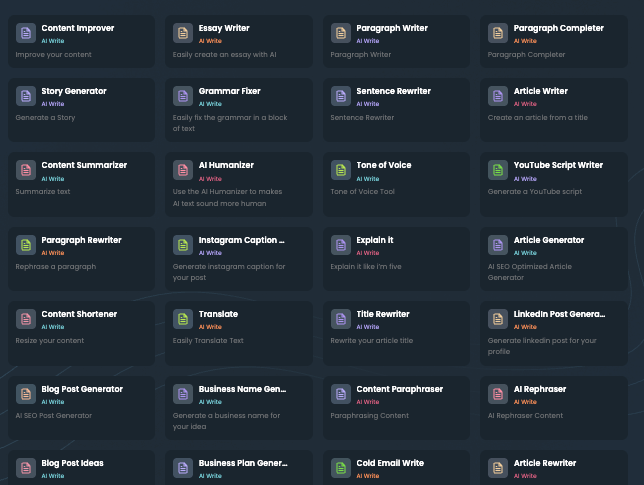
TinyWow offers 54 writing tools. All these tools are AI-powered, except a few like Word Counter, because that doesn’t need the help of AI.
TinyWow positions the following four tools as featured:
- Essay writer
- Article writer
- Paragraph writer
- Sentence writer
Other than these, there’s a Grammar checker, AI humanizer, email writer, social media post generators, article brief generator, and more.
We’ll test a few of these tools later on to see if the content they generate can bypass AI detection scans.
TinyWow also offers an AI detector. We’ll test its performance against GPTZero’s AI detector.
4. Video tools
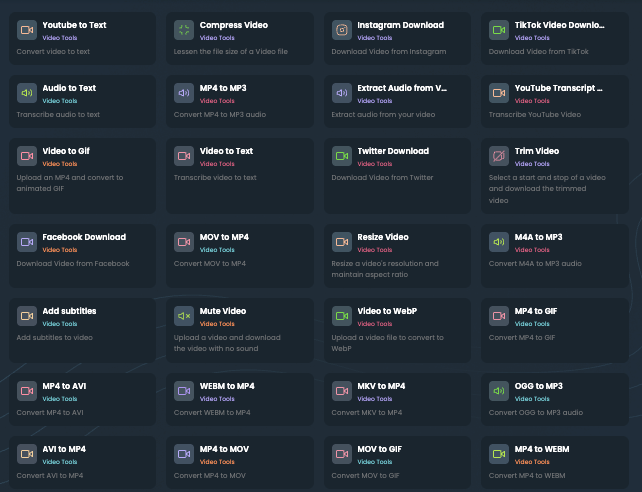
There are 58 video tools on the TinyWow AI platform.
Many of these are video transformation tools. You can use them to convert an MP4, M4A, MOV, OGG, MKV, GIF, etc, to loads of other file formats and vice versa.
Then there are a few video downloaders for Instagram, Facebook, Twitter, and YouTube.
You can also compress large video files to make them easier to share. You can also trim, crop, resize, add subtitles to, and transcribe videos.
5. File conversion tools
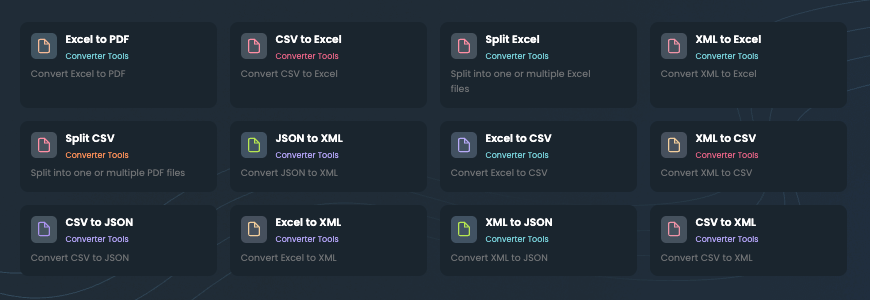
The file conversions that weren’t covered in the other categories are covered here.
There are a total of twelve file conversion tools. You can view the entire list in the screenshot below.
Can TinyWow’s Written Content be Detected by AI Detectors?
A large number of TinyWow tools have a simple function, so they should work fine.
However, the tools in the writing category can be tested for their performance because writing has been a human-only task until recently.
So we’ll only test the writing tool, and we’ll check whether TinyWow can write like a human and bypass the AI detection scan.
It’s enough to test the Article Writer only because it generates the longest form of content among other tools, and therefore can represent the performance of other TinyWow writing tools as well.
TinyWow Article Writer
TinyWow mentions that the Article Writer can generate a 1500-word-long article at a time.
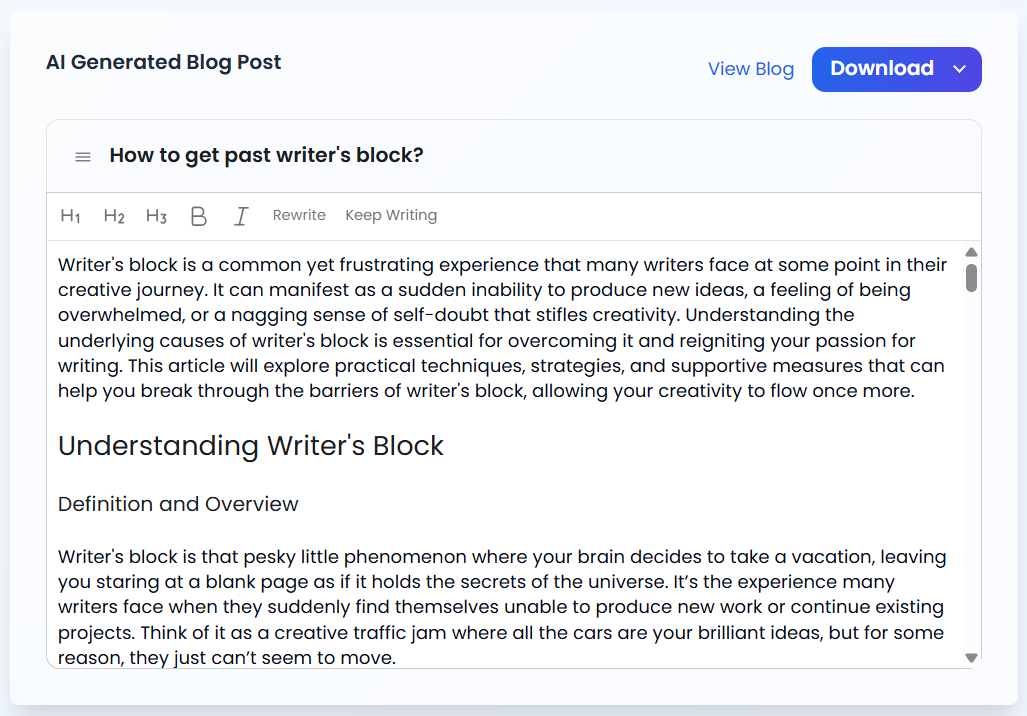
I made it generate an article on the topic “How to get past writer’s block?”
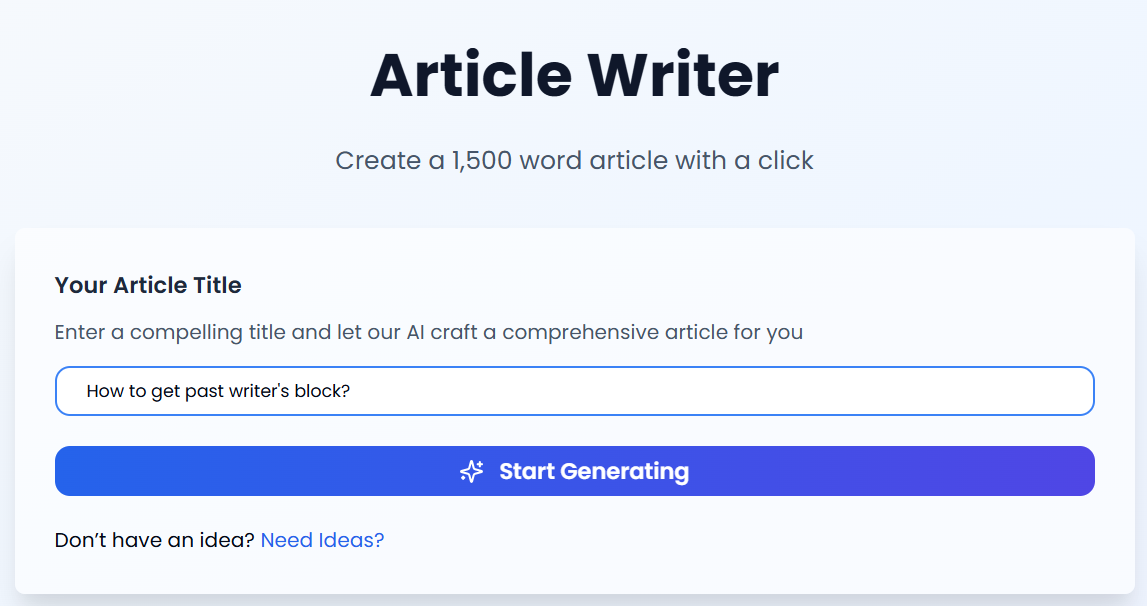
TinyWow took around 2 full minutes to generate the entire piece. The article had a proper format. It had H2s and H3s as well as an FAQ section at the end.
You’re shown the article in a basic editor with options to italicize and embolden text and make new H1, H2, and H3s.
But our purpose is to check the writing quality and see whether it passes as human. So let’s do that.
GPTZero has proven to provide the most accurate AI detection scans according to independent benchmarks like RAID.
A recent study titled “Automatic detection of Gen-AI texts: A comparative framework of neural models” also found that GPTZero scores the best among detectors with a low false positive rate on an English AI detection dataset.
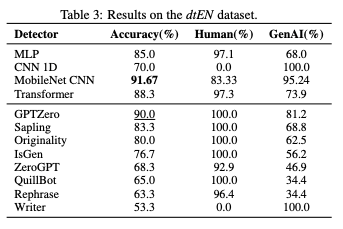
That’s why we’ll use GPTZero’s AI detector for the job.
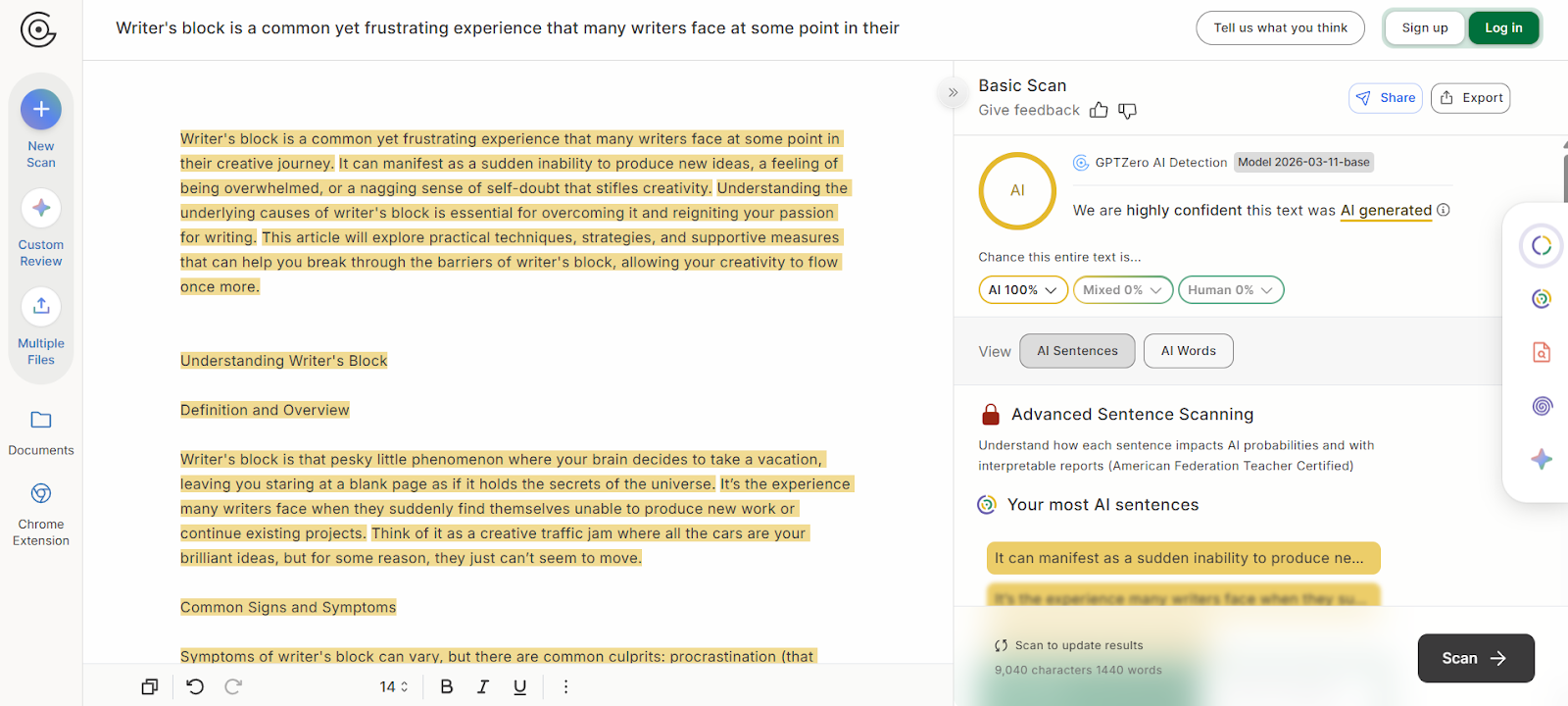
We pasted the text generated using TinyWow article generator into GPTZero, and the results were as expected.
GPTZero flagged 100% of the entire text as AI. The text’s probability of being human-written was at 0%.
So it’s evident that TinyWow cannot bypass AI detectors like GPTZero.
Try detecting TinyWow output yourself with GPTZero for free.
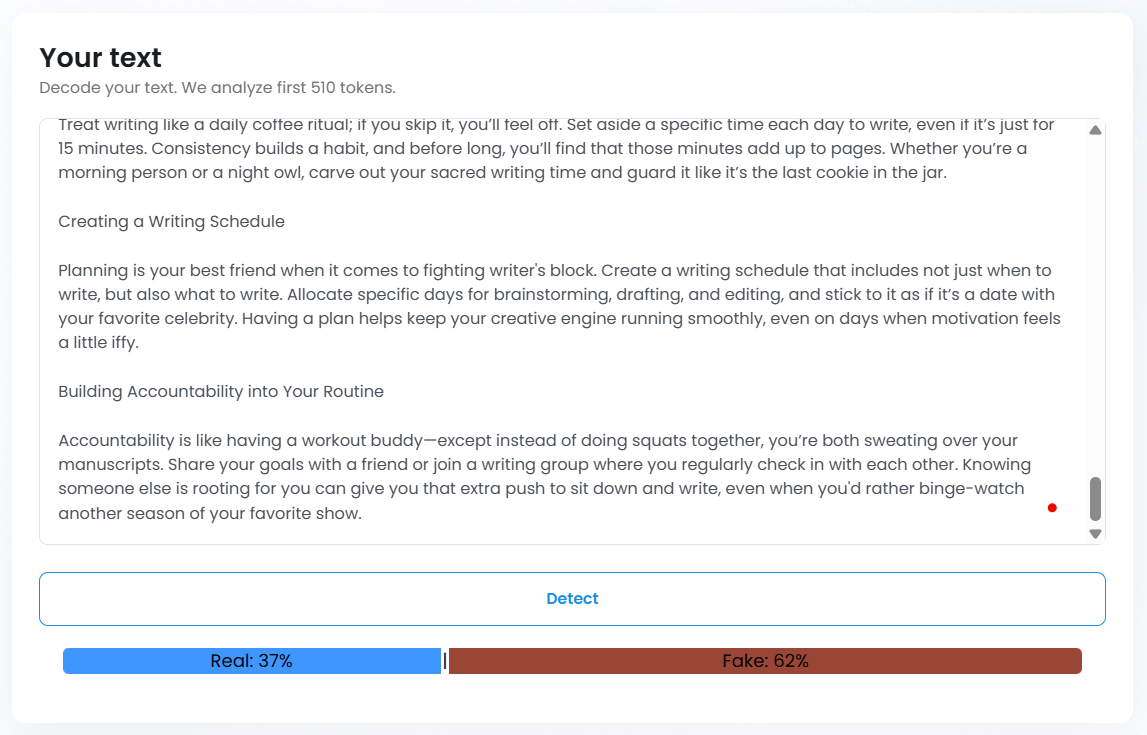
TinyWow also offers an AI detector, and that also flagged 62% of the text as fake i.e., AI-generated.
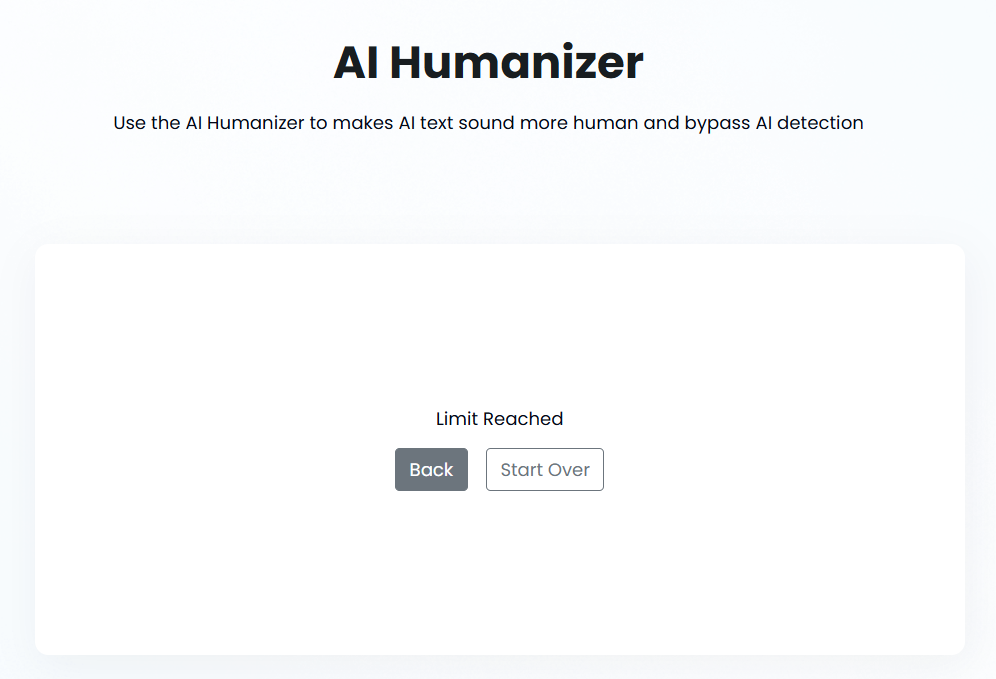
We also tried testing TinyWow’s AI humanizer by giving it some passages from the same AI-generated article. To our surprise, we had already hit the daily limit of TinyWow.
We couldn’t test the AI humanizer, but at least we ended up discovering that 1 article generation and 1 AI detection scan consumes the free daily usage.
TinyWow Pricing
TinyWow is famous for being completely free, but if you get down to use the tools, you’ll see the tradeoffs.
Sure, you can use all ~250 tools for free, which is a massive edge over platforms that only allow a trial usage of their tools or a fixed number of daily attempts.
However, at the same time, you’ll be getting ads and CAPTCHAs nonstop. That can be bearable if you use TinyWow only once in a while. But as a constant user, these deliberate annoyances will frustrate you fast. Certain tools also have a daily usage limit, as our test showed above.
You’d either start looking for a TinyWow alternative or get the TinyWow premium to get rid of those hindrances and other limitations.
If you go the latter route, you’ll have six TinyWow premium plans to choose from.
TinyWow offers a paid plan for each of its five categories of tools. There’s a paid plan for PDF tools, writing tools, video tools, image tools, and file conversion tools.
All of them cost $9/month and remove the daily usage limits and ads across the entire category. You also get priority processing for faster results.
It’s not clear whether you can only subscribe to one of these plans at a time or can have multiple ongoing subscriptions.
The sixth plan is called the TinyWow Unlimited and costs $20/month.
This plan is for those who want unlimited everything. You get unlimited access to all ~250 tools across all categories. The plan also lets you use new features before they are released for all users.
These are all the plans and their monthly prices. If you choose to pay on a yearly basis, the monthly cost of all plans drops up to 30%. The $9/month plans become $6/month, and the $20/month plan becomes $15.
Some Caveats
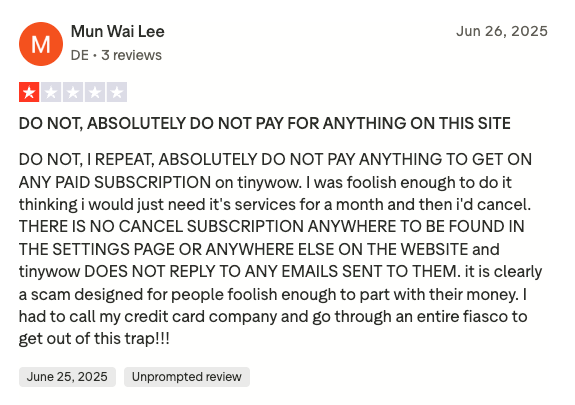
Many users have complained that there’s no clear cancellation button once you have bought premium.
They said they had to contact their banks just to stop the recurring charges because TinyWow’s support wouldn't respond to emails.
There is also confusion surrounding TinyWow’s "unlimited" claims. As per the advertisement, the plans should allow unlimited usage of all tools. But some users on active yearly plans have reported getting "credits over" messages.
So, if you're thinking about buying TinyWow premium, we’d advise you to proceed with caution.
Always Have GPTZero By Your Side
A lot of TinyWow tools are undoubtedly useful, such as the many conversion tools, among others.
But when it comes to writing, TinyWow proves unreliable. You may use its writing tools for generating quick drafts. But that’s about it. You cannot expect ready-to-publish writing pieces from TinyWow.
As you saw in this TinyWow AI review, the text it generates tends to have a high AI score. Even upon reading the article, you can catch the very obvious AI writing patterns. In short, the text appears generic and formulaic.
Our many reviews of AI writing tools have continuously proven that writing is a task best done by humans.
AI writing tools lack the linguistic sophistication and semantic richness that writing demands. Until AI attains that, humans must hold onto their writing skills.
GPTZero was made to preserve human writing. We make sure AI-written text never gets passed as human, as well as human-written text never gets blamed for being AI.
And if a text is a joint effort of both AI and a human, GPTZero also makes that clear.
Try GPTZero today for free and see why it’s the most trusted AI detector on the market.