Copyscape Plagiarism Checker Review: I Tested 14 Samples
Copyscape launched in 2004 & is still operational. In this Copyscape review, I’ll test it with real text samples copied from the web to evaluate its accuracy.


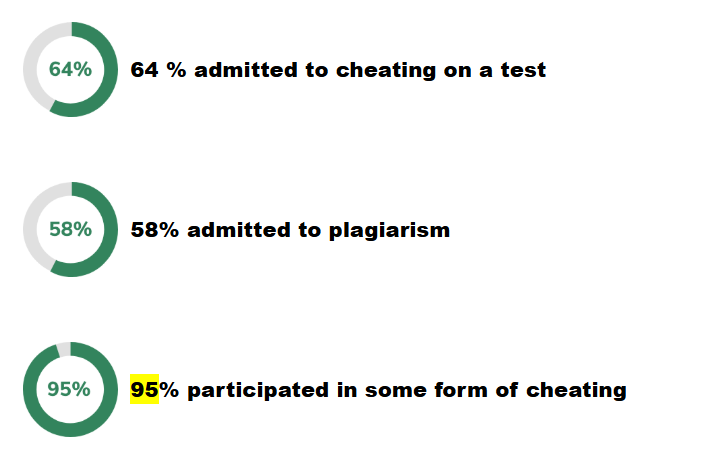
In surveys of over 70,000 high school students across two dozen U.S. schools, researcher Donald McCabe found that 58% admitted to plagiarism and 95% owned up to some form of cheating.
Numbers like these are why plagiarism checkers started surfacing long ago. Today, I’ll be reviewing a plagiarism checker that made its debut in 2004 and is still operational.
My main focus will be Copyscape’s plagiarism detection accuracy.
I’ll be scanning a bunch of thoughtfully curated text samples for plagiarism with Copyscape to see how accurately it detects copied content and where its weaknesses surface.
Let’s start with an overview of the platform.
What is Copyscape?
Copyscape is a plagiarism checking service that started in 2004. The platform allows you to run three free plagiarism scans before asking you to subscribe to Copyscape Premium. It doesn't mention the maximum number of words you can scan for plagiarism in one go.
Copyscape Premium is one of the platform's three paid services.
The Premium allows you to run unlimited scans (based on a pay-as-you-go model), upload text in PDF and Word files, run bulk scans, and access other features such as an API and WordPress integration.
One thing about Copyscape plagiarism reports is that they don’t mention the overall percentage of plagiarized text outright, unlike other plagiarism checkers such as SafeAssign.
Copyscape lists the plagiarized sources and allows you to open them separately to view the percentage of text plagiarized from each of them as well as the exact plagiarized text.
The other two Copyscape products are as follows:
- Copyscape Enterprise: Deploys a private Copyscape plagiarism checker on-premises or in a company’s cloud for the entire organization to use.
- Copysentry: Scans the web daily or weekly, and informs you about plagiarized instances of your work through email.
Copyscape also offers other plagiarism features. For example, you can add plagiarism warning banners on your site to prevent plagiarists from stealing your content. You can also scan two webpages side by side to see how similar they are.
But at the end of the day, you can only trust a plagiarism checker as much as its accuracy. So let’s run plagiarism scans with Copyscape and evaluate its accuracy.
Testing Copyscape Plagiarism Checker
My testing methodology was the same as I have used for other plagiarism checkers before, such as in this PapersOwl review.
The test involves scanning three sets of content samples with Copyscape:
- Content published for the first time in the previous century when websites were still a new thing. I found news articles from the BBC and The Economist, along with content published by a religious movement.
- Content published after 2000, including news articles, academic papers, and video transcripts. I used a total of 7 samples of content published after 2000.
- Very recent content published by news outlets, GPTZero, and a construction software company website (Sage).
Spoiler: Copyscape might look outdated based on its UI, but it performs accurately most of the time.
Here are all the samples, along with the year they were published and how Copyscape performed on these samples:
1. Copyscape vs Pre-2000 Published Online Content
The first pre-2000 sample was a BBC news article from 1998, but Copyscape couldn’t find any plagiarism in it. That’s the only pre-2000 sample that Copyscape failed against.
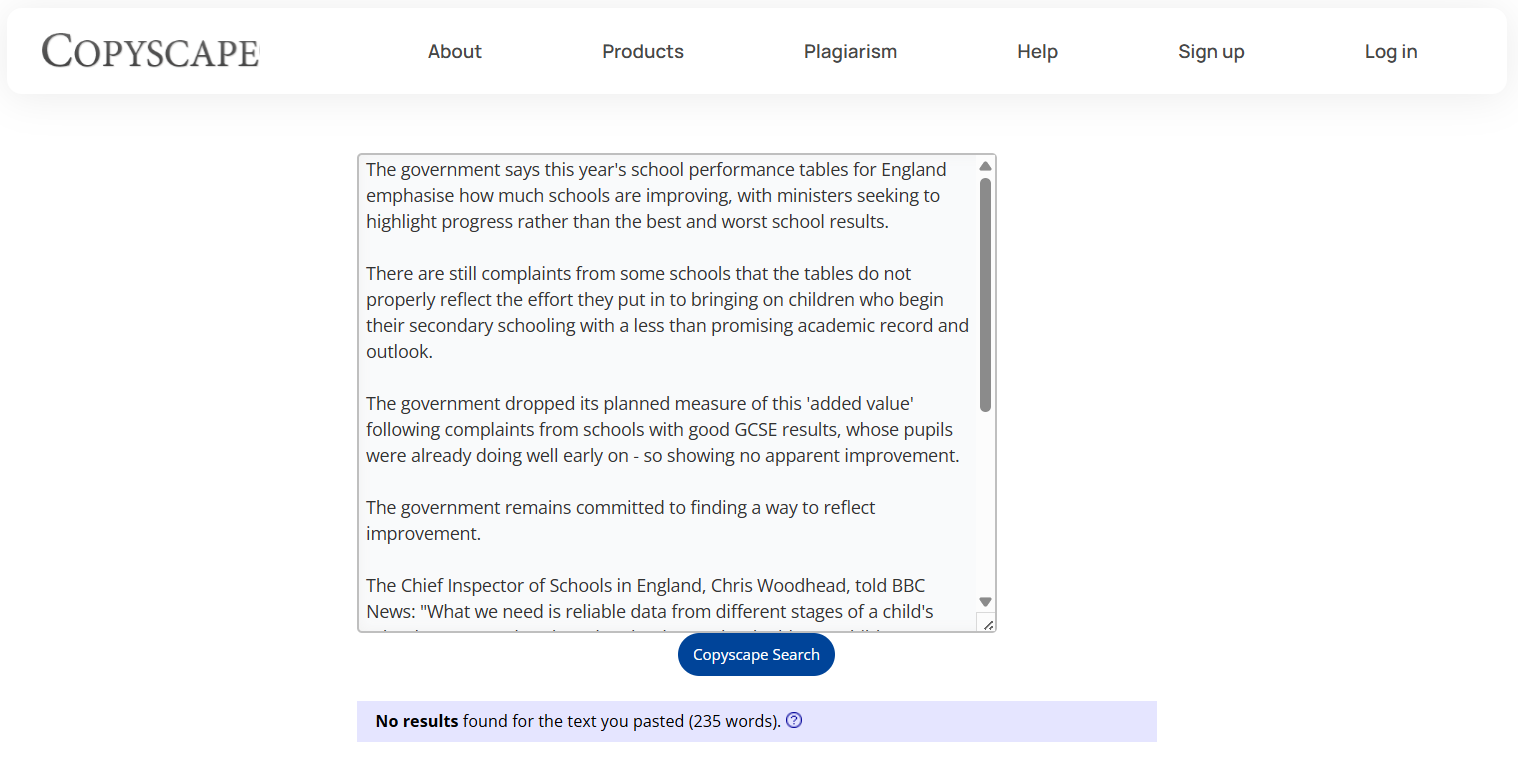
I also tried running the whole BBC article through Copyscape from a different device, but it still showed no plagiarism.
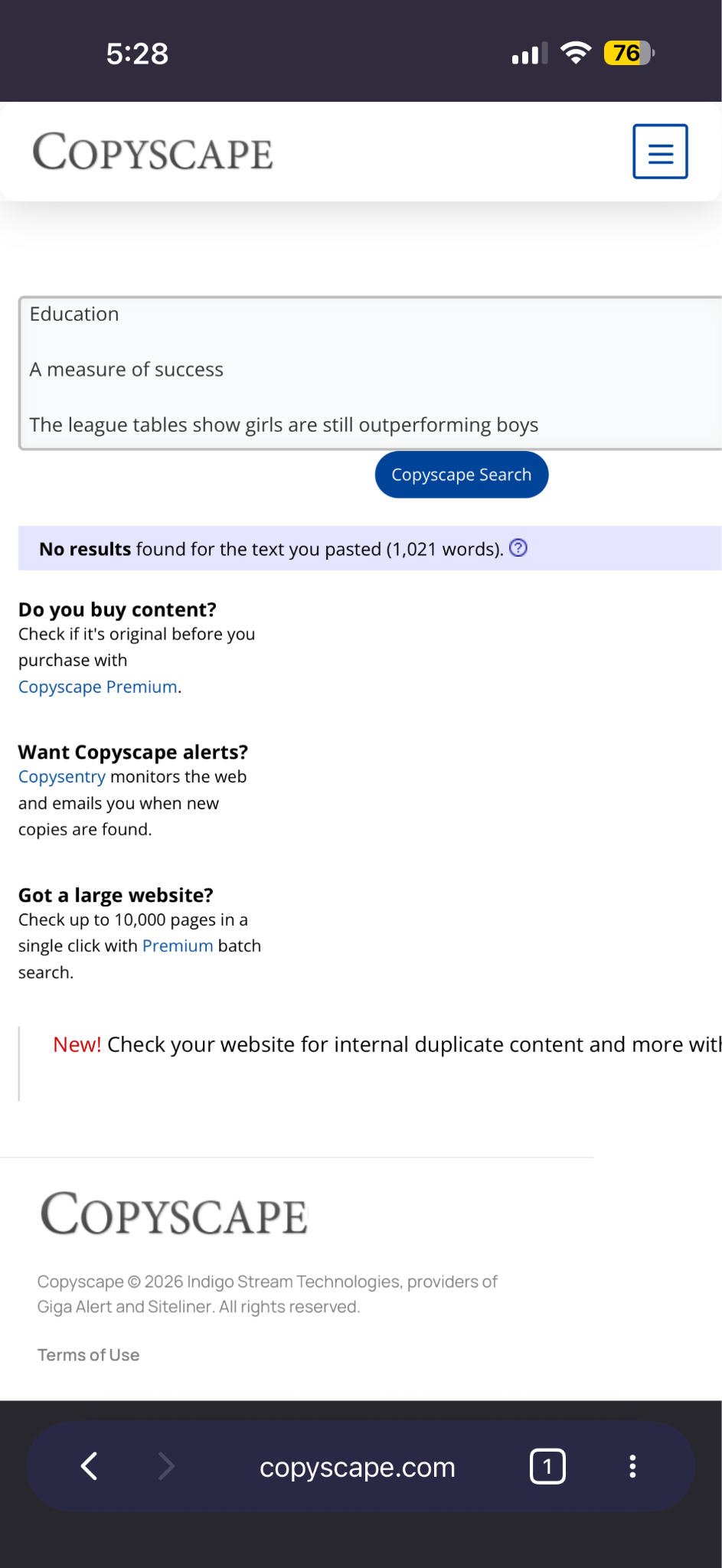
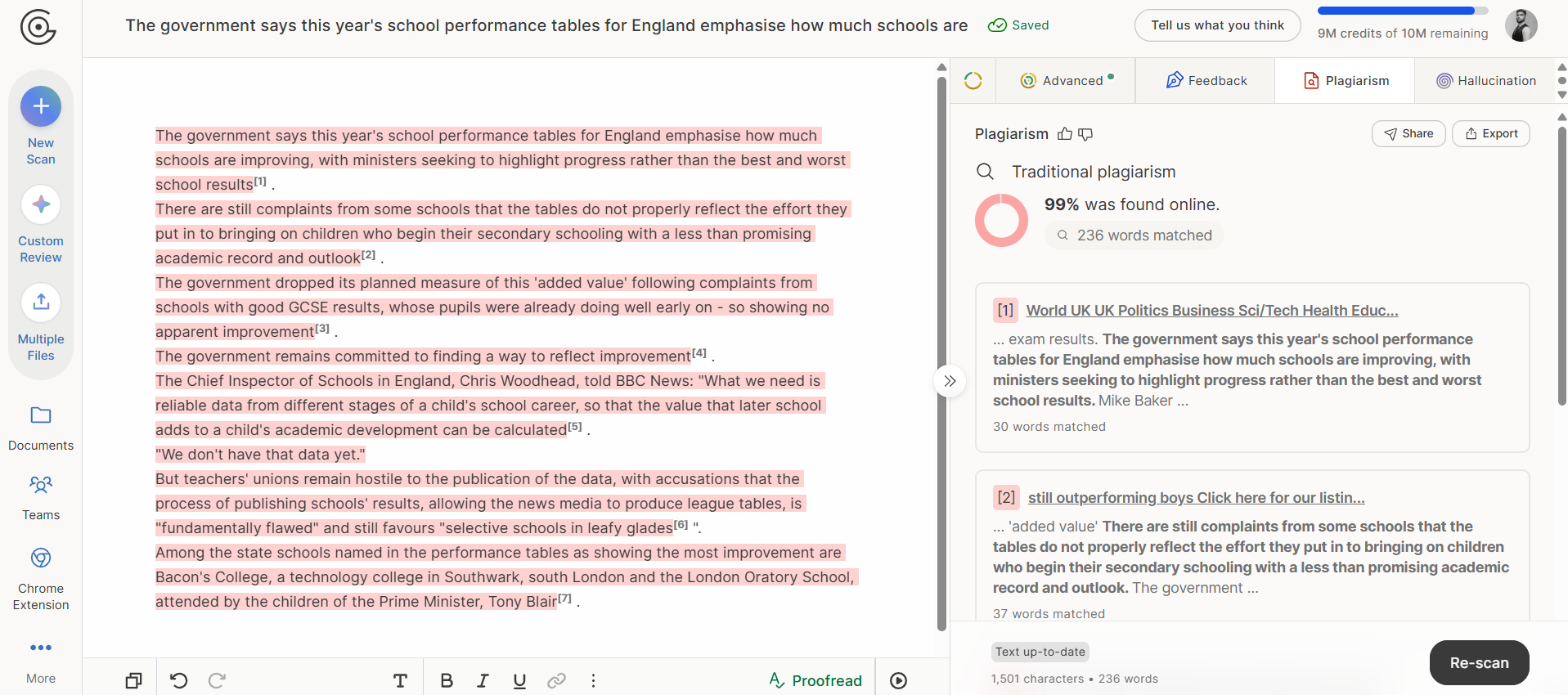
Since Copyscape could not detect plagiarism in this article, I tried using GPTZero’s plagiarism checker, and it correctly identified the content as 99% plagiarized and listed the sources as well:
The other two samples were traced back to multiple sources, including the exact webpage where I copied the text from.
For example, below are the results shown for the content I plagiarized from the Heaven’s Gate religious movement:
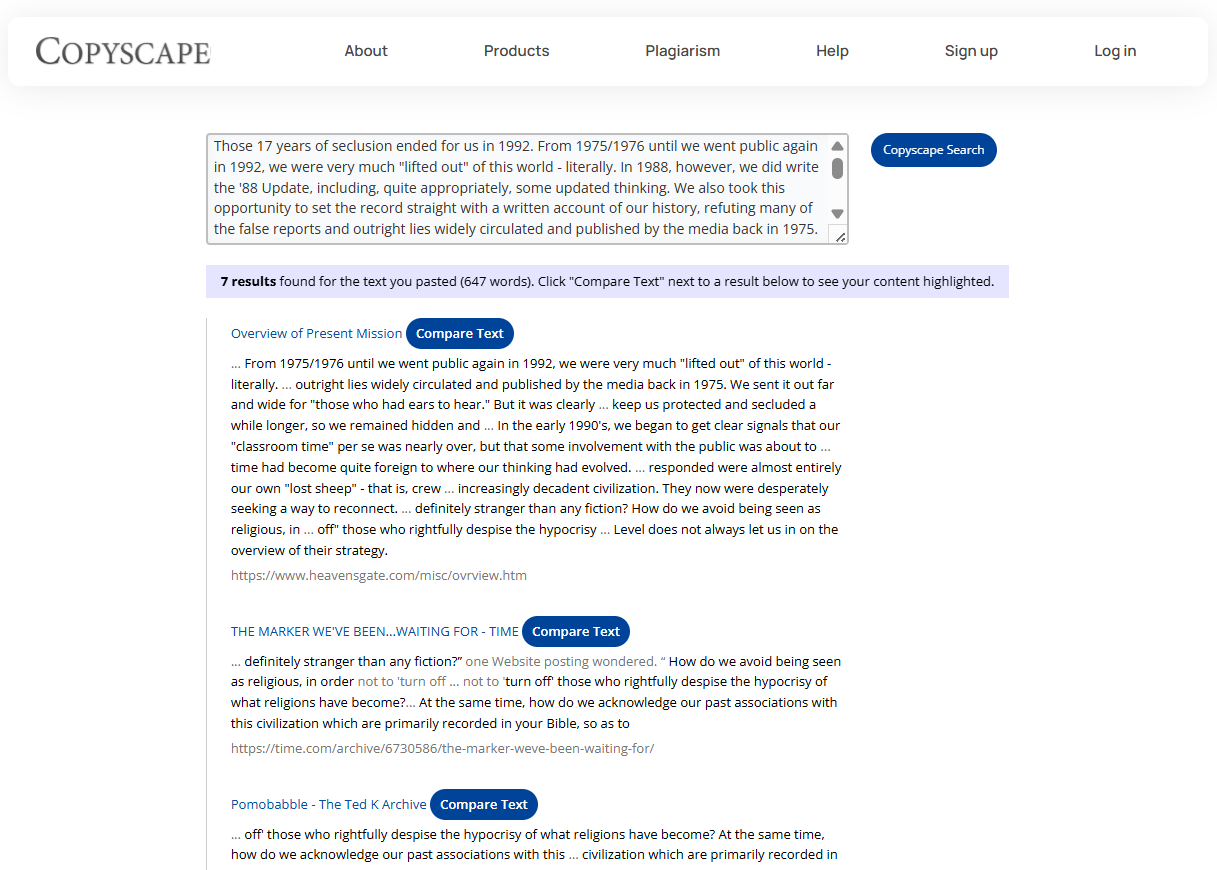
As I mentioned earlier, Copyscape doesn’t reveal the overall plagiarism percentage for the text. Instead, it shows a separate percentage for each listed source based on how much of your content matched with the source’s content.
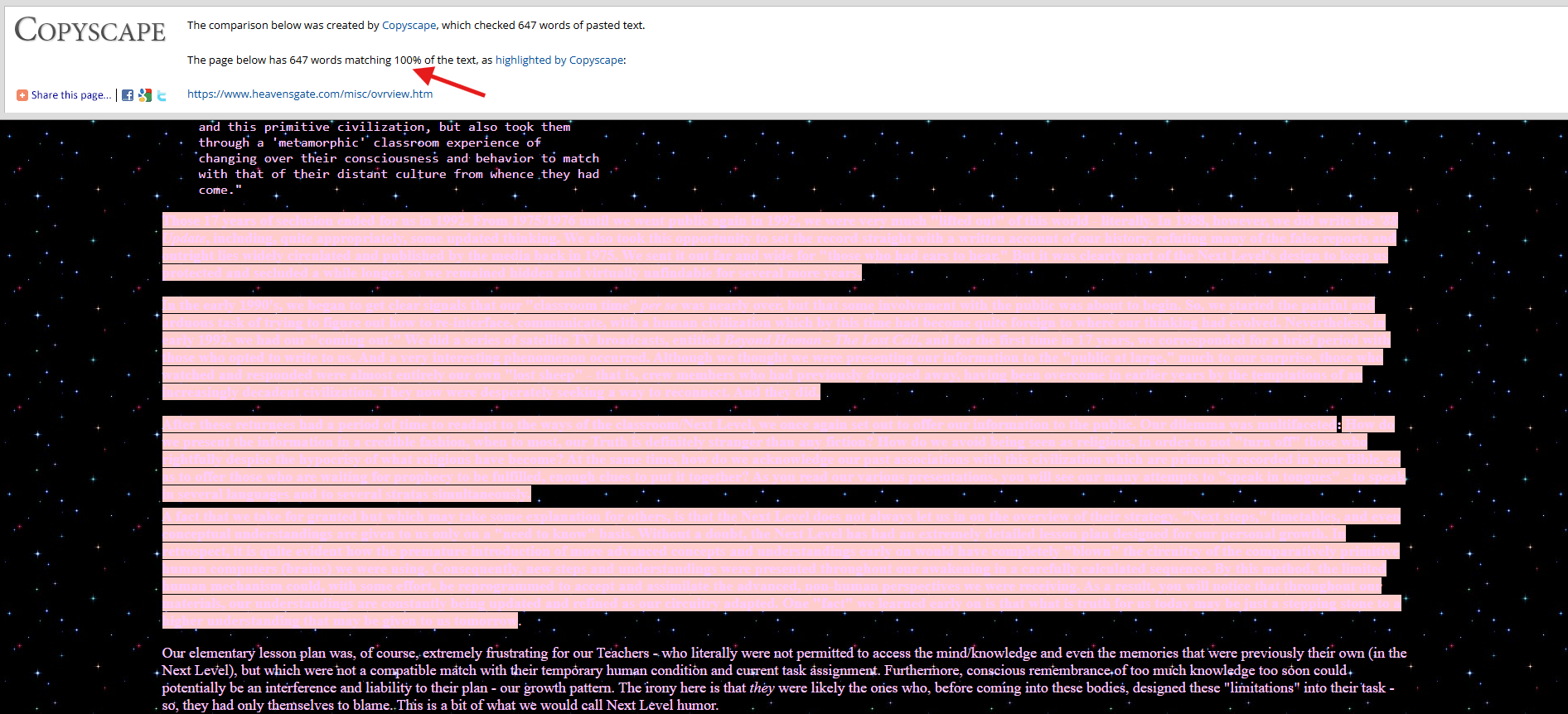
To see that percentage and the matched text, click the “Compare Text” button next to each source, and the link will open inside a Copyscape portal. The top of the page mentions what percentage of the pasted words matched the source. You’ll see the matched text highlighted by Copyscape.
As shown in the screenshot below, Copyscape highlighted only the plagiarized text.
The table below shows a summary of all the scans and how the Copyscape plagiarism checker performed on the pre-2000 samples.
Verdict: Copyscape shows decent accuracy on pre-2000 content, but exceptions can be there.
2. Copyscape vs Post-2000 Published Content
The post-2000 content set included 7 samples.
Copyscape failed to detect plagiarism in 1 academic paper, although it didn’t find any in two of the other academic papers from the same set.
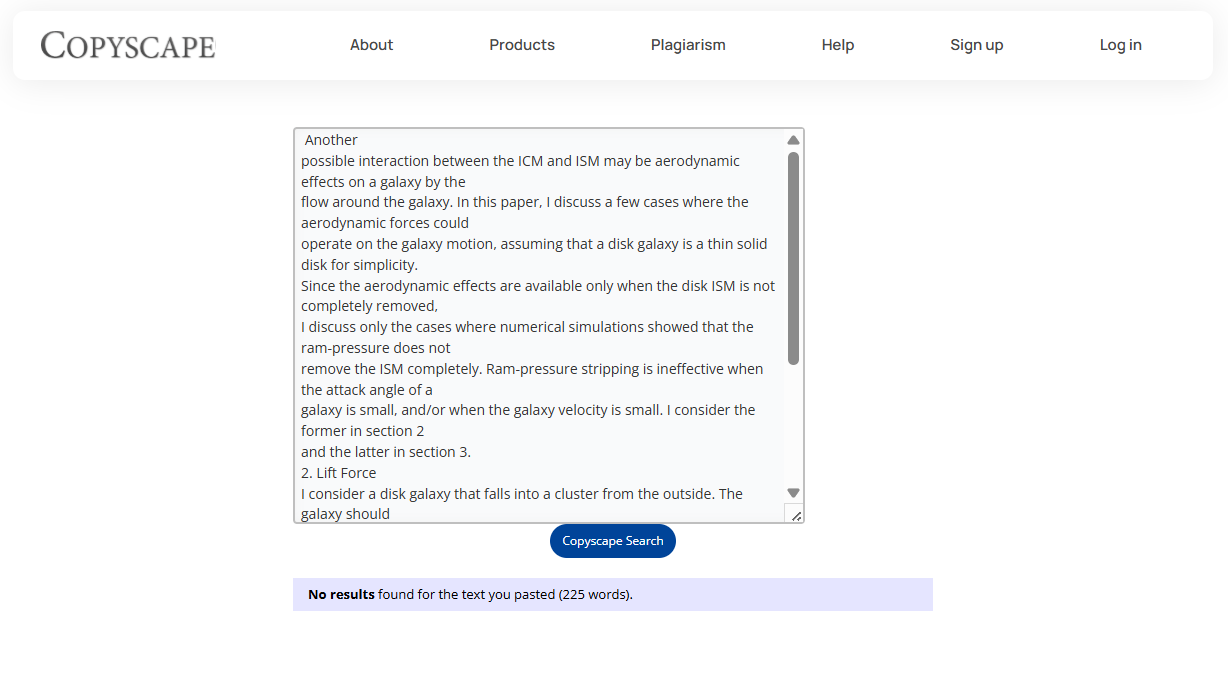
One of them was an academic paper by Yutaka Fujita titled “Does a Galaxy Fly?” and published in 2006. Copyscape detected no plagiarism for this source and gave the verdict “No results found for the text you pasted” when I pasted the first half of the paper.
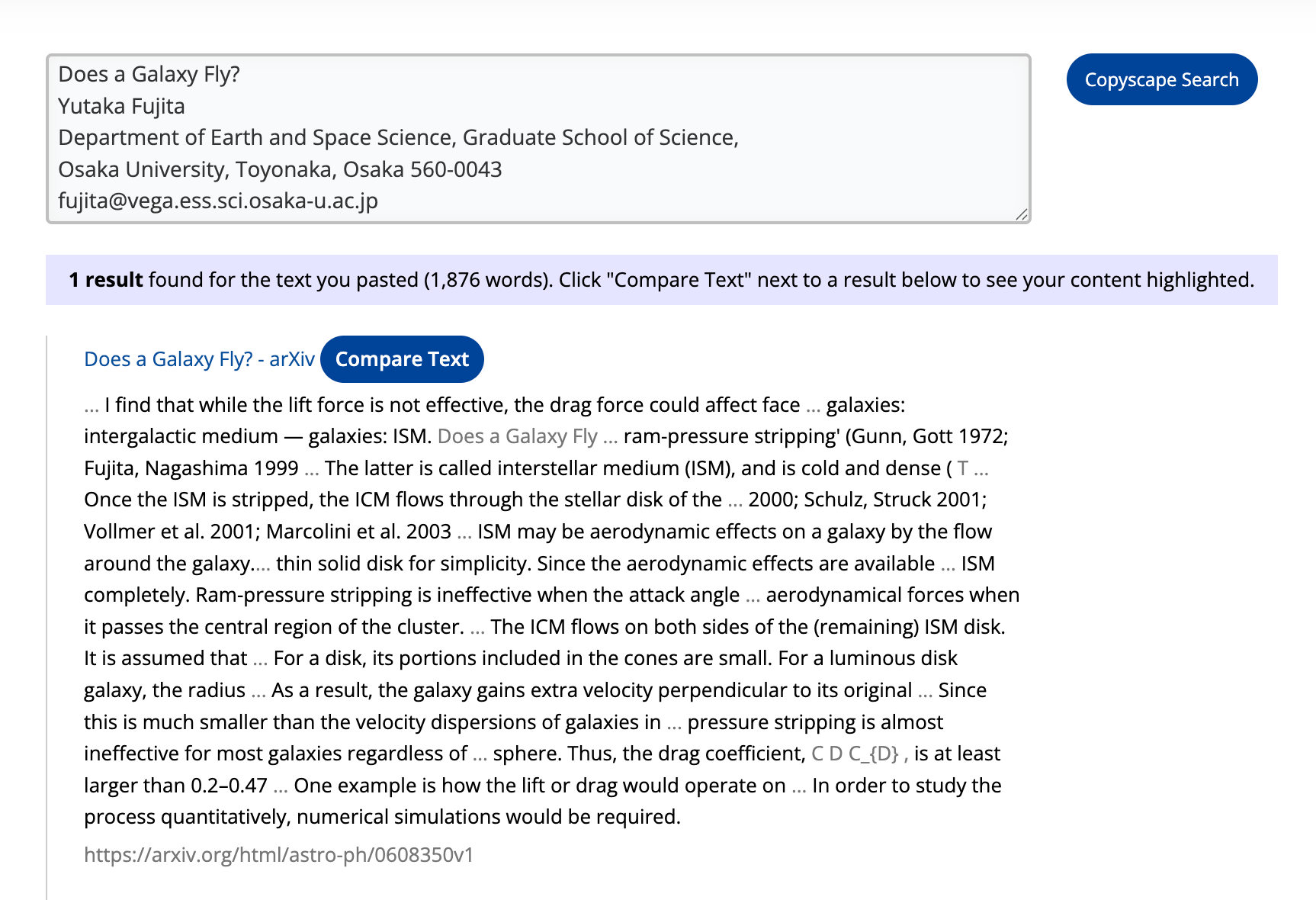
But as soon as I pasted the full paper, Copyscape detected 100% plagiarism and correctly gave me the source it was copied from as well.
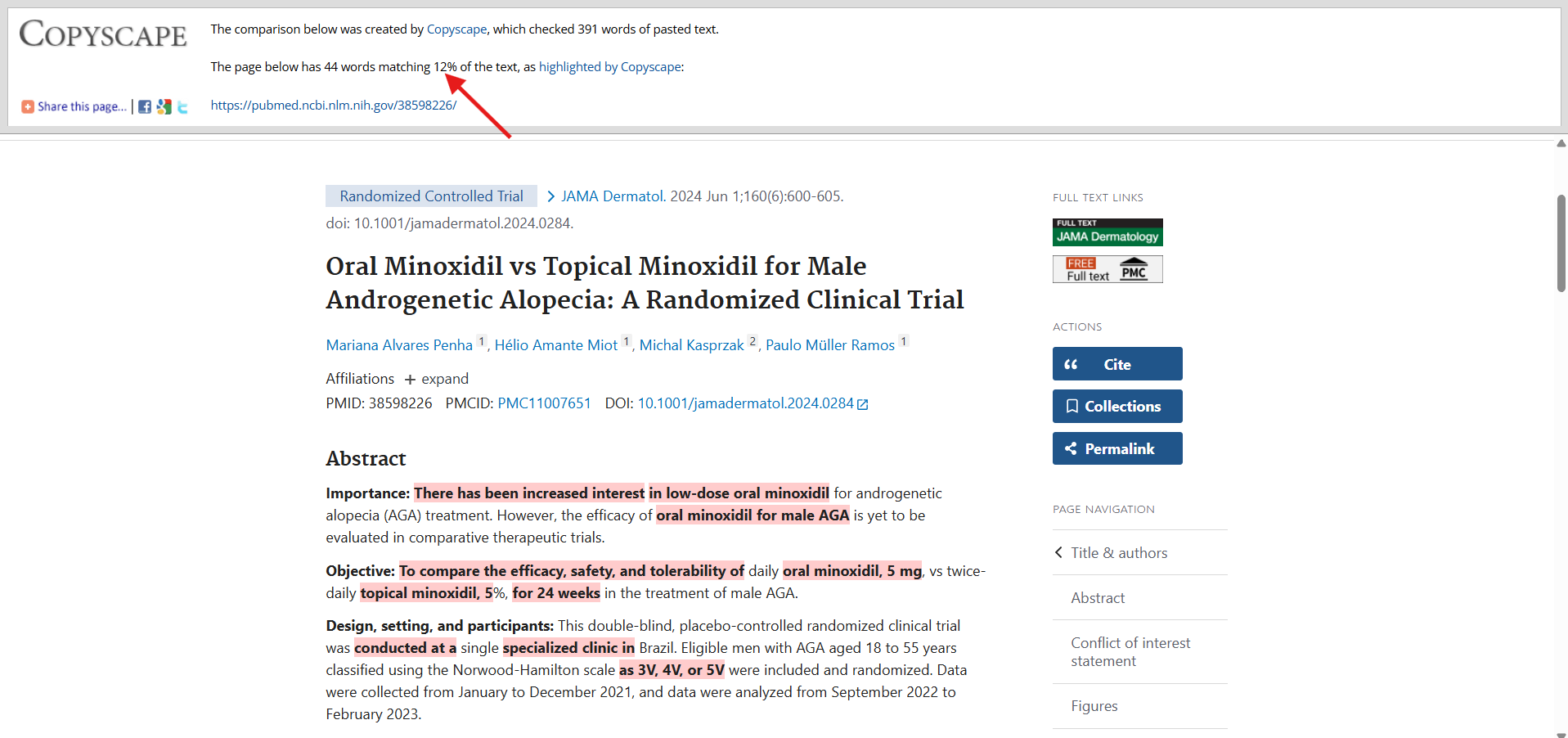
The other one was also an academic paper titled “Oral Minoxidil vs Topical Minoxidil for Male Androgenetic Alopecia: A Randomized Clinical Trial” published in 2024. While it detected 12% of the text as plagiarized and correctly identified the source, it still missed the mark by 88% since the whole text is available on the internet and in multiple academic databases and should have been detected.
Apart from these two academic papers, Copyscape accurately found plagiarism in the other 5 samples of this post-2000 sample set.
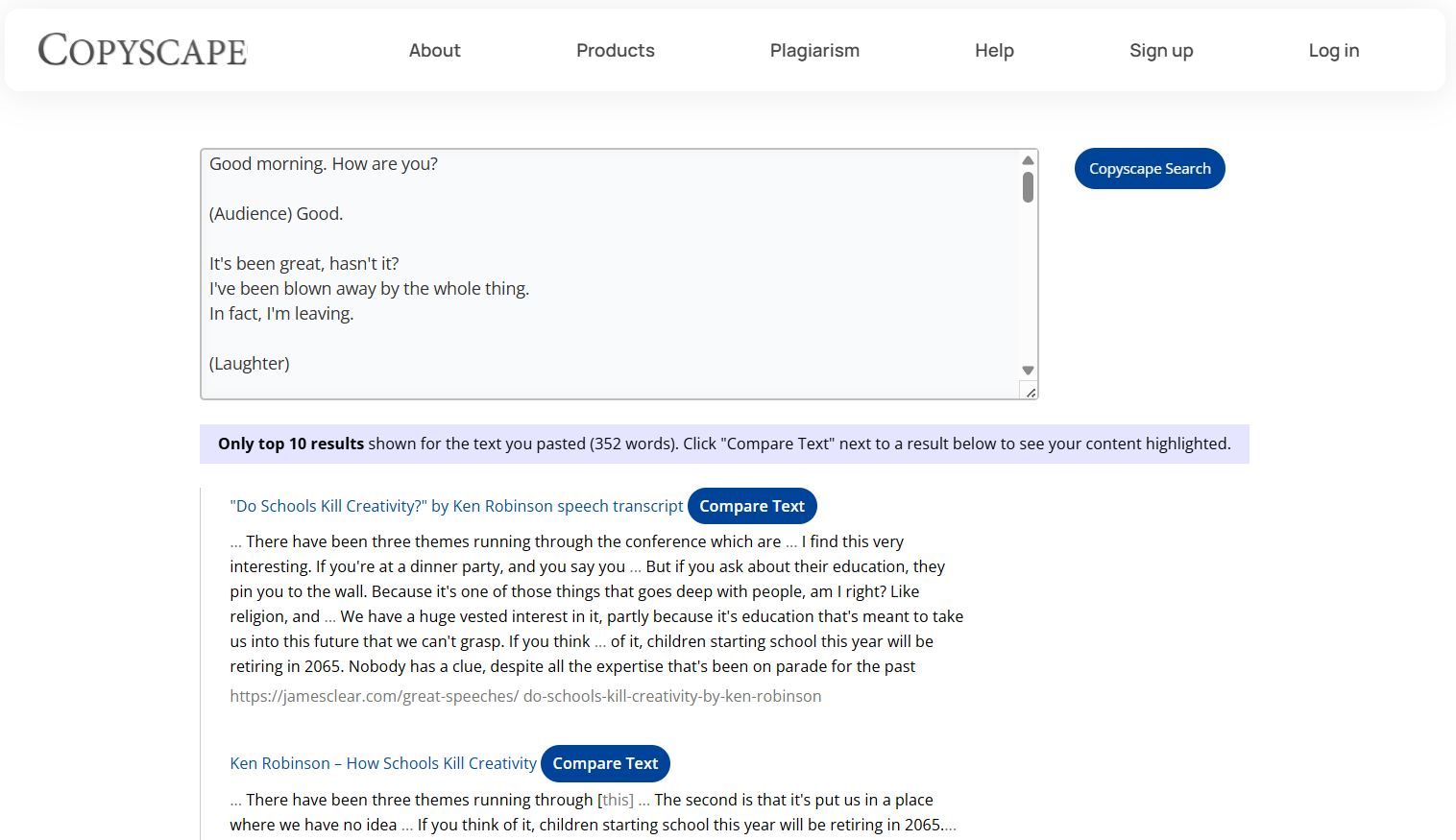
For instance, the TED Talk transcript was traced back to several sources, as the screenshot shows:
The table below summarizes Copyscape’s plagiarism scores on all 7 post-2000 samples:
Verdict: Copyscape can perform well on content published after 2000. There may be a few false negatives. In my case, it struggled to detect two academic papers, but overall the accuracy is there.
3. Copyscape vs Very Recent Content
The last set contained 4 samples which were published recently, and Copyscape failed on one of them. That was an article published on the GPTZero site recently in July titled “How to Deal With Academic Pressure”.
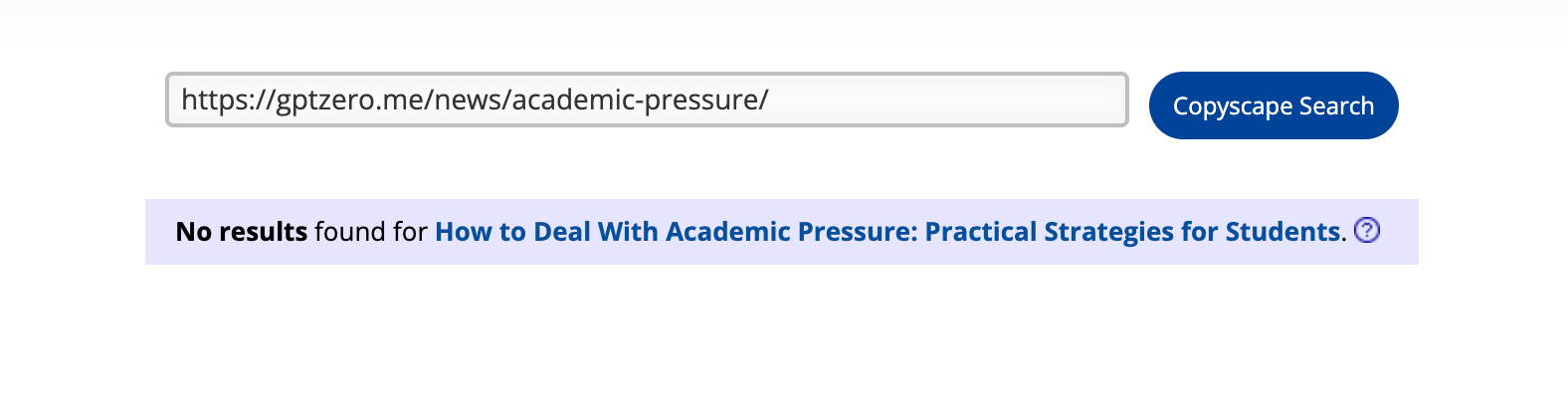
Copyscape could not find the source for the content I copied from this article.
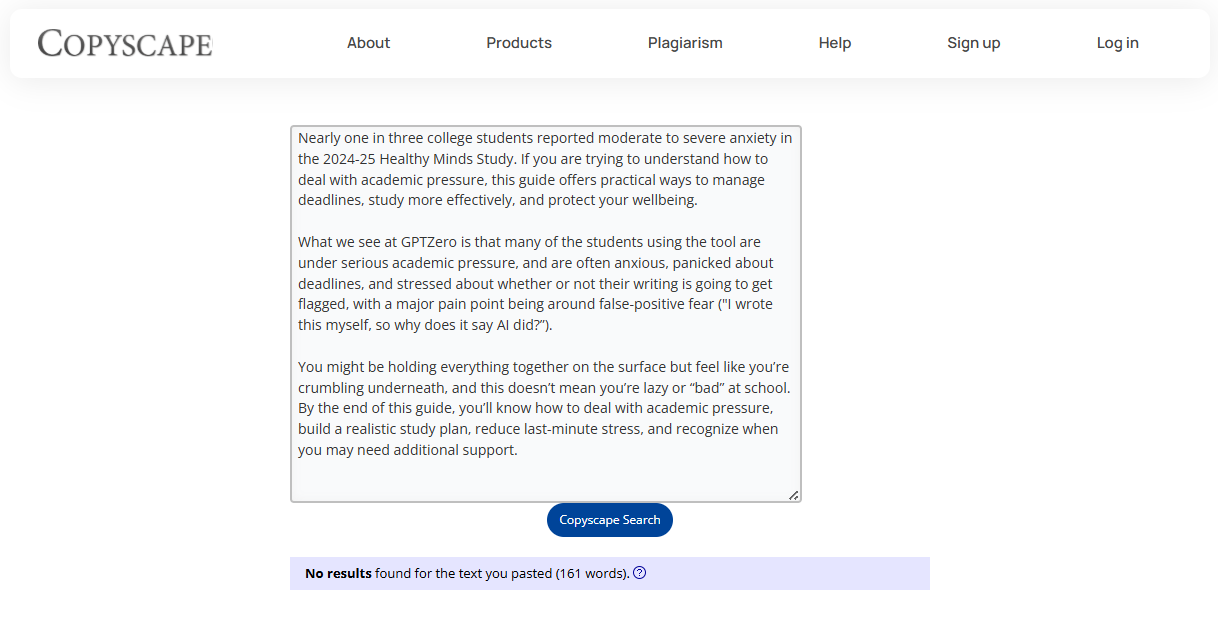
I even tried detecting plagiarism using the article’s URL, but the result stayed the same.
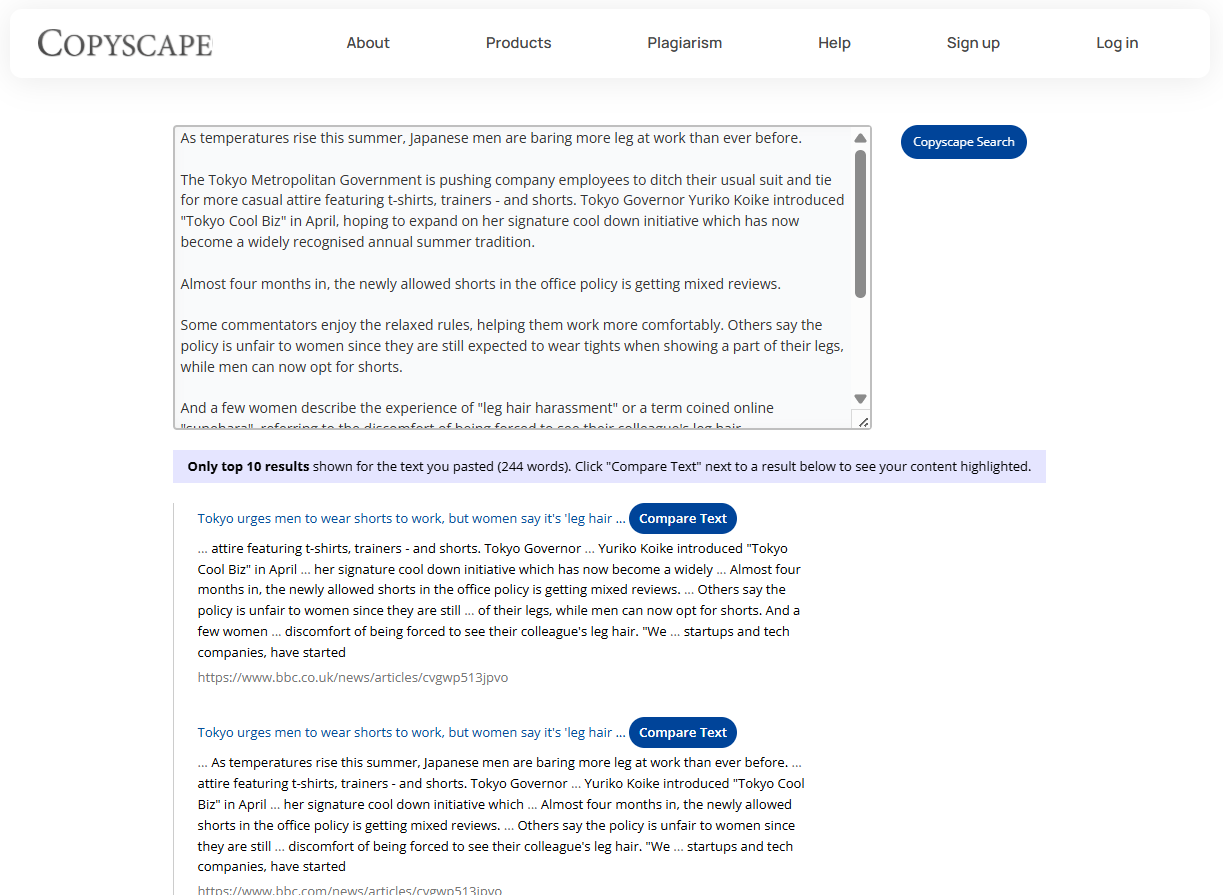
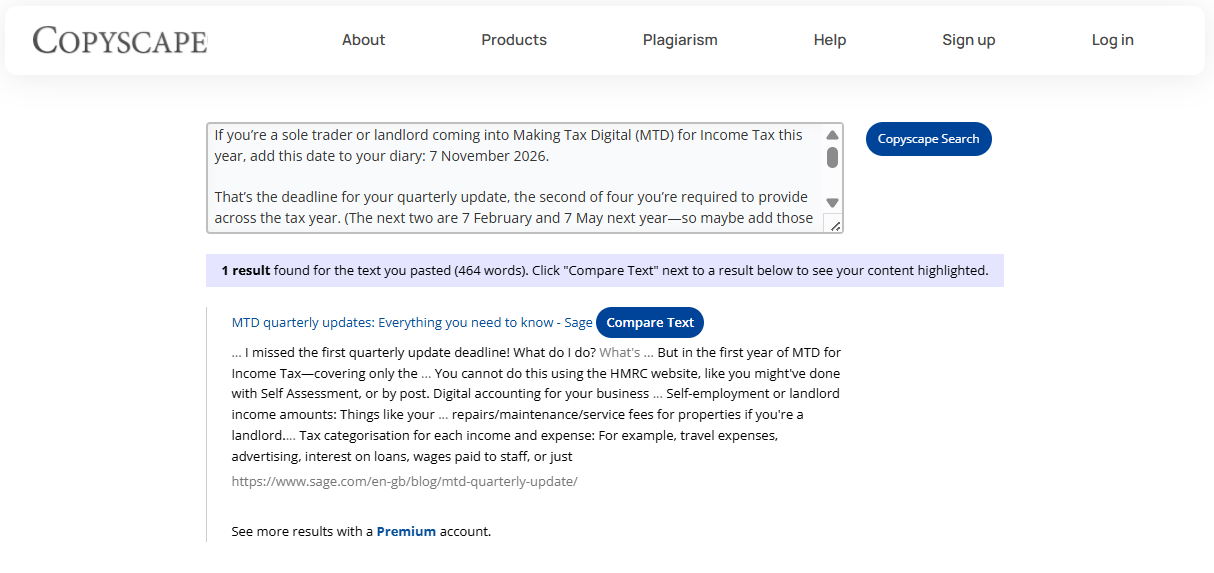
The remaining three samples included two news articles and an article by a construction software company. Copyscape found 100% plagiarism in these and listed the correct sources.
Here’s the plagiarism report screenshot for the text I copied from the BBC news article that Copyscape correctly identified:
Here’s the plagiarism report screenshot for the text I copied from the construction company article. Copyscape correctly identified 100% of the text as plagiarized and traced it back to the original source as well.
Here’s the table containing the recent samples (published in 2026) along with Copyscape plagiarism score:
If you want to see the plagiarism report of all 14 samples I tested, you can have a look at this PDF I compiled. It has all the screenshots along with the source.
Verdict: Copyscape can accurately detect plagiarism from recently published content. I noticed that it can sometimes fail to detect plagiarism from company websites, as it couldn’t detect content from that GPTZero article.
What Does Copyscape Premium Cost?
Copyscape lets you perform three plagiarism scans for free. After you use up your free scans, you will need to subscribe to Copyscape Premium for more scans.
The plagiarism report of the free scans also lists only 10 results. The rest of the results are hidden and made available only to paid users.
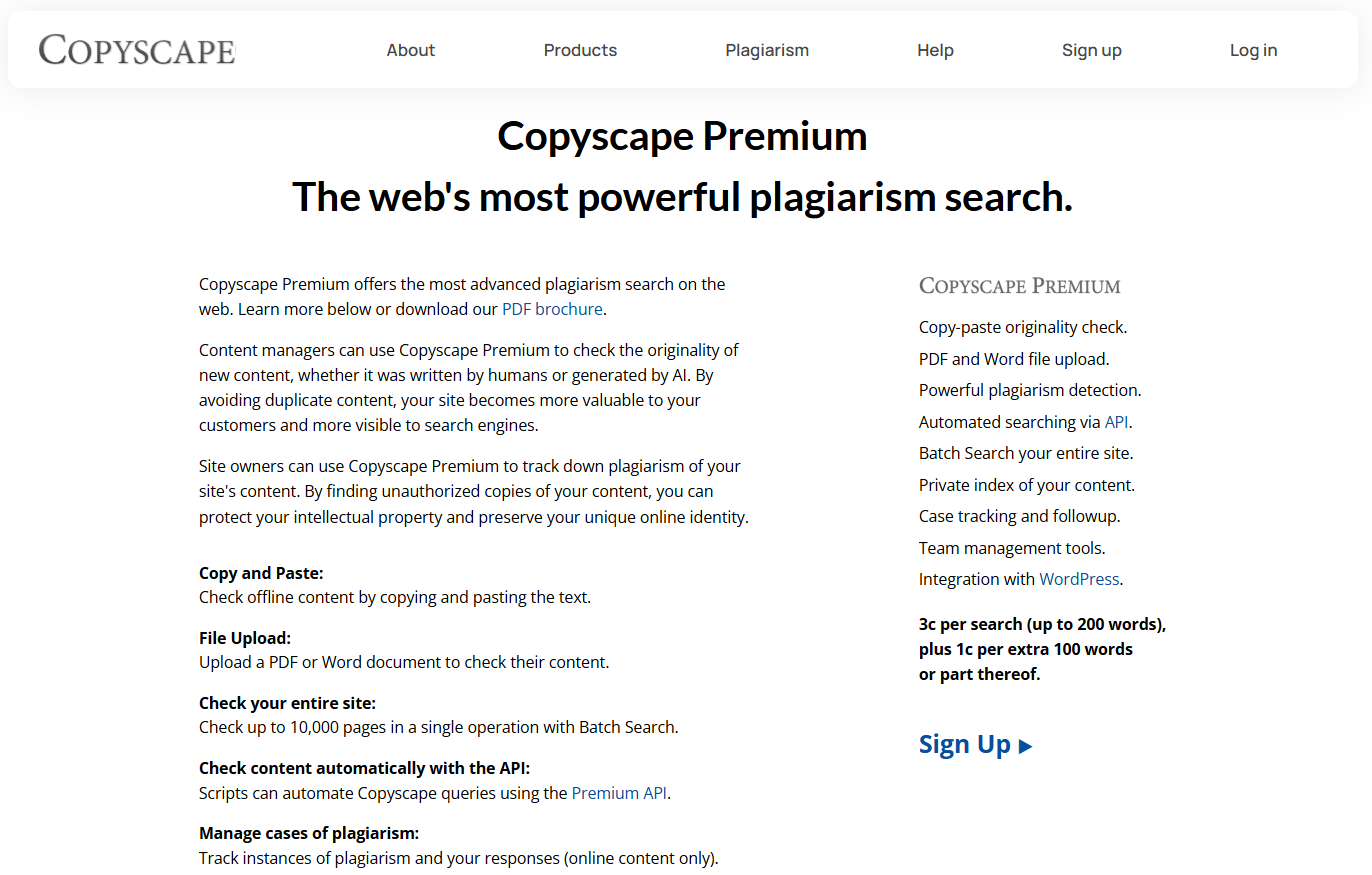
The Premium plan is pay-per-word, with a 200-word base. You top up your Copyscape wallet, and charges for each scan get deducted from the balance based on the number of words you scanned.
Each scan costs 3 cents ($0.03) for the first 200 words. If your text is 200 words or fewer, you pay a flat 3 cents.
If your text goes over 200 words, you pay an extra 1 cent for every additional 100 words, or any part of that 100. The Copyscape Premium page mentions “or part thereof,” which means even 1 word over the limit gets charged as a full 100-word block.
Here are a few examples to clarify how you will be charged:
- 150 words → 3c
- 200 words → 3c
- 250 words → 3c + 1c = 4c (because 50 words are extra)
- 300 words → 3c + 1c = 4c (1c for 100 extra words after 200 words)
- 301 words → 3c + 2c = 5c (there’s 1 word over the base. 101 extra words, which rounds up to two blocks)
- 500 words → 3c + 3c = 6c (3 extra blocks of 100 words after the first 200 words)
So if you scan a full article of, say, 2,000 words, the charges will be 21 cents ($0.21).
Should You Use the Copyscape Plagiarism Tool?
Copyscape had a satisfactory performance on the majority of the samples I tested. The only exceptions are a BBC news article from 1998 and a GPTZero article from 2026. It didn’t detect any plagiarism in these two articles. Copyscape also detected only 12% plagiarism in an academic paper from 2024.
But for the rest of the samples, it flagged all the sources correctly. All in all, Copyscape is a reliable plagiarism checker.
However, there are a few aspects of the tool that I don’t like. First off, the UI is off-putting and doesn’t feel welcoming as compared to some modern plagiarism checkers.
You will also notice that the “Copyscape Search” button beneath the text box is not properly aligned.
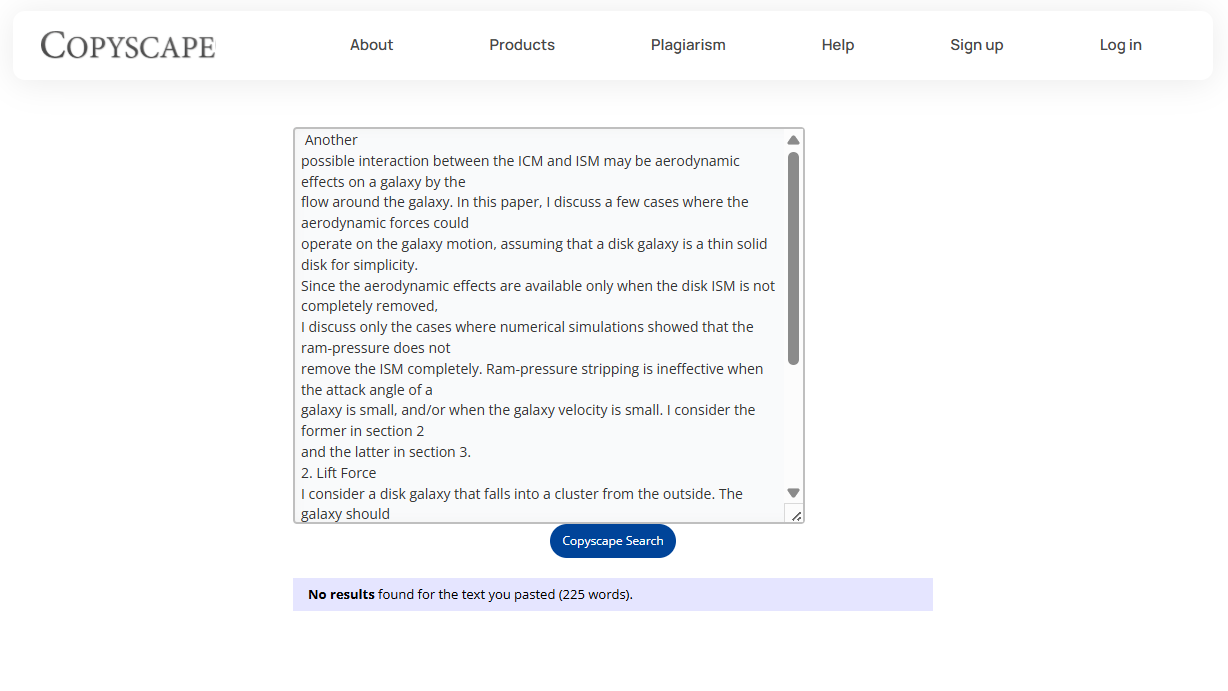
Plus, it doesn’t show any plagiarism percentage upfront either.
You have to open detected sources individually to view the plagiarized percentage for each. And if the plagiarized text comes from a PDF, Copyscape can sometimes fail to open the PDF in its interface to show the matched text.
So if UI doesn’t matter to you and you can bear with occasional slip-ups, Copyscape does a good job in detecting plagiarism.
But if you are after a more modern-looking and accurate plagiarism checker, you can sign up for a free 7-day trial of GPTZero.
GPTZero’s plagiarism checker scans your text sentence by sentence and lists where each sentence was copied from.
If you are ethically quoting text from a source, GPTZero generates its citation for you so the specific section doesn’t get flagged in the plagiarism report.
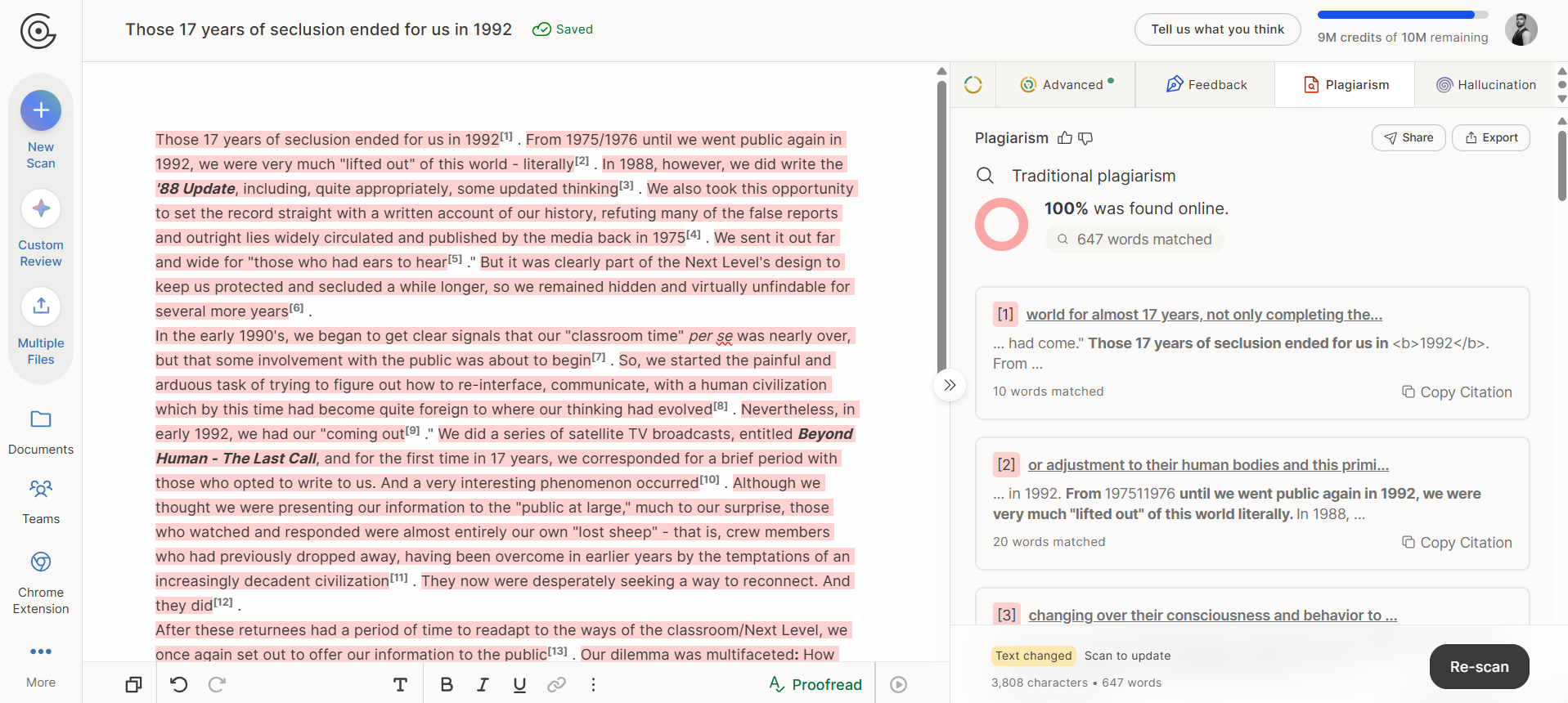
With GPTZero, apart from an accurate plagiarism detector, you will also get a world-class AI detector and hallucination checker.