Canvas vs Blackboard vs Schoology: A Comprehensive Comparison
See how Canvas, Blackboard, and Schoology compare across usability, features, pricing, and integrations for schools and higher education.


LMS was once a nice-to-have for tech-forward schools only. But now, over 99% of colleges and universities have an LMS in place to deliver courses, submit assignments, and record grades, according to recent data.
Since the market now has dozens of LMS options, picking one for your own institution can get confusing.
You might have seen three names keep coming up in almost every comparison over and over: Canvas, Blackboard, and Schoology. And rightly so, since all three hold a significant LMS market share.
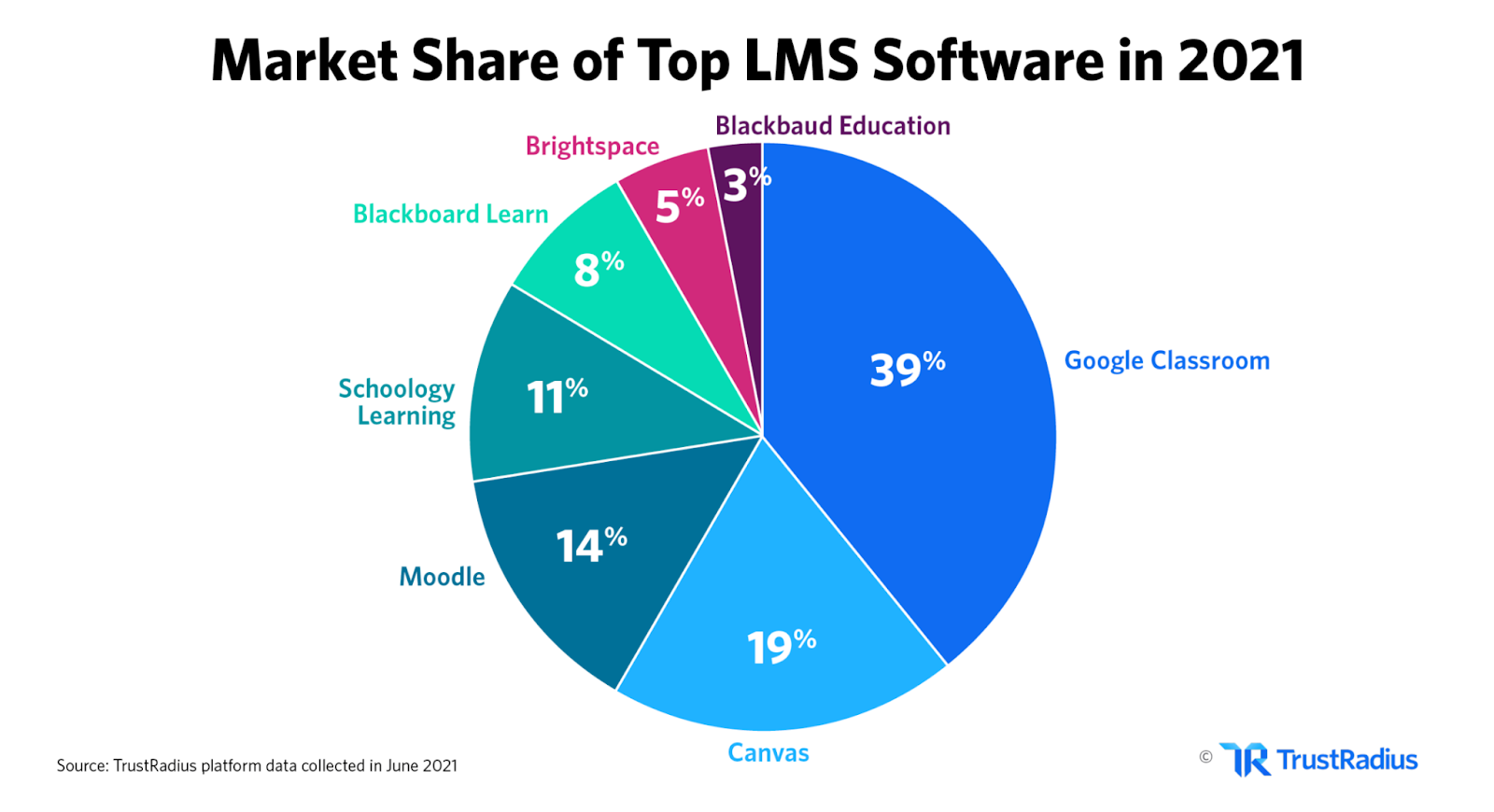
They overlap in a lot of areas, but each one does certain things better than the other two.
In this article, we are running a head-to-head comparison between Canvas vs Blackboard vs Schoology in terms of features, pros, cons, and pricing.
By the end, you’ll be able to decide which LMS, out of these three, fits your institution best.
TL;DR
What is Canvas?
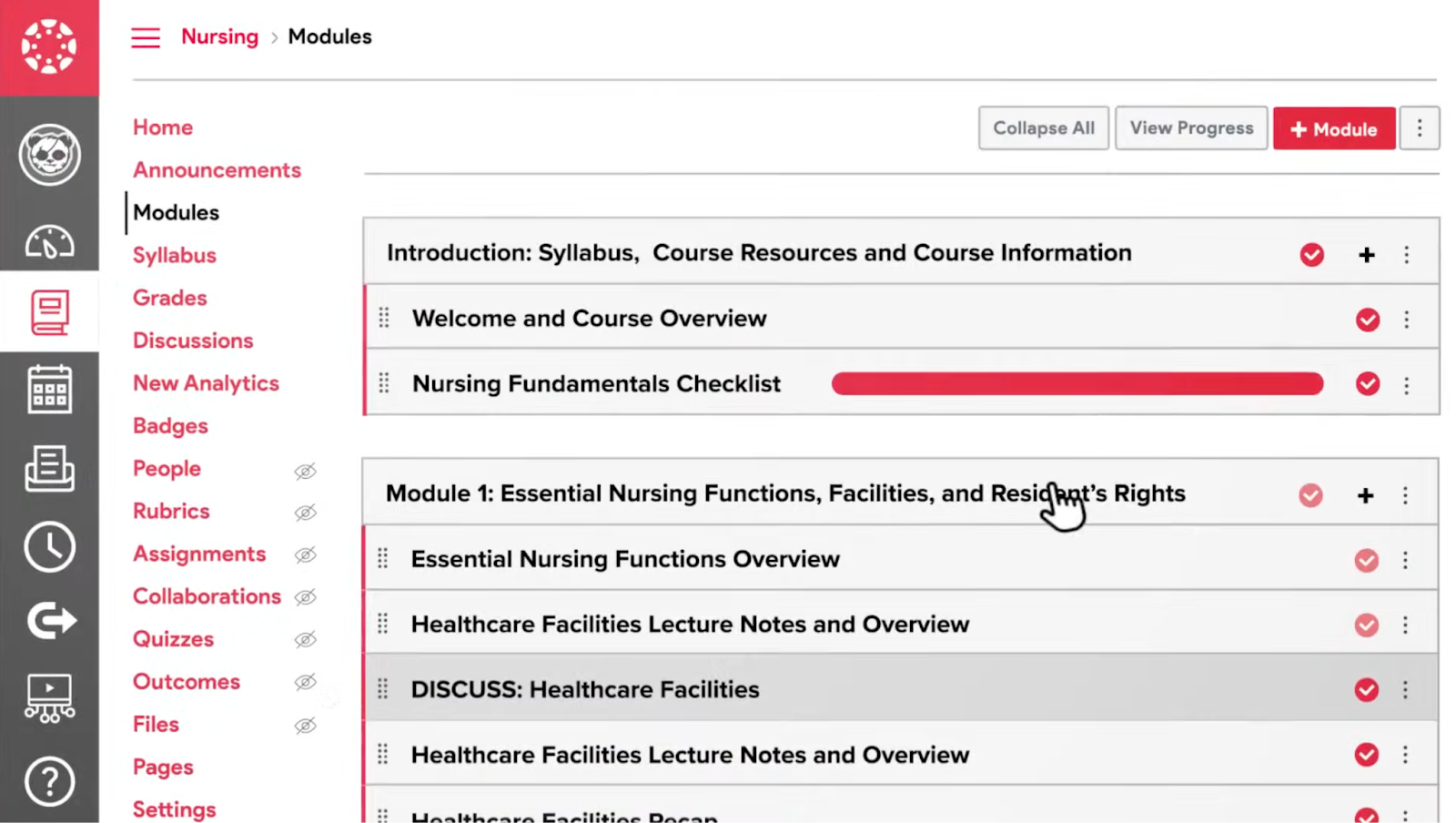
Canvas proclaims itself to be the #1 LMS in North America. It was developed by Instructure, a company founded in 2008 that introduced Canvas as its flagship product and has continued to expand ever since.
Canvas is very specifically built for academic workflows, in particular, courses, assignment submissions, grading, enrollment management, etc. It works great for K-12 schools, universities, as well as corporations that have educational programs.
In 2010, Canvas was selected as the statewide LMS for being the best school management software by Utah Education Network. It has since been used by over 89,710 students in Utah K-12 schools.
Key Features
- Canvas includes SpeedGrader, a native grading system that allows you to annotate, integrate a grading rubric, and leave audio/video feedback on students’ work
- MasteryPaths is an adaptive learning tool to show students different content based on performance. It is great for personalized learning
- The course content can be organized into modules with support for prerequisites and sequential or open navigation
- CanvasCommon is a public content repository in which educators can publish and reuse their courses, modules, and resources from different institutions globally
- It connects with other learning tools (Zoom, Turnitin, Google, etc) really well
- Includes built-in video conferencing, i.e., BigBlueButton Conferencing, for live learning sessions
- The analytics tab shows stats for student engagement, activity trends, grade distributions, and flags at-risk students
Pros and Cons
Pricing
Canvas LMS pricing is not explicitly mentioned on the website. You must contact the company to get a quote based on your specific requirements.
You can, however, create a free-for-teacher account to use some of its features without having to pay anything.
For institutions, Canvas has four pricing tiers:
- Free Plan: Designed for individual teachers. Covers the basics like course creation, content management, and student communication. There’s no cost involved.
- Basic Plan (Education Basic): Adds security upgrades and a wider feature set on top of the free tier. This tier’s pricing is not disclosed publicly.
- Mid-Tier (Education Standard): Includes advanced functionality and priority support for larger institutions that need more from the platform. Again, pricing is custom for this tier.
- Premium (Enterprise): The full package with custom integrations, dedicated support, and everything Canvas offers. Built for large-scale deployments. Pricing is custom.
How to Integrate GPTZero with Canvas
Canvas does not have an in-built AI detection feature. Therefore, you can integrate GPTZero into the system to scan student submissions for potential AI writing.
The results of AI detection and plagiarism check through GPTZero will be accessible within Canvas alongside submissions in SpeedGrader or assignment views.
It is a simple, one-time integration per institution, after which you can detect all major AI models, i.e., ChatGPT, Gemini, Claude, Llama, and more.
You can schedule a demo with the GPTZero sales team, and we’ll walk you through everything you need to perform AI detection inside the Canvas dashboard.
What is Blackboard?
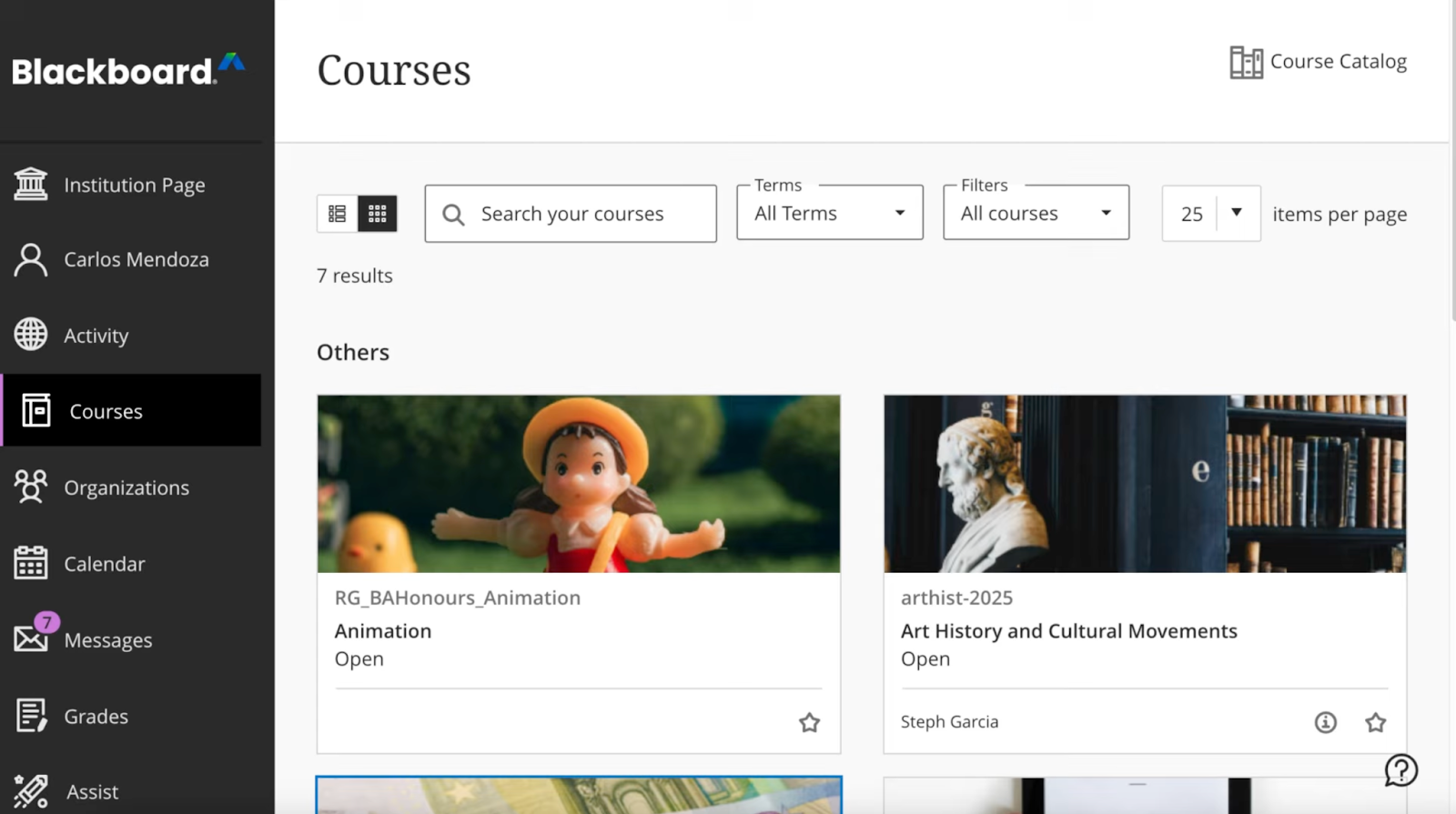
Blackboard is a multi-award-winning LMS product of Anthology. It has the Tech & Learning Awards of Excellence “Best of 2025” and “Back to School 2025” awards, continuing its streak of awards from earlier years.
The tool was researched in the context of Teaching English as a Foreign Language (EFL) during COVID-19. The study found that EFL classes were positively influenced when Blackboard was introduced in the learning process.
Multiple prestigious institutions, including Northern Illinois University, Central Arizona College, Keiser University, and Sam Houston State University, among others, run their academics through Blackboard. It works as well for K-12 learners as it does for higher ed.
Key Features
- Blackboard has an AI design assistant that designs course structures and learning objectives for you
- It has an ultra course view interface, which is mobile-responsive, with content in the center, a top menu for tools, and a “Details and Actions” panel
- There's a native plagiarism detection tool, SafeAssign, built into the assignment submissions tab that's included in your base license
- Integrates with Respondus LockDown Browser and Monitor for secure online testing in higher education
- Blackboard Collaborate Ultra is a fully integrated virtual classroom tool with breakout rooms, polling, and recordings similar to Zoom/Google Meet
- Allows annotation and rubric-based grading similar to Canvas's SpeedGrader
- Built-in attendance tracking feature integrated into the gradebook to keep tabs on students' presence in lectures
- Blackboard Ally can scan all the course files for accessibility, and it can be used to generate alternative document formats, i.e., ePub, tagged PDF
Pros and Cons
Pricing
Like Canvas, Blackboard LMS pricing is custom depending on the number of students you have and the features you need.
What makes Blackboard stand out in terms of pricing is that you can sign up for an absolutely free 30-day trial of the LMS by filling in some basic details of your institution.
And to thoroughly understand all the features, Blackboard allows you to schedule a demo too. Again, you need to fill out a couple of details to request it.
Here's what organizations typically pay based on their deployment size:
- Small/Contained: Approximately, low five figures annually. It fits single-region deployments with a limited user base and minimal integrations.
- Mid-Market: Generally, mid-five figures annually. It covers multiple departments with reporting needs and connections to SIS or HR systems.
- Enterprise/Global: High five to six figures annually. It is built for large user populations, multiple environments, and governance requirements.
How to Integrate GPTZero with Blackboard
The integration of GPTZero in some of Anthology’s US-based Blackboard Learn clients was beta tested in 2023. The collaboration found that GPTZero produced the most accurate AI detection results for high school, college, and EFL writing datasets.
The beta testing allows instructors to use GPTZero within Blackboard Learn’s originality reporting capability, SafeAssign.
Put simply, you do not need a separate integration. GPTZero’s AI detection works from within SafeAssign in Blackboard LMS.
Anthology’s Senior Director of Product Management & Strategy, Wade Weichel shared, “We see this as an opportunity to help educators through a transitional period in which instructional and assessment practices need to be adjusted to both respond to and embrace AI.” He continued, “The technology GPTZero makes available is a promising development. We’re excited to work with the GPTZero team and the beta test participants to learn more about how educational technology can support our clients – and by extension – the students they serve.”
What is Schoology?
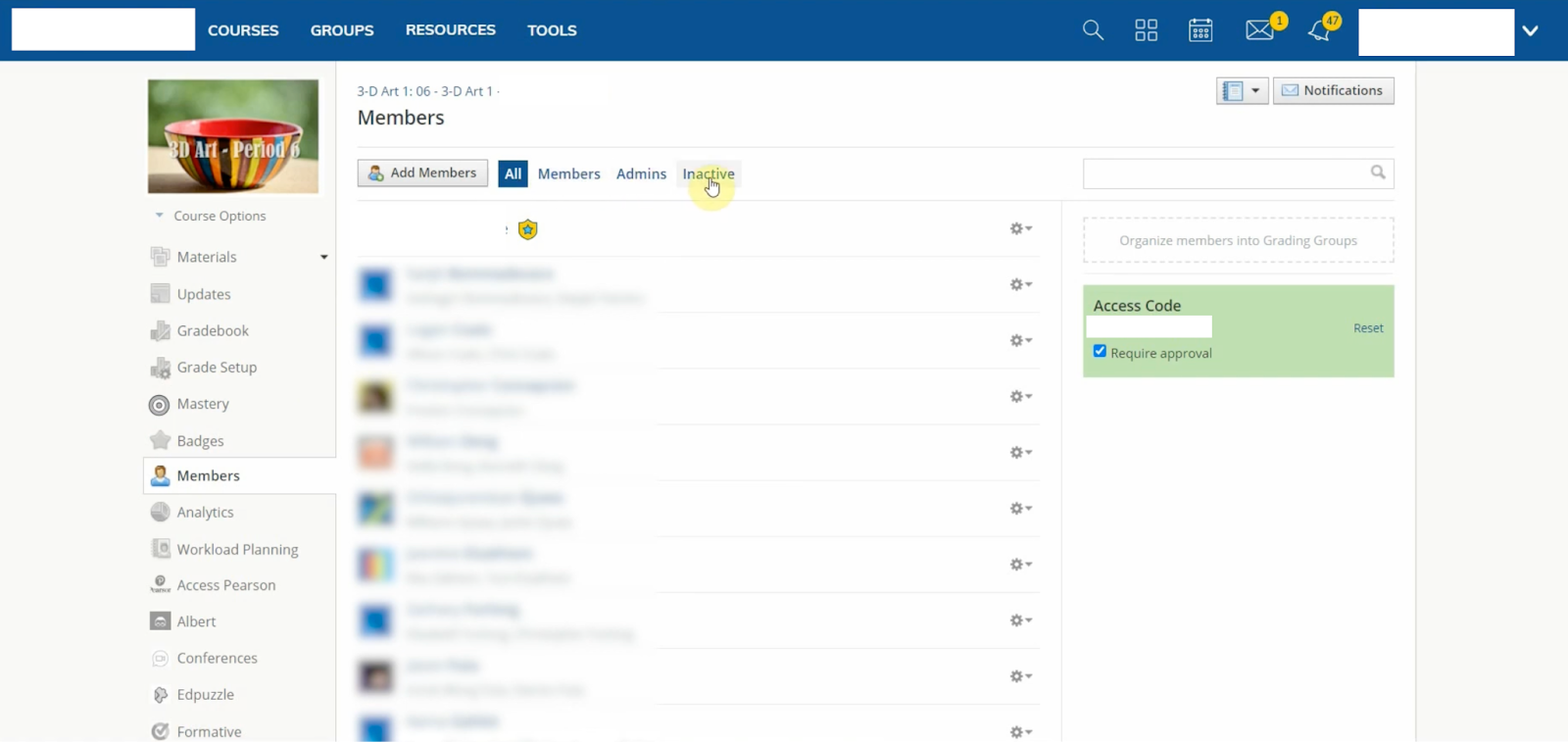
PowerSchool’s Schoology is one of the best BlackBoard alternatives for K-12 students, teachers, and administrators. An analysis of 7,865 school districts in the U.S. and Canada conducted in 2025 found that 4.5% of all district schools use Schoology LMS.
Besides offering all the features we generally expect from an LMS, Schoology has its own professional learning network through which educators around the globe can connect and collaborate. The administrative controls of Schoology are very strong compared to Canvas and Blackboard.
Schoology has a “social-media” like feel to it. The updates on the LMS run similar to a news feed, where you can like or add comments. Your profile is also similar to a social profile with an avatar/profile picture.
Key Features
- Organizes all course material into a folder-and-file hierarchy for easy setup
- Allows administrators to manage the content and reports for every school in a district from a single console
- Flexible gradebook with category weighting, standards-based grading options, and reliable two-way sync with major Student Information Systems
- Offers a district-level content library for administrators to publish standards-aligned resources for multiple different schools in a region
- Includes native media storage where you can upload and embed multimedia files
- Schoology Assessments is a secure, proctoring-ready assessment environment with lockdown capabilities built in for district-level testing
- Very detailed analytics dashboard for teacher activity, student activity, content, engagement, etc., across the entire district
- It also has an assessment engine with question banks, randomization, and auto-grading
- Dedicated parent accounts with a tailored view of their child's grades
- Schoology PowerBuddy is a personalized AI assistant for students and teachers built into the tool
- Allows you to create groups and discussion boards for students
Pros and Cons
Pricing
The exact pricing details for Schoology are also not available because the solution is customized to each school’s needs.
You can fill out the form on the product page to get a free, guided demo of the solution. And if you like it, you’ll have to contact sales for custom pricing plans according to your requirements.
How to Integrate GPTZero with Schoology
GPTZero offers API integration to incorporate our flagship AI detection tool into any system.
Alternatively, you can also integrate GPTZero with Schoology through Zapier without having to code at all.
To get GPTZero LMS integration with Schoology, schedule your demo with our sales team.
GPTZero LMS Integration
GPTZero has partnered with K-16 solutions to create the first-ever institution-level AI analytics dashboard.
This solution, known as GPTZero Scaffold, is fully integrated with Google Classroom and Canvas already, and can be integrated into other LMS solutions too.
Key Benefits of GPTZero LMS Integration
GPTZero has over 10 million active users and is trusted by over 380,000 educators worldwide. The key reasons why you should consider our LMS integration include:
- 99% accuracy across different datasets, so you can get an idea whether or not a student used AI in their submissions
- Granular, sentence-level highlights instead of just an overall score
- GPTZero Scaffold reviews submissions across an entire learning system and over time to look for trends in potentially AI-generated content in the course. The longitudinal approach to AI detection sets us apart from other AI detectors that only evaluate individual, final documents in isolation.
- Tested for English-as-a-Second-Language (ESL) de-biasing, i.e., it does not unfairly flag writing by ESL students as AI-generated simply because they tend to have lower lexical variety
Role of LMS in Education
An LMS is a central learning repository for every form of educational content in one place. It hosts course lectures, assignments, syllabi, multimedia content, etc, and makes everything available to students and teachers 24/7. The accessibility is highly useful for self-paced learning activities.
Hybrid and online classrooms essentially can’t function without an LMS. But it is of great use for in-person classrooms too, because you can track student engagement activity and automate grading.
An LMS also gives educators an opportunity to create interactive course content through drag-and-drop editors despite having no technical skills.
Also, it introduces a data-driven approach to learning. The analytics dashboards help instructors see the effectiveness of their teaching strategies, track student engagement, and make adjustments to their styles if needed.
Integrate #1 AI Detector With Your LMS
In summary, Canvas, Blackboard, and Schoology all share some common features of learning management. Each of them also has a few standout features that the other two don’t.
The primary area where these LMS systems currently lack is reliable AI-detection for student submissions. You can maximize their benefits by using GPTZero LMS integration.
GPTZero introduces a longitudinal approach to AI detection, i.e., it assesses all student work over time rather than giving a blind final-document score. It has been tested to provide fair results for ESL students too.
Reach out to our sales team to integrate GPTZero into the LMS of your choice.
FAQs
How does Canvas differ from Blackboard?
Canvas is more user-friendly than Blackboard. You can customize the Canvas API to match with your institution's design aesthetics much more easily. Blackboard is more feature-heavy with a steeper learning curve that works best for large institutions.
Is Blackboard better than Canvas?
Although the core features of both are quite similar, Canvas has a more vibrant user community than Blackboard. It is also comparatively easier to use than Blackboard.
What are the limitations of Canvas LMS?
Canvas LMS does not have native AI detection functionality, but you can use GPTZero integration to cover for it. Its native ePortfolio feature is also quite basic.