
Top 4 AI Detectors for Moodle (That Moodle Supports)
Moodle doesn’t offer a built-in AI detector. But you can integrate third-party AI detectors with it. Read & learn which is the best AI detector for Moodle.


If you’re a teacher in 2025 and your institute’s learning management system (LMS) doesn’t readily come with an AI detector, you're probably piecing together your own solution.
Moodle is an LMS like that. It doesn’t have a built-in AI detector.
So if your institute uses Moodle, you might be in search of a workaround.
Luckily, Moodle allows integrations with third-party tools, which opens some doors for you.
Those options are exactly what this guide puts together. You’ll explore four AI detectors that support Moodle. You’ll also learn about the most accurate AI detector for Moodle and how you can integrate it with the platform.
Here’s an overview of the selected AI detection tools for Moodle.
TL;DR
Top 4 AI Detection Tools For Moodle
1. GPTZero
GPTZero is the pioneer of AI detection. Its launch dates back to the initial days of ChatGPT when students flocked to the platform for help with their homework. Over the years, we’ve included support for Moodle and other major platforms like Google Classroom, Canvas, and Google Docs.
But we aren’t the top AI detector for Moodle just because we were first. Teachers are still choosing our AI detector years later for its high accuracy.
GPTZero holds a 99% accuracy when checking text for AI. It seldom calls AI text ‘human’ or vice versa. That’s the last thing you’d want from an AI detector.
This is also why we are an official partner of the American Federation of Teachers.
For integration, your institution needs to reach out to GPTZero's team. Our team will schedule a demo of the platform and then implement GPTZero integration.
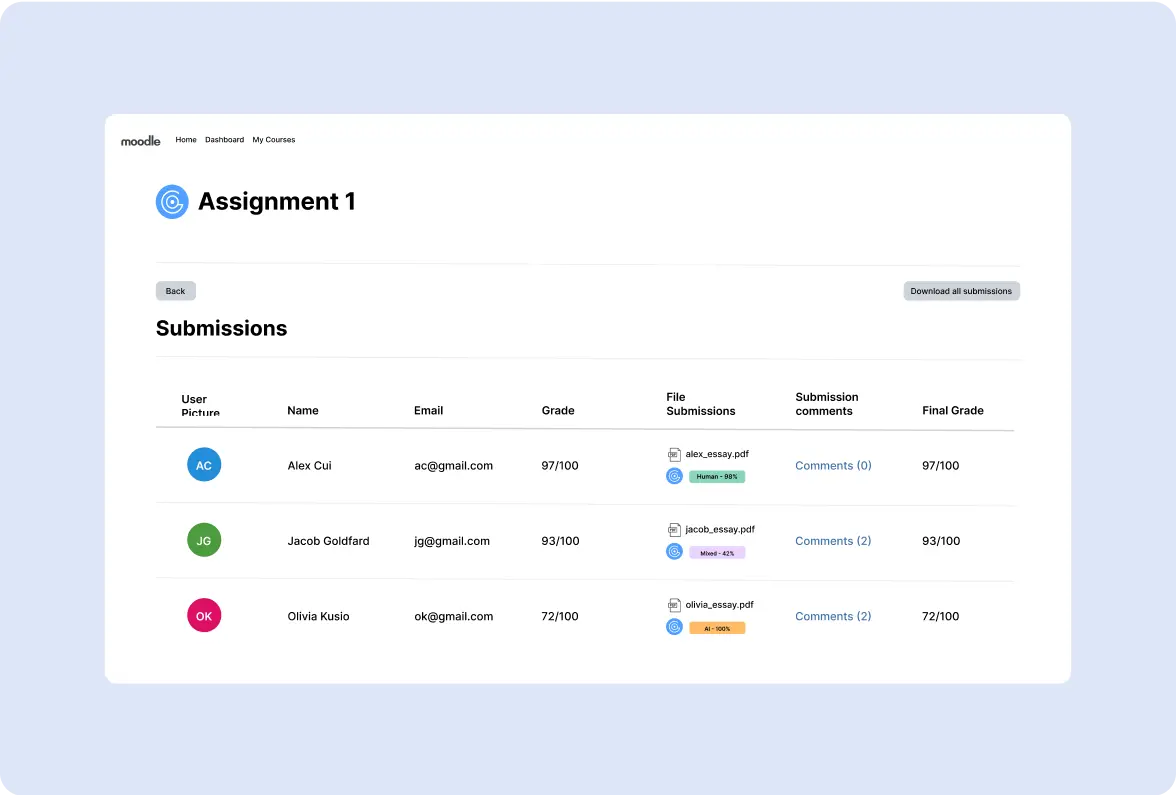
Once GPTZero and Moodle are connected, GPTZero will scan all student assignments for AI and list the results for each in the file submissions column.
The AI scan result will tell you whether the assignment is majority AI, human, or a mix of both, with the AI percentage mentioned alongside.
You can also view line-by-line sentence analysis of an assignment (we call this Advanced Scan), its plagiarism score, and the video playback (writing replay) of students’ writing in our dashboard.
Pricing details:
GPTZero offers the Professional plan for users wanting LMS integration. The plan includes our full range of features and costs only $24.99/month. If you want to subscribe for an entire year, the price is $299.88.
With this plan, you can scan over 250 files at once and 500,000 words per month.
2. Orignality.ai
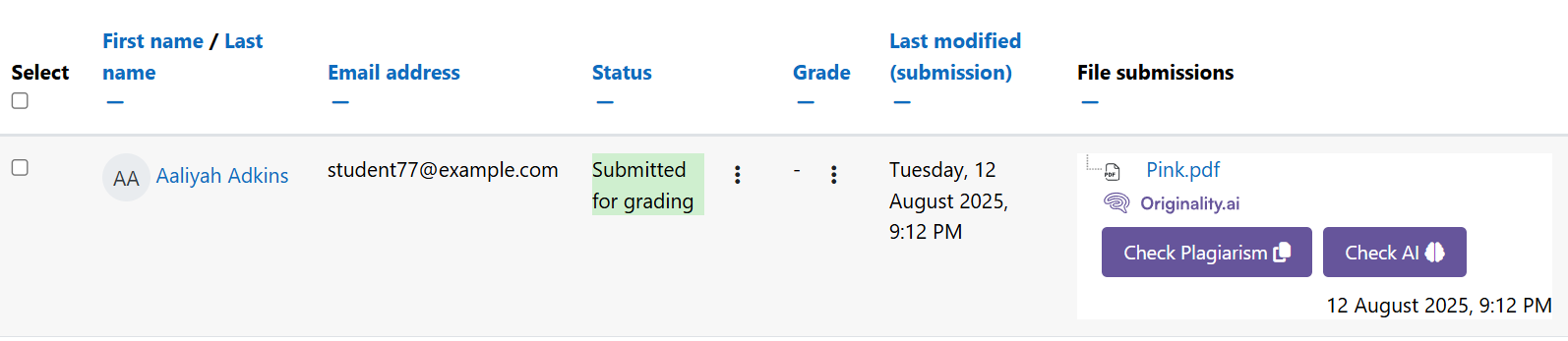
Originality.ai is an approved Moodle plugin for plagiarism and AI detection.
The plugin can perform these two scans on Moodle quizzes (essay question type), assignments, other coursework submissions, and forums.
You can control whether OriginalityAI can automatically run scans on submission or not, which is a handy feature.
OriginalityAI also offers a student view of the scans. You can also enable and disable this feature in the plugin settings.
Users can easily integrate OriginalityAI with Moodle by themselves in Moodle’s plugin installer.
Originality AI claims 99%+ accuracy in detecting AI content, but you should take a look at how it performed when we tested it hands-on.
Pricing details:
Originality.ai offers three paid plans. The pay-as-you-go plan starts from $30. The other two plans cost $14.95 (Pro) and $179 (Enterprise) per month.
It isn’t clear which of these plans works with Moodle.
3. Copyleaks
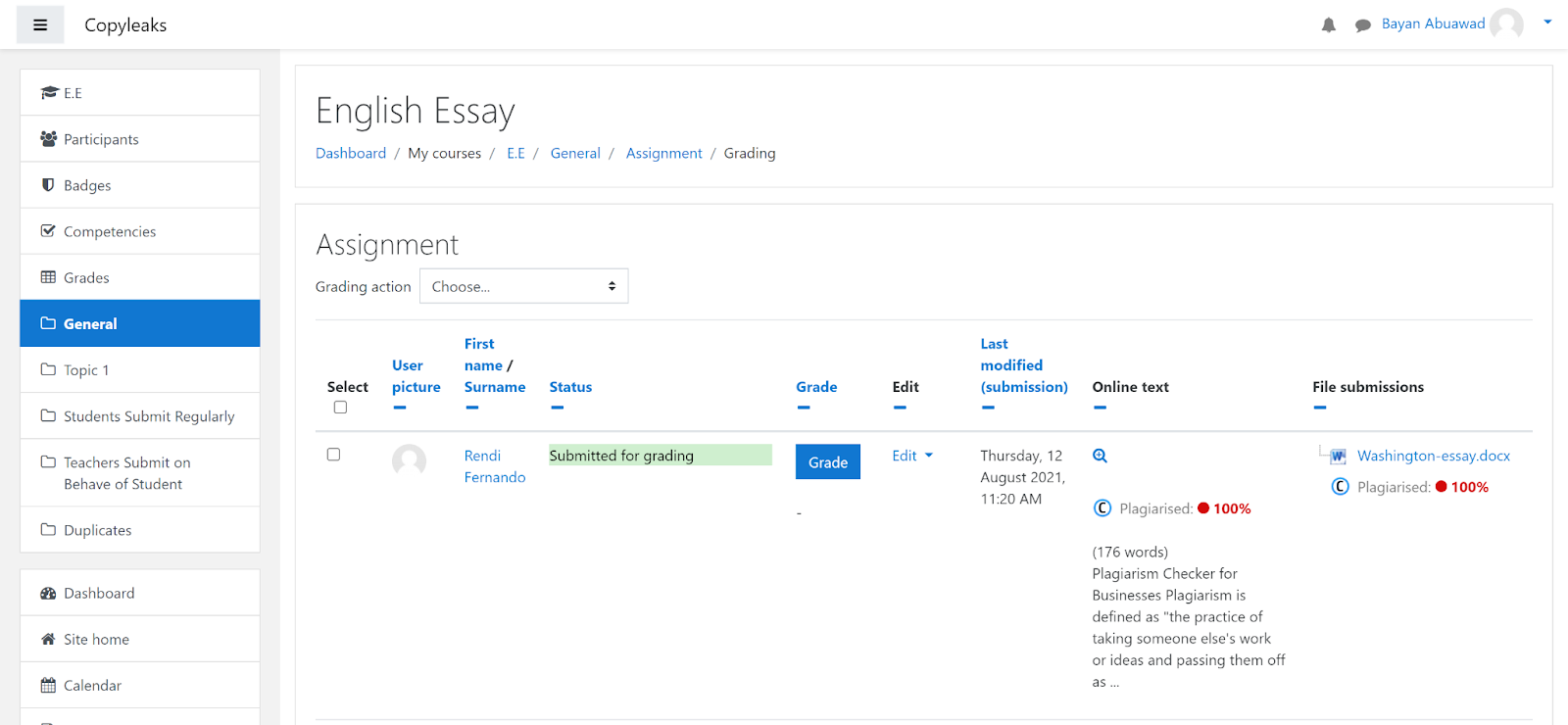
Moodle’s plugins library also has Copyleaks’ plugin for plagiarism and AI content detection.
Copyleaks claims that it can detect AI in over 30 languages and plagiarism in over 100 languages. It also puts the false positive rate of its AI scans at 0.2%.
The tool requires a subscription right out of the box, so it’s not possible to verify these claims. Also, Copyleaks couldn’t make it to our list of 7 Best AI Detectors With The Highest Accuracy.
Copyleaks’ AI detector for Moodle can also highlight phrases that AI chatbots overuse. It also shows you AI insights where you can see how often these phrases appear in the entire student submissions database.
Pricing details:
Copyleaks plugin isn’t available for users of individual plans. It is part of the education plan, which has custom pricing. A user on Moodle said the pricing starts at $4,500 per year for AI model integration.

4. Pangram
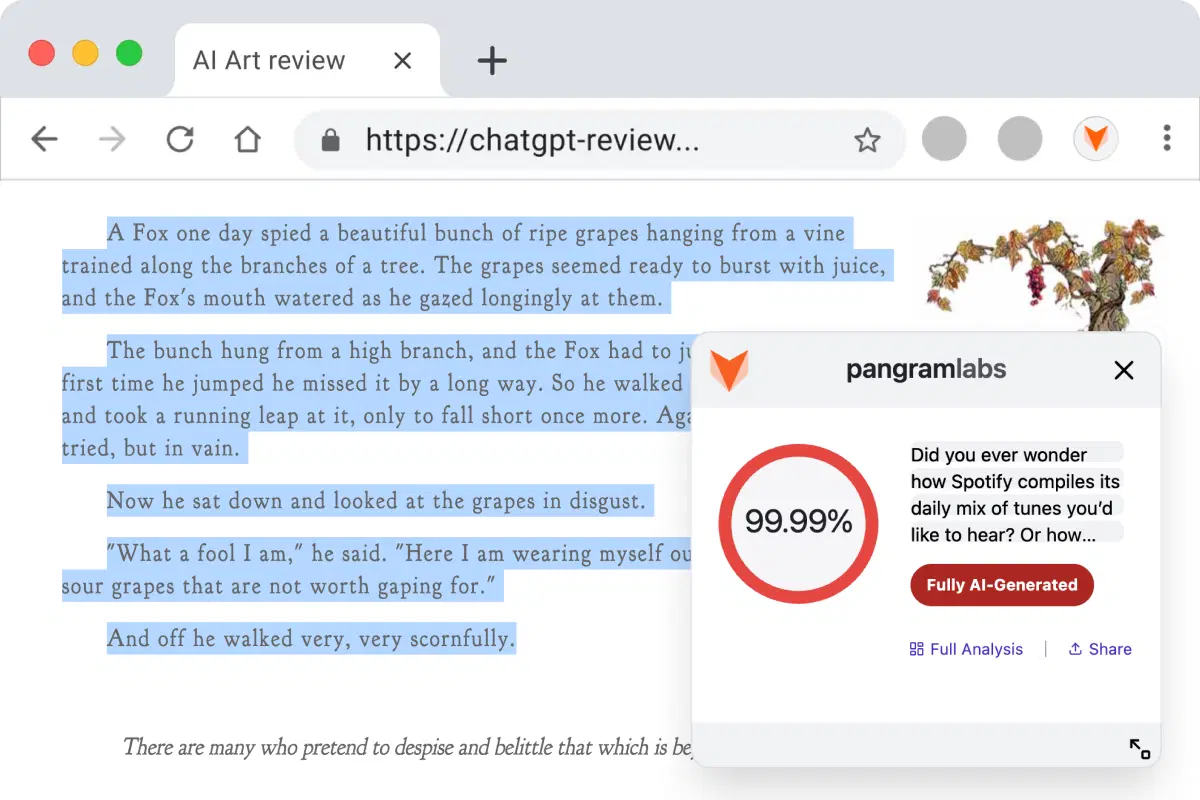
Pangram claims to support Moodle through its Chrome extension, and was launched by former Tesla and Google employees in early 2024.
The Chrome extension is general-purpose, meaning it works on all websites, and Moodle happens to be one of them. So Pangram is the only AI detector in this list that doesn’t provide a dedicated solution for Moodle.
You can check for AI using Pangram’s extension in two ways. You can right-click on selected text to scan it for AI, or you can paste the text inside the Pangram extension’s textbox.
The AI scan’s results only give you the percentage of AI probability. For deeper analysis, you have to use Pangram’s dashboard. We recently reviewed Pangram, and its accuracy and false positive rates, which you can read about in our GPTZero vs Pangram comparison.
Lastly, Pangram also offers a custom integration with Moodle if you buy its Institutional license.
Pricing details:
Pangram’s Chrome extension is included in its free plan, which lets you perform 4 AI scans per day. You can increase the scan limit with paid plans starting at $20 per month.
For custom integration into Moodle, you’ll have to buy the Institutional license. To do that, you’ll have to get in touch with Pangram’s support team for pricing details.
Your Institute Needs the Best AI Detector
An AI detector is only as valuable as the accuracy of its results.
In this field, there’s a lot at stake. Wrong results can put the progress and careers of students and professionals at risk.
So, if an AI detector delivers highly accurate results, only then can you look at its other features.
Among the options we explored, GPTZero is the only AI detector for Moodle that checks both boxes.
It is the most accurate AI detector in the industry, and that’s coming from well known independent benchmarks like RAID. It also has the best ease of use for Moodle users in our list.
So schedule a demo with us, and we’ll get you started in no time.
FAQs
Does Moodle have an AI detector?
No, Moodle doesn’t have an AI detector of its own. It depends on integration with third-party AI detectors for that feature. If you’re looking for the top AI detector for Moodle, GPTZero is your best bet for its market-leading accuracy and ease of use. Other AI detectors like OriginalityAI, Copyleaks, and Pangram also offer support for Moodle in their own capacities.
Which is the most accurate AI detector for Moodle?
GPTZero is hands down the most accurate AI detector for Moodle. It has performed with the highest accuracy in both our and independent benchmarks. You can test our tool with a mix of text samples, and you’ll know how hard it is to bypass it. Its accuracy is 99%.
What is the most accurate AI detector that universities use?
The most accurate AI detector that universities and educational institutions in general use is GPTZero. It has a 99% accurate rate and a very low false positive rate. GPTZero also successfully identifies the text generated through AI and paraphrased by a human or vice versa, which Turnitin and other leading AI detectors for educational institutions struggle with.