
QuillBot vs Grammarly: Product Comparison
You might have heard about Grammarly and Quillbot both, but do you know which one is actually better than the other? Let’s put both to the test in this blog and find out.


Grammarly is the leading grammar checker that we all know and QuillBot is one of the pioneers of humanizing AI text. Two different tools with no direct comparison between them.
But over time, both platforms added features that turned them into equal competitors.
What features were they? And how do the two platforms compete now? Is QuillBot better than Grammarly despite the latter's stronger reputation?
This detailed comparison guide answers everything. You'll learn what key tools the two platforms offer and how those tools perform in hands-on testing.
For a quick look at which platform performed better in my testing, refer to the table below. But the table alone won't tell the full story, so read ahead for complete details.
TL;DR
What is QuillBot?
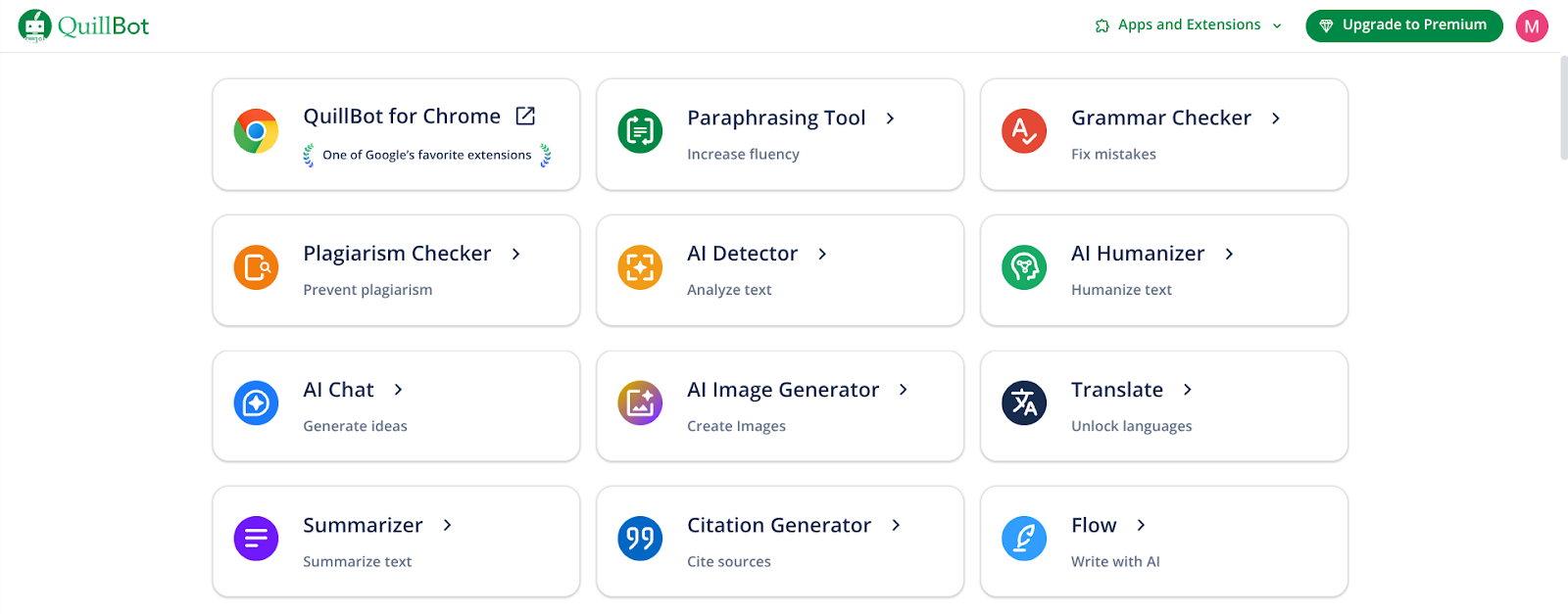
QuillBot began as a paraphrasing engine, and that remains its primary identity today.
Its paraphrasing tool takes your text and says the same thing in a different way using AI-powered language manipulation.
Over the years, QuillBot has evolved and added more tools to become a more comprehensive writing suite.
One of its newer tools is a grammar checker, which is what makes it a direct competitor of Grammarly.
QuillBot’s suite of tools includes the following:
- Paraphrasing tool
- Grammar checker
- Plagiarism detector
- AI detector
- AI humanizer
- AI chat
- AI Image generator
- Citation generator
This isn’t the complete list of QuillBot’s tools. The platform offers other small tools which QuillBot classifies into the following categories:
- Writing tools
- Language correction
- Citing and originality
- AI tools
- PDF tools
- Image tools
- Other tools
In addition, QuillBot also exists as browser extensions and apps for different devices and operating systems.
What is Grammarly?
Where QuillBot was born as a text paraphrase, Grammarly’s fundamental feature has always been catching and fixing the errors and weaknesses in writing (spelling, punctuation, grammar, etc) that can undermine your credibility as a writer. This explains the platform’s name, “Grammarly”.
But like QuillBot, Grammarly also stacked more tools with time.
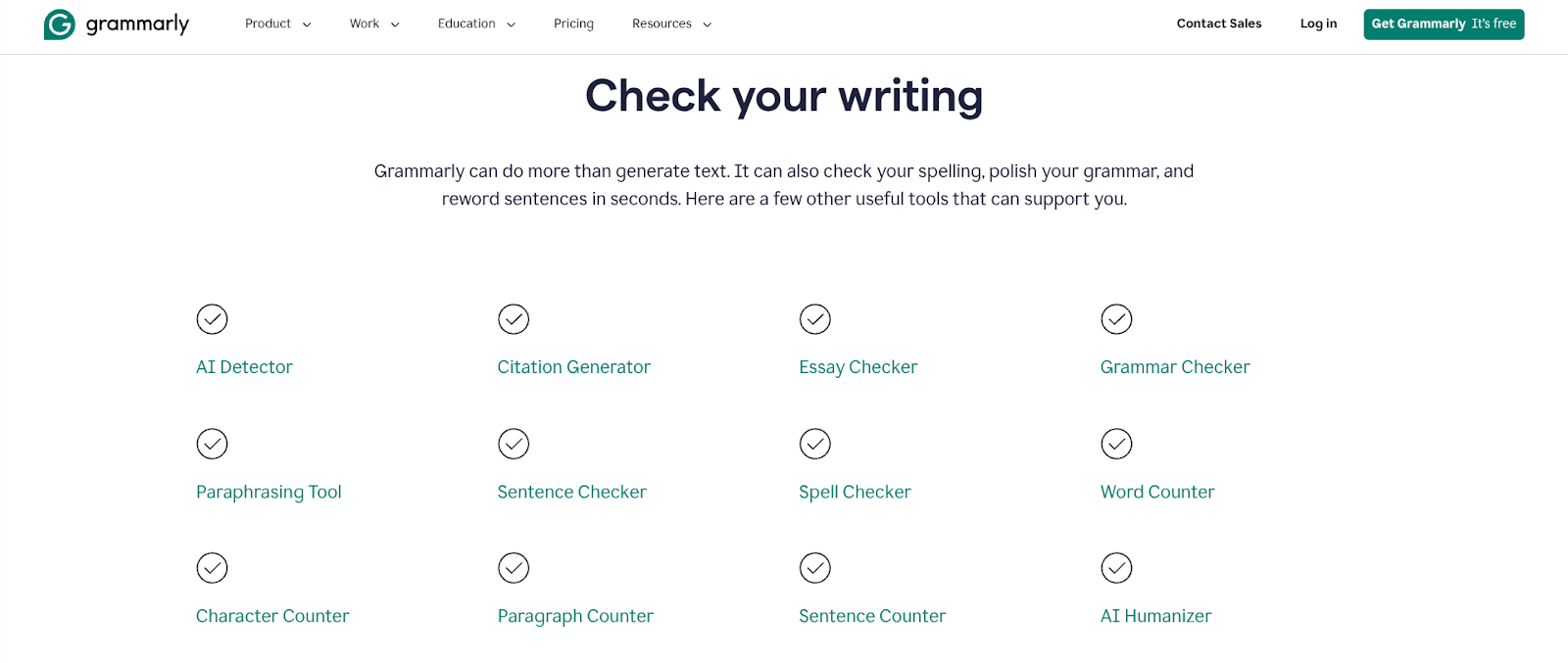
- Grammar checker
- Plagiarism checker
- AI detector
- AI humanizer
- Citation generator
- Paraphrasing tool
- Authorship (a writing replay tool)
See the overlap of tools with those of QuillBot? Those overlapping tools are what pit Grammarly vs QuillBot and create a need for this comparison guide.
However, that isn’t Grammarly’s full set of tools either.
Grammarly also offers mini tools for minor tasks. For example, there are separate tools to
- Count characters, words, sentences, and paragraphs
- Detect passive voice sentences in a text
- Check spellings and sentences for issues
- Find citations for claims in text
- Grade academic work with AI
- Generate reader feedback to your work from a list of preselected and custom made AI agents
Grammarly’s accessibility is also worth mentioning. Its Chrome extension is really popular and works across websites. The extension integrates seamlessly with Google Docs.
In addition, Grammarly works across other major browsers, devices, and operating systems. It also has a solution for MS Office.
QuillBot vs Grammarly: Hands-on Comparison of Features
Since this is a comparison of the two platforms, I have decided to test only the tools that both have in common.
There won’t be any apple-to-orange comparisons.
For instance, QuillBot has an AI generator while Grammarly doesn’t offer an equivalent, thus there’s no common ground to provide a basis for comparison here. Both platforms offer unique tools that the other doesn’t.
So with this criterion, QuillBot vs Grammarly comparison boils down to the following tools:
- Grammar checker
- AI detector
- AI humanizer
- Plagiarism checker
Note: I didn’t deem it important to include the paraphraser and citation generator because the former is not much different from Humanizer, and the latter is a simple function.
I’ll be running context-appropriate text blocks through these tools to test their accuracy and overall effectiveness.
Grammarly vs QuillBot: Grammar Checker
For the sample text to test the two grammar checkers with, I generated a short story using ChatGPT full of writing errors.
The two grammar checkers reacted slightly differently to the text.
QuillBot found 25 grammar errors while Grammarly detected only 19. Surprisingly, QuillBot’s checking was strict. For example, it didn’t overlook the missing comma after “yesterday” in the first line. Grammarly ignored this.
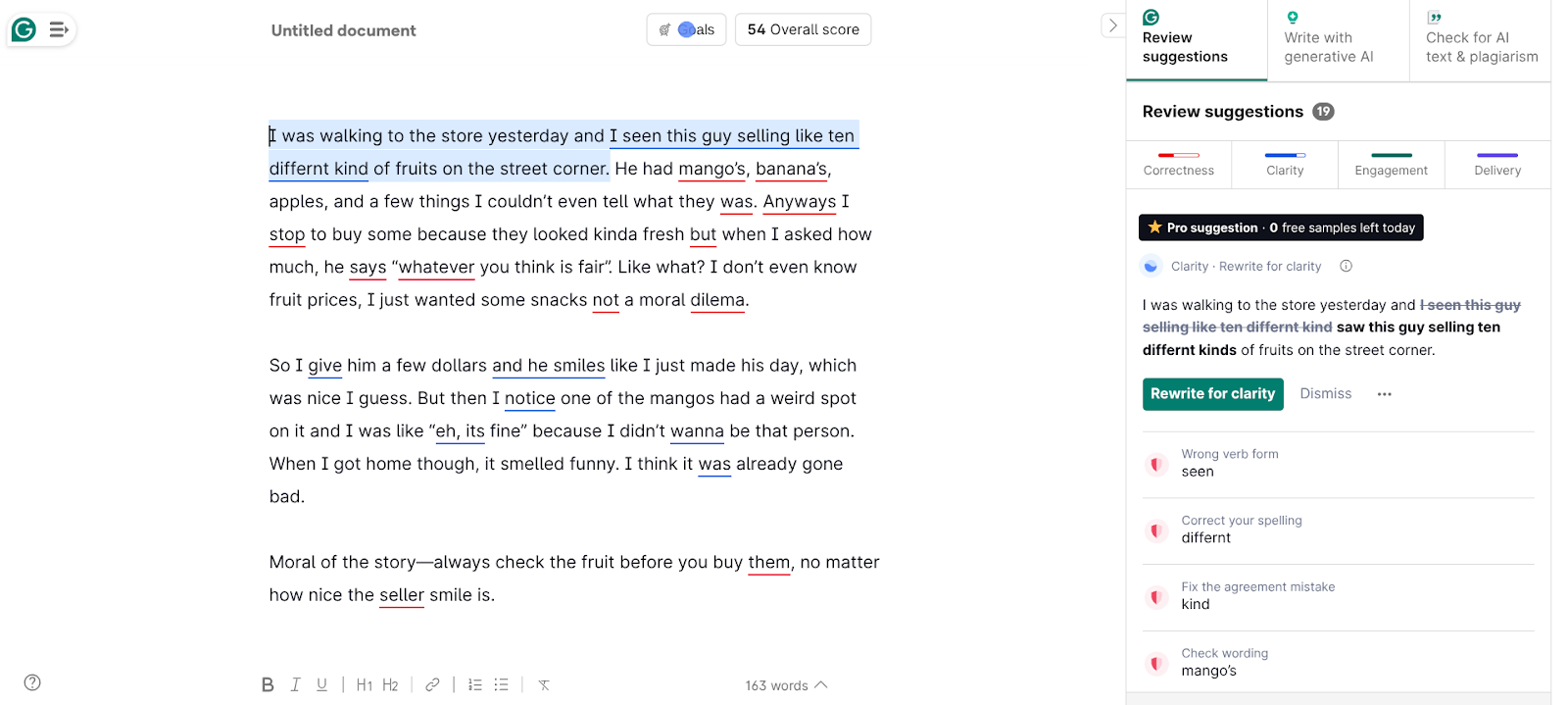
Similarly, QuillBot also suggested changing “kinda fresh” to “kind of fresh.” Grammarly failed to detect that. Or it did, but let it pass because it thought the text’s tone was informal?
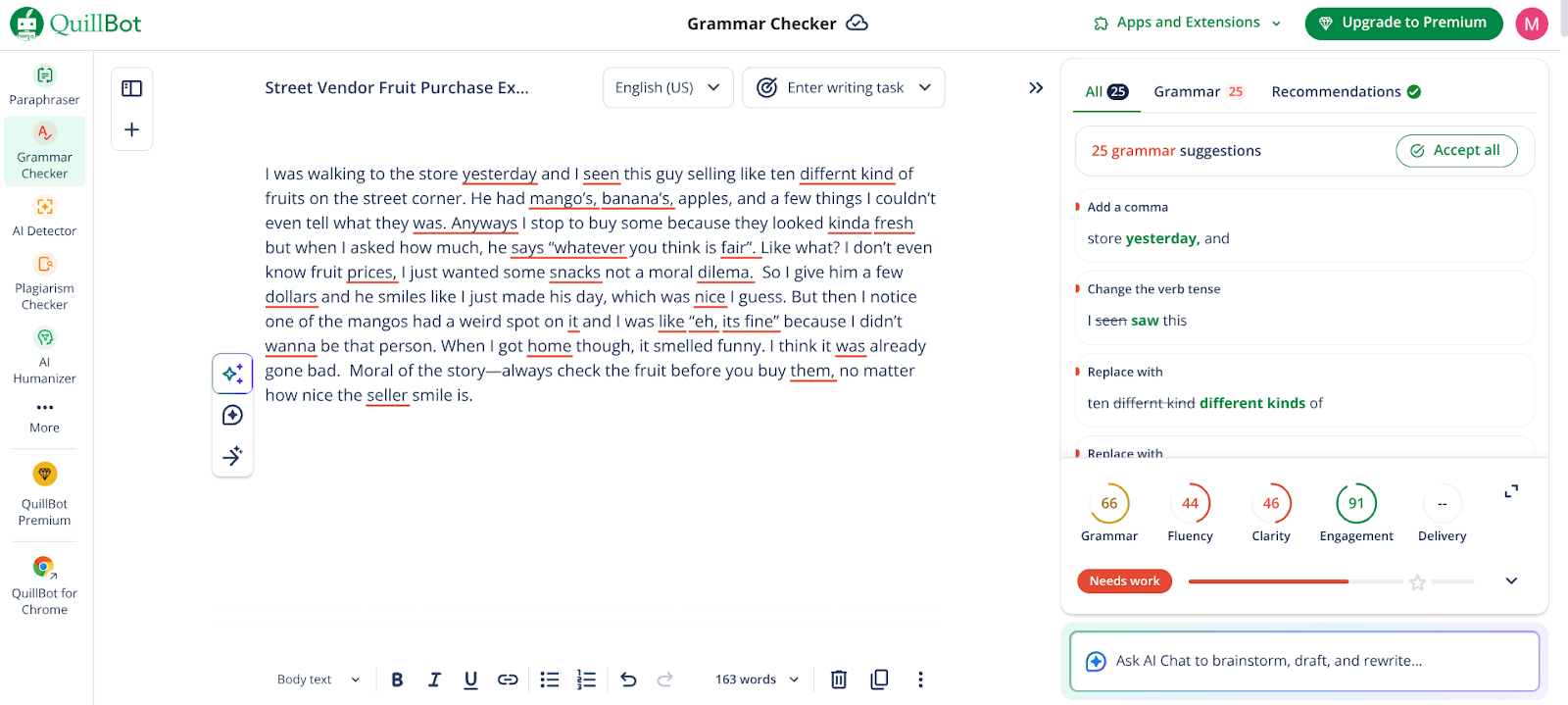
I’d stick to the first possibility. Grammarly failed here. Why? Because later on in the text there’s a “wanna,” a similar informality to “kinda fresh,” which Grammarly did detect, suggesting to change it to “want to.”
But what about the other punctuation issues that Grammarly missed but Quillbot didn’t?
That is due to the grammar checker’s “Goals,” where Grammarly has set “Formality” to “Neutral” by default. When Formality is set to Neutral, Grammarly allows standard casual expressions. You can adjust the goals based on your text’s nature. QuillBot also has a limited version of these settings.
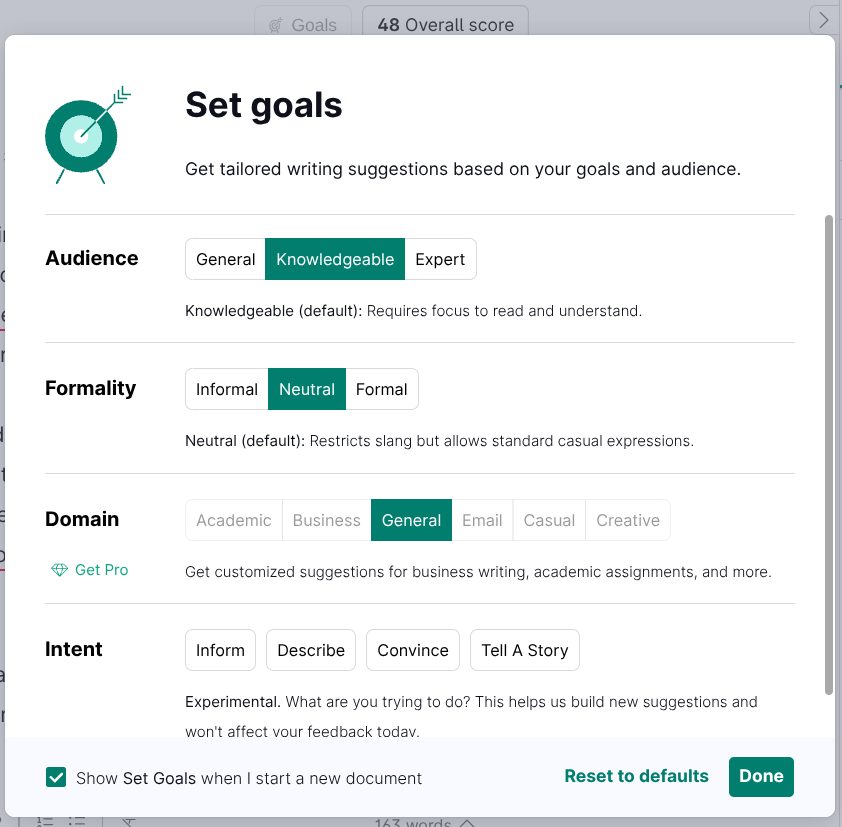
One thing that Grammarly only did but QuillBot didn’t (because it can’t) was suggesting sentence-based edits.
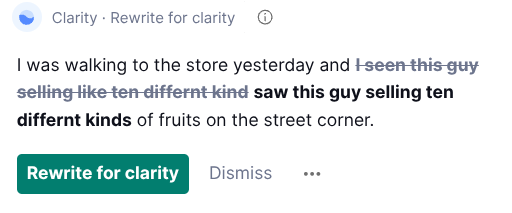
This is a major difference between Grammarly vs QuillBot. Grammarly’s grammar checker can read and comprehend sentences. QuillBot’s grammar checker can only offer individual word-level suggestions.
So which platform is better at grammar checking, Grammarly or QuillBot?
I’d say, it depends. Grammarly is the OG grammar checker, so it cannot be written off that easily. But it did miss errors, unjustifiably.
On the other hand, while QuillBot could detect all writing errors, it isn’t capable of making sentence-wide suggestions, which are a part of grammar, too.
Simply put, both Grammarly and QuillBot have their strengths and weaknesses in grammar detection.
QuillBot vs Grammarly: AI Detector
To test the AI detectors of both platforms, I generated two samples using AI and both of them managed to fool the AI detectors.
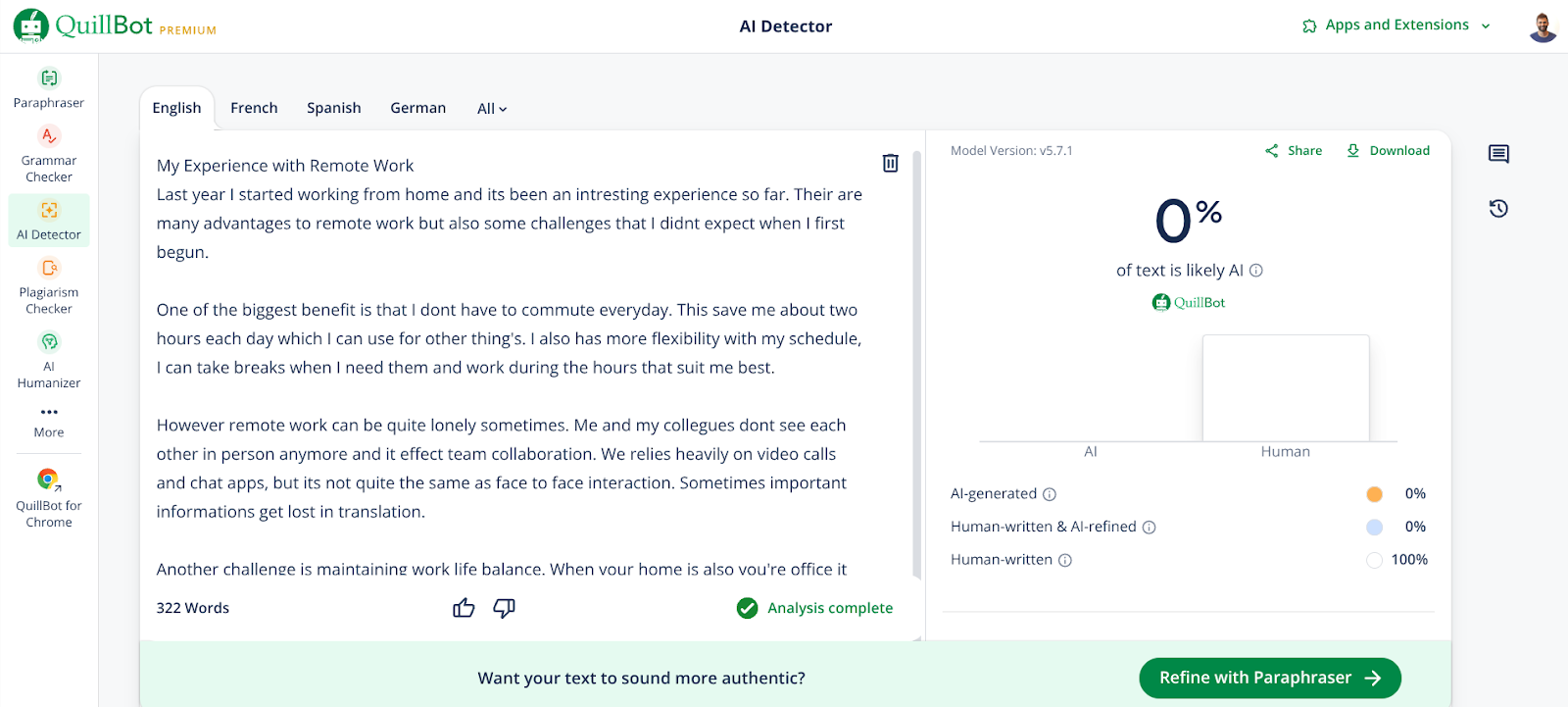
The first sample had a casual tone and lacked common AI-patterns, but it was still 100% AI-written.
It was a short essay on “My Experience with Remote Work.”
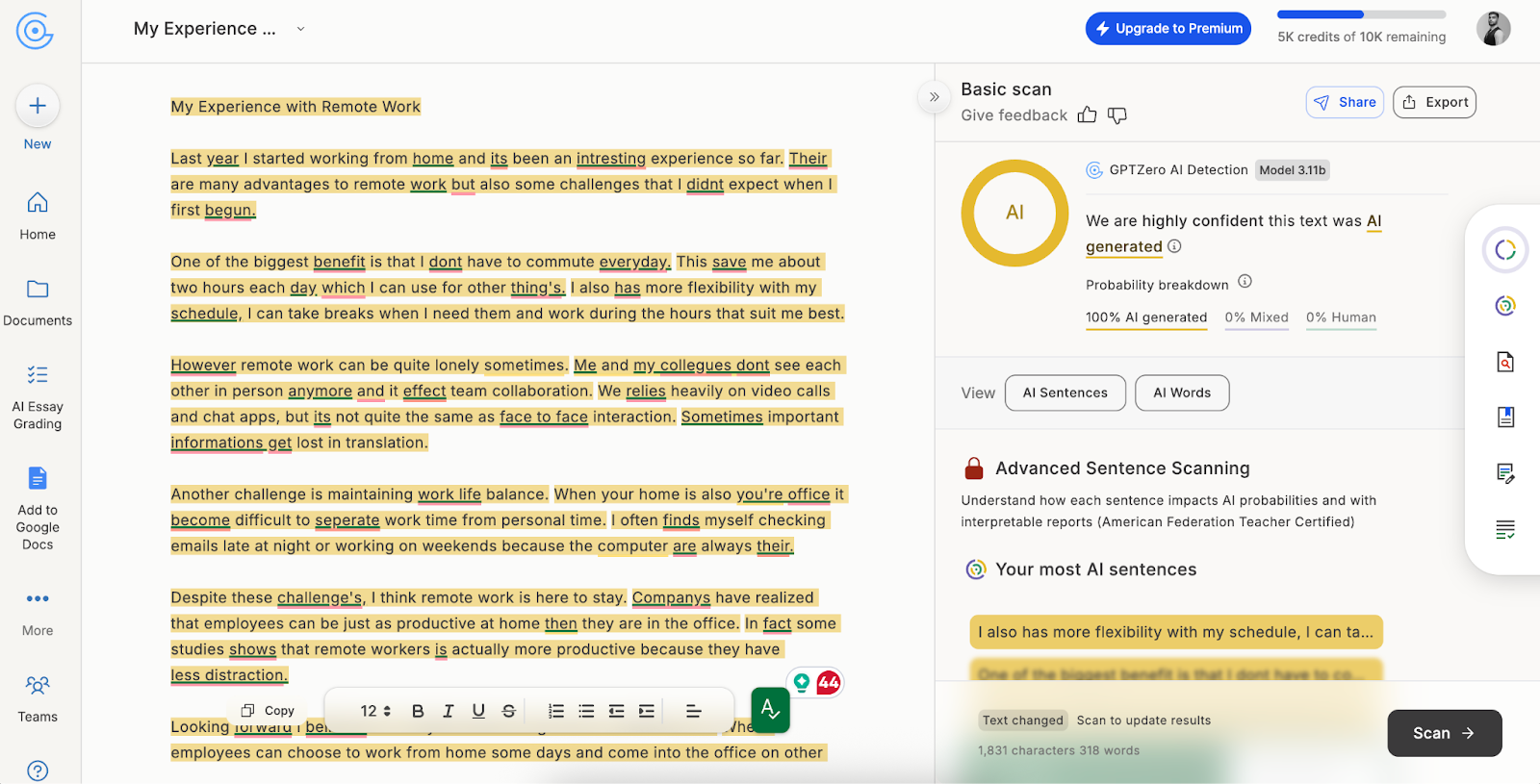
Both QuillBot and Grammarly AI failed to detect that it was AI-written. They both gave it a 0% AI score.
This is Grammarly’s result:
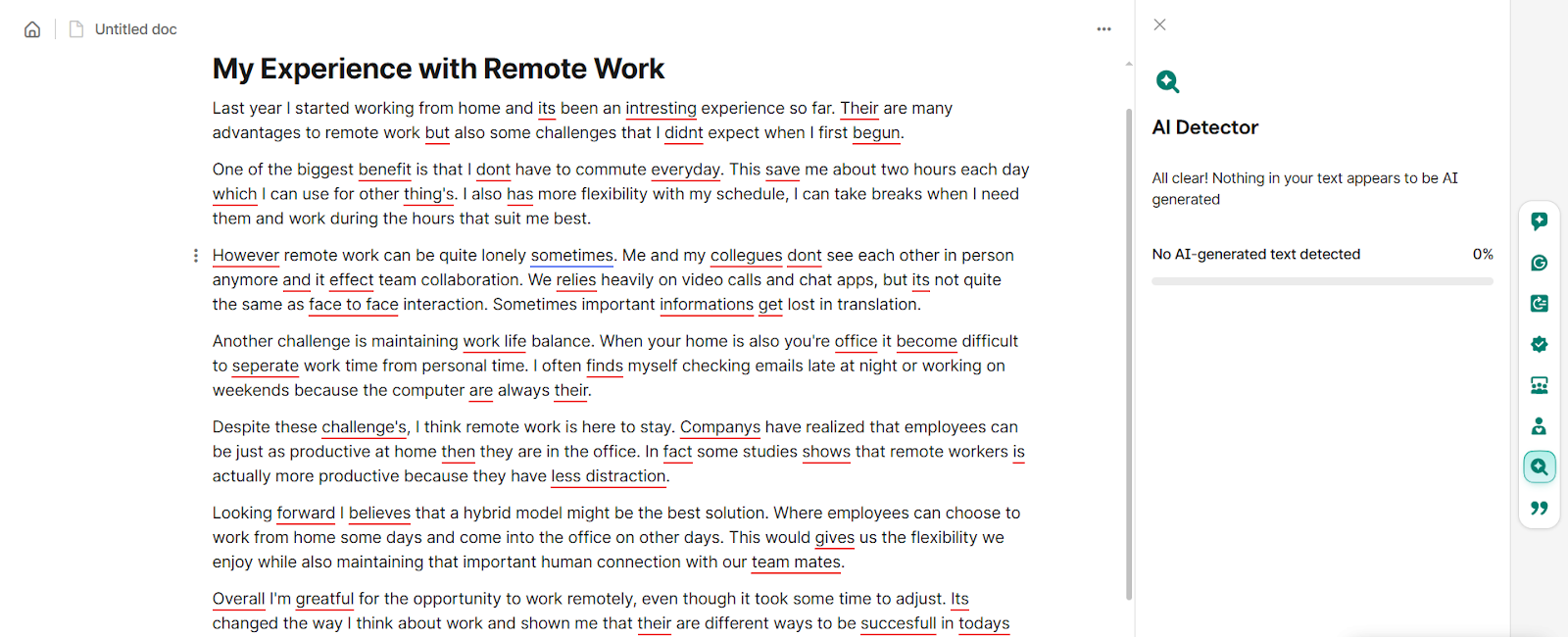
This is QuillBot’s result:
Now, I gave the same AI generated text to GPTZero’s AI detector (the leading AI detector) and it correctly flagged the whole content as AI written. You can clearly see the difference in quality:
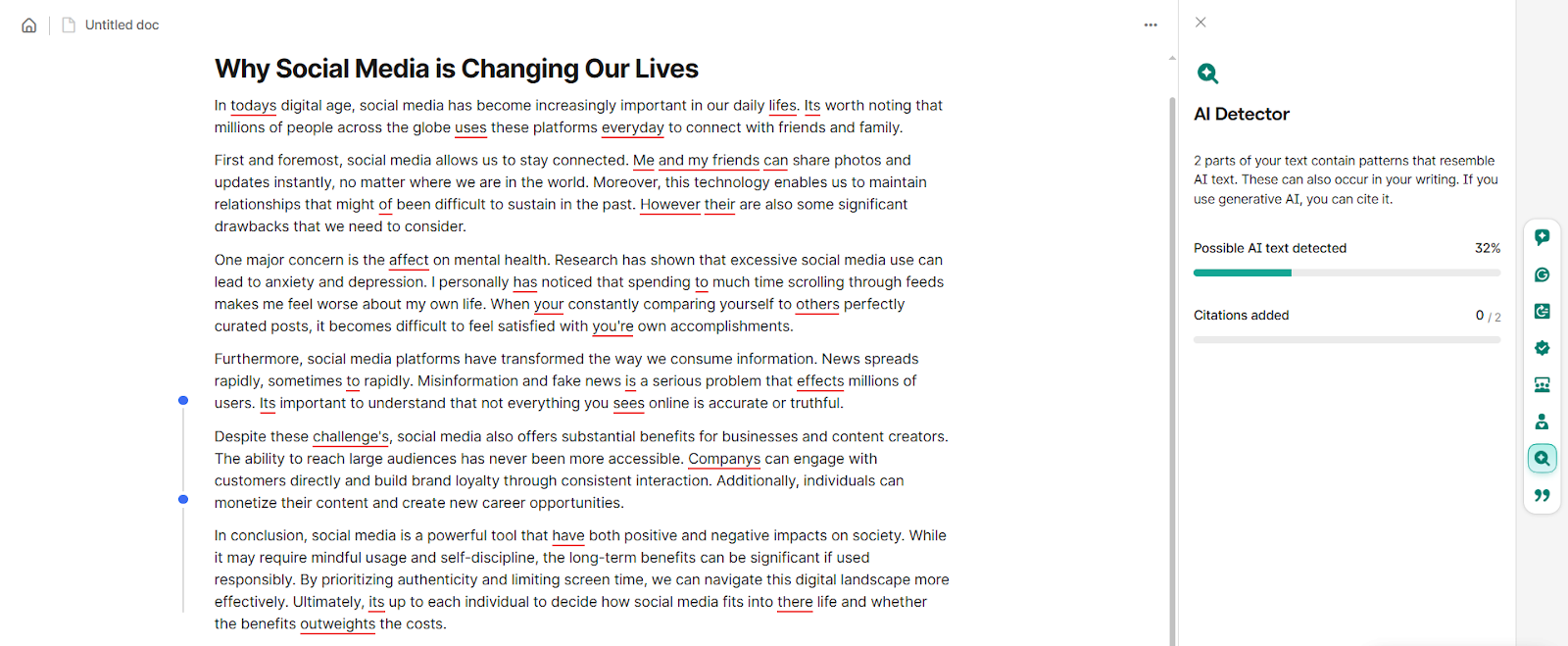
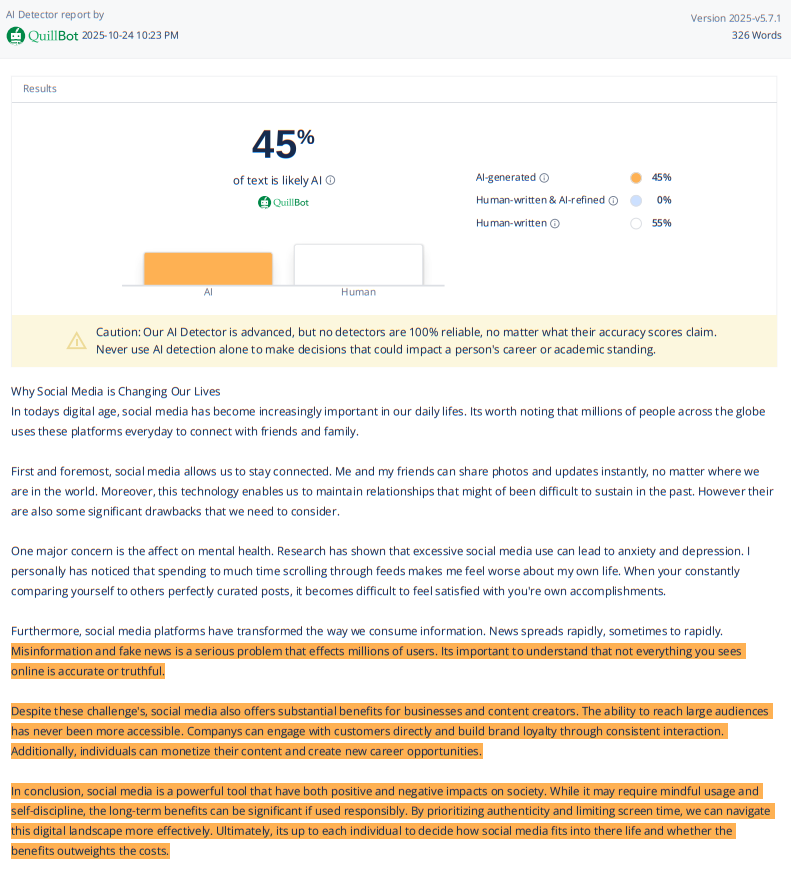
For the next sample, I asked AI to use a mix of causal and AI-ridden language. The AI generated a short essay on “Why Social Media is Changing Our Lives.”
Grammarly flagged only 32% of the text as AI while QuillBot detected 45% of the text to be AI.
Interestingly, both Grammarly and QuillBot flagged the same 2nd half of the text to be AI.
It’s important to commend QuillBot for one thing here. QuillBot’s AI detector is free to use and allows 1200 words long scans in one go. Grammarly’s AI detector, on the other hand, is locked behind a paywall.
Both AI detectors are good at catching AI writing containing heavy AI patterns.
They both fail at detecting AI writing if it uses a casual human tone. However, QuillBot deserves praise for its free AI detector and generous words-per-scan limit.
Grammarly vs QuillBot: AI Humanizer
QuillBot has a simple AI humanizer.
It has two modes, basic and advanced. Basic is free to use and allows 125 words per scan. Advanced is for paid users and only removes the word limit.
For testing, I asked ChatGPT to generate text full of common AI patterns.
QuillBot’s AI humanizer simply rephrased the sentences without creating any new sentences. To be honest, the new sentences were wordy and slightly harder to follow.
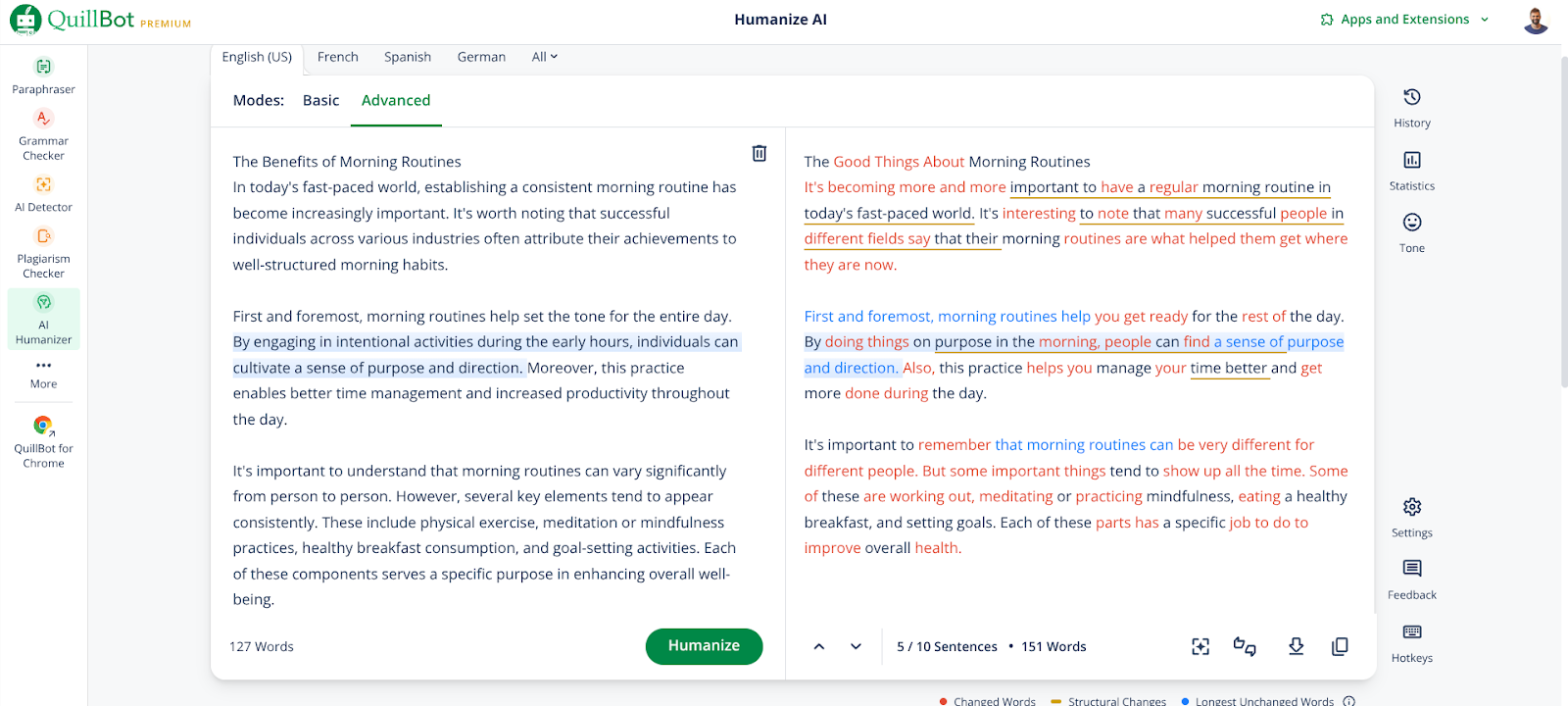
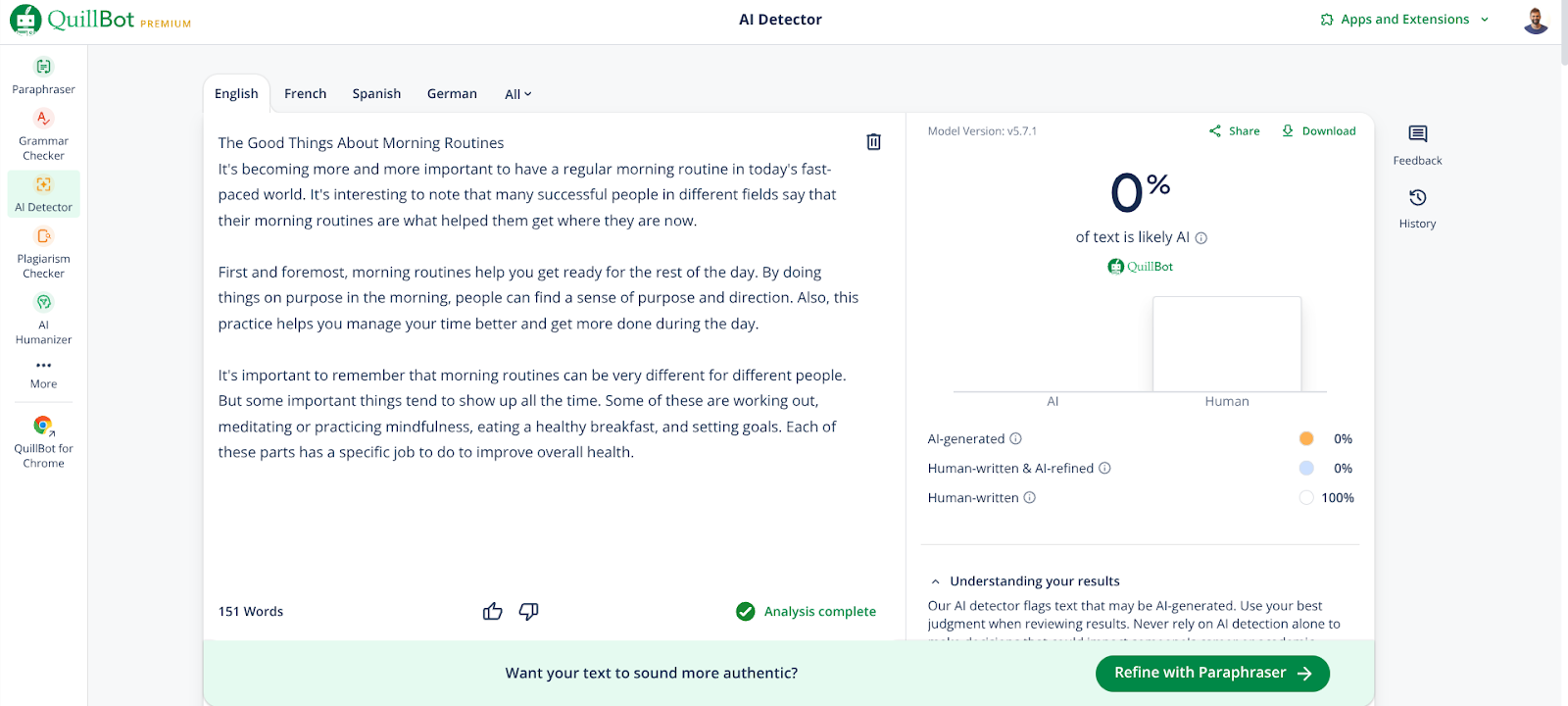
Regardless of QuillBot’s humanized text’s quality, the tool managed to serve its purpose. When I scanned the humanized output using QuillBot’s AI detector, the AI score had reduced from 100% to 0%.
Now, it’s Grammarly’s turn.
Grammarly’s Humanizer is far ahead from QuillBot’s in terms of features.
It has multiple voices for you to select the right one for your task.
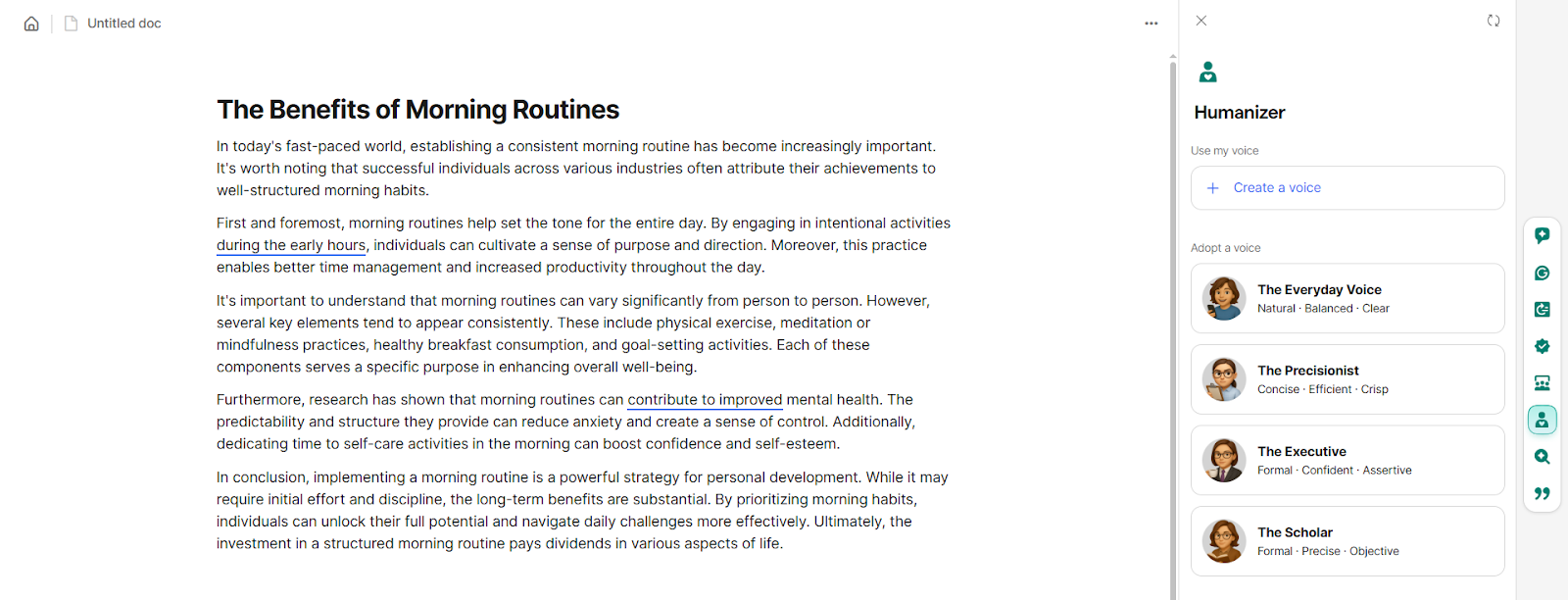
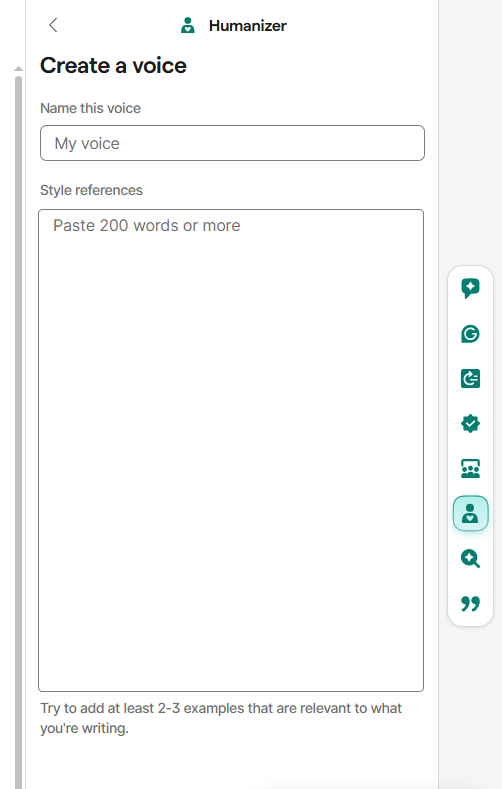
If the available voices aren’t your fit, you can create your own voice, too. You’ll simply need to add your samples of your writing style, and the custom voice will be made.
Anyway, I used one of Grammarly’s default voices for the test. The text sample was the same I used for QuillBot, a short 100% AI-written essay on “The Benefits of Morning Routines”.
Grammarly humanizer suggests edits on a paragraph basis. And it doesn’t apply the changes automatically. You have the control to accept or dismiss a suggestion.
One use case for this feature that I could think of was that you can accept suggestions for some paragraphs and select a different voice for the remaining paragraphs.
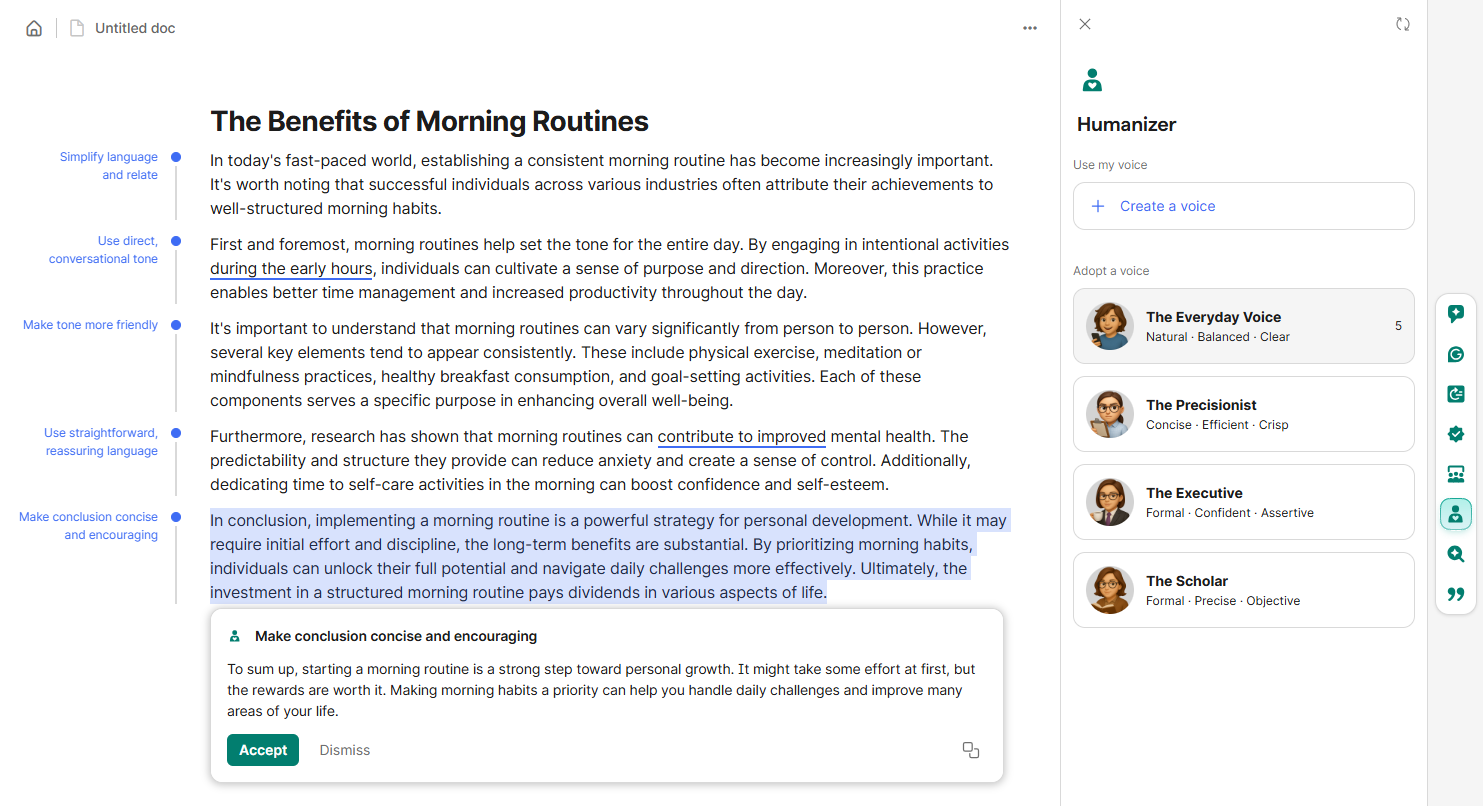
I accepted the edits for all paragraphs, and they revamped the essay. The essay actually improved in flow and readability. The tone also turned natural. Grammarly’s humanizer made heavy structural edits. It didn’t just replace words with their synonyms.
And when I ran the humanized text through Grammarly’s own AI detector, the AI score was 0%.
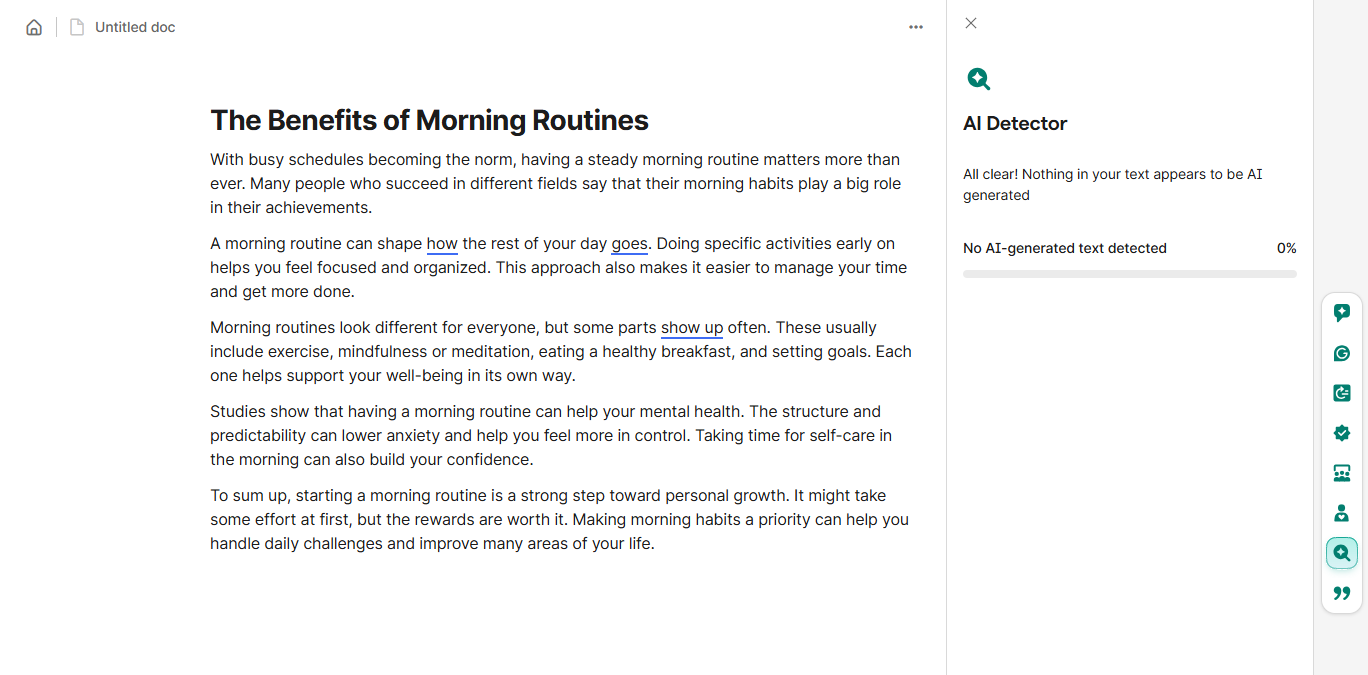
The verdict: Both humanizers are capable of reducing AI in a text. But in terms of output quality and features, Grammarly is the clear winner of the QuillBot vs Grammarly comparison.
Grammarly vs QuillBot: Plagiarism Checker
Grammarly’s performance in plagiarism checking was not at all satisfactory despite being a premium only feature.
Its plagiarism checker didn’t perform at all. And I’m not exaggerating.
I tried scanning almost everything but Grammarly’s only response was “No plagiarism detected.”
From Abraham Lincoln’s Gettysburg Address speech from 1863 to the Wikipedia page of the latest Superman movie, I left no stone unturned.
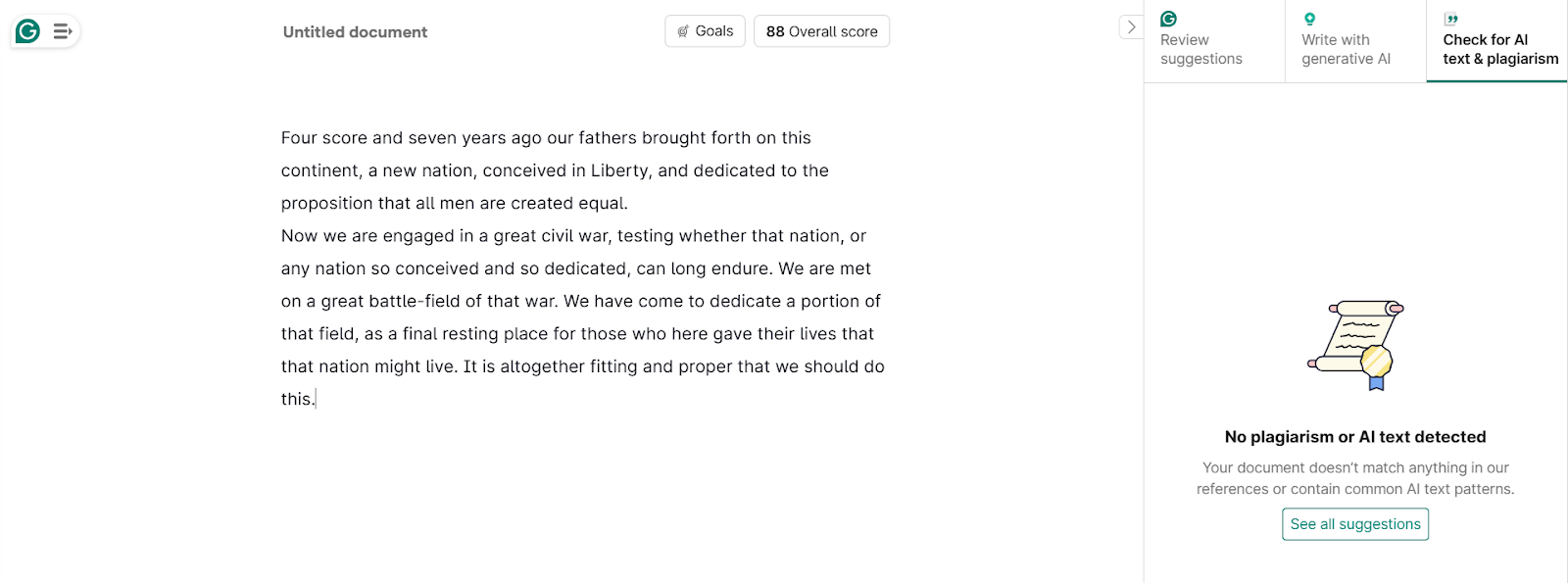
I checked BBC articles, Springer and Harvard studies, old books, new books, old articles, new articles, heck, even Grammarly’s own articles, but Grammarly’s plagiarism checker showed no signs of life.
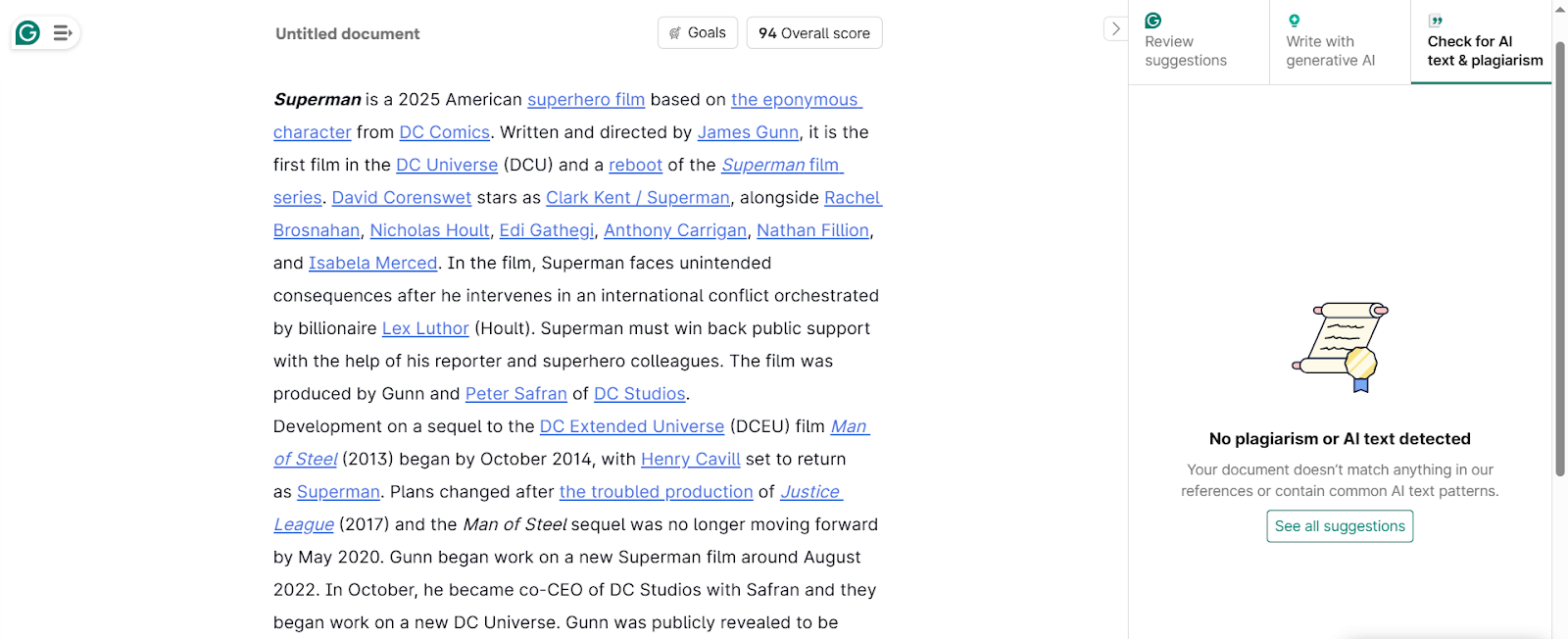
So it won’t be wrong to say that Grammarly’s plagiarism checker fails the plagiarism detection test although it has performed decently for me in the past.
On the flip side, QuillBot’s plagiarism checker, also a paid tool, performed great.
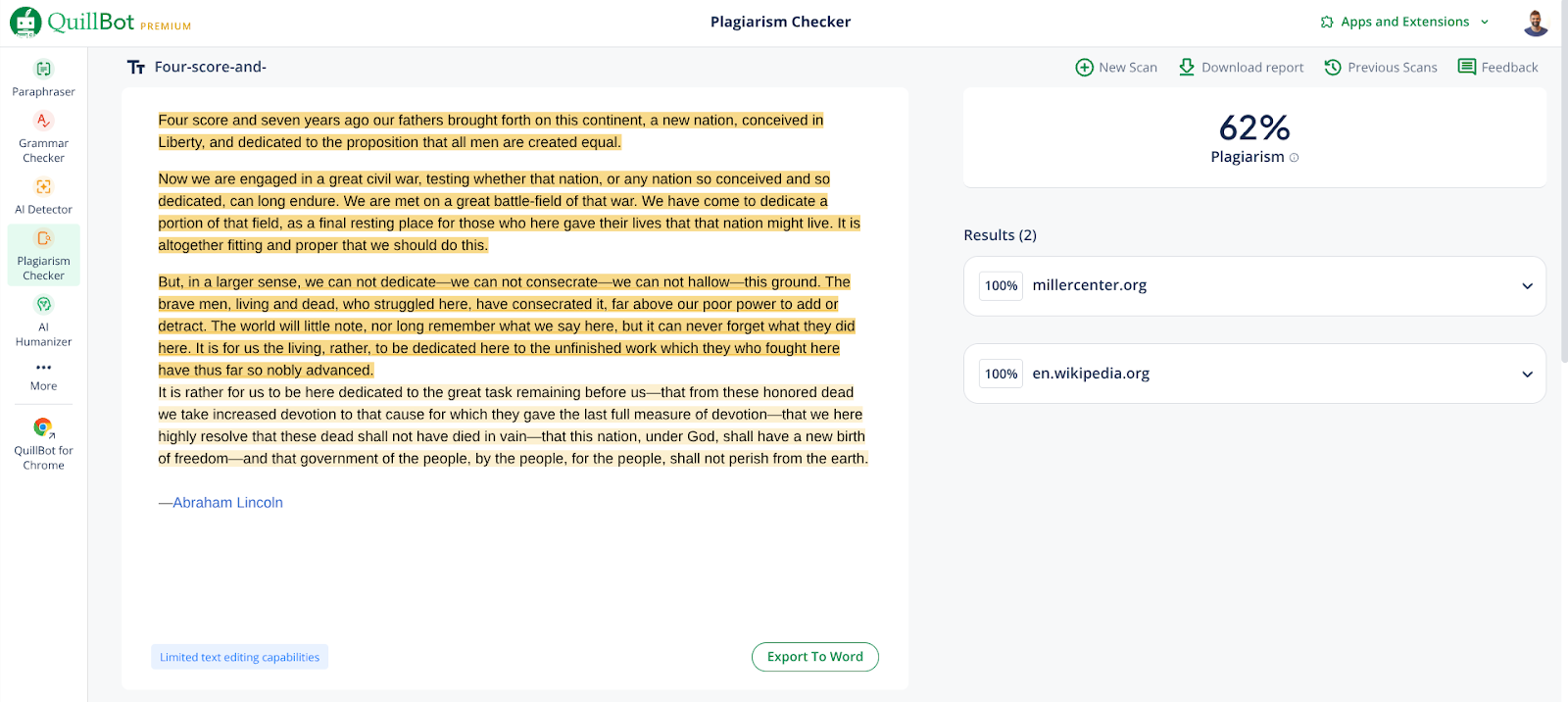
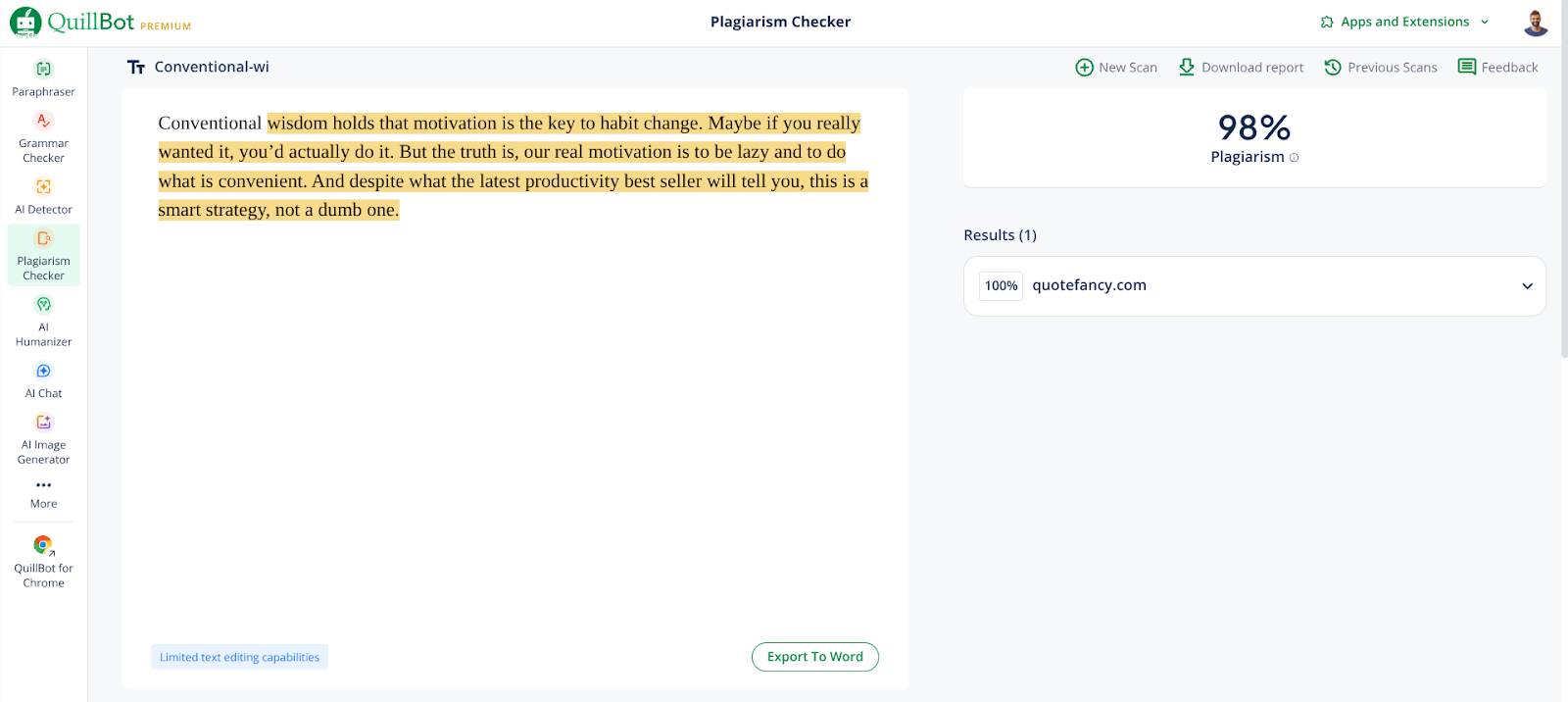
I used some of the same text samples like Abraham Lincoln’s speech and quotes from the Atomic Habits book. QuillBot’s plagiarism results were satisfactory.
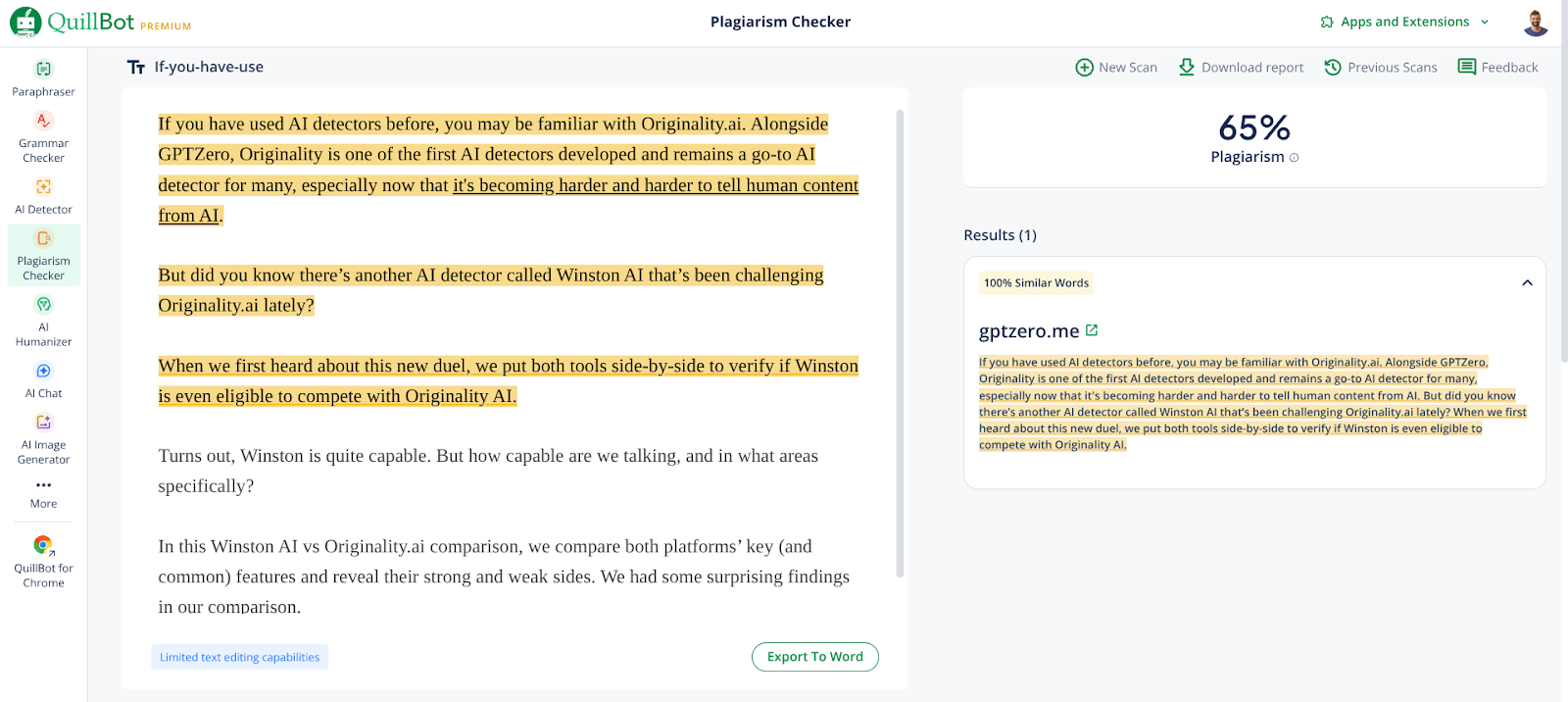
To test how up-to-date and broad QuillBot’s database is, I scanned our article “Winston AI vs Originality.AI,” recently published on Oct 14, too. QuillBot successfully linked it to GPTZero, albeit only 65% of the 100% copied text.
The verdict here is a no-brainer. Is QuillBot better than Grammarly in plagiarism checking? Absolutely! QuillBot’s plagiarism checker actually performs and accurately traces back text. Grammarly's plagiarism checker doesn’t perform at all, especially in this test.
Grammarly vs QuillBot Pricing
Most of the tests above wouldn’t be possible without paid plans. So let’s introduce you to the pricing of both platforms.
Grammarly Pricing
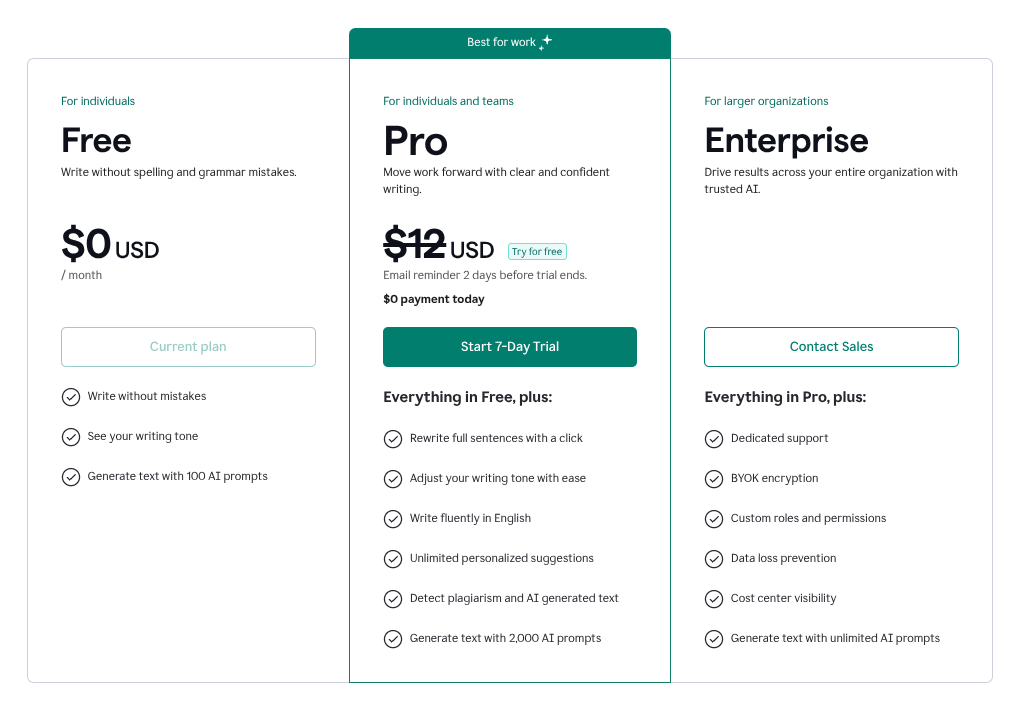
Grammarly has three plans, one of which is the forever free plan and the other two are paid.
The Pro plan costs $12 a month but currently there’s an ongoing 7-day free trial offer which lets you try the plan for free.
The Enterprise plan has a custom price.
As mentioned earlier, Grammarly only offers its grammar checker for free. That too with limited features.
Its plagiarism checker, AI detector, advanced version of AI humanizer, paraphrase, citation generator, all are paid features.
QuillBot Pricing
QuillBot’s pricing tiers are similar to Grammarly’s.
There are three of them. One is the forever free plan, and the other two are paid.
QuillBot’s paid plan is cheaper than Grammarly, costing only $4.17/month on annual billing.
You won’t necessarily have to buy the premium plan unless you want to use QuillBot’s plagiarism checker. All other QuillBot tools are free to use, but with certain limits.

Verdict: QuillBot is the cheaper and more cost effective option in the Grammarly vs QuillBot comparison.
Final Verdict: What’s the Best AI Detector in Industry?
That was all.
Which tool comes atop the QuillBot vs Grammarly competition?
Let’s recap.
- QuillBot performed well in grammar checking and plagiarism checking.
- Grammarly flexed its muscles in grammar checking and humanizer.
- Both tools had equal performance in the AI detection department.
So assess your needs and make your decision based on the above findings. Want a good plagiarism checker? You may prefer QuillBot. It would probably be wise to save your money on Grammarly’s plagiarism checker.
But if you want a good humanizer, then Grammarly is the choice to make.
What about AI detection? Well, neither of the two tools, Grammarly and QuillBot, are good for AI detection because we saw how they gave 0% AI to a 100% AI text.
Instead, you can use GPTZero for AI detection. Our AI detector is officially the most accurate AI detector based on a recognized benchmark called RAID.
It has an accuracy of 99% and a false positive rate of 1% only.
So, try it today and see why it is the leading AI detector.
FAQs
Which is better Grammarly or QuillBot?
Both Grammarly and QuillBot have their strong and weak areas. Grammarly is good at giving context-level grammar suggestions and humanizing AI text.
QuillBot is good at plagiarism detection and finding each word-level writing error in a text. QuillBot is also cheaper and one with more free tools among the two options. So the answer to which is better between the two boils down to your needs.
Which is more accurate, Grammarly or QuillBot?
In terms of AI detection, neither Grammarly nor QuillBot is accurate. You can use the market-leading GPTZero AI detector for accurate results.
Do professionals use QuillBot?
Yes, QuillBot is used by professionals across various industries. The platform offers several tools, including a grammar checker, paraphraser, AI humanizer, translator, AI writer, and many other tools in its range of categories. Many professionals incorporate it into their workflow for proofreading and content revision.