12 Best Grammar Checkers (Both Free & Paid)
Compare the 12 best online grammar checkers, both free and paid, including Grammarly, QuillBot, LanguageTool, and GPTZero.


Non-native English learners often struggle with articulating their ideas with correct grammar. You could have made all the strong arguments in your essay, but if it has grammatical and spelling errors, you won’t be graded well. And to be honest, native speakers aren’t immune to making grammar mistakes too.
A 2024 study published in the Journal of Language Research analyzed 506 essays written by English learners. The study found that even after a full academic term of teacher feedback, students showed no statistically significant improvement in reducing their grammar errors.
That shows how persistent these mistakes can be, and why relying on your own proofreading isn't always enough.
Learning grammar is a long-term game. And until you are confident enough to have perfected the use of all the rules of English, it's always safe to use a grammar checker before turning in any important submission.
As Richard C. Trench said:
“Grammar is the logic of speech, even as logic is the grammar of reason.”
In this article, you’ll find our top 12 picks for the best online grammar checkers that get it right in terms of accuracy and user experience.
TL;DR
What Makes a Good Grammar Checker?
There are dozens of grammar checkers out there, and most of them do the basics well enough. The basics include catching typos, flagging subject-verb disagreements, and spotting missing commas.
But it comes down to two things that separate a good one from the rest: accuracy and usability.
On the accuracy side, the grammar checker should catch real errors without flagging sentences that are already correct. False positives are just as annoying as missed mistakes.
On the usability side, you should look for:
- Color-coded highlights so you can tell grammar errors apart from spelling or style suggestions at a glance
- A simple sign-in process (or better yet, no sign-in at all)
- Privacy controls that protect your documents and intellectual property
- Integrations with the tools you already use, like Google Docs and Microsoft Word
With that aside, here are the 12 best online grammar checkers that made it to our list.
12 Best Online Grammar Checkers
Here are 12 online grammar check tools I tested that deliver the best value-for-money.
1. GPTZero's Free Grammar Checker
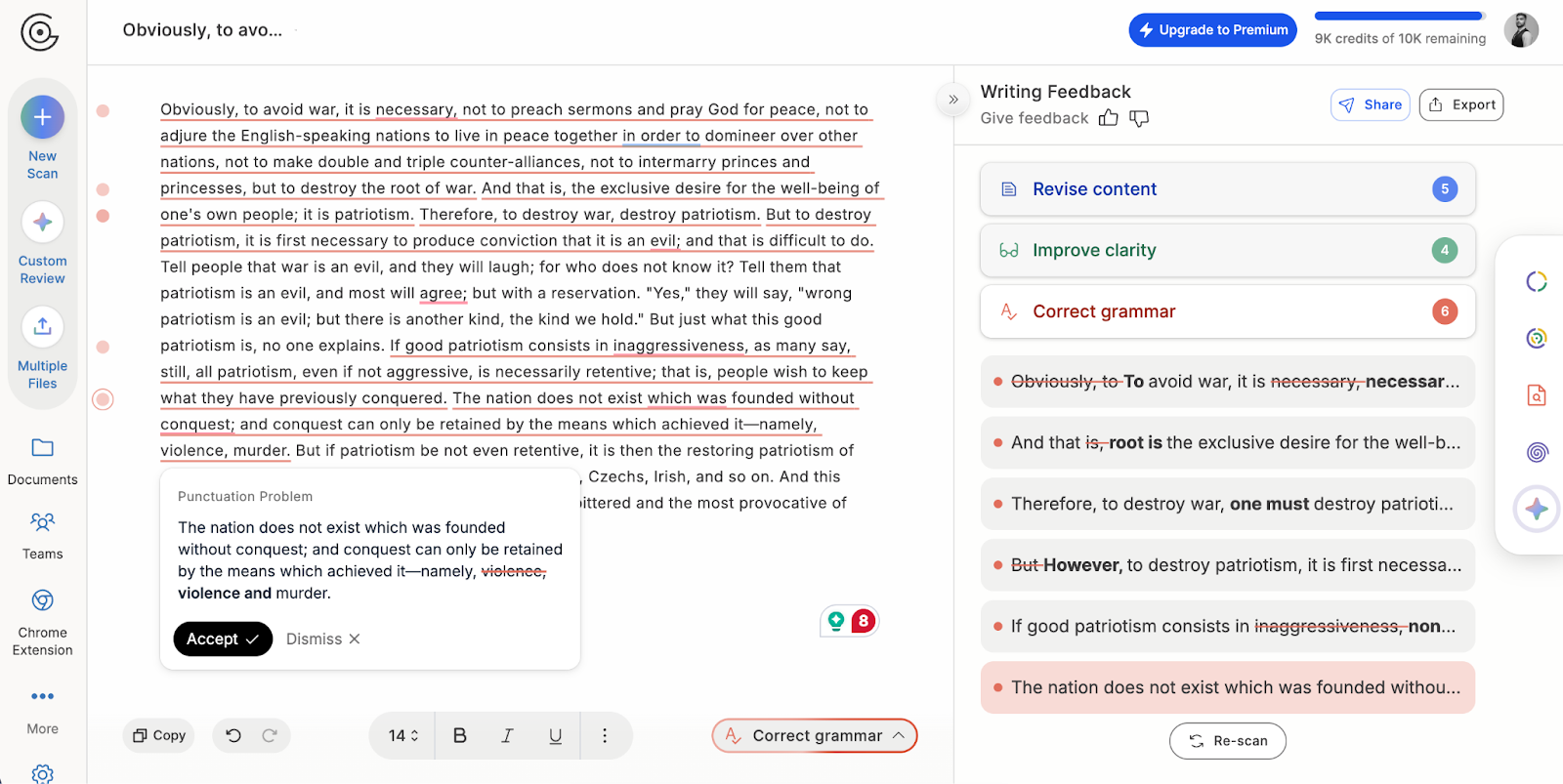
Best known for its AI content Detector, GPTZero also offers a free grammar checker with 3 key functionalities:
- Grammar: It proofreads your text line-by-line, as expected from any grammar checker tool
- Clarity: It highlights if any of your sentences are too wordy or unclear
- Content: It also functions as an editor, reading your text and identifying where to be more specific, where you have abrupt transitions, how strong your intro/conclusions are, etc.
Key features
- Color-coded highlights for grammar, clarity, and editorial suggestions
- Built-in chat feature for you to ask questions about certain suggestions until you are satisfied
- Auto-correct grammar fixer for all the errors in your text, without you having to accept the suggestions for every error
- The best grammar and punctuation checker for academic writing due to an additional AI detector
Pros and cons
Pricing
The free plan allows you to check 10,000 a month. If you run out of words, you can upgrade to:
- Premium plan billed at $12.99/ month with a 300,000-word limit
- Professional plan at $24.99/ month with up to 10 million words on average
Try GPTZero for free today!
2. Grammarly
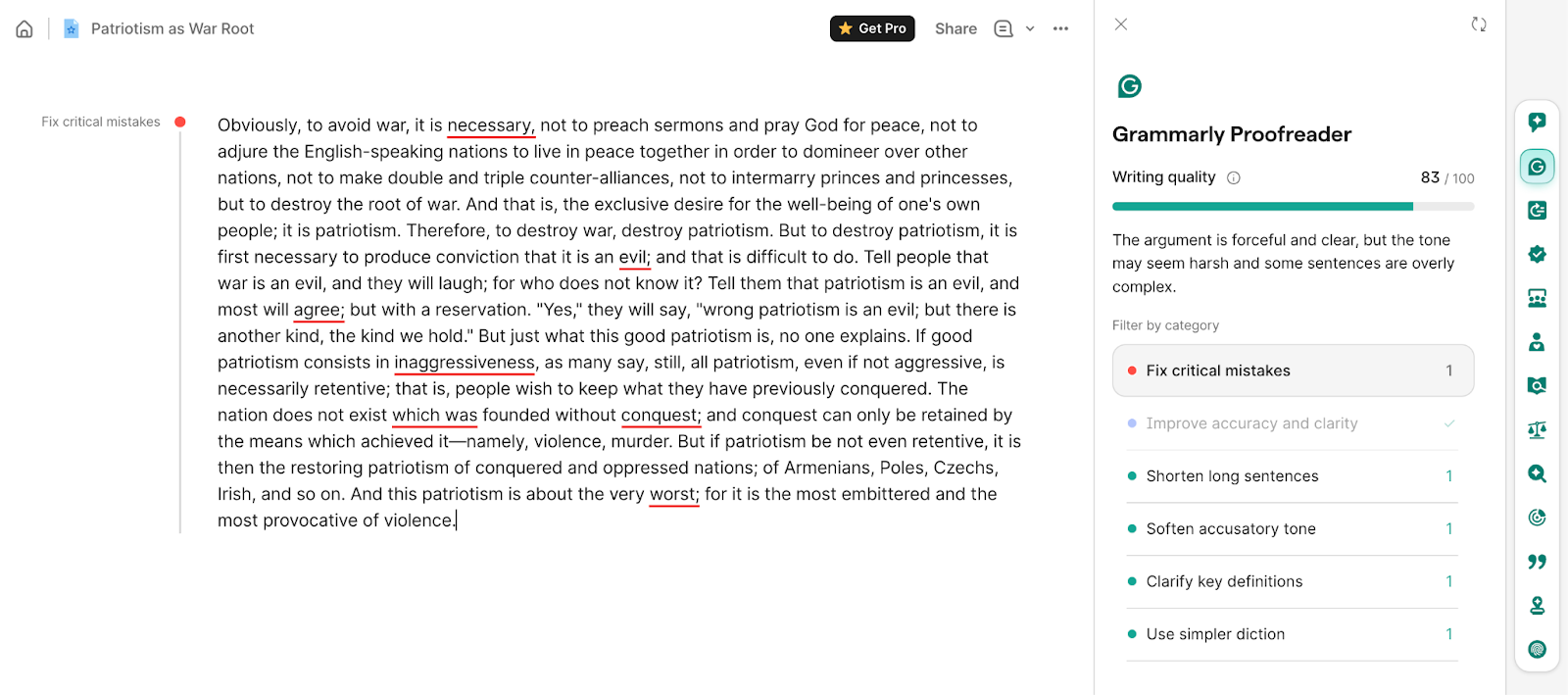
Grammarly is probably the first name that comes to mind when you think of grammar checkers, and for good reason.
The core functions of Grammarly include spelling, grammatical correctness, clarity, concision, and tone suggestions.
Grammarly also has generative AI features, introduced in 2023, that you can customize and turn off if you want to.
Key features
- Grammarly spell check and grammar check work for English, Spanish, French, German, Portuguese, and Italian
- Dedicated solutions for teams, business, education, and enterprise
- Hundreds of blogs you can use as a knowledge base to understand grammar rules
- Performance analytics with graphs and numbers
- Available on the web, extensions for Chrome, Firefox, Safari, Edge, and as standalone apps for Windows and Mac
Pros and cons
Pricing
A free version of Grammarly is useful for simple tenses/spelling errors. It gives you 100 AI prompts too. The paid plans include:
- Pro priced at $12 a month for better tone and style suggestions + 2,000 AI prompts
- Enterprise plans for institutions and businesses with dedicated support and unlimited AI prompts
3. ProWritingAid
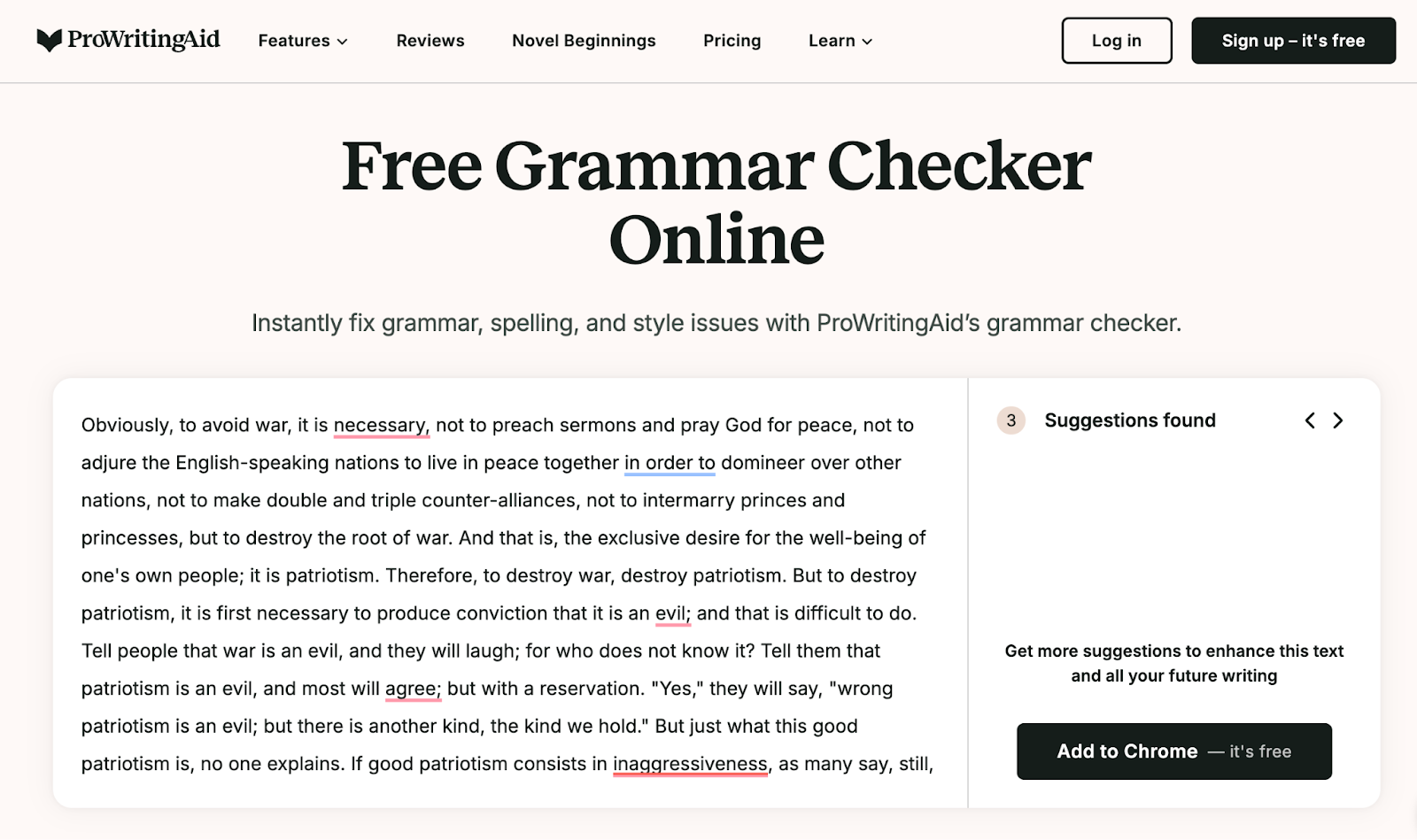
ProWritingAid is best tailored towards authors rather than educational/business documents. It has been particularly programmed to contextually understand your sentences and check them for common confusions and misspells human writers tend to make.
Your errors are highlighted in red, and when you click on the highlighted word, you’ll see possible suggestions to correct them.
Key features
- 25+ in-depth reports in your dashboard to understand your writing patterns
- Built-in punctuation checker alongside English grammar check
- Chrome, Firefox, and Edge browser extensions + integrates into Google Docs and Microsoft Office
- Also offers other cool tools for creative writers, i.e., manuscript analysis, chapter critique, virtual beta reader, marketability analysis, and more
- Has a dictionary/thesaurus/word crunching Work Explorer
Pros and cons
Pricing
ProWritingAid gives you monthly, yearly, and lifetime plans. There is a limited free web-based version too.
The two pricing options include:
- Premium: $30/month or $120/annually or $399 for lifetime access
- Premium Pro: $36/month or $144/year or $699 for lifetime access
4. Ginger Software
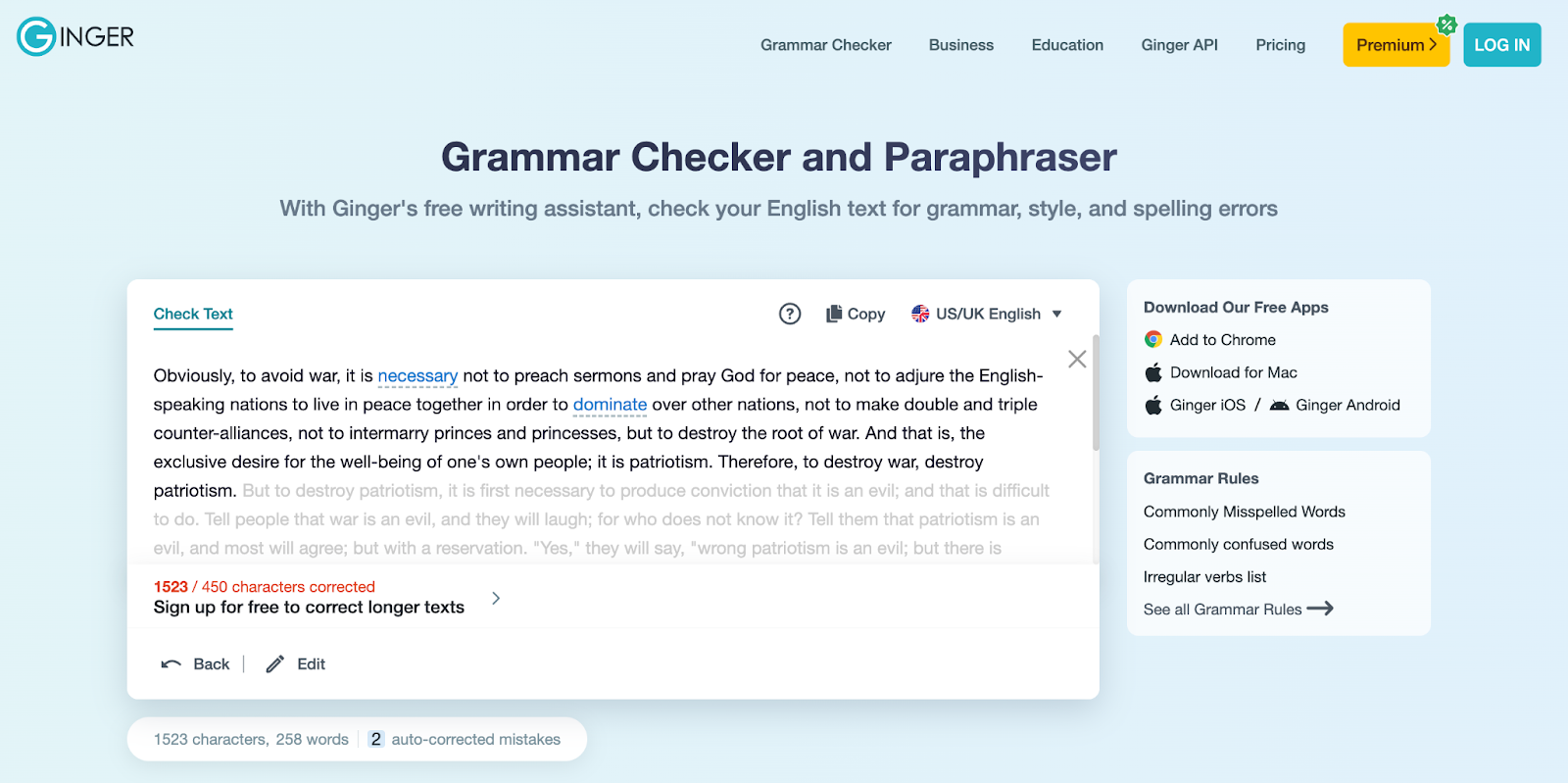
Just like other tools on this list, Ginger software also offers basic and advanced grammar assistance, style correction, and more.
But the key differentiating reason why Ginger made it to our list of the best grammar checkers is that it takes care of dyslexic spelling and grammar errors.
Dyslexia is a neurodevelopment disability in which people struggle with processing written language. Naturally, they are prone to making word-reading, spelling, and writing mistakes.
Key features
- Corrects phoneticized spelling and grammar errors made by dyslexics
- Pays attention to missing punctuation, word order, and run-on sentences
- Web app, desktop app, browser extensions, and mobile app, Ginger has all your needs sorted
- It has a real-time grammar check in the text-to-speech feature, too
Pros and cons
Pricing
Ginger has monthly, quarterly, annual, and 2-yearly plans. The monthly plan is priced at $19.99 per month, while all the other plans are charged one-time at $13.99, $9.99, and $7.99, respectively.
The tool gives a 70% discount to teachers and students on all plans!
5. Quillbot
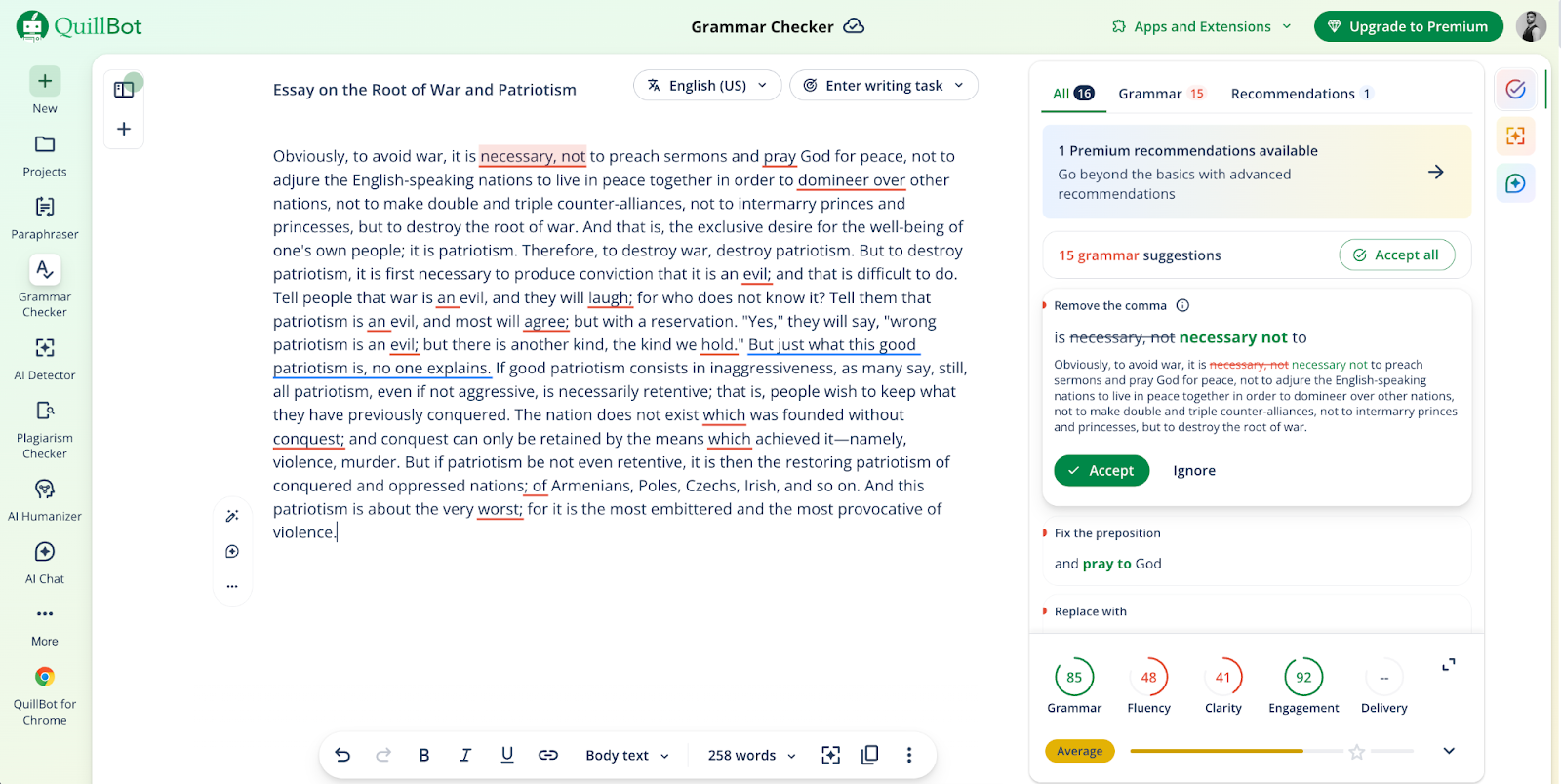
Quillbot grammar checker was founded in 2017, and since then, it is among the most popular solutions for all things writing.
In fact, a research study evaluated the results of its grammar checking capabilities using two text samples and concluded it to be a great resource for EFL (English as a Foreign Language) students.
Key features
- Available as a web tool and an app for Android and iOS
- Works for various English dialects (US, UK, CA, AU)
- Completely free basic grammar proofreading with no sign-up required
- There’s an instant "Fix All Errors" option to correct all your mistakes in one go
Pros and cons
Pricing
The Grammar Checker is absolutely free.
You can, however, upgrade to an all inclusive Premium plan, which gives you access to multiple helpful tools, e.g., paraphraser, plagiarism checker, humanizer, AI detector, summarizer, etc, at $4.17 per month.
A custom team plan can also be built for you as per your needs.
6. GrammarCheck
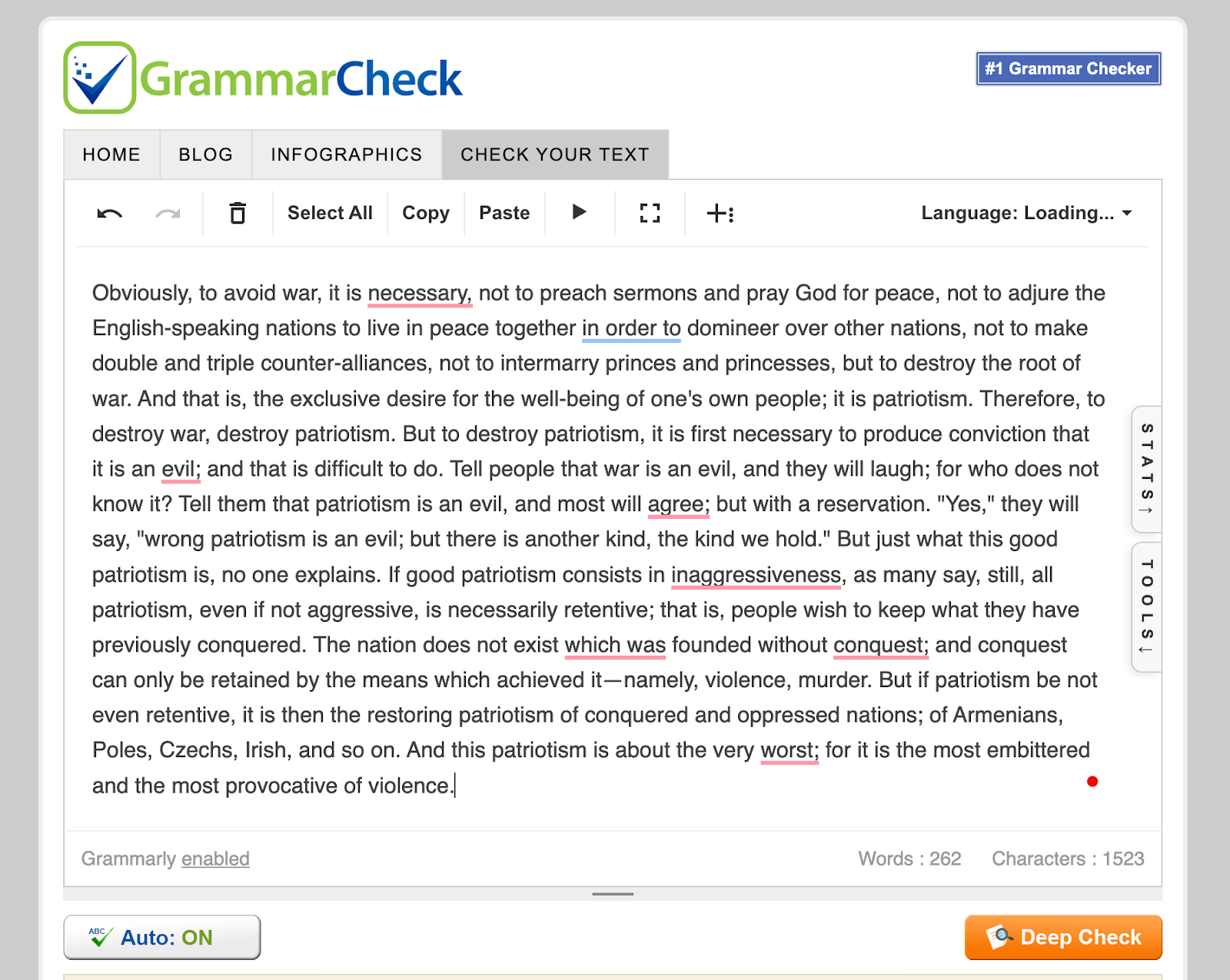
If you miss the old-school feel of the internet, you’d love GrammarCheck. But if you prefer a modern interface, this won’t appeal to you.
However, if we just talk about grammar, punctuation, and spell check, it gets the job done.
GrammarCheck is a decent grammar checker, but it only works on the web. There are no add-ons or extensions you could use to add it to your work stack.
Key features
- It has many complementary features within the Grammar Check textbox, such as an AI detector, Thesaurus, Title Capitalizer, Referencing, etc
- The stats tab also tells you the length, speaking time, reading time, and difficulty of your text
- The “Deep Check” feature redirects users to Grammarly
- Only available for English but covers US, UK, CA, AU, SA, NZ dialects
Pros and cons
Pricing
In itself, GrammarCheck is free with unlimited text checks, there are no subscription plans. It, however, redirects you to Grammarly if you click on “Deep Check,” and you need a Grammarly account to continue.
7. Quetext
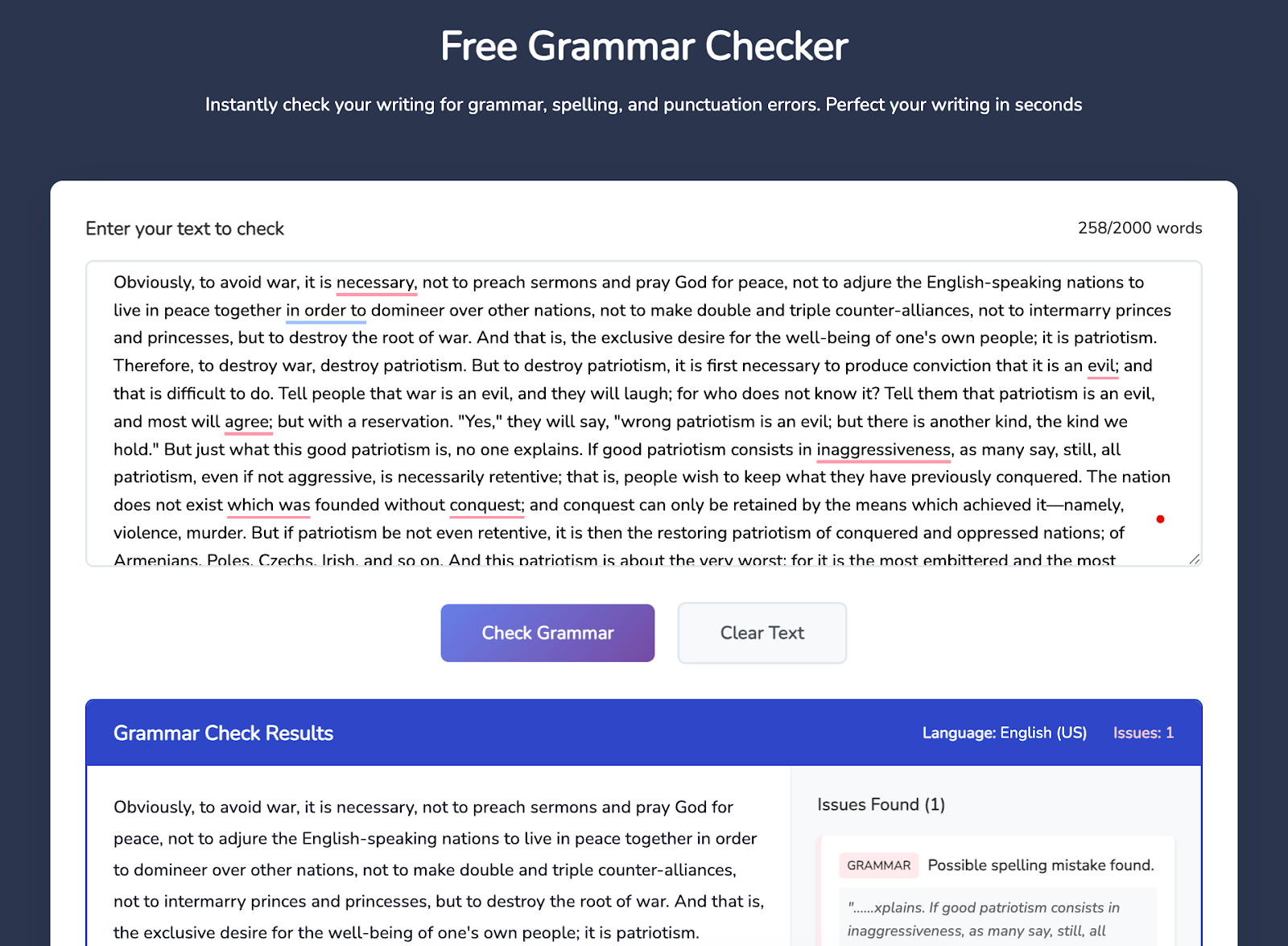
Quetext is easily one of the best online grammar checkers out there.
It runs on DeepSearch™ technology to analyze your text contextually and use smart algorithms to compare it against the rules of Grammar.
Key features
- Color-graded feedback for different kinds of grammar errors in your text
- Interactive snippet text viewer where you drill down on your text with side-by-side comparisons
- All-in-one solution with plagiarism checker, AI detector, English grammar checker, and AI summarizer
- AITutorMe tool to instantly learn aspects of grammar you’re weak at
- Checks up to 2000 words in one go
Pros and cons
Pricing
The free version of the Grammar Checker online tool is limited to 2000 words at a time. You can subscribe to all-inclusive plans priced at:
- Essential for individuals starting at $8.50/month
- Professional for teams starting at $16.50/month
8. WordTune
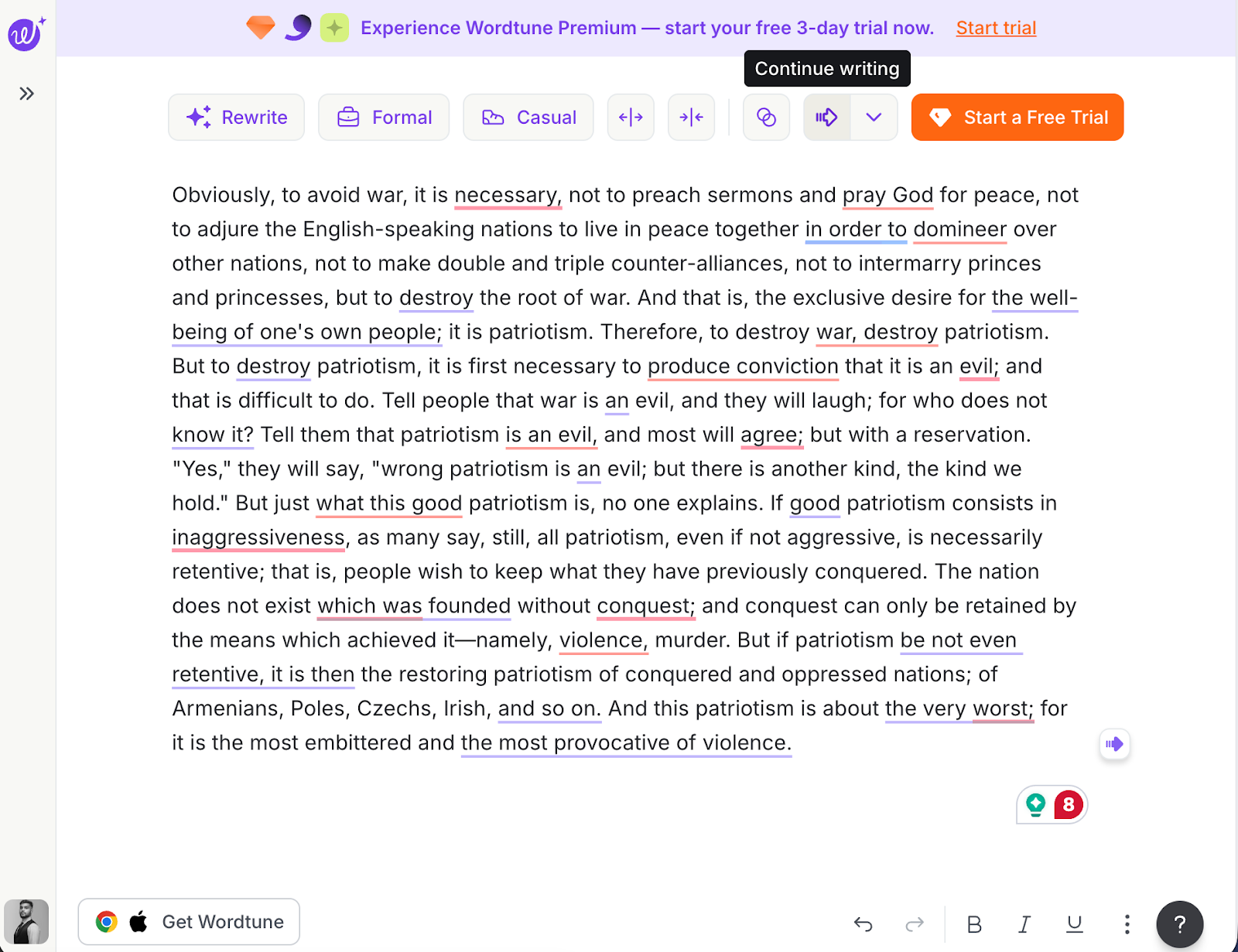
Wordtune is another all-in-one writing tool in our list of the best grammar checkers. It offers you unlimited grammar and spell checks with 10 AI recommendations for stylistic rewrites in the free plan.
Similar to other tools on this list, it analyzes your sentence structure and highlights the mistakes for you. It also presents alternative options to correct your mistakes.
Key features
- Considers the context of your text to identify grammar, spelling, and punctuation errors
- Has a Google Chrome extension for integration with other web tools
- Real-time feedback on sentence structure and tone
- Explanations for all grammar corrections
Pros and Cons
Pricing
Wordtune has made its grammar checker free to use. But, if you want AI recommendations on your text’s sentence structure, you can sign up for:
- Advanced plan at $6.99/month
- Unlimited plan at $9.99/month
9. Zoho Writer
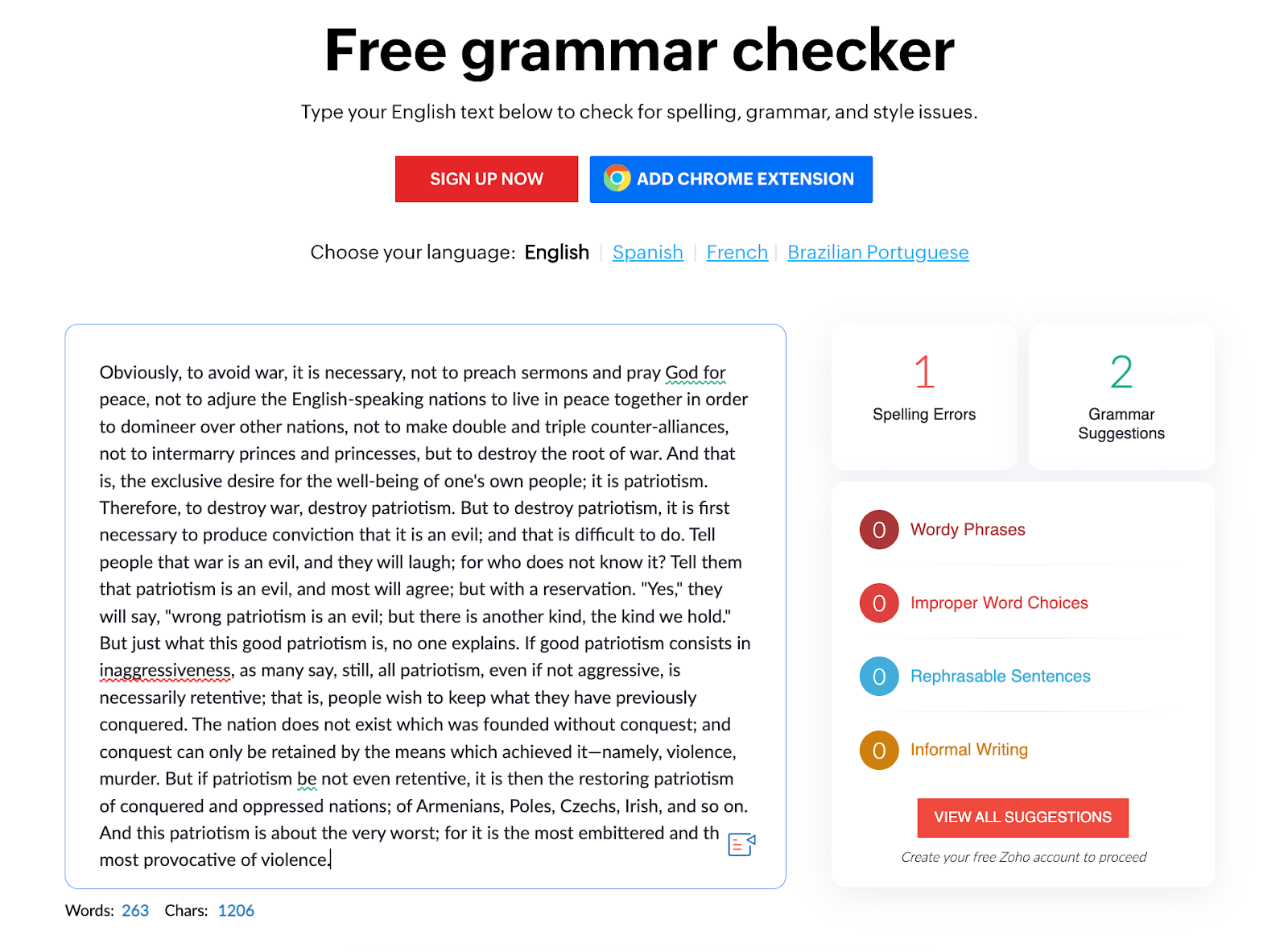
The famous cloud-based business suite Zoho includes ZohoWriter, a set of tools to help you collaborate and create business documents better.
It includes a free grammar checker online available on the web and as a Chrome extension.
Key features
- Works for English, Spanish, French, and Brazilian Portuguese
- Tells you the total number of grammar and spelling errors in your text separately
- Color-coded highlights for improper word choices, rephrasable sentences, and informal writing
- Also includes a word and character counter
Pros and Cons
Pricing
ZohoWriter grammar checker is free to use for all users.
10. SpinBot
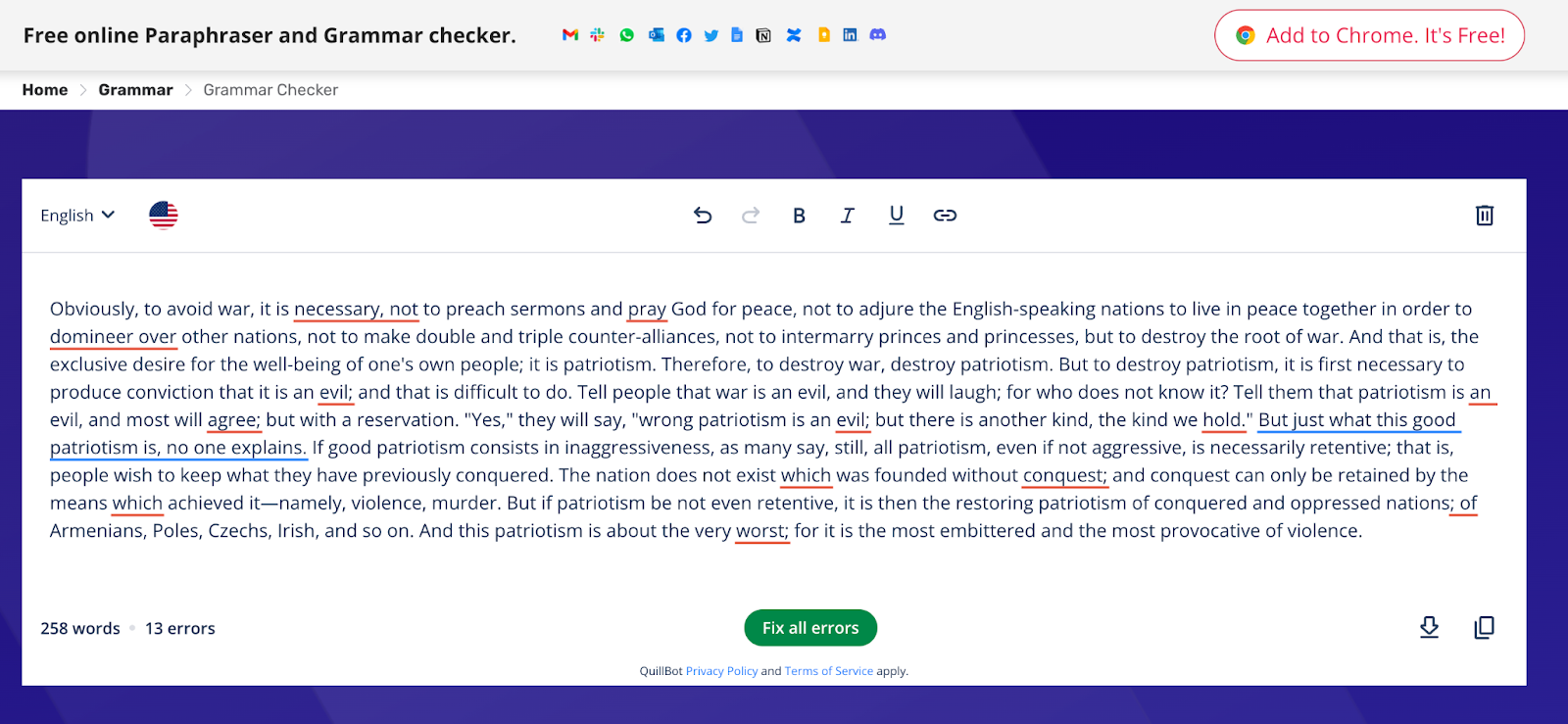
This is another free grammar checker built for non-native English speakers.
It is run under Quillbot, so all terms of service and the privacy policy of Quillbot apply to SpinBot as well.
Key features
- Offers grammar checks for US, UK, Canadian, and Australian English, plus French and German
- “Fix all errors” corrects all your mistakes in one go
- Also suggests synonyms to improve the content of your text
- Dedicated sentence checker, grammar checker, spell checker, and punctuation checker as separate tools
Pros and Cons
Pricing
SpinBot is also free for all users.
11. LanguageTool
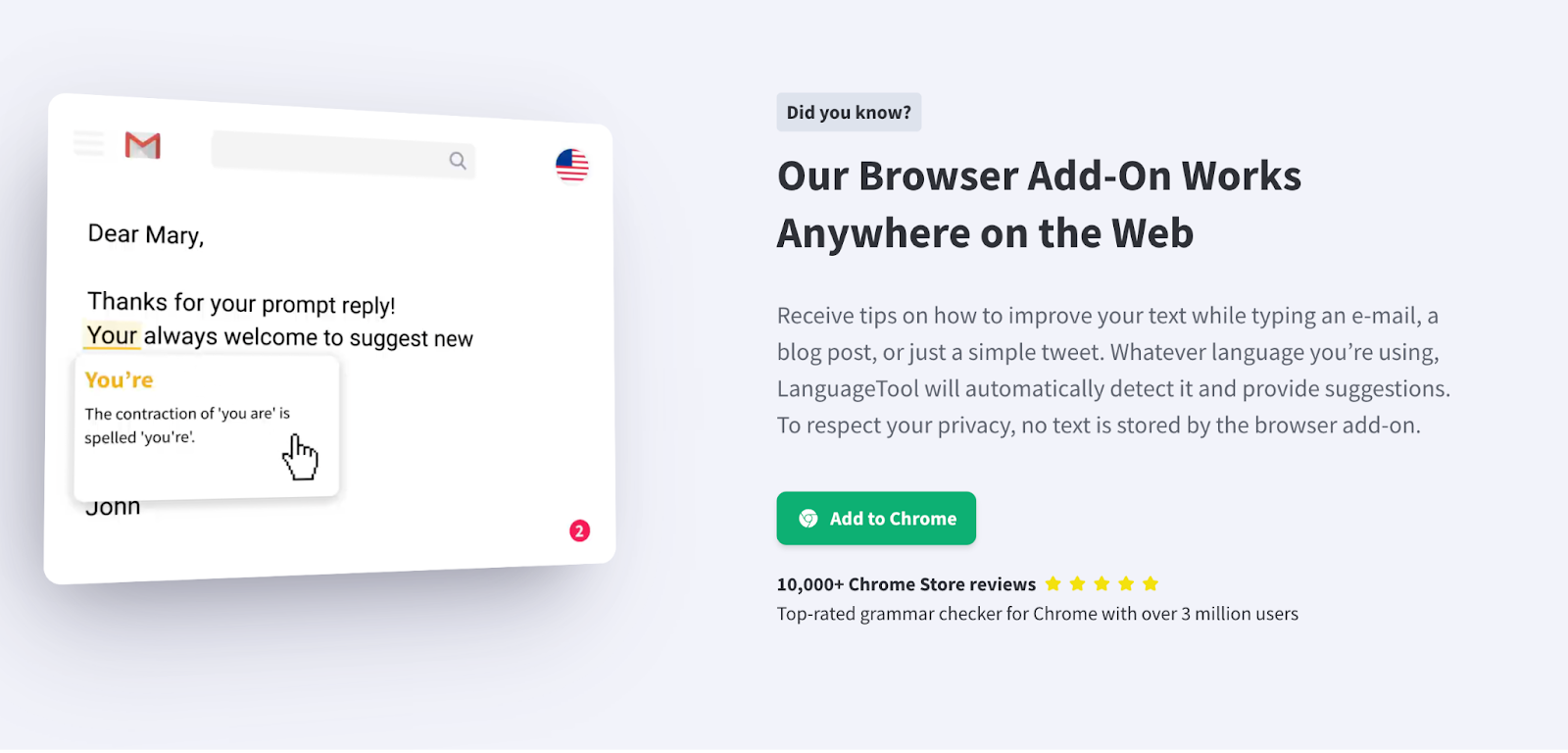
Another open-source grammar and language tool on our list, LanguageTool, works for over 25 languages. Like other writing tools, it can be used on the web and as a Chrome extension.
It particularly scans your text for commonly confused spellings and punctuation errors. There’s a picky mode to really drill down on specific grammar rules. And for times you find yourself overusing some words, you can ‘Enable synonyms’ and get alternate word suggestions.
Key features
- Allows you to create a personal dictionary and avoid brand-specific words being flagged
- “Picky mode” for advanced punctuation, style, and typography in complex sentences
- Light and dark working modes available
- Works for multiple languages
- Provides statistics such as languages you used, errors made, and suggestions applied
Pros and Cons
Pricing
There’s a free plan for basic grammar checks. To access “Picky mode,” you can sign up for a premium version for:
- Individuals at $2.91 /month with up to 150,000 characters per text field
- Teams at $5.53 /month with multiple user seats
12. Linguix
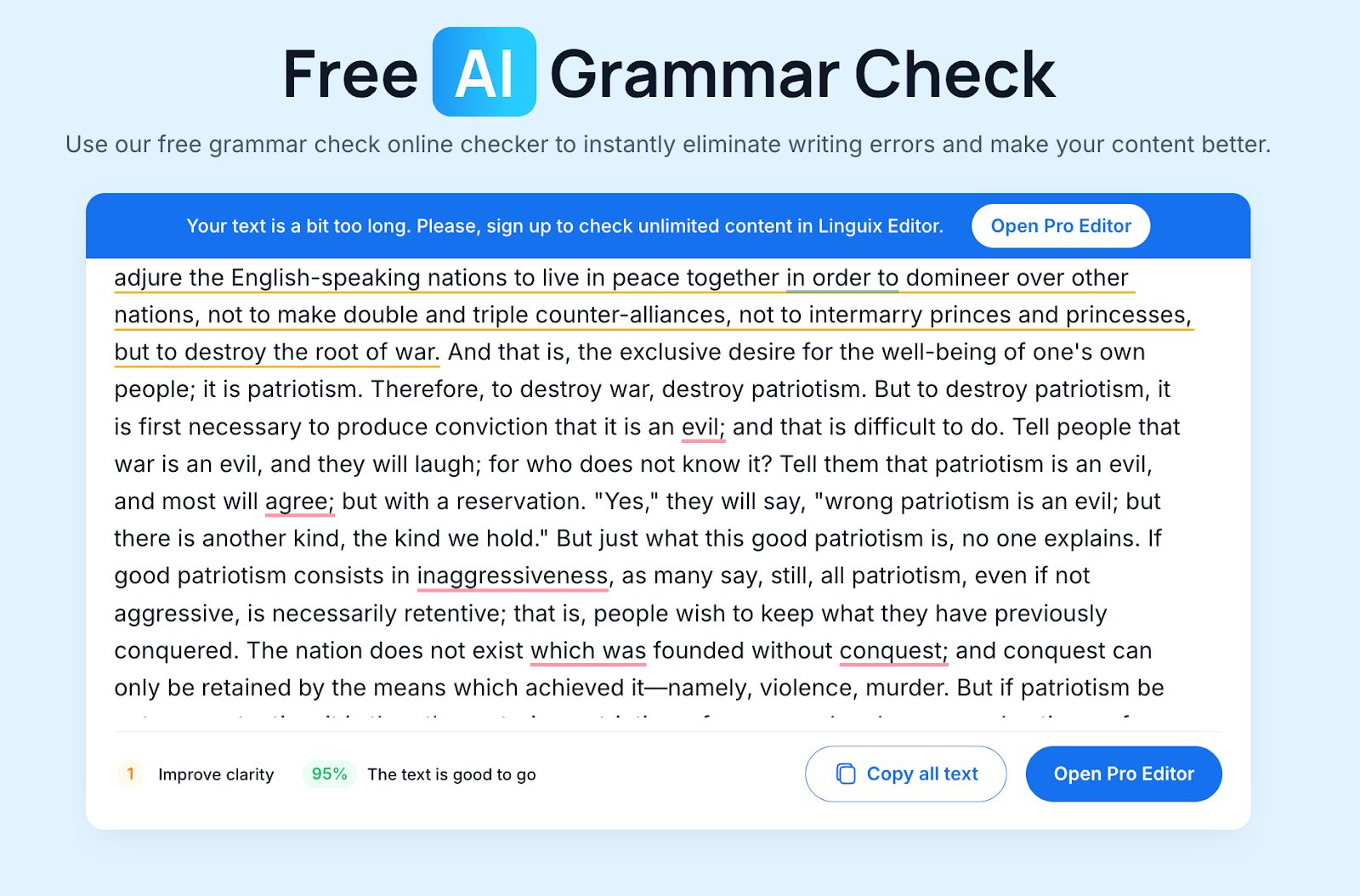
Besides being very similar to Grammarly/ProWritingAid grammar checkers, Linguix comes with an AI rewriter that fixes all your grammatical and stylistic errors.
It also gives you a content score to report how grammatically accurate your text is, with 100 being the highest score.
You can also introduce style guides to prefer a certain type of writing and avoid unnecessary flags. The team management features of the tool are pretty great for multi-member collaboration.
Key features
- Fixes errors in English, Spanish, French, German, Portuguese, Italian, and Polish
- Includes a ChatGPT integration
- You can double-click on any word in your text to see a list of synonyms
Pros and Cons
Pricing
The basic grammar checking features of Linguix are free. It offers some paid plans for advanced stylistic recommendations and typing shortcuts, which are priced at:
- Monthly plan at $30.00
- Annual plan at $140.00
- 2-yearly plan at $240.00
Comparison of GPTZero with other Grammar checkers
Here’s a quick comparison of GPTZero with all the other tools we’ve discussed.
Choose the Right Checker Based on Your Needs
While every grammar checker on this list performs the basics pretty well, each one has at least one weak point.
- Grammarly is great and performs advanced grammar checking, but you'll have to pay a premium for it, especially if you’re subscribed to a team plan.
- ProWritingAid gives you detailed reports on your writing patterns and grammar, but it starts to lag when you load lengthier documents, like anything over 25,000 words.
- Free tools like Quillbot and SpinBot are fine only if you just need a quick once-over check. But they won't catch much beyond basic spelling and punctuation.
So it all comes down to what your priority is and what you're willing to compromise on.
If you care more about getting accurate grammar corrections, clear sentence feedback, and editorial suggestions than you do about having a built-in paraphraser or synonym tool, GPTZero does that well.
It also checks for clarity issues and flags sentences that are too wordy or vague, which most free tools skip entirely.
And the free plan gives you access to the core grammar features without locking them behind a paywall, so you can actually test it properly before deciding if it's worth paying for.
Give GPTZero a try today!
FAQs
Is Grammarly the best grammar checker?
Grammarly is one of the top grammar checkers, and has been since its launch back in 2009, but recent user experiences say that it is no longer the most accurate one. Also, a lot of users are lately complaining about their inactive customer service.
What is the best grammar checker app?
Each of the grammar checkers discussed on this list has its pros and cons, but the GPTZero grammar checker works well for a general user with no other needs than accurate grammar checking
Are AI Grammar Checkers Accurate?
Yes, many AI grammar checkers are programmed to be accurate. There are some, however, which may suggest incorrect grammar changes too, so you should be vigilant about the tool that you are investing in.