Top 6 Helpful Tools for Writing
If you’re a writer looking to stay organized and improve your writing, these 6 proven tools actually make a difference.



Writing is a hard task, and without the right tools, it gets even harder.
By “tools”, I don’t mean Microsoft Word or Google Docs. And no, I’m not talking about Grammarly either.
I’m talking about innovative tools or the ones that solve specific problems of modern writing. For example, after AI, clients keep questioning whether you actually wrote what you sent them. Before AI, this problem didn’t exist. This concern birthed the AI detector tools industry.
In this guide, you’ll explore writing tools or tools that provide some sort of writing assistance.
We tested dozens of options and kept only the ones that solve genuine problems.
Here’s a quick overview of the tools you’ll learn about.
TL;DR
6 Best Tools for Writing (For Different Writing Needs)
Before we dive in, you should know that each tool on this list solves a different part of the writing journey. So instead of picking just one, you may consider this as a toolkit you can pull from depending on what your writing needs are.
1. GPTZero (Best for AI Detection & Writing Replay)
GPTZero started out as the first AI detector when ChatGPT’s arrival filled the internet with AI-written content.
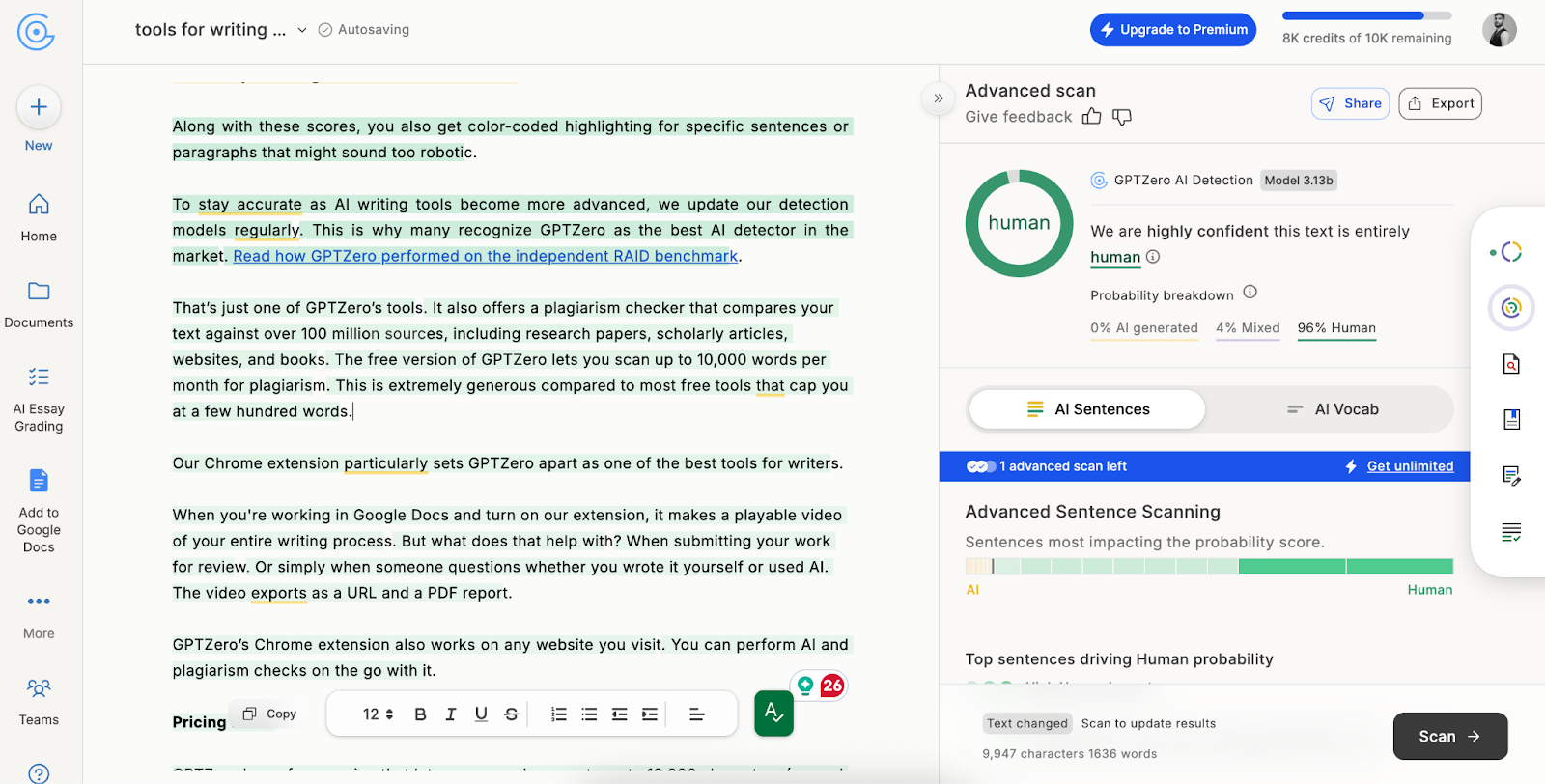
Using it is simple. You paste in your text or upload a document, and GPTZero scans it to show you the percentage of content that reads as human, AI, or a mixture of both.
This percentage helps writers understand when their voice is coming through clearly and when they're letting AI do too much of the work.
Along with these scores, you also get color-coded highlighting for specific sentences or paragraphs that might sound too robotic.
To stay accurate as AI writing tools become more advanced, we update our detection models regularly. This is why many recognize GPTZero as the best AI detector in the market. Read how GPTZero performed on the independent RAID benchmark.
That’s just one of GPTZero’s tools. It also offers a plagiarism checker that compares your text against over 100 million sources, including research papers, scholarly articles, websites, and books.
The free version of GPTZero lets you scan up to 10,000 words per month for plagiarism, which is extremely generous compared to most free tools that cap you at a few hundred words.
Our Chrome extension particularly sets GPTZero apart as one of the best tools for writers.
When you're working in Google Docs and turn on our extension, it makes a playable video of your entire writing process. This can help when submitting your work for review, or if someone questions whether you wrote it yourself or used AI. The video exports as a URL and a PDF report.
GPTZero’s Chrome extension also works on any website you visit. You can perform AI and plagiarism checks on the go with it.
Pricing details:
GPTZero has a free version that lets you scan documents up to 10,000 characters (around 1,500 words) at a time. For longer scans, you can buy paid plans. GPTZero has 3 paid plans.
2. Scrivener (Best for Long-Form Projects & Organization)
If you've ever found yourself using separate Word documents for each chapter, sticky notes scattered across your desk, and research PDFs buried somewhere in your downloads folder, Scrivener might just change your entire writing life.
At first glance, it might look like yet another word processor. But it isn’t an average one. It's specifically built for authors of long-form projects like novels, screenplays, research papers, or blog series.
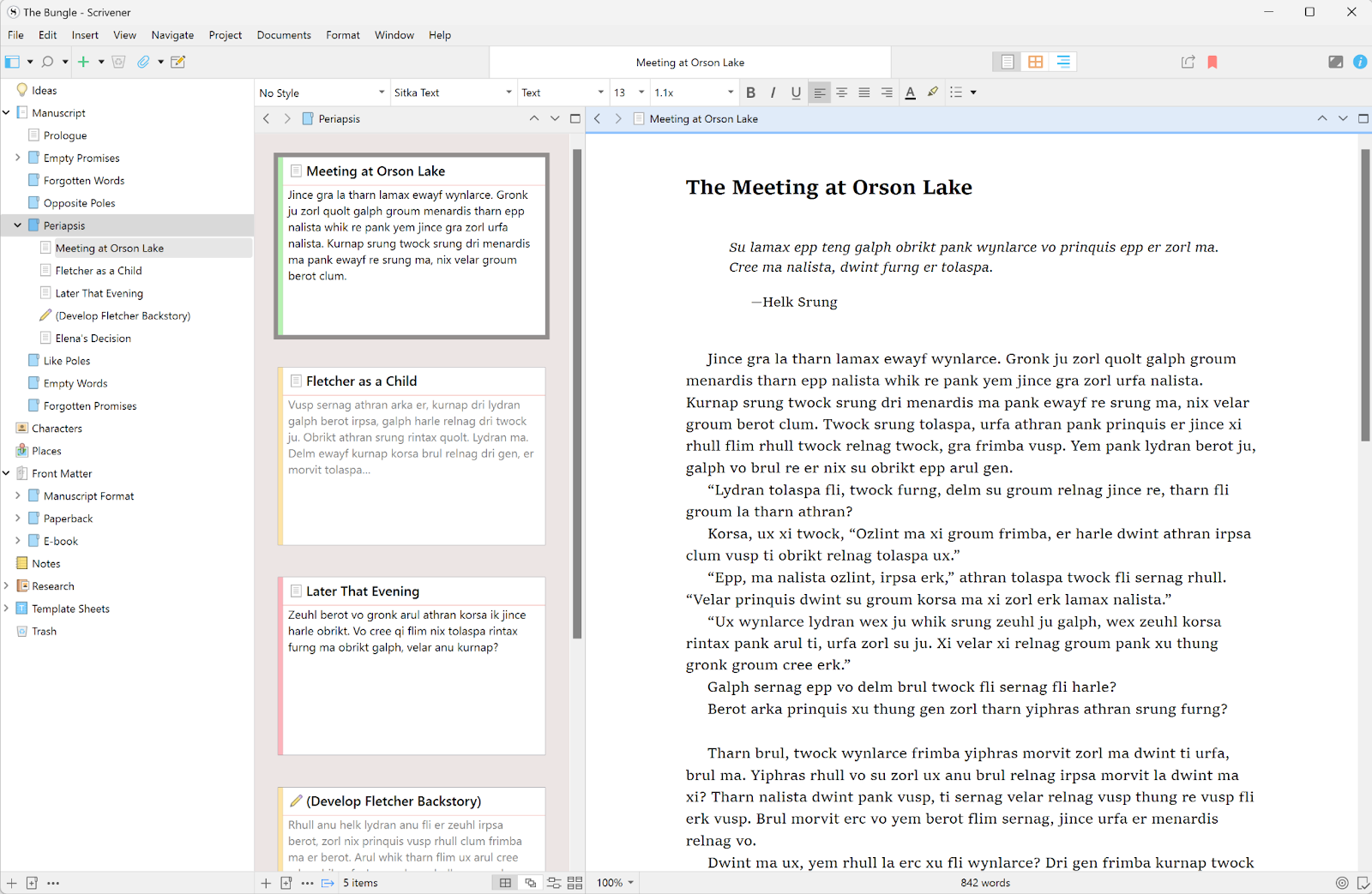
Another thing about Scrivener that ordinary word processors lack is that it organizes all materials you might need during writing in a sidebar for easy access.
The software uses a binder system, where you can store your manuscript alongside character sheets, research materials, photos, PDFs, web clippings, and random inspiration notes. So the binder is just like a ring binder, but in a digital form.
You can break your manuscript into movable sections, then rearrange them by dragging and dropping, if needed. For example, if you realized your prologue should actually be Chapter 3, you can simply hold and move it to its new place. No copy-pasting required.
Having so many features makes Scrivener’s default layout look busy, and that can mess with focus.
That’s why Scrivener offers a composition mode that blacks out everything except your text when you need zero distractions.
Additionally, there’s also a corkboard view to see virtual index cards representing each scene and an outline view that shows your structure at a glance.
Scrivener could be the best writing program for you, but its learning curve can feel steep at first.
Pricing details:
- 30-day free trial (30 days of actual use, not 30 consecutive days)
- $60 as a one-time purchase for Mac or Windows
- $24 iOS app
3. Frase (Best for SEO Optimization & Content Research)
Frase is one of the most advanced and professional tools for writers in this list.
If you’re an SEO writer, you want your content to actually rank. And like most writers, you also depend only on your intuition to evaluate your content’s ranking potential – but honestly, that won't help you perform in search engines.
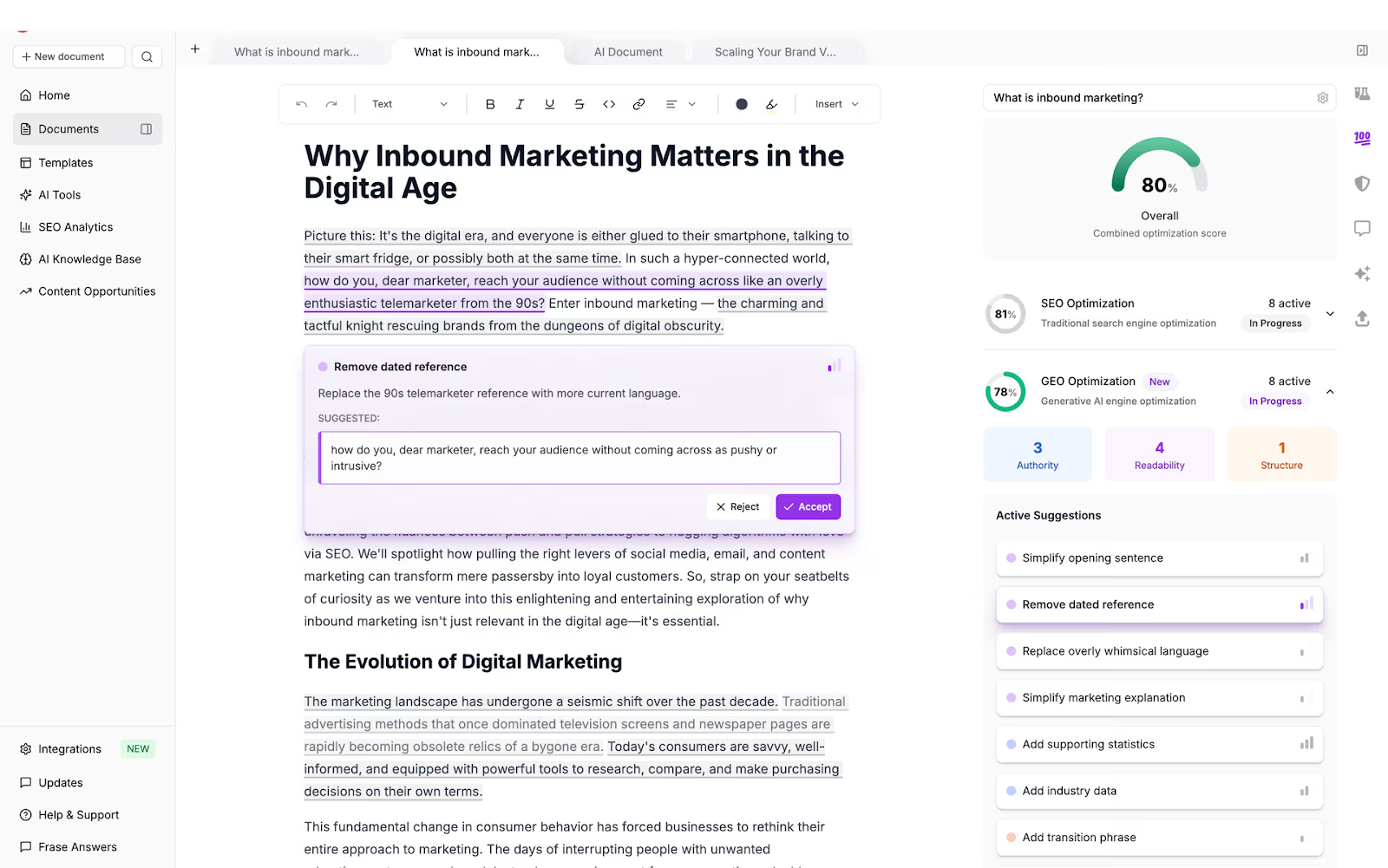
What really works? Professional writing tools like Frase – a content optimization and creation tool that estimates and displays the SEO (and now GEO) metrics of your content in real-time.
You just paste your content into its text editor, and it starts making optimization suggestions and updating SEO and GEO metrics as you edit.
The platform offers a SERP visualizer that compares your content against competitors’ to let you in on your strengths and areas of improvement.
You can also enter a topic keyword to view top-ranking articles on Google and AI platforms, their ranking, structure, word counts, the headings they cover, and much more.
Writers facing writer’s block can also generate content briefs using Frase so they don’t have to start from scratch.
Pricing details:
- Free trial (edit 2 content documents + create 1 rank-ready article)
- Paid plans start at $45/month
4. Milanote (Best for Visual Planning & Story Mapping)
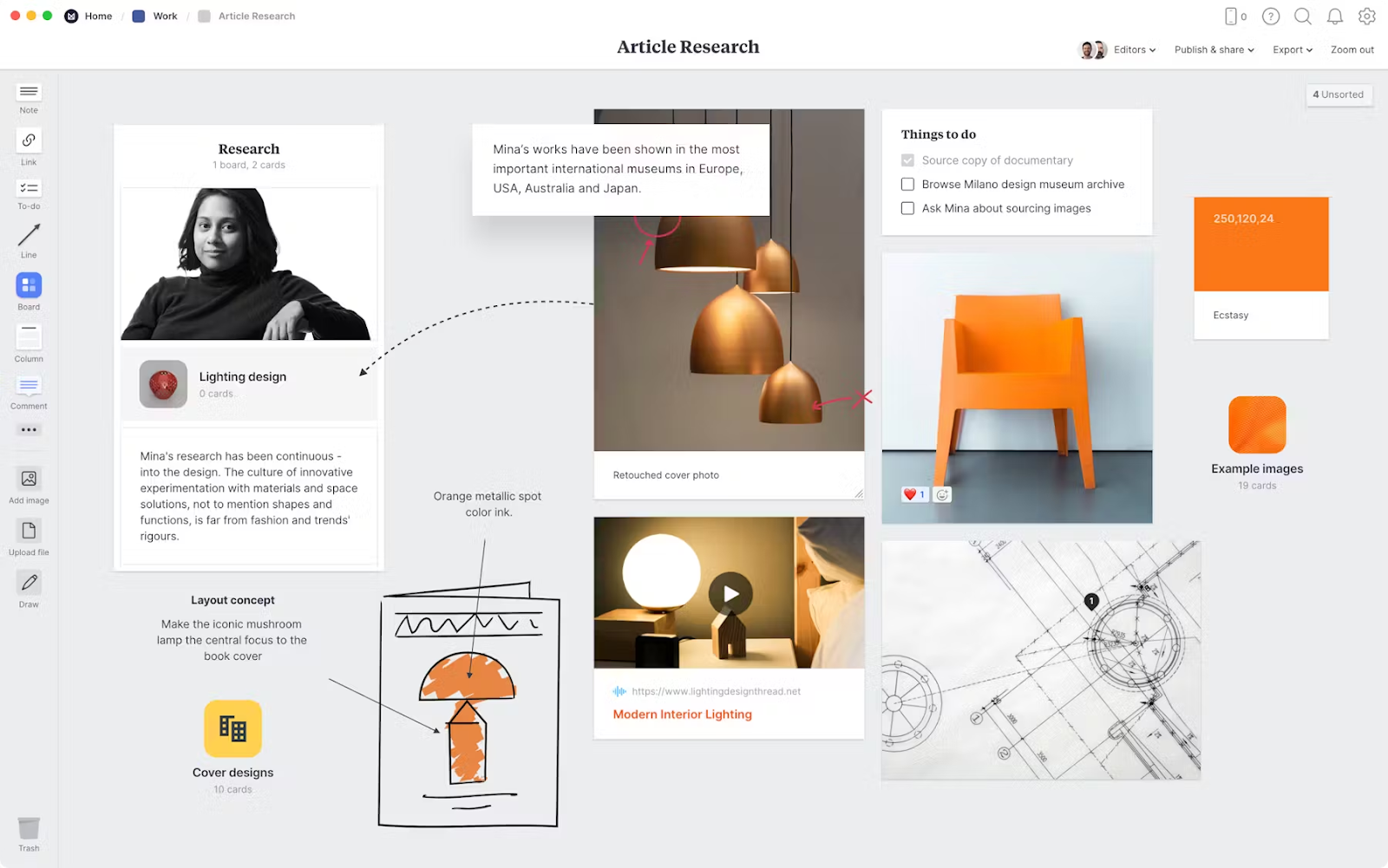
Milanote is a visual board system where you can explore ideas before they're ready for a neat final draft.
The space lets you drop in notes, images, links, PDFs, and pretty much any file type you need, then drag and drop everything until it makes sense.
For writers specifically, Milanote offers templates for character development, story outlines, and plot mapping so you don’t have to start from a blank screen (unless you want to).
For instance, you can have one board for mood and inspiration, another for character arcs, another for research, and so on. You’ll particularly like Milanote’s visual layout, especially when you’re working on multiple storylines or a complex world.
If you stumble across the perfect reference image or article anytime while surfing the web, you can save it for inspiration using their web clipper with a single click.
A heads-up, though: since Milanote is a writing assistant, you can use it only in the pre-writing and planning stages. This is primarily one of those tools to help with writing preparation rather than the actual writing itself.
Once you get your ideas in order, you’ll have to move to your main word processor, like Google Docs or whatever you use.
Pricing details:
- Forever free plan (100 notes, images, or links; 10 file uploads)
- $12.50/month plan (unlimited file uploads, notes, images, or links)
- $49/month plan for 10 people (unlimited file uploads, notes, images, or links)
5. ProWritingAid (Best for Editing Depth & Style Improvements)
ProWritingAid has been around since 2012, back when a writer in London wanted help getting past self-doubt and perfectionism.
That origin story has been shaping the tool’s approach till today.
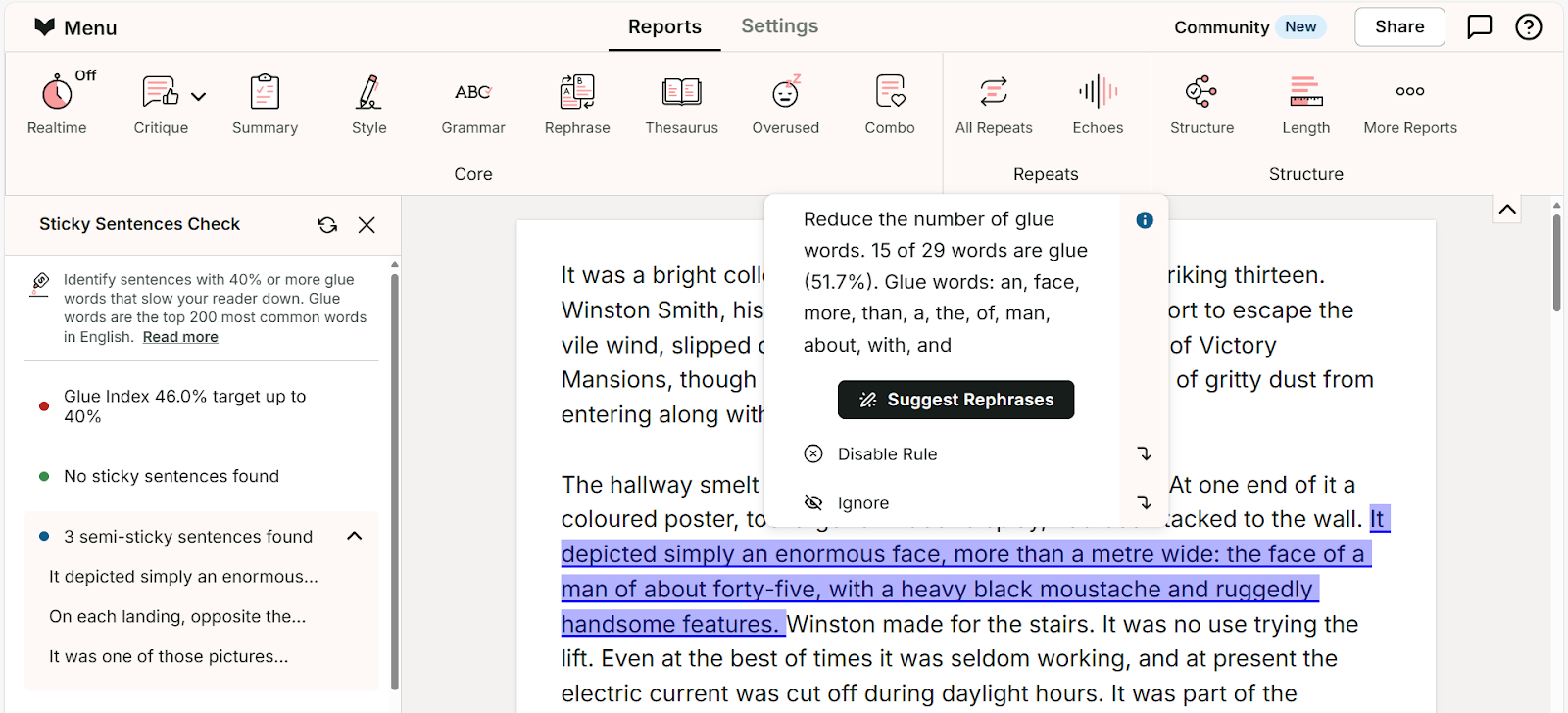
ProWritingAid finds grammar, spelling, and punctuation errors like any decent editor would. But unlike simpler tools for writing, it also explains the reasoning behind its suggestions when you hover over them.
The depth of its reports is also commendable. There are over 25 of them, and each one reviews your writing for different things.
For example, the readability report rates how easy your content reads. The pacing report tells you if your paragraphs drag or rush.
There's even a cliché finder that catches phrases you didn't realize had become overused. There’s a consistency checker, too, that makes sure spellings are consistent throughout your manuscript. For instance, if you have spelled the same character differently or if you have switched between OK and okay without a good reason, the consistency checker will catch these.
The Word Explorer feature is also worth mentioning. It suggests words contextually based on how they are used in poetry and songs. This feature also works as a reverse dictionary for when you know the concept but can't pin down the exact word.
Pricing details:
- Free version
- $30/month premium plan
- $36/month premium pro plan
6. Clockify (Best for Time Tracking & Billing Accuracy)
Clockify is the best tool for writers (and other professionals) struggling with correct invoicing.
Writers often underestimate how long projects actually take. Or they’re aware of it but still under- or over-charge the right rate for their effort.
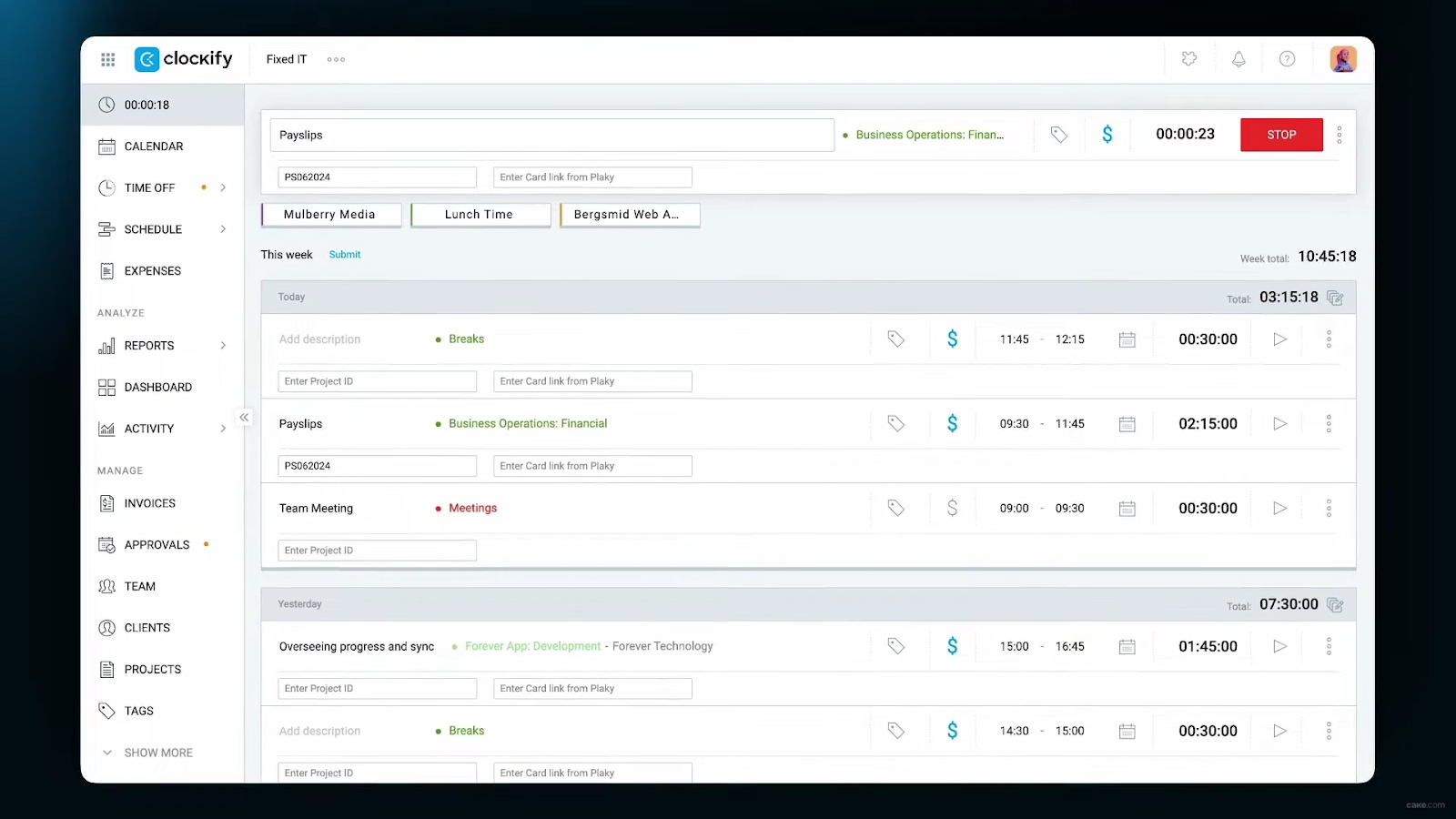
Clockify is a time tracking tool that lets writers monitor how much time they spend on each project and task.
The tool is simple to use and mostly involves clicking a timer at the start and end of your writing. You can also resume the timer of a session if you paused it to take a break. Plus, if you forget to track something, Clockify lets you add time for it manually.
You can also tag each session with a project name for future reference.
The platform uses these sessions to create detailed reports and analytics. These insights can help freelance writers with accurate invoicing. They can set hourly rates for projects inside Clockify, after which the tool automatically calculates what they’re owed for a session.
The tool has use cases beyond just budgeting. You can use it for planning, attendance, reporting, payroll management, or simply timekeeping.
Pricing details:
- Free plan with unlimited tracking for unlimited users
- Paid plans start at $4 and add scheduling, invoicing, and more detailed project management features
The Right Writing Tools Make A Good Writer
By now, you have explored tools that cover every stage of the writing process, be it planning, editing, optimizing, or time tracking.
Which of these tools should go into your toolkit depends on what kind of writer you are and what problems you face.
Just remember that these tools for writing exist to support your writing process. Your writing should always stay authentically yours.
That's exactly what GPTZero helps you protect. It scans your text and shows the parts that sound AI so you can rewrite them in your voice.
It also documents your writing process to prove to your clients and reviewers that your work came from actual human effort.
Start using GPTZero today and keep your writing authentically you.