
Simplified AI Review: Features, Pricing and More
Simplified is an all-in-one marketing platform that provides AI tools and agents. In this Simplified AI review, you’ll learn about its features, pricing & more.


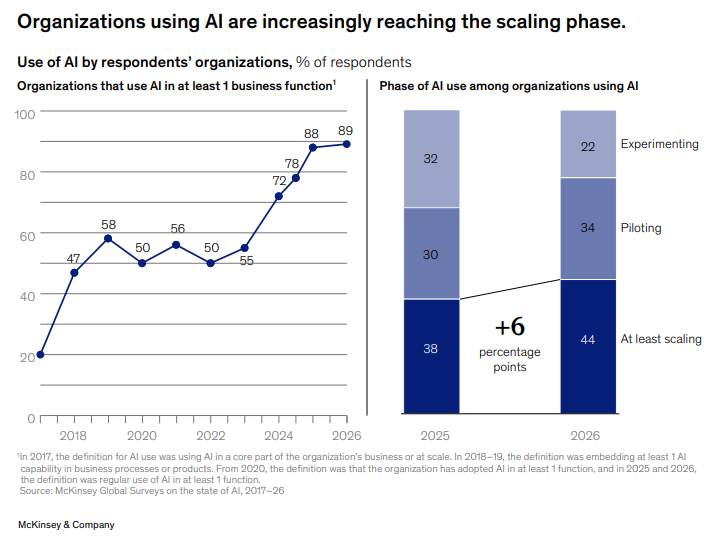
McKinsey's newly published State of AI in 2026 survey found that 89% of organizations now use AI regularly in at least one business function.
The same survey found that revenue gains are most often attributed to AI use in marketing and sales, ahead of product development and software engineering.
The Simplified platform provides dozens of AI tools and agents for organizations like these.
In this review of the Simplified platform, I’ll walk you through the entire platform and show you where its tools can help in a marketing campaign.
I’ll also test Simplified’s AI humanizer against GPTZero’s AI detector.
Let’s start with an overview of the platform.
What is Simplified.com?
Simplified is an AI-powered marketing and content-creation platform developed by TLDR Technologies, Inc.
The platform’s tagline is “agentic OS for marketing” because it offers AI agents that can plan, create, approve, and publish marketing work for you while requiring minimal manual intervention.
The platform’s proprietary AI agent is named “Riley,” which can automate your campaign pipeline and perform the aforementioned tasks, up to publishing and analytics-driven learning for the next cycle.
By default, Riley is set to seek approval from you before publishing anything. However, you can enable auto-publishing as well. If you want to control specific workflows within the pipeline, you can do so from the app, Slack, or the command line.
Before becoming an agentic platform, Simplified was a general-purpose, AI-powered design and content toolkit. This toolkit still exists today for individual use. The AI agents that handle your pipeline also make use of the same tools for creating marketing assets for your campaigns and more.
These tools span several categories such as:
- Design and image
- Writing tools
- Video
- Social media management
- Project and workflow management
The total number of these tools isn’t confirmed. The website even displays different sets and numbers of tools on separate pages.
Simplified works as a web app and also has Android, iOS, and Shopify apps. It works on all major browsers, including Chrome, Safari, and Firefox.
Simplified has a free plan for individual use that allows you to try out essential features only. Any serious work requires buying their paid plans that range from roughly $29 to $199 per month. They also offer an enterprise plan with custom pricing.
AI Features Offered by Simplified
Below are the six AI feature categories that Simplified offers to help companies with their marketing.
Design & Content Generation
The tools in this category create static visual and written content.
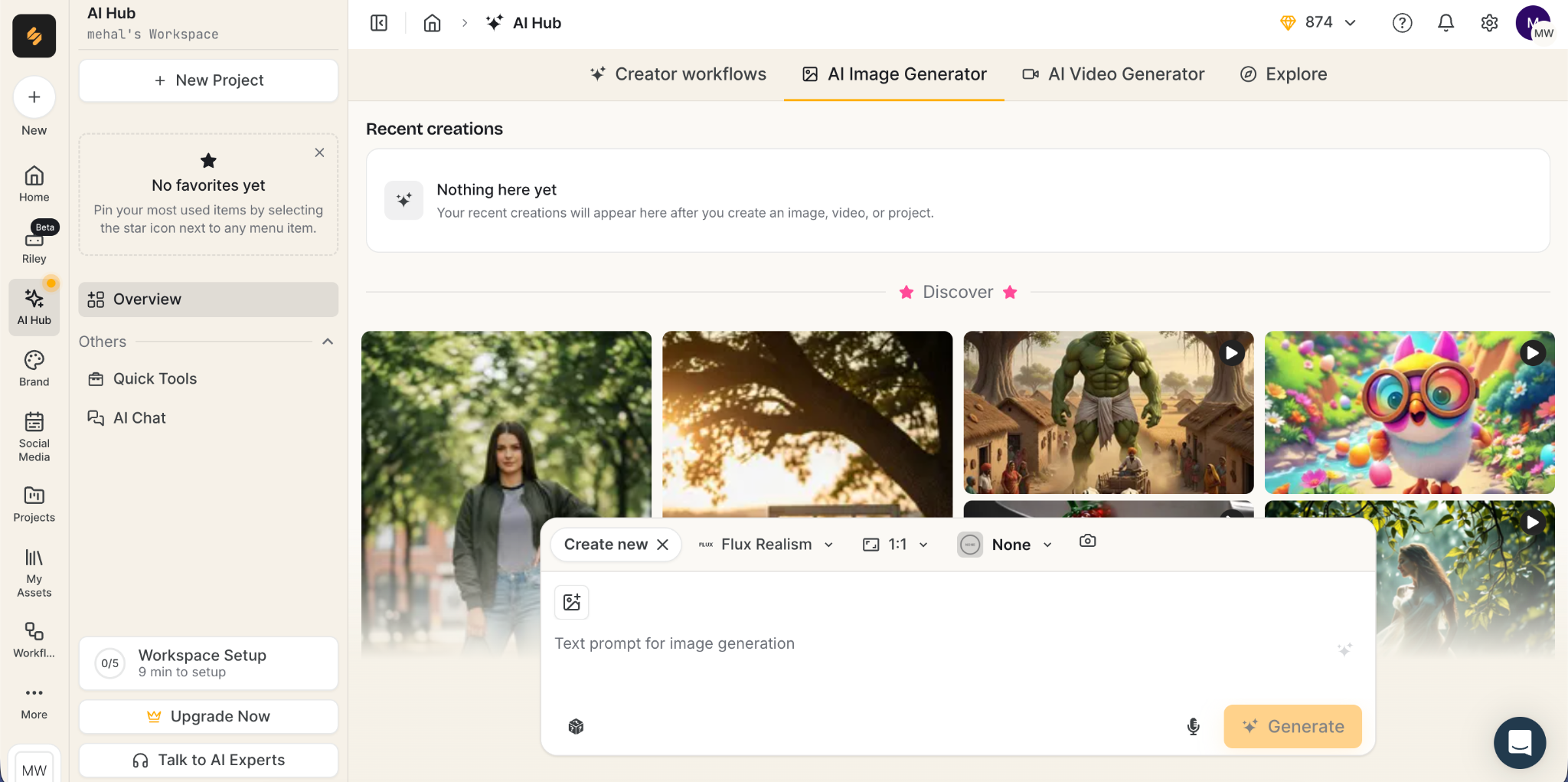
Here’s a list of those tools and a brief description of what they do:
- AI Image Generator: You give this tool a prompt describing the image you need, and the tool then routes the task to image generation models such as Flux, Ideogram, Gemini, OpenAI, Qwen, etc. You can either let Riley pick an appropriate model from these or pick the model yourself. Whatever model you pick, Riley automatically applies your brand kit, so the image comes out looking like it was particularly made for your brand.
- AI Photo Editor: The editor gives you options to remove the background, resize the image, add text, retouch, or remove other objects from the image. There’s also a feature called Generative Fill, which lets you select an area in the image and prompt the AI in plain language to add something there.
- AI Design: This is an entire suite of graphic design tools. You can choose from a library of templates for social media posts.
- AI Presentation Maker: You prompt Riley describing a topic, and it generates a 6- to 30-slide presentation while applying your brand kit to every slide.
- AI Writer: The AI writer trains on your brand voice and can write content in 50+ formats, including blog posts, ad copy, social media captions, emails, etc. It can also plug into your CMS like Shopify or WordPress and auto-publish generated content.
- AI Ads Generator: Generates multiple variations of visuals for your ads based on a prompt and specified settings, and also pushes those to your Meta Ads Manager.
- AI Content Generator: Generates long-form content like articles as well as short content like ad copy and auto-publishes it on Facebook, Google, Amazon, etc.
Video & Audio
This category includes motion and sound production tools. Like the rest of the Simplified platform, these tools are also aimed at generating content for social media platforms.
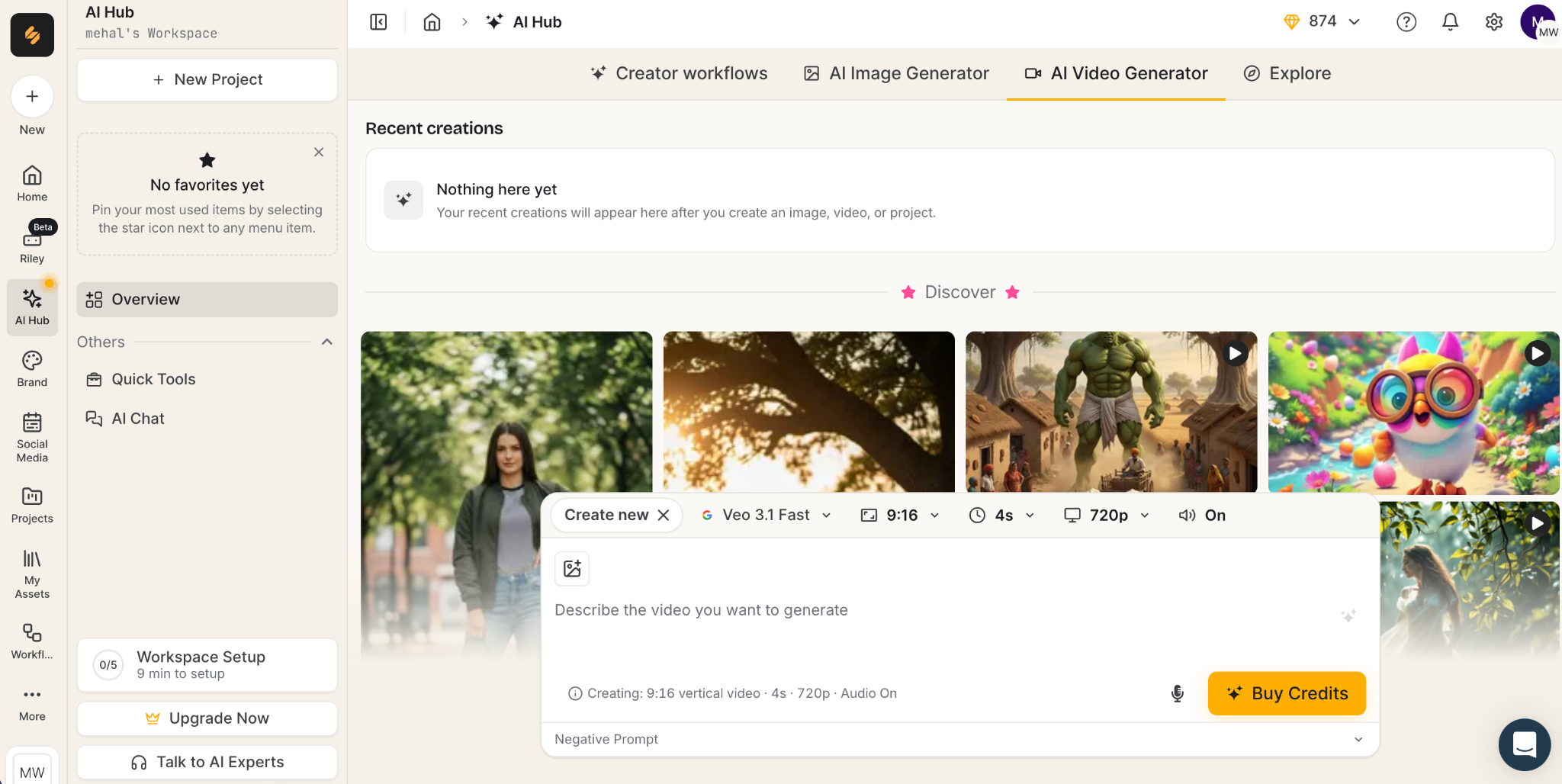
The list of tools is as follows:
- AI Video Generator: This tool takes a prompt, a script, a blog URL, reference images, or an existing video clip and generates a video in minutes using one of the 10 models either selected by you or Simplified itself.
- AI Image-to-Video tool: The tool takes a static image as input and brings it to life in a video. You can choose the AI model the tool should use for video generation, aspect ratio, clip length, and resolution. You can apply royalty-free music to your video and export it for free without a watermark.
- AI Short Clips: Drop a long video from your local storage, YouTube, or Google Drive, and this tool creates meaningful short clips with captions.
- AI Voice Changer: You can upload an audio or video file of up to 15 minutes and choose from a list of 69+ AI voice characters. The tool transforms the voice of the entire recording and generates an MP3 file.
- AI Subtitle Generator: This tool takes a video as input and adds synced captions to it. You can edit the captions or change the text style later on before downloading the file as a video or in an .srt or .txt format.
- AI Thumbnail Maker: Generates multiple thumbnail variations for your YouTube, TikTok, or Instagram videos based on a text prompt and your uploaded brand kit.
Social Media
This is Simplified’s comprehensive social media hub where you plan, schedule, publish, and analyze the reach you’re getting across all social media platforms.
You can set the platform’s AI agent, Riley, to generate marketing materials and upload them to your socials based on a built-in calendar, after seeking approval from your team.
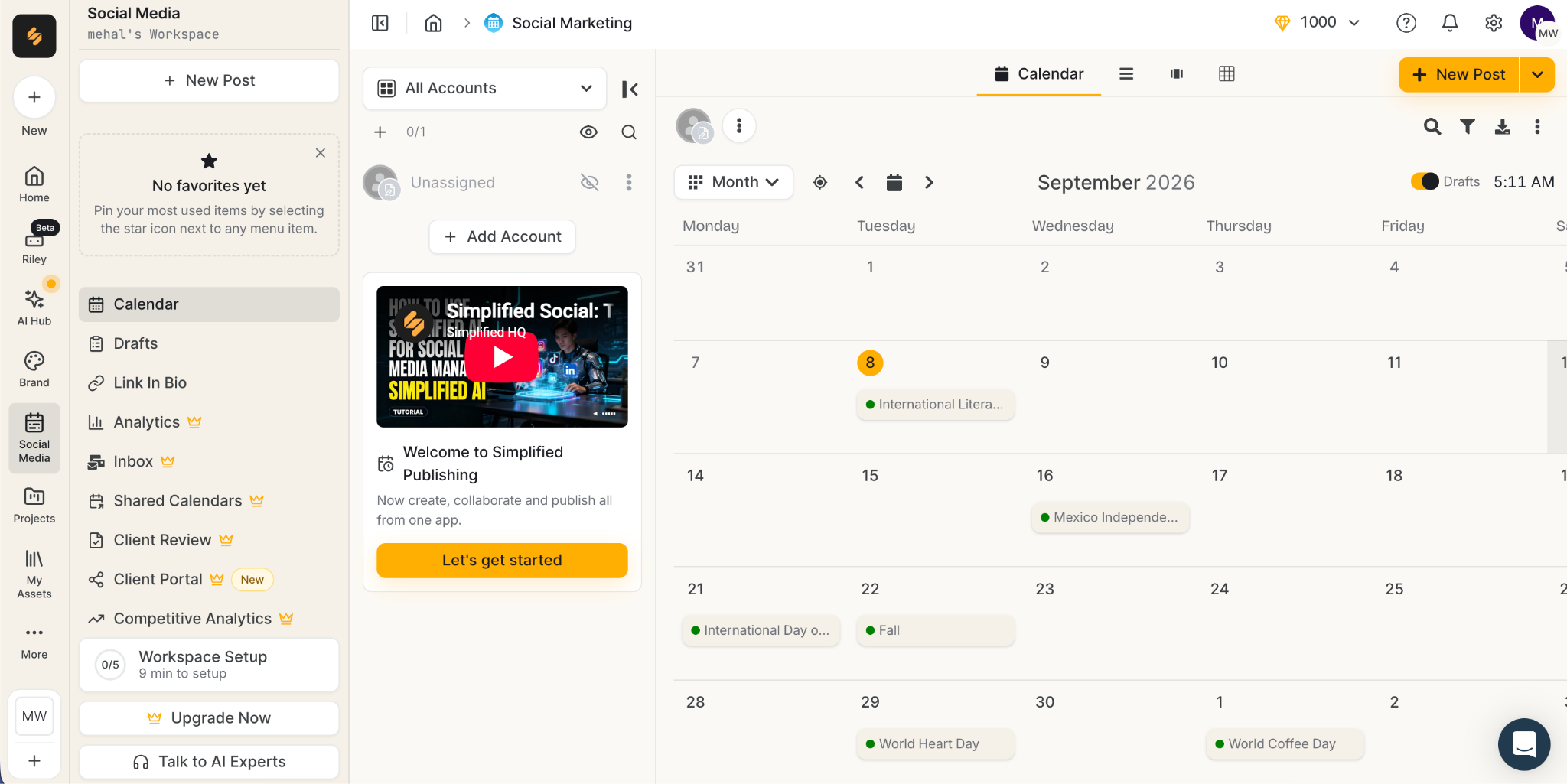
Once the content has been published, you can track 12 types of performance metrics such as likes, clicks, impressions, and video plays.
Then there’s the unified social inbox feature, which lets you assign comments and messages to Riley or your team to reply.
You might have seen those URLs in social media bios that take you to a landing page listing all the important links of a brand. Simplified can also generate that link for you. You can even design the landing page.
Project & Workflow Tools
This category houses organizational and operational tools meant to reduce the coordination overhead between your creative and execution teams.
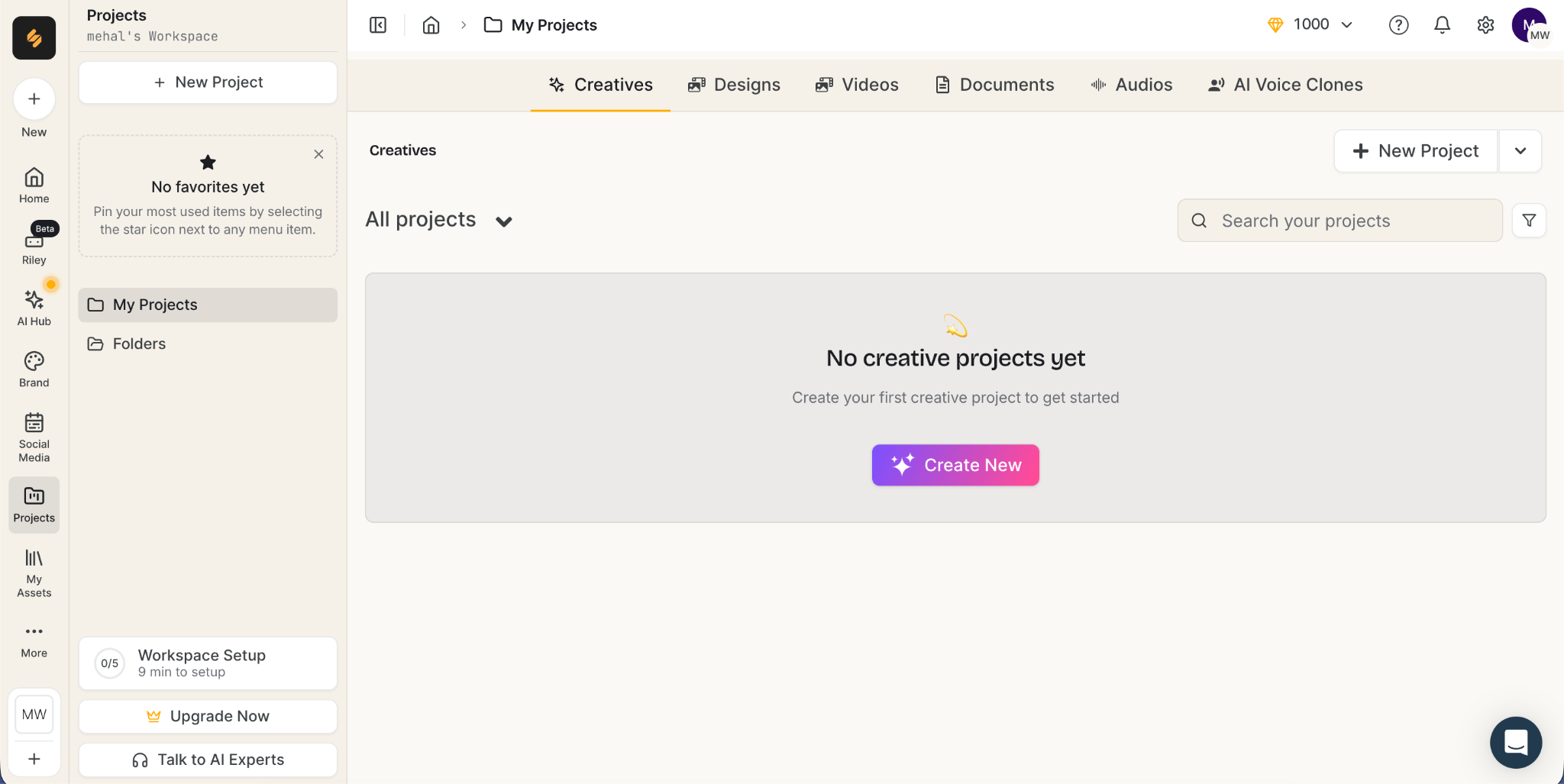
Here’s the list of three features under this category:
- AI-assisted Project Management: Lets you manage, track, and assign resources to your projects separately. The AI handles all setup work such as project board building and writing task briefs so you can focus on other important aspects of your business.
- AI Bulk Post Generator: This tool can generate several social media posts on a topic at once for your desired social media profile while adhering to your brand guidelines.
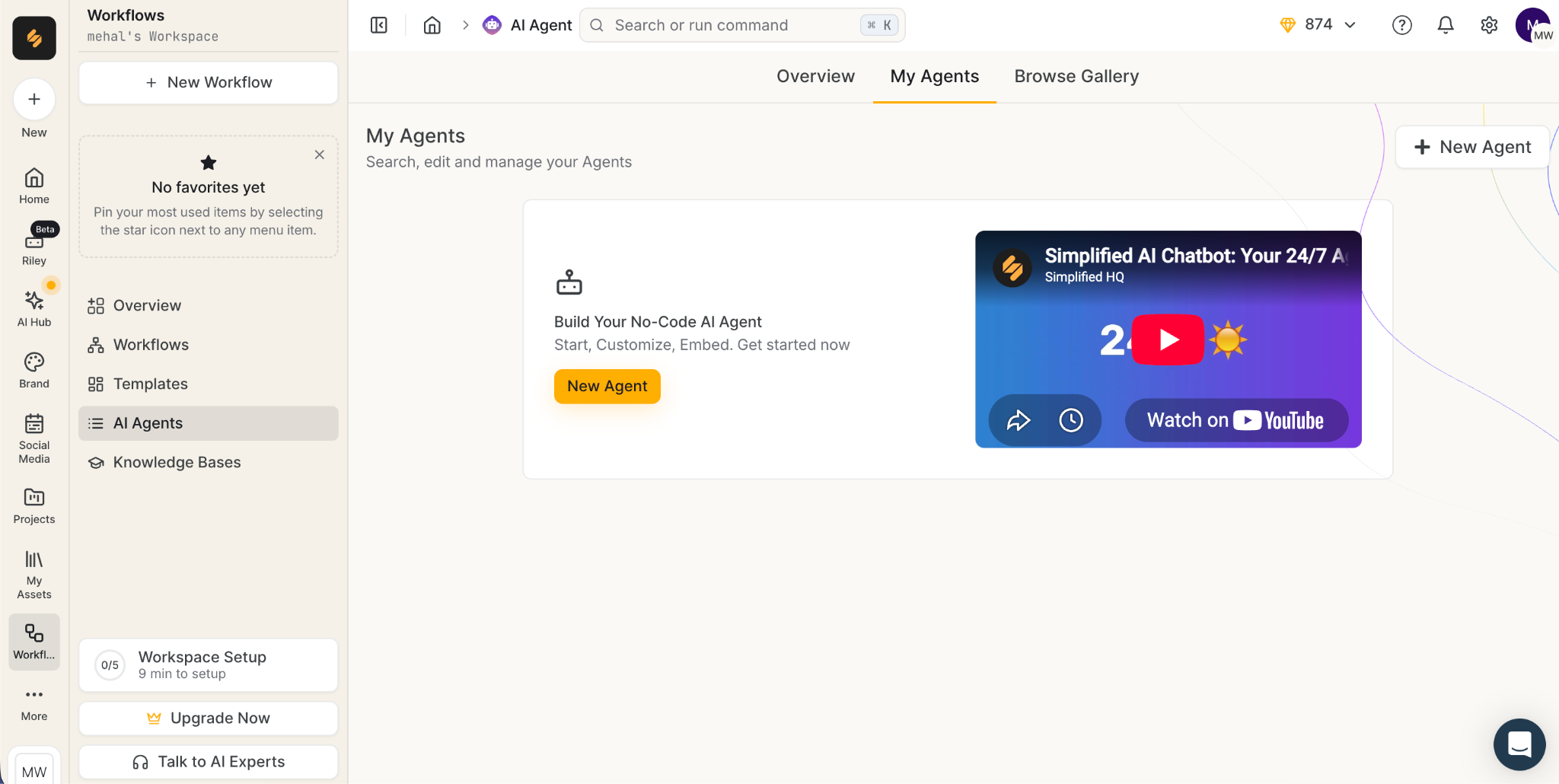
- AI Agent: This feature lets you build and train an AI agent on your data and deploy it everywhere, including WhatsApp, Instagram Business, Facebook Messenger, WordPress, and more.
Agents
This aspect of Simplified minimizes the manual steps a human has to perform in a normal marketing operation using AI agents.
For instance, in a typical marketing operation, a human has to perform the following:
- Write the brief
- Create assets using a design tool
- Write the caption in a different tool
- Check the generated content against brand guidelines
- Post the content according to the scheduler
- Track analytics
- Carry insights into next week's brief
Simplified’s agentic layer frees you from manual overhead.
The end-to-end lifecycle of your campaign is handled by Riley, Simplified’s built-in AI agent.
And since it’s not possible for Riley to perform every recurring job, Simplified lets you train your own AI agents for other custom workflows.
Developer Tools
Simplified also allows developers to connect external AI agents or control Simplified directly through its execution layer instead of the interface using commands.
There are three features in this category, namely:
- An MCP (Model Context Protocol) Server that connects Simplified with Claude, Codex, Cursor, or other MCP-compatible agent clients
- A Simplified CLI (command line interface) for running social automation and analytics commands from a terminal
- A REST API with OAuth2 and webhooks for triggering workflows programmatically
Can Simplified AI Humanizer Bypass GPTZero AI Detector?
Apart from the features that you just read about, Simplified also offers 27 AI tools for free.
One of those tools is an AI text humanizer.
Simplified explicitly mentions that this tool isn’t made to help you bypass AI detectors. Instead, it’s made to remove the AI patterns that are noticeable to humans when they are reading AI-generated text.
I tested this tool with a ChatGPT-generated text sample, and what Simplified states turned out to be true.
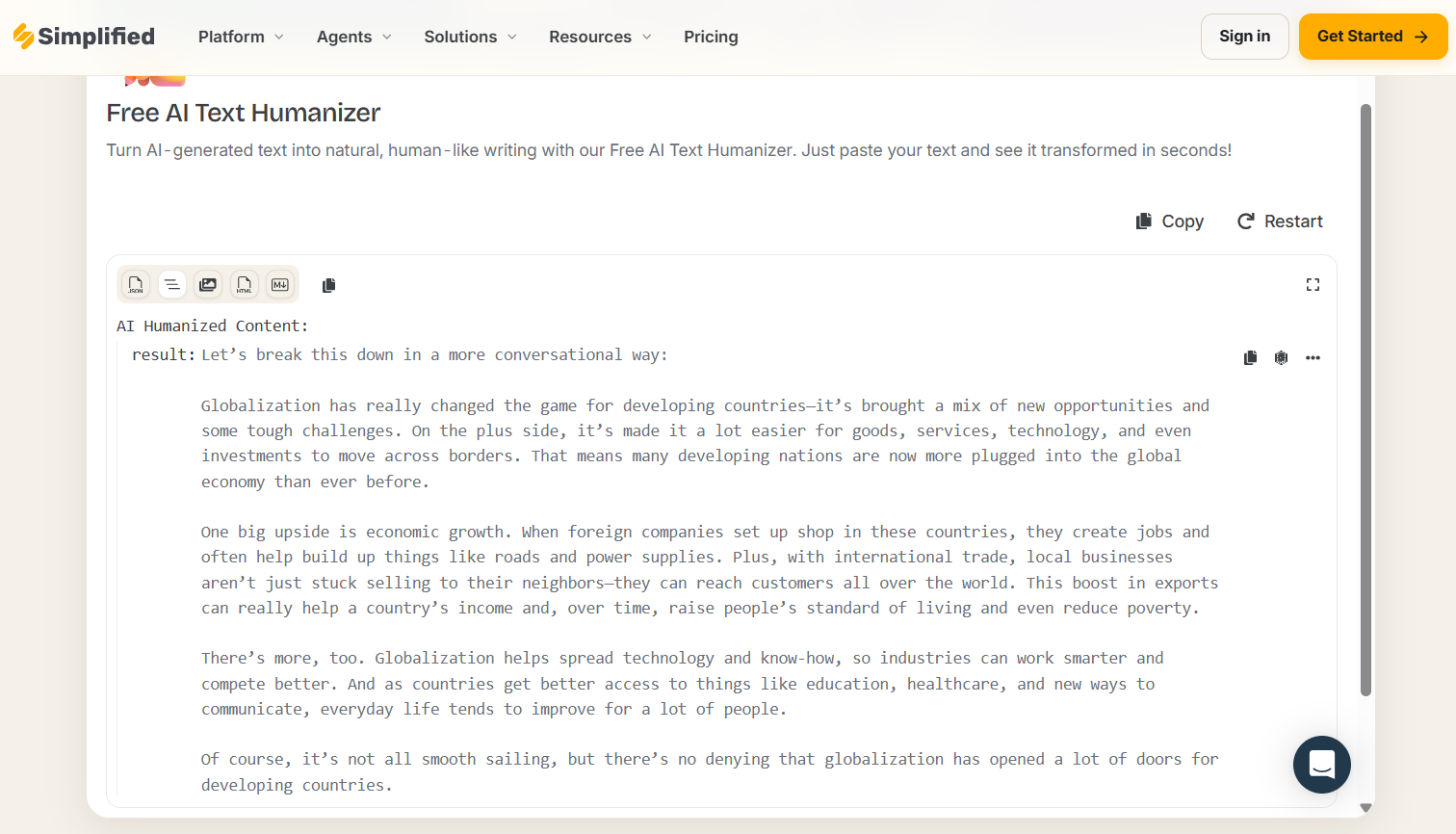
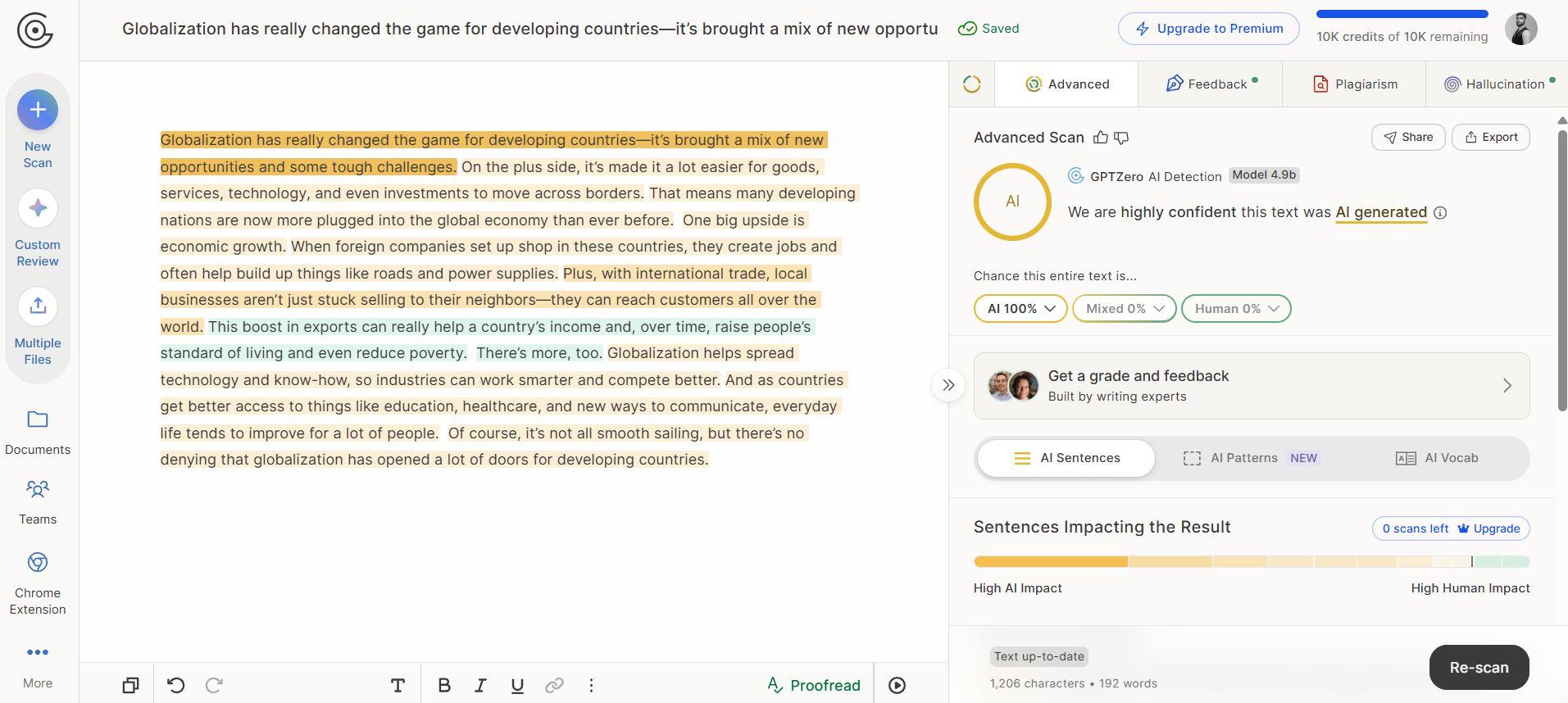
The humanized sample generated by the AI humanizer was flagged as 100% AI by GPTZero. I also noticed that the humanizer returns text in a rough shape. It's rendered in a monospace code block, prefixed with a raw “result:” key that should have been stripped before display.
It is then led by the model's own preamble, "Let's break this down in a more conversational way:", which isn't part of the humanized text at all. It’s like when someone uses AI to write something and then copy-pastes the whole output without removing the obvious AI sentence, such as “Sure, here’s an email reply to Tom regarding yesterday’s meeting:.”
Also, there were multiple buttons to copy the humanized text, but none of them worked.
Not to mention, you can only humanize up to 1000 characters for free.
How Much Does Simplified Cost?
Simplified’s true value lies in its paid plans. The free plan lets you use only the most essential tools, and that too only a few times.
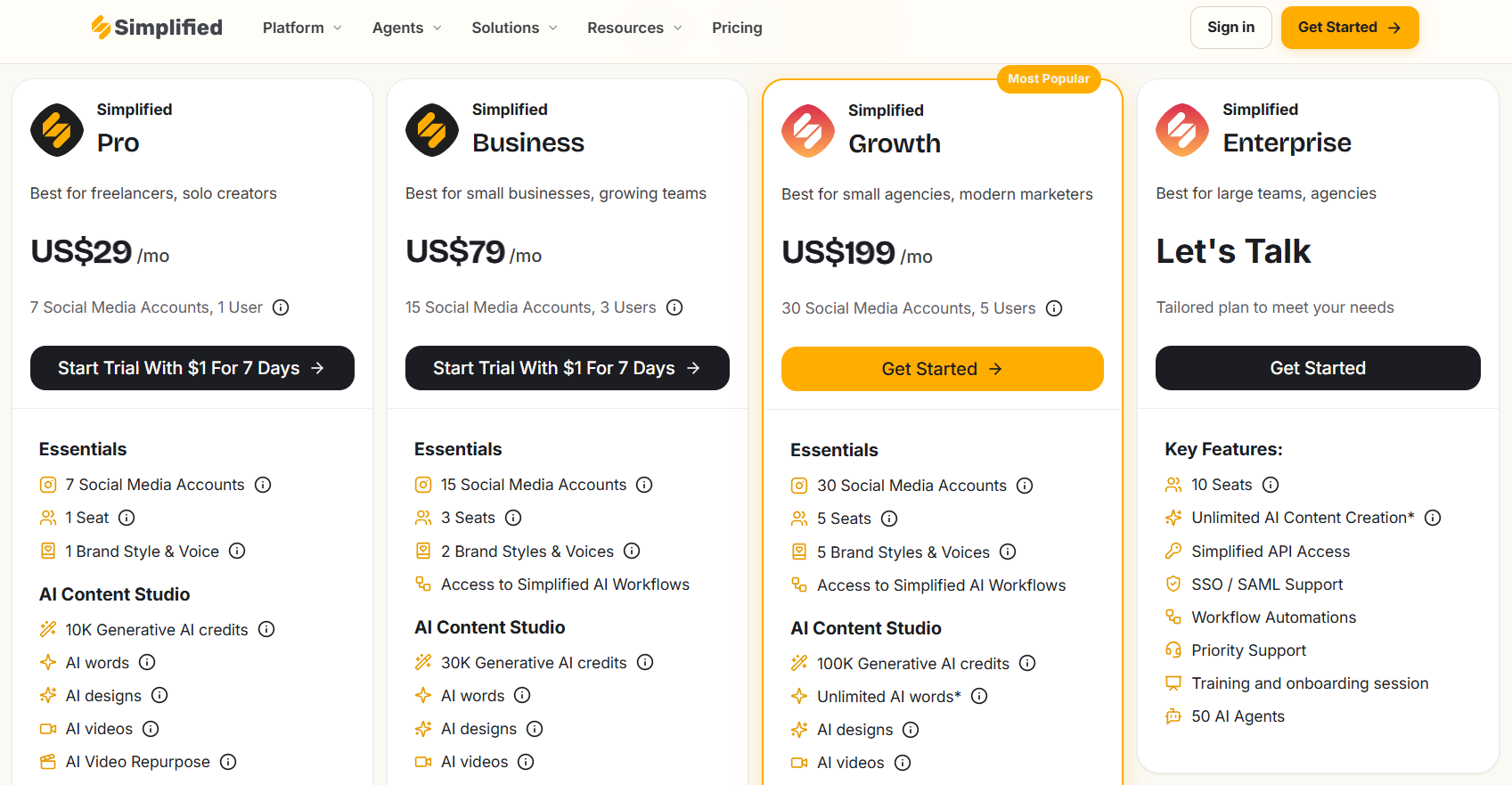
Simplified offers four paid plans available for monthly or yearly subscriptions.
If you choose to pay yearly, you get 35% off on all plans.
The more expensive a plan is, the more social media accounts you can manage and the more members you can add to your team.
Each plan includes a set amount of AI credits for generative tools and cloud storage.
The paid plans are:
- Simplified Pro: $29 a month
- Simplified Business: $79 a month
- Simplified Growth: $199 a month
- Simplified Enterprise: It has custom pricing, and you have to contact their sales team to get a quote
On Simplified Pro and Simplified Business plans, there’s a trial available for 7 days if you pay $1.
Final Thoughts
Simplified is an all-in-one marketing tool. It focuses more on how many workflows it takes off your shoulders than on the quality of the work its tools produce.
You’ll be able to see this more clearly by using its generative text tools and running the output through an AI detector like GPTZero.
The content it generates has prominent signs of AI generation, which leaves a bad impression on readers and audiences as more people start to realize what’s AI slop and what’s not.
If you set aside that concern, the Simplified platform can prove extremely helpful in your day-to-day marketing workflows.
To fix the issue of AI-generated text, you can run your drafts through GPTZero’s AI detector to verify that they meet the accepted AI/human ratio that you have set at your company.
GPTZero is trained to produce highly accurate AI and human probability scores for text samples, as shown in independent benchmarks.
Sign up for GPTZero and scan 10K words every month for free.