
HyperWriteAI Review: AI Tools and Humanizer Tested
HyperWriteAI offers hundreds of AI tools, some of which are AI humanizers. Learn everything you should know about the platform before deciding to use it.



The Writer conducted a survey in partnership with Workplace Intelligence titled “The invisible crisis in enterprise AI.”
They polled 2,400 knowledge workers and executives across the US, UK, and Europe and found that AI adoption inside companies is now the norm. The report revealed that 97% of employees use AI personally.

The situation in academics isn’t much different. Both faculty and students use AI heavily. A meta summary conducted by Campbell University in 2025 titled “AI in Higher Education: A Meta Summary of Recent Surveys of Students and Faculty” showed that more than 80% of students and 60% of faculty members use AI.
Similarly, a recent 2026 AI in higher education report by Coursera shows that over 95% of students and faculty members are using AI in an educational context.

The major contributor to this trend is the easy availability of AI tools. Today, you’ll find AI-powered tools for almost any task. Sometimes, only one platform can offer hundreds of AI tools for all sorts of tasks without charging a penny initially.
HyperWriteAI is an example of such a platform. Its AI tools are in the hundreds.
The platform also offers tools for humanizing AI-written text to avoid AI detection.
These things about HyperWriteAI intrigued me to review the platform and particularly test the effectiveness of its AI humanizer against GPTZero’s AI detector.
That’s how I came up with this HyperWriteAI review article.
You’ll learn the type of tools the platform offers, whether the AI humanizer works, pricing, and more.
But first, let me give you a brief overview of HyperWriteAI.
TL;DR
HyperWriteAI offers hundreds of AI tools for almost any task, be it formal or casual. If you don’t find a tool to get what you want done, HyperWrite even allows you to create your own tool. But when I tested three of its AI humanizers, all of them failed to bypass GPTZero's AI detector. So if avoiding AI detection is your goal, HyperWrite will disappoint you.
What is HyperWriteAI?
HyperWriteAI is a broad suite of AI-powered writing and research tools.
The platform calls itself an AI writing assistant. But in reality, the tools it offers serve loads of other purposes as well.
HyperWriteAI doesn’t reveal the total number of its tools. It just says there are hundreds of them, which is true because the list of tools doesn’t seem to end, however deep you scroll.
For this very reason, it’s also hard to identify a specific target audience of the platform. You will find AI tools for almost any task, whether formal or casual.
For example, there are tools for writing essays, emails, research papers, CVs, book reviews, etc.

At the same time, you’ll find tools for generating love letters, flirty messages, songs, diet plans, and lots of other random material.
Even these examples cover a fraction of what HyperWriteAI offers.
HyperWrite itself divides its tools into these categories:
- Writing
- Education
- Business
- Marketing
- Other
If you don’t find a desired tool in HyperWrite’s current collection, you can create your own tool as well.
HyperWrite also offers a Chrome extension that works on websites and provides writing assistance.
Core Features of HyperWriteAI
AI Tools
HyperWrite’s hundreds of AI tools are what define the platform.
But as mentioned earlier, it’s hard to classify the tools into a few categories due to their sheer number and diversity. It is not possible to discuss each tool here either.
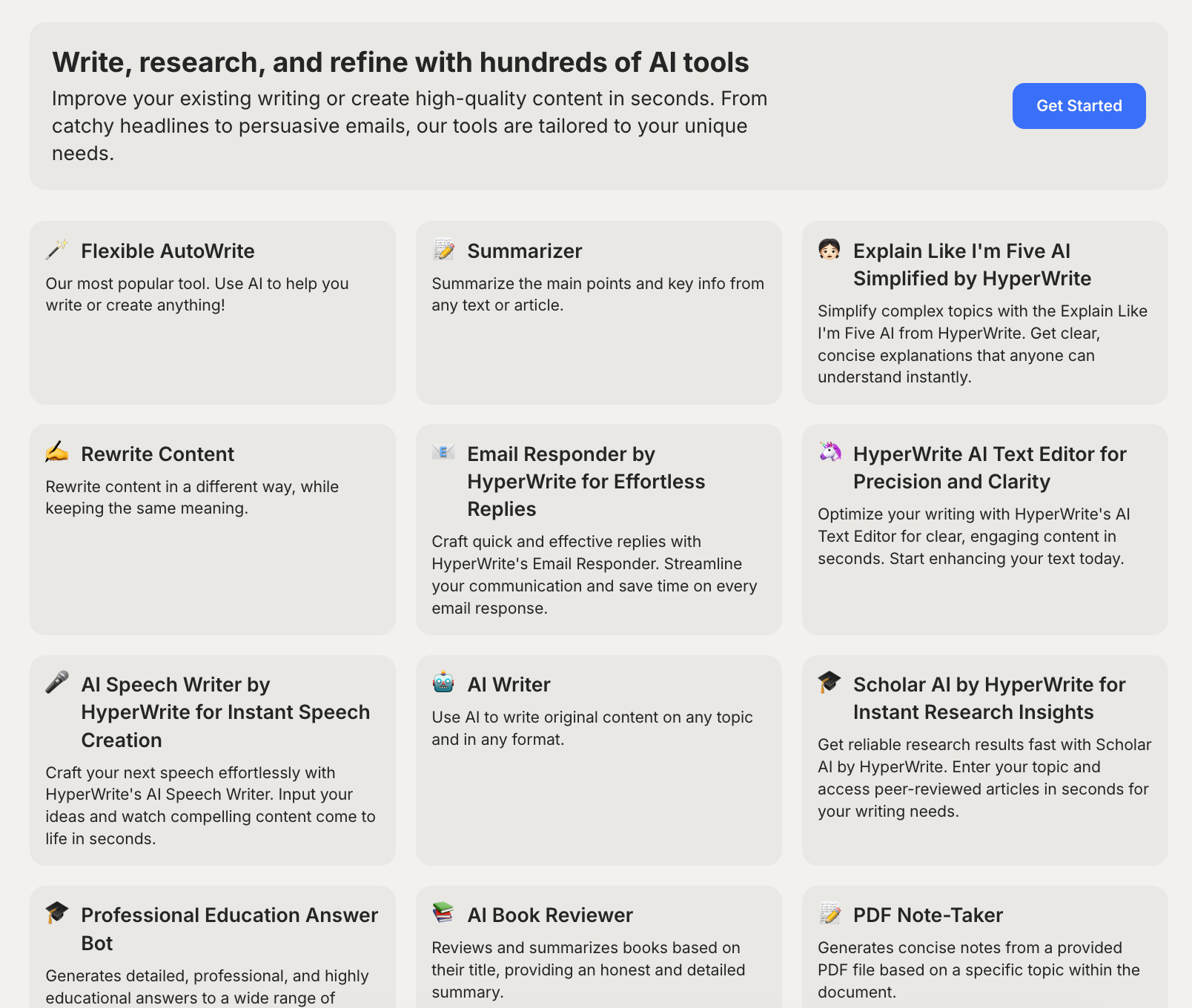
When you log into your account, the full list of tools is in front of you. You can either browse the entire list of tools in the All Tools section or browse the tools by their category.
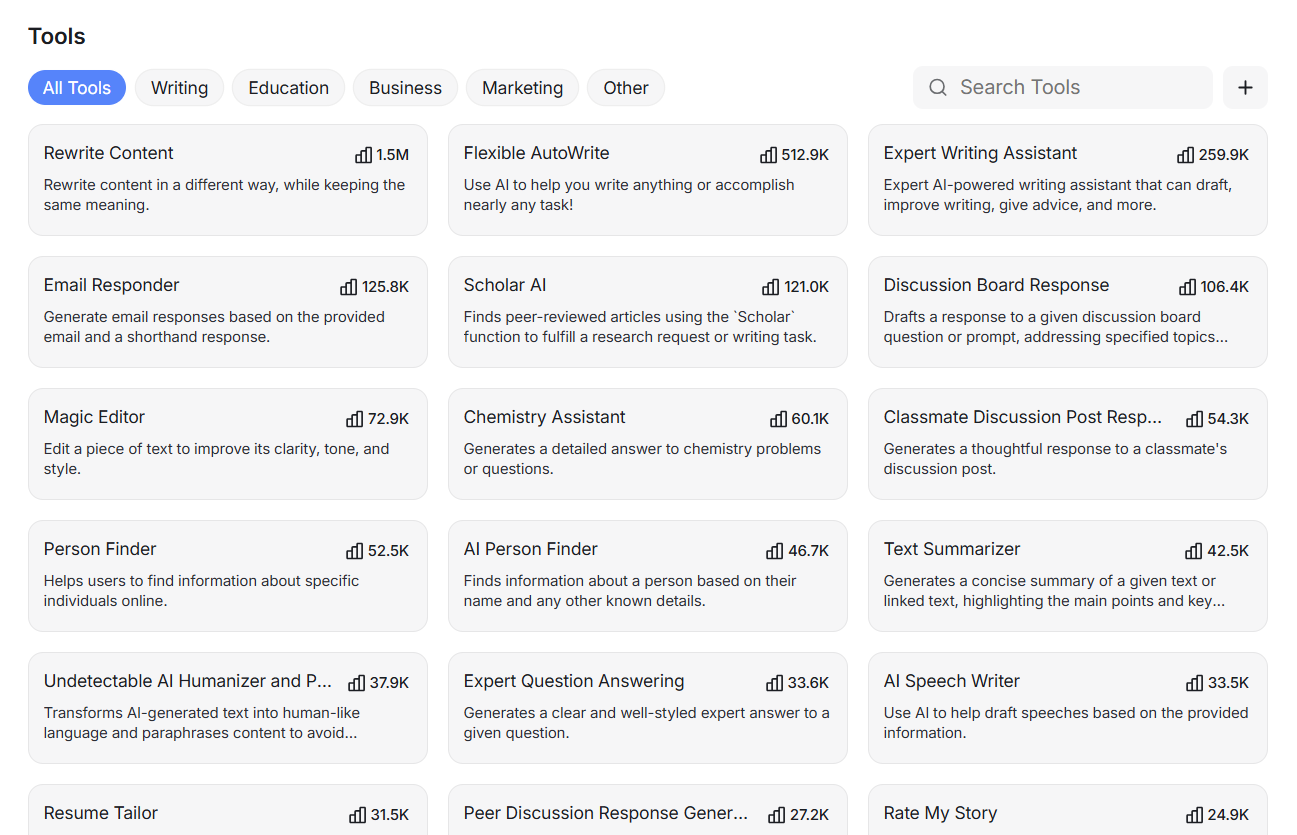
The number of times a tool has been used is mentioned on each tool. Tools with high use are listed at the top. Half of the tools have been used fewer than 100 times. Some tools haven’t been touched at all.
The most popular tools are almost all writing and study-related, such as Rewrite Content, which has been used 1.5 million times.
However, some other types of tools also attract a large number of users, such as:
- Person Finder (finds details about a person)
- Explain Like I’m 5
- RoastBot
- Movie Recommender
- Creepy Story Generator
- Flirty Response Generator
Create Your Own Tool
HyperWrite’s collection of tools is so vast that you might just find the tool you came looking for.
But it’s still possible that you are looking for something specific, and a tool for that doesn’t exist on the platform.
In that case, HyperWrite allows you to create your own tool. You can use this tool even when a tool exists but doesn’t perform the task the way you prefer.
You’ll find the button to create a tool next to the search bar in the tools list page.

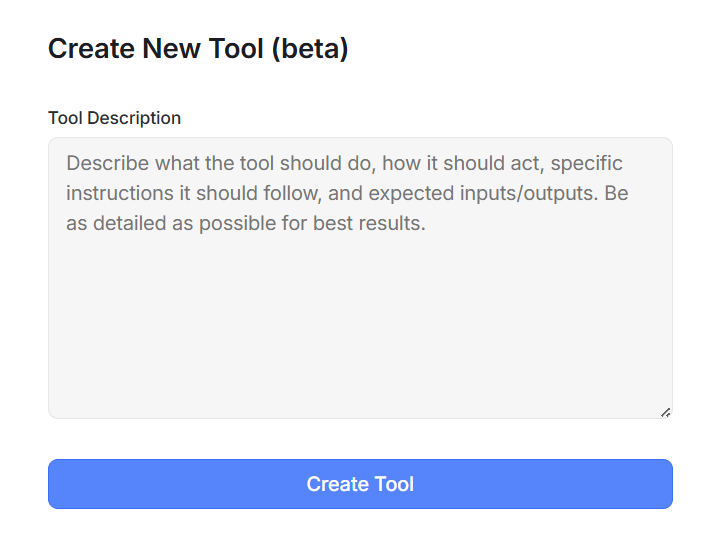
Creating a tool only requires describing in plain English what it should do. HyperWrite asks users to write a detailed tool description so the tool performs close to expectations.
After writing the description, you just click Create Tool, and that’s it.
This feature could be the reason why HyperWrite has so many tools. Most of those tools might be user-created. However, there’s no creator name when you open a tool, making it seem as though they're all created by the platform.
This feature could also be the reason for the many duplicate tools that you’ll find in the list.
For example, there are at least three tools that seem to do the same task of finding information about individuals:
- Person Finder
- AI Person Finder
- AI-Powered People Finder
There are also two tools that can write love letters.
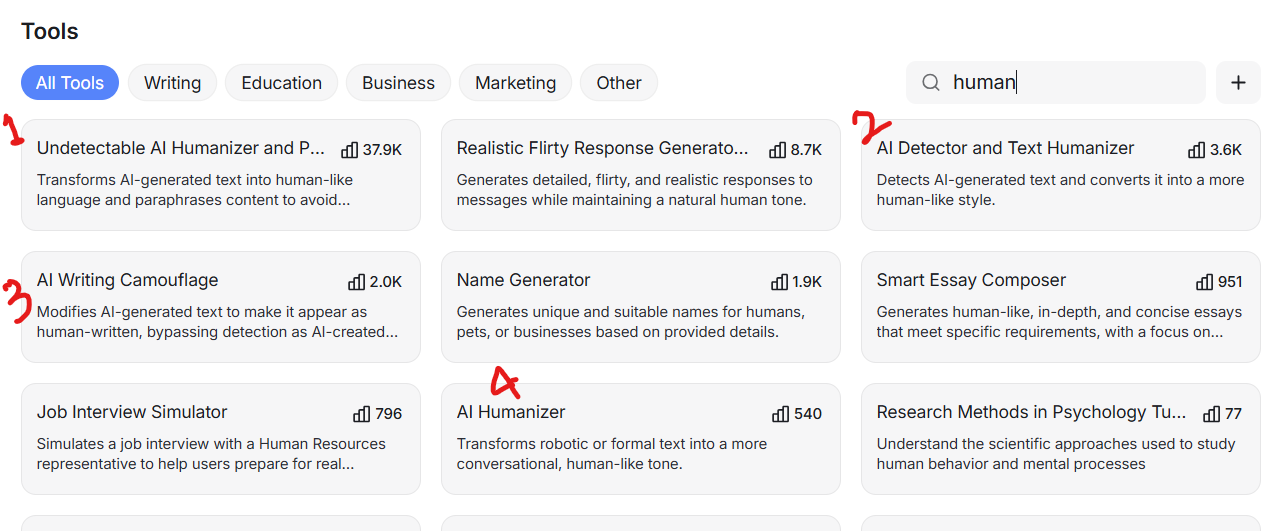
Similarly, if you search for a humanizer, multiple AI-text humanizers will pop up.
These were just a few examples. The actual number of duplicates is higher.
AI Document Editor
HyperWriteAI also offers a document editor.
A chat interface stays alongside the document editor, where you can ask AI for assistance. For instance, you can ask the AI to generate an outline for an article you have to write. You can also ask the AI to write the entire blog.
The AI can make changes to the document. You can even search for citations through the chat interface.
There’s also an option to upload a text file to the document editor and continue working on it. You can ask the AI to write the next section for you, provide feedback on the available text, add citations, provide grammar and spelling suggestions, and more.
The good thing is that the document editor preserves most of the formatting of the uploaded file.
You can recover the rest of the formatting by using the document editor’s own text formatting options. Don’t expect a full suite of formatting options, though. Only the essentials have been provided.
You can export your text to a DOCX file. There’s also an option to share the document via link or email. You can give two types of access to others: editor or viewer.
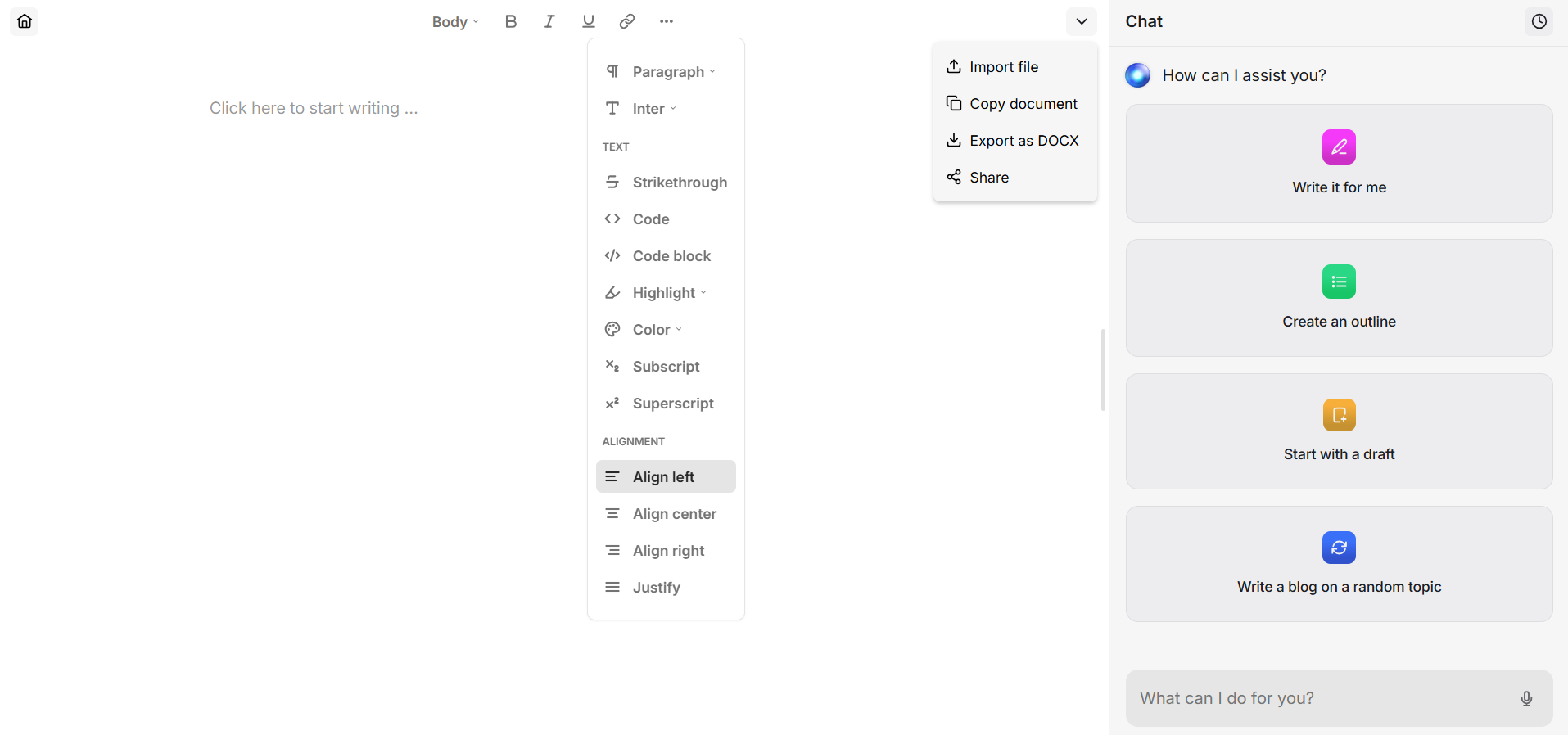
One thing is quite evident: HyperWrite AI’s writing tools are among the most used ones. But can those writing tools bypass an AI detector like GPTZero?
Can HyperWrite’s AI Humanizers Bypass GPTZero?
I mentioned earlier that HyperWriteAI had multiple AI humanizers in its collection.
Among the multiple AI humanizers, I picked the one that had attracted the most users/uses (37.9K) as per the available information on HyperWrite AI.
Then I had Claude write a short assignment essay for me on the topic “The Comfort of Routine.”
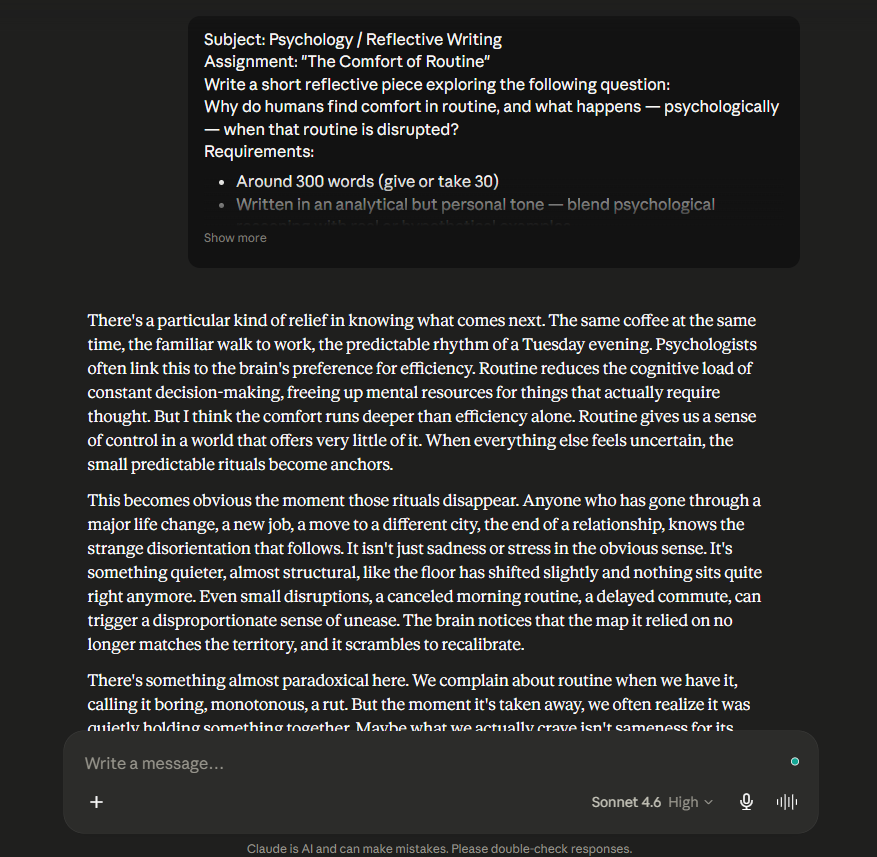
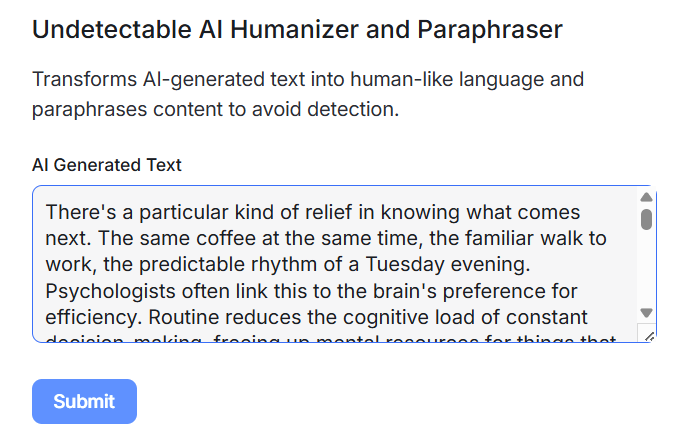
The AI humanizer I chose explicitly mentions in the tool description that it can help you avoid detection. I pasted the text and clicked Submit.
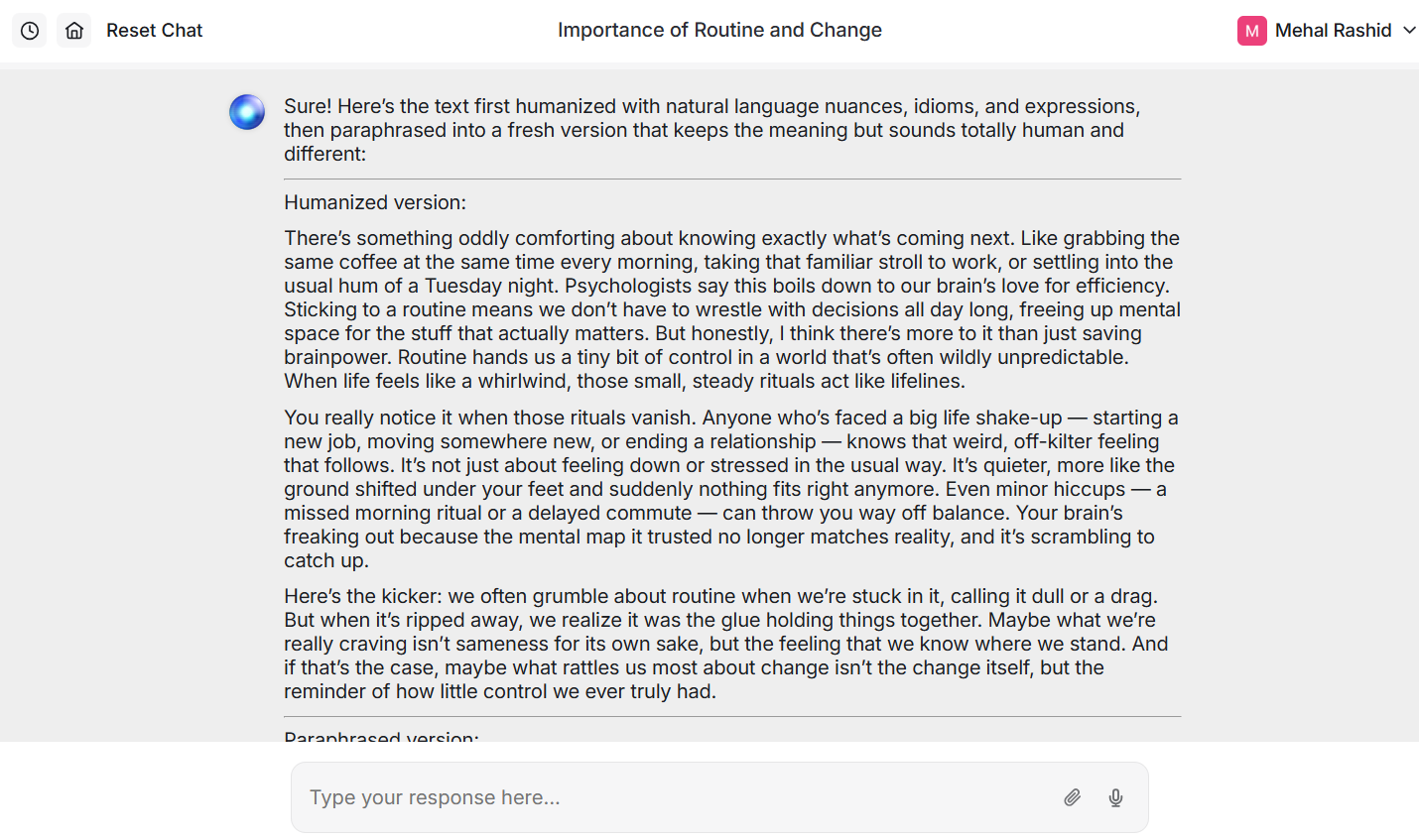
The tool had a pre-written prompt that was automatically submitted along with my sample text.
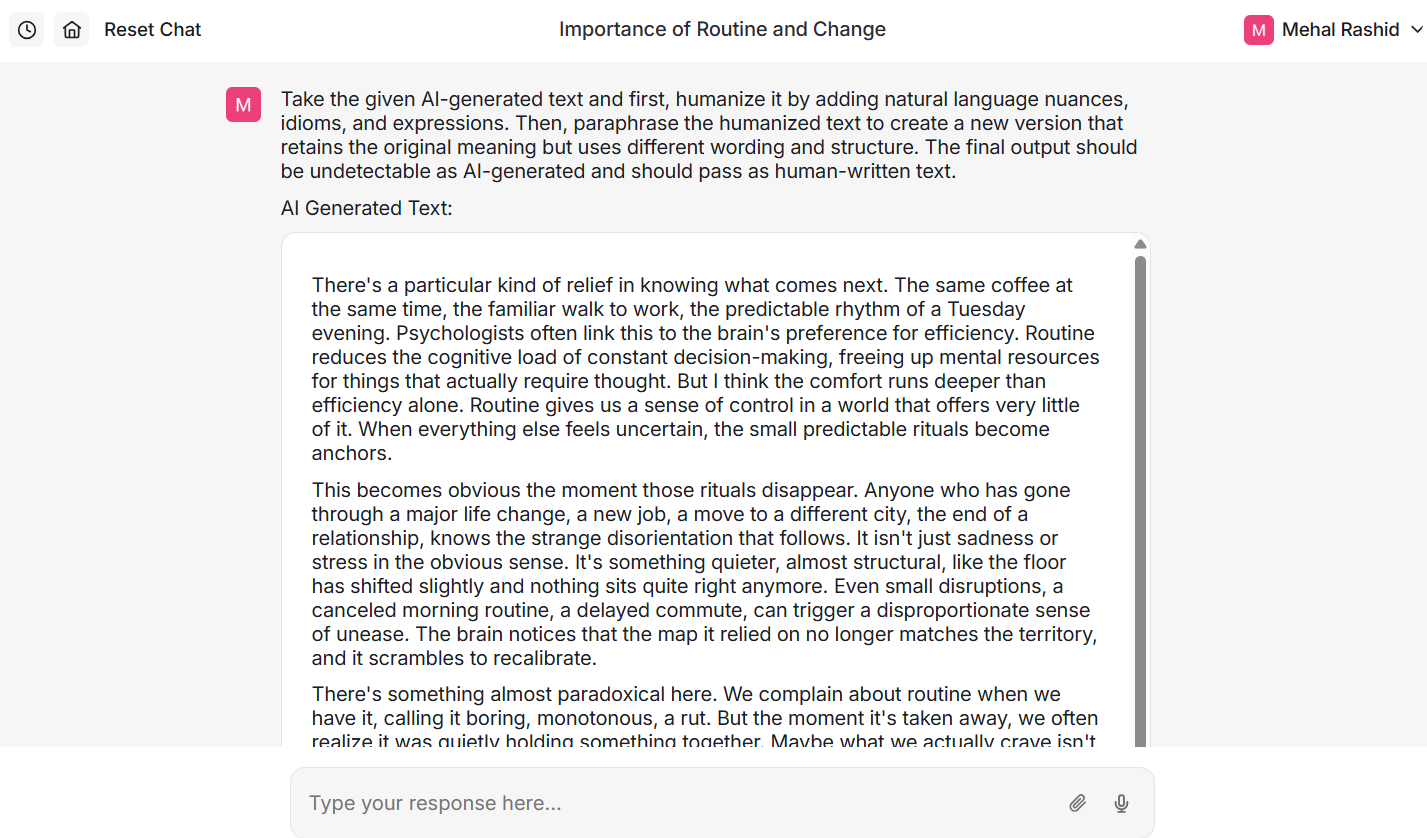
The tool generated two versions of the original text as required in the prompt. One was the humanized version.
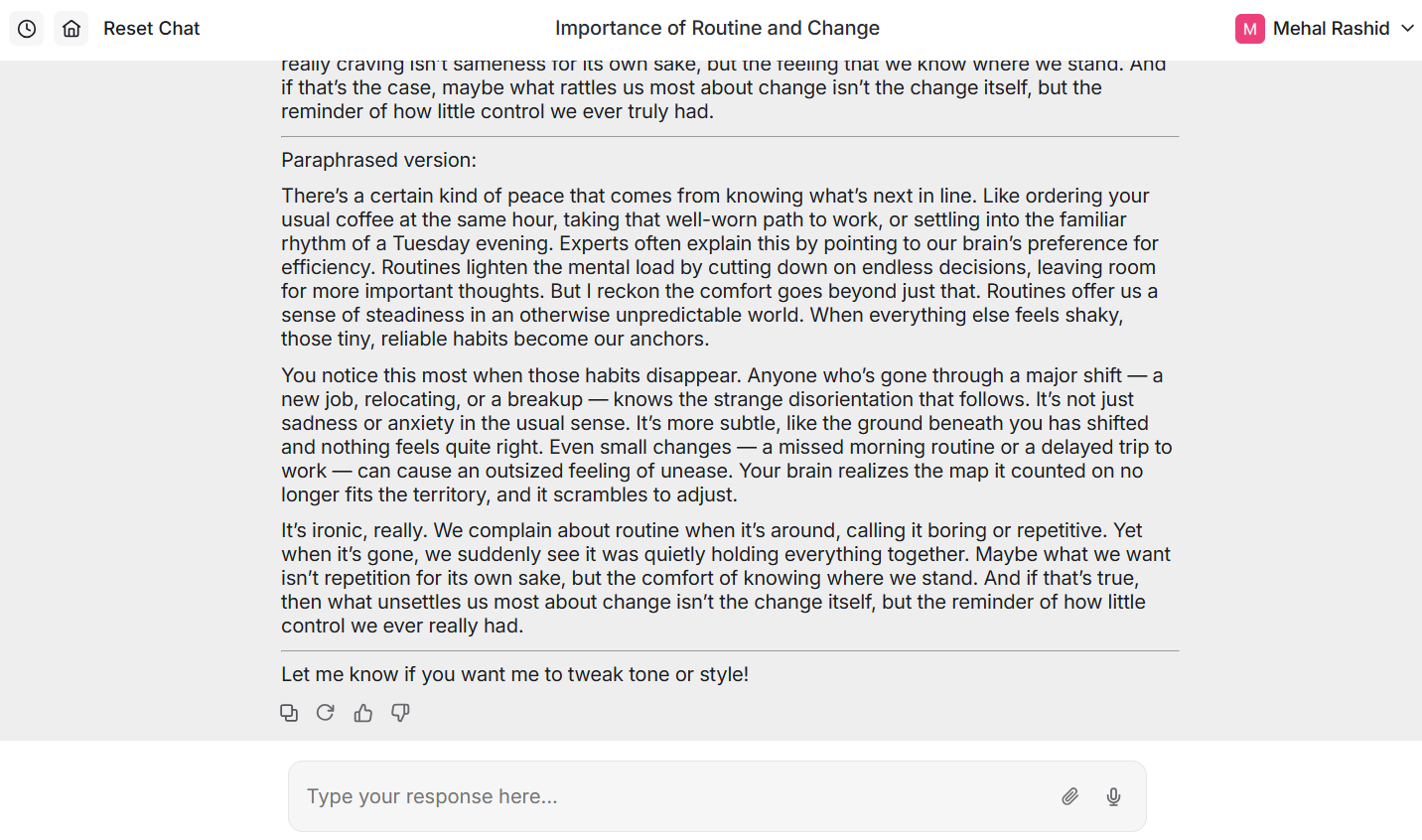
The other was the paraphrased version of the humanized version.
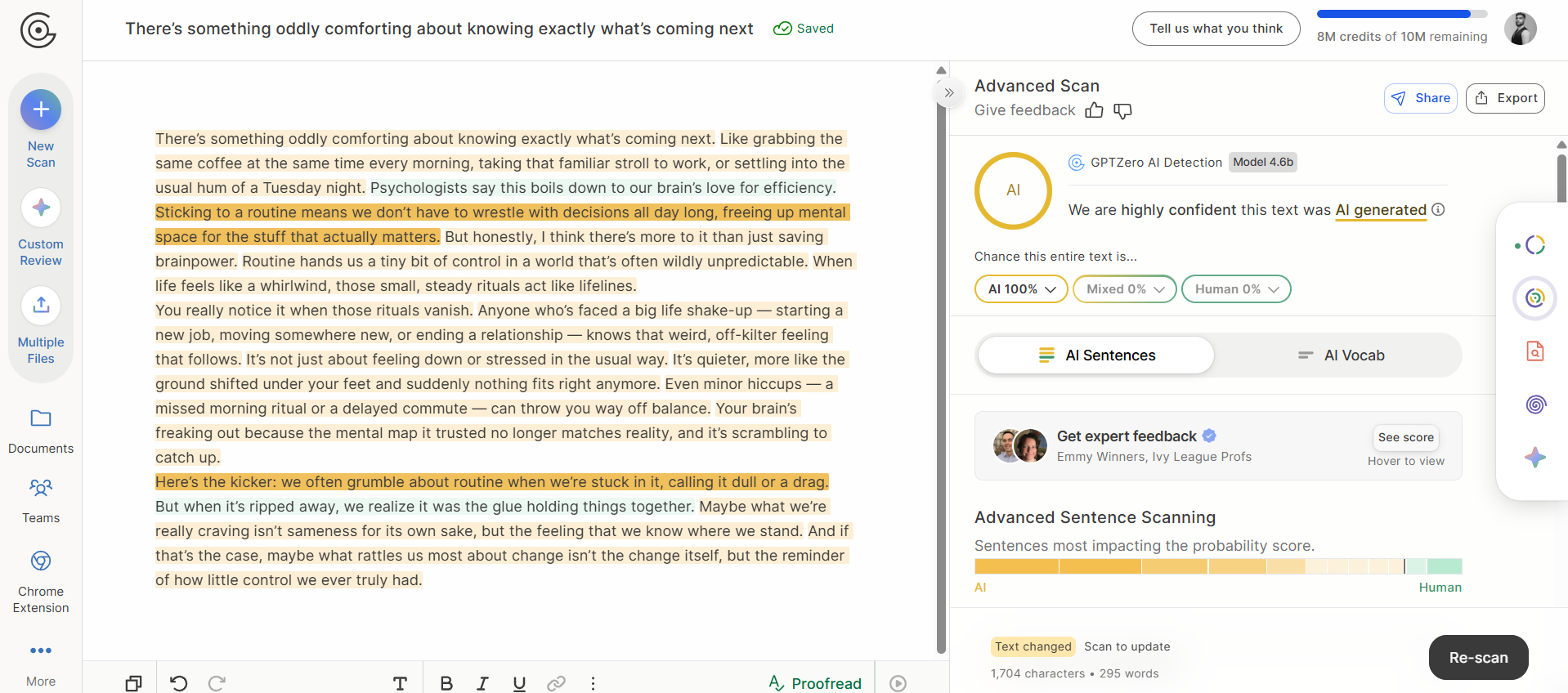
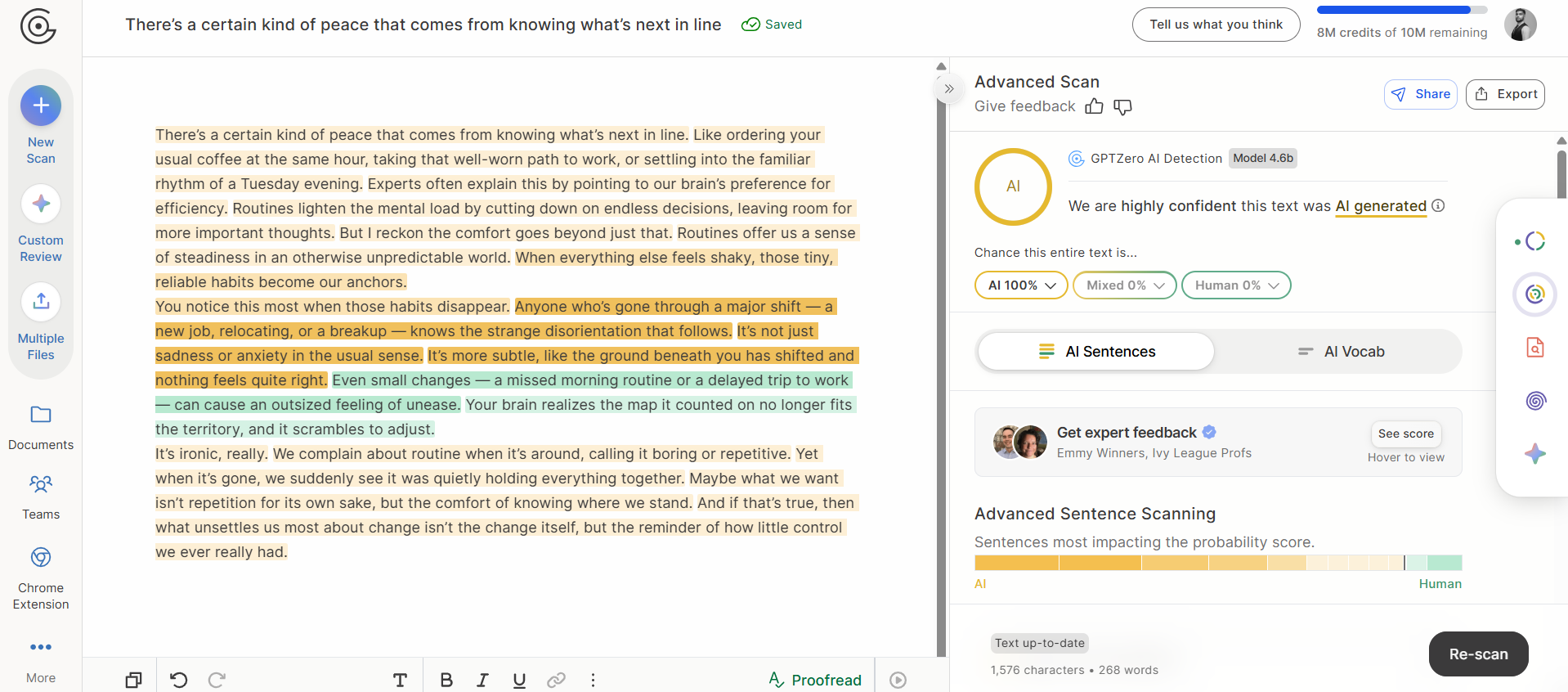
I scanned both versions using GPTZero’s AI detector, and both were flagged as 100% AI.
This answers the question for us. HyperWrite’s AI humanizer cannot bypass GPTZero.
I also tried two other AI humanizers from HyperWriteAI using the same text sample, and they also couldn’t bypass GPTZero.
Run any sample of your choice on GPTZero’s AI detector and see how accurate it is.
HyperWrite Chrome Extension That Doesn’t Exist Anymore
HyperWriteAI’s website has a separate landing page for its Chrome extension.

There’s a button on the page for installing the extension. Hitting this button directs you to the Chrome Web Store, where you are greeted by a surprise “This item is not available.”

At first, I assumed this could be happening because HyperWrite might have changed its extension’s name and forgot to update the link on their website. I tried searching for the extension on the Chrome Web Store using the query “HyperWrite,” but nothing popped up.
So it’s safe to conclude that the Chrome extension that HyperWrite advertises at multiple places on its website doesn’t exist.
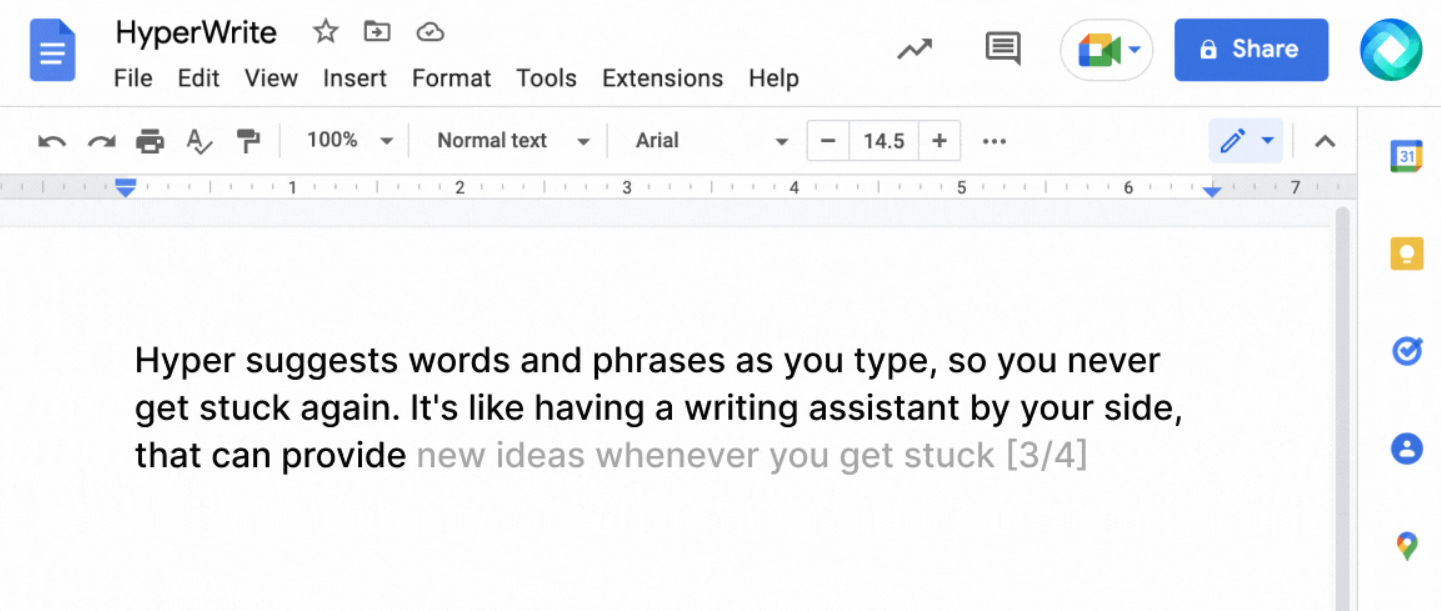
But this might not always be the case. The extension used to exist because there’s a screenshot on the website that shows the extension icon in a Google Docs window.
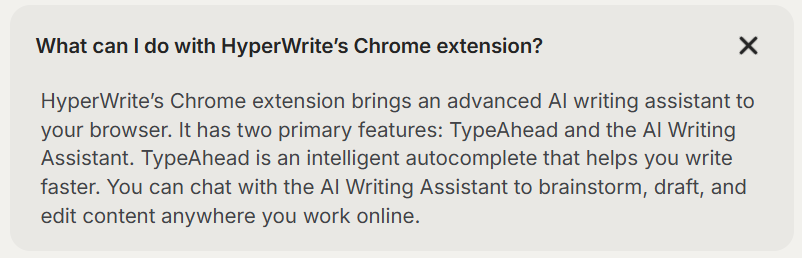
The website also has an FAQ that answers what the Chrome extension can do. Several HyperWrite blogs written not long ago also mention the extension.
All that said, the extension doesn’t exist anymore.
How Much Does HyperWriteAI Cost
HyperWrite is free to use initially. But there’s a limit on the number of times you can interact with the tools. Apparently, the AI technology these tools use is also of lower quality.
I didn’t use the tools enough to hit a limit to be able to know when the free trial ends, but I used it enough to judge the quality of writing, and it’s not great.
Once you have used up your free trial, you have to choose between two paid plans.
- Premium: $19.99/month
- Ultra: $44.99/month

You can also choose a yearly subscription, in which case the per-month price of the plans drops.
These plans unlock higher usage limits and a feature called Personas, mainly.
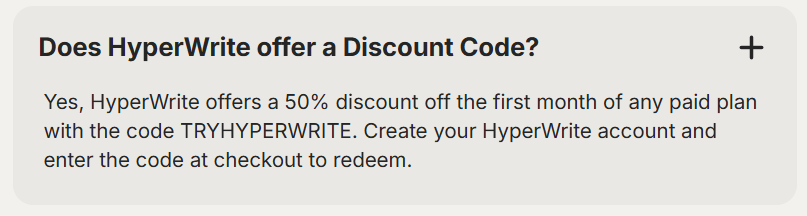
According to FAQs on the pricing page, HyperWrite also offers a 50% student discount.

Other users also get a 50% discount on their first month only.
These claims need to be verified to ensure this isn’t yet another piece of outdated information on the website, like the Chrome extension.
Use GPTZero to See Through AI Humanizers
HyperWrite has a massive collection of tools that might be good at what they do.
But its AI humanizers aren’t reliable at all when it comes to bypassing AI detection.
I tested three of their AI humanizers, and all of them failed to bypass GPTZero’s AI detector. GPTZero was able to detect the entirety of the text as AI-generated every time.
HyperWrite is but a basic AI humanizer. GPTZero has been able to beat tougher AI humanizers with advanced writing skills like Uncheck AI humanizer and GravityWrite AI.
Independent benchmarks like RAID and Chicago Booth also testify that GPTZero is one of the most accurate commercial AI detectors.
Sign up for GPTZero for free and test it on the sample of your choice.