How to Use AI as a Student: A Complete Guide
A practical guide to using AI for learning, essays, and research without compromising academic integrity.


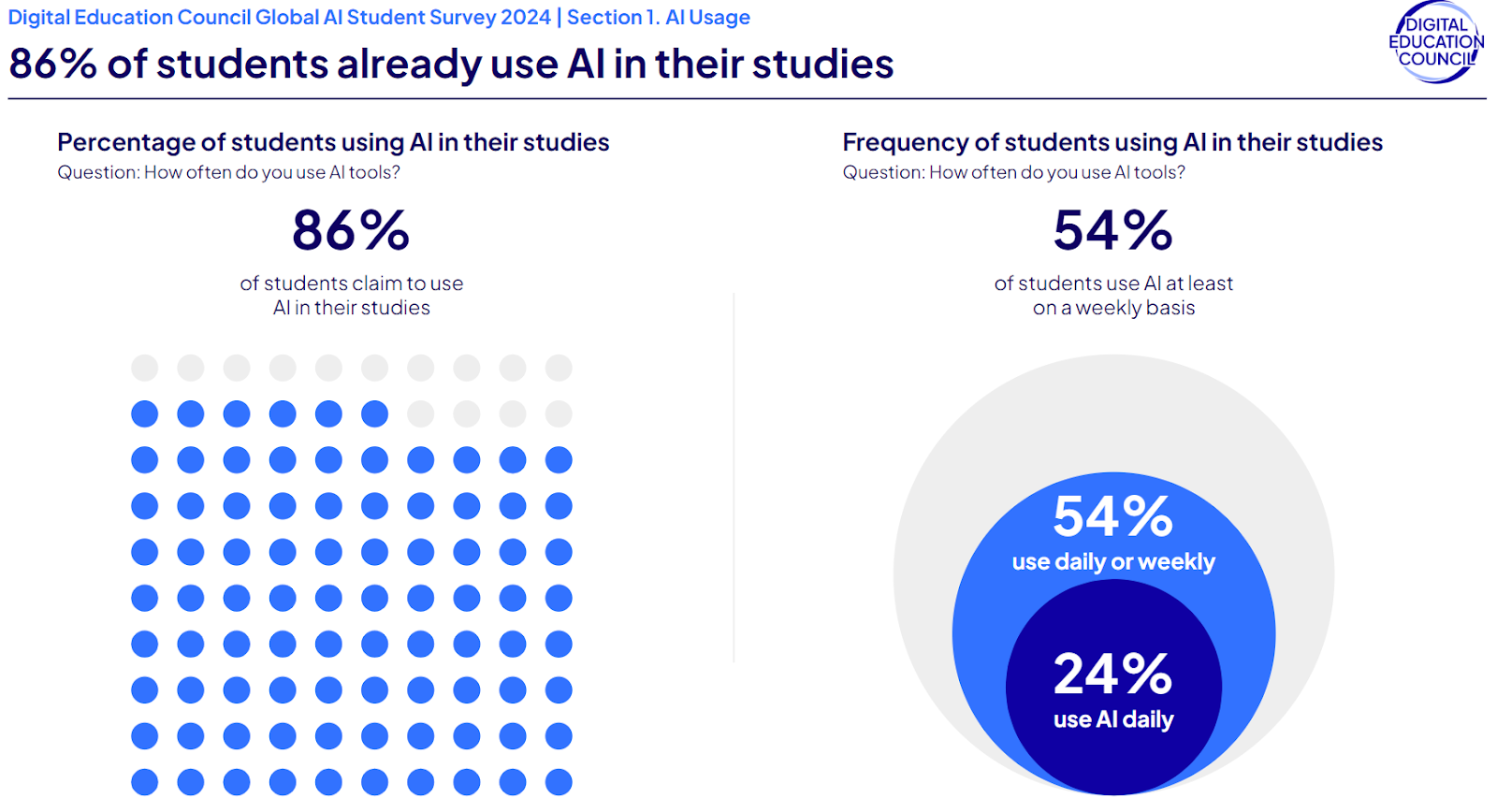
AI is already firmly part of student life: 86% of students say they use AI in their studies, and 54% use it weekly. But using AI often isn’t the same as using it safely, which is a skill many students are still learning.
In this guide, you’ll learn practical ways to use AI effectively for studying, writing, and research without crossing academic integrity lines, and how to use GPTZero to review your work before submission. By the end of this guide, you’ll know when AI can help your learning, where to be cautious, and how to make sure your final submission still reflects your own voice.
Role of AI in Improving Student Learning
When used properly, AI tools for students can help students work more efficiently and focus on the parts of learning that really make a difference in helping them grasp the material: accelerating routine tasks, making study materials easier to understand, and helping students spot weak spots faster. It can be especially useful for multilingual students or students juggling heavy workloads.
How to use AI as a Student
Students already use AI in legitimate ways that support learning as a ‘study sidekick’. Here’s what we’ve seen around how students use AI effectively.
Study organisation
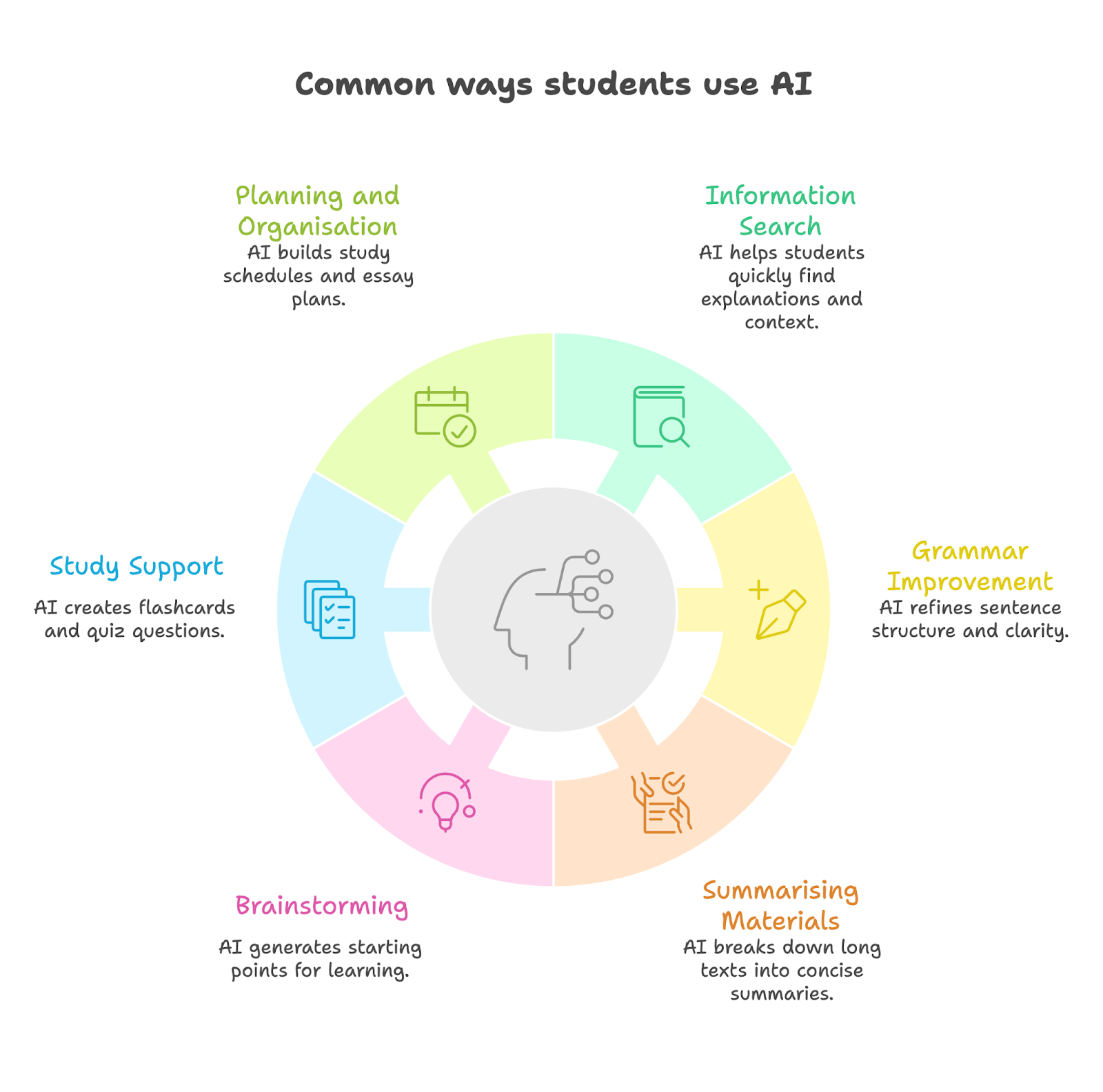
AI can be useful for creating personalized revision timetables, turning messy notes into clearer study guides, and breaking large assignments into smaller steps. If you’re overwhelmed by deadlines or not sure how to structure your week, AI can help you make a realistic plan and can also summarize readings in seconds and turn notes into flashcards and quizzes for exam prep.
Turbo AI is one of the fastest-growing AI notetaker tools and can turn lectures, PDFs, videos, and audio into structured, editable notes, quizzes, flashcards, and podcasts. “If you are still typing notes by hand, rewatching lectures, or spending late nights trying to memorize information, you are studying the old way. ai has completely changed how fast you can learn,” says college student Eileen Yang, a fan of Turbo AI.
Improve structure
Many students already use AI tools to refine grammar or improve the flow of their writing. This can be especially helpful for multilingual students who want support with phrasing without changing the substance of what they are trying to say.
As one university student shared, “When I get my assignment, I try to do it on my own at first. Then once I write out the entire thing or if I run out of ideas, I'll ask ChatGPT to generate an idea. At the end, I'll tell it to refine my writing for clarity, persuasion, etc.”
You can read more about student patterns in Students using AI in Classrooms.
Taking notes during group projects
Taking notes during group projects means multitasking. Many students are using transcription tools so that they can focus on listening during class instead of trying to listen and record what's being said at the same time.
Otter.ai, a voice-to-text tool, listens and takes notes, and integrates with platforms like Zoom, Google Meet, Microsoft Teams, and so on. As Marcia Kish explains below, it can help students document their thinking and stay organized throughout a class project, and it can help students capture their ideas, take notes, and plan next steps in real time. It's a tool that helps record brainstorming sessions and group discussions, and highlight key ideas and tag next steps, which means students can stay focused and more organized during the project process.
Organizing research
When you’re gtahering sources for an essay, it can be overwhelming to keep everything you’ve read in one place. That’s where Anara comes in. As Dr Amina Yonis explains, it's somewhere you can take the information you found and put it into neat folders and sections.
Anara released "table view”, which lets you see all your research papers and sources in a table and filter them easily. You can also ask questions about specific sources you’ve uploaded. So, if you’re studying a topic and have a particularly useful paper or book in Anara, you can ask: what’s the critique? What are the five key points? What are the five key results? What’s the biggest thing I need to know from this source?
According to Yonis, that “speeds up the reading process a lot more” and makes studying easier.
Good uses of AI vs risky uses of AI
How Students Use GPTZero
For many students, AI use is also about checking and protecting their work before submission. Students may use GPTZero before submission to review whether parts of a draft read as strongly AI-influenced, identify sections worth revisiting, and document their writing process.
Many students use tools like ChatGPT, DeepL, or Grammarly to brainstorm ideas, translate text if English is their second language, or refine grammar. Before submitting work to institutional scanners, they use GPTZero to review their writing and reduce the risk of being misunderstood.
One Year 12 graduate said, “I mainly use GPTZero to just double check my work as our school users turn it in to check for AI usage. Even though I don't use AI, sometimes it might still come up as oh, you know, it might be a bit AI'd. The best way for GPTZero to help me is to make sure that I won't be accused, ‘You used AI’. Just minimizing the chances and risks of that happening.”
If you’ve used AI for translation, run a final review in GPTZero’s AI Detector before you submit so you can spot heavily AI-influenced sections.
Providing proof of authenticity
Some students use GPTZero’s Writing Report feature to document their writing process and protect themselves against false accusations. By showing how a document was built over time, they can provide instructors with stronger evidence that the work was genuinely theirs.
As one student told us, “The main use case that I found for it was I had a couple of professors in university who was very strict about AI usage. I was just searching around Reddit and I found out about GPTZero and the writing report feature. I suggested it to my professors and they accepted it as proof that I wrote the assignments. And since then, I provide them with a Writing Report with every assignment so that I'm covered.”
Monitoring peer contributions in group work
Students can use GPTZero in collaborative assignments to keep group work fair. In shared Google Docs, writing history and AI highlights can help identify when a group member may have pasted in generated content without revising it.
As one student told us, “I’ve been working on group projects, so GPTZero Writing Report means I can see people’s progress throughout the document. I see the people who just copy-paste two paragraphs into a doc, and I’m like, okay, maybe somebody wrote it on their own and then added it. But when it shows me the pasting and then shows me their part is AI, that’s an indicator. Usually I would go to that partner and say, ‘Hey, I saw maybe this was AI. If not, I’m sorry, but if you could try to reword it and restructure it, that would be the best thing we could do.”
Best Practices for Ethical AI Use
When used ethically, AI can help students as an assistive tool. When it’s used as a crutch, it weakens the critical thinking skills that education exists to build. Educators typically use this question: is AI supporting a student’s learning process, or replacing it?
As Vishwesh Akre, Higher Colleges of Technology, Dubai, UAE says, “In my opinion, we should allow and train students to use AI; but as a catalyst to streamline students creativity rather than as a copy paste tool.” That distinction is practical as well as philosophical. In Akre’s approach, students are expected to show how they used AI.
As he explains, “I allow students to use AI for their projects but during the oral defense of their projects, they need to demonstrate the prompts used and how they creatively steered the AI tool to shape their project. I interrogate them through proper questions to evaluate their learning and knowledge gain even from the AI tool.”
This approach reflects a broader reality many educators already recognize. As Akre puts it, “I firmly believe that each and every student uses AI for most (if not all) of their assignments or projects. Hence, it would be waste of energy and time to completely prohibit them from using AI tools. Also I feel that they would need to use the AI tools at their workplace, hence they should get the habit of using it even for educational tasks. Here, all educators need to play an important role to guide students on ethical uses of AI tools.”
Last year at Ai4, Fei-Fei Li, Co-Founder & CEO of World Labs & “Godmother of AI”, challenged how we approach AI in learning and emphasized that AI should be seen as a baseline tool, encouraging students, teachers, and parents to use AI to leverage (not replace) human intelligence:

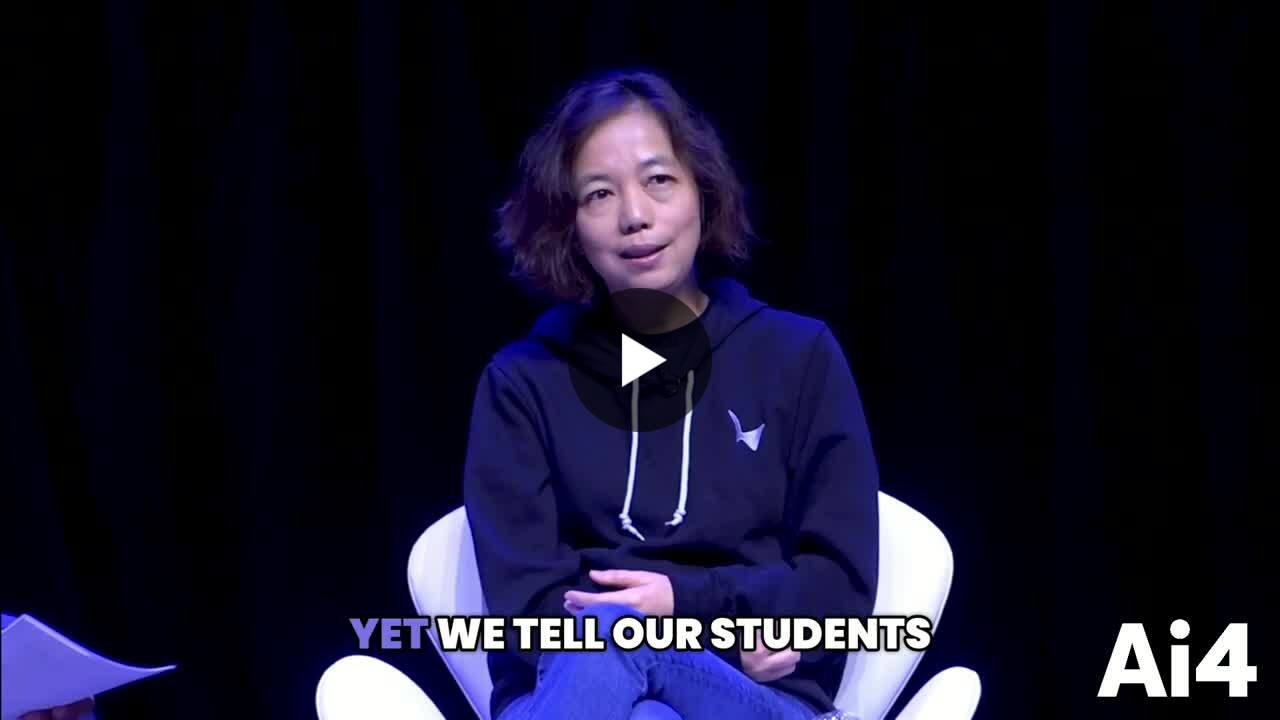
“We tell our students, don't cheat with AI. What we should tell our students is – this is the baseline AI will give you, whether it's a science question, a math question, or English essay. Now, you are a human being with agency and intelligence that no AI, no supercomputer, can ever achieve. Given this baseline, given this tool, where can you go? That is the question of prompting or education or learning. And I will encourage every parent, every teacher, every student to think in that way and think, how did I learn better or what have I learned better using AI as a tool?”
Future of AI Use for Students
GPTZero has spoken in recent years about helping educational institutions to navigate the complex terrain of AI adoption with confidence and responsibility, and helping educators understand where students are coming from.

While educators are still learning how to spot if a student used AI, in the next decade, we’re likely to see AI evolve into more of an everyday support layer built into the learning experience itself.
AI tools can help to build more deeply customized learning experiences for students, and, as one Future of Learning research paper pointed out, can “analyze student performance data to pinpoint areas needing improvement and suggest targeted interventions.”
We’re likely to see more virtual tutors powered by AI being used as study companions, as they are available whenever required, 24/7, whether it’s for last-minute study prep or going over comprehension with students.
We may also see more peer learning networks, with AI platforms bringing together students with complementary learning styles, and linking them up to create a study group or partnership.
Conclusion
AI is quickly becoming part of the modern student toolkit, although the value of these tools depends on how they are used. When AI supports your learning process then it can make your work more efficient without taking away your voice; when it starts doing the thinking for you, risky territory begins.
The goal is to use AI responsibly, with strong verification habits, and an understanding of your institution’s expectations. GPTZero supports that final layer of review by helping you spot AI-influenced sections, refine your work before submission, and document your writing process when needed.
FAQs
- What are the best AI tools for students? It depends on the task, as some are great for brainstorming and grammar support while tools like GPTZero help students review authorship, check for AI-heavy phrasing, and document their writing process.
- Can AI tools help students meet learning goals? Yes, AI tools can support learning goals when they help students organize work, understand material faster, and improve drafts without replacing their reasoning.
- Can students use AI for assignments or research? Students can sometimes use AI for assignments or research, but it depends on the rules set by their institution or professor, as AI policies vary greatly between classrooms.
- How can students check if their work is too AI-generated? Students can review their work using GPTZero to identify sections that may read as overly AI-generated and revise them before submission. This can be especially useful for students who use AI for grammar help or editing and want to make sure the final draft still reflects their own voice.