DeepAI Review: Is It Still Worth Using in 2026?
DeepAI is an old platform, but is it relevant today? This article explains its core tools and performs hands-on testing to give you an idea.


According to Semrush, the website DeepAI.org received 15.2 million visits in March 2026.
But the bounce rate is also quite high at 59.63%. In website traffic analytics, a bounce occurs when a person lands on a website and then leaves without visiting any other pages of the website. In other words, bounce rate is the percentage of single-page sessions.
What should you assume from these two figures? Is DeepAI popular or not? We cannot answer that by just looking at these numbers. We can only answer that by looking at the platform itself and the services it offers.
That’s what we’ll do in this DeepAI review. You’ll learn what tools DeepAI offers and what users and we have to say about those tools. You’ll also learn about some caveats that aren’t apparent at first glance.
Let’s get into this.
TL;DR
What is DeepAI.org?
DeepAI is a collection of generative AI tools and some other mini tools for solving problems related to images.
Their core is generative AI tools, which include:
- Image generator
- Video generator
- Music generator
- AI photo editor
- AI chat
- Math solver
Image-related tools seem to be their speciality because they made their debut in 2016 with a text-to-image generator, according to a claim on their website. The claim that DeepAI started in late 2016 sounds true, as the LinkedIn profile says “Founded: 2017.” But the claim that they launched the first text-to-image generator in 2016 cannot be verified.
Other tools they now offer include the following:
- Colorizer
- Background remover
- Expand image
- Super resolution (enhances image resolution)
- Image replace
- Voice chat
- AI image detector
- AI humanizer
You can use these tools through DeepAI’s mobile apps for Android or iOS or through their web app, which is what most users prefer. Some of the tools are also usable through DeepAI’s Chrome extension and the different APIs.
Moreover, DeepAI’s team is also active on their social media channels. They also keep working on projects with nonprofits, government organizations, and other companies to solve real-world issues using AI.
Who is DeepAI For?
From the looks of it and what real users say about it, it’s safe to say that DeepAI is too basic for today’s standards.
Many people who have used it deem it outdated compared to what newer AI platforms can offer them in terms of quality. They feel that the factor that makes DeepAI relevant today is its accessibility.

From this, it can be said that DeepAI is more suitable for hobbyists or students with minimal needs. Even developers may use it for experimentation or basic projects.
It’s just not equipped for power users. You cannot build serious workflows around it.
Things You Can Do With DeepAI: Core Features
Here are the core features Deep AI offers to the users.
AI Chat
The first tool you see when you land on the DeepAI website is the AI chat feature.
This tool can do all the basic tasks that a standard AI chatbot can. You can use it for day-to-day questions, brainstorming, short content pieces, etc.
However, don’t expect it to perform like Claude or ChatGPT, especially in terms of writing like a human. It cannot get close to natural-sounding writing as Claude does. But DeepAI doesn’t claim it’s made to do that either.
You can use AI Chat with three proprietary models and some others from Deepseek, Google, OpenAI, etc. Most of these models are locked behind a paywall.
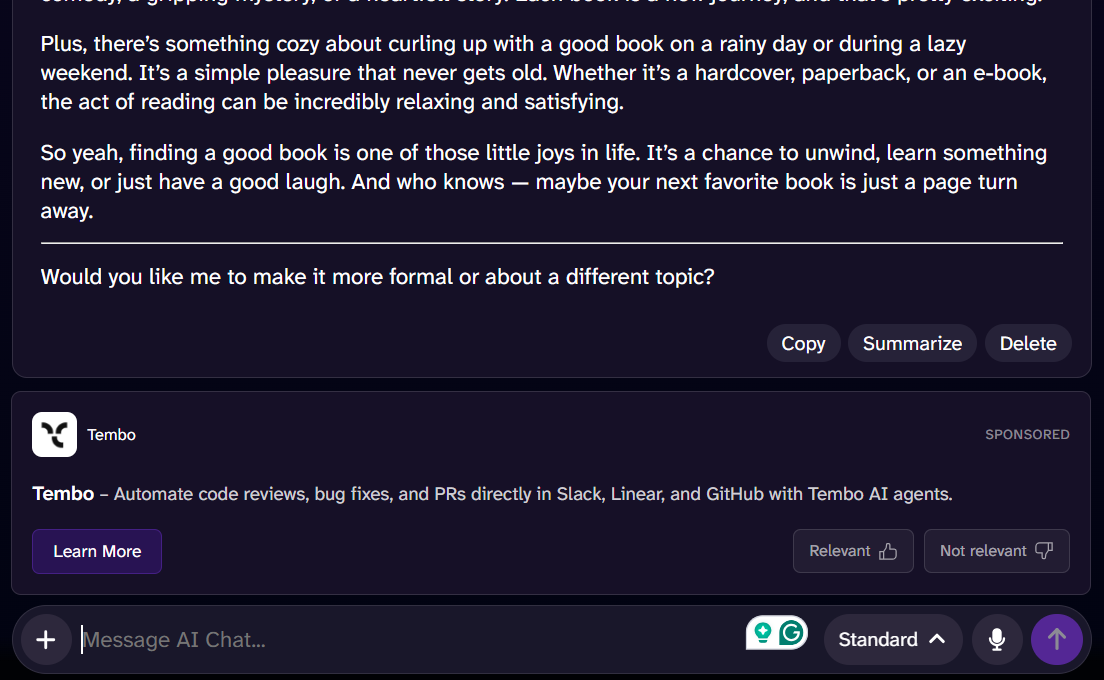
I also accidentally found out that DeepAI pushes an ad after responding to every prompt. Some users have expressed their annoyance at this, too.
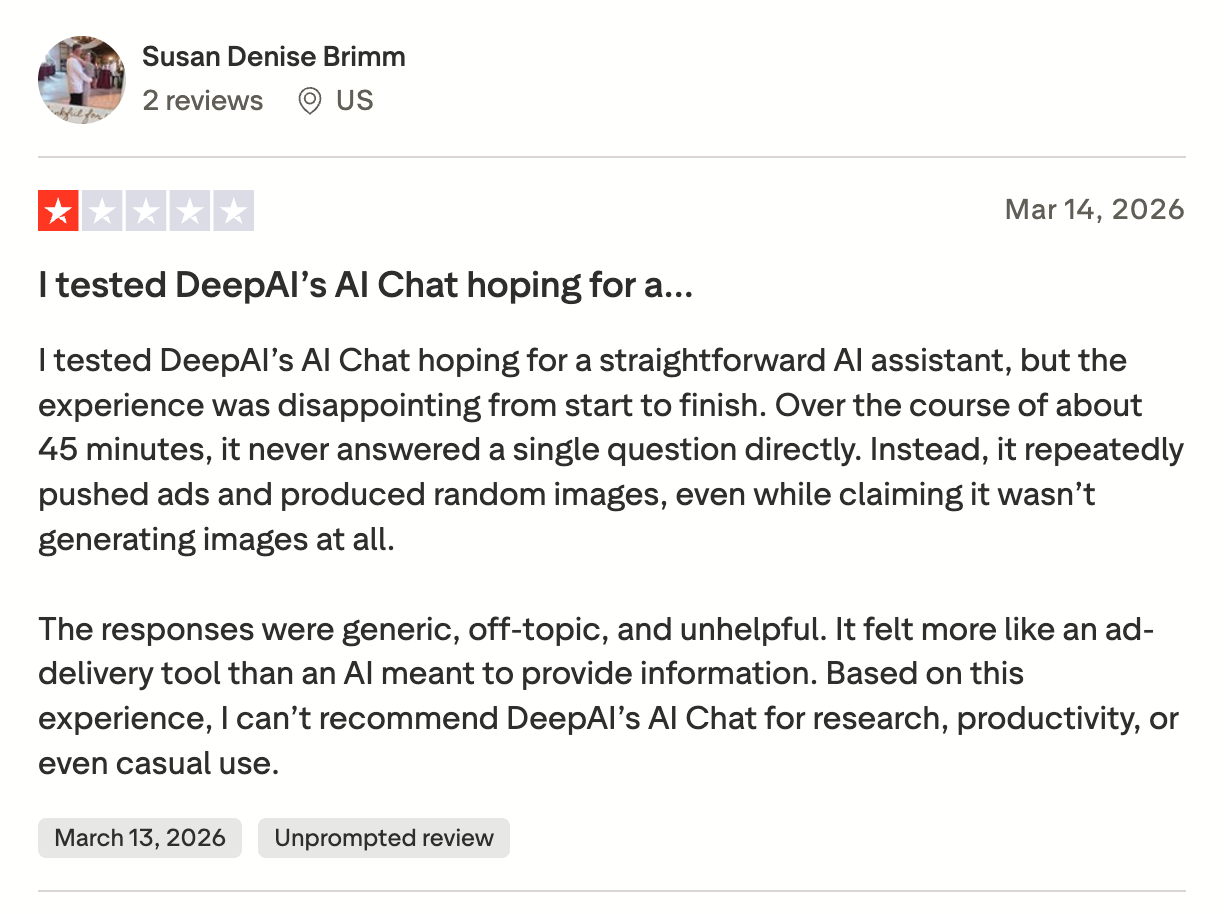
Users have also reported that the AI Chat’s context window is very small, meaning it tends to forget past messages of the ongoing chat.
AI Image Generator
The AI image generator can create images from text prompts in over 100 styles.
You are given three models to choose from: HD, Genius, and Super Genius. The HD model generates images in 640 x 640 resolution, Genius creates 1024 x 1024 images, and Super Genius can create 2K resolution images. That seems to be the only difference between these models. Genius and Super Genius are paid models.
You can also choose the shape of the image.
There’s a checkbox on the tool’s interface that says “Ye Newe” which doesn’t make any sense. There's no tooltip or explanation for what it controls.
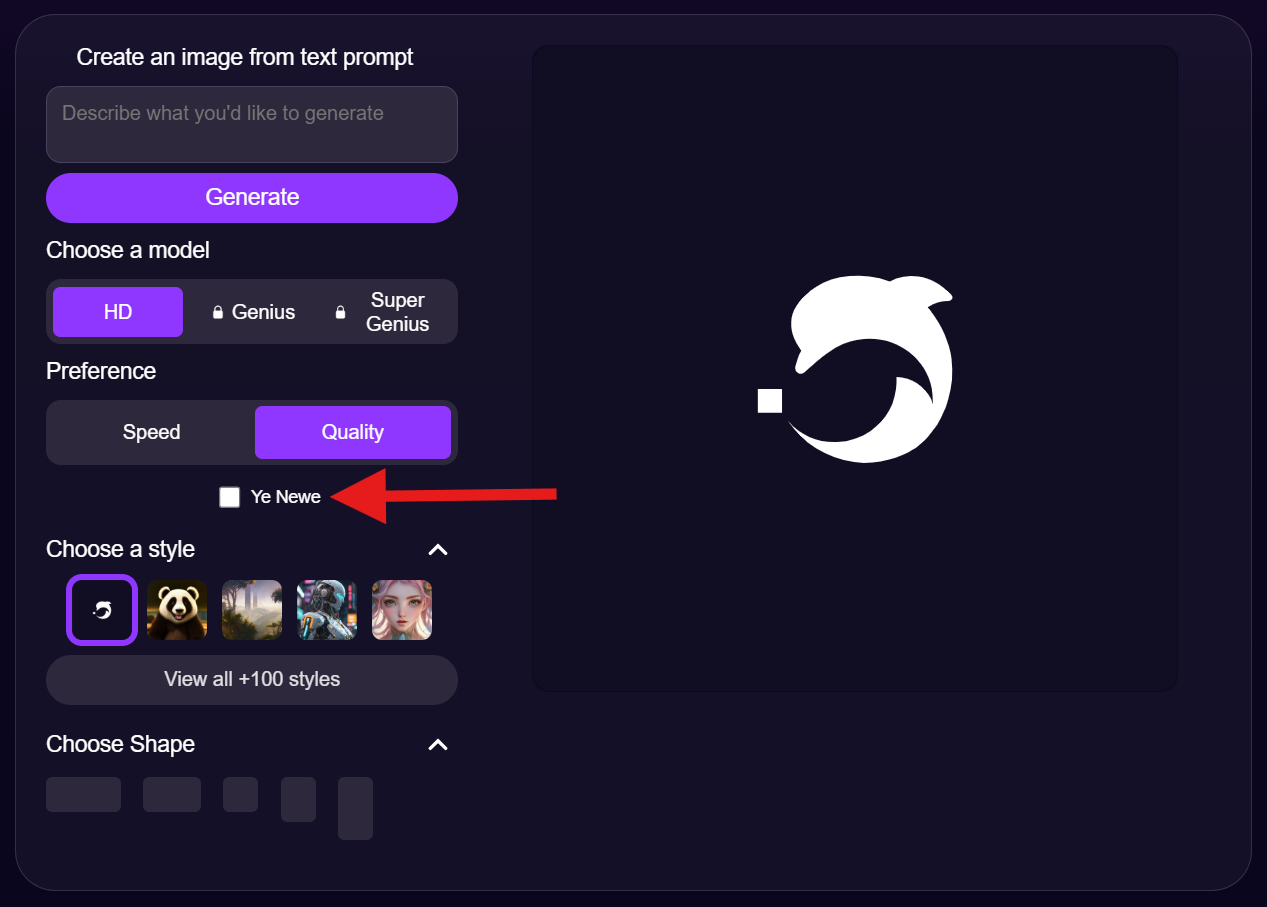
Users are split about the results. Some say it takes several prompts for DeepAI to get the image right. Others are happy with the images they get. It appears you need to approach the tool with real expectations to avoid disappointment.
AI Video Generator
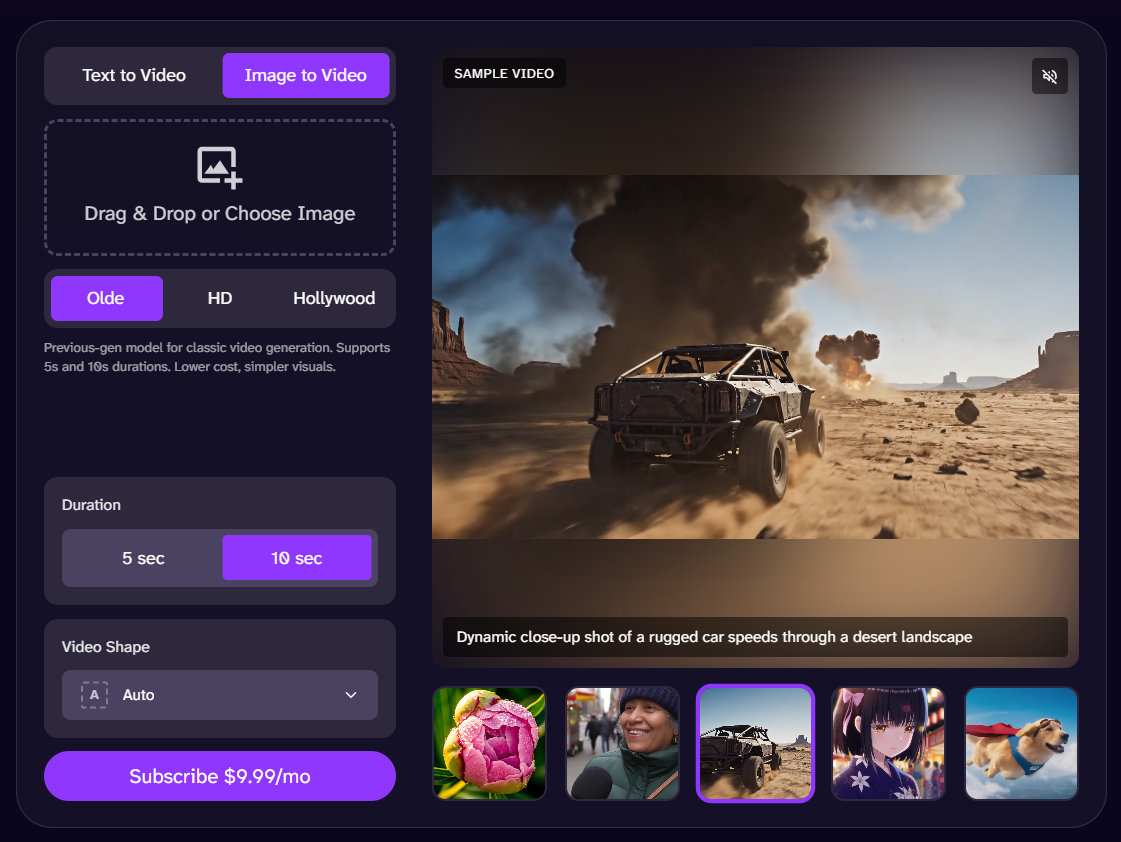
The AI video generator is a fully paid feature. It can generate videos from text or images.
The videos can be 5 to 12 seconds long. You are given three models to choose from, namely Older (uses the previous model), HD (uses the current model), and Hollywood (uses a cinematic model).
The Hollywood option gives you 8-second videos at a rate of $2.50 per video. The other two models also charge for videos, but for a lesser amount.
Some users have reported that the video generator doesn’t follow prompts correctly.
AI Music Generator
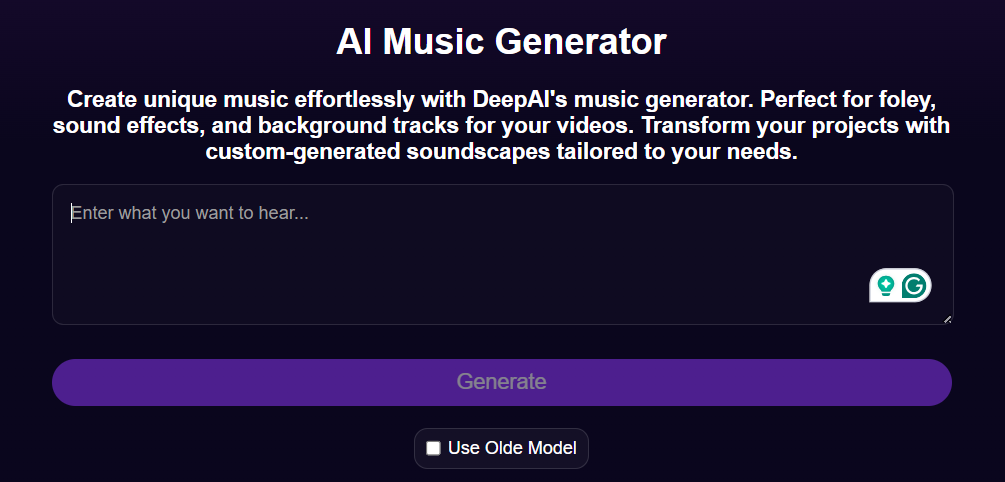
DeepAI has plenty of community-generated tracks on show on the AI music generator page.
I have listened to some of those tracks, and it feels like the tool actually performs well. You can just paste the lyrics or write a detailed prompt explaining your requirements, and then paste the lyrics.
You can also see the entire prompt, which was used to generate a community-generated track. All tracks that I played were exactly 1 minute and 35 seconds long, which suggests this might be the limit.
I also saw some songs in languages other than English, like this K-pop song.
AI Photo Editor
After the music generator, the AI photo editor was the second DeepAI tool that impressed me.
The major reason was the ease of use. You simply have to upload one or two images and describe in words what you want to do with them.
It could be anything. You can get something erased from the photo or get something added. You can also combine two images into one or copy the style of one and apply it to the other photo.
The photo editor also offers the three proprietary DeepAI models to choose from. Two of these models are paid.
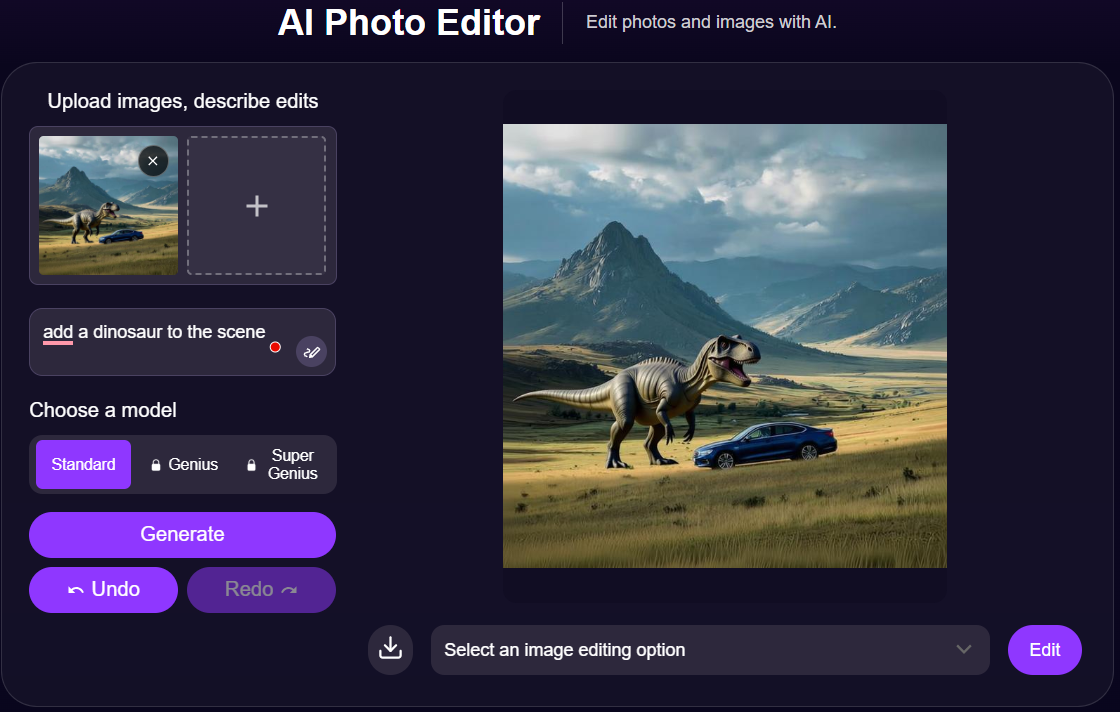
I tried the photo editor, too. I used an image generated using Midjourney by a Reddit user. The image contained two people riding horses in a vast landscape with rocky mountains at a distance.
I asked DeepAI to remove the two horses and add a car and a dinosaur.
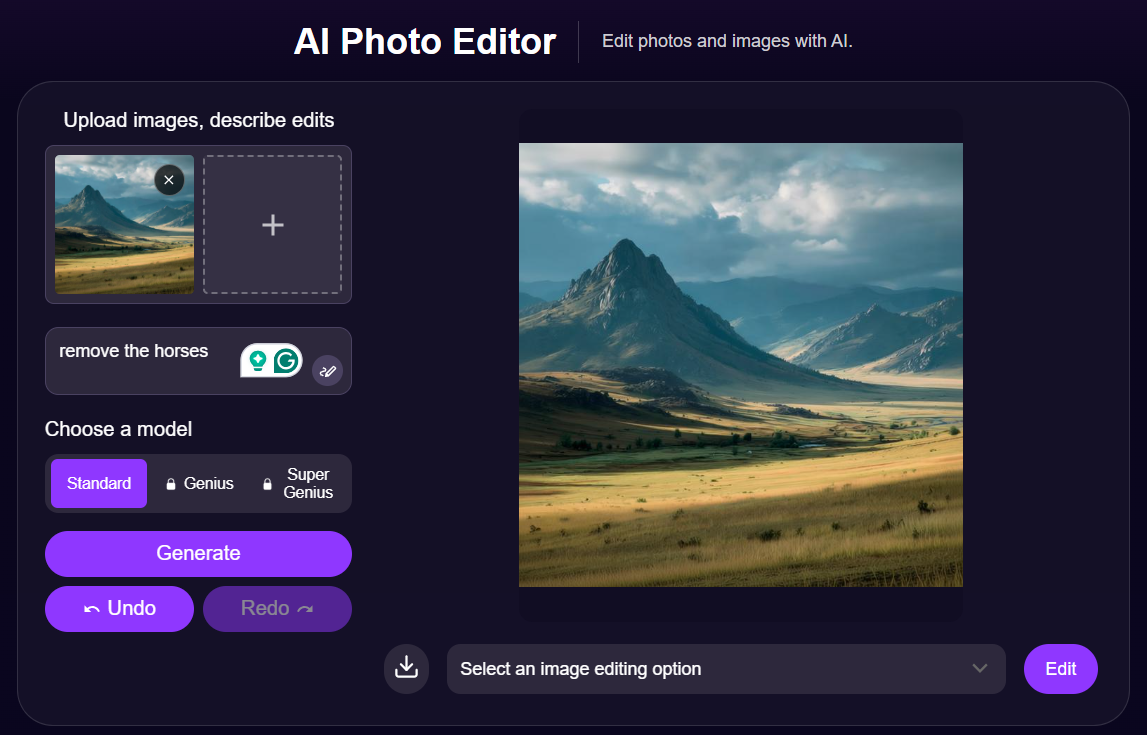
It took a few seconds to implement the changes. The edits were good.
DeepAI’s AI Humanizer Problem
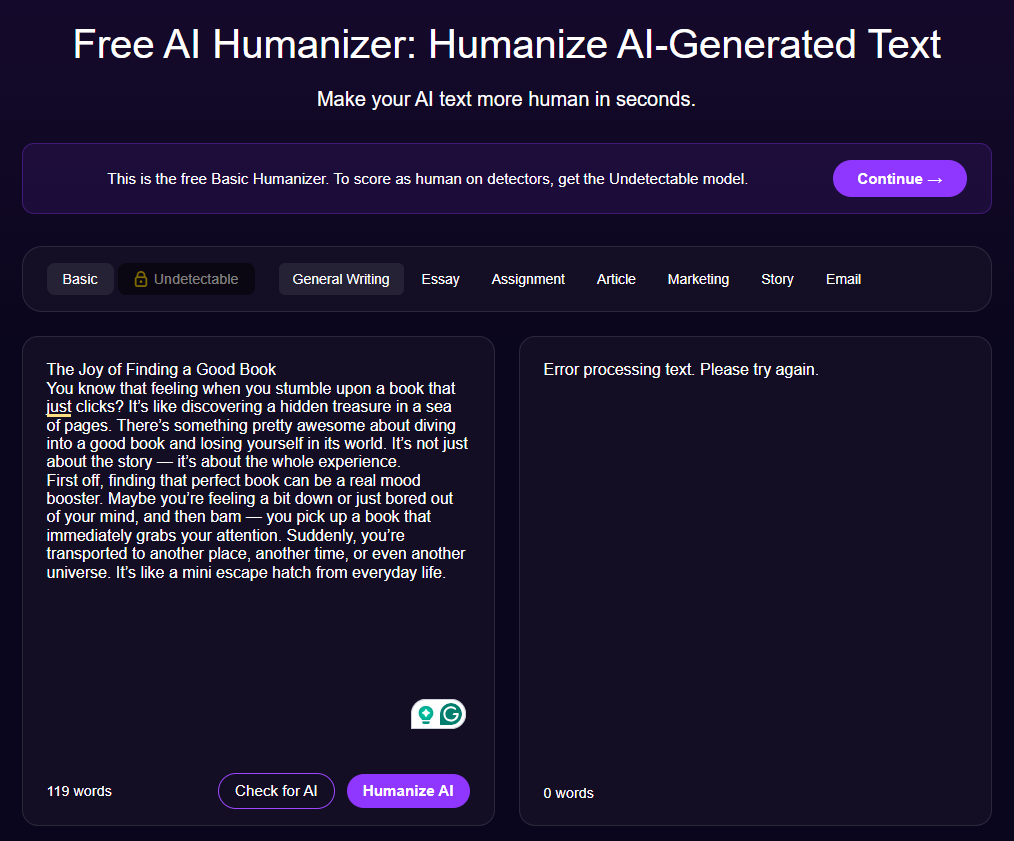
DeepAI also offers an AI text humanizer and confidently claims it can score 99% human on AI detectors. So I wanted to feed it AI-generated text and get it humanized.
But when I pasted the text and hit Humanize, the tool gave an error that read “Error processing text. Please try again.”
I assumed the pasted text was exceeding the word limit and causing the error. But that wasn’t the issue. The “Check for AI” button, which seems like an AI detector, was also causing the same error. There were no instructions on what exactly was causing the error or how to fix it.
But even when humanizers do work like StealthWriter AI, AI detectors like GPTZero can tell what's AI from what's human. Test any text for free on GPTZero.
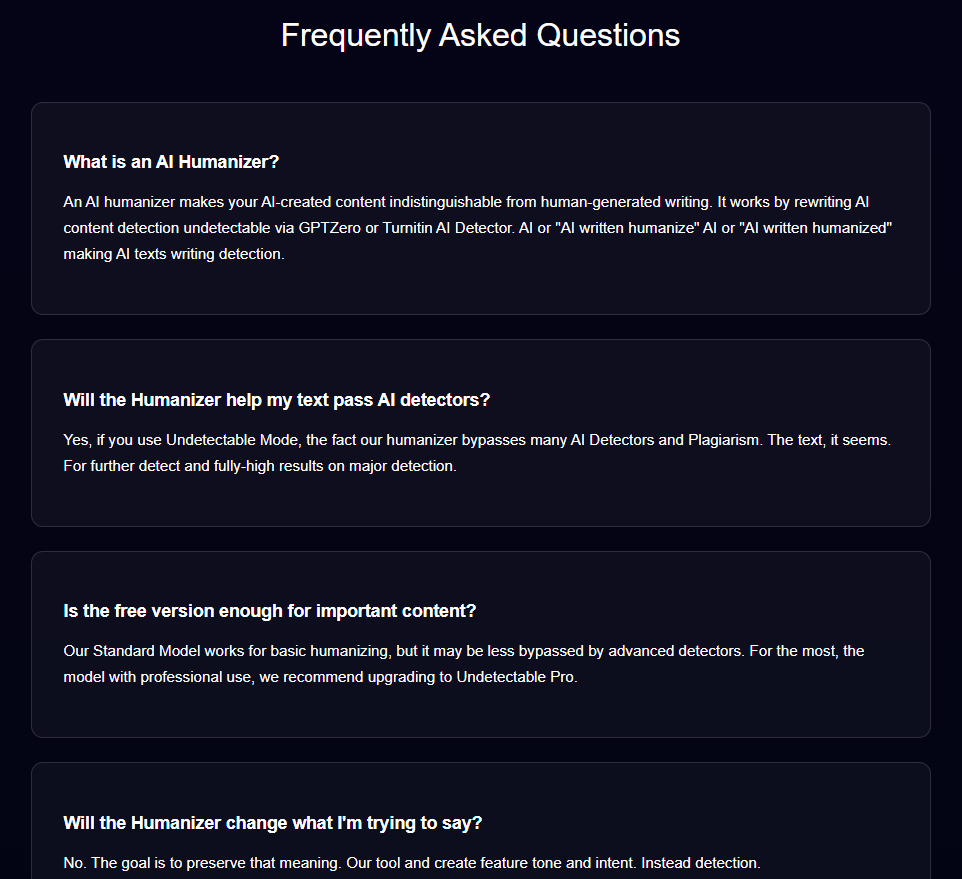
I scrolled to the bottom of the page and found that all the answers to FAQs were poorly written. They were all incoherent and meaningless.
This can be a sign that the AI humanizer feature has been abandoned by DeepAI. They have quietly discontinued other features as well without informing anyone about it. See this recent Reddit post by a user asking, “What happened to the 'Talk to image' feature?”
How Much Does DeepAI Cost?
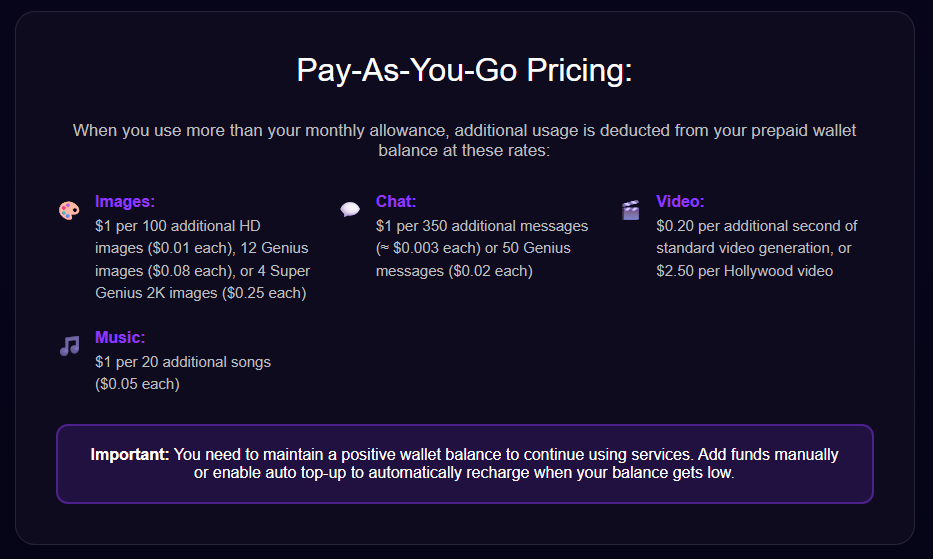
At a glance, you would say DeepAI is quite affordable. The monthly plan costs $9.99, and the yearly plan costs $89.99 (which saves you the cost of three months).
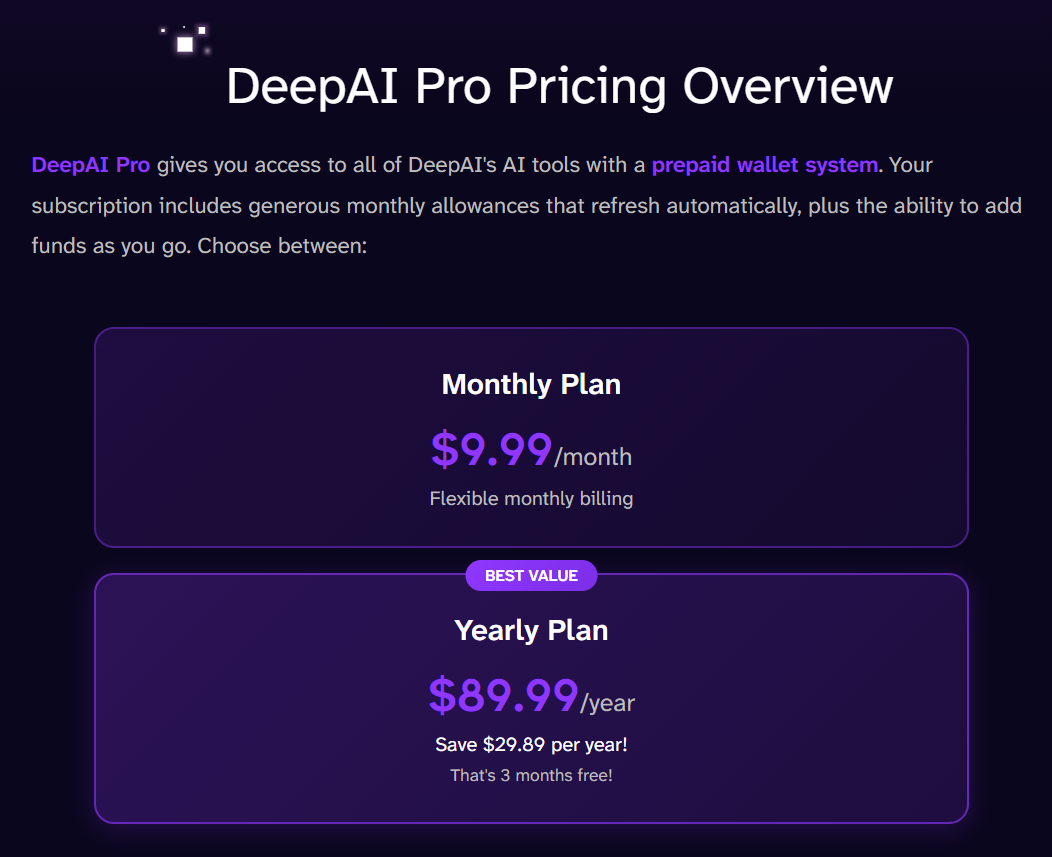
But there’s more to it. These are just the base prices that give you a set amount of credits (DeepAI uses the term allowance for credit).
Once you have used the set allowance, DeepAI starts charging you for additional usage at their pay-as-you-go rates. If your DeepAI wallet doesn’t already have the money for additional usage, you won’t be able to continue using DeepAI services. You can top up your wallet either manually or set it to automatic.
Always Have GPTZero By Your Side
Some DeepAI tools, like the music generator and AI photo editor, are actually nice. But the platform as a whole is very basic. You can do half, if not all, of the same tasks using other leading free AI chatbots.
One thing you shouldn’t use DeepAI or any other chatbot for is writing. Machines still can't write the way humans do. The text they generate is formulaic and soulless.
You’ll come across many AI writing and humanizing tools, but our testing of such tools, like TinyWow and GravityWrite, has always proven that advanced AI detectors like GPTZero can easily catch text generated by them.
What this tells us is that humans cannot outsource writing to AI tools. It’s a skill that they must not lose to AI.
That’s why GPTZero’s AI detector not only catches AI text accurately but also highlights which sentences feel the most AI and which ones feel human, so you can make corrections and keep writing alive.
Run your next piece through GPTZero's free AI detector and see if it’s AI or human.