ZeroGPT vs Grammarly: Accuracy, Features & Verdict
ZeroGPT and Grammarly both offer tools for writing assistance, but which one works better? We tested ZeroGPT vs Grammarly side by side. Read and find out.


We have all been using Grammarly for years, and it has likely saved us from typos in emails, and punctuation mistakes that we overlooked in our posts.
It’s true that sometimes, its suggestions can feel unnecessary or off the mark, but it's a helpful tool.
So when ZeroGPT started showing up as an alternative, my first reaction was skepticism. It seemed like a platform with questionable branding trying to take on the giant.
But here's the thing about this Grammarly vs ZeroGPT comparison: it's not as one-sided as we might think.
I spent weeks testing both tools side by side, and what I found was more nuanced than the marketing on either side would have you believe. Here, I share an in-depth comparison of ZeroGPT vs Grammarly.
Quick Overview (TL;DR)
What is Grammarly?
Grammarly’s original service was helping people write error-free content with correct grammar and spelling. That's literally where its name comes from. It was a grammar checker only, with a great plugin (browser extension and desktop app) that helped users correct their mistakes without leaving their text editor screen.
But when similar grammar checking tools entered the market, Grammarly started branching out with new features to stay competitive.
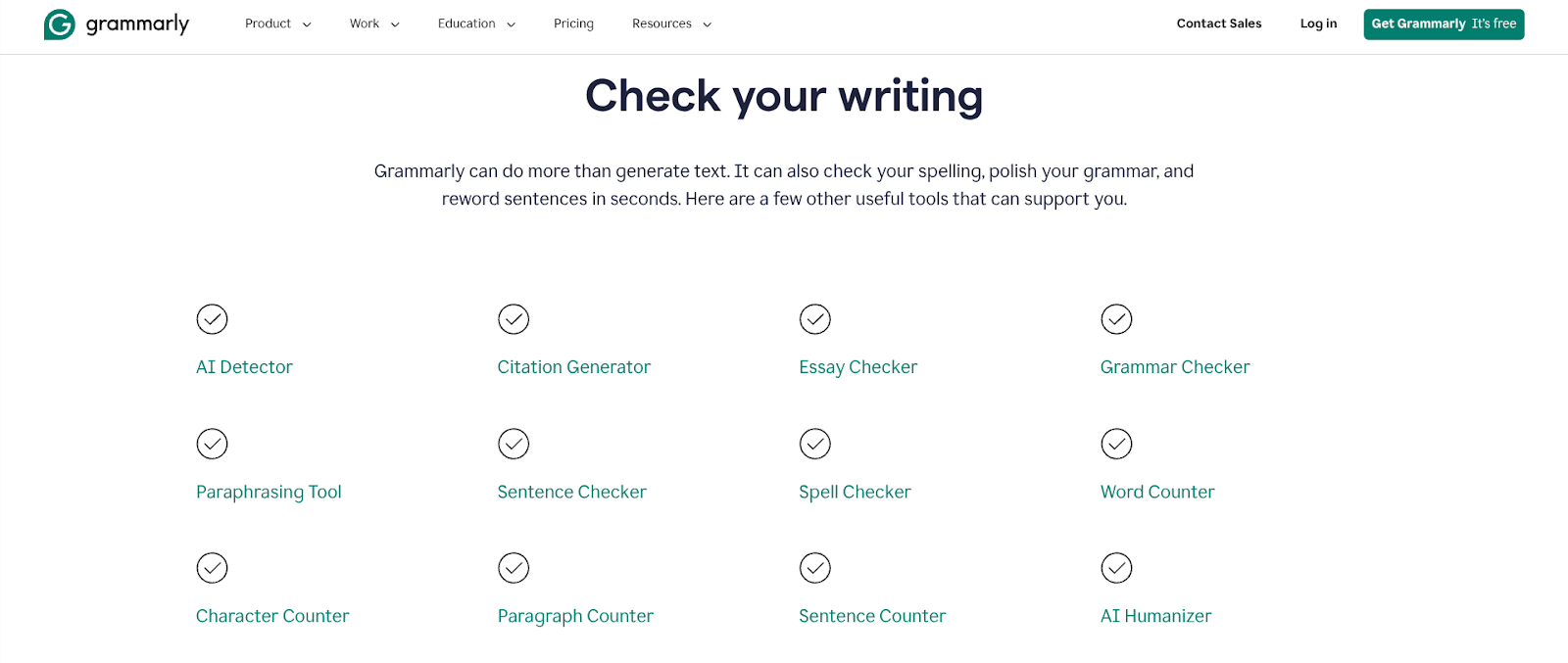
Today, Grammarly's main features include:
- Grammar checker
- Plagiarism checker
- AI detector
- AI humanizer
- Citation generator
- Paraphrasing tool
- Authorship (a writing replay tool)
These are just the major tools. The actual toolkit is bigger and contains smaller utility tools for specific writing needs. Some of those tools are:
- Character, word, sentence, and paragraph counters
- Passive voice detector
- Spelling and sentence checkers
- Citation finder for claims
- AI-powered grader for academic work
- AI agent feedback generator with customizable reviewers
Grammarly’s browser extension and apps have played a huge role in its popularity. These plugins are widely used and loved by users because of how smoothly they function on most websites, especially Google Docs. If you use Microsoft Office, Grammarly has a dedicated solution for that, too.
What is ZeroGPT?
ZeroGPT launched on January 18th, 2023, as an AI detector tool with a name deliberately coined to sound similar to GPTZero. Right from day one, it was clear that this was a move to ride on GPTZero's popularity and create brand confusion.
Even major news outlets like Yahoo News and SCMP fell victim to this misleading marketing tactic and accidentally mixed up the two brands in their reporting.
But let’s set aside brand ethics (read more about it here) and talk about the tool itself.
Here's what the platform currently offers:
- AI detector
- AI summarizer
- AI paraphrase
- AI grammar check
- Plagiarism checker
- Word counter
- AI email helper
- AI translator
Notice how many of these overlap with Grammarly’s toolset? That's exactly why people treat ZeroGPT as one of Grammarly's alternatives.
ZeroGPT also provides an AI assistant marketed specifically to students with the promise of helping them "crush every class like it's rigged in their favor."
ZeroGPT vs Grammarly: Feature-by-Feature Comparison
Just like our previous product comparisons, we’ll only test the features that ZeroGPT and Grammarly have in common. These include::
- Grammar checker
- AI detector
- AI paraphraser
- Plagiarism checker
Grammarly vs ZeroGPT: Grammar Checker
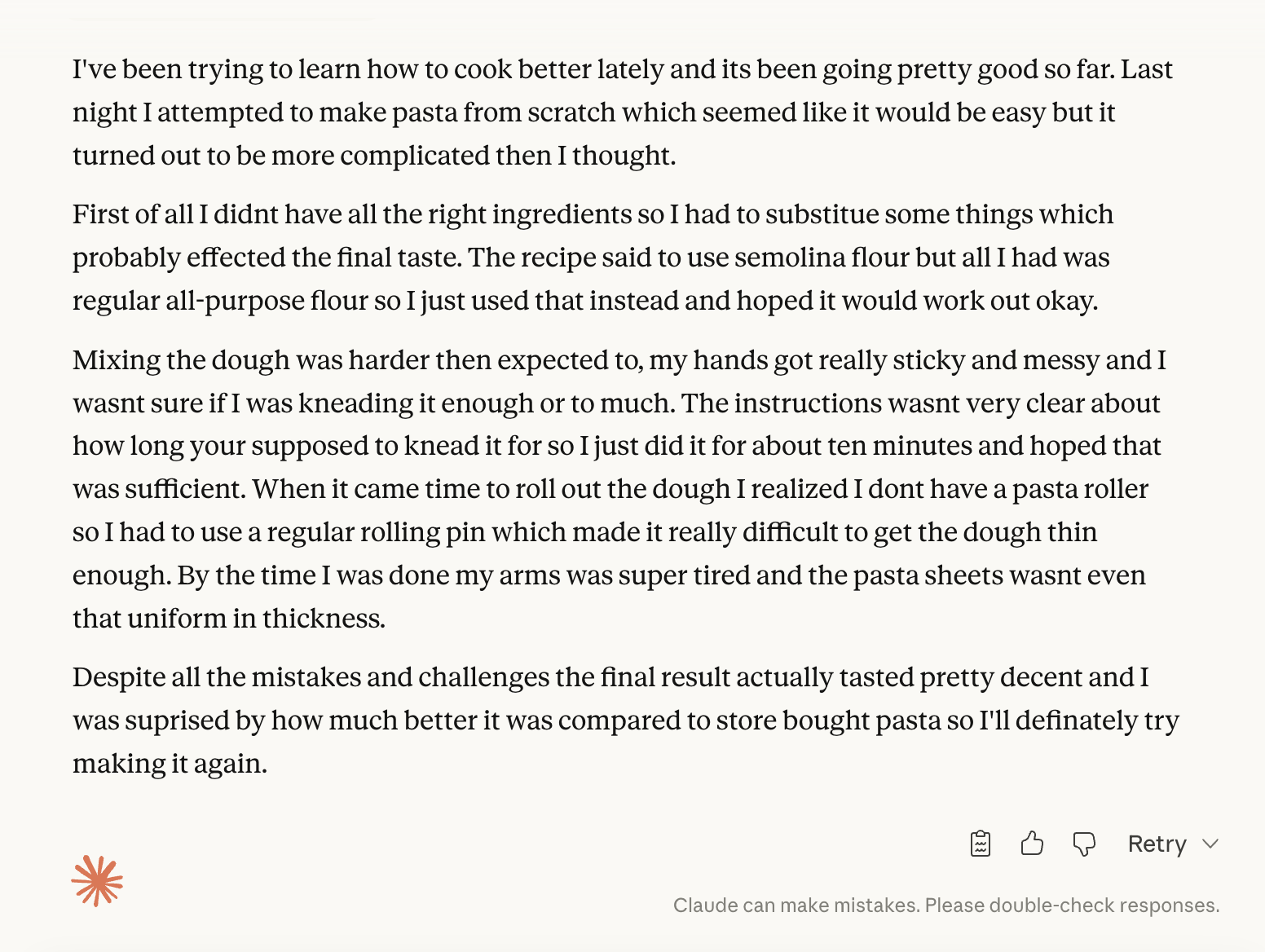
I tested the two grammar checkers using a typo-heavy story I generated with Claude AI.
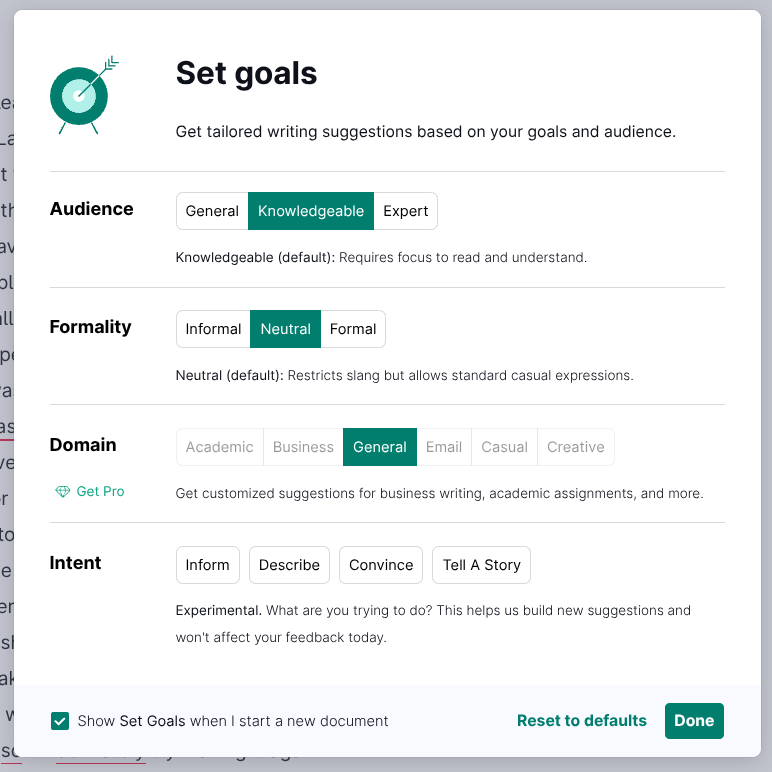
When I entered the text into Grammarly, it asked me to set writing goals for the desired level of suggestions. This is Grammarly’s way of gauging context to detect only the appropriate mistakes.
For example, if you set the Formality level to Informal, Grammarly will overlook slang and informal expressions like “Kinda”, “trynna”, “wanna”, etc.
Anyway, I didn’t change the default goals because they work fine for most write-ups.
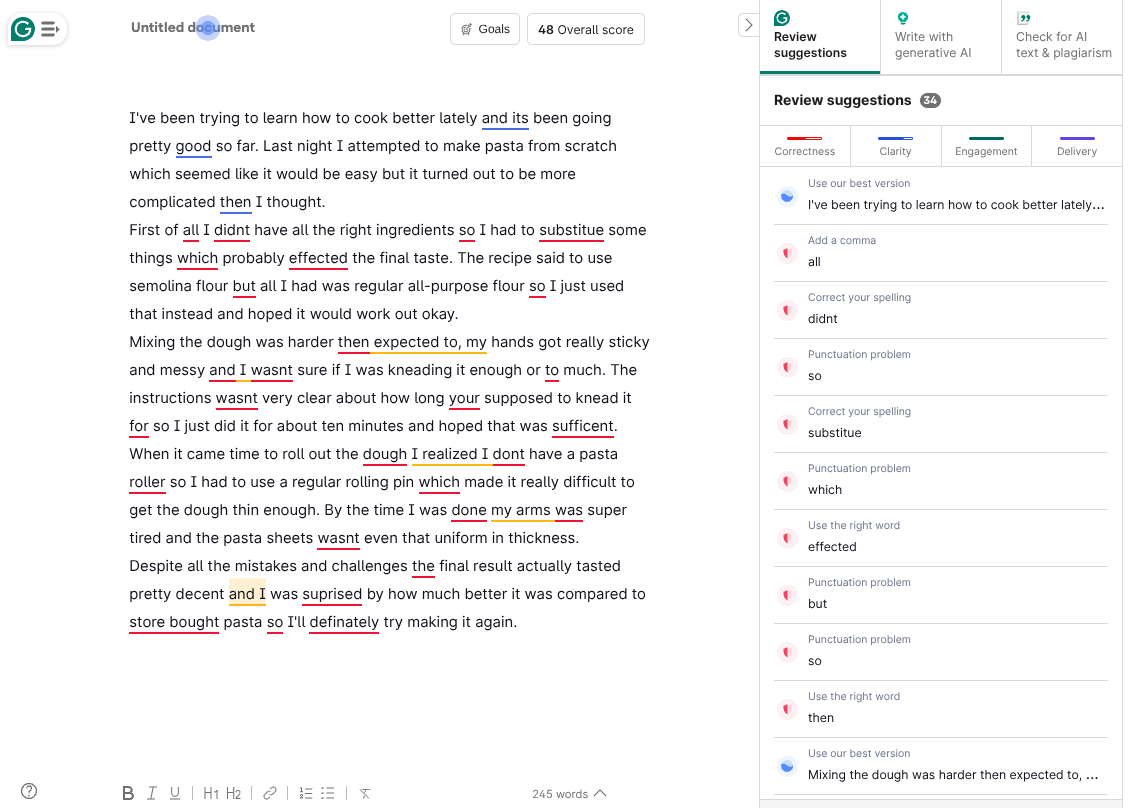
Grammarly suggests edits by underlining them in different colors. If the underline is red, the suggestion is accuracy-related. If the underline is blue, the text isn’t incorrect, but can be improved for clarity. Orange underlines are Grammarly’s way of urging you to buy the premium plan.
Grammarly was able to point out all the issues in the text. It suggested edits for grammar, misspellings, and punctuation.
The free version of Grammarly doesn’t restrict you to any word limit on its grammar checker.
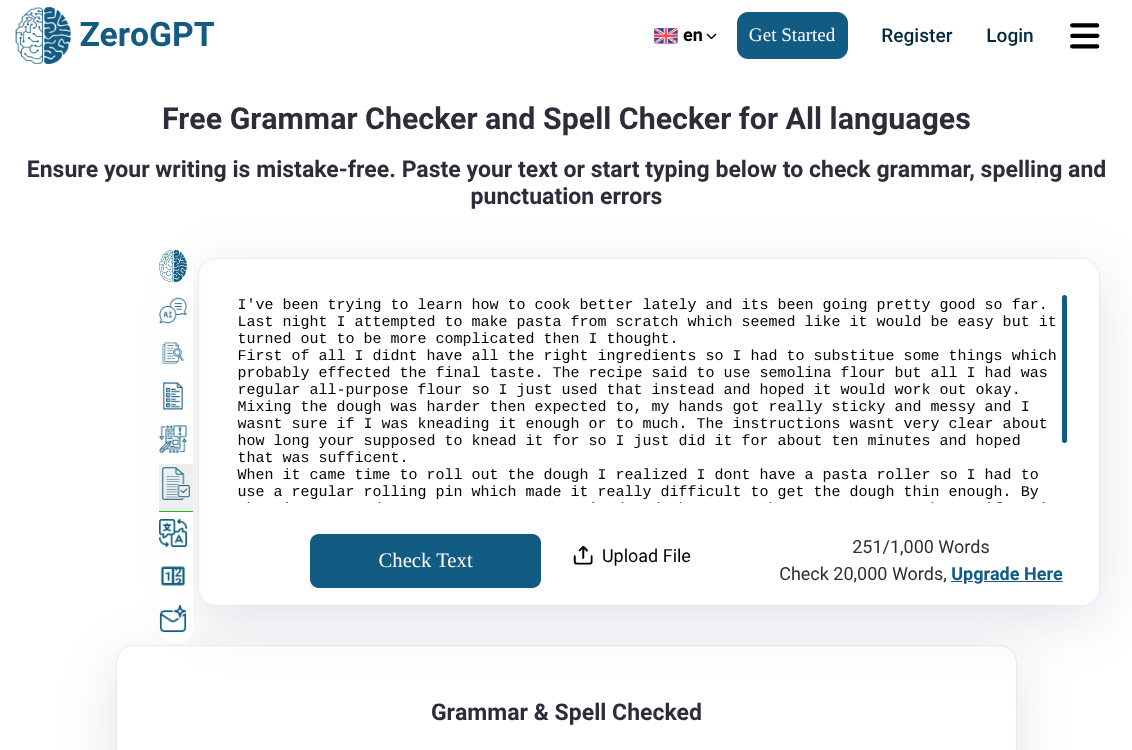
Then I gave the same text to ZeroGPT’s grammar checker. ZeroGPT’s interface is simple and old-fashioned. You just paste your text or upload a file and press a button. The free version allows 1000-word scans.
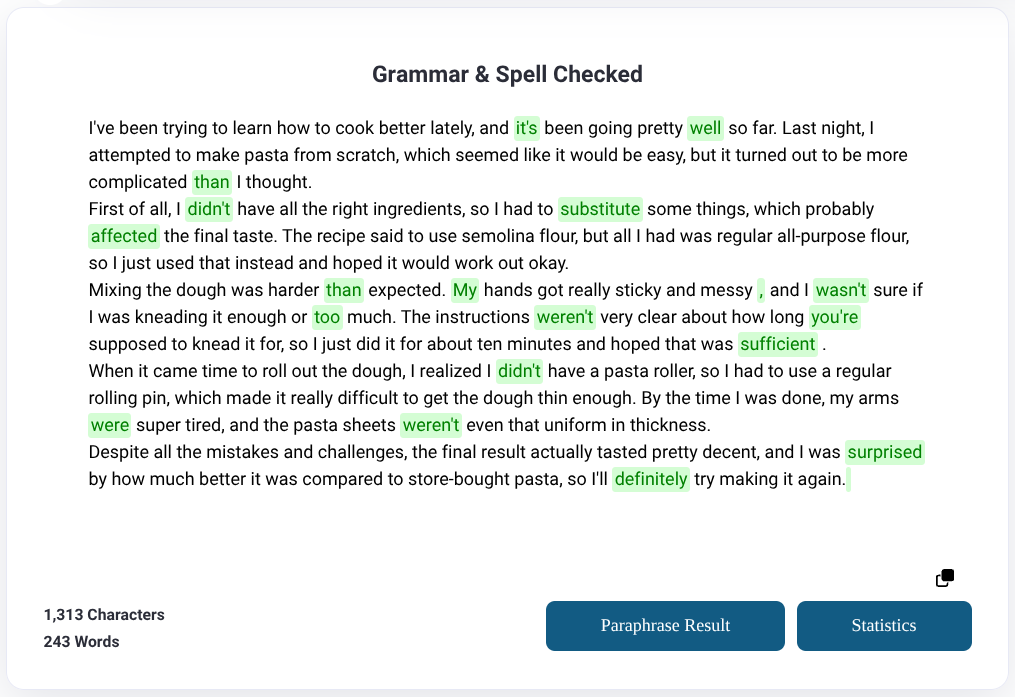
Unlike Grammarly, which gives you control over implementing the edits, ZeroGPT applies the edits and presents the resulting text in a new text box with edits highlighted in green.
ZeroGPT’s text highlighting is inconsistent, though. In my QuillBot vs ZeroGPT article, ZeroGPT highlighted most (not all) punctuation marks that it added, like commas and periods, too. But this time, only one comma was highlighted (see 3rd paragraph), and all other punctuation edits were left unhighlighted.
That’s a major issue with ZeroGPT’s grammar checker. It’ll make correct edits, but will fail in correctly informing you about all of them, which Grammarly does.
Verdict: Grammarly should be your go-to ZeroGPT alternative for grammar checks because it’s correct, user-friendly, feature-rich, and gives you the freedom to choose and refuse edits.
ZeroGPT vs Grammarly: AI Detector
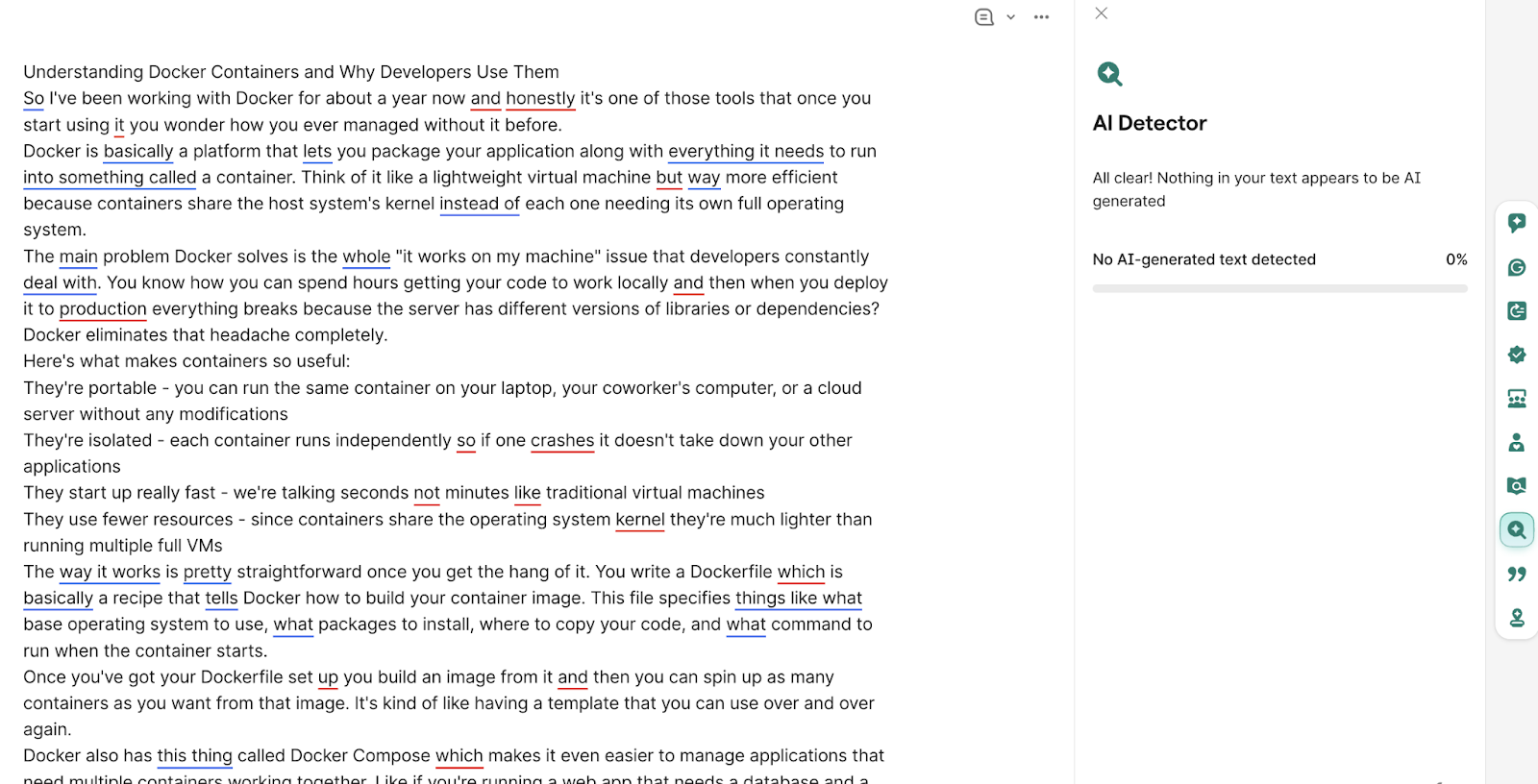
I chose a 100% AI-generated text for this test, and both AI detectors fell for it.
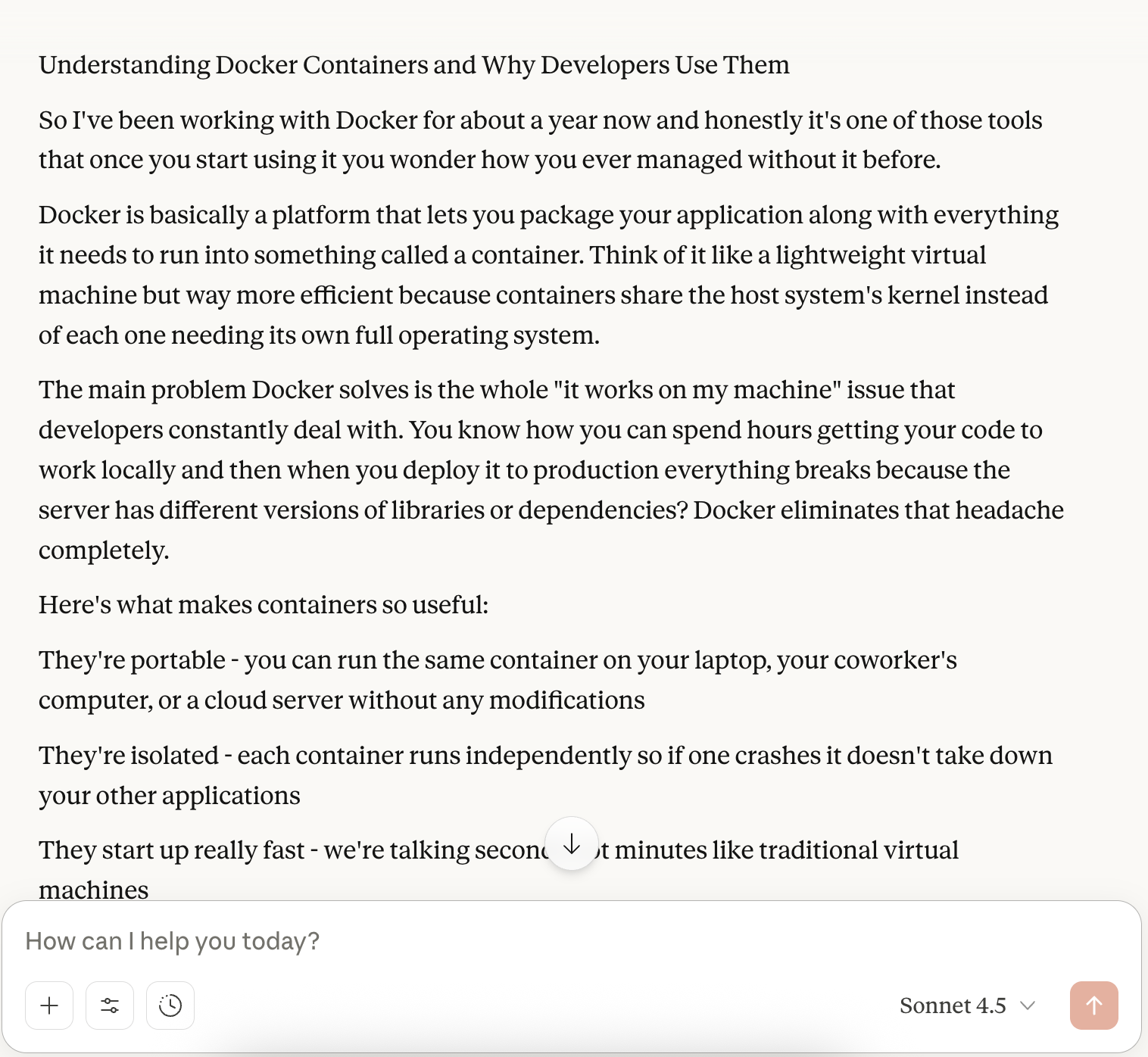
ZeroGPT’s final answer was that the text is likely human-written with AI-generated parts. It could only detect 55.99% of the text as AI, which is far from an acceptable level of accuracy.
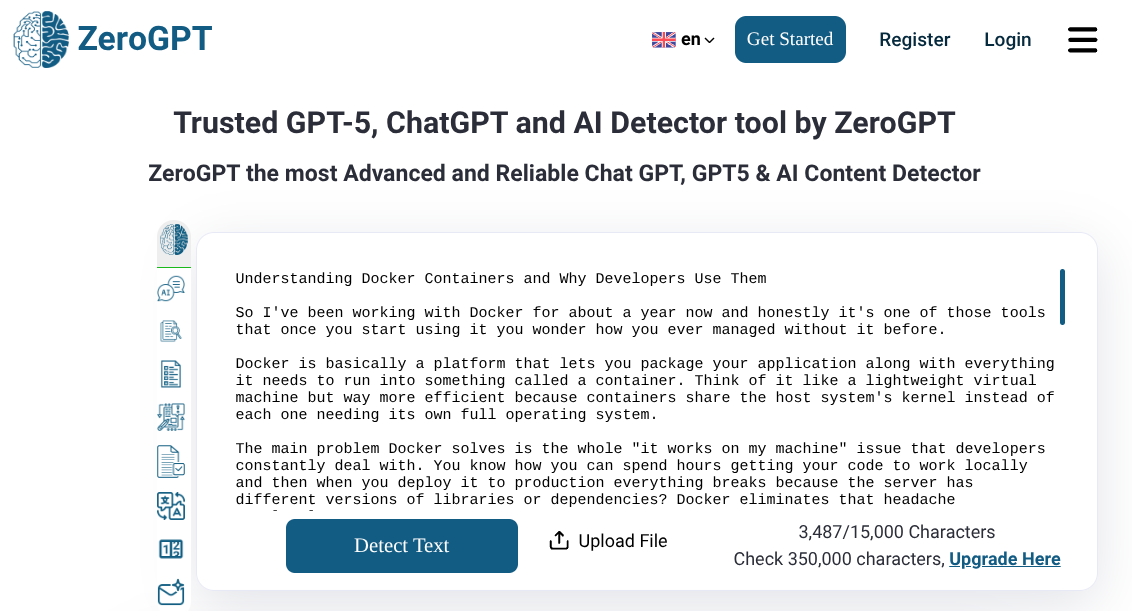
Here’s how ZeroGPT displays its results.
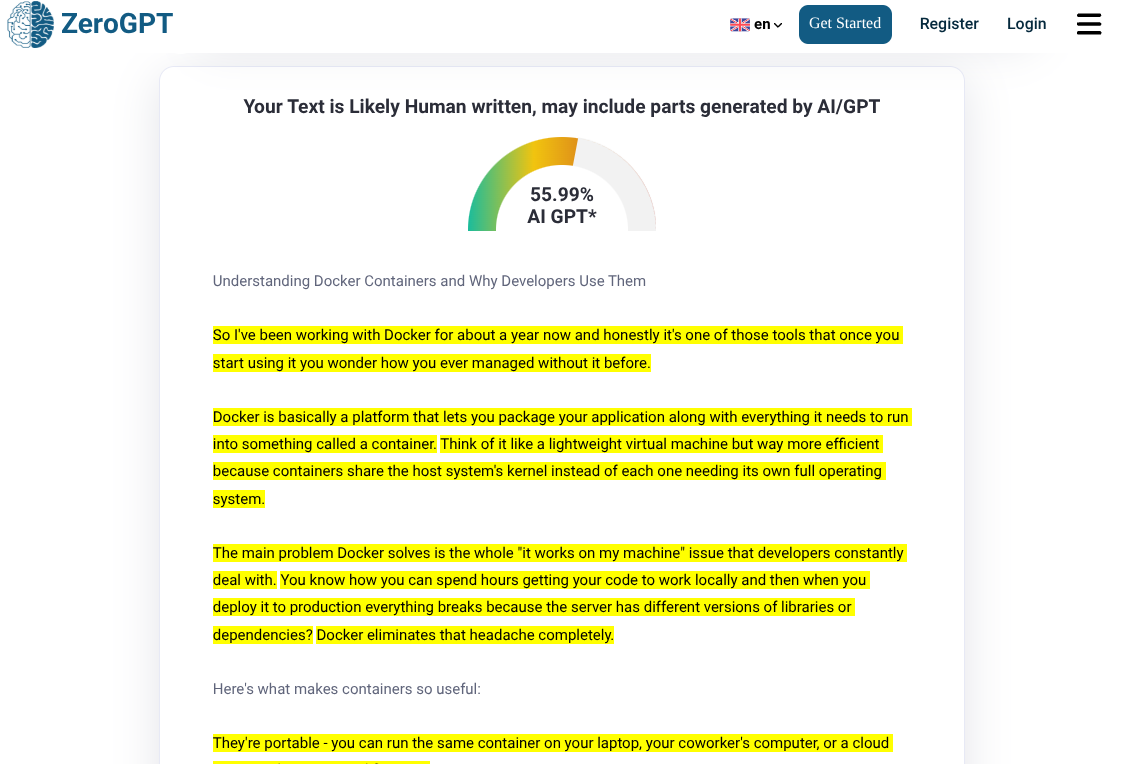
While ZeroGPT struggled with accuracy, Grammarly didn't even try.
It failed to detect any trace of AI in the 100% AI-generated text. In its own words, “All clear! Nothing in your text appears to be AI-generated.”
But this is normal for Grammarly’s AI detector. Last time when I tested QuillBot vs Grammarly, Grammarly performed the same and gave 0% AI score to a 100% AI text.
Our list of best AI detectors also puts Grammarly at the end for its high false positive rate.
Verdict: Both ZeroGPT and Grammarly have inaccurate AI detectors. But ZeroGPT at least tries to detect AI, albeit with very low accuracy. Grammarly doesn’t perform at all.
Grammarly vs ZeroGPT: AI Paraphraser
Just like other ZeroGPT tools, its AI paraphraser is also very simple.
You paste your text, choose a tone, and hit paraphrase. There are several tones to choose from, but only two of them are free to use: Standard and Simplify. Moreover, the free plan allows you to paraphrase only 300 words.
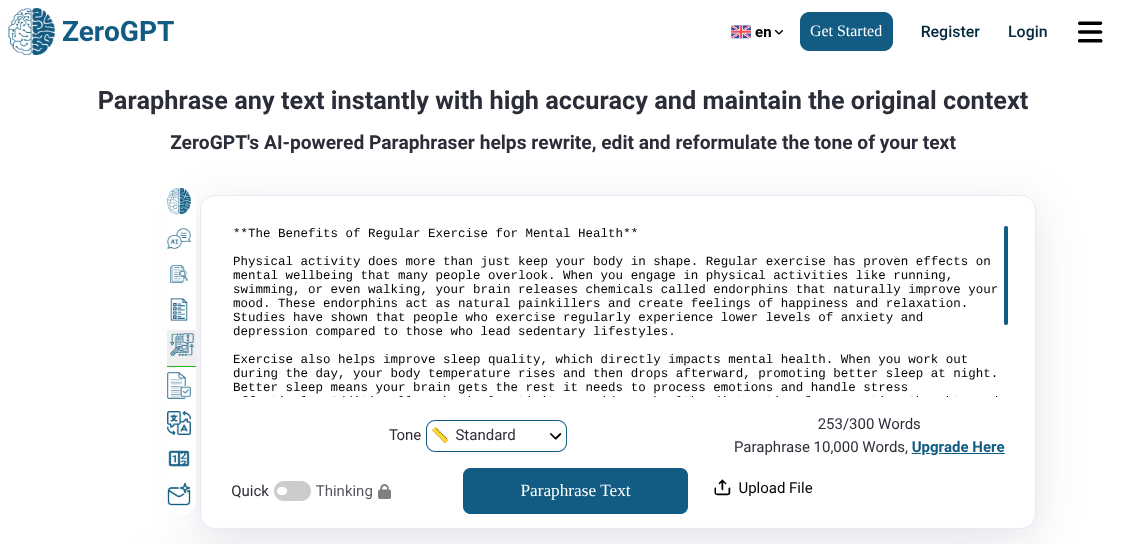
When you hit paraphrase, ZeroGPT simply prints the paraphrased text and highlights the edits.
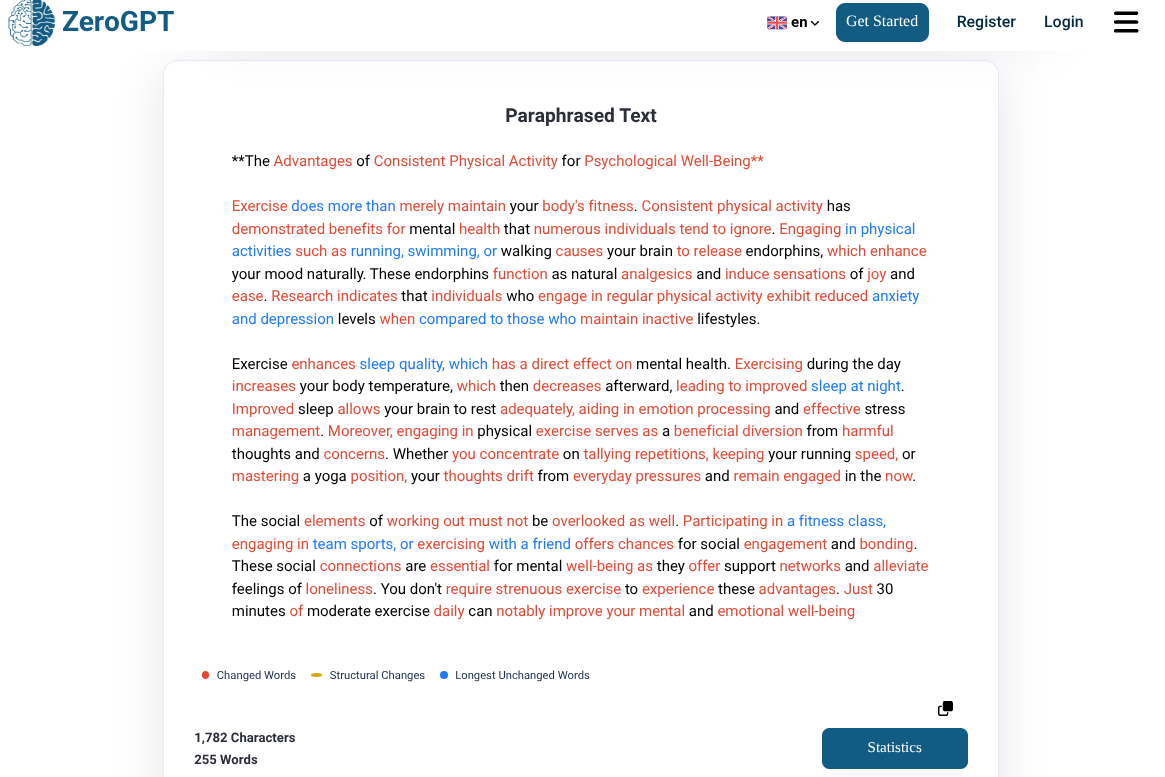
In my opinion, ZeroGPT went extreme with the paraphrasing. It made the text overly mechanical by replacing words with strange and out-of-place synonyms.
For instance, replacing “many people” with “numerous individuals” makes it awkward. It also replaced “painkillers” with “analgesics”, which is too technical.
There are no sentence-wide edits either. The number of sentences is the same, and ZeroGPT just replaced words with synonyms.
Also, notice how the legend says structural changes have yellow underlines, but there are no underlines in the text. That’s because the legend is an exact copy of QuillBot’s legend (refer to our QuillBot vs ZeroGPT article).
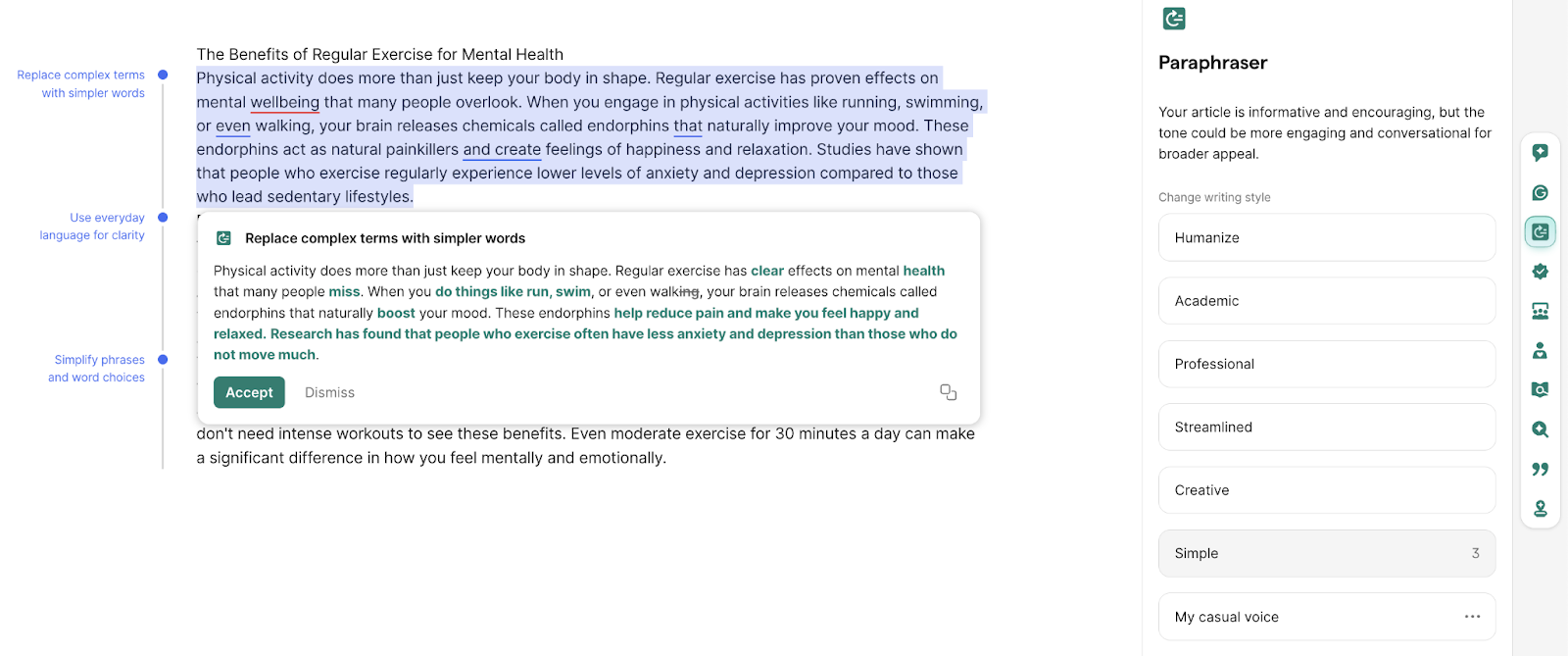
With Grammarly’s paraphraser, you are given writing styles to choose from. If you feel the given writing styles aren’t for you, you can create your own.
When you choose a style and paste your text, Grammarly suggests you edit for each paragraph. You get to choose whether you want to accept or dismiss a suggestion. Each suggestion also has a title to explain what the suggested paraphrasing changes.
Grammarly’s paraphrasing was of good quality. I had set the writing style to Simple, and the paraphrased text further simplified the already basic text. For example, it changed “When you engage in physical activities” to “When you do things like…”
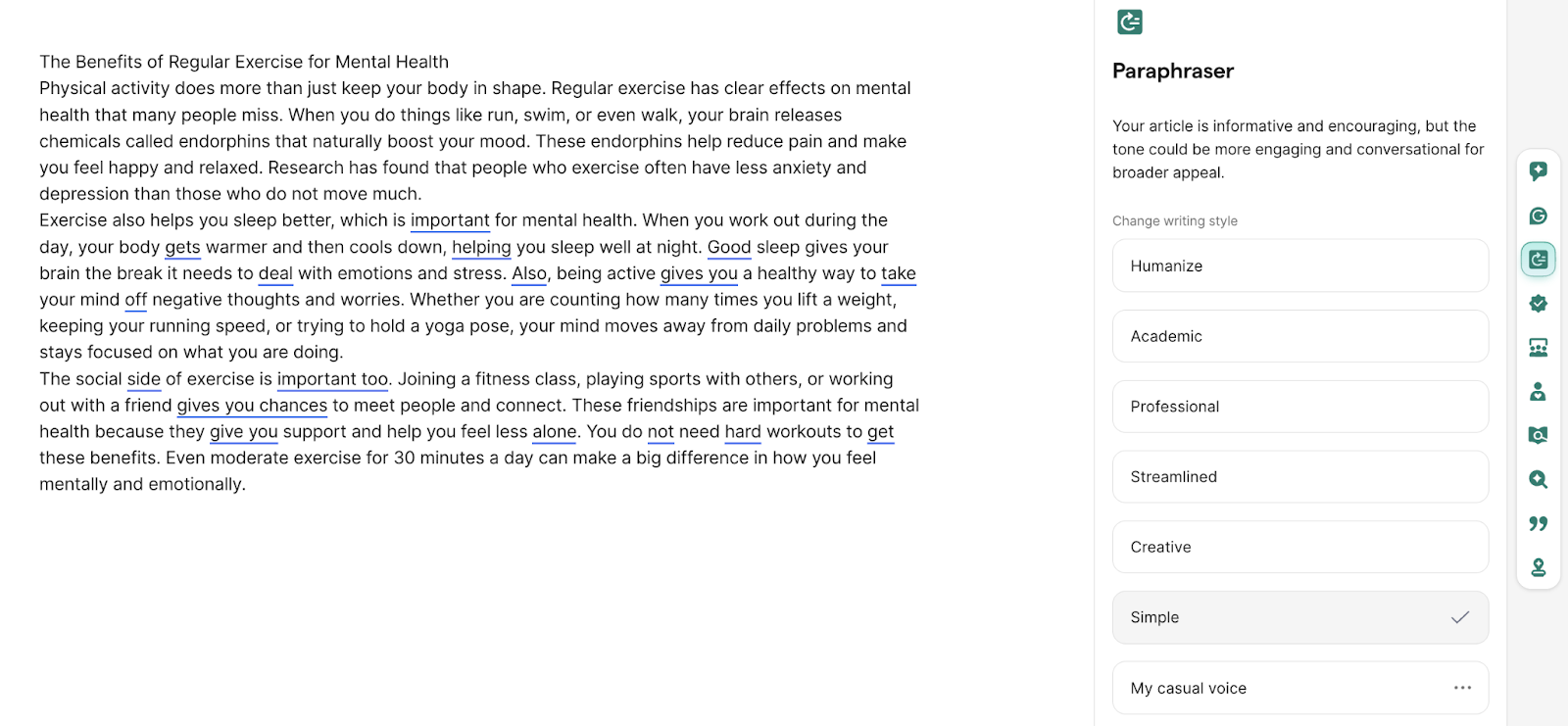
Verdict: Grammarly’s paraphraser is far better than ZeroGPT’s paraphraser. It has thoughtful features and makes context-appropriate edits.
ZeroGPT vs Grammarly: Plagiarism Checker
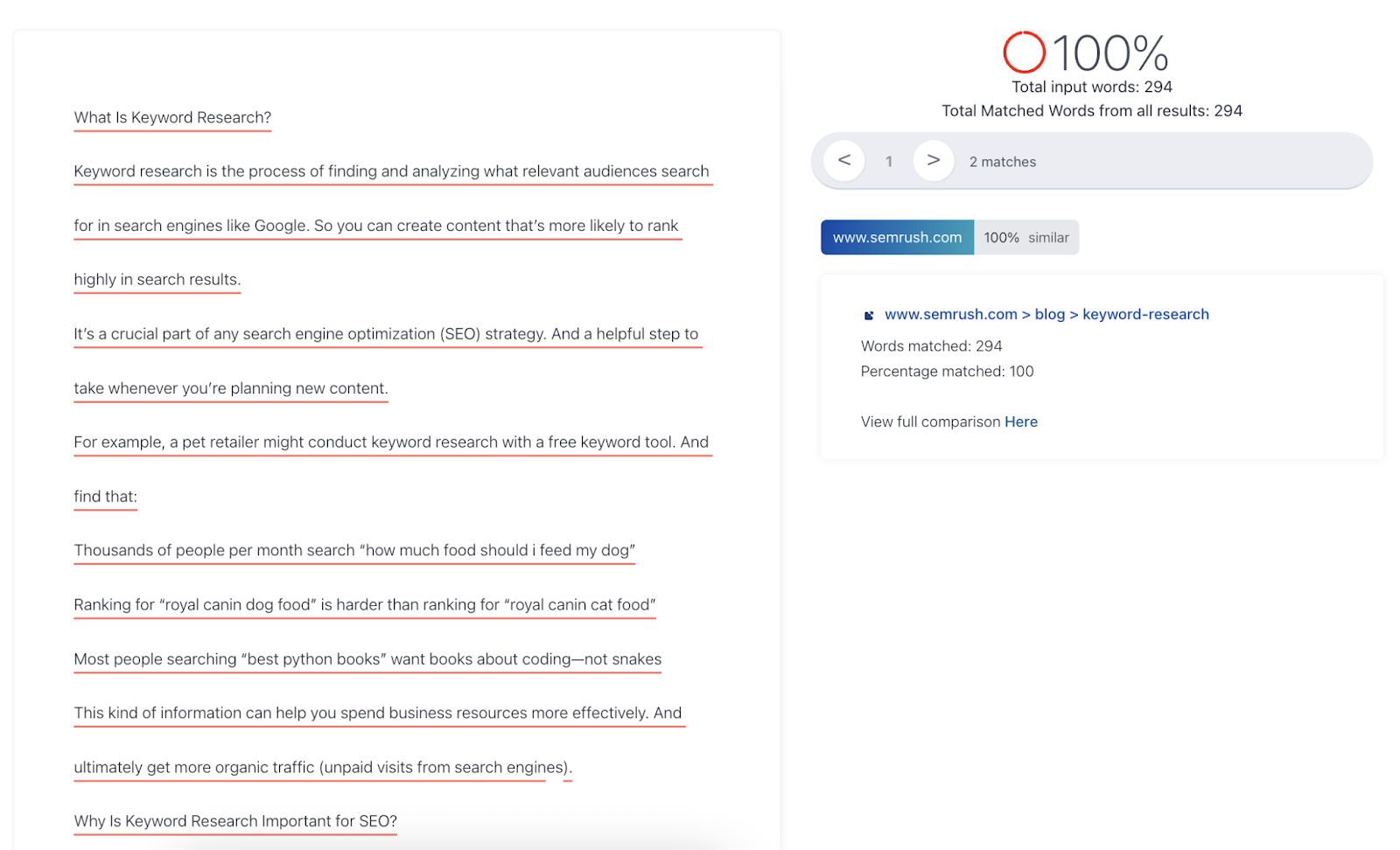
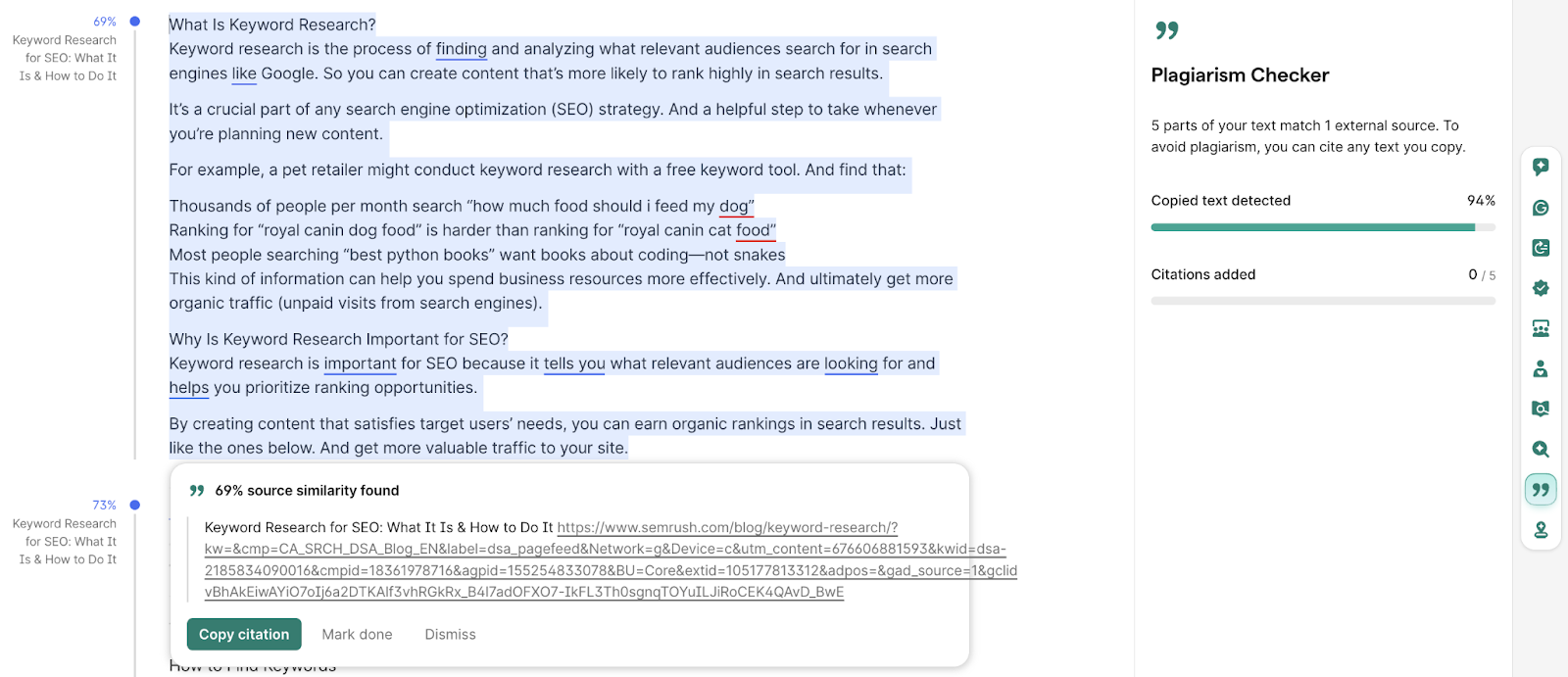
I tested both plagiarism checkers using text from a Semrush article.
Both ZeroGPT and Grammarly accurately traced back nearly all of the text with high confidence.
ZeroGPT’s plagiarism checker has a good track record, and our QuillBot vs ZeroGPT comparison is proof of that.
ZeroGPT’s results:
Grammarly’s results:
That said, Grammarly's plagiarism checker can be hit or miss. In our QuillBot vs Grammarly comparison, it did not perform well.
It would fail to detect any plagiarism, regardless of how old or new the plagiarized source was. It even failed to catch text I'd copied directly from Grammarly's own articles.
However, Grammarly doesn’t always disappoint. In our best plagiarism checkers article, it performed great on both test samples we ran.
Verdict: Although both ZeroGPT and Grammarly performed well, ZeroGPT’s plagiarism checker is more reliable overall for its consistent performance, while Grammarly’s plagiarism checker is unpredictable.
Grammarly Vs ZeroGPT Pricing
Let’s talk about how much the paid plans of both tools cost.
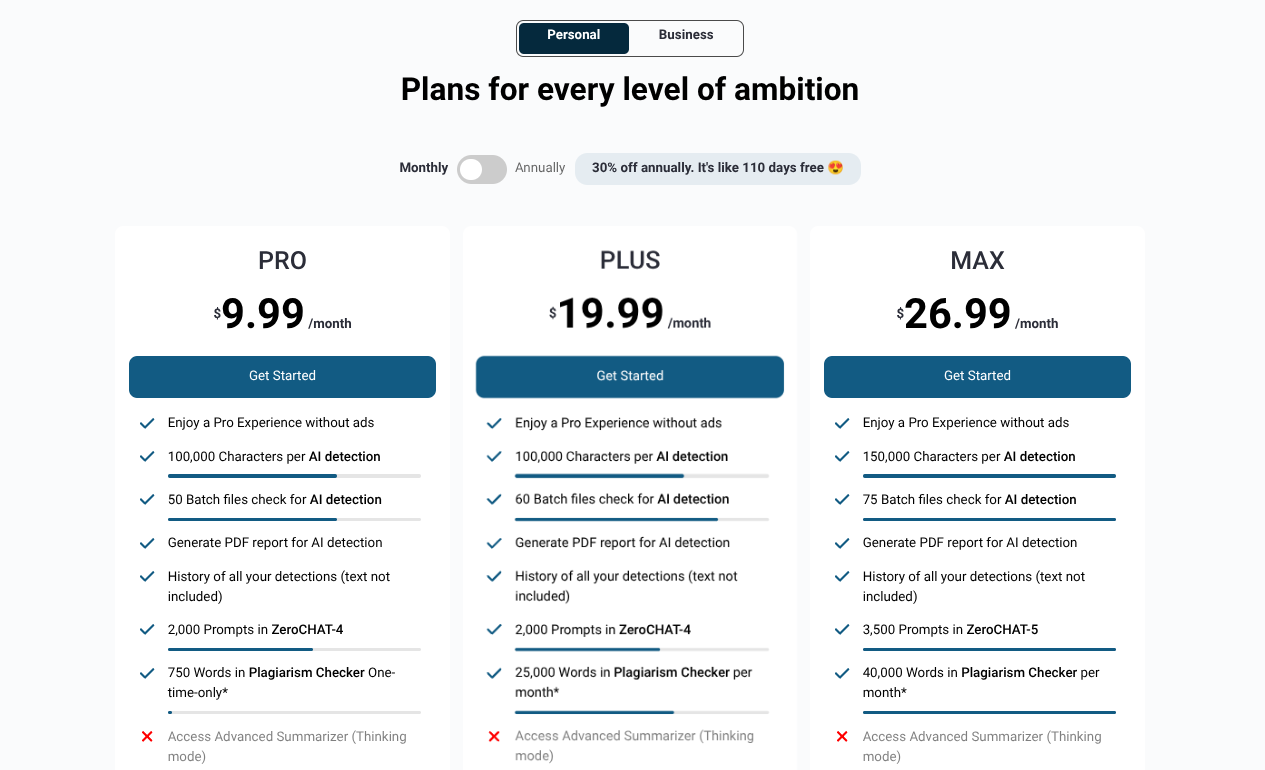
ZeroGPT Pricing
ZeroGPT’s entire toolkit is almost free. The only limitations are the word limits of the scans and the plagiarism checker, which only allows one free scan.
ZeroGPT’s pricing starts from $9.99 per month, which is high for the quality of tools and user experience you’re getting.
If you choose to subscribe for the entire year, the per-month rate drops to $7.99.
The other two paid plans for personal use are:
- Plus: $19.99/month
- Max: $26.99/month
Some ZeroGPT features are not available in these plans either. They only unlock if you buy any of their two business plans, which start from $49.99.
Grammarly Pricing
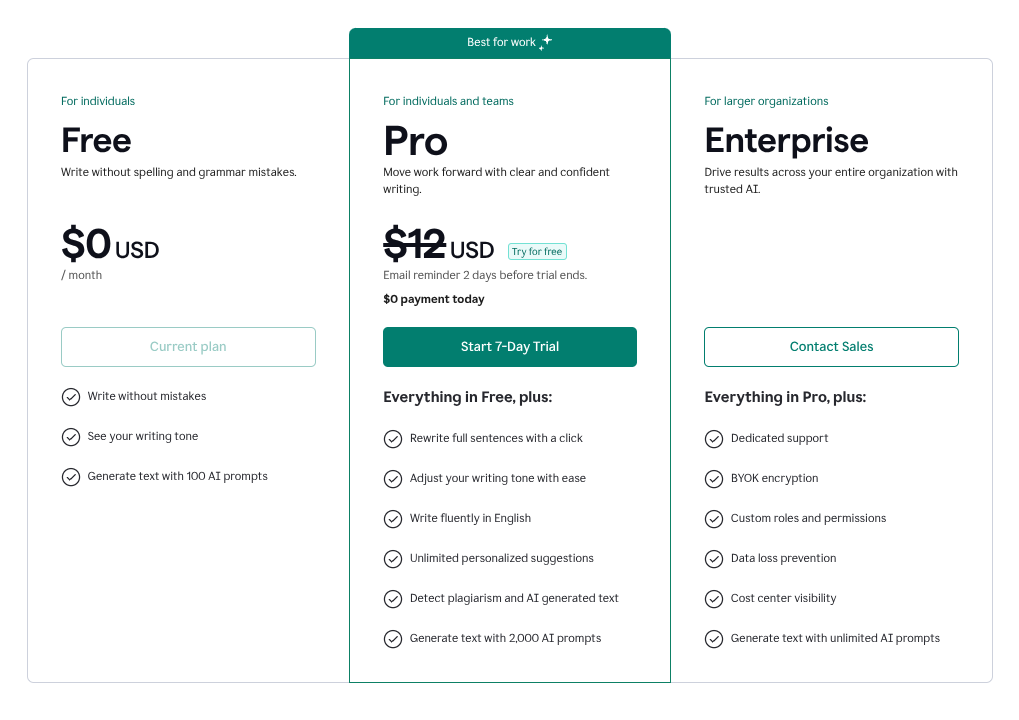
Grammarly’s AI detector, paraphraser, and plagiarism checker are all premium features. Even its grammar checker has limited capabilities in the free plan.
Grammarly’s pricing tier is simple.
There’s only one plan for individuals, the Pro plan, which costs $12/month. But these days, Grammarly is offering a 7-day free trial of this plan.
The other plan is for enterprises and has custom pricing.
Verdict: ZeroGPT is the cheaper Grammarly alternative, but with poor quality tools. On the other hand, Grammarly's pricing is somewhat worth it because of the quality of its tools. That said, its AI detector has a high false positive rate, and the plagiarism checker performs inconsistently.
Final Verdict of ZeroGPT and Grammarly Comparison
Based on my testing, the ZeroGPT vs Grammarly comparison comes down to the following results:
- Grammarly has a strong grammar checker and paraphraser, but its plagiarism checker does not perform at times. Grammarly has the best user experience of the two platforms. However, most Grammarly features are paid.
- ZeroGPT’s plagiarism checker is good, but it’s a paid tool after one free scan. All other ZeroGPT tools are free to use and are basic.
- Both ZeroGPT and Grammarly have highly inaccurate AI detectors with high false positive rates.
So the final verdict mostly leans in favor of Grammarly. If you want to check grammar or paraphrase content, go for Grammarly. And for plagiarism checking, if Grammarly and ZeroGPT are your only options, you may want to prioritize the latter.
Since both platforms fail at AI detection, you’ll have to look for the best AI detector.
According to the independent RAID benchmark and several studies, GPTZero is the most accurate AI detector in the industry.
Our own testing has also proved that GPTZero has an accuracy of 99% and a false positive rate of 1% or lower.
Scan your text for AI and see for yourself.
FAQs
Which is better, Grammarly or ZeroGPT?
Between Grammarly and ZeroGPT, Grammarly is the better choice overall. It has excellent grammar checking and paraphrasing tools with a smooth user experience, though most features require payment. On the other hand, ZeroGPT offers reliable plagiarism checking only, but that allows one free scan only before asking you to pay. Both have AI detectors with questionable results
Is Grammarly AI detector accurate?
No, Grammarly's AI detector is highly inaccurate. In my testing, it completely failed to detect 100% AI-generated text and often shows high false positives. It has performed similarly in our previous tests too, which is why it ranks last among our and others’ list of best AI detectors.