
StealthWriter AI Review: Can it Bypass AI Detection?
StealthWriter AI claims to humanize AI text and bypass AI detectors. In this StealthWriter AI review, we put it to the test against top AI detectors to find out.


According to the data analyzed by GPTZero’s AI vision, 12.2% of the Internet is AI.
That's a significant part of online content, and it's detectable because ChatGPT, Claude, Gemini, or any other language model writes content in a way that gives it away that a human didn’t write it.
No matter how good a prompt you write, AI-generated content will still have those tell-tale signs that AI detection tools like GPTZero can easily catch. Even humans can detect AI writing if they’ve come across it too often.
StealthWriter claims to solve this problem of AI writing. It markets itself as an AI content humanizer.
In this article, we’ll put StealthWriter to the test against top AI detectors, including GPTZero, to show you which AI detectors it can bypass and which ones can catch it.
By the end of this comprehensive StealthWriter AI review, you’ll also learn about the key features, pricing, and pros and cons of the tool.
What is StealthWriter AI?
StealthWriter is one of the many tools made for the purpose of humanizing AI-written content.
You paste your AI-generated text in, hit Humanize, and out comes the rephrased version of your original text that's now supposed to pass as human-written.
Whether Stealth Writer AI actually succeeds in humanizing AI text will be proven in our tests later on in this review. For now, we’re only talking about what the tool stands for.
The tool is quite simple in comparison to other similar AI humanizers like Undetectable AI that we’ve reviewed in the past. It isn’t crammed with features like its competitors. There’s an AI Humanizer, an AI Detector, and an AI text generator only. That’s it.
The StealthWriter AI Humanizer itself has just the required moving parts. There’s a text box to paste your AI content and a button that says Humanize.
You can also apply different models and advancement levels. Different writing styles are also available. There’s some more settings which we’ll discuss later in the Features section.
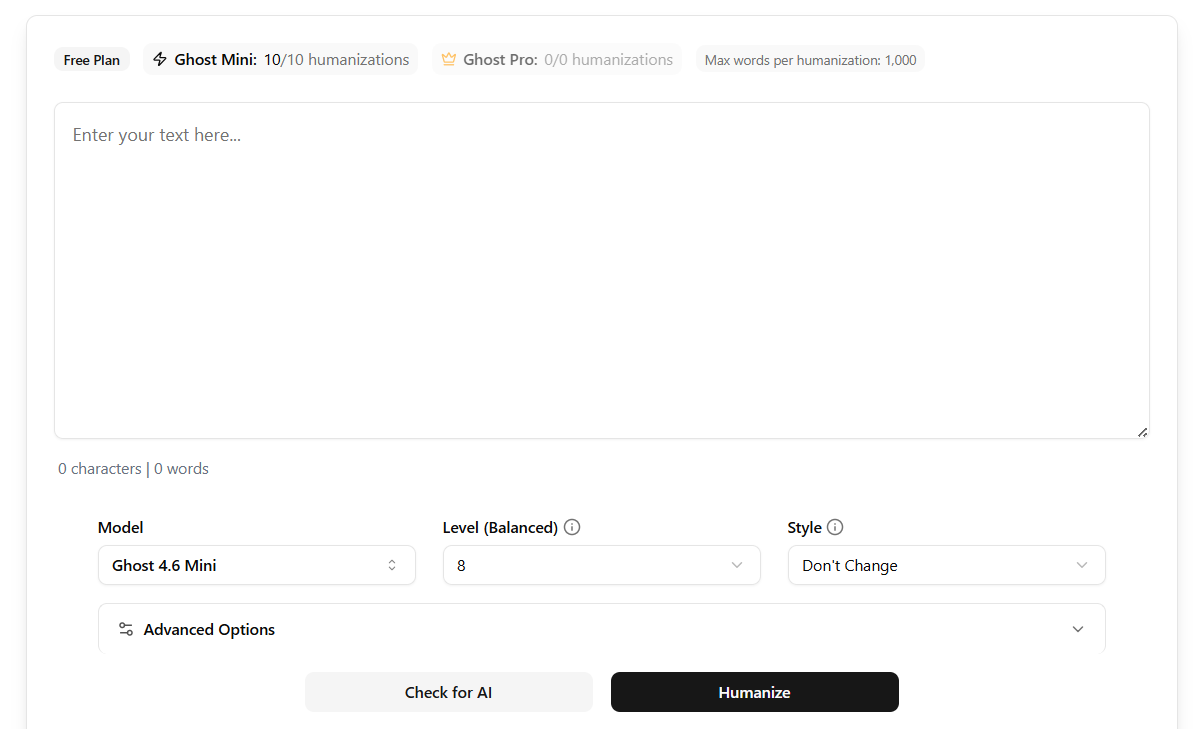
Above the text box, you’ll see the maximum number of words that you can humanize in an attempt.
StealthWriter has two humanizing models, Ghost Mini and Ghost Pro. If you use the tool for free, you only have access to the Ghost Mini model. Ghost Pro is for paid users only.
Now, let’s find out why people feel the need for a tool like this.
Why are People Interested in StealthWriter AI?
When ChatGPT was made public back in 2022, and more people learned that it could generate long-form written content, they started depending on it heavily. ChatGPT has over 800 million users globally.
Students started using the tool for all their assignments. They’d simply give ChatGPT prompts for their assignments, paste its output into their document, and press submit.
Many professionals, like publishers, bloggers, content teams, marketers, etc, also outsourced their work to AI.
This trend became so widespread that you’d barely find a website that wasn’t publishing AI-generated content.
Then came GPTZero as the first AI detection tool. This invention allowed anyone to check their text for AI.
Teachers and content managers at writing agencies could now easily tell whether a submission was AI-written or original.
Developers realized this problem, and that’s how the whole AI humanizer market came into being. StealthWriter AI is one of those tools.
The primary reason people use StealthWriter AI is to humanize text that they have generated using AI.
However, some of the user base of StealthWriter AI are also people who don’t feel confident in their writing. They could be coming from cultures where English isn’t their first language.
Some could also be just stretched thin and trying to keep up with deadlines.
In short, it’s understandable why a tool that speeds things up and keeps you out of trouble would appeal to people.
Now, let’s officially start our StealthWriter AI review and see whether it can actually pass AI detection.
StealthWriter AI Testing Results
We’ll put StealthWriter’s Humanizer to the test and find out if it can back its claims and bypass AI detection tools.
This is how we’ll conduct this test:
- We’ll generate text using Claude (Claude’s writing is better than ChatGPT, according to my personal experience and many others online)
- Then we’ll check Claude’s output for AI using the top AI detection tools
- Lastly, we’ll humanize the text using StealthWriter and run the output through the same AI detection tools to see if it bypasses detection, and if yes, then by how much
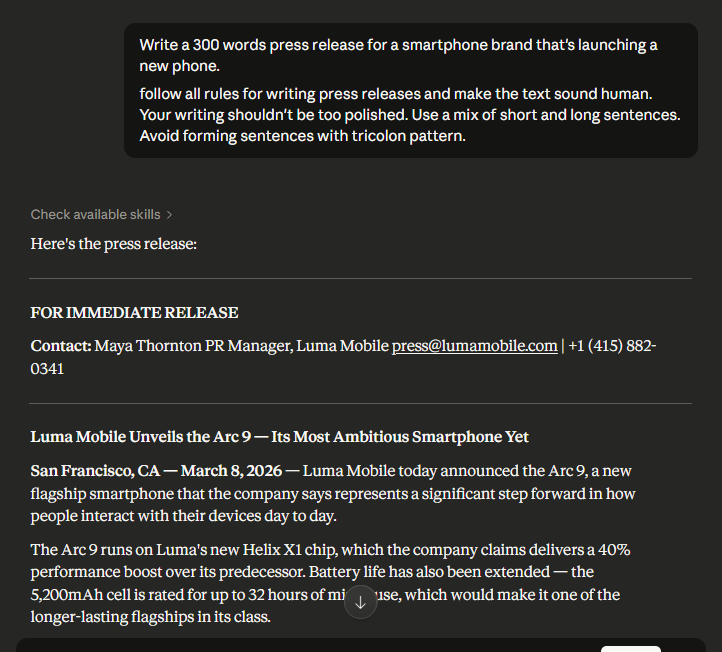
Here’s the prompt we gave to Claude and the output it generated:
And here’s how StealthWriter humanized Claude’s output:
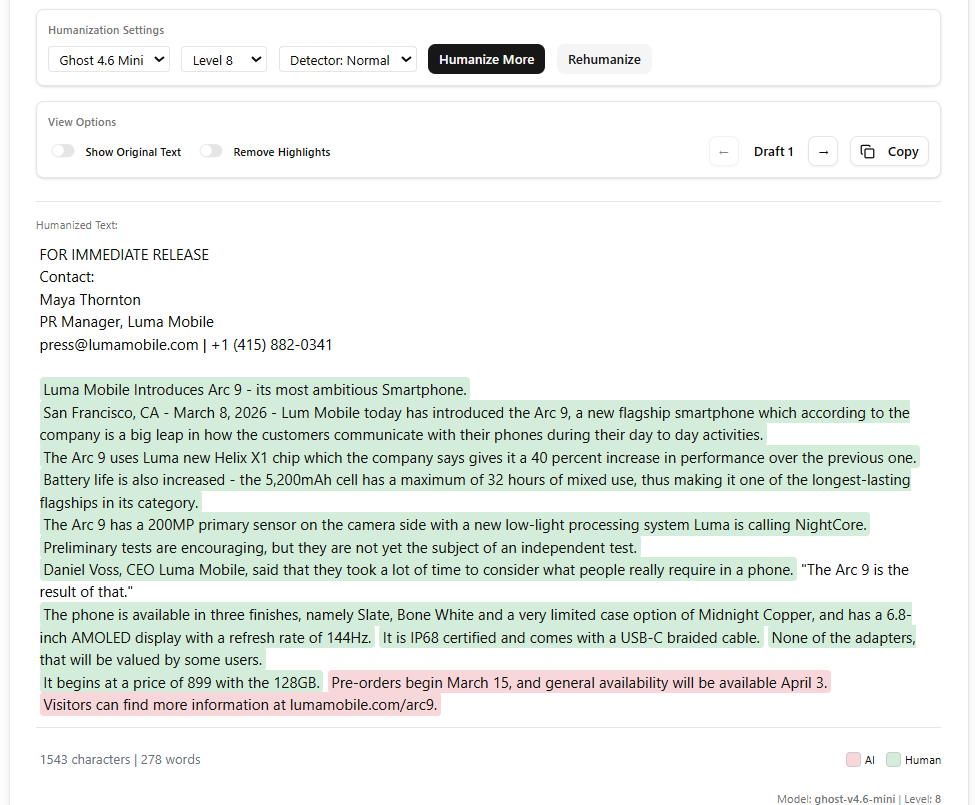
According to StealthWriter’s own AI detector, 85% of the humanized content is likely human, and 15% still sounds AI-generated.
You can also see exactly which sentences are being detected as AI or Human in the StealthWriter screenshot above.
Now, let’s run the original and humanized text through the following popular AI detectors and evaluate StealthWriter’s performance. Here are some of the top AI detectors we’ll use for testing purposes:
- GPTZero
- Originality AI
- Copyleaks
- QuillBot
1. GPTZero
GPTZero is one of the most accurate AI detectors. It has a history of dominating both its own and independent benchmarks of AI detection.
You can read GPTZero’s latest benchmark report and see how it overperforms Pangram and Originality.
In other words, GPTZero's results are among the most reliable you'll find in any commercial AI detector.
You’ll also witness the proof of that by the end of this test, when we have the results from all AI detectors.
With that essential context, let’s scan our two samples with GPTZero.
See GPTZero’s verdict of the original text generated by Claude: 100% AI.
GPTZero is highly confident that the text is AI-generated. It also highlights all the sentences that feel AI-written.
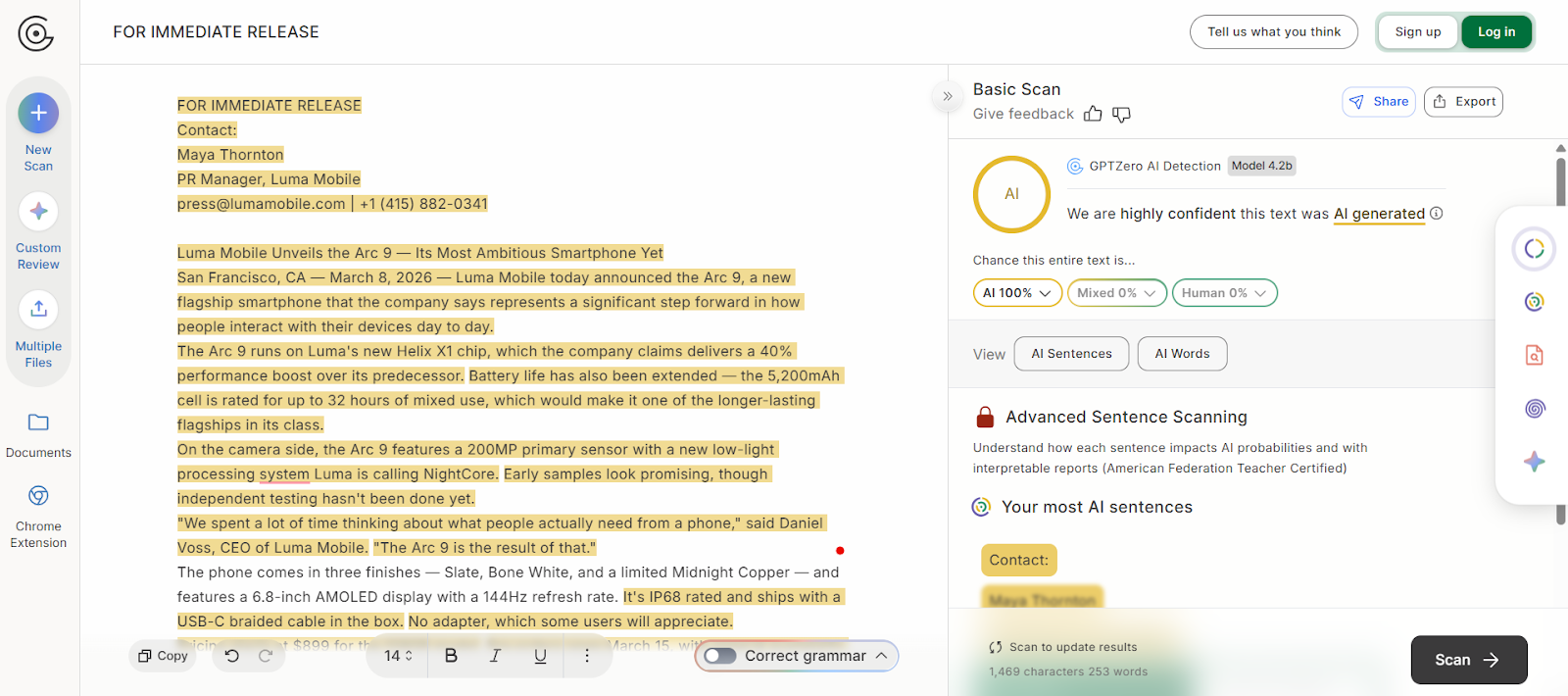
Here’s GPTZero’s verdict on StealthWriter’s humanized version of the original text: 100% AI.
GPTZero can still tell the text wasn’t written by a human.
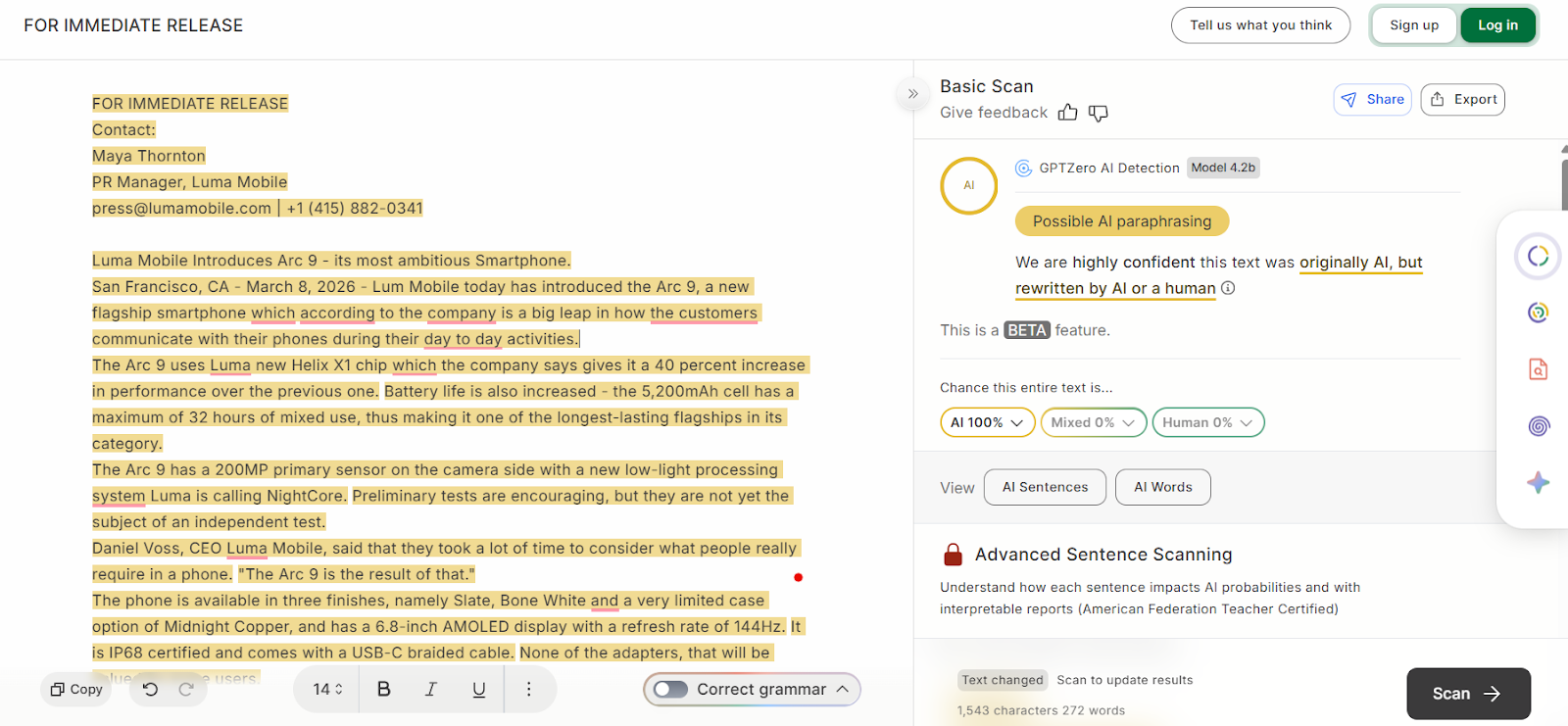
If you read closely, you’ll see that GPTZero can sense that this is likely an AI paraphrased version of some AI-generated text, which is what it really is. That’s quite nuanced feedback from GPTZero.
If you also want to check whether StealthWriter AI really humanizes text or just adds noise, you can try GPTZero’s AI detector for free and see for yourself.
In short, StealthWriter AI has failed in the only thing that it claims to do. It couldn’t bypass the most accurate AI detector.
Let's now see how it does against other detectors.
2. Originality AI
When we ran the original press release generated by Claude, Originality AI showed 83% confidence that the text is AI. See the screenshot below.
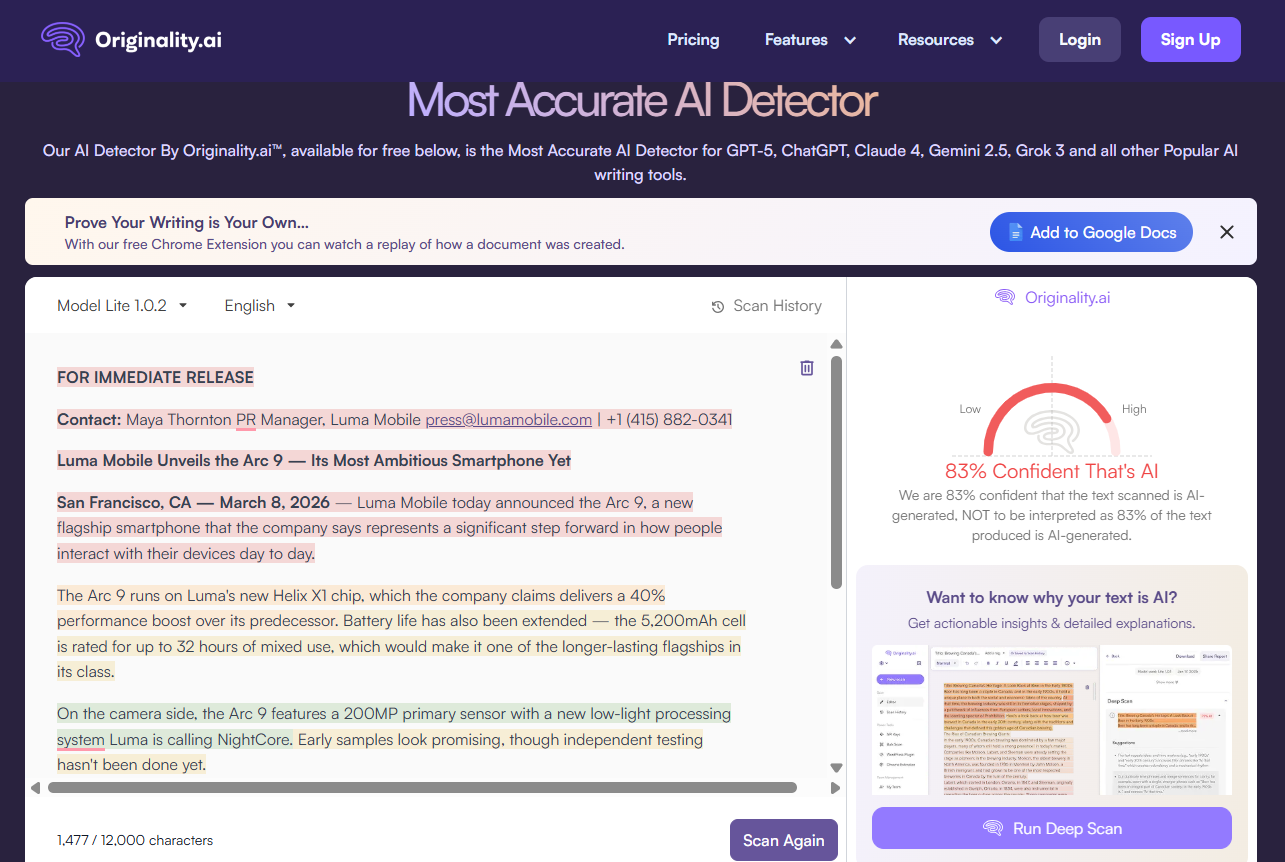
The accuracy of Originality is high, but still slightly off the mark. It should have been 100% confident about the text being AI, given it was entirely generated by Claude.
The following screenshot shows Originality AI’s verdict on the humanized version generated by StealthWriter.
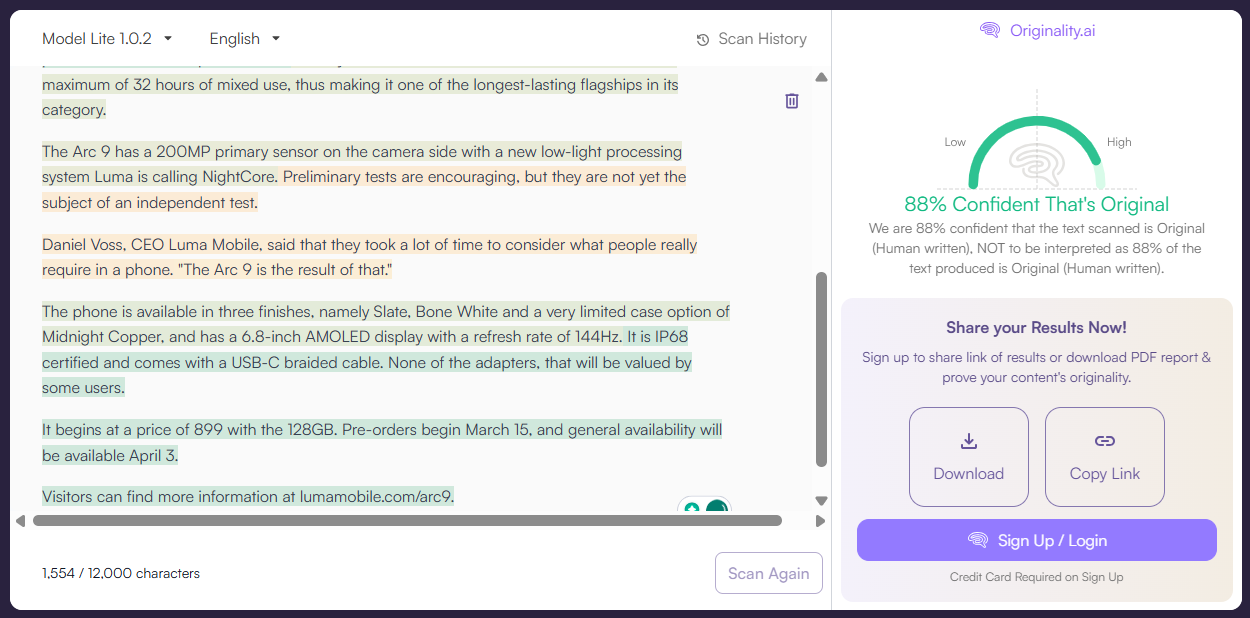
As you can see in the above screenshot, Originality AI is 88% confident that the text is original, which is how it refers to human-written text.
So, StealthWriter was able to bypass Originality AI by a very safe margin. Gaining 88% confidence is a big success for StealthWriter.
3. Copyleaks
Copyleaks failed at detecting any AI in the original press release we generated using Claude, which raises a question on its accuracy as an AI detector.
According to Copyleaks, the text generated by Claude was 100% human. So you can tell its verdict on StealthWriter’s version would be similar.
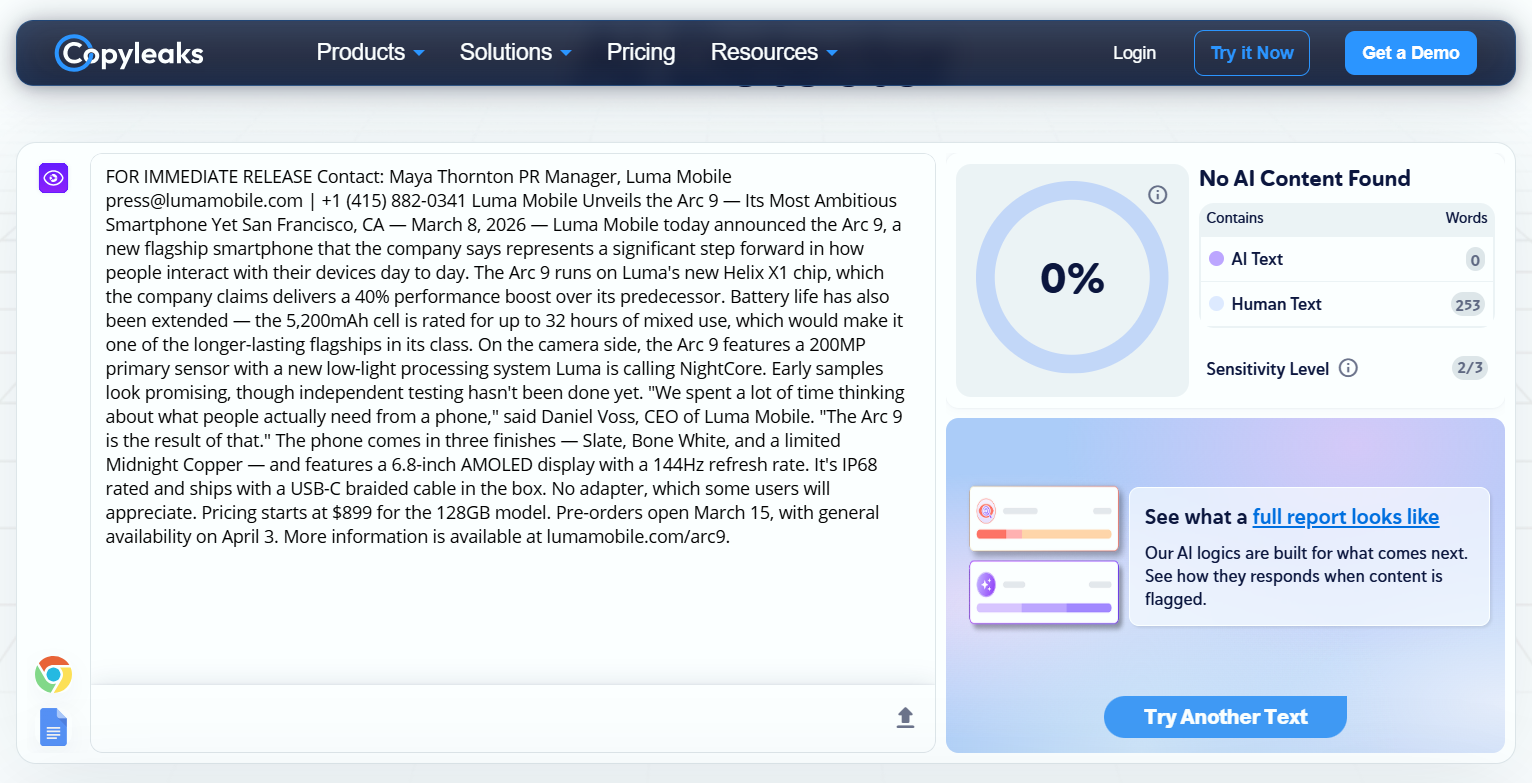
You can see Copyleaks result on StealthWriter’s humanized version of the originally AI text.
As expected, Copyleaks actually thinks the text is human-written.
So, StealthWriter has fully bypassed detection by Copyleaks.
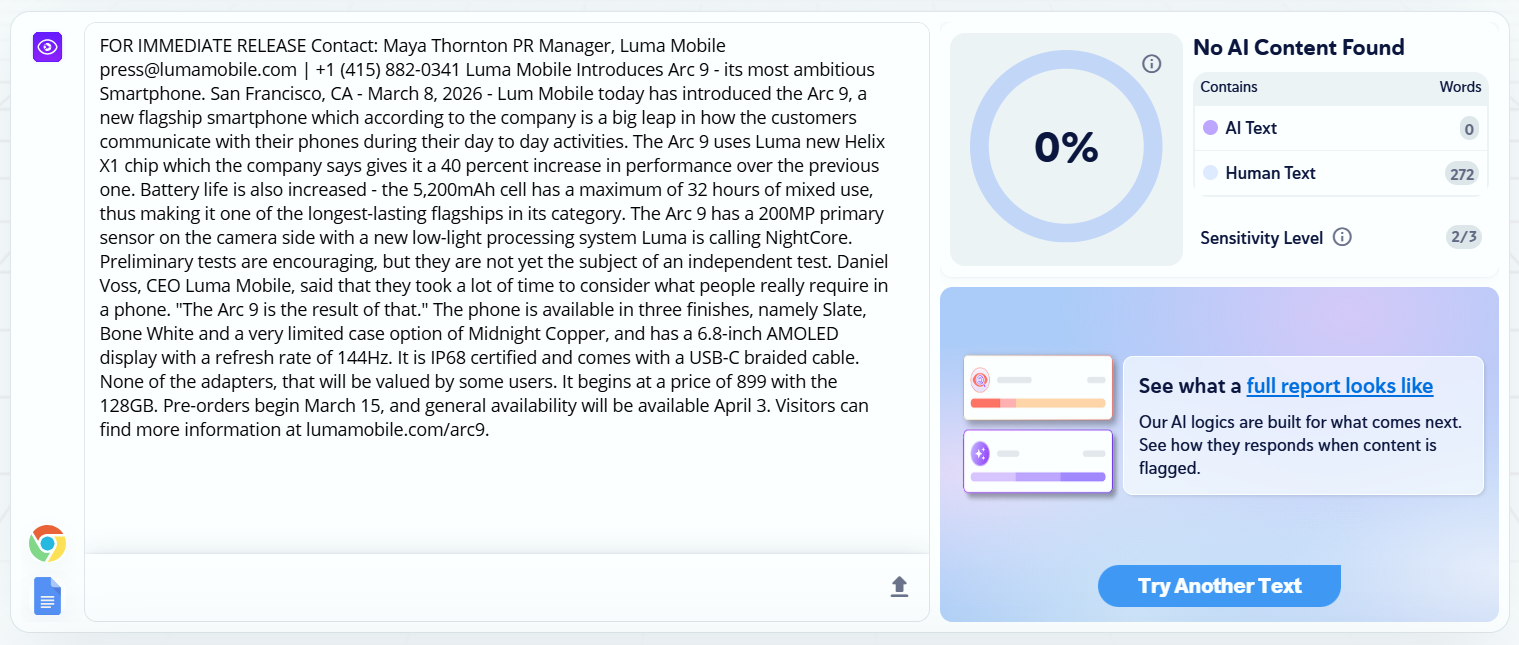
4. QuillBot
QuillBot was no different from Copyleaks.
It detected the entirety of the AI-generated press release text (not humanized by StealthWriter AI) as human-written.
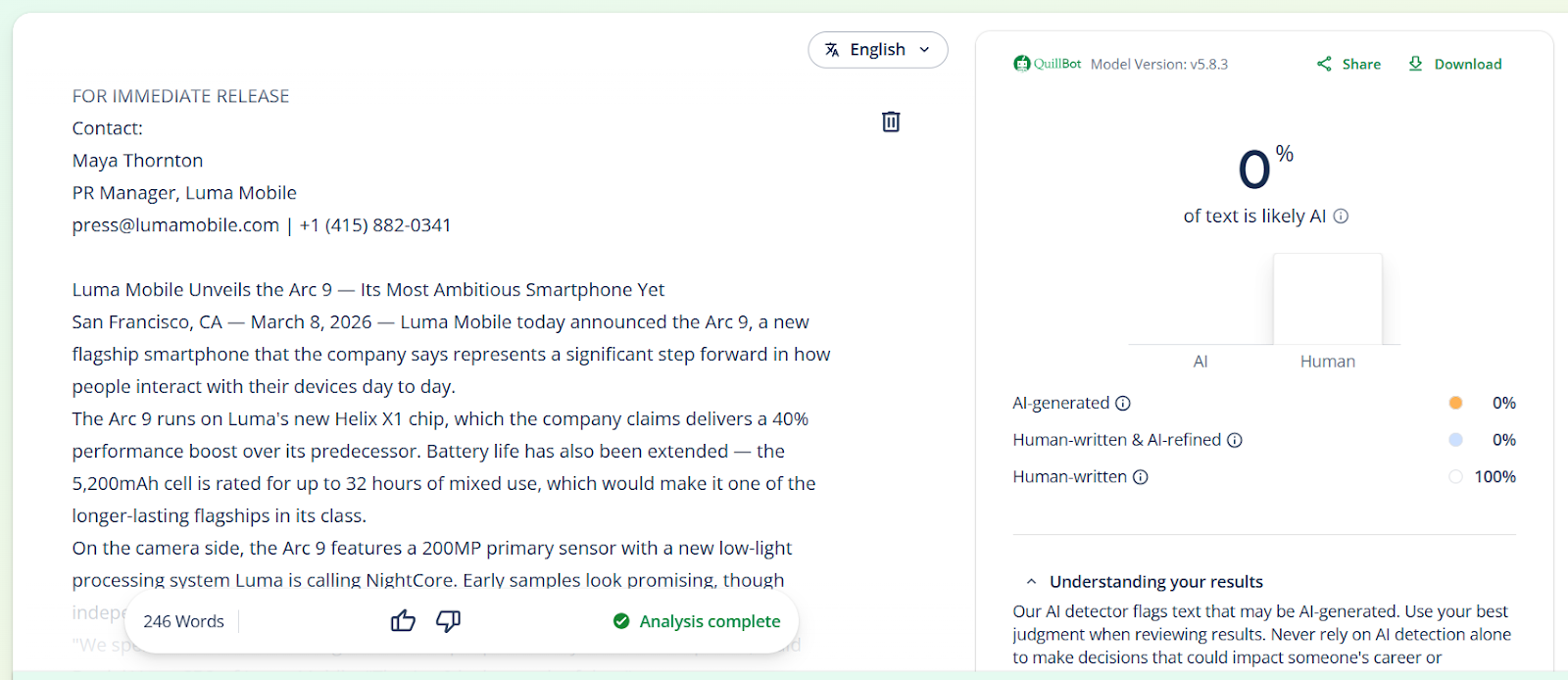
And its verdict on humanized text by StealthWriter was also the same. It detected 0% AI in the text.
With that, StealthWriter has also managed to bypass QuillBot.
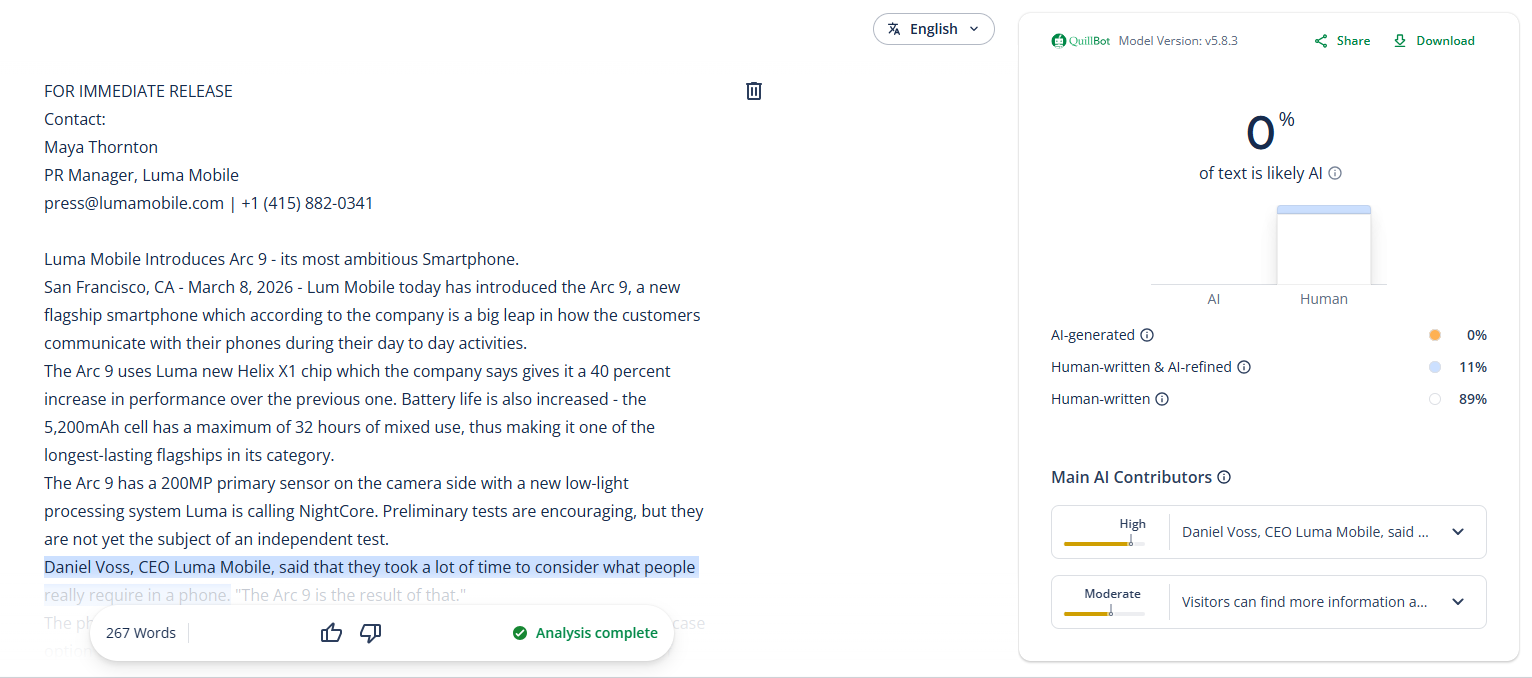
But how did StealthWriter manage to bypass these AI detectors? And why could it not bypass GPTZero?
Let’s understand the findings.
Explanation of the Findings
The following table is a summary of what we just discovered through our testing.
Now, let’s decipher why we got these results. You might think StealthWriter is good at its job because it could bypass three AI detectors. But that’s not true. You also need to assess the quality of content StealthWriter has written to see if it’s acceptable despite bypassing an AI detector.
GPTZero’s case is simple, and we discussed it earlier, too.
GPTZero is highly accurate. If a text has been generated by AI or even rephrased or rewritten by AI, it will detect that with very high accuracy. Even if AI-generated text reads as if a human wrote it, GPTZero will still call it what it is, “AI-generated.”
As for how StealthWriter could bypass other AI detectors, there are two reasons. One, those AI detectors are less accurate to begin with.
Two, StealthWriter fooled them with a clever trick. The trick was that StealthWriter simply introduced human errors in the text (writing errors that AI language models don’t make). AI text tends to be too polished. It has a perfect choice of words, complete punctuation, accurate spellings, tight articulation, and more.
But when humans write, the text imperfections, varied sentence structure, and length (essentially what we call “Human”). In other words, human-written text is not perfectly polished overall.
So to make text appear human, StealthWriter just introduces errors into it and removes punctuation. It also removes words and tries to convey what they meant with some strange sounding phrasing.
And the two AI detectors, namely QuillBot and Copyleaks, completely fell for this.
For instance, in the first line, right after the date, StealthWriter deliberately wrote Lum instead of Luma.
Then, in the third line, “The Arc 9 uses Luma new Helix X1 chip” StealthWriter removed the apostrophe s (‘s) from “Luma.”
Also note the third last sentence. “None of the adapters, that will be valued by some users.”
In the original text, it was this “No adapter, which some users will appreciate.”
“No adapter” and “None of the adapters” have two completely different meanings. This happened because StealthWriter failed to pick the context from the preceding sentence.
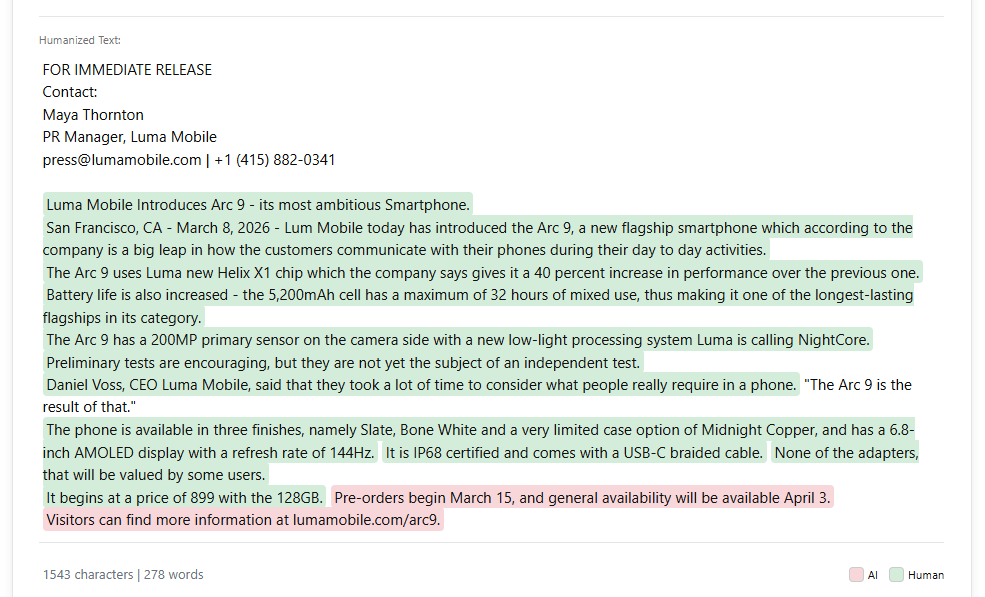
This shows us that StealthWriter performs sentence level rewriting only. In other words, it doesn’t add or remove any sentences. It simply introduces changes in the same sentences.
We could point out more inefficiencies, too. But we’ll leave them for you to catch. We just wanted to convey what’s wrong and how those AI detectors got tricked.
Features of StealthWriter AI
As we mentioned earlier, StealthWriter AI has three key features.
Let’s discuss each one of them in detail.
AI Humanizer
By now, you know a lot about StealthWriter’s AI humanizer already.
But a few mini features of the AI humanizer are yet to be discussed.
For instance, look at the controls in the screenshot below.
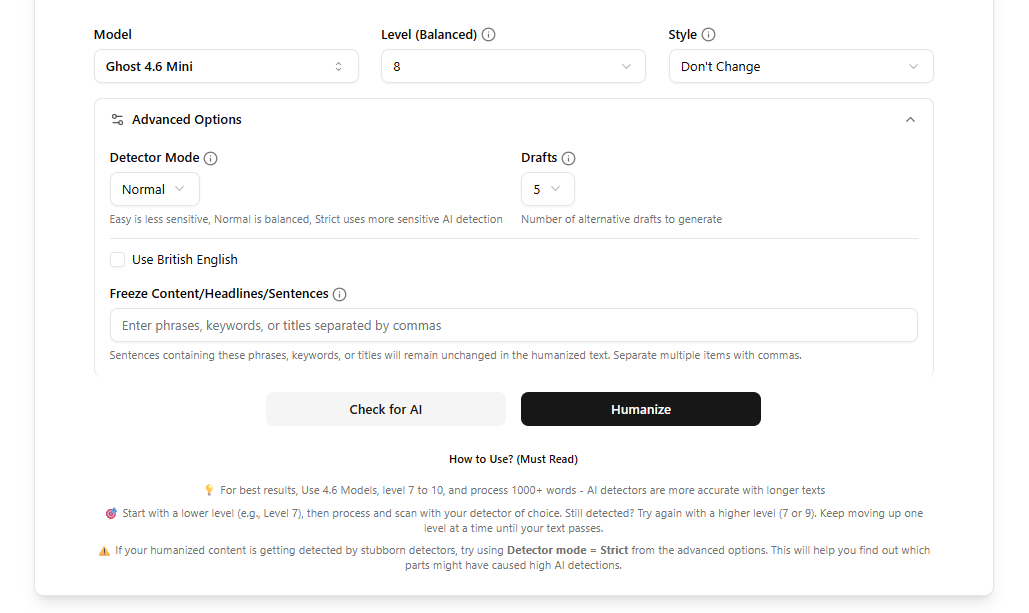
You can choose from 5 models based on what you want to achieve. The 5 models are grouped into 3 categories:
- Best quality
- Ghost 4.7 Pro (paid)
- Ghost 4.7 Mini
- Best undetectability
- Ghost 4.6 Pro (paid)
- Ghost 4.6 Mini (the model we used)
- Old model
- Ninja 4.4
Then you can select a level from 10 levels. According to StealthWriter, this is what levels do:
“Lower levels have better readability and grammar, but can sometimes get detected by advanced detectors. It is highly recommended to start with level 5 and only choose a higher level if your content is still detected.”
If you want the StealthWriter to rewrite in a certain style, you are given 8 styles to choose from, namely:
- Improve readability
- Academic
- Formal
- Simple (plain language)
- Casual (informal)
- University professor
- University student
- High school student
You also have advanced options, which StealthWriter suggests you use when your content keeps getting detected by AI even after humanizing it with StealthWriter.
In advanced options, you can select a detector mode (easy, normal & strict). You can also choose how many humanized samples of your AI text the tool should generate, and choose a number between 1 to 10.
You can also freeze parts of your text that you don’t want the tool to touch.
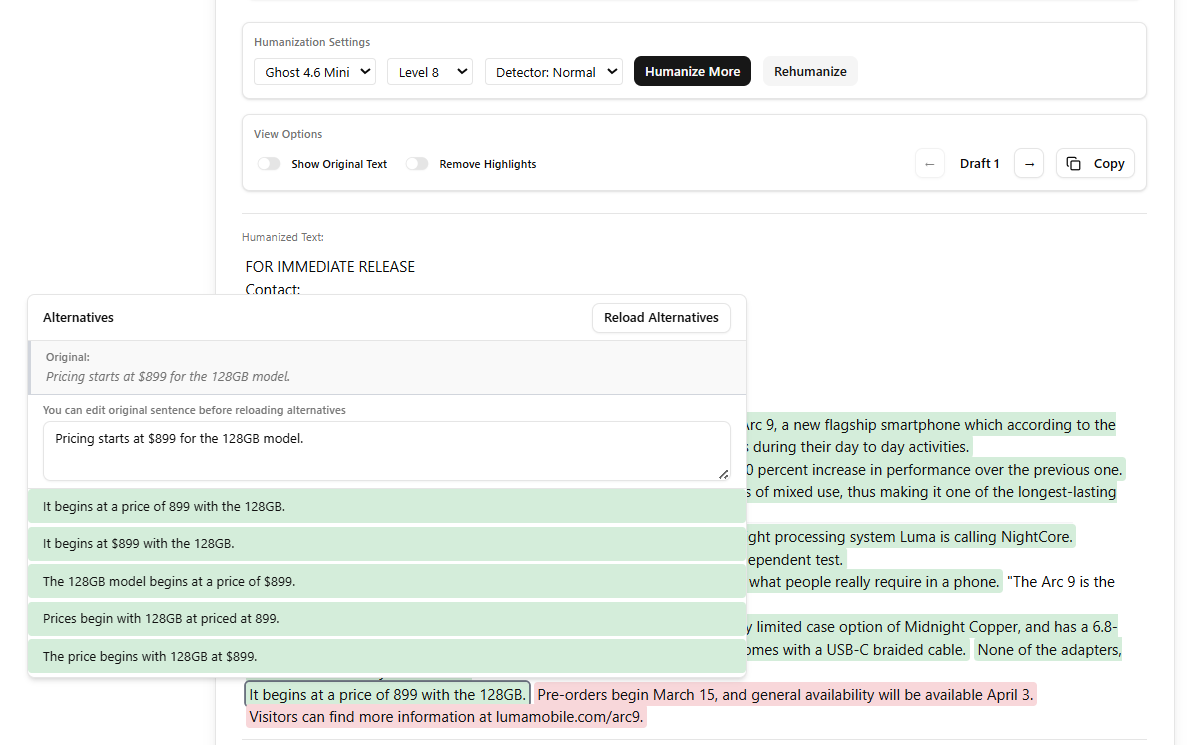
You’re also given some controls after the text has been humanized. You can Humanize More, which rewrites the sentences that are still being detected as AI.
Then there’s the option to rehumanize the entire text again. This performs humanization of the original text once again with the same settings as before.
Lastly, there’s an interesting feature. You can replace selective sentences with their alternative sentences, which are also already generated by StealthWriter.
AI Detector
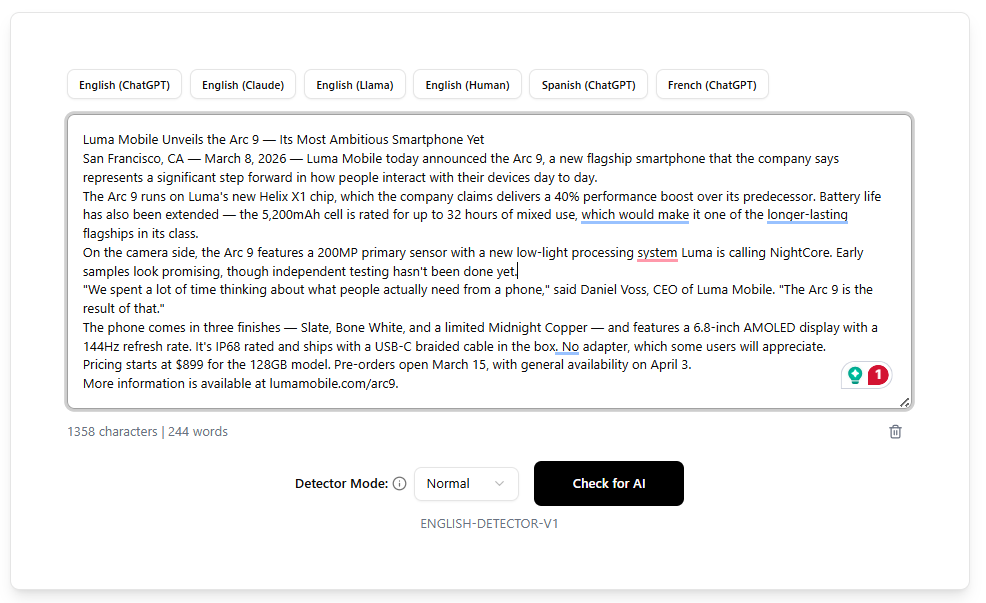
StealthWriter’s AI detector is basic. You just have a text box, three modes to select from, and the button to check for AI.
The scan’s result shows you the percentage of text that is AI vs human-written. AI and human-written sentences are also highlighted with different colors.
AI Text Generator
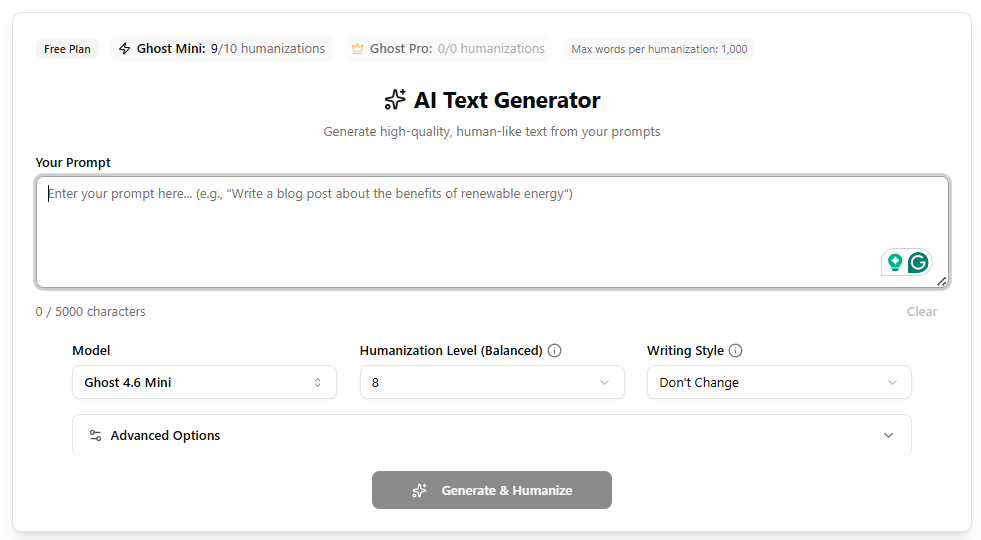
This feature is like a chatbot.
It generates long-form content based on your instructions.
Rest of the controls are similar to what you saw in the StealthWriter AI humanizer review.
Don’t expect this to perform like ChatGPT or Claude, though.
Pricing: How much does StealthWriter AI cost?
If your text samples span 1000 words or less, and 10 humanizations a day are enough for you, you are good with the free plan of StealthWriter AI.
But if you want those limits lifted, you’ll have to pay.
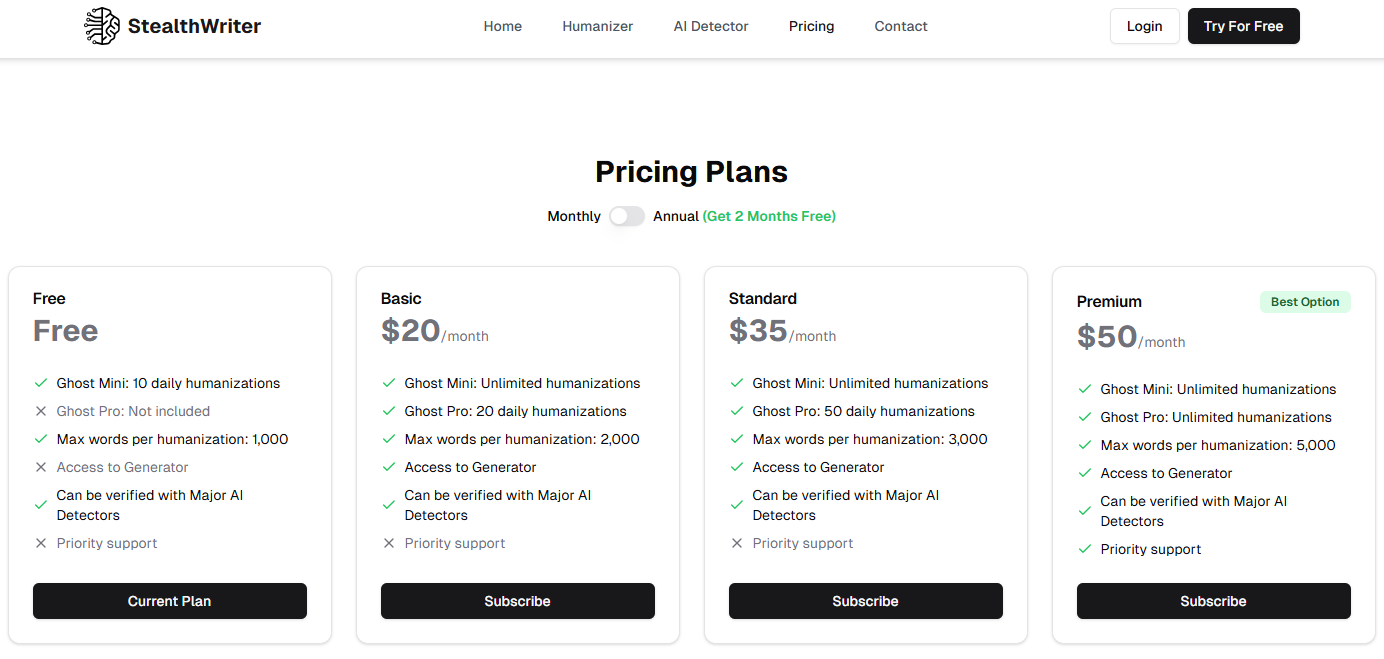
The platform has three paid plans. The good thing about subscribing is that all features unlock even on the cheapest plan (called Basic), which costs $20 a month. Then, there’s the Standard plan, which costs $35/month.
You just don’t get priority support, which is available only in the most expensive plan called Premium and costs $50/month.
You can also perform unlimited humanizations using the base model on the first two plans. Unlimited humanizations using the advanced Ghost Pro model are only available to Premium plan users.
Another difference between the plans is the maximum number of words per humanization. The limit is 2000 on the Basic plan, 3000 on the Standard plan, and 5000 on the Premium plan.
Here’s the pricing page of Stealth Writer AI with all the information.
Pros & Cons of StealthWriter AI
Based on the StealthWriter AI review that you just read, here are some of the good and bad things about StealthWriter AI.
Stealthwriter Alternatives
Almost all StealthWriter alternatives in the market offer similar features.
There’s nothing too innovative.
The biggest practical difference between StealthWriter AI and its StealthWriter alternatives is really the pricing and the number of words you can humanize at a time and in a month. Some tools also offer a plagiarism checker.
Here’s a table with StealthWriter AI and its alternatives.
FAQs
Does StealthWriter AI Actually Work for Humanizing Content?
StealthWriter AI manages to bypass some AI detectors by introducing some human errors in the text. You may be able to generate good humanizations with it by trying different settings and advanced models, though. But GPTZero will still be able to detect its output as AI, as shown in our testing above. So the answer depends on which AI detector you want to bypass.
How does StealthWriter perform against GPTZero?
StealthWriter totally fails against GPTZero. GPTZero can tell with very high accuracy when a text is AI-generated or a paraphrased version of its original AI-generated text.
Try the GPTZero AI detector today to see for yourself.
Is there a free trial for StealthWriter AI or its extension?
StealthWriter has a forever-free plan that allows you to perform up to ten humanizations daily. In each humanization, you can humanize up to 1000 words.