
How to Keep Peers Accountable in School Group Projects
Tired of carrying your entire group in projects? Learn about these 6 tested strategies and find out how to keep peers accountable in school group projects.


If you've ever found yourself doing more than your fair share in a group project, you know how frustrating it can get.
You signed up to collaborate, but somehow, the bulk of the work keeps landing on your desk.
The good thing is that it doesn’t have to be this way.
In this article, I have outlined some solid tips for making your peers pull their weight.
Rest assured, these tips won’t increase your workload even more. You’ll be working with everything you already have.
6 Strategies to Keep Peers Accountable in School Group Projects
1. Split the Assignment/Project & Set Mini-Deadlines
In project management, there is a technique called Work Breakdown Structure (WBS).
This approach involves breaking down a problem into multiple smaller problems and adding up their solutions at the end to achieve the total solution of the problem.
I think this technique fits perfectly for group projects.
The problem is that most people work better with immediate pressure. When a project is due in three weeks, that deadline seems so far away that most people just don’t feel any pressure to work.
Your group members might be the same. They aren't necessarily lazy (okay, some might be), but they're definitely not feeling the urgency you are.
But the opposite of this group also exists. This group of people takes so much pressure from the work that the work starts seeming undoable and keeps them from doing anything at all. The worry of the supposedly undoable task just handicaps their brain from functioning productively. That’s a natural thing many of us face, and it is termed Parkinson’s law.
To tackle both these groups, you just need a bit of reverse psychology.
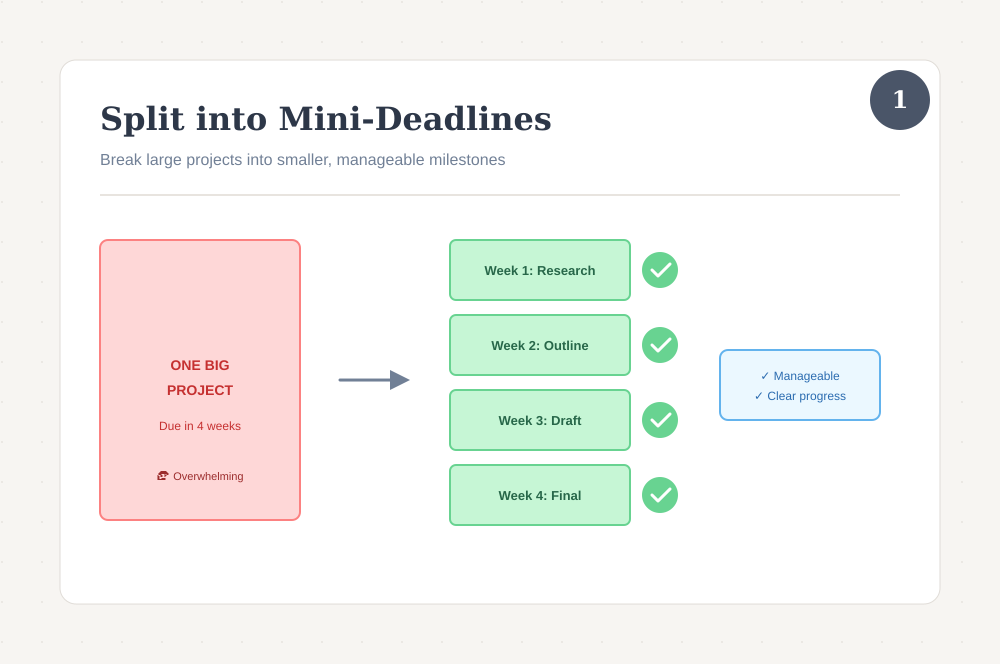
Instead of one giant project scaring everyone off, divide it into multiple smaller problems and work toward one of them at a time.
Let's say you're working on a research presentation about climate change. You can break this into the following parts:
- Research & source gathering
- Outline of the presentation
- Rough draft
- Final presentation
Four smaller parts of one big assignment. If the assignment is due in four weeks, assign one week’s time to each of the parts.
When you show this plan to your group and tell them that they have to just research or take on some other small milestone for this week, their lost urgency will kick back in, and you’ll see them in a hurry to get work done and call it a day (or in our scenario, a week).
But what is each group member supposed to be doing in each of the milestones? That brings us to our next step.
2. Assign Group Members Their Part of Work For Each Mini-Deadline
Your group has agreed on the plan, and the first week’s milestone is on the plate now.
But who’s going to do what? That needs to be planned as well. Otherwise, the entire effort from the last section is going to be wasted. You’ll have the same chaos at the end of each week, instead of having it at the end of the project.
But this is entirely avoidable.
I’ll bring back our climate change example here. By the first mini-deadline, your group has to complete the research work.
Simply let everyone know what specific thing they need to research. The keyword here is “specific.” You cannot just tell everyone to find whatever sources they run into.
Instead, narrow down the area of research for each one of them, or tell them to do that and inform everyone in the group chat.
For our scenario, the breakdown for each member can look like this:
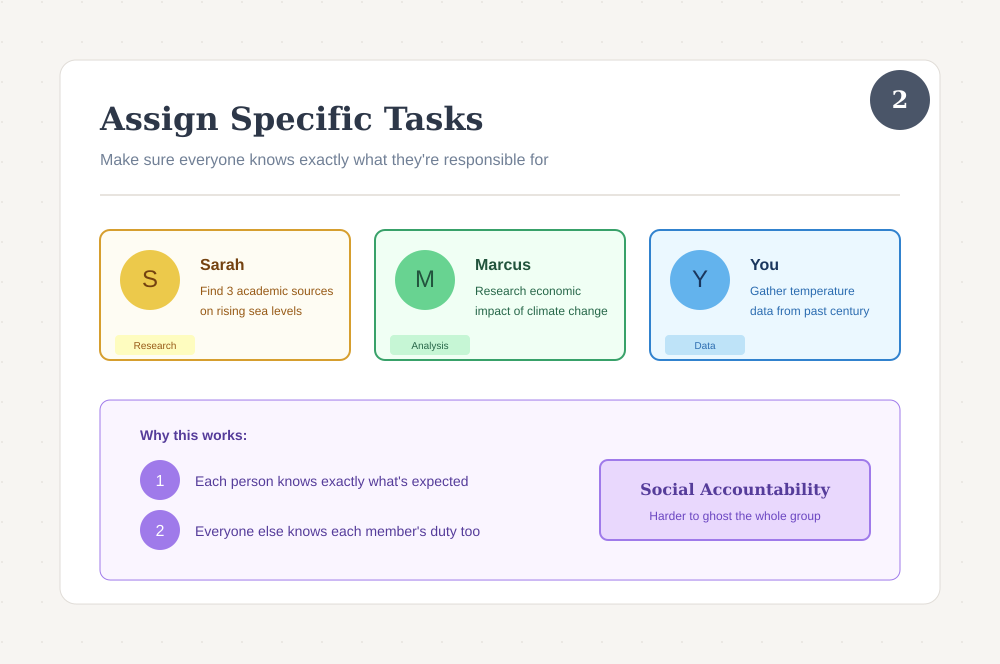
- Sarah needs to find three academic sources that talk about rising sea levels
- Marcus has to research the economic impact of climate change
- And you have to gather data on temperature changes over the past century
When the second deadline rolls around, do the same.
If you look closely, you’re achieving two things with this approach.
- Each person knows exactly what’s expected of them
- Everyone else in the group knows each member’s duty too
This social accountability will act as the catalyst that keeps everyone moving. There’ll be a healthy pressure looming on each member’s head to present their contribution by the due date.
A member can ghost one person. But when the entire group is expecting them to turn in their work, there’s less room for excuses.
3. Make Everyone Share Their Docs & Let This Expose Inactivity
Don’t wait for the week’s end to check what everyone has done.
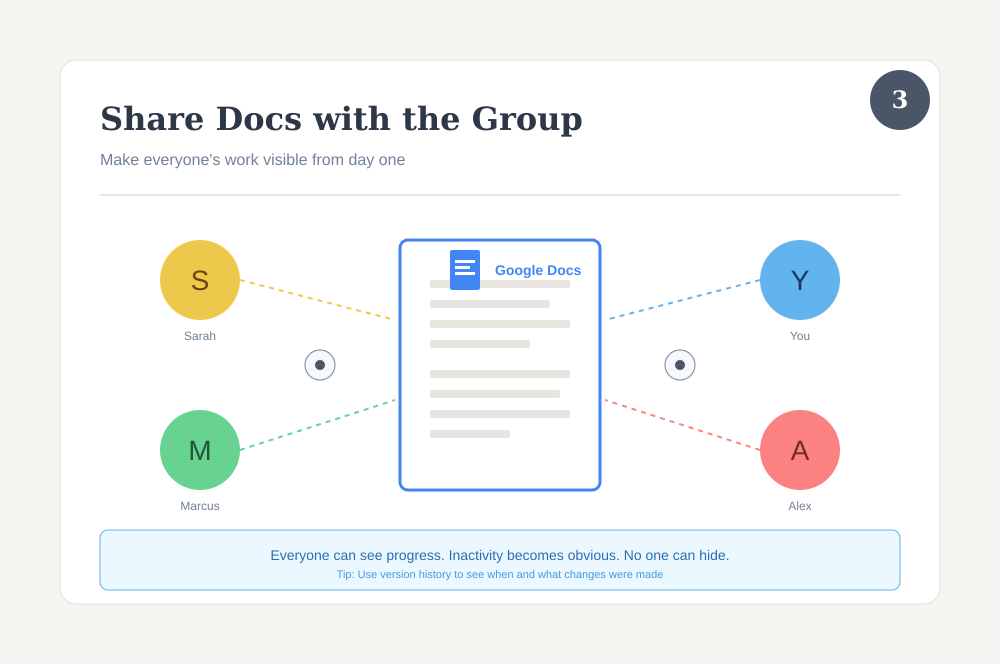
Start from day one. Tell everyone to use the same platform and make their own docs. Most likely, this platform is going to be Google Docs.
Everyone should share their docs with everyone in the group, preferably with editing permissions. This way, each member will be able to visit others’ docs from time to time. The original owner of the doc will also be able to see that group members are spectating or reviewing their work.
Google Docs also shows you the edit history (also called version history) of a document. You’ll need editing permissions on the doc to view that.
To view a doc’s edit history, click on that clock symbol at the top of the Google Docs interface when the document is open.
You’ll be taken to the entire version history of the document. You’ll see major time intervals when changes were made, as well as what those changes exactly were.
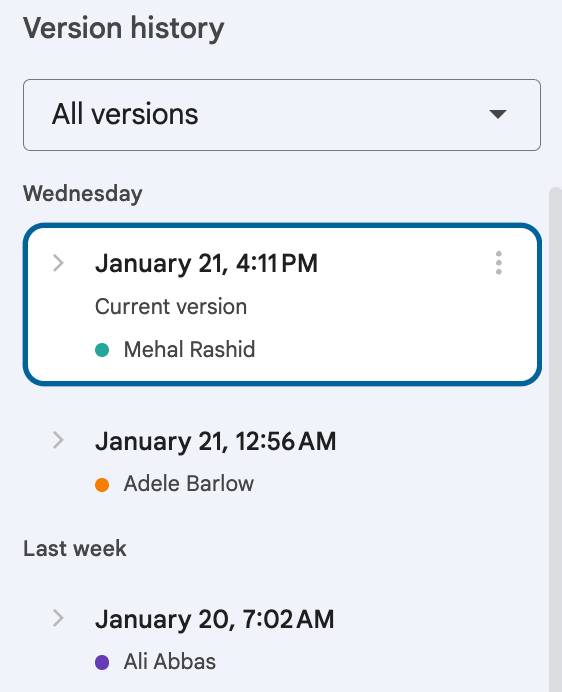
However, you won’t need to do this step. Simply looking at the doc in the default view will tell you whether someone has started working and what they have done so far.
But what to do when you see that someone hasn’t touched their section? There’s a certain way to approach them about this without being harsh. Let’s find that out in the next section.
4. Share Progress in Group Meetings or Group Chat
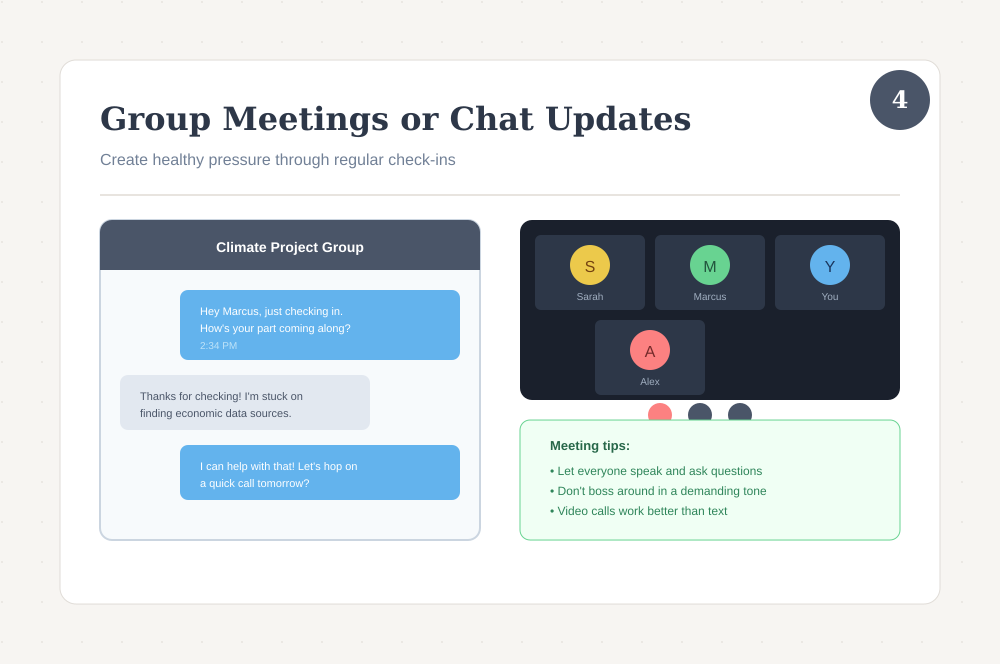
If you see that a group member isn’t doing their job, you need to talk to them about it. Don’t avoid communication because that makes things worse.
For now, you can send them a direct message and keep it friendly. Don’t confront them because that can also make things worse.
It’s possible they might be genuinely stuck and don't know how to ask for help. So ask if they need help with anything. If they were being held by something, your polite message will give them the chance to explain that problem. You two can then figure out a way through. Or, if necessary, you can assign them something else when there’s still time.
Now, you cannot send everyone a direct message and convince them to do their part. That’s why you should schedule a few group meetings for each milestone.
That’s a great way to make everyone aware that they have to report on their progress in front of the group. The pressure of not showing up empty-handed is going to make them make progress.
This meeting could be held through any medium. You all can either hop on a Zoom call and discuss each member’s work at a time by sharing screens, or you can meet in person, say in the school library.
If no one has time for that, there’s also the option of sharing progress in the group chat. But that won’t be as effective as meeting in-person or via video call. Texting makes it easier for people to give vague responses and disappear.
In the group meeting, make it a thing to let everyone speak and ask questions. Don’t boss around in a demanding tone, either. That’ll create a toxic environment.
You can only be direct if someone shows up to the meeting with nothing. Or worse, doesn’t show up at all.
In that case, you can ask them to get their work done before the next meeting because the rest of the group can get bad grades due to their inactivity. End it with a “please” to make it sound polite.
Don’t assign their work to someone else. That’ll make them feel relaxed about their later assignments.
5. Use a Writing Replay Tool to Show Contribution (or lack thereof)
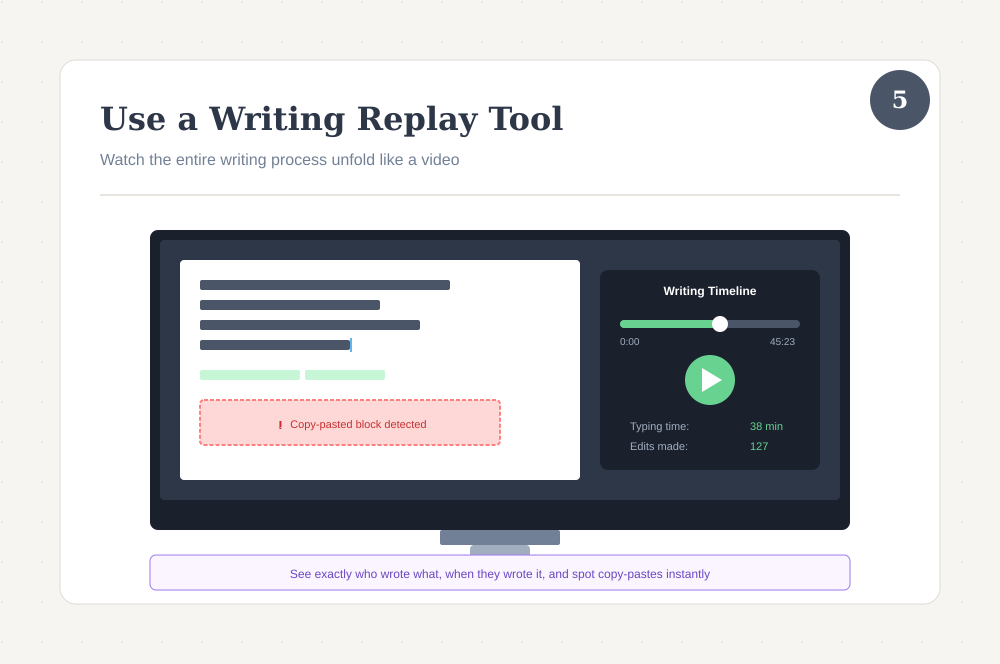
You have access to the version history of everyone’s docs. But checking edits in the version history requires visiting everyone’s docs and trying to make sense of things by yourself.
What you need is a writing replay tool. These tools make the process a lot quicker and automatic.
A writing replay tool plugs into your text editor (they usually support Google Docs only) and records the entire writing process as it happens.
At any point, you can generate an actual video replay of what has been done so far.
You'll see words appearing on the screen, edits being made, deletions, blocks of text being dumped, everything. You’ll feel as if you’re watching someone write in real-time.
A writing replay tool also reveals more things than what you could notice by yourself in the version history.
For example, it’ll become apparent if a block of text was copied and pasted from somewhere else all at once. Some writing replay tools have special markings for copy pastes.
Most of these tools are browser extensions that integrate with Google Docs. You’ll have to get all team members to install the same tool.
One thing to watch out for, though. Most writing replay tools are designed for individual writers working on their own documents. They can’t separate out each person's individual replay. Only GPTZero’s writing replay tool supports multiple contributors to a document.
Our guide on writing replay tools tells you everything about the major options in the market.
6. Loop in The Teacher Early (If Team Members Don’t Listen)
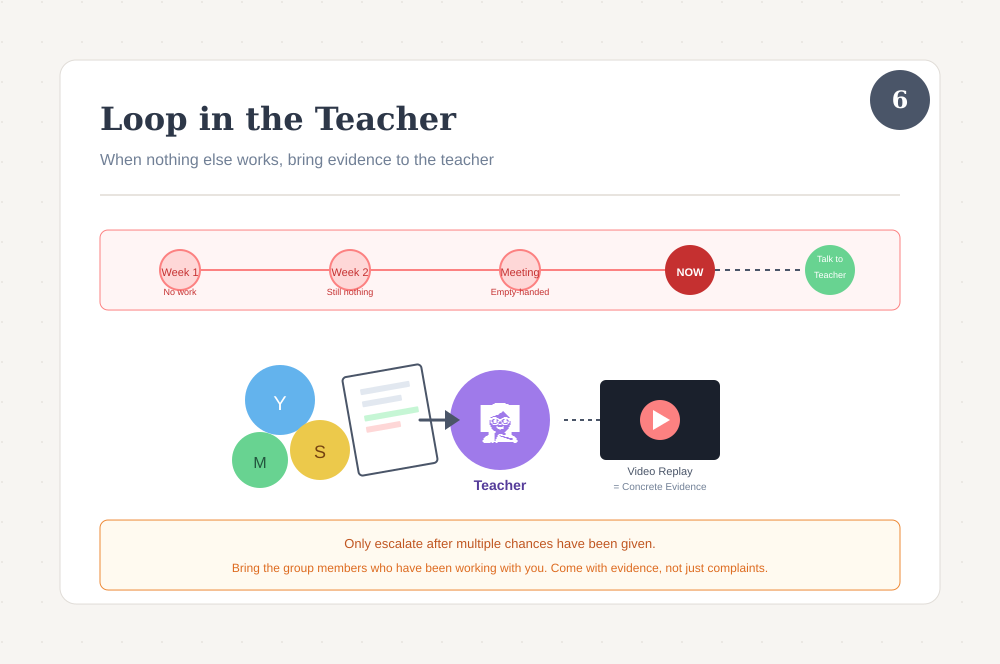
If your group has had multiple meetings or the 2nd mini-deadline is approaching, and someone consistently shows zero activity, that’s when you involve the teacher.
Do that properly, though.
You have access to their document’s video replay, right? That’s concrete evidence which is pretty much impossible to argue with.
But nobody would want to go to the teacher about group issues. It feels like tattling.
Therefore, get the group members with you who have actually been working and show the video replay to the teacher.
When the teacher sees that a member hasn’t been playing their part for, let’s say, two weeks, they might do something.
Most likely, though, your teacher will tell you some version of "work it out amongst yourselves" or "this is a learning experience in collaboration."
If your group members get upset about it, that's honestly their problem. They had multiple chances to contribute and chose not to. You're not responsible for protecting people from the consequences of their own choices.
The Only Writing Replay Tool With Support for Group Work
Most writing replay tools assume one person is doing all the writing. That's fine for solo assignments, but it falls apart the moment you're working with a group.
GPTZero is the writing replay tool that actually accounts for multiple contributors. Each person's work gets tracked separately, so you can see who wrote what and when.
It also runs AI detection on the document while you're at it, and GPTZero's detection happens to be the most accurate one out there, according to independent benchmarks.
So, sign up for GPTZero and get your hands on an all-in-one tool that actually fits how group projects work.