Hotpot AI Review, Features, Pricing, and More
Is Hotpot AI worth your money? I tested the tool’s multiple features and compiled everything you need to know in this Hotpot AI review.


If you're among those people who think AI should help you be more creative, Hotpot AI claims to do exactly what you want.
Hotpot AI promises to be an all-in-one creative platform in which you can:
- Generate art
- Write product descriptions and blog posts
- Create professional headshots
- Edit and restore old photos
- Remove backgrounds
- Upscale images
- Build game assets
- Generate avatars
- Create song ideas
And do a lot more creative tasks. It sounds almost too good to be true.
But does it really deliver on that promise? To answer that question, I tested many Hotpot AI features and compared them against user reviews on the internet.
In this review, I talk about what Hotpot AI is, what its features are, how they work, how accurate they are as per my testing, whether the content it produces is detected by GPTZero, and what my verdict on the tool is.
What Is Hotpot AI?
Hotpot AI is a browser-based creativity and productivity platform.
It was created in 2021 by Panabee, LLC, a small software company based in New York and backed by Google Ventures.
The founder of Hotpot AI, Clarence Hu, believes that AI should automate the boring tasks that get in the way of people wanting to do creative tasks. He launched Hotpot AI with the goal of making creative tools accessible to everyone with a creative side. It can be used to:
- Generate images from text descriptions
- Create professional headshots
- Edit photos
- Write marketing copy and other content
- Build graphics for social media or marketing materials
It's essentially a jack-of-all-trades for all things creative.
Key Features of Hotpot AI
Hotpot AI has a long list of features, but they are categorized into 5 key offerings. Each of these has multiple tools you can play with.
1. AI Image
The Art Generator is used to convert text descriptions into AI-generated artwork. The tool does not require you to sign up or pay anything before you can use it.
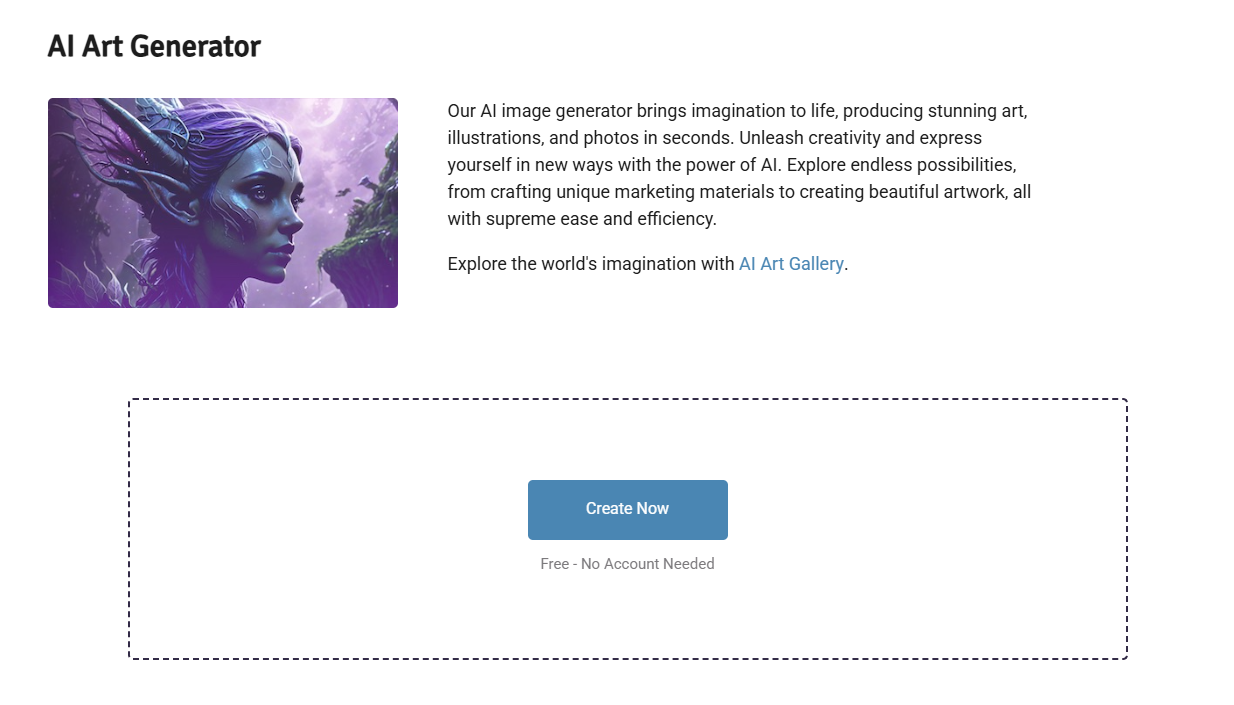
Click on “Create Now” to get started. Here’s what the dashboard looks like:
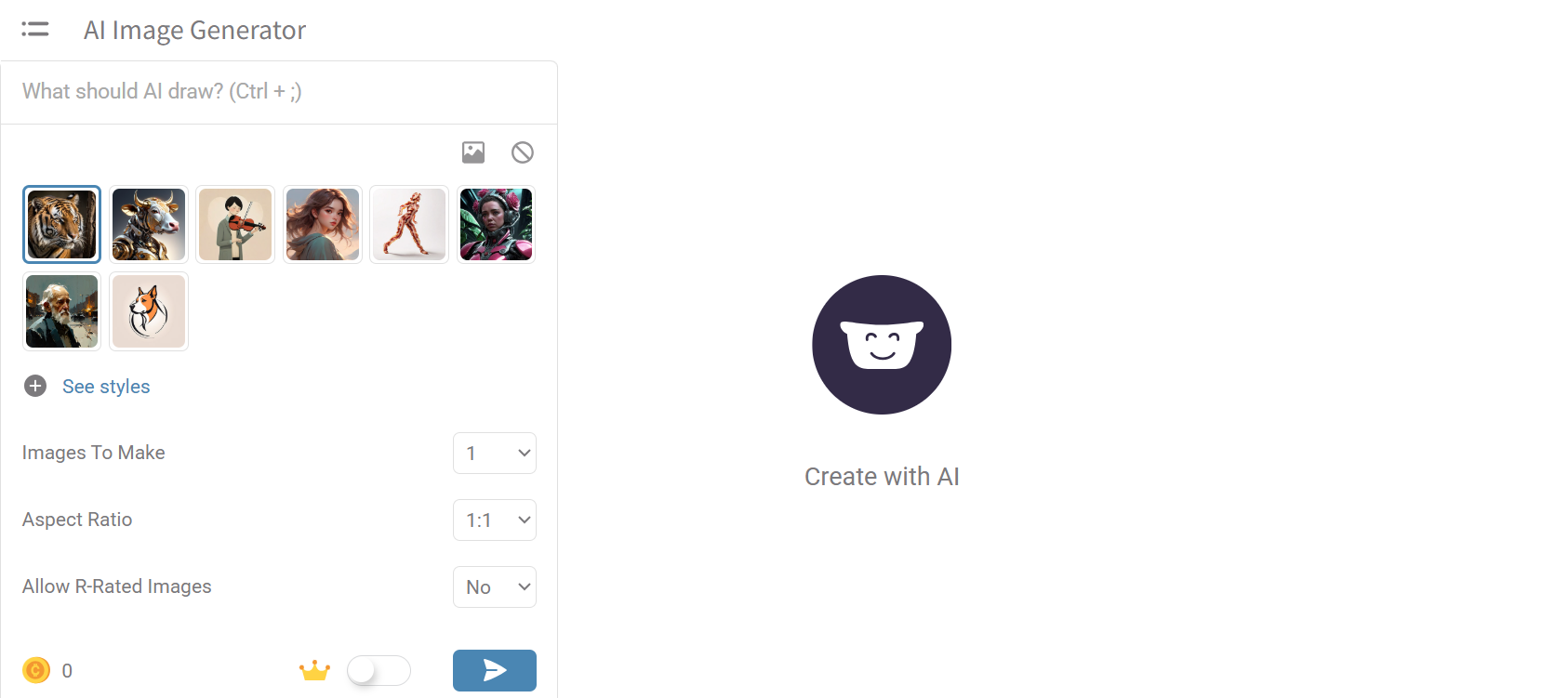
You just have to enter a prompt and then select from 180+ art styles, such as oil painting, pixel art, watercolor, cyberpunk, etc. Here’s a sneak peek into some styles.
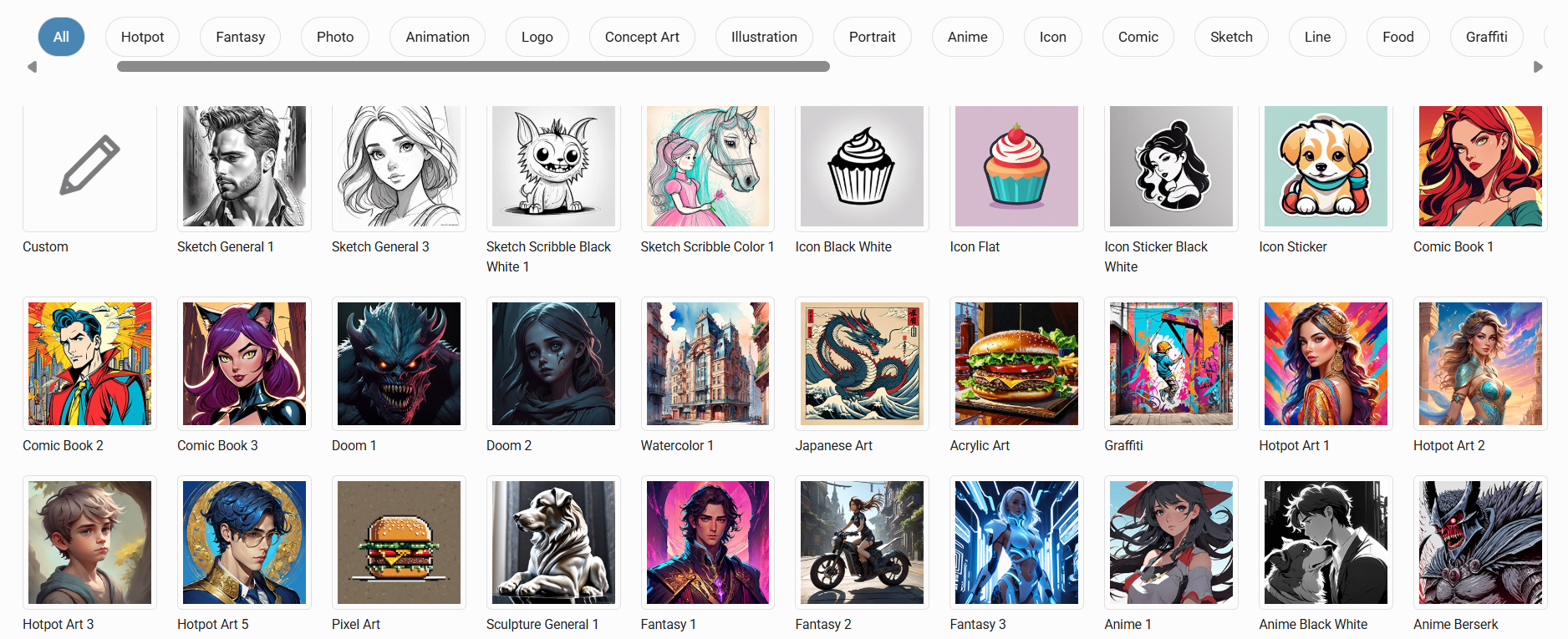
The art generator gets 75 free generations per day with watermarks.
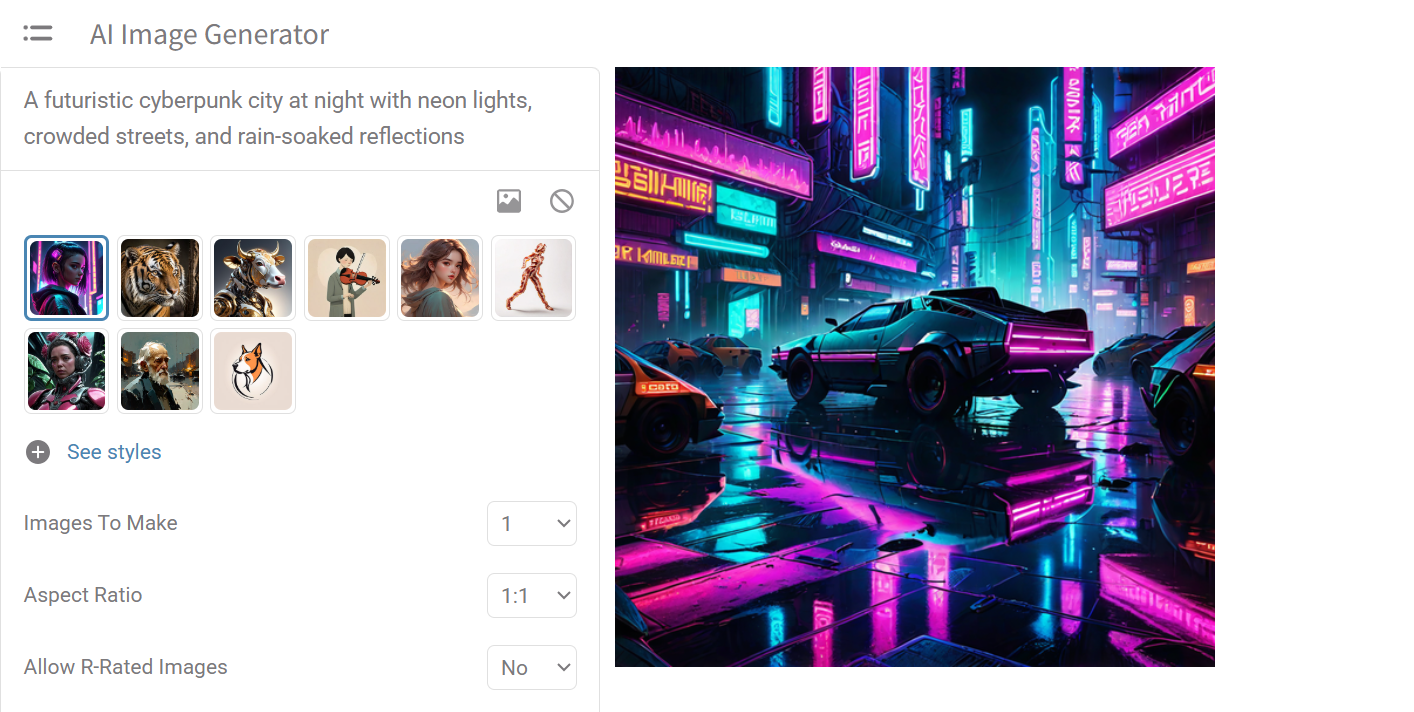
I tested the tool to create an art piece in a 1:1 aspect ratio by describing it as “a futuristic cyberpunk city at night with neon lights, crowded streets, and rain-soaked reflections”, and chose cyberpunk style 1.
The result was pretty accurate.
Other similar image generation tools include:
- Art Generator - Power Editor: An advanced version of the basic art generator with more controls. You can also make iterations to your AI-created images.
- AI Characters: It creates custom character portraits for RPG players, writers, game developers, and content creators. You can describe how you want the character to look like.
- AI Logos: A handy tool for startups with which you can get logo design concepts that align with your brand’s values. It generates multiple logo ideas based on your brand description.
- AI Stock Photos: This feature is used to create high-quality AI stock photography from text prompts. It runs on the Stable Diffusion model and is pretty useful for websites, marketing campaigns, and design work when you can’t afford photographers.
- AI Backgrounds: This tool creates landscapes you can use for various creative purposes from text descriptions similar to the AI art generator. The backgrounds can be used in game development, website design, social media graphics, and artwork.
- AI Anime: This tool is used to either generate an anime-style image from text prompts or convert a photo you upload into an anime artistic style. It works really well for social media content.
2. AI Headshot
The AI Headshot needs 3 regular photos of you to learn what your face looks like. It then generates a bunch of professional-looking headshots in which you're wearing different outfits and standing in various backgrounds.
Training the AI on your face takes about 15–30 minutes. It is a paid feature priced at:
- 20 images for $5
- 40 for $10
- 80 for $15
- 160 for $20
- 800 for $80
Hotpot AI also offers what they call a “Happiness Guarantee.” If you're not satisfied with the results, they'll either retrain the AI or give you a refund
The tools offered in the AI Headshot category are:
- General Headshot: A basic professional headshot
- Corporate Headshot: Headshots in which you are dressed professionally, useful for LinkedIn and job applications.
- Lunar New Year Headshot: These photos render you wearing traditional Asian clothing like an elegant Qipao or Tang suit. The backdrop consists of red lanterns, cherry blossoms, and other festive symbols.
- Avatar: Avatar mode turns your photos into a superhero, space warrior, mystical princess, or any fantasy/sci-fi character archetypes of your choice. It's meant for gaming profiles.
- Cosplay Headshot: People into cosplay culture can get headshots in the style of actual characters from anime, video games, movies, and comics that you're into. You could upload a photo and come out looking like a character from Final Fantasy.
- Real Estate Headshot: These headshots are for real estate professionals. Real estate has its own aesthetic different from the corporate sector, like modern office settings, home interiors, urban landscapes. The images can be used in marketing material.
- Medical Headshot: This is a similar concept to corporate and real estate but for healthcare professionals. Use it if you need a headshot for your hospital profile or for professional directories.
- Xmas Headshot: These are holiday-themed photos of you in cozy sweaters with twinkling lights, scarves in snowy landscapes, etc. They make for perfect social media posts during December.
- Profile Picture Editor: This is a free tool in this category different from the rest. It is used to edit the photos you get from other headshot tools or upload any random picture to make changes in it.
3. AI Editing
Hotpot AI has a lot of photo editing features that are hard to find in one place.
The photo upscaler makes small, blurry images bigger without turning them into a pixelated mess. It can enlarge images up to 10x.
Hotpot AI claims that with their object remover, you can get rid of unwanted stuff from photos like power lines, photobombers, and blemishes.
I tested this tool on a picture of a sea with a ship and tried to remove the ship.

It was a very simple process. All I had to do was upload my picture and then select the object I wanted to be removed using a brush.
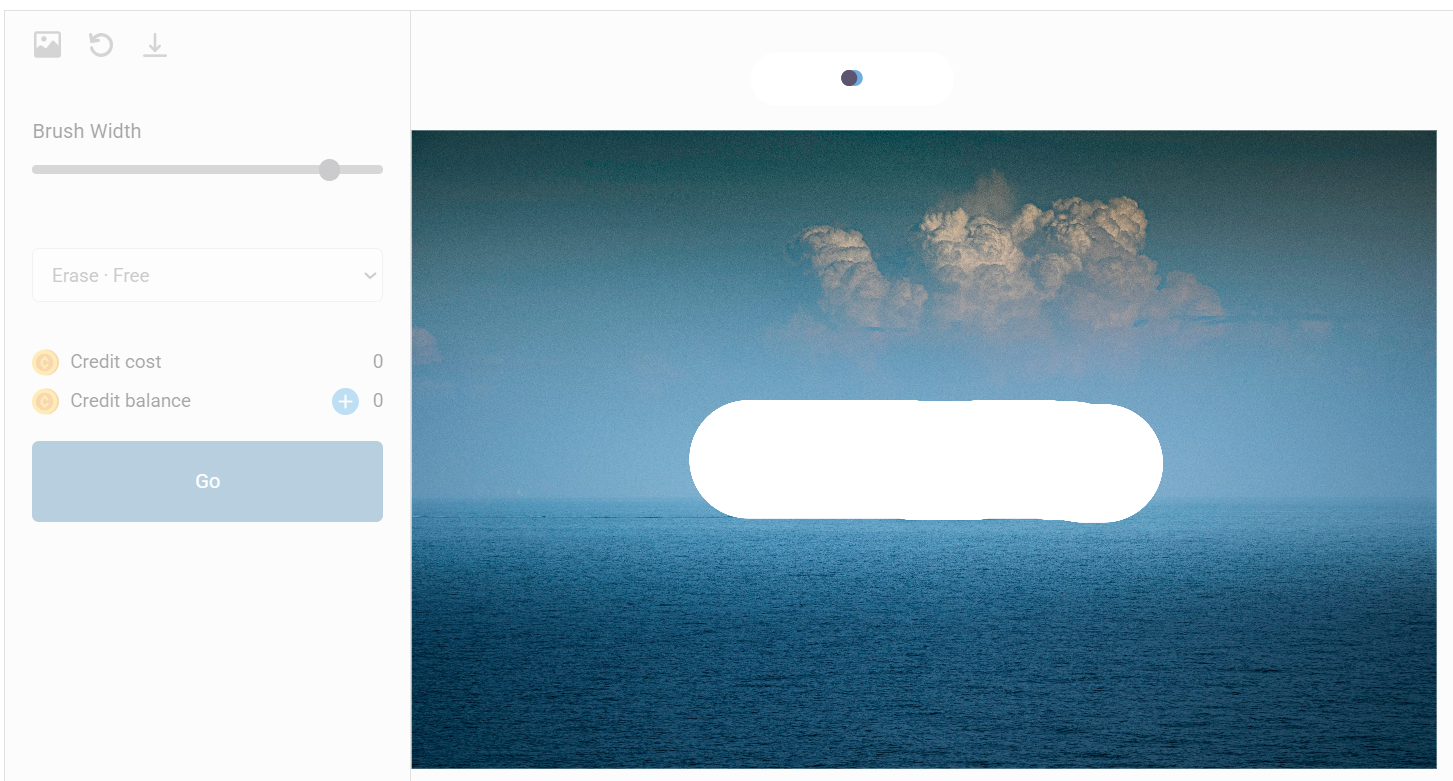
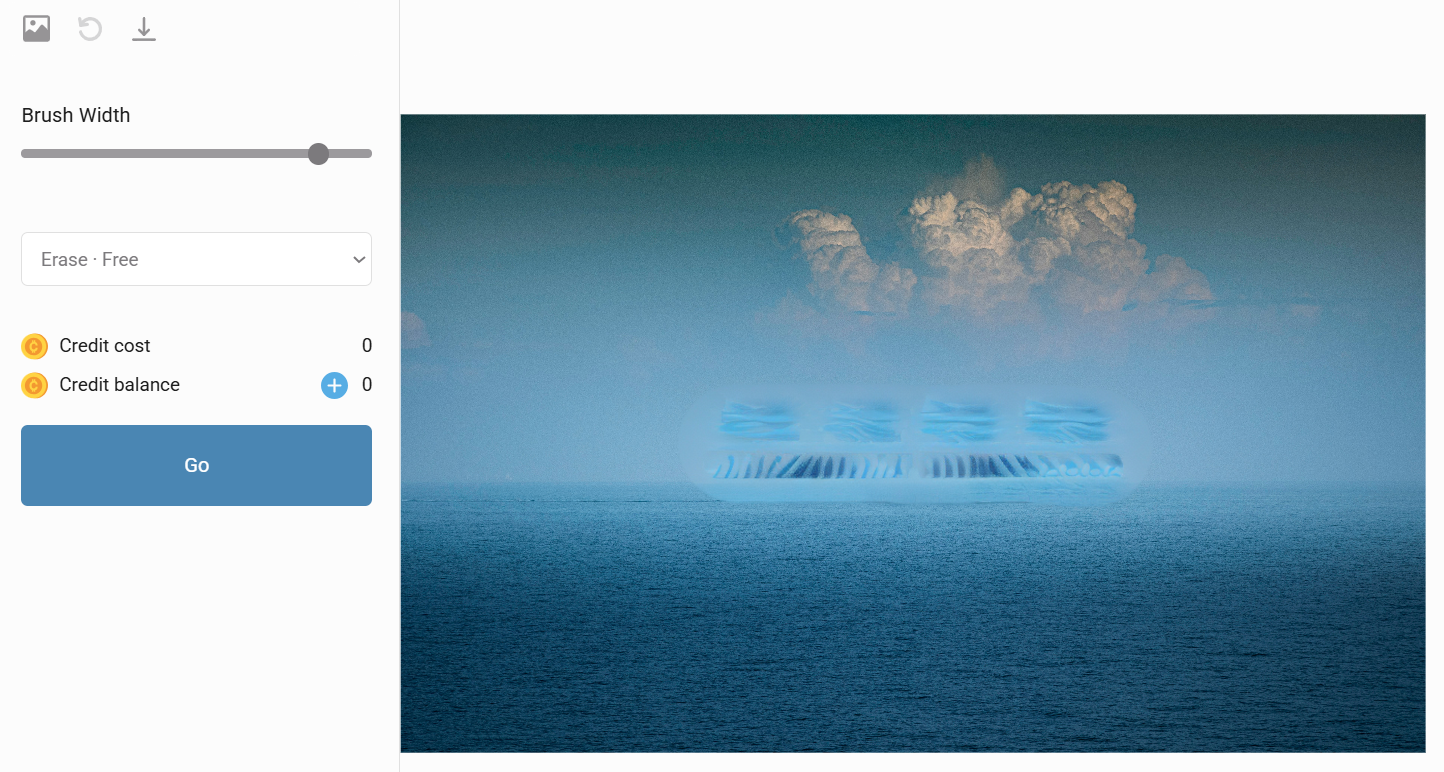
The result it gave me was not good, though. It did remove the ship, but the image it recreated did not feel clean. So, they could really improve this feature.
There are many other features in this category. If you want to strip the background away from images, the background remover has you covered. It's very useful if you need transparent PNGs for product shots.
The photo restyler is an innovative tool. It reimagines your photos in different artistic styles, like Van Gogh style, pixel art, Chinese paintings, etc. You can literally create personalized art pieces from your own photos.
Any black-and-white photos can be converted to colored media using the photo colorizer.
If you have some old family photos that are not in their best shape anymore, you can use the photo restorer to remove scratches from them and sharpen their colors. The face enhancer can be used alongside it to fix hazy colors, unnatural eyes, blurriness, scratches, and asymmetrical features from the faces.
The auto crop feature generates multiple different crops of the same image so you can pick the best one for whatever size you need.
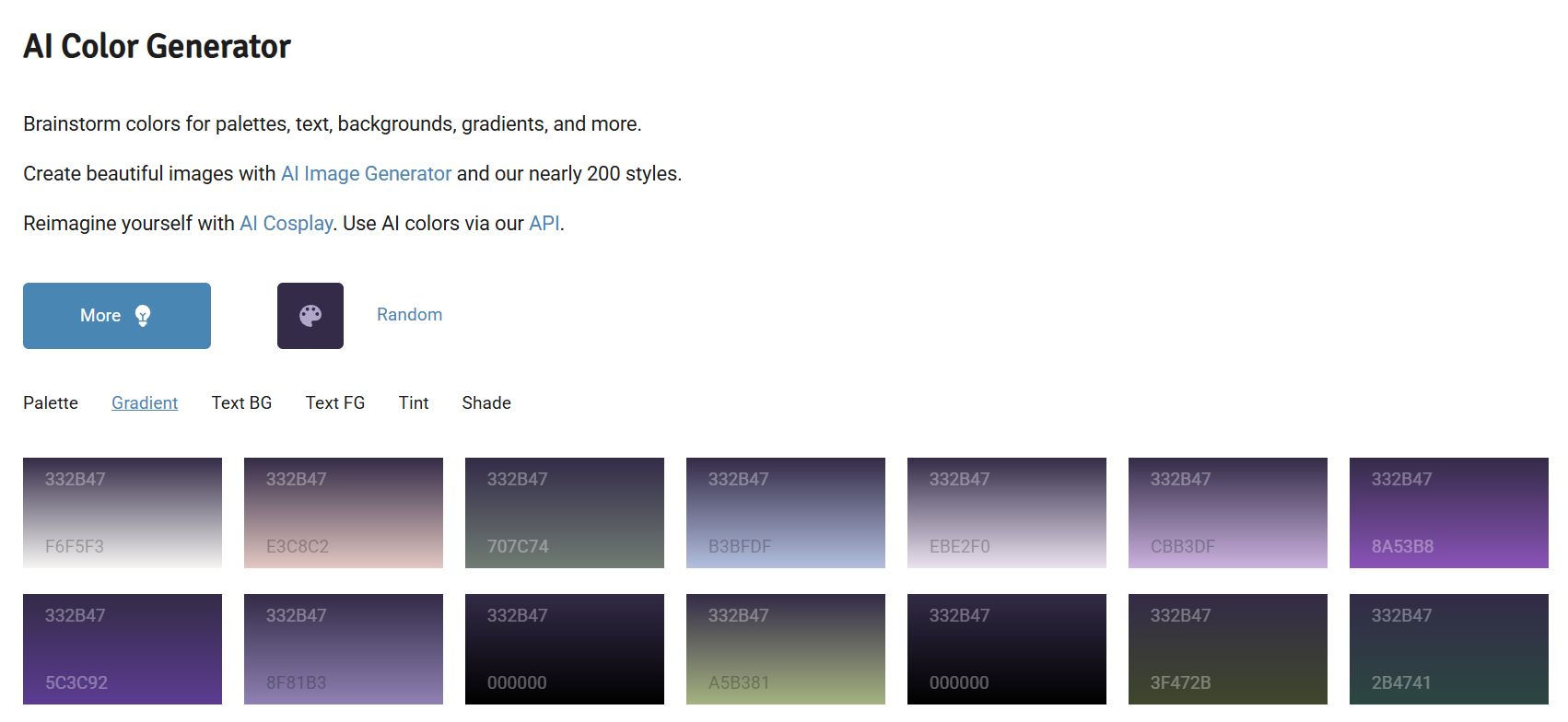
This group of features also includes a color generator, a free service that helps you brainstorm colors for palettes, text, backgrounds, gradients, and more. This small utility tool is best for when you need to figure out what colors work well together for any design project.
4. AI Game
Hotpot AI has a game asset generator that lets you create backgrounds, sprites, gems, weapons, cards, characters, and other game assets. It is currently a beta program.
To get access to it, you need to sign up through a Google Form after answering some questions about the kind of games you are interested in making.
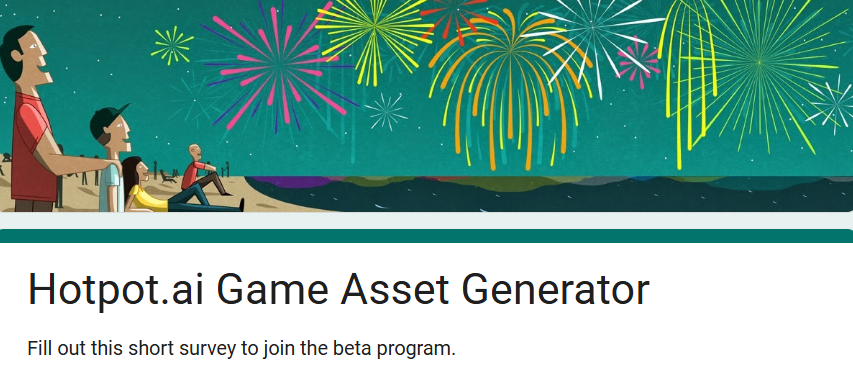
You can access the form directly here.
There’s an AI gamewriter to produce the copy you need for a game you create.
The AI character, logo, and background generator from the AI image tools category double up as game tools.
There’s a dedicated AI Dungeons & Dragons generator that works very similarly to the Image generator, but it is specific to DnD character avatars.
5. AI Writing
Hotpot AI’s flagship writing tool is the AI sparkwriter. They promise it to be the “spark” you need while brainstorming content for just about anything. It can be used for:
- Generating content ideas for art & NFTs
- Copywriting for business purposes
- Song writing
- Book writing
- Brainstorming product names and descriptions
- Creating social media post content
- Written content for Facebook ads
And a lot more.
To use the Sparkwriter, you need to select what the goal of your writing is and give the AI a topic to direct it towards the kind of content you require.
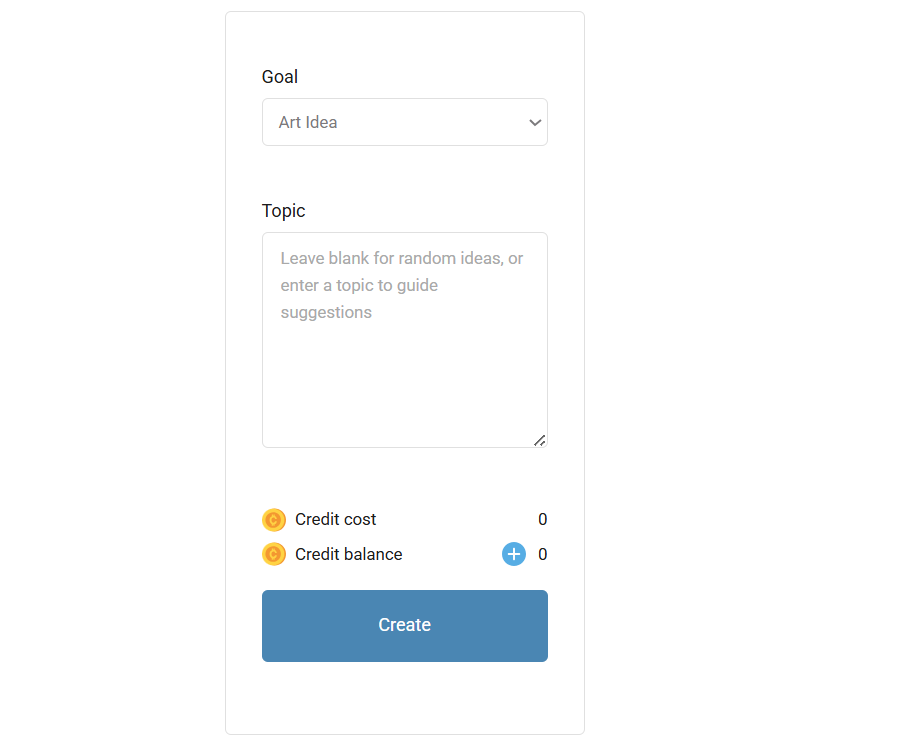
The “goal” section has a long drop-down list from which you can select anything you like.
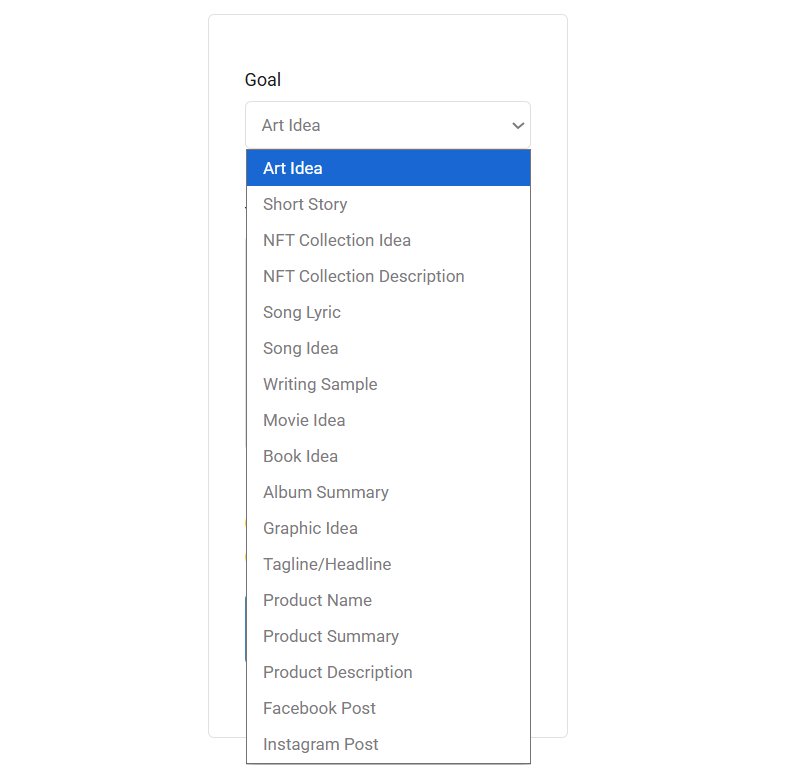
The pricing of AI Sparkwriter is credit-based and depends upon the type of content you want written.
Can GPTZero Detect Hotpot AI Writing?
To test if Hotpot AI is detectable by GPTZero, I ran a quick test.
On Hotpot AI Sparkwriter, I set the goal to “Art Idea,” then entered “Detailed art ideas about a forest scene, include sensory details” as my topic prompt.
The tool generated three separate art concepts for me, the total content of which came to around 560 characters.
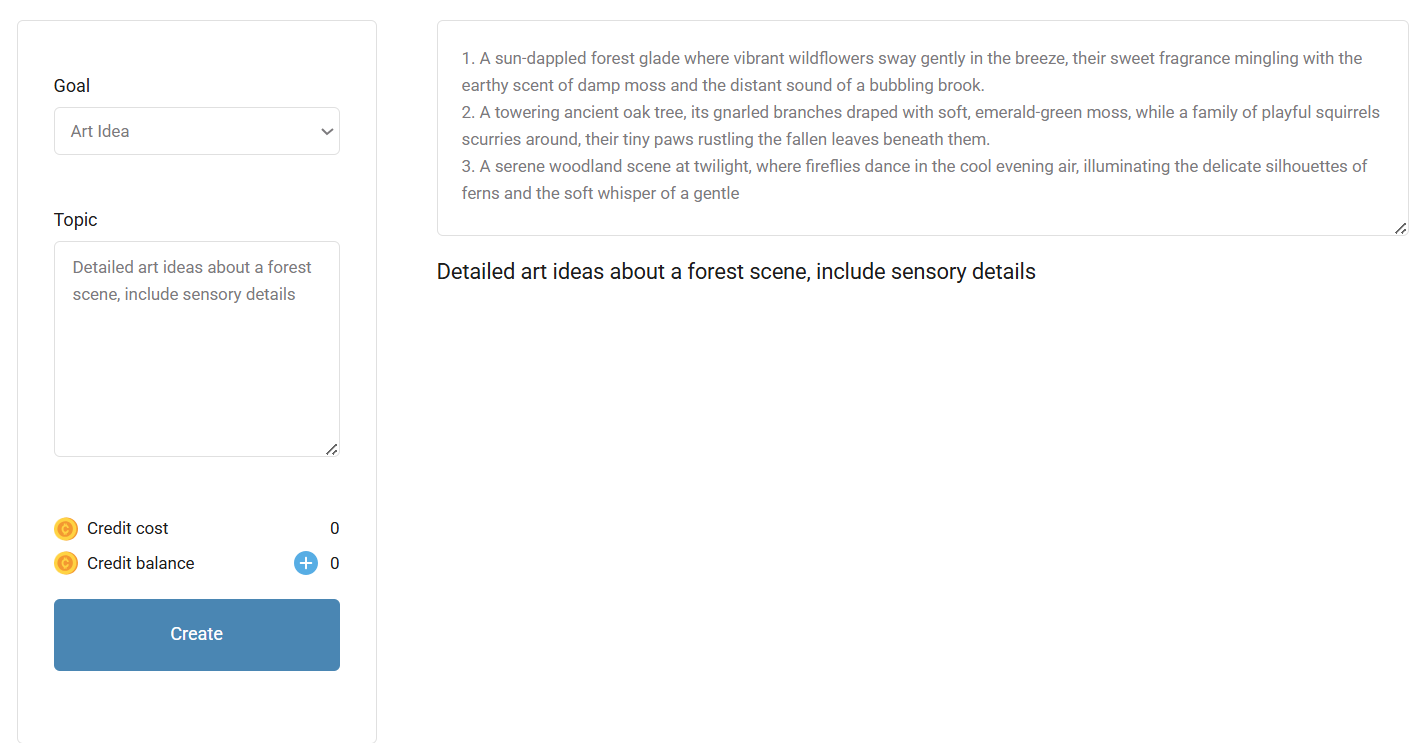
Then I copied all three ideas and pasted them into the GPTZero AI detector. GPTZero flagged the entire output as 100% AI-generated.
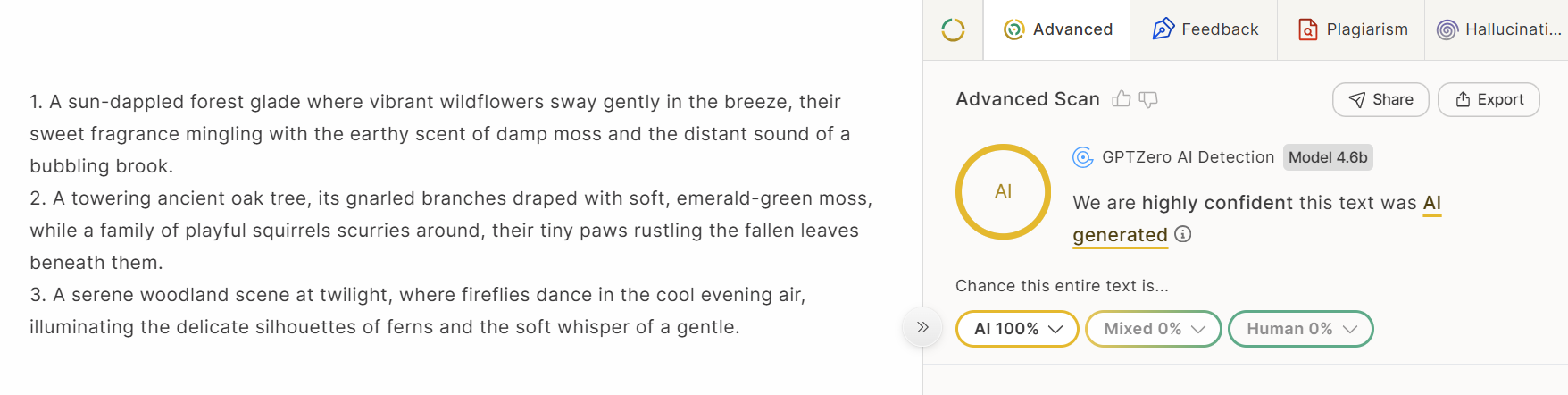
So, if you plan to use Hotpot AI writing features for anything that needs to pass AI detection, you will have to spend a good amount of time humanizing it.
User Reviews of Hotpot AI
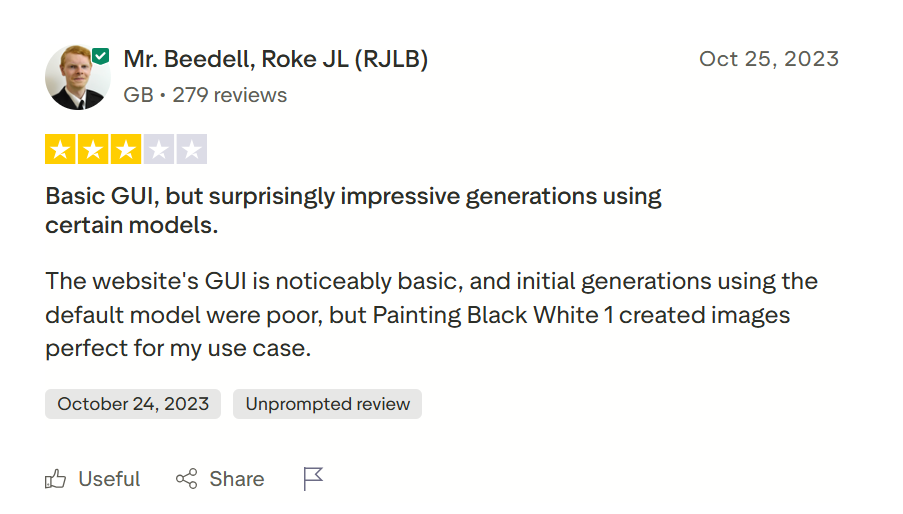
Hotpot AI has an average of 2.1/5 star reviews on Trustpilot. Many users complain that the tool is not accurate with what it does, consistent with what I found when testing AI object remover.
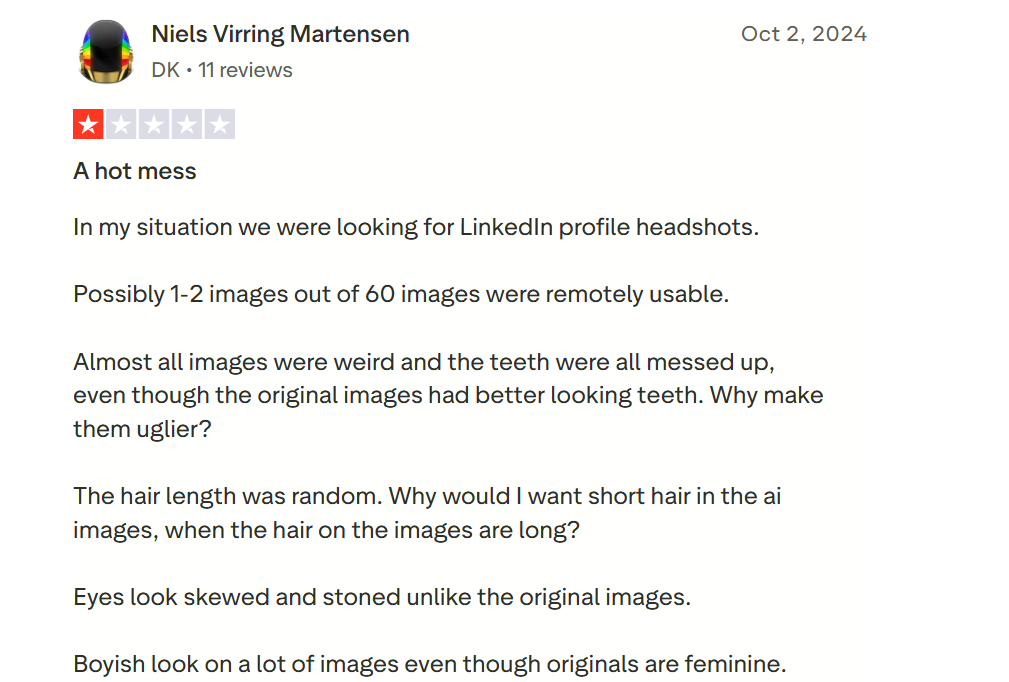
Users also mention that the customer support is not responsive.
A few features work well, but that’s about it.
Hotpot AI Pricing Model
Many features of Hotpot AI can be tested and used completely for free without ever putting in a credit card.
The image creation tools give you 75 free generations per day. The free images, however, have watermarks and are of lower resolution. You won't own commercial rights to them.
For paid features, Hotpot AI uses a credit-based system where different tools cost different amounts. You can buy credits one-time, or you can go monthly for a 20% discount and yearly for 43% off the per-credit cost.
The credit packages are:
- 1000 credits for $12
- 2500 credits for $30
- 5000 credits for $60 (this is marked as the popular option)
- 10,000 credits for $120
- 20,000 credits for $240
If you spend $30 on credits, Hotpot also gives you $20 worth of free AI headshots.
The AI headshots feature is an exception to the credit system. It has its own completely separate pricing model, which is as follows:
- 20 images for $5
- 40 images for $10
- 80 images for $15
- 160 images for $20
- 800 images for $80
If you're a light user testing things out, the free tier plus a $12 credit pack will last you a while.
Is Hotpot AI Worth it?
I spent a lot of time testing multiple features of Hotpot AI and going through user reviews on Trustpilot, which are independent review sites. And to me, Hotpot AI does not look worth paying for when there are better free alternatives doing the same thing.
Here are some of the reasons why I think so:
- The interface is too basic for a paid tool. You expect better controls and customization elements from a platform you're paying credits for.
- The accuracy of its features is questionable. I tested the Object Remover tool, and the output it gave me was unusable. The AI did remove what I asked it to remove, but the filled-in area in the picture looked clearly distorted.
- The AI Headshots feature forces you to buy a package upfront without any way to test it first. You have no idea if the output will actually look good. There should absolutely be a limited free tier where you can generate a few headshots and decide if it is worth paying for.
- The writing features are all behind the paywall except for the Art Ideas generator. And when I ran the text generated by it through GPTZero, it came back as 100% AI-generated.
Final Thoughts
Hotpot AI bundles a lot of features in one dashboard. Its free tools are good for someone who wants a budget all-in-one tool to play around and have fun with. However, using its paid features for an inconsistent output does not justify the cost.
Also, most of the content that Hotpot AI generates is flagged as AI by GPTZero. Use the content features with caution, because using content that sounds overwhelmingly AI can hurt your credibility, and if used for academic purposes, bring your grades down.
For any piece of content that you need to use professionally, use the most advanced AI detector, GPTZero, to verify any obvious AI content that Hotpot AI and other generative AI tools produce.
Sign up on GPTZero for free today!
FAQs
What exactly is Hotpot.ai?
Hotpot AI is a web platform for creative uses. It contains an art generator, photo editor, background remover, image upscaler, colorizer, photo restorer, game creation features, AI headshots, and writing features in one place.
Is Hotpot AI good?
Hotpot is a mediocre tool with some features that work well and others that don’t live up to what it claims. Its accuracy is inconsistent, and you might find the same features on other free alternative platforms.
Who created Hotpot AI?
Hotpot AI was created by Panabee LLC, a New York-based company. The founder of Hotpot AI is Clarence Hu.