
GravityWrite: Is Its Content Detectable?
GravityWrite lets you generate full-length AI blogs without writing long prompts. In this guide, we test GravityWrite against the leading AI detectors.



According to Siege Media's 2026 survey, over 90% of content marketers now use AI writing tools. But writing blogs using tools like ChatGPT or Claude takes a lot of prompting and manual research.
Even then, the generated content requires a lot of editing to be ready for publishing. You have to remove the obvious AI patterns and add helpful information to make the content sound less generic.
Tools like GravityWrite claim to eliminate the manual work involved when you’re working with AI.
It lets you generate full-length blogs in a few clicks without prompting or researching the topic.
You just think of a topic and provide SEO keywords (or let AI suggest both for you) and press generate.
But the big question is, can GravityWrite write like a human? More specifically, does the content that it generates bypass a scan by AI detectors? Or is it easily detectable?
That’s what this guide evaluates. You’ll learn how GravityWrite’s AI blog writer performs on the world’s best AI detectors.
First, let’s get a basic idea of what GravityWrite is all about.
What is GravityWrite?

GravityWrite is a collection of AI-powered tools, most of which are aimed at digital marketers.
The platform advertises only the Blog Writer, Website Builder, and Social Media tools on its main page.
But its actual suite has plenty of other AI-powered tools.
Here’s a list of a few of those AI tools:
- Image generator
- Video generator
- AI audio & video summariser
- Social media scheduler
- AI website builder
- Text humanizer
- Book & course creator
- Youtube summariser
- Email generator
- Logo generator
- Anime generator
- Book cover maker
This is still a small list. You’ll have to sign up and see for yourself. It has an entire library of tools across different categories.
Since this guide is about whether GravityWrite’s content is detectable, we’ll only talk about the AI blog writer.
Let’s Generate Our Test Blog With GravityWrite
While trying out GravityWrite’s AI blog writer for this article, I was impressed by the polished interface and the available features. It seemed like the generated blog would be promising.
So I decided to show the process of generating a blog as well, not just the result. This will be a quick demonstration.
After generating the blog, I’ll run it through the following top 4 AI detectors:
- GPTZero
- Originality AI
- Copyleaks
- QuillBot
GravityWrite lets you try out their AI blog writer for free, so that’s what I used here.
How to Generate a Blog Using GravityWrite
Here are the steps for generating a blog using GravityWrite’s AI Blog Writer:
- Make an account on GravityWrite. You can sign up using your existing Google account.
- In the left panel, click Blog Write from the list of tools. There are two variants of the blog writer.
- Blog Writer is advanced and generates better quality writing
- Easy Blog Writer is quick at the cost of quality
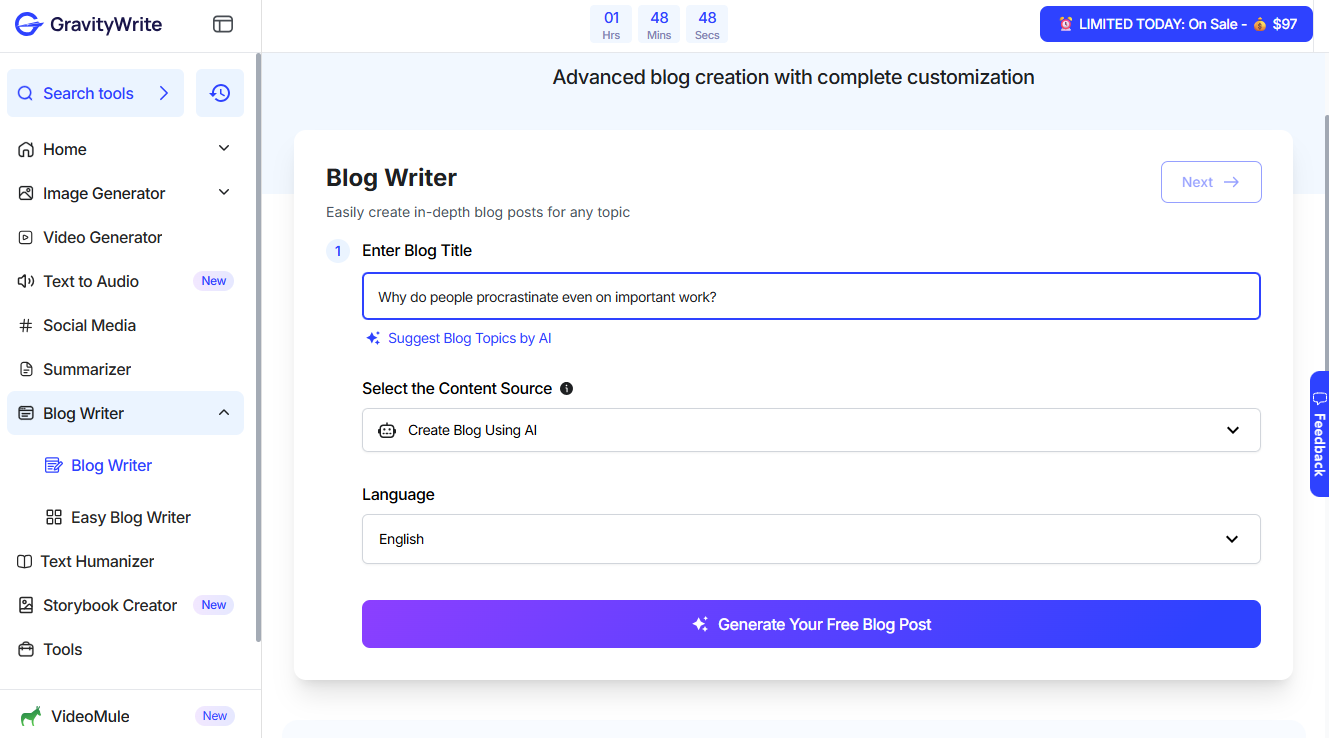
- Our goal is to test the quality of the blog writer’s content, so we chose the advanced version. In the Blog Writer window, you have to enter the title of your blog. I came up with the title “Why do people procrastinate even on important work?” for this demonstration. You can also select where your blog’s outline should be sourced from. The options are AI, Google Search results, or real-time info. GravityWrite can write blogs in over 30 languages, so there’s also an option to choose the language.
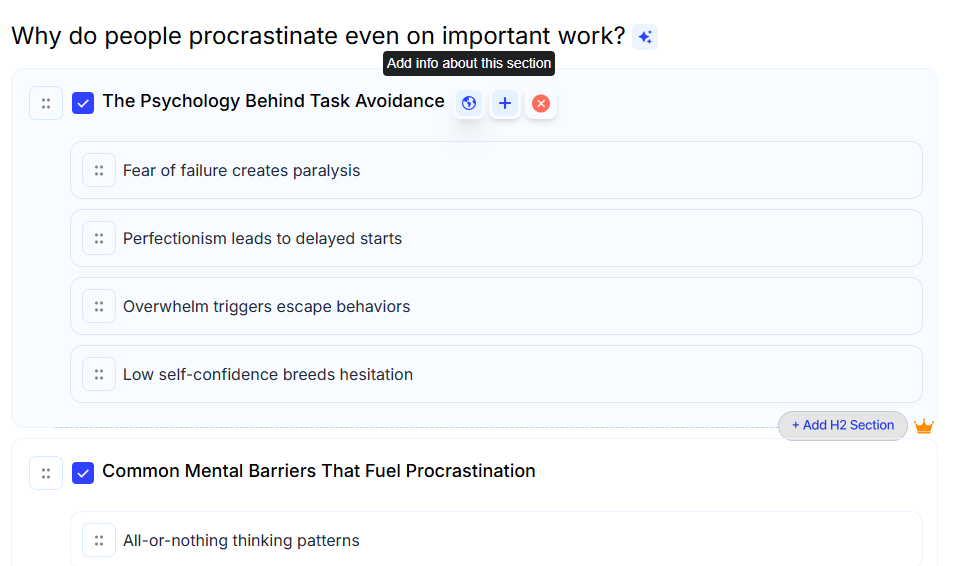
Press Next, and GravityWrite generates an outline containing a number of H2 and H3 sections. Here you can add more H2s and H3s or remove them. You can also provide instructions to GravityWrite about how it should handle each section and what specific information it should include while writing the blog.
In the panel on the right side, there are more optional settings. You can choose a voice, words per section, and whether or not the AI should include lists, tables, and images. If you already have SEO keywords, you can add them, too. If not, you can opt for the AI to generate SEO keywords.

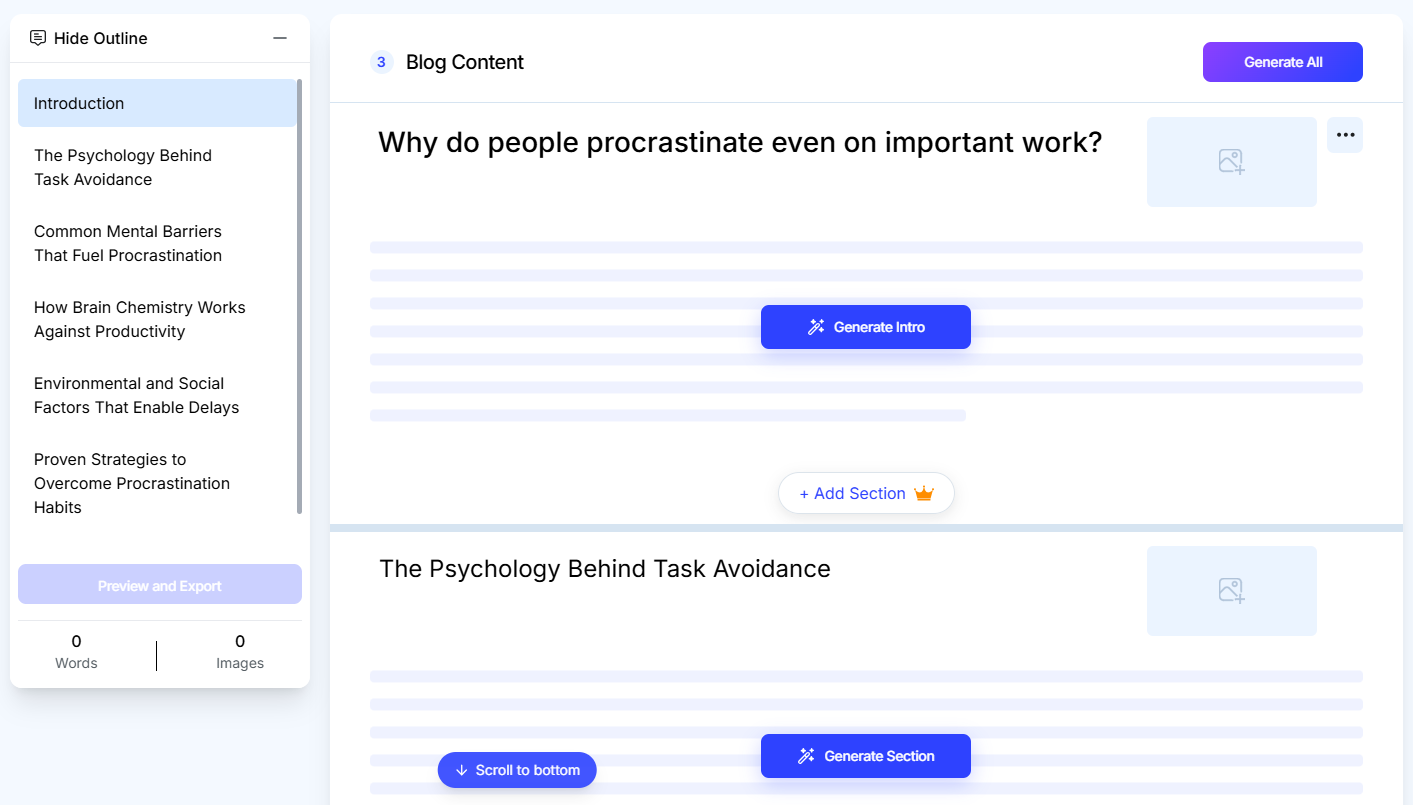
- Click Continue, and you’ll be taken to the last stage where AI will generate the blog. There are two ways to generate the blog. You can either generate the entire blog in one go by clicking the Generate All button, or you can generate one section at a time. I chose the latter to allow the AI some breathing space so it could give its best.
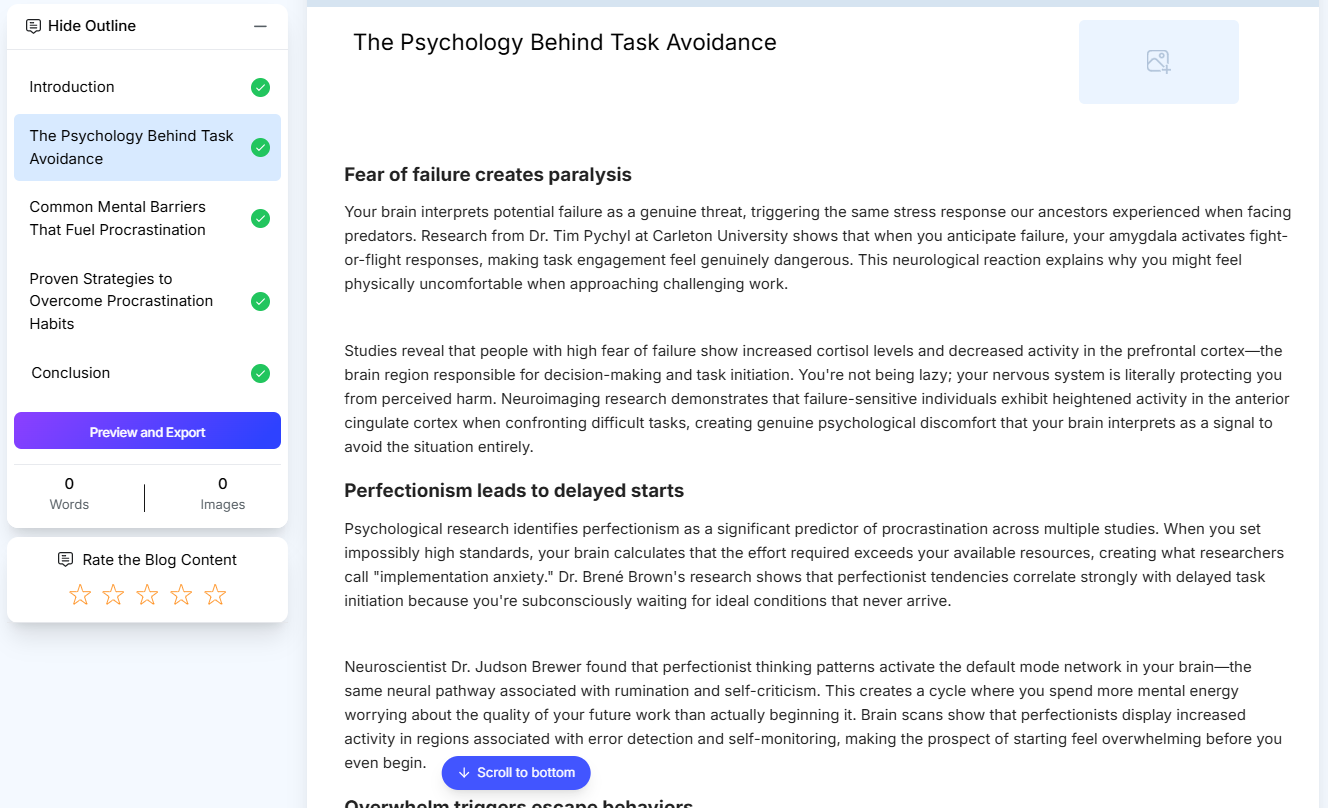
- Here’s a glimpse of GravityWrite’s writing. For some reason, the AI wasn’t generating images. It kept running into an error when I clicked on the image field.
- Lastly, you can export the blog as a PDF or a WordPress document. Or you can simply copy the text and paste it into your Google Doc.
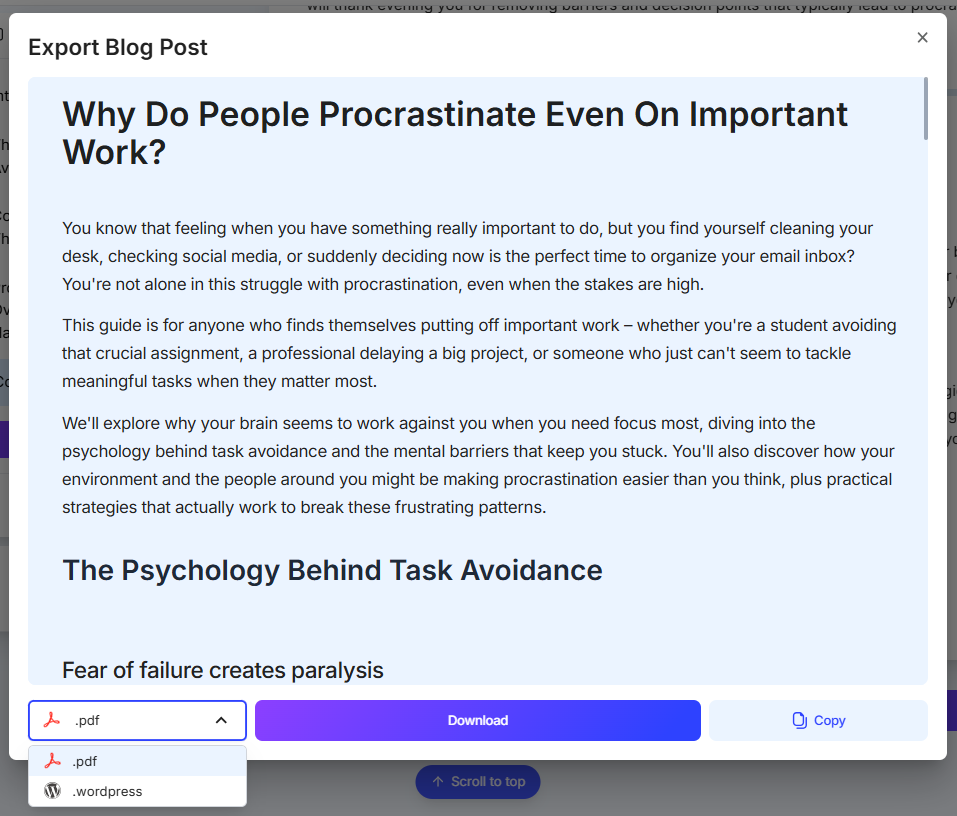
The range of features on every step and the intuitive interface are impressive.
But we are here to assess the content quality of the blog writer. More precisely, we are here to check whether or not the generated content passes as human on popular AI detectors. So, let’s find that out.
Can Content Generated by GravityWrite Bypass Popular AI Detectors?
If you read the parts of the generated content visible in the provided screenshots, you’d see that the writing isn’t bad at all. The tone feels human. The intro doesn’t start with the infamous AI hook “In today’s world…” In fact, the hook is quite engaging and not dramatic at all.
At the same time, you can see a number of AI patterns. For instance, that em dash (“—”) in the second paragraph or the succeeding sentence’s structure (“whether you’re [this], [this], or [this]”) are both writing patterns that AI commonly repeats.
Also, notice that most sentences are lengthy. That’s another AI giveaway.
Another particular AI sentence structure that GravityWrite’s AI has used several times throughout the blog can be noticed in the following two sentences:
- We’ll explore why your brain seems to work against you when you need focus most, diving into the psychology behind task avoidance and…
- Your brain interprets potential failure as a genuine threat, triggering the same stress response our ancestors…
The highlighted part in both sentences is casually called the -ing clause after a comma. When AI writes like this, it's compressing what could have been a full sentence with conjunctions (so, because, which, etc.) or two sentences into a single shorter sentence.
In itself, there’s nothing wrong with this sentence structure. But AI overuses this sentence structure, so now it has become a telltale sign of AI writing.
If I, as a human, could catch these AI patterns in GravityWrite’s writing, you can only imagine how easy it would be for an AI detector tool to catch all of them.
And that’s exactly what happened. All the AI detectors we ran the text through had a field day with it.
1. GPTZero
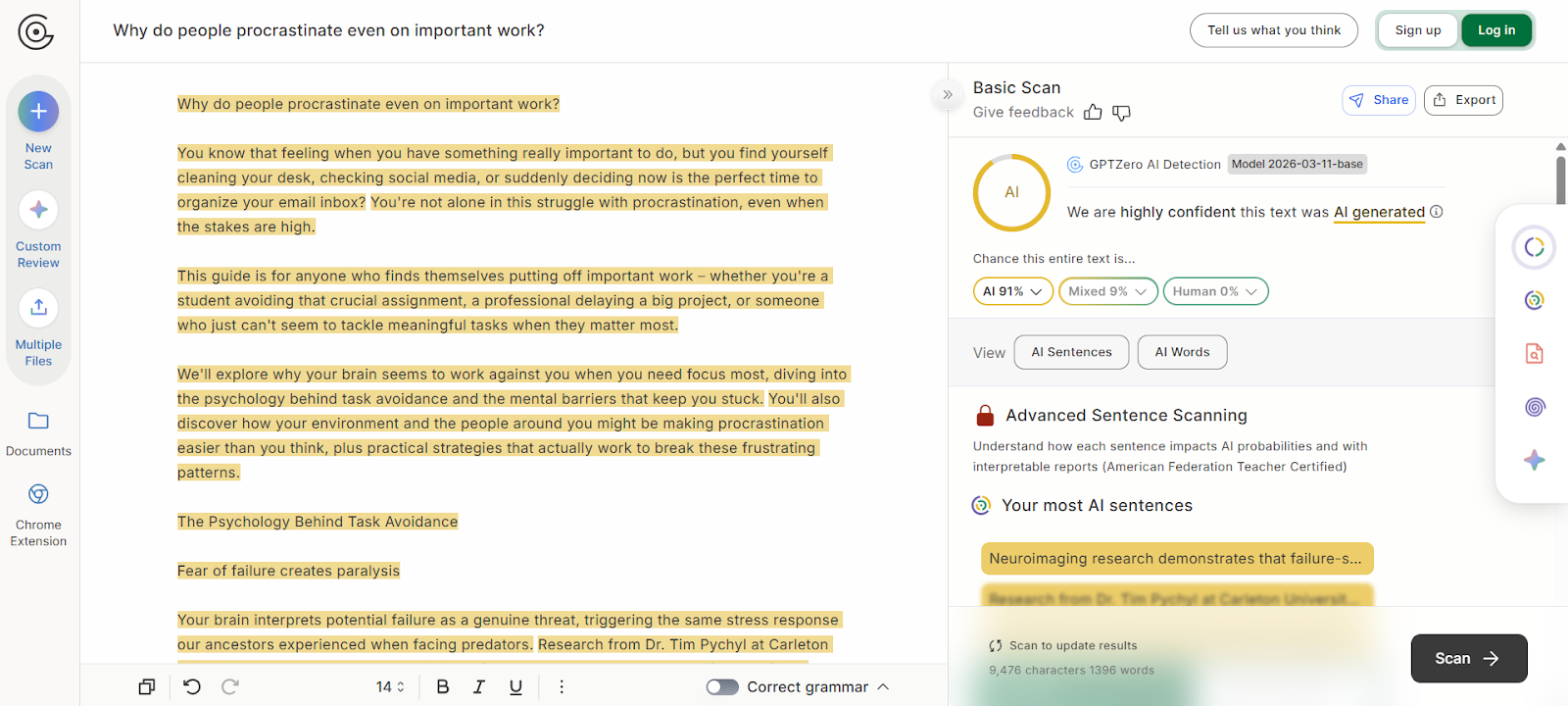
First, we ran GravityWrite’s blog through the leading AI detector GPTZero.
GPTZero has a proven track record of dominating independent (RAID) and the company’s own performance benchmarks. GPTZero also outperformed Originality AI and Copyleaks in a recent evaluation of the three AI detectors.
What this means is that GPTZero’s verdict on a text is quite authoritative.
GPTZero was 91% confident that the blog was AI-generated. The remaining 9% fell into the mixed category. By "mixed," the AI detector means the blog could be AI-written but lightly edited by a human.
The probability for the text being human-written was 0%.
Verdict: GravityWrite is easily detectable by GPTZero
Try GPTZero today for free and see for yourself.
2. Originality AI
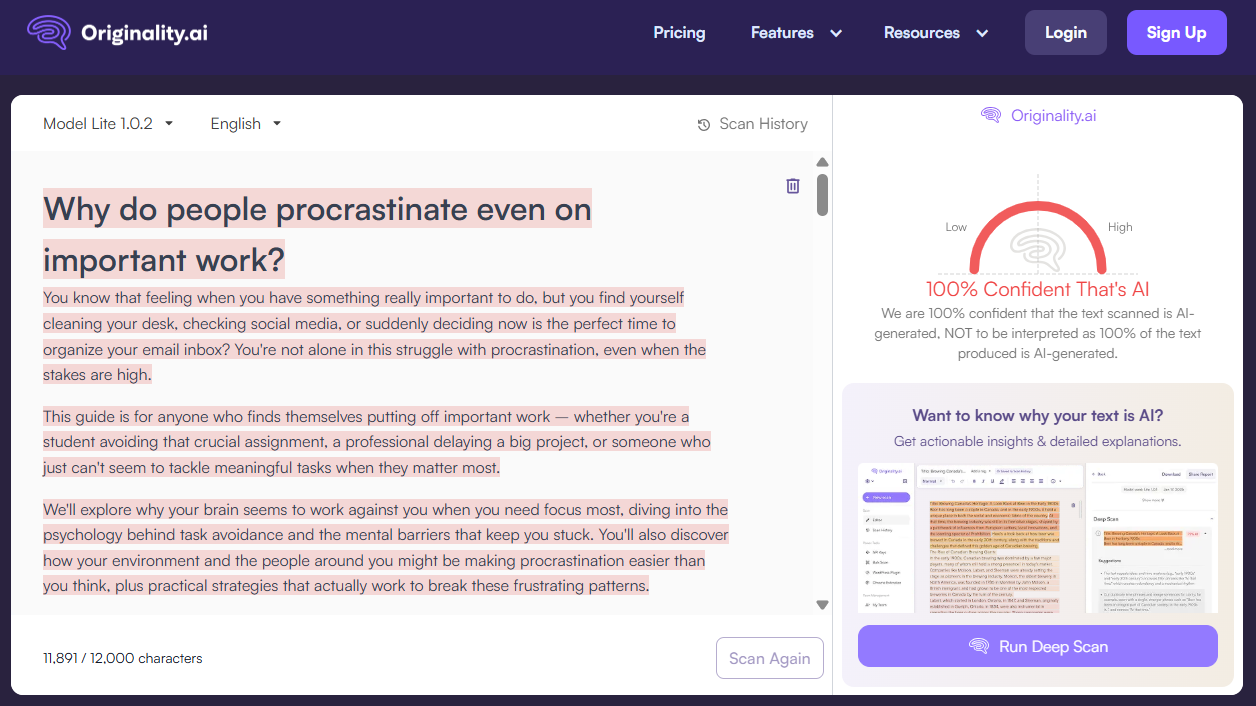
Originality was 100% confident that the blog was AI-written, which is the truth as well.
It didn’t give the text any benefit of doubt.
So GravityWrite’s writing fails badly here, too.
Verdict: Originality can easily detect AI in GravityWrite’s writing
3. Copyleaks
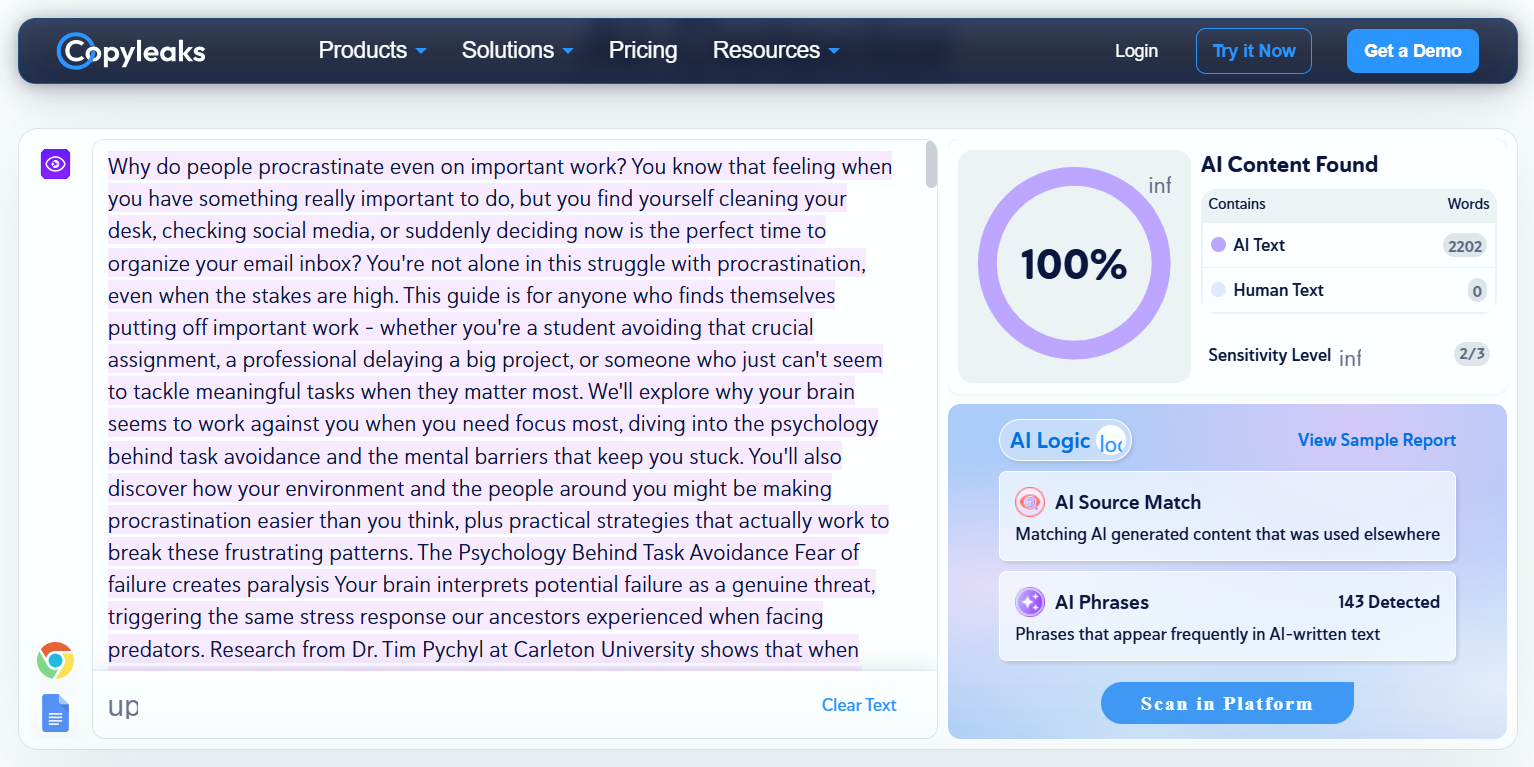
I could scan the entire 2202-word blog on Copyleaks as its word limit is 25000 characters.
Its verdict was also the same as Originality AI. 100% of the text is AI, and 0% is human.
Verdict: Copyleaks can detect GravityWrite easily
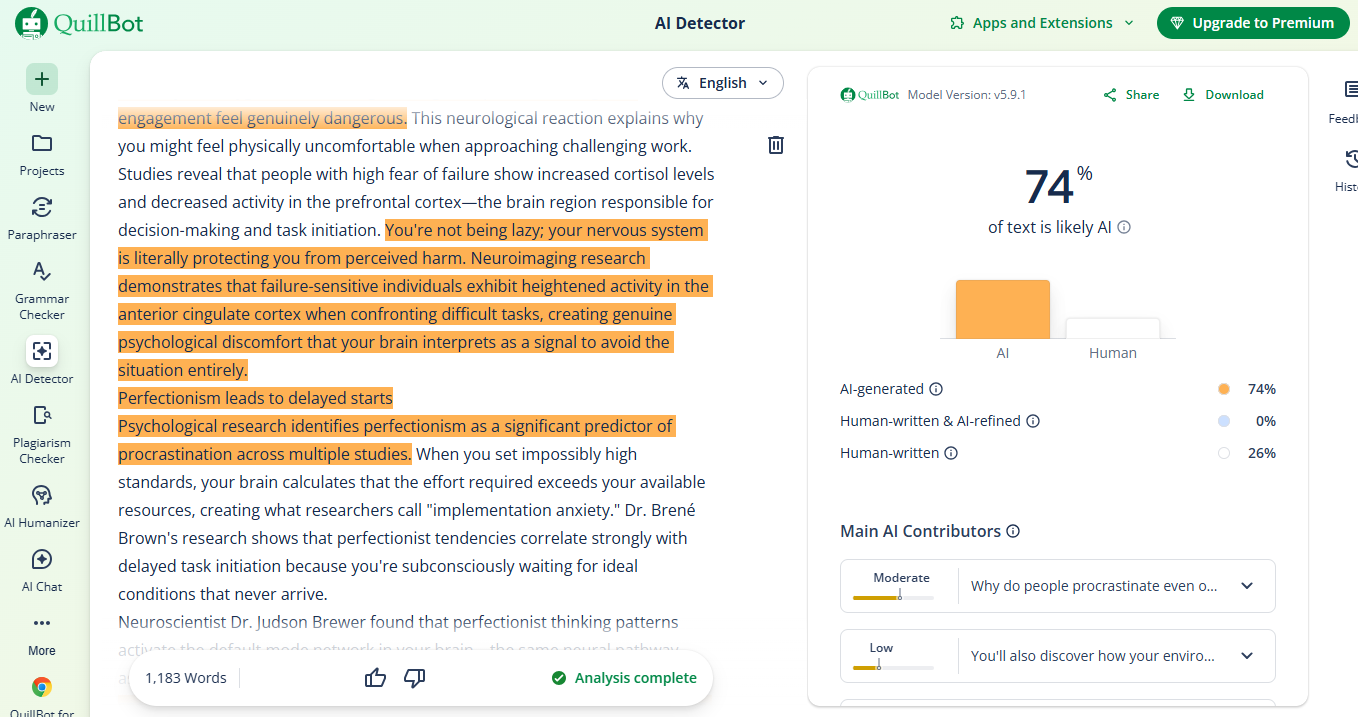
4. QuillBot
Our last AI detector almost fell for GravityWrite’s writing.
It declared 26% of the text as human-written.
The remaining 74% of the text correctly appeared AI to it.
Since QuillBot’s accuracy is still high, GravityWrite failed here as well.
Verdict: GravityWrite’s content is detectable by QuillBot
GravityWrite Pricing
GravityWrite allowed me to try out its AI Blog Writer tool for one blog. After generating a blog with it and reloading the page, it started the onboarding process.
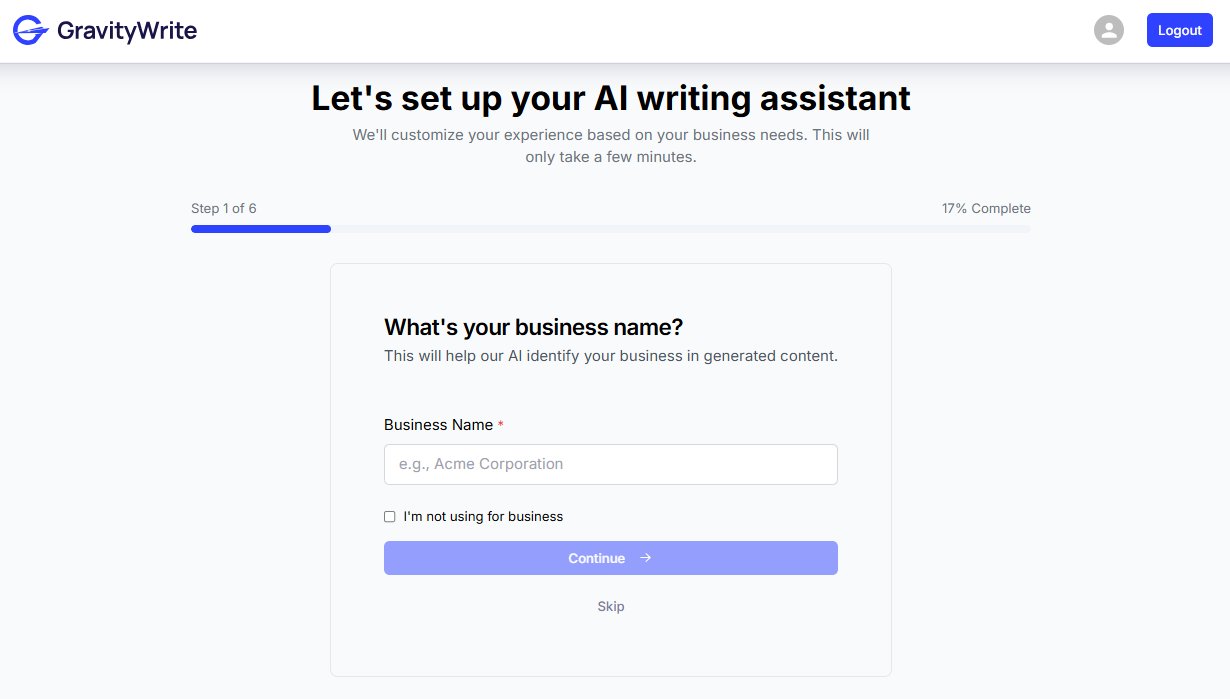
This shows that GravityWrite has no free plan. It simply allows you to try a tool once and then pay for continuous usage.
This brings us to GravityWrite’s paid plans. There are three of them: Plus, Pro, and Bundle.
All three plans have a monthly or yearly payment option. However, the per-month price differs a lot between the two types of payment options.
If you choose to pay on a monthly basis, the starter plan costs $49, which is a lot, especially considering the tool’s performance on AI detectors.
But if you choose to pay yearly, a month’s cost drops to $8. You have to pay for all 12 months at once, which is $97 in total.
In both subscription types, you’re paying a high starting fee.

Have GPTZero By Your Side
GravityWrite’s content, just like other AI writers, is, after all, detectable.
But smart AI writing tools may be able to minimize the AI writing patterns and hence fool some detectors and appear human-written.
To avoid that, you should have the most accurate commercial AI detector (according to independent benchmarks), GPTZero, by your side.
Try GPTZero today for free and check the accuracy yourself.
FAQs
Is GravityWrite’s content detectable by AI detectors?
Yes, the content generated by GravityWrite is easily detectable. Industry-leading AI detectors like GPTZero can easily tell whether the content has a high probability of being AI, mixed (AI written + human edited or vice versa), or human written.
Is Gravity Writer free?
GravityWrite has no free plan per se. But it allows you to try their tool and generate an output once for free. After that first free try, you’ll have to subscribe to one of their paid plans to continue using the tool.
Can AI writers be detected?
Yes, AI writers or tools that produce AI content can easily be detected by the top AI detectors. The content AI generates contains certain writing patterns that give away that a bot wrote it. These tools analyze text for repetitive sentence structures, predictable word choices, and a lack of personal voice. The more generic and formulaic the writing, the easier it is to flag.
Is Gravity Write legit?
GravityWrite is legit in terms of the output it generates. Its writing isn’t bad at all, and the tone feels human in its generated content. But it is nevertheless easily detectable by an AI detector, as you saw in this review.