
Cramly AI Review: Are Its Tools Worth It?
I started reviewing Cramly.ai thinking it was an AI detector. But the platform turned out to be something else. Read what Cramly.ai is all about and figure out whether it’s worth your time.


Many AI tools I see on the internet these days are thin wrappers around large language models (LLMs). These tools are simply a thin interface on top of ChatGPT, Claude, or some other LLM’s API.
Some of these products themselves bring minimal value of their own. The majority of the work is being done by the API running in the background. Google’s VP has warned that these types of platforms won’t survive for a long time.
In Darren Mowry’s own words:“If you’re really just counting on the back-end model to do all the work and you’re almost white-labeling that model, the industry doesn’t have a lot of patience for that anymore.”
A big beneficiary of this AI wrapper economy is startups that offer “writing assistant tools.”
One such platform that I came across recently was Cramly.ai. At first glance, I thought it was an AI detector, but once I dug more into it, I found that the platform offers a bunch of AI tools for specific writing tasks.
This article walks you through what I found in my review of Cramly.ai.
Brief spoiler: The tools don’t offer much value, and the AI detector even disappoints because it wrongly flags AI content as human.
Let’s start.

What is Cramly.ai?
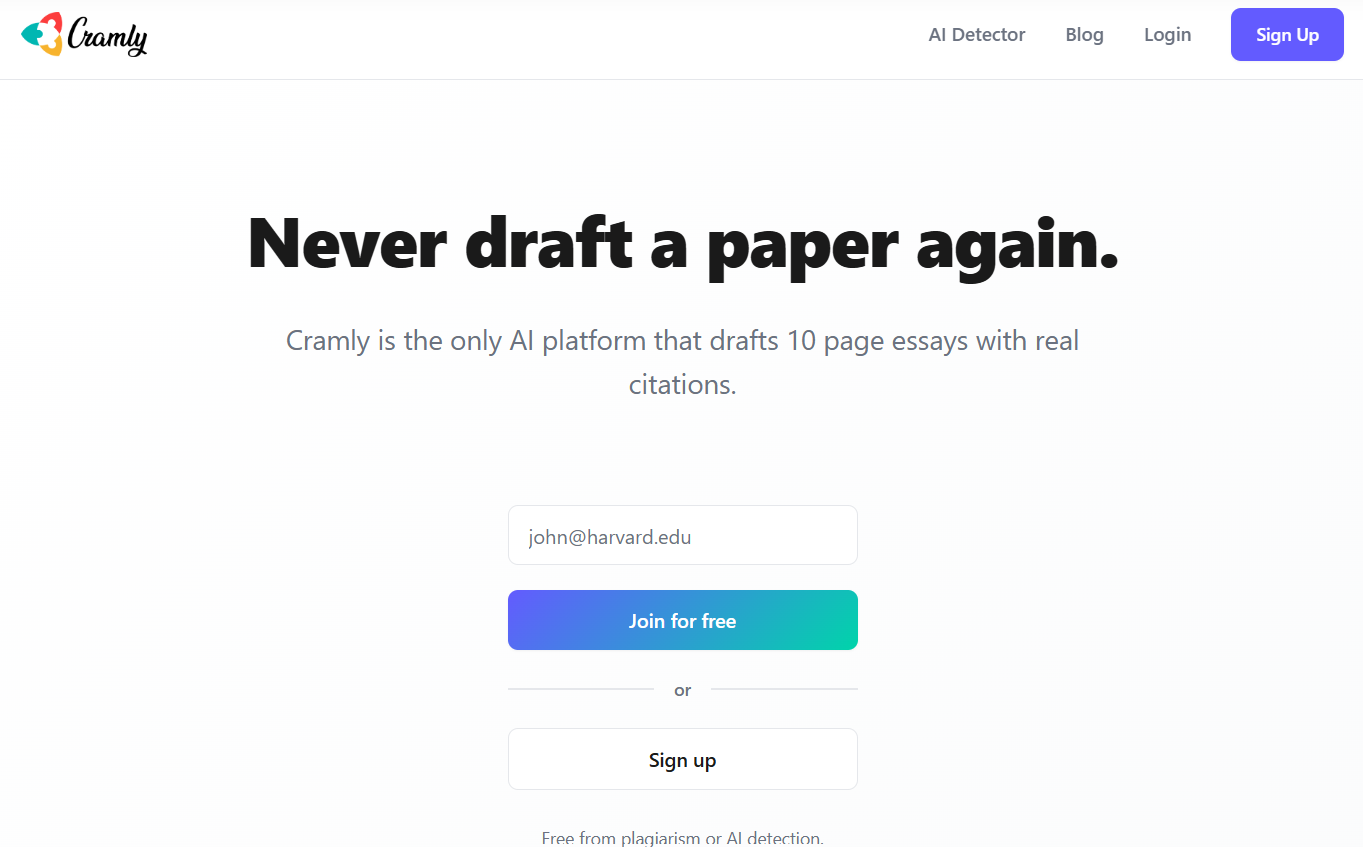
By looking at the Cramly.ai website for the first time, you won’t be able to tell that Cramly offers many tools.
You’d think Cramly simply offers an AI detector because there’s only one landing page, and that’s for the AI detector. No other tool gets a separate landing page.
But Cramly.ai is a platform that also offers AI-powered tools to assist students and professionals. The tools perform basic functions that you can perform with any major generative AI model with a little prompting.
The only difference with Cramly is that it saves you from the hassle of prompting. You are given a bunch of tools for specific functions where you just enter the essential details and get the result.
All the tools that Cramly offers are text-based. They can only process and generate text. For instance, students get tools such as an essay outline and essay generator, while professionals get a blog outline and blog post generator, among other tools.
Is Cramly AI Detector Accurate?
What’s interesting is that despite the separate landing page for an AI detector, Cramly doesn’t actually show you a standalone AI detector when you sign up on the platform. I was only able to use and test the Cramly AI detector when I didn’t sign up on the platform.
When you open the AI detector page, you’re prompted to sign up or log in to use the tool. But when you are logged in, there’s no sign of a separate AI detector in the tools catalogue.
It is only when you open the paraphraser that you see the AI checker. But that AI checker belongs to the paraphraser. In other words, when Cramly paraphrases your text, it gets generated in the text box of the AI checker.
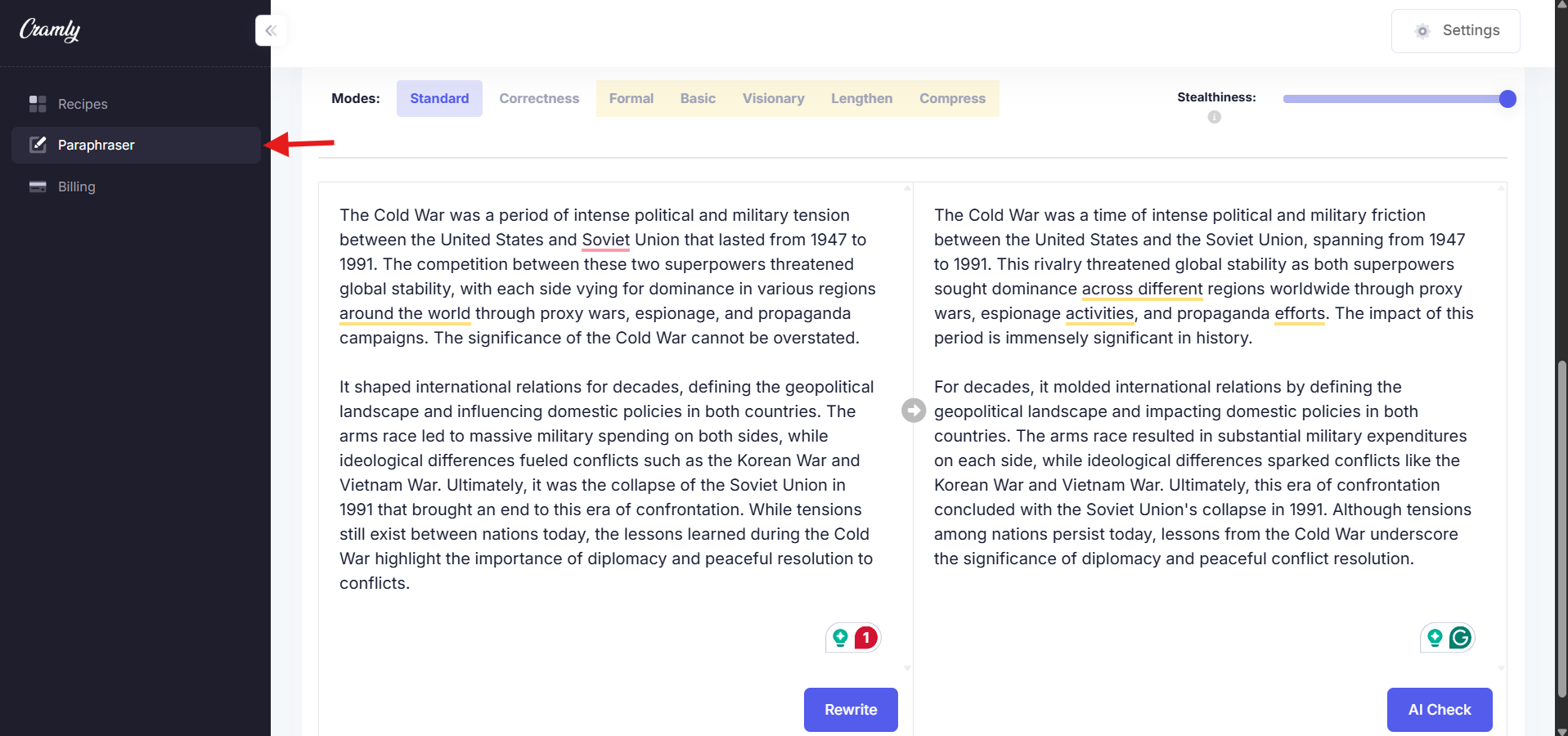
Another surprise is that the AI checker doesn’t work when you’re logged in. When you click the “AI Check” button, a text box appears at the top of the screen for less than a split second, saying “Detecting plagiarism… this could take a minute…”
The fact that it said “Detecting plagiarism” was also weird since I clicked “AI check”.
You wait and wait, but nothing shows up. So for testing purposes, I logged out and used the AI detector to find out whether the AI detector offered by Cramly is accurate.
First, I asked ChatGPT to generate 800 words on the impact of globalization on developing countries. You can see the output ChatGPT gave in the screenshot below.

Then, I copied this output and pasted the text into the Cramly AI detector to test its accuracy.

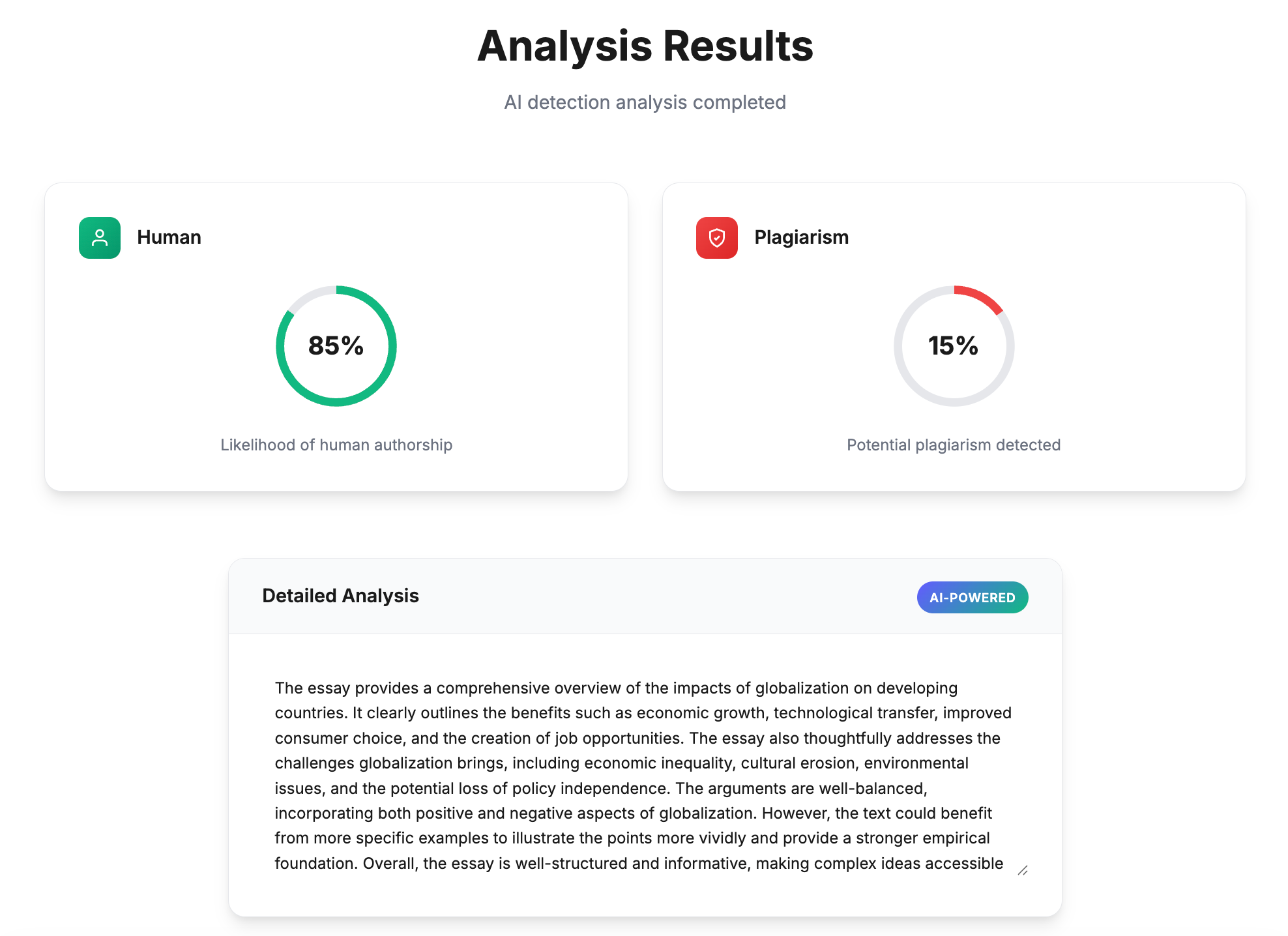
When I ran the AI detection by clicking the “Check” button, Cramly labeled the text as 85% human (“Likelihood of human authorship” in Cramly’s words), which is totally wrong since I generated the whole output using ChatGPT.
I then went to GPTZero’s AI detector and pasted the same ChatGPT-generated text into GPTZero.
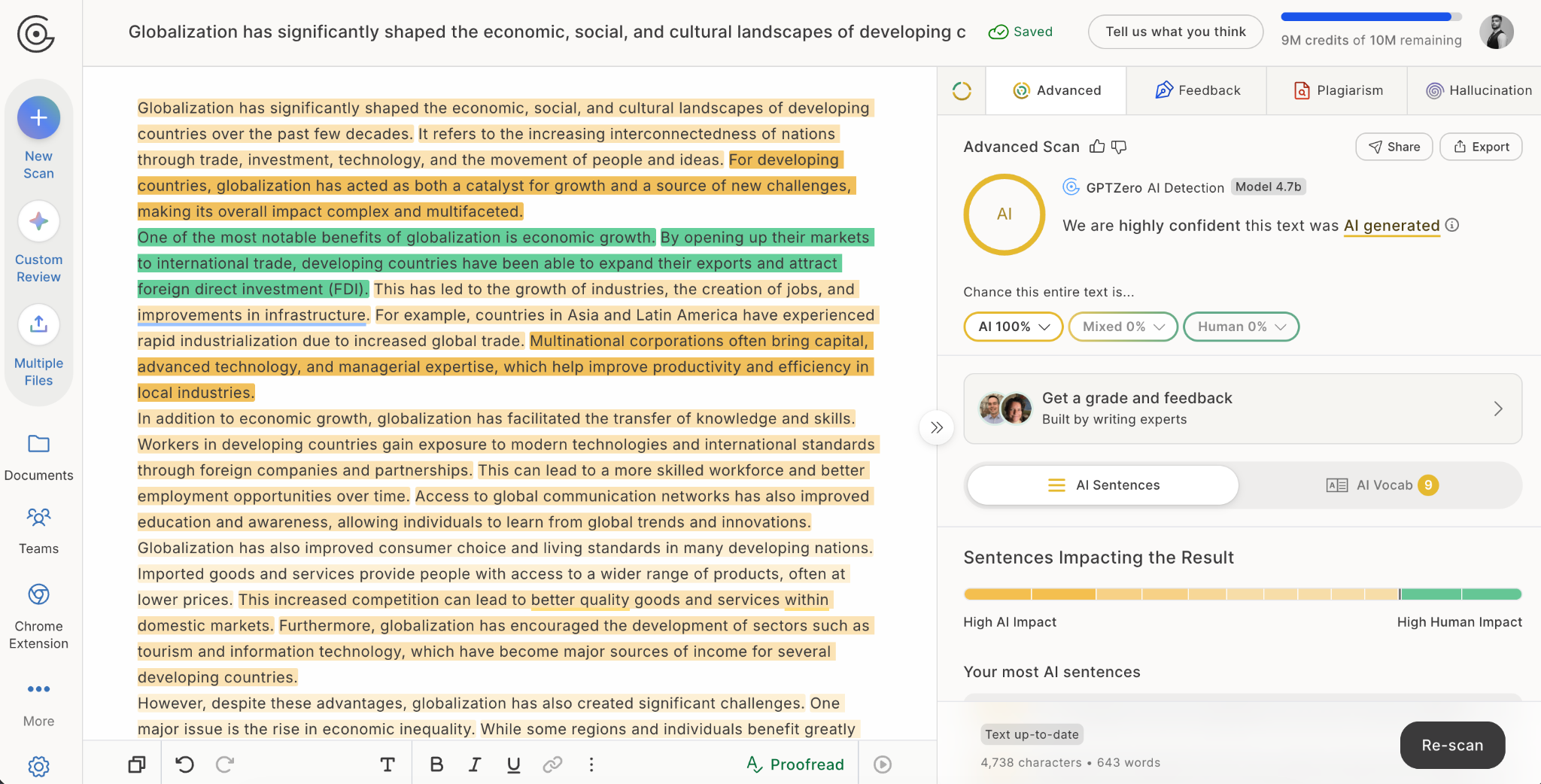
GPTZero flagged the content as 100% AI, which is correct since the whole text is ChatGPT-generated.
Since Cramly AI gave a wrong result on AI-generated text, I thought I should try detecting 100% human-written content through the Cramly AI detector. So, I chose this Forbes article from 2018 (way before the first LLM arrived on the scene), and pasted the text into the Cramly AI detector.
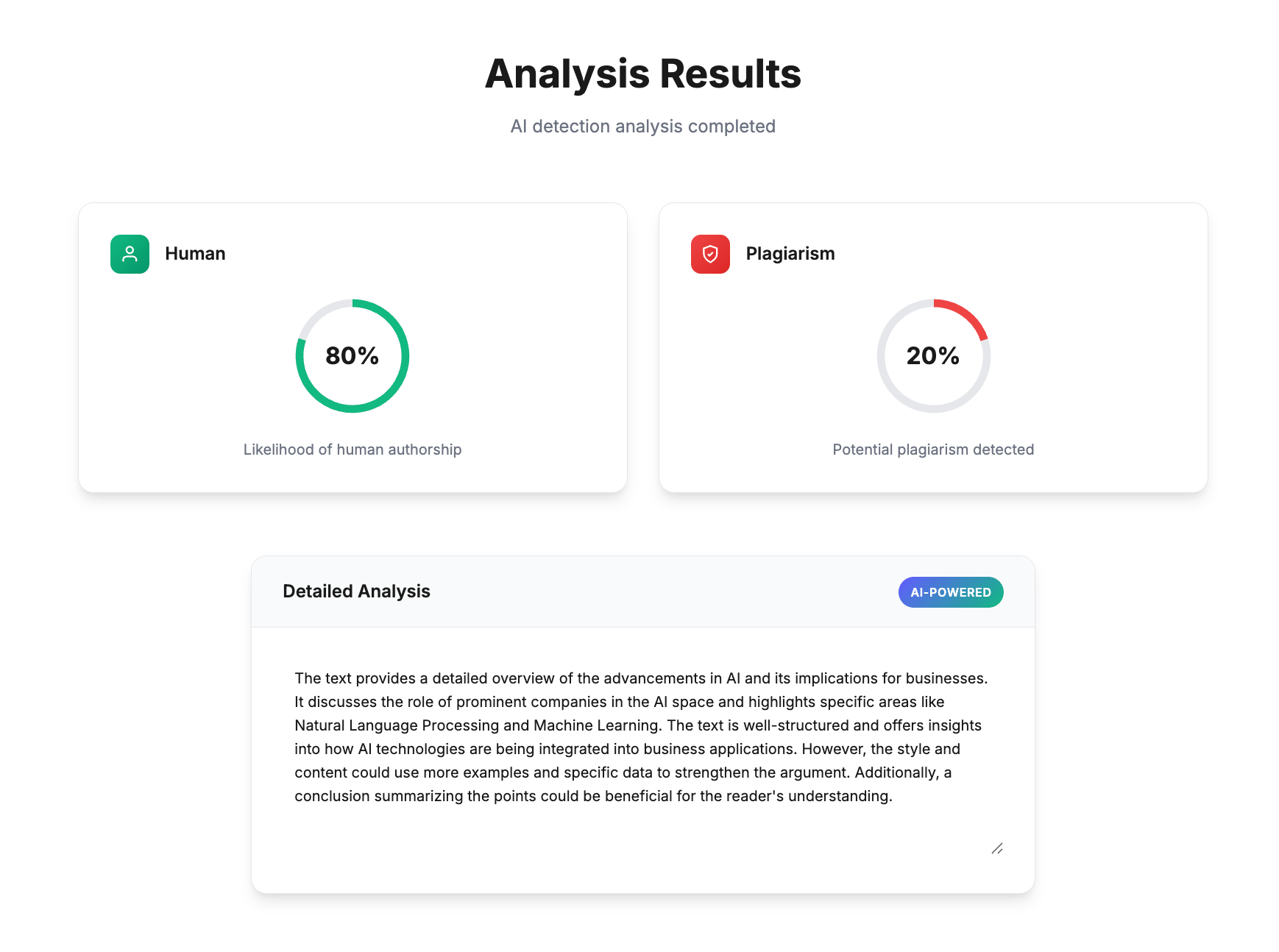
Cramly AI detector showed the content as 80% human, which is closer to the truth, but still it missed the mark by 20% since the whole content is human-written.
Then, I ran the same Forbes article’s text through GPTZero’s AI detector, and it correctly showed 100% as human-written.
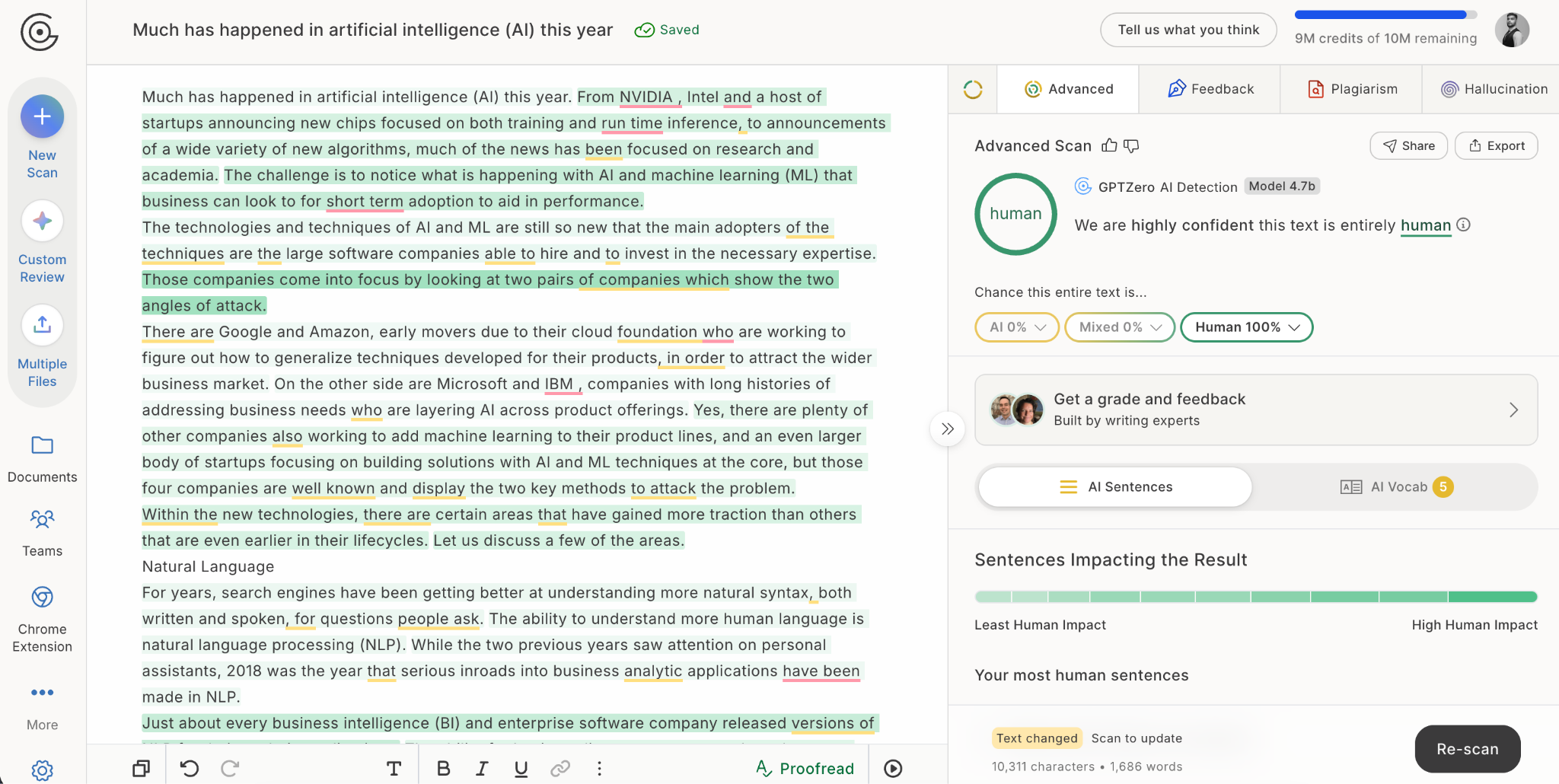
This shows us that Cramly’s AI detector is not reliable and can wrongly flag AI content as human and human content as AI.
If you want to use a reliable detector with high accuracy, use GPTZero for free instead.
Now, let’s explore the rest of the Cramly tools.
Cramly.ai Features
Tools for Students
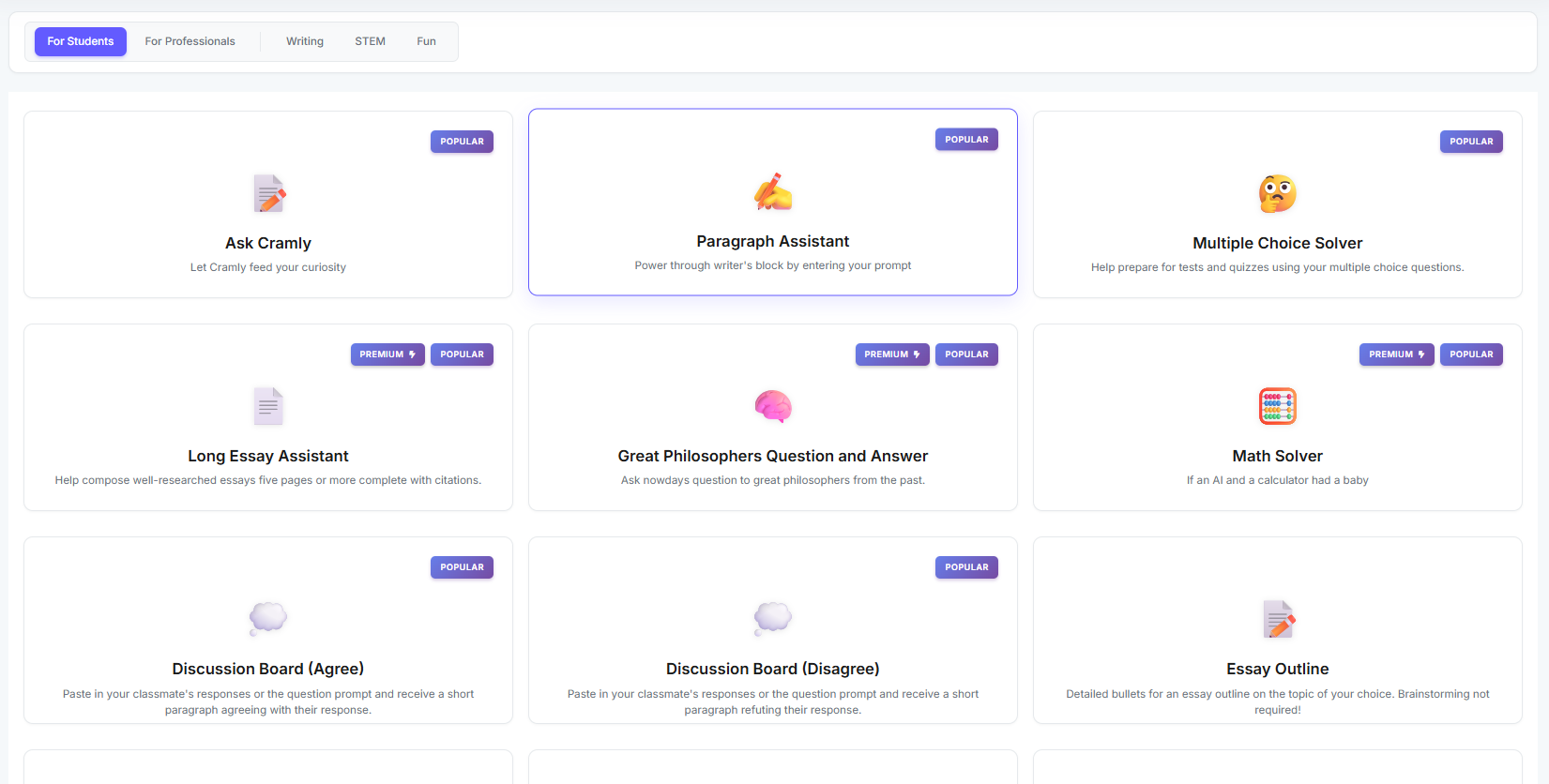
Cramly offers 15 AI tools for students.
The tools fall into three categories based on their purpose, namely writing, STEM, and fun.
Some of these tools can be used for free for a limited number of times. Other tools are strictly for premium users.
As I said earlier, these tools are very basic. They all have a single field where you enter your purpose and hit enter. The response gets generated in a separate text box. For example, here’s the interface of the Paragraph assistant tool showing this basic format:
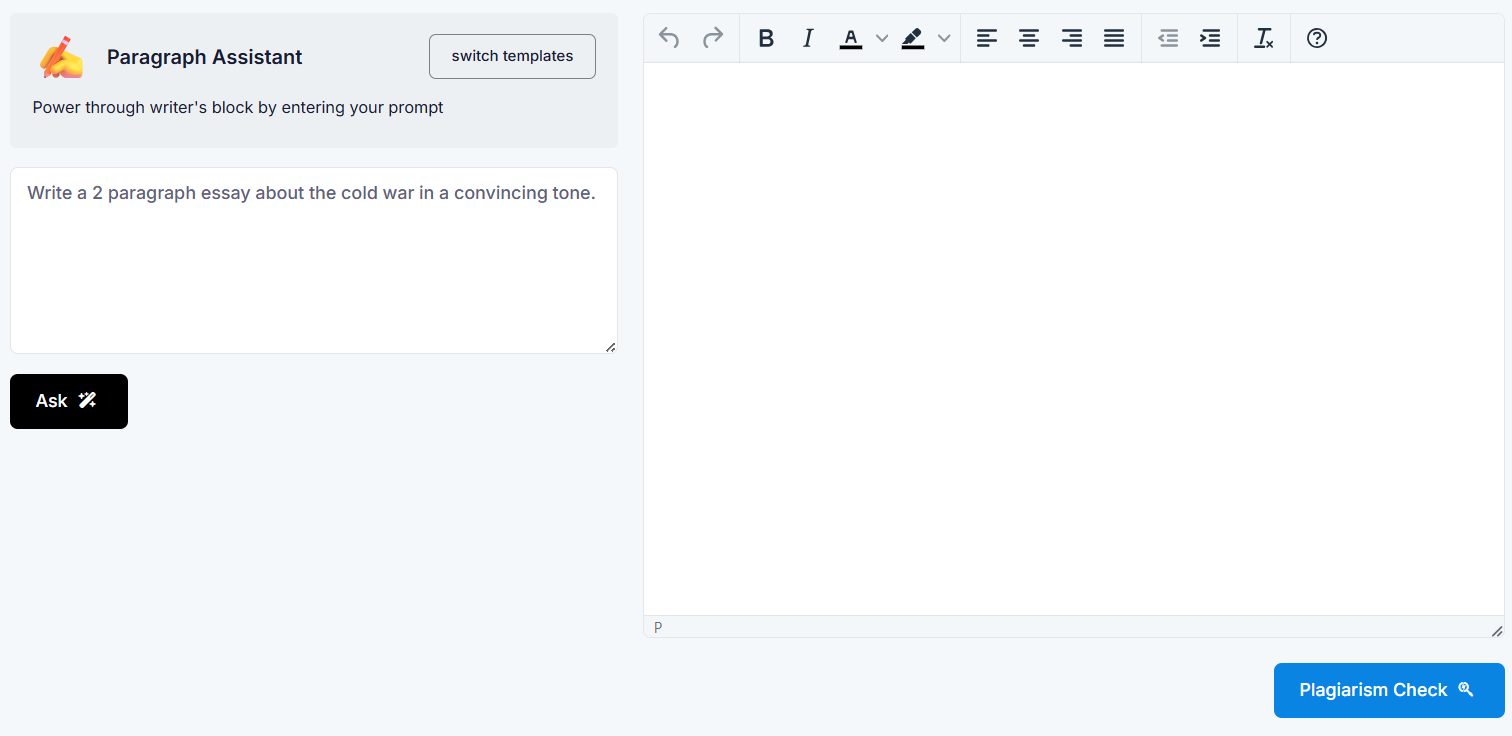
You could have achieved the same purpose with a little prompting using ChatGPT, Claude, and the like. Cramly just saves you from having to prompt.
The complete list of 15 tools for students is as follows:
Tools for Professionals
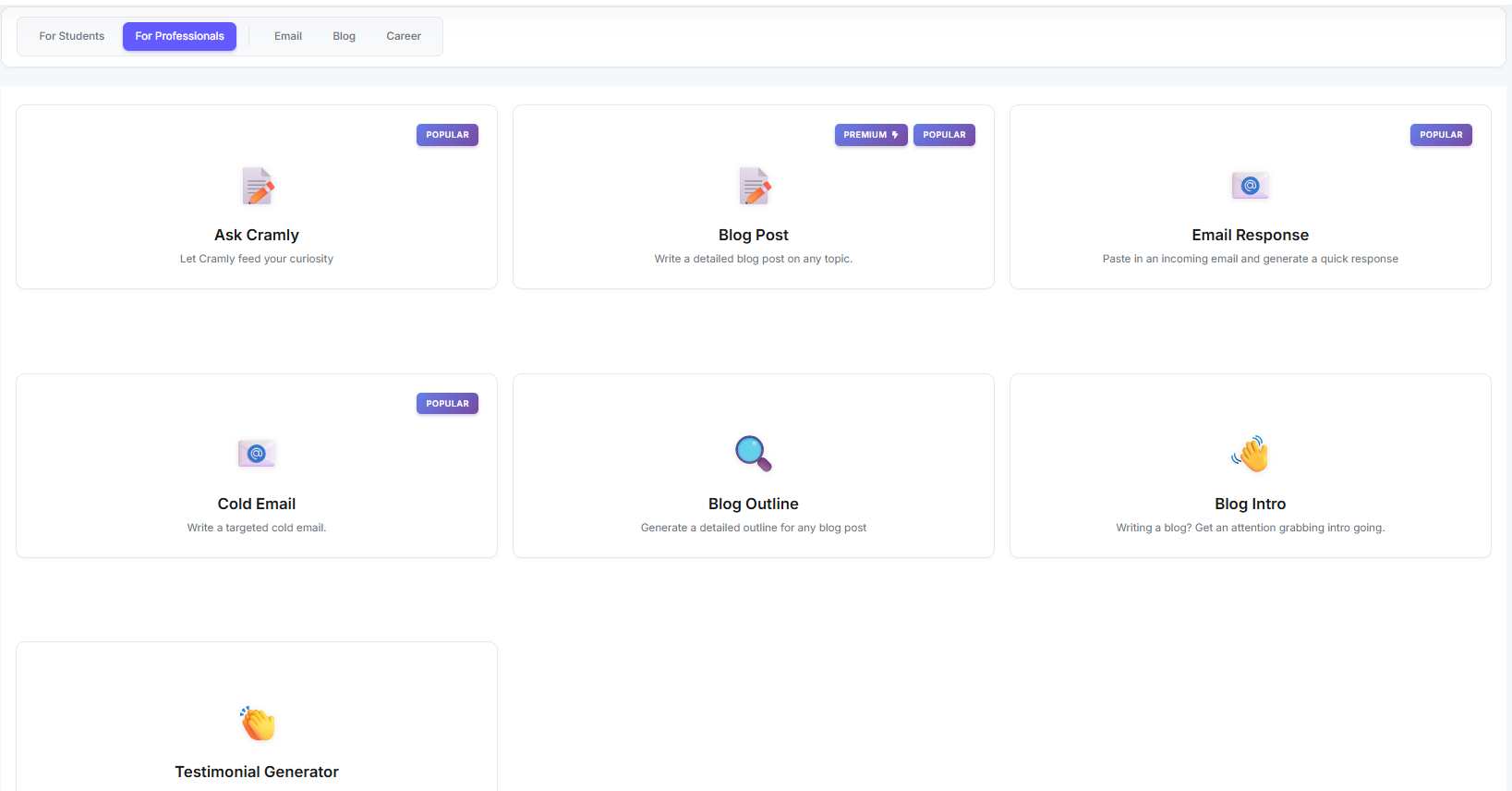
Professionals get fewer tools than students. There are 7 AI tools for them as of yet. And these tools are also basic, like the ones for students. They have the same interface with one field to state your purpose and another text box where the response is generated.
Cramly divides the tools for professionals into email, blog, and career categories.
The full list of tools is as follows:
- Ask Cramly
- Blog Post
- Email Response
- Cold Email
- Blog Outline
- Blog Intro
- Testimonial Generator
Paraphrasing Tool with AI Checker
The paraphrasing tool isn’t categorized for students or professionals. It’s for everyone to use.
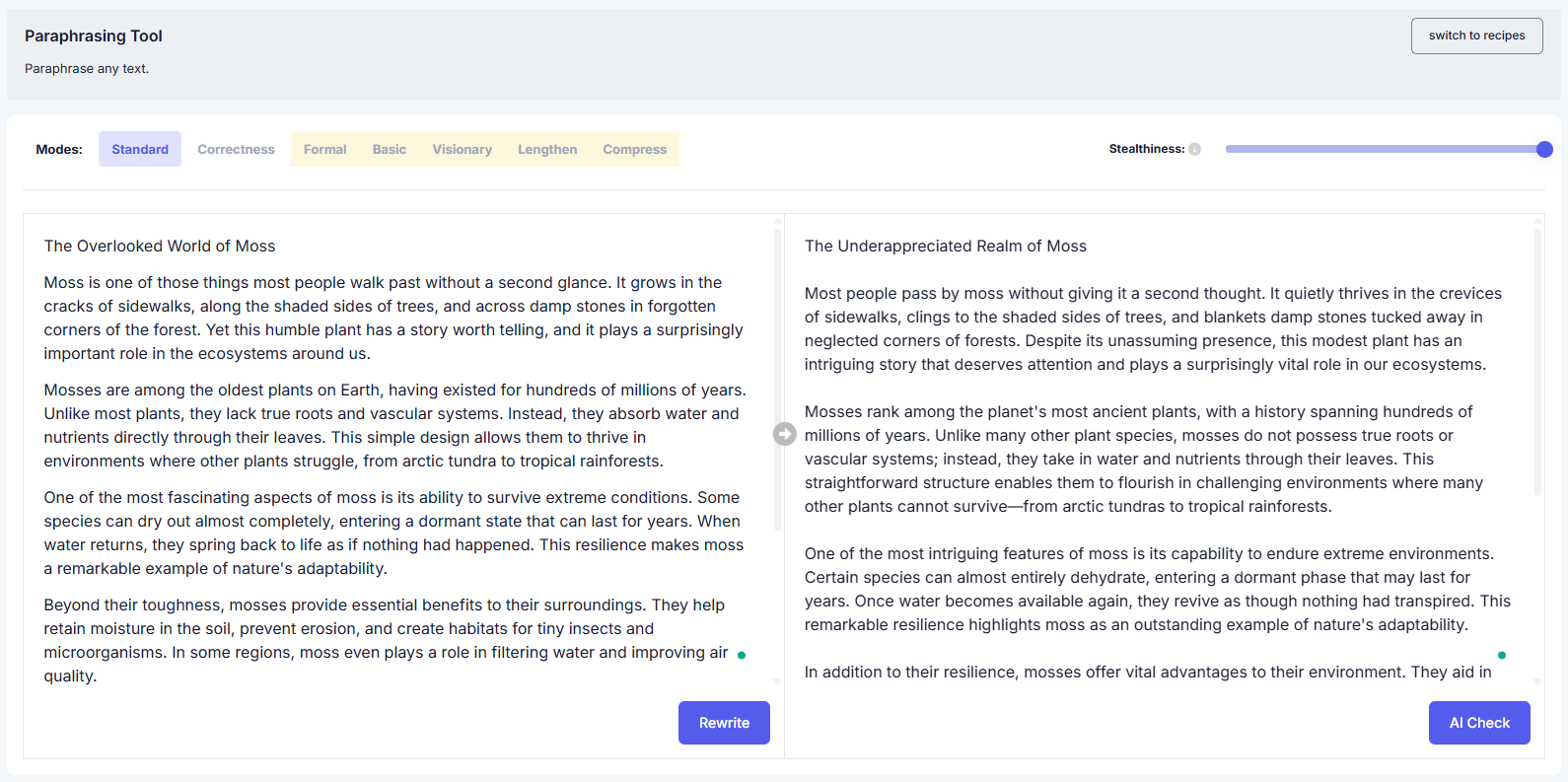
You can select modes based on what you want to achieve with paraphrasing.
You can also adjust the stealthiness of the paraphrased text using a slider. Higher stealthiness would mean you don’t want the text to be detected by an AI detector.
When the paraphrased text is generated, you’re given an option to run an AI check on it right there.
But as I have mentioned earlier, this feature doesn’t work. Nothing happens when you press the AI Check button.
Cramly’s built-in AI checker (when you’re logged in to the platform) doesn’t work.
But does the paraphraser work? Does it succeed in making the text undetectable by AI detectors when you have set the stealthiness to high?
We can verify that using GPTZero’s AI detector.
I generated a text sample using Claude and made Cramly paraphrase it (the screenshot below).
GPTZero didn’t flinch in declaring the entire text as AI with 100% confidence.
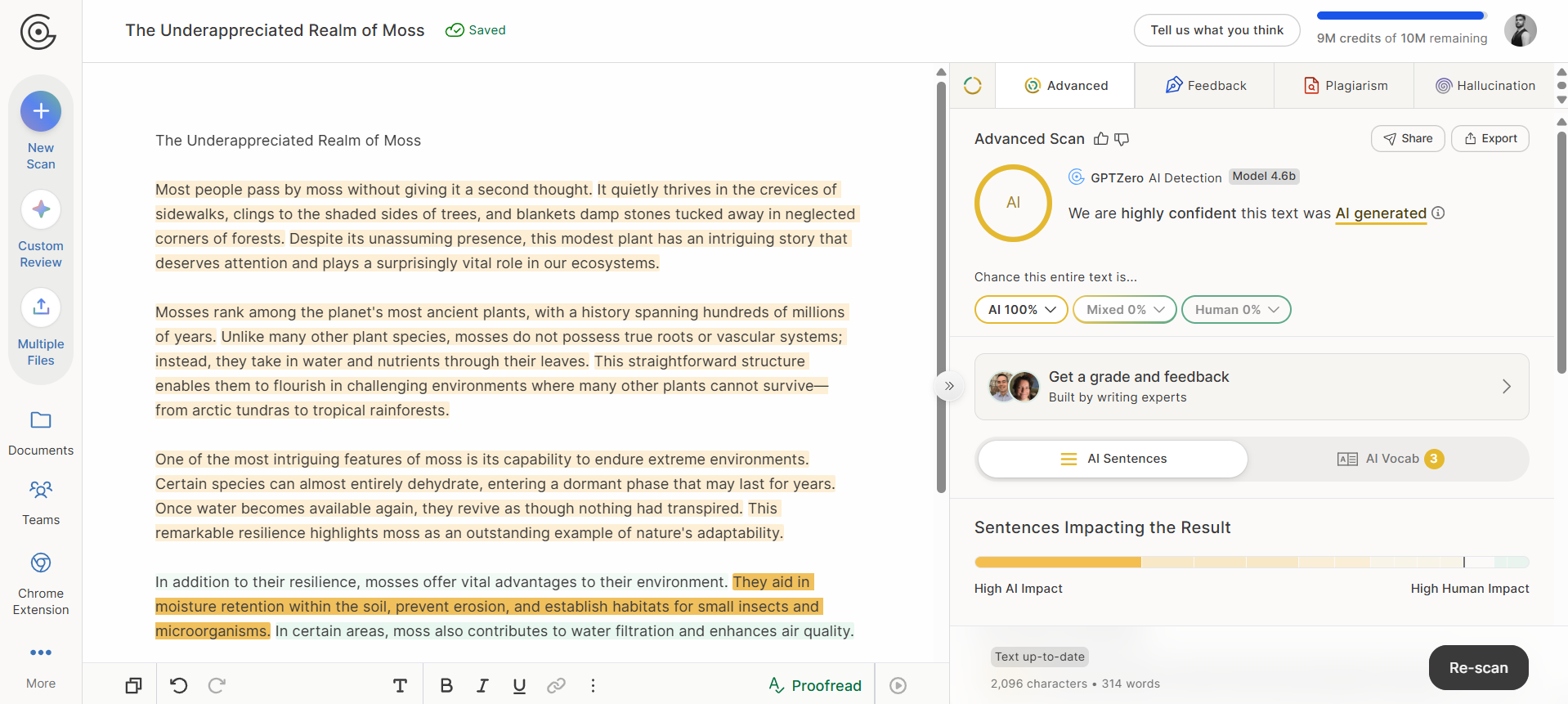
So, while Cramly’s paraphraser performs its basic function, it fails to make text undetectable and bypass GPTZero’s AI detector.
Cramly.ai Pricing
Cramly.ai tools are free to use but for a limited number of times. Some tools require a paid subscription outright.
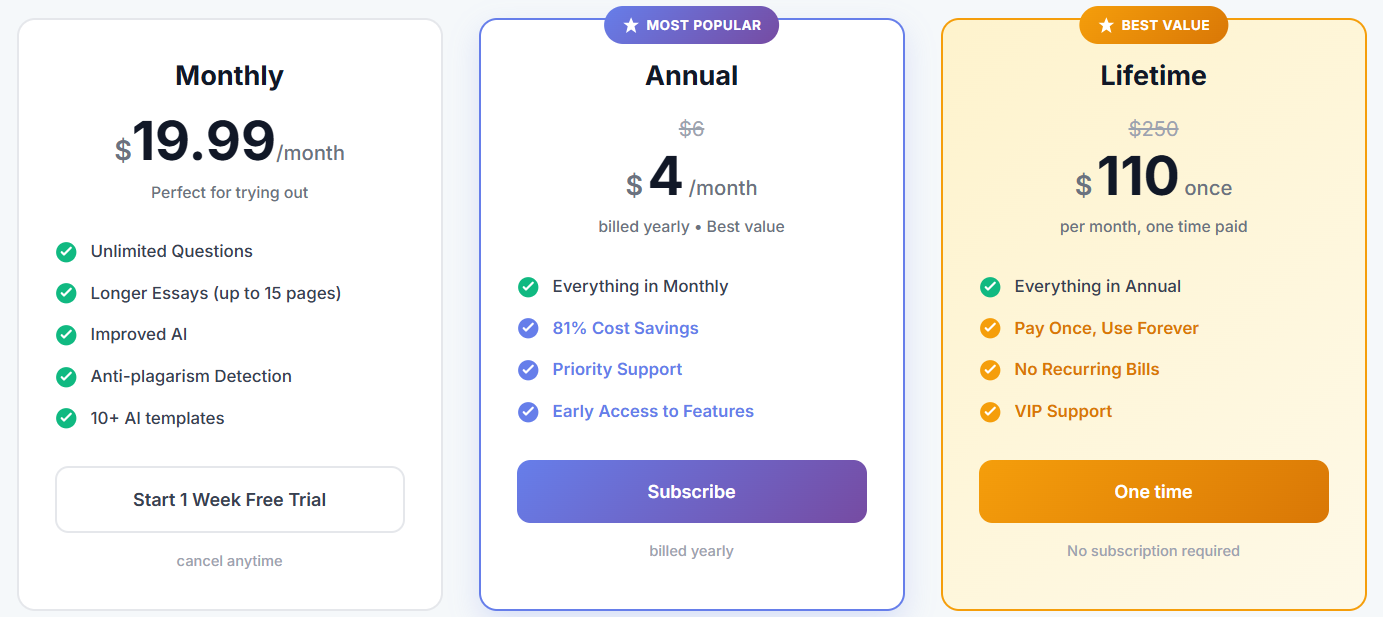
Cramly offers three ways to subscribe to it. There’s a monthly, an annual, and a lifetime subscription. The pricing and what you get with each plan can be seen in the screenshot below.
The monthly plan comes with a 1-week free trial during which you can cancel the subscription at any time.
There’s one thing worth being careful about.
On Cramly’s landing page, before logging into an account, it is listed under pricing details that:
“If you're not completely satisfied with Cramly within the first 30 days, we'll refund your payment in full. No questions asked.”
But the billing page, once you have logged in, doesn’t mention such a thing.
So if you’re about to subscribe to Cramly, make sure you contact Cramly and confirm whether they offer a 30-day refund option.
GPTZero: Detect AI Writing With High Accuracy
GPTZero and Graphite partnered to find out how much of the web is AI, and the study revealed that 50% of articles published online are now AI-generated.
To detect AI content and tell apart human writing from AI slop, you need a reliable AI detector like GPTZero, which has a very low false positive rate and has become the most accurate commercial AI detector in the world.
Have something to check already? Scan it with GPTZero’s AI detector for free.
FAQs
Is Cramly AI worth it?
Cramly AI is not really worth it because the tools are basic, and you could do the same things yourself with a little prompting on ChatGPT or Claude. Besides that, the AI checker offered by Cramly AI doesn't even work. If your only goal is to skip the prompting step, it might help you a little. But overall, the value is not really there.
What is Cramly used for?
Cramly is mainly used for basic writing tasks. For example, it gives students tools like essay outlines and essay generators, while for professionals, it has tools like blog posts and cold emails. All the tools are text-based. You enter a few details, hit enter, and get your result without having to write a prompt yourself.
Is Cramly AI an AI detector?
Cramly looks like an AI detector at first because that's the only landing page you see, but it offers other tools as well. There's an AI detector along with writing tools like paragraph assistant, long essay assistant, etc. One thing I noticed during my testing was that the Cramly AI detector was working fine when I wasn’t logged into the platform. But when I logged in, I couldn’t find the AI detector. There was an option of “AI check” in the Paraphrase feature, but that too wasn’t working.