How to Check if a Job Applicant Used AI: Step-by-Step Guide for HR & Recruiters
If you’re a recruiter and want to find out whether a job applicant used AI, read this blog to learn 6 ways to detect it.


I recently came across a Statista+ survey that said over 60% of job seekers in the U.S. and the U.K. have used AI in their job applications lately.
Now, companies are also not inherently against the use of AI, as evident by the McKinsey State of AI report 2025, which showed that around 88% companies are using AI in at least one business function.
But it certainly should be intentional. It is highly unlikely to be considered for a position with a generically AI-written resume that could fit anybody’s profile.
Such AI resumes instead overwhelm the recruiters, who now have an additional task of sorting through them to find candidates that can be considered.
This post is for you if you have received too many job applicants and you’d like to filter candidates who did not make the effort of writing their resume on their own.
Note: If you are a recruiter with loads of resumes to check and want to detect accurately which candidate used AI and which didn’t, don’t forget to read the bonus section at the end.
6 Ways to Detect If a Job Applicant Used AI in Their Resume
The following are some ‘manual’ methods to detect the use of AI in job applications.
1. Copy–paste the resume into Notepad
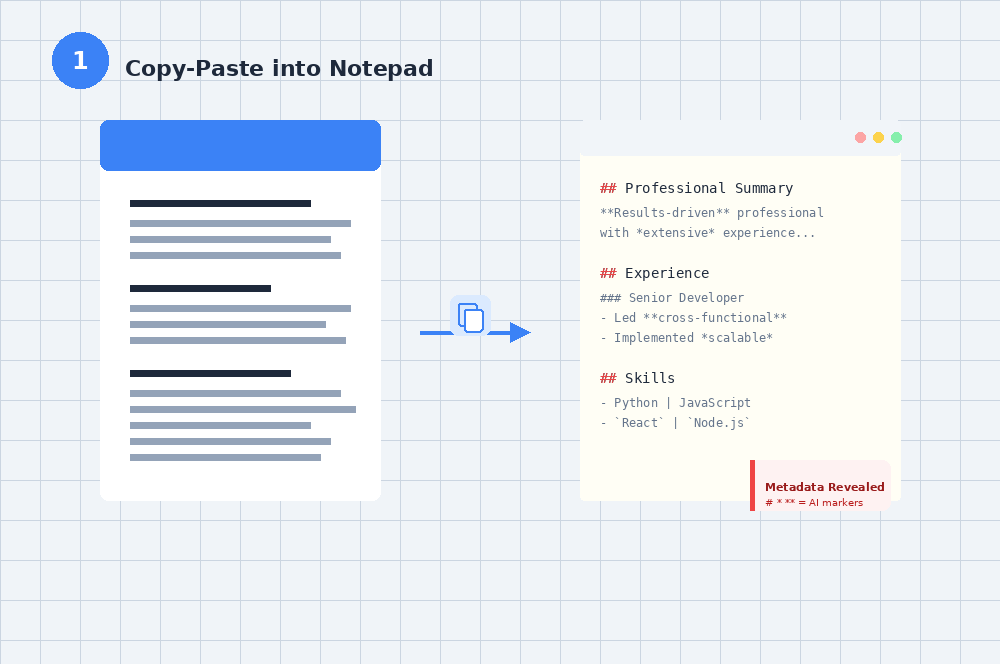
If a candidate uses AI-generated text in their resume without removing the formatting, you’ll be able to catch metadata naturally present in its unmanipulated form.
The Coalition for Content Provenance and Authenticity (C2PA) requires the creators of all AI tools to embed metadata in any digital content they produce. C2PA credentials are present in every unmanipulated AI-generated text in a cryptographic form. They also travel with the file as it is shared from one person to another.
Chances are, an average AI user with limited tech knowledge has never heard of C2PA data. They won’t know how to remove it from their resume file, unless they use AI smartly enough to copy its response as plain text.
Copy their resume onto Notepad, or any plain text editor for that matter, and the metadata will be instantly visible.
Here’s an example section of a resume generated by ChatGPT:
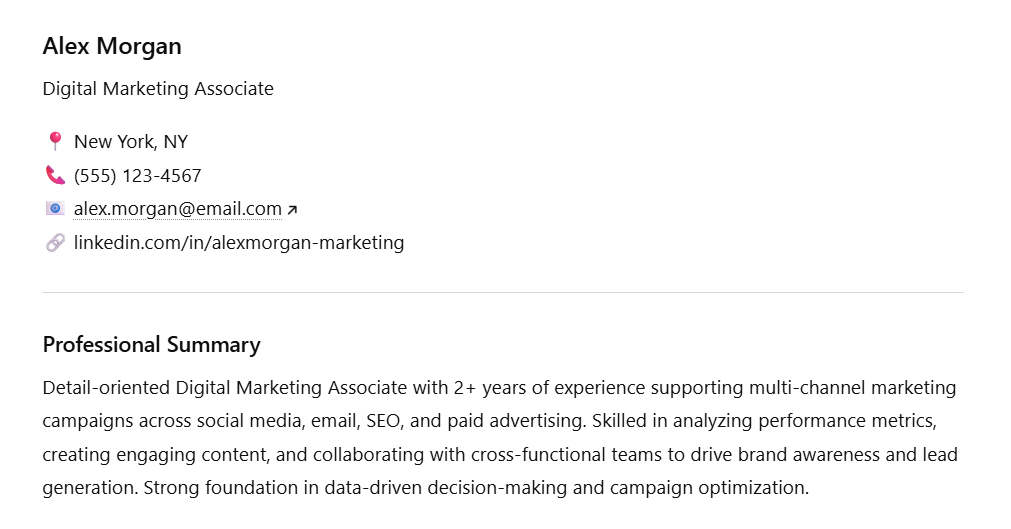
But when I copy-pasted the text into Notepad, here’s what it looked like:
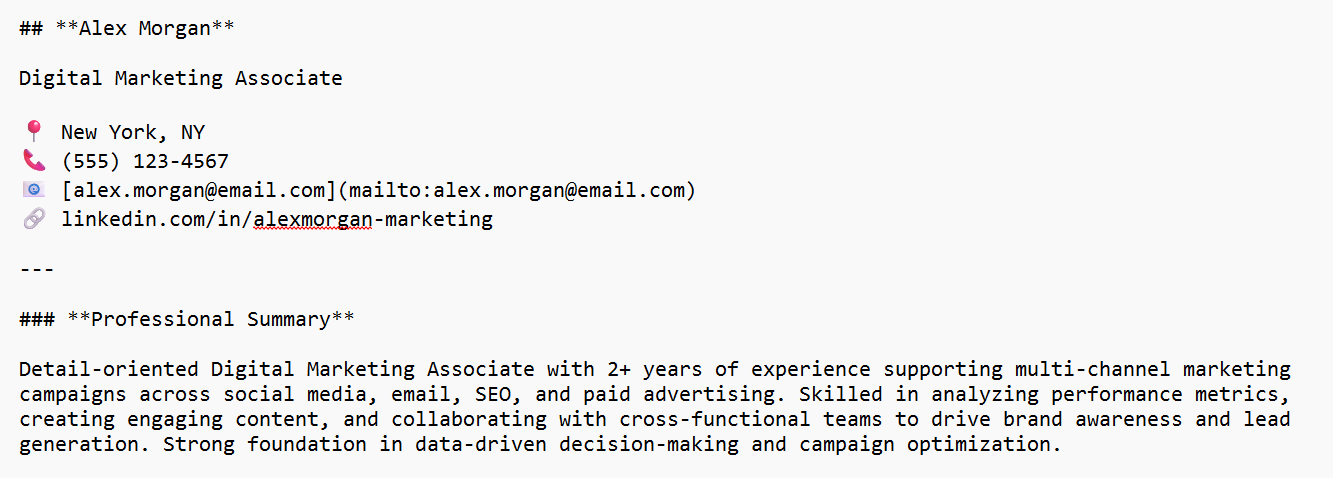
All those # and * symbols are clear indicators of AI-generated text, which weren’t visible in the primary output.
2. Check font consistency manually
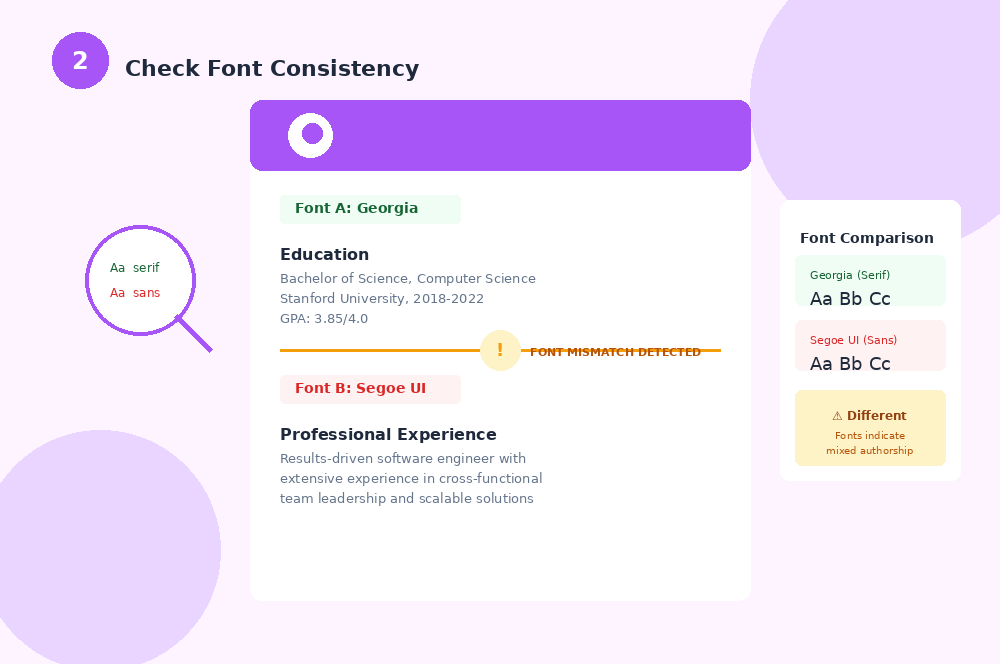
Many times, a candidate will use AI for some particular sections of their resume. They’d begin writing their personal and academic details themselves, but their project descriptions will be AI-generated.
The font style and size they start with can be different to the font in which AI produced its output.
The size discrepancy is often too obvious, and most candidates will check it before they share their resume with you (unless they were way too careless).
The difference between some fonts, however, is not always very visible. The responses ChatGPT produces are in the font of your default OS. So, on Apple devices, it follows San Francisco, and on Windows, it follows the Segoe UI.
Many fonts in the Segoe UI family are too similar at first glance. Segoe UI Bold and Segoe UI Black, for example, will easily be perceived as the same by an average user.
You could keep a font similar to that of ChatGPT (but not EXACTLY the same one) as your resume formatting requirement, and catch the candidates that are trapped by similarity in fonts.
3. Scan for vague, buzzword-dense descriptions
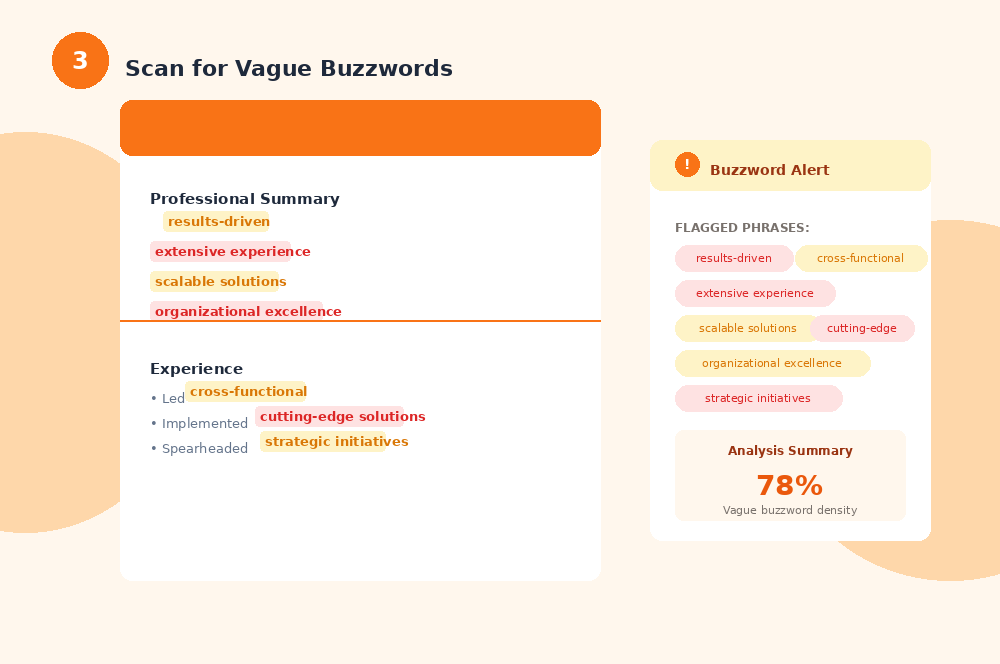
This is more of a manual check in which you read through the resume of a candidate and look for telltale signs of AI-generated text.
An AI resume will contain long, overly worded sentences to convey what could have been a simple idea.
The sentences will also be very predictable, i.e., sentences of similar lengths and structures, very often following the rule-of-three (sentences that contain 3 clauses), because apparently, it is a ‘balanced’ form of a structure.
Many candidates using AI for resumes paste the entire job description into the AI chat, and what follows is a vague resume heavily filled with AI vocabulary mentioned in the job description. If you find too many exactly repeated words, you should be alarmed.
In a New York Post article, Bonnie Dilber, a recruiting leader at Zapier, pointed out that the "Why are you interested in this position?" prompt on applications often gets the same generic ChatGPT response, something along the lines of "Company's mission of [insert mission] resonates with me and my experience in [insert job]."
She said that:
“After seeing this exact same response over and over again, it becomes clear that the candidates are all using AI.”
A real, human writer will also try to incorporate a few words from the description, but it never sounds too forced.
And mostly, you will find words upon words describing how well they performed a task without any tangible measurements of the impact it had.
Obviously, AI can not get actual numbers for the scope of a particular project or for industry benchmarks by itself. A well-thought human written resume, in comparison, has at least some real-world context.
4. Compare the resume, cover letter, and email/LinkedIn communication
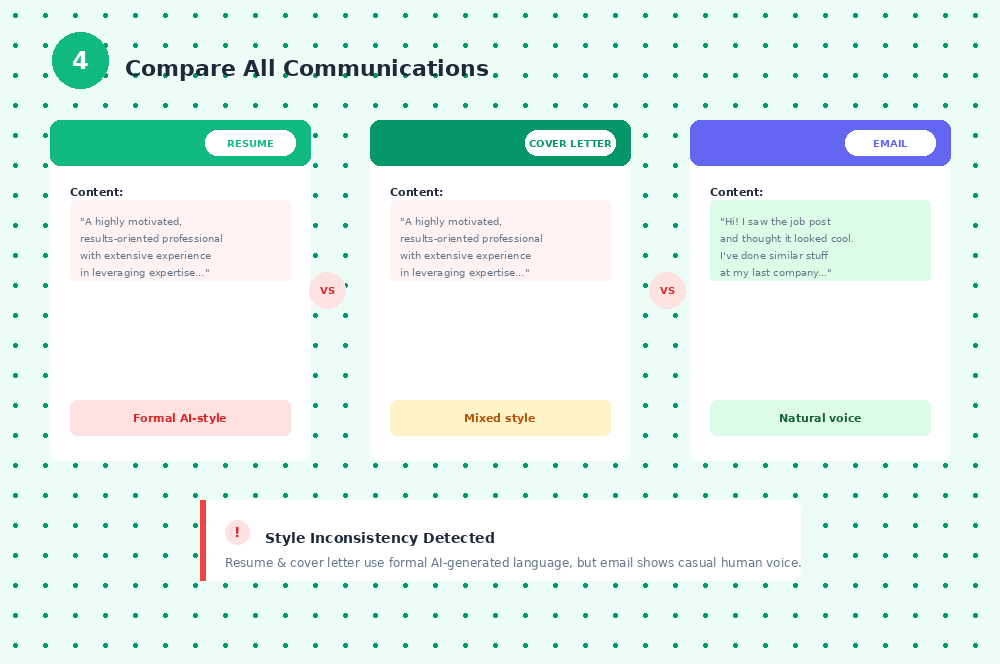
Another quick check to flag potential use of AI in a candidate’s resume is to compare it against the other communication you’ve had with them.
A human writer should sound similar across different contexts and channels. Slight language variation in writing is okay because email or LinkedIn are short-form communication channels, while a resume is a longer document.
But a drastic difference in language is likely suspicious.
You’ll also get an idea about how fluent they are with their use of English through prior communication. That should help you expect the standard of vocabulary in the resume.
Sometimes, the inconsistency is present within different sections of the resume itself. It is possible that a candidate may have written some parts by themselves and have used AI for others. In that case, you’ll often see an abrupt switch in the style and tone of sentences.
5. Prompt Inversion Test
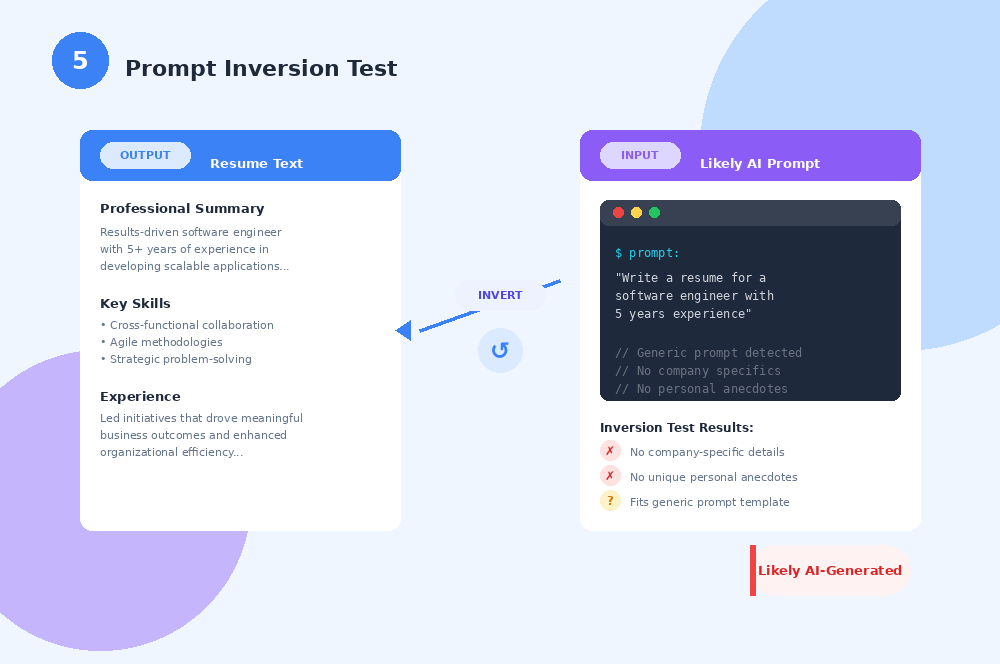
Prompt inversion refers to going back to the prompt that was used to generate a piece of AI text.
When you read a candidate's resume, think about whether it would fit a generic prompt like, “Write a resume for X role”. The test would fail if you find:
- Anything specific to your organization in the resume (because AI will produce a generic output, and only a human writer will make the effort to research about you).
- Any personal anecdotes in the candidate’s resume that are likely not reproducible by AI. Two candidates can not have exactly the same experience.
In either case, the resume is likely not AI-generated. But if you do not find either of the two, the chances of the resume being AI-generated go quite high.
This method, however, is not very accurate. Some candidates may not have used AI, but they may have been just too consumed to write a generic template-based resume.
6. Ask for artifacts during the interview
A good method to check if a job application used AI in their resume is to just schedule an interview with them where you ask them specific questions about the projects listed.
Alternatively, you could ask them to share specific details of a project over the email.
If they wrote the resume by themselves, they would know how to defend it. You could ask a question related to it that would force them into thinking about it, for instance:
- Their exact contribution
- Any difficulties they ran into during the project
- What tradeoffs did they consider
- How did they measure the progress and outcomes of the project?
- The quantifiable impact it produced
It is, however, not practical to conduct an interview for every candidate. So, take this step as the last resort when you haven’t been able to check if the candidate used AI through any other method.
Bonus: Use the Leading AI Detector GPTZero to Detect AI in Job Applications
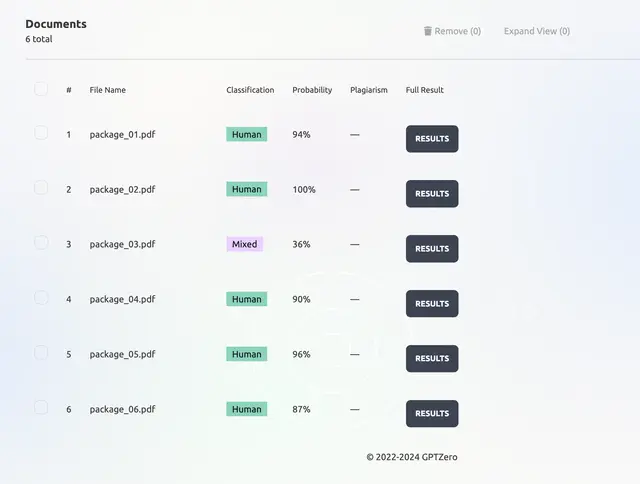
There are pros and cons to each method I’ve talked about so far. You can't, for example, interview every candidate. Similarly, it’ll take an insane amount of time to compare the resume of each candidate with the chain of communication they’ve had with you on different channels.
If you’re short on time, why not counter AI-generated resumes through a reliable AI detection software?
GPTZero is an online AI detection software that you can integrate into your applicant tracking system. Any resume you receive will automatically run through the system within a response time as fast as 0.4s for a 700 word document (and we’re continuously working to bring it down!).
The best thing about the tool is that it will help you sort all your job applications among those that are recklessly produced via AI, versus those that used ‘only a little bit’ of AI help. And it does so for batches upon batches of resumes.
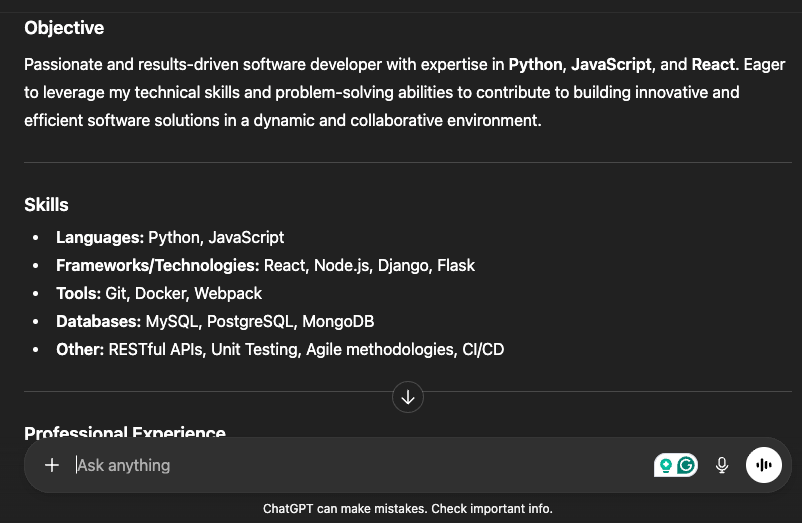
Here’s a resume example I generated using ChatGPT:
Let’s now copy this text as plain text (without meta data) and paste it on GPTZero and see whether it detects this as AI or not.
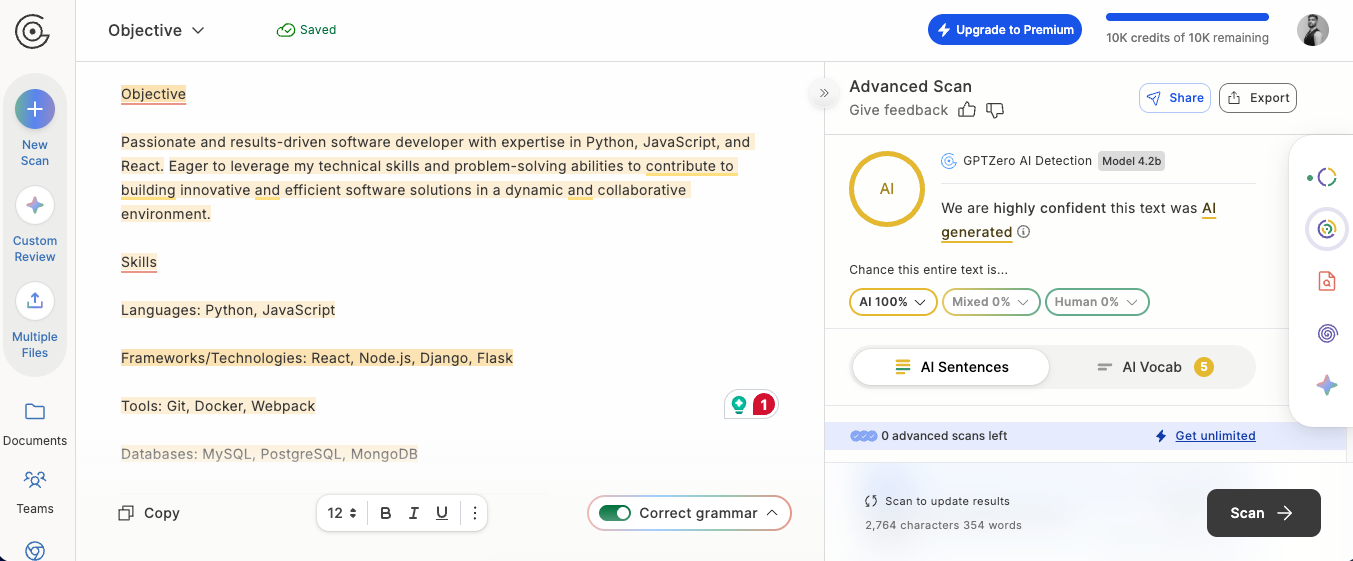
As you can see ⬆️, GPTZero has correctly identified the resume as 100% AI generated.
Let’s now check this article’s AI detection score on GPTZero.
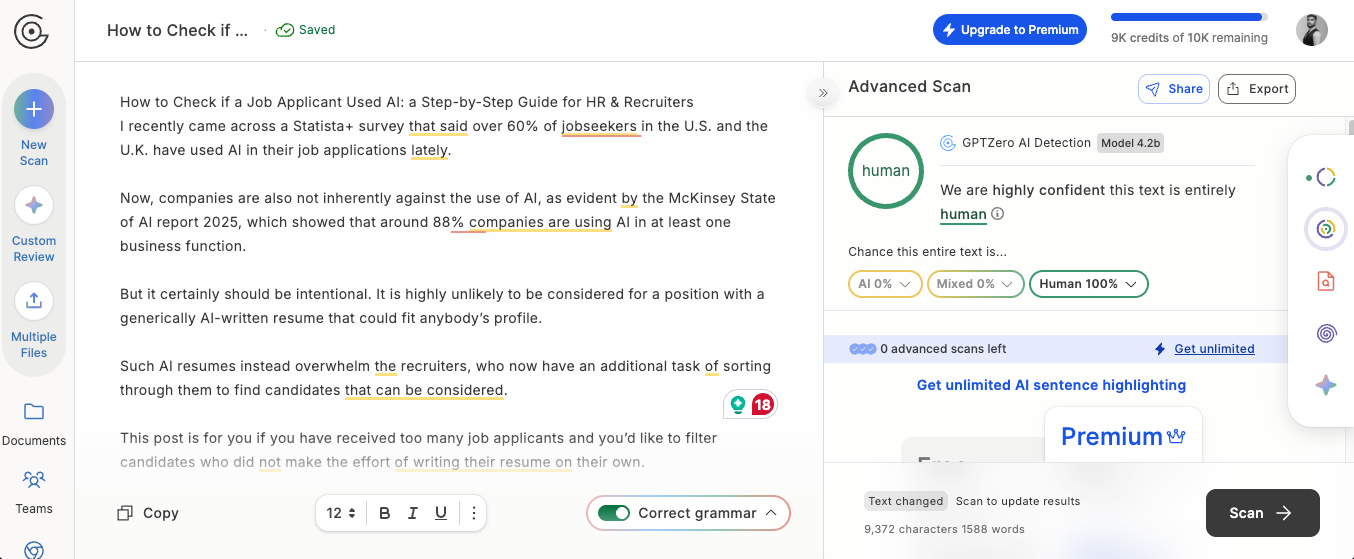
Again, GPTZero is correct as it has identified the text of this article as 100% human-written.
Contact our sales team to get your hands on a secure, enterprise-ready AI detection solution today!
FAQs
How to tell if a job application is written by AI?
There are many ways to tell AI usage in job applications, some of which are manual and, naturally, unreliable. An AI detection tool tested through real-world experiments will be better at identifying AI-written job applications.
What is the most accurate tool to spot AI generated job applications?
Many AI detectors have been tested in various studies and are found to be accurate for catching AI-generated job applications. However, GPTZero is the most accurate commercial AI detector according to an independent RAID benchmark.
You can try out GPTZero AI detector for free here and see for yourself!